







Windows 11’s Xbox mode needed a keyboard just to get back to the desktop,...
Microsoft is testing a refreshed Gaming Task View for Xbox mode on Windows 11 with Exit to Desktop and Power buttons, so you can shut down or restart using a controller. A new Battery Status widget also shows your PC and accessory charge on the Widgets board and lock screen. I tested both features.
Microsoft is killing Windows 11’s web slop, and now even the taskbar’s speed test...
Windows 11's speed test shortcut used to open Bing in your browser. In Insider build 26340.9767, Microsoft moved the test into Quick Settings with a new Speed test tile, live progress and results for download, upload and ping, all powered by Speedtest. I tested it, and it finally feels like Windows.
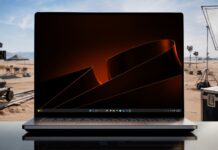
“Not even Microsoft uses Windows 11”: Its new Windows wallpapers were made on a...
Rafael Rivera found that Microsoft's in-house design team made the 12th anniversary Windows Insider wallpapers in Photoshop for Mac. The copies I downloaded no longer show it, Microsoft designers have picked Apple hardware for years, and Insiders deserved a gift made on a Windows PC instead.

Should you turn off the page file on a 32GB PC? Here’s what Microsoft...
Turning off the page file on a 32GB PC drops Windows' commit limit to below 32GB and stops it from saving crash dumps. Raymond Chen and Mark Russinovich explain why, game studios tell players to leave it on, and Microsoft's own sizing rules show what System managed does on your PC.
Microsoft is tired of web app slop on Windows 11, and now it’s making...
Microsoft is fighting Windows 11’s web app slop by making native WinUI apps much easier to build, as changes begin rolling out.

Microsoft is quietly testing another Recall for Windows 11, but this one doesn’t record...
Microsoft is quietly testing Project Pantheon, a Windows 11 app also called Context Vault that saves only what you pick as memories, sorts them into collections and lets AI answer questions about them. It works with the Share menu, Click to Do and even with Claude through MCP. I used it all summer.
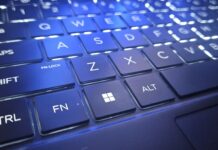
Windows 11’s famous Windows key may get a new job, but Microsoft can’t ignore...
If you press the Windows key on your keyboard, it opens the Start menu, but what if it could do more? Microsoft has some ideas.

Microsoft says it’s optimizing Windows 11 for 8GB PCs, so I tested 26H2 on...
Microsoft promised to cut Windows 11's memory footprint on 8GB PCs, but early 26H2 savings showed up mostly on 16GB to 48GB machines. Here's what changed on an 8GB laptop full of work apps, a clean VM, and what Microsoft's 2GB and 200MB claims mean.

Microsoft is now scaling back Copilot in Windows 11 amid Microslop backlash, pulling 8...
Microsoft says it's retiring "Copilot actions" from the File Explorer context menu, which it recently began rolling out.
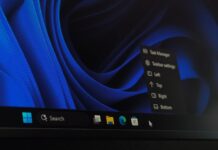
Windows 10 users were right: Windows 11 still can’t drag the taskbar, so Microsoft...
Windows Latest enabled a hidden taskbar menu in Insider Build 26340.9750 that has Left, Top, Right and Bottom buttons. It worked well with an app and Start open on our VM, and the menu first appeared in a deleted video a Microsoft engineer shared in April, when it was only a debug tool.
Windows 11


Windows 10



