







Windows 10 KB5120249 is now available as part of the August 2026 Patch Tuesday for PCs enrolled in the Extended Security Updates (ESU) program. In addition to Windows Update, Microsoft has posted direct download links for KB5120249 offline installers (.msu) on the Update Catalog, but installing them still requires ESU.
This update shows up as “2026-08 Cumulative Update for Windows 10 Version 22H2 for x64-based Systems (KB5120249)” and installs in less than five minutes, but I found quite a few other updates bundled with Patch Tuesday. Windows 10 is also getting a new Recovery Environment update, which could be related to a security issue.
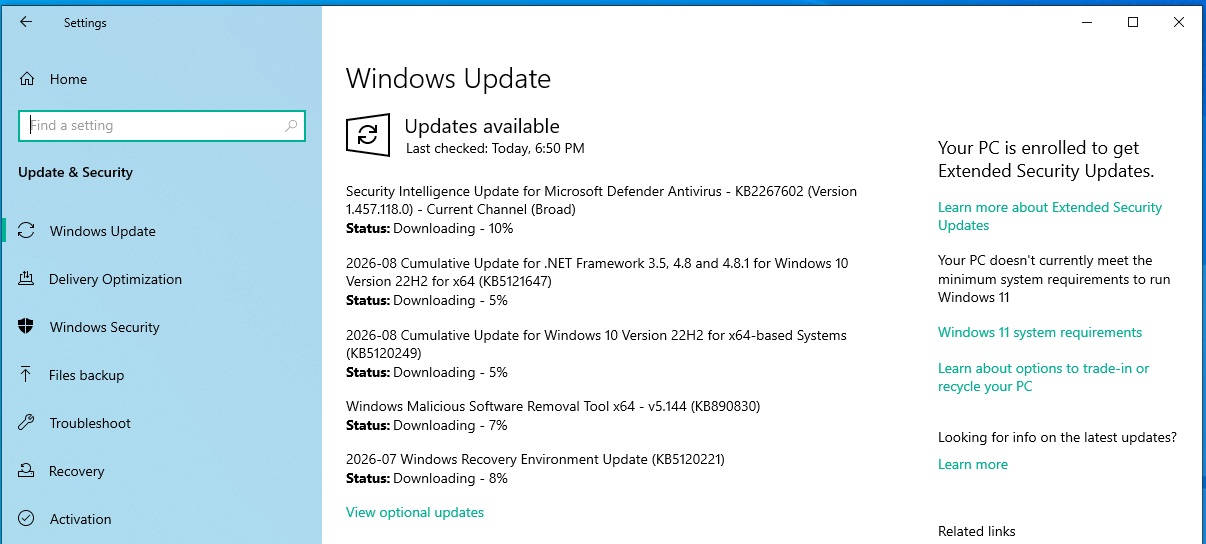
We’re also getting a .NET Framework update today. I observed similar updates on Windows 11 as well, with KB5121003. It’s all rolling out as part of the August 2026 Update, which fixes more than 400 security issues. Microsoft strongly recommends updating Windows 10 PCs, which are supported under ESU until October 2027.
Here’s the full list of updates rolling out today:
- Security Intelligence Update for Microsoft Defender Antivirus – KB2267602 (Version 1.457.118.0) – Current Channel (Broad)
- 2026-08 Cumulative Update for .NET Framework 3.5, 4.8 and 4.8.1 for Windows 10 Version 22H2 for x64 (KB5121647)
- 2026-08 Cumulative Update for Windows 10 Version 22H2 for x64-based Systems (KB5120249)
- Windows Malicious Software Removal Tool x64 – v5.144 (KB890830)
- 2026-07 Windows Recovery Environment Update (KB5120221)
The most important update is Windows 10 KB5120249, and it bumped my old PC to Build 19045.7663. In the case of Windows 10 Enterprise LTSC 2021, it moves to Build 19044.7663, but nothing is visibly different. The two are based on the same Windows platform release, but you obviously have a cleaner experience on LTSC.
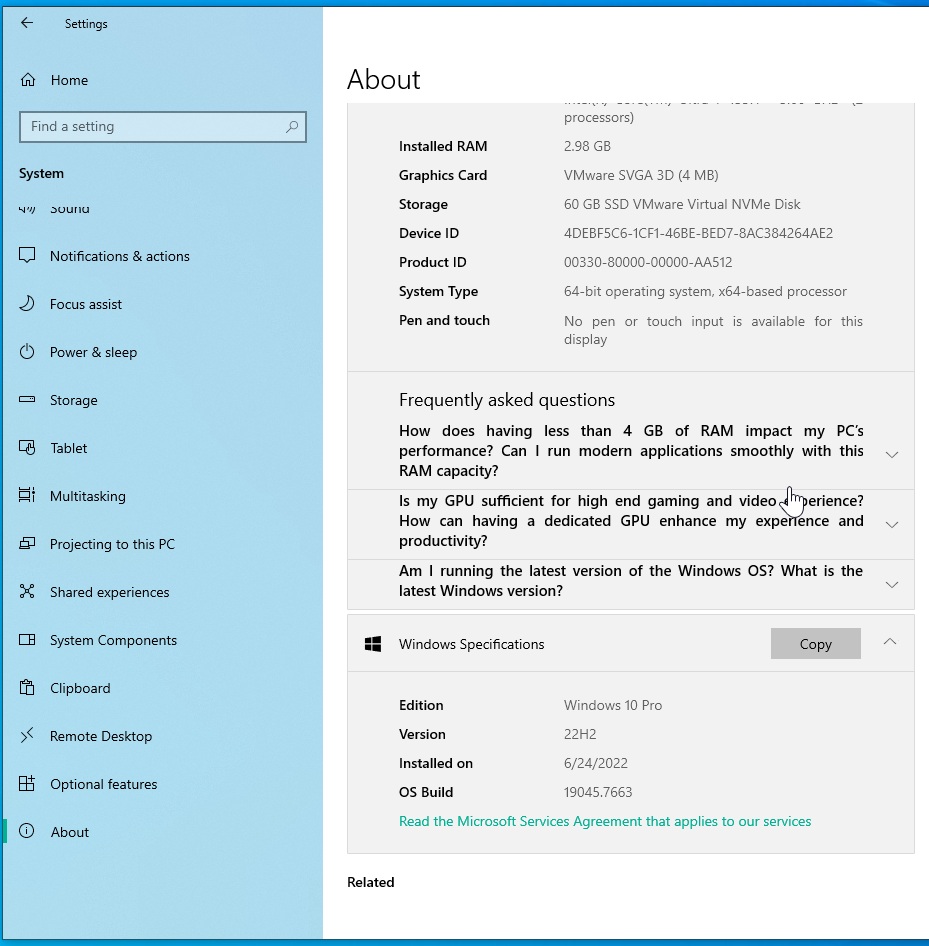
Download Links for Windows 10 KB5120249
Windows 10 KB5120249 Direct Download Links: 64-bit and ARM-64
If Windows Update is not working or getting stuck because there are dozens of other updates pending today, you can use the Update Catalog, which offers the .msu offline installer.
Today’s update is less than 1GB in size if you use the Update Catalog, but I recommend using Windows Update rather than the Update Catalog for most people. It’s faster, and the download size is usually under 500MB when you install updates via Windows Update instead of using the full .msu package.
To download and install the Windows 10 August 2026 Update, open Settings > Update & Security > Windows Update. Click on Check for updates, and select Download & install.
What’s new in Windows 10 Build 19045.7663?
Windows 10 Build 19045.7663 has the relevant security fixes from this month’s Patch Tuesday, but don’t expect any visible differences in the UI or UX. Windows 10 is under extended support, so it’s not getting new features.
However, I noticed that Microsoft has quietly added the new OneDrive Photos app to PCs running Windows 10.
Microsoft previously confirmed that OneDrive Photos is being rolled out via the OneDrive sync client, which is usually pre-installed and running in the background even if you have not logged in to your Microsoft account.
So, if you see the new OneDrive Photos app on Windows 10, it’s not due to KB5120249. It’s shipping through the OneDrive sync client, and Microsoft has promised it’ll let you delete the app separately in the coming weeks.
There are only two notable changes in Windows 10’s August 2026 Update.
1. Windows Backup changes
This change is only for Windows enterprise customers, especially if you use Server Message Block (SMB). Microsoft previously found that File History automatic backups, when turned on, could show an invalid credentials error when you used SMB. This bug caused scheduled backups to fail and prevented files from being copied.
“This update resolves the issue,” Microsoft noted in the release notes for Windows 10 KB5120249.
2. Secure Boot unlocked for more PCs
Windows Latest also noticed that Secure Boot certificate updates are now rolling out to more PCs with Windows 10 KB5120249.
With every Patch Tuesday, Microsoft adds more PCs to its high-confidence range, which increases the chances of your PC receiving the new Secure Boot certificates.
“Certificate deployment via Windows updates continues across supported PCs and non-managed business devices in the coming months,” the company noted.
If you are unsure whether Windows 10 KB5120249 applies the Secure Boot certificate update to your PC, open the Windows Security app and head to Device Security. There, you’ll see the Secure Boot status.
In most cases, it should already say “Secure Boot is on,” and all required certificate updates will have been applied.
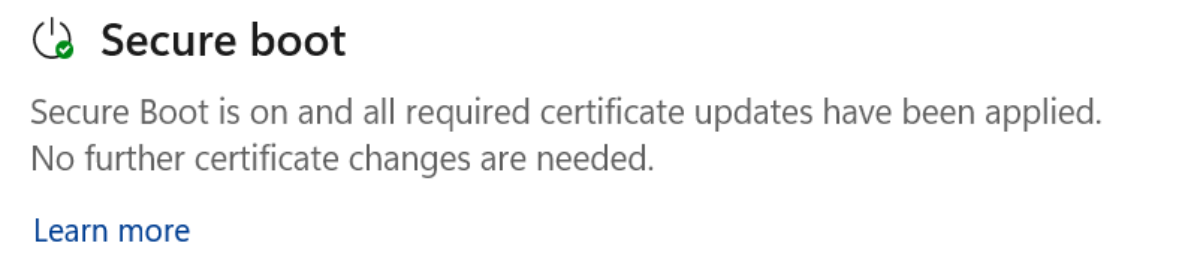
On older PCs, Secure Boot could be turned off, which is also one of the reasons you cannot upgrade to Windows 11, as it requires Secure Boot support.
In other cases, you’ll see a yellow alert saying Secure Boot has not been updated due to hardware or firmware limitations.
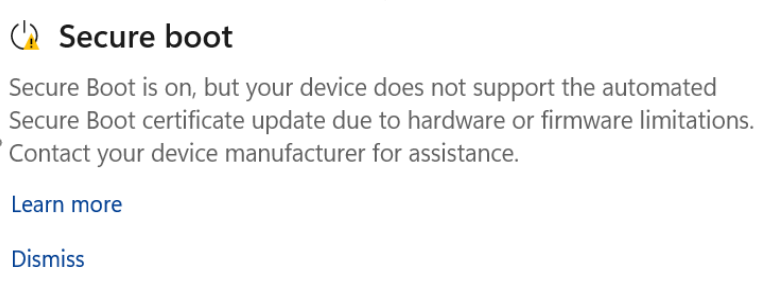
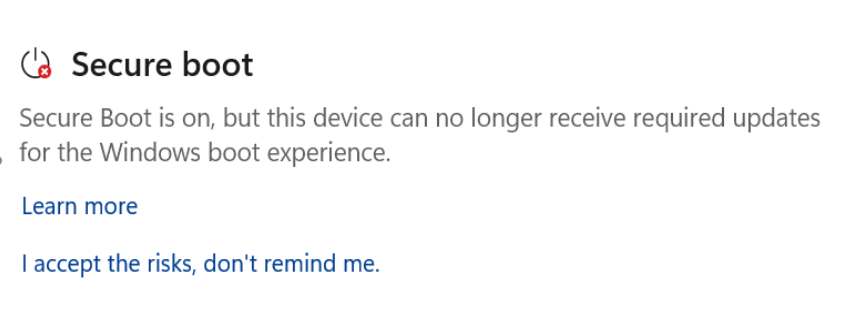
And that’s pretty much it for the August 2026 Update on Windows 10.
If you’re looking for known issues, there’s nothing significant to see here either. Windows 10 KB5120249 does not have any known issues because it does not dramatically change anything on existing PCs.
In fact, Windows 11 also does not appear to have any major issues after the August 2026 Patch Tuesday, as Microsoft is betting big on performance and stability this year.
Windows 10 Enterprise LTSC 2021 support ends in January
Before Microsoft rolled out Windows 10 KB5120249, it also reminded us that Windows 10 Enterprise LTSC 2021 support ends on January 27, 2027. If you keep using the OS without ESU after that, your device could become vulnerable.
Microsoft’s recommendation is to move to Windows 11 LTSC 2024, which is just as good as Windows 10, but also more secure.
But for everyone who prefers Windows 10 LTSC for good reasons, you have the choice to move to another edition called “IoT Enterprise LTSC,” which will continue to get monthly security updates, including the one you just got (Windows 10 KB5120249). Or you can purchase ESU for $61, which will become available in September 2026.
Note that ESU is paid for the LTSC edition of Windows because it’s for enterprises. For consumers, you only have Windows 10 Home and Pro editions, which are getting Extended Security Updates for free.