






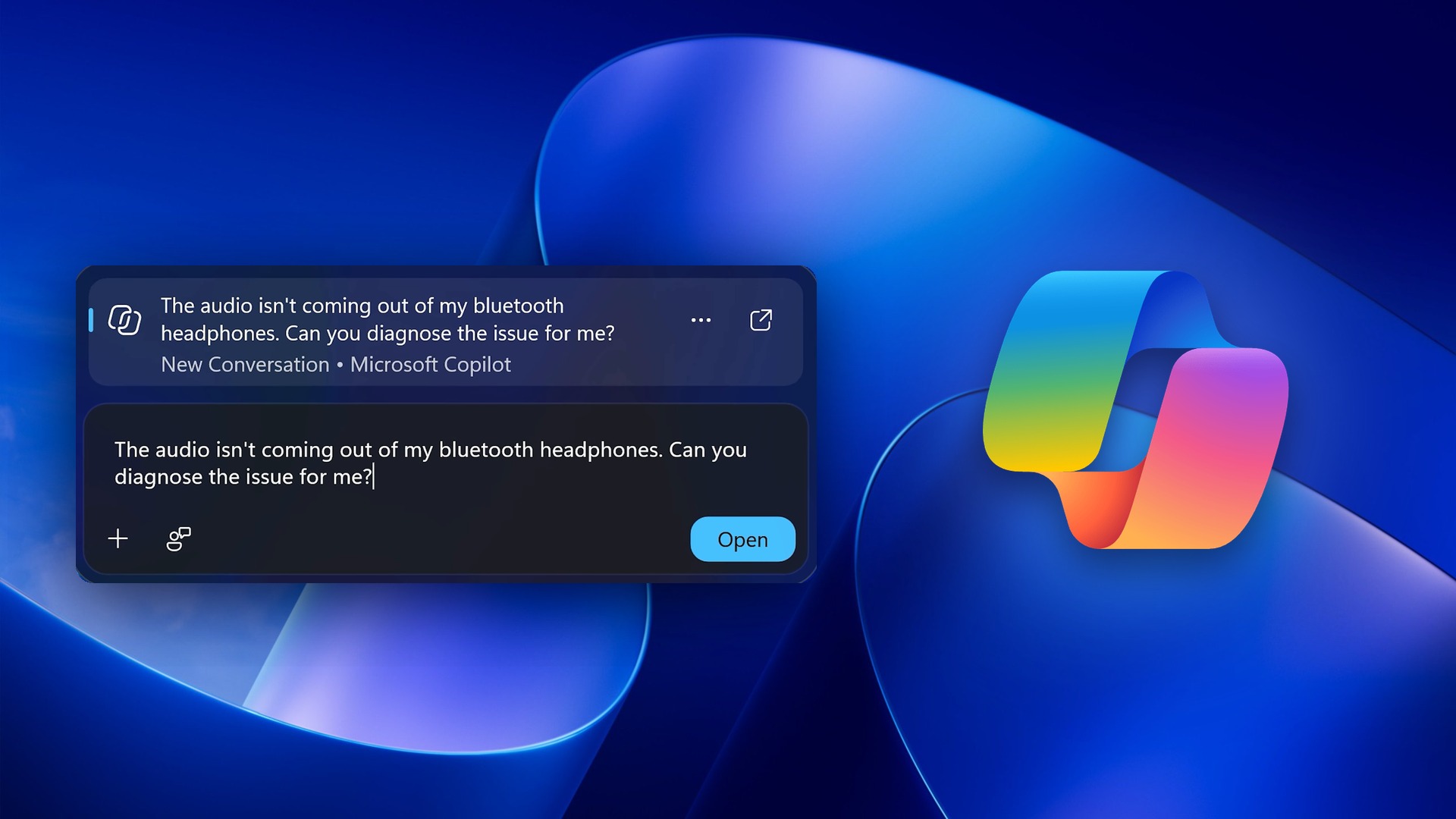
Microsoft no longer wants you to search the internet for Windows 11 issues and find solutions. You can briefly describe your problem in the taskbar search bar, and, with your permission, Copilot can check your system and propose a solution. I originally found this AI-powered “diagnostics” feature in July 2026, and it’s now official ahead of the public rollout.
It turns out that Copilot-powered diagnostics is part of the company’s broader vision for Windows, and it’s called “Hybrid Intelligence.” As weird as it may sound, this isn’t exactly an alien term in Microsoft’s playbook. I noticed it during the company’s last earnings call, where Satya Nadella said he plans to bring “hybrid intelligence” to every desk, and it looks like we’re seeing the early bits today.
At Ignite 2026, Microsoft argued that helpful AI doesn’t stop at answers. If you’re just asking an AI questions back and forth, it may be a good experience, but Microsoft believes AI can do more when it can use local context and take action on your behalf.
“Helpful AI doesn’t stop at answers,” Microsoft noted. “Copilot will be able to take action across Windows, from working with files to helping diagnose PC issues, while the user stays in control.”
“Copilot is AI built for work, and on Windows it can do even more,” Pavan Davuluri, who heads Windows and Devices, said in a statement.
If you give Copilot access to your personal files and folders, it can use that information as context and even act on your behalf. For example, if you’ve got a pictures folder with duplicates, you can ask Copilot to clean it up.
It’s actually quite useful, and I’ve used Claude Code in the past to find files I hadn’t used in years but had no idea where I’d stored them. Claude Code found 20GB of ISOs I no longer needed and cleaned them up for me.
Copilot could soon behave in a similar way, and it’ll be better because Microsoft owns both Copilot and Windows. However, things get interesting when Copilot begins pulling details of your system and suggesting workarounds for an odd issue, like a Bluetooth headset that doesn’t produce sound.
Copilot can diagnose Windows 11 issues from Search
For example, if Bluetooth audio isn’t working for you, you can open Windows Search, including the new version that begins rolling out in December 2026, and type something like “The audio isn’t coming out of my Bluetooth headphones. Can you diagnose the issue for me?”
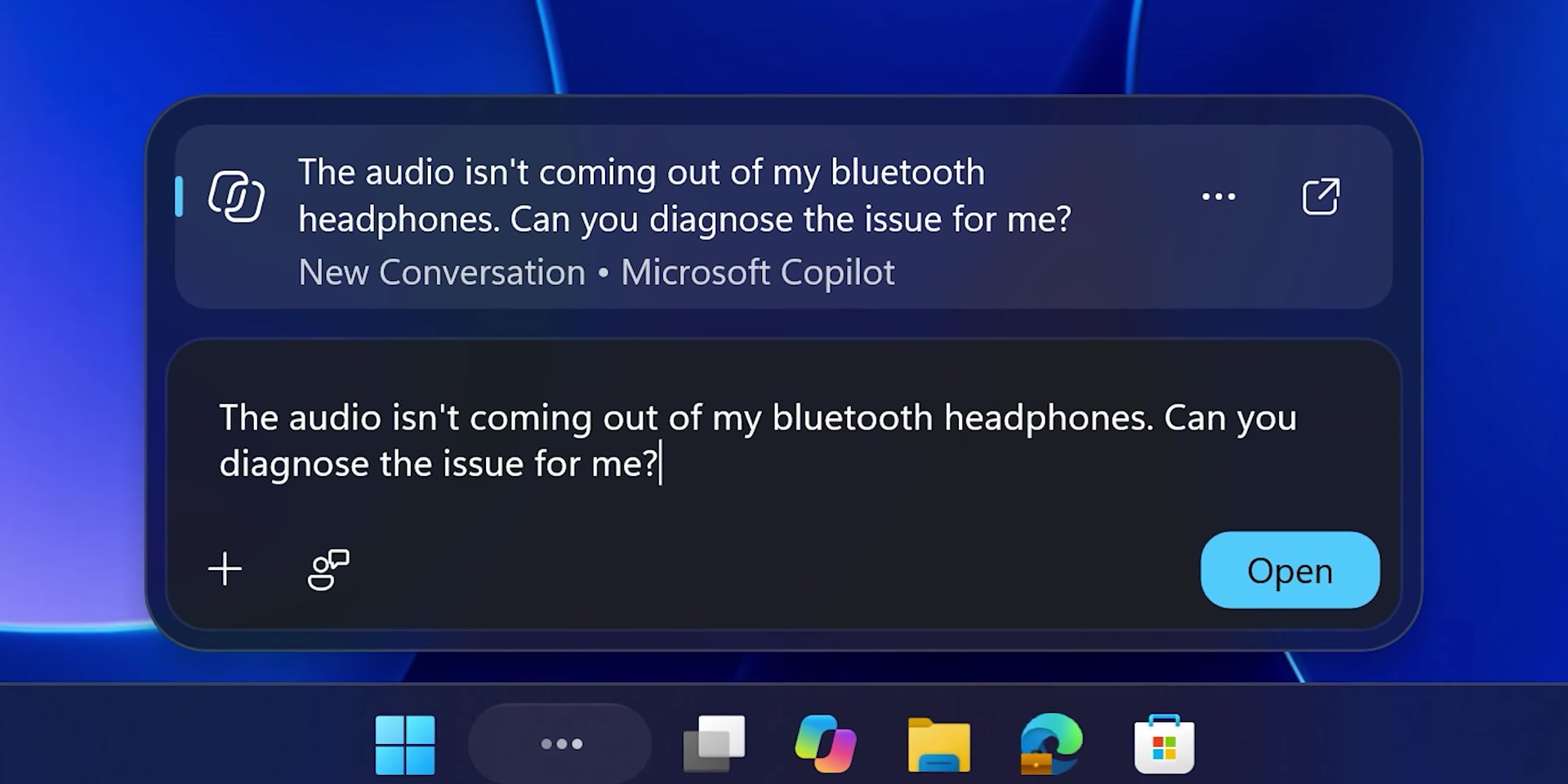
Instead of sending you to Bing.com, Windows Search can recommend asking that question in the Copilot app.
If you choose to send it to Copilot, it takes approximately five seconds to open Copilot with the question already sent. Windows Latest understands that Copilot may request a couple of permissions, including access to files and the ability to read system information. You can change these under Settings > Data controls > Copilot access to your PC, including if you turned them on through a chat.
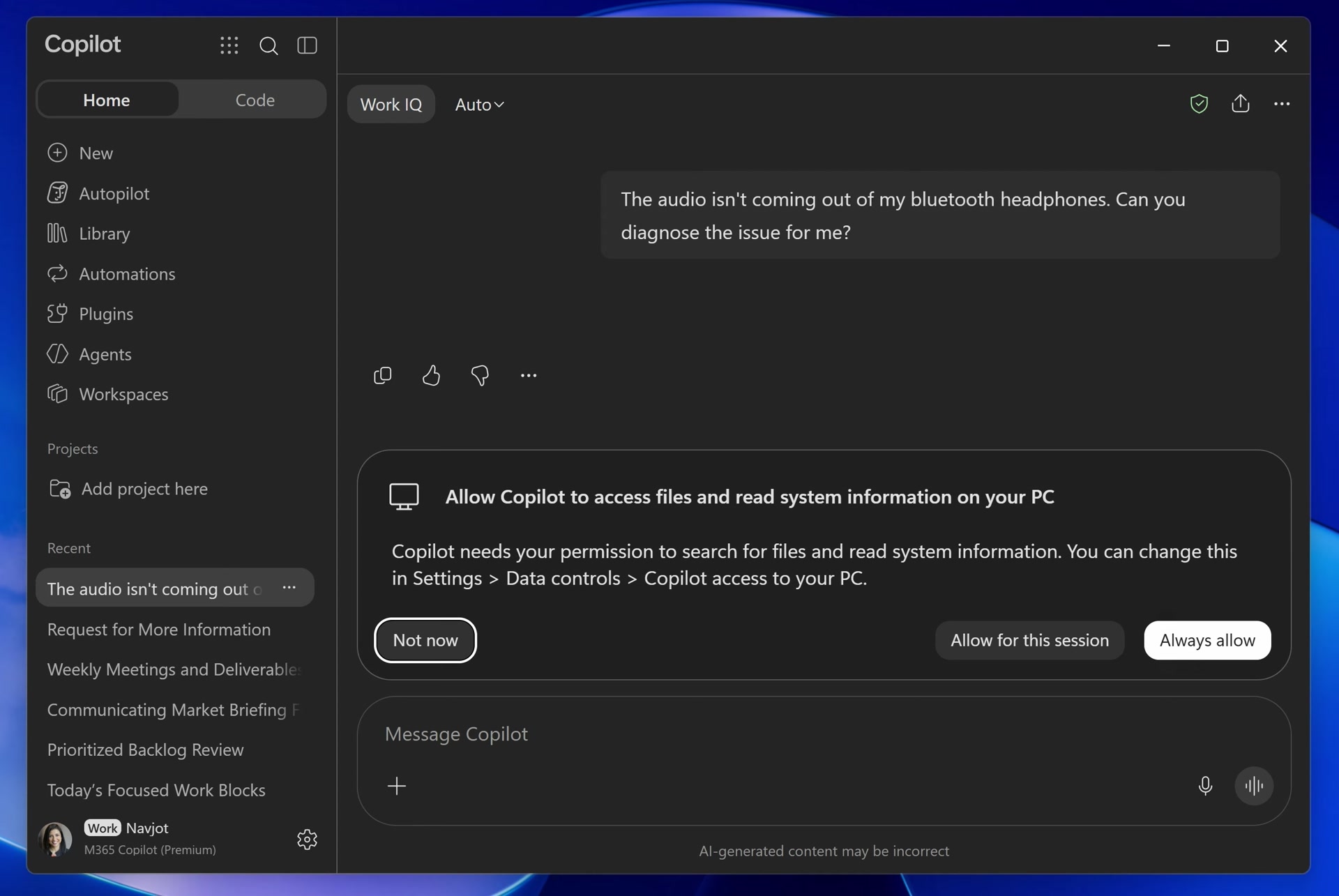
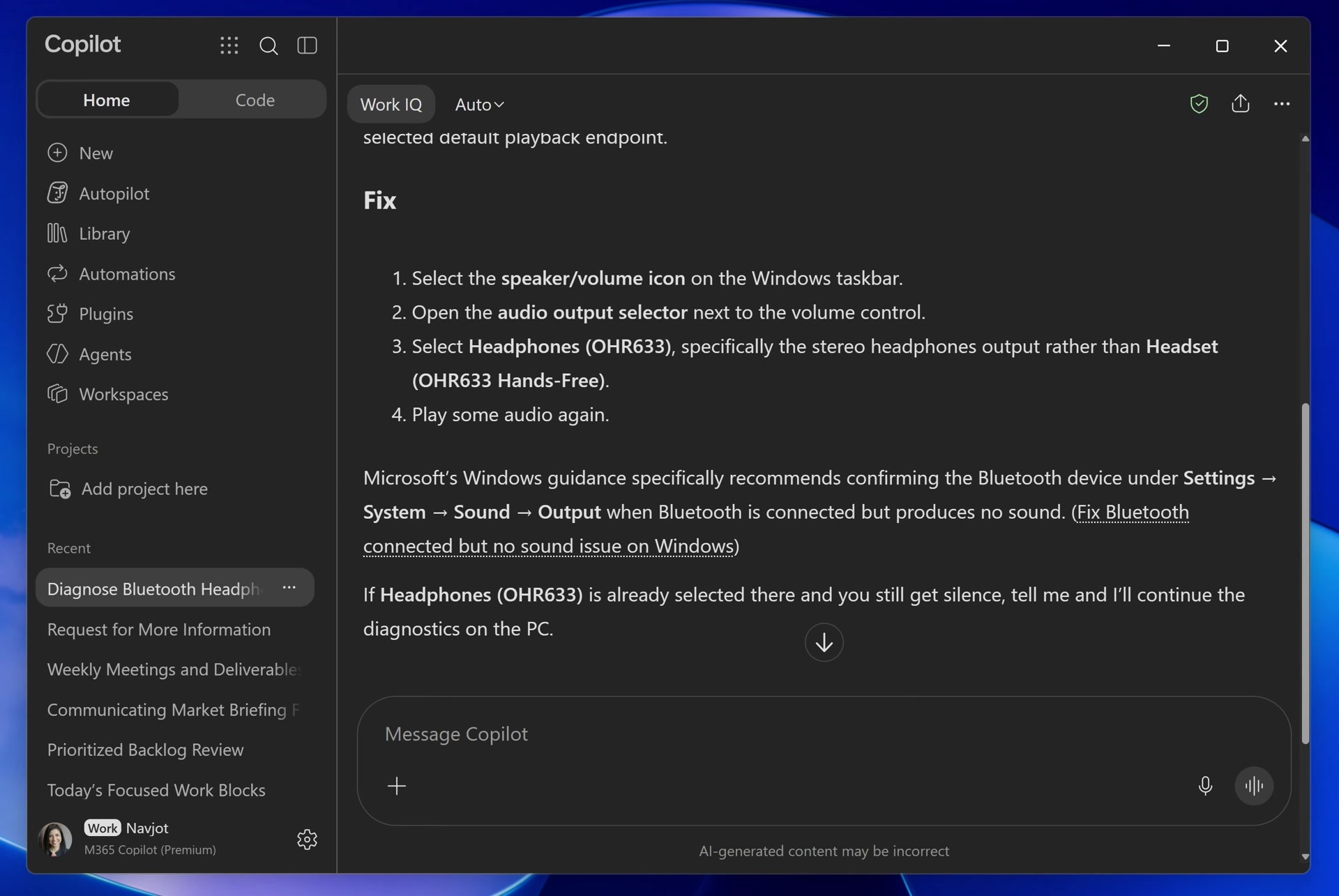
Copilot shows “Hang on a sec…”, then “Reasoned for 4s” and “Using Hybrid Intelligence”, and runs two checks:
- Checking Windows audio endpoints for the Bluetooth headphones.
- Checking the Bluetooth connection state for the OHR633 headphones.
This takes about 30 seconds, and Copilot actually comes up with an interesting answer. It identifies that the headphones are healthy and finds no basic pairing or device failure, suggesting that Windows itself may be routing audio to a different output.
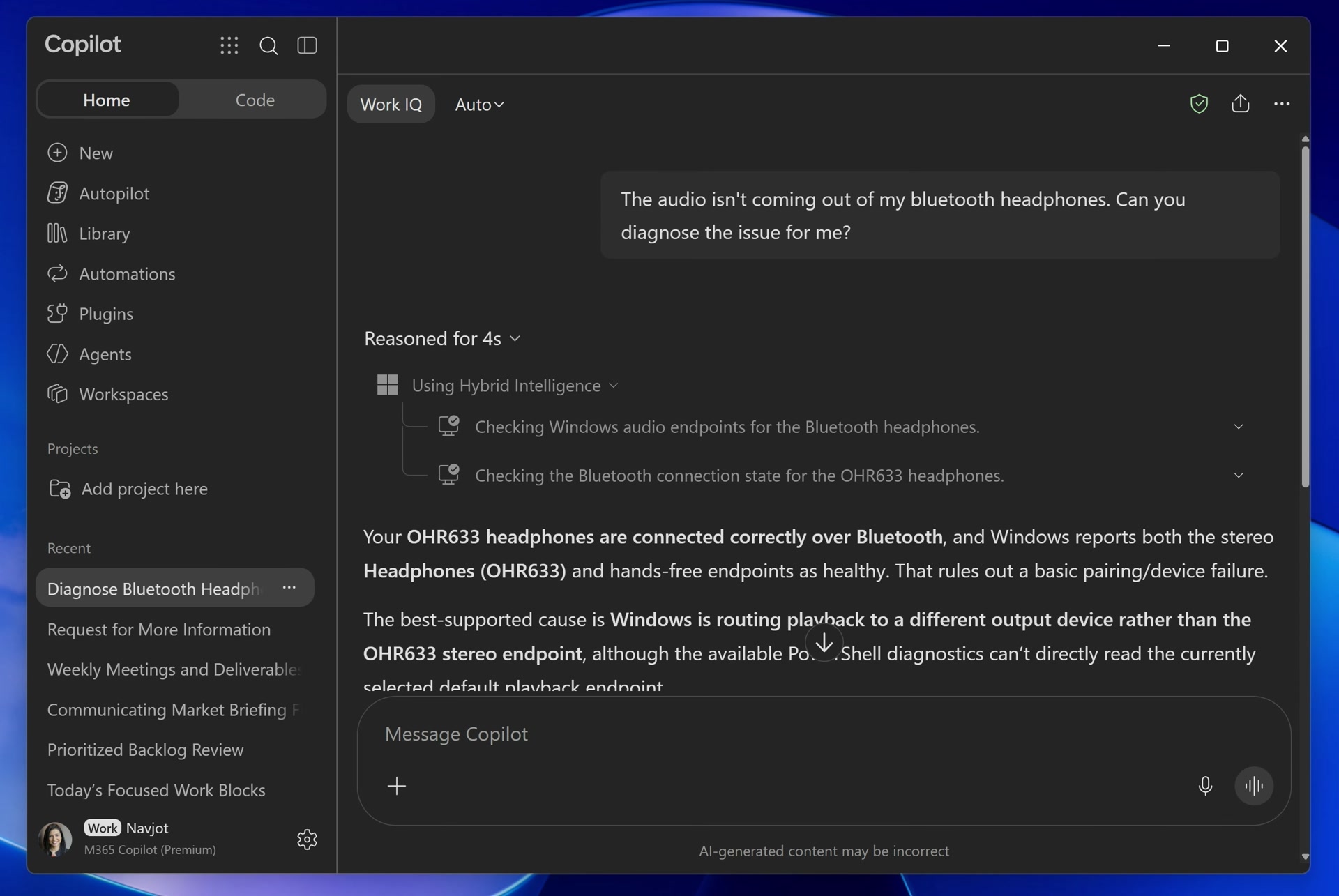
Copilot didn’t automatically patch the Bluetooth error, and it won’t do that for every problem for now. Instead, it offered steps, such as heading to Settings > System > Sound > Output and trying different settings.
“These capabilities can help resolve many of the most common reasons people call IT support,” Pavan Davuluri noted in a statement. “Employees get time back, and IT teams spend less time on tickets and more on work that moves the business forward.”
Copilot for Windows is also testing PC Insights, which could answer questions like “What graphics card do I have?” Together with PC Diagnostics, it looks like Microsoft’s AI is finally starting to feel like an assistant. Here are some of the questions you can ask Copilot, and it’ll pull up details from your PC:
| Category | Example questions to ask Copilot |
|---|---|
| General examples | “What graphics card do I have?” “Do I have enough space for a 100GB game?” |
| Device and system | “What are my computer’s full specifications?” “Is my antivirus running?” “How is my battery health?” “What’s my BIOS version?” |
| Performance and activity | “What USB devices are plugged into my computer?” “What’s my current CPU usage?” “Is my external hard drive recognized?” “What network adapters does my PC have?” |
| Storage and files | “How big is my Downloads folder?” “Do I have enough storage for a large game or app?” |
| Connected devices | “Is my printer online?” “Is my webcam detected?” |
Copilot can actually help fix problems on Windows, but it needs to do a better job as an app
Copilot has been redesigned and even rewritten from scratch close to ten times on Windows, and the most recent version isn’t great either. I’ve used it for basic research tasks, and with back-and-forth conversations, you’d usually be staring at 700MB of RAM usage, but it easily goes above 1GB if you keep interacting with Copilot.
More than Copilot’s RAM usage, I am not a fan of the fact that it’s an Edge-based client, which means Copilot for Windows is not a native app, even as Microsoft claims it’s building 100% native apps for Windows.
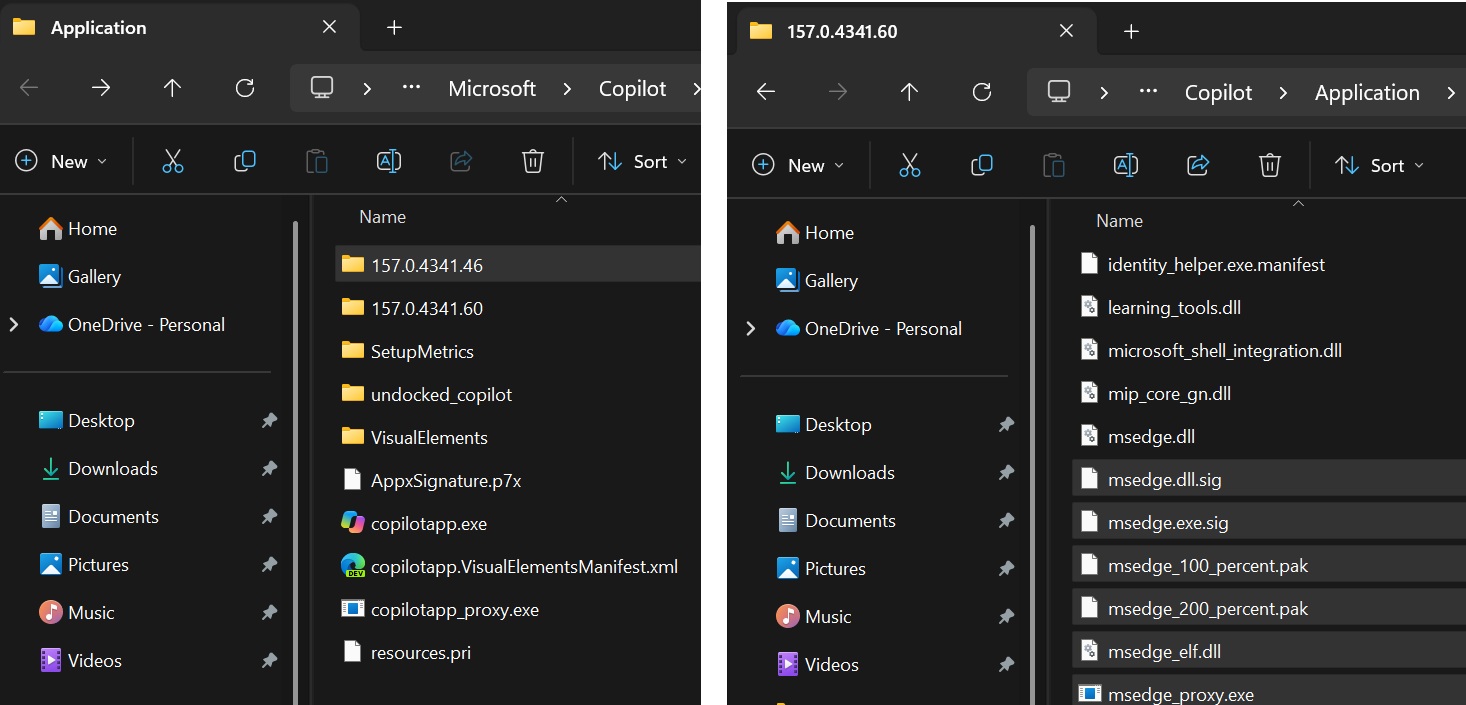
In our tests, Windows Latest observed that Copilot includes a full private copy of the Edge browser, so it’s not even a lightweight web app that shares resources with Edge. Instead, it has its own copy of Edge, which is why you’d be staring at this new Copilot using more than 5GB of space on your PC, compared to just a few megabytes for the older version.
Some of us dislike Copilot, but I think it’s a pretty good idea if it works well. There’s no going back to a world where AI doesn’t exist, so if we have to accept Copilot, I’d settle for something actually useful.