






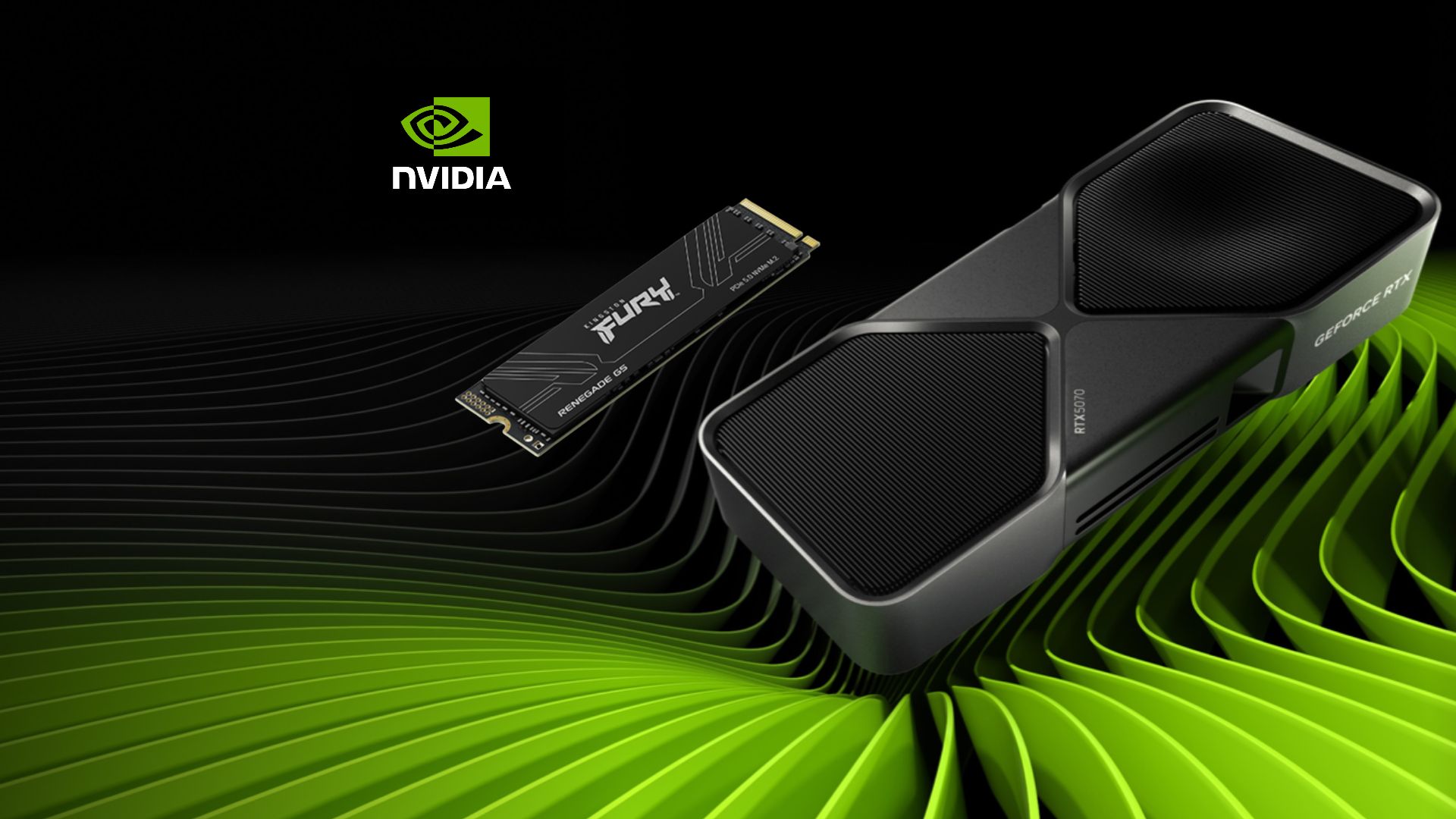
Just as GTA VI is out, a bug in Nvidia’s GeForce 621.14 and 621.24 drivers makes the NVDisplay.Container.exe background process rewrite a log file on your SSD over and over, even when your Windows 11 PC is idle. Some users have observed around 3GB to 30GB of writes per hour, but not every PC with these drivers is affected, and Nvidia hasn’t acknowledged the issue.
I saw many recommending rolling back to driver 621.01, but it’s the driver Nvidia had to patch for video freezes and black screens on RTX 50 GPUs. And if you’ve been with the GPU giant for long, you’ll remember that Nvidia’s Display Container ran into a very similar bug back in 2021.
Nvidia GeForce 621.14 and 621.24 drivers keep rewriting an SSD log file while Windows is idle
The issue was posted by a user called Andergraude in Nvidia’s 621.14 feedback thread, who called it “new in 621.14.” The user has an RTX 4070 Super mated to Windows 11 25H2. NVDisplay.Container.exe, which runs as the NVIDIA Display Container LS service, kept rewriting the following log file.
C:\ProgramData\NVIDIA Corporation\nvtopps\nct\nvlog.nvlgstg
On idle, after five minutes, the process logged 515MB of writes, which is a far cry from less than 2MB on 621.01. The writes keep growing as the file grows, and the user says video pages in a browser worsened it.
On 621.24, another user reported “about 30gb per 1h,” and 70GB or more in long sessions, with telemetry turned off in the Nvidia App. As of writing, Nvidia’s 621.24 release notes don’t show open issues about this.
The 30GB-per-hour SSD write figure doesn’t tell the whole story
Windows tracks what apps ask to write, but it is not always what ends up being written to the SSD. During those five minutes, when NVDisplay.Container.exe logged 515MB, the whole system drive took 270MB, and the SSD’s SMART “Data Units Written” counter matched Windows.
Using that 270MB figure, Tom’s Hardware estimates about 28TB a year, roughly 5% of a typical 1TB SSD’s 600TB rating, while 30GB an hour for eight hours a day works out to about 15%. Of course, it won’t kill your drive when you wake up, but SSD trouble on Windows is nothing new, and nobody wants a driver reducing the lifespan of their SSD, especially when prices are unfathomably high.
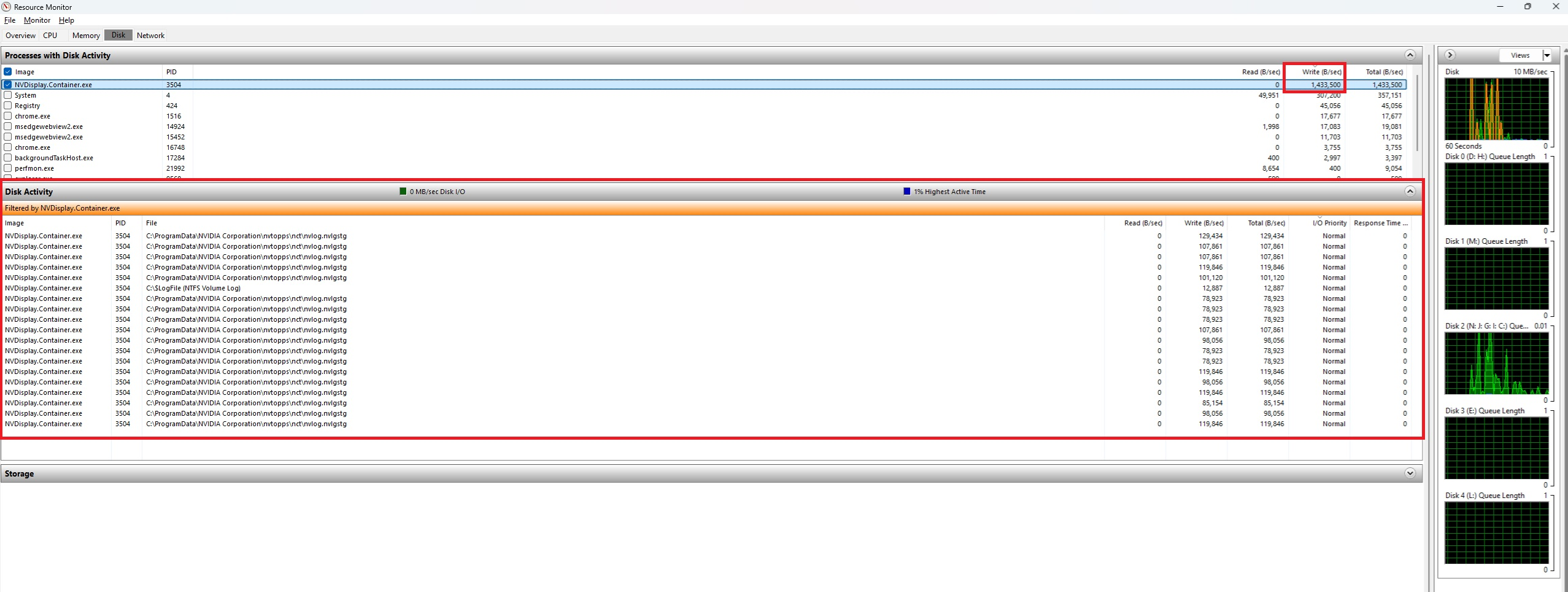
Wccftech saw the process write about 1.43MB per second to nvlog.nvlgstg on their idle RTX 4090, even with Highlights, ShadowPlay and the overlay off. Then again, several Reddit users running these drivers see nothing unusual, so check your PC before panicking.
Rolling back to Nvidia driver 621.01 could bring back RTX 50 black screens
Nvidia’s release notes admit that after 621.01, video playback “may freeze or black screen” on some RTX 50 GPUs and RTX Spark systems. Nvidia patched that in the 621.12 hotfix and then in 621.14, the driver that apparently started the SSD writes. Ironic, as this is also how the company is trying to fix a completely different damage in their corporate structure!
So, RTX 40 and older cards don’t face that particular bug, while RTX 50 owners may be swapping one bug for another. We couldn’t find any report that tested the 621.12 hotfix.
Andergraude found that stopping NVIDIA Display Container LS, deleting nvlog.nvlgstg and restarting the service reduced the process’s writes by about 91%, but then the file grew again. Another user with 621.24 tried three clean reinstalls with DDU, but that didn’t help. You can always disable the service completely to stop the writes, but then you lose the NVIDIA Control Panel and Nvidia App, both of which are fairly powerful.
How to check if Nvidia’s driver is writing to your SSD
Press Win + R, type resmon, and open the Disk tab. Sort Disk Activity by Write (B/sec), and check if NVDisplay.Container.exe is writing to nvlog.nvlgstg every few seconds while you’re not doing anything on the PC. Task Manager’s disk details can show the busy drive, but Resource Monitor is what shows the name of the file being written.
For writes that reach the SSD, note “Host Writes” or “Data Units Written” in CrystalDiskInfo or your SSD maker’s app, leave the PC idle for an hour, and compare.
Nvidia’s Display Container has done this before, and AMD just fixed its similar SSD write bug
Back in 2021, Nvidia’s 471.96 driver fixed NVDisplay.Container.exe constantly writing to a different file in Nvidia’s nvtopps folder. Wccftech also found a January 2025 Dell Community report describing the nvlog file being rewritten, so this log has misbehaved before.
AMD had a similar problem with its External Events Utility, acknowledged it, and fixed it in the optional Adrenalin 26.11.1 driver on November 12, covering idle writes on Radeon RX 7000 cards and newer.
In the past, Nvidia has been quick to fix such issues, like when it released a driver after Windows 11 updates hurt gaming performance last year. So far, the company hasn’t responded on its forums or in its release notes, and users are debugging it themselves.