







Microsoft Publisher begins disappearing from PCs after 35 years, and your .pub files won’t...
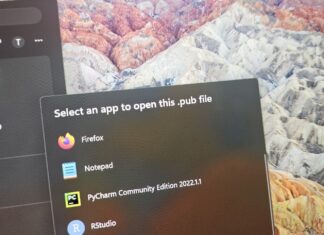
Microsoft Publisher has been retired, and it has already stopped working on some PCs, but some of you might still be able to access it.

Users keep rejecting Copilot, and now Microsoft is killing its AI themes in Outlook...
Microsoft appears to be realizing that nobody wants Copilot in places where it's not required, and Outlook is next to lose AI themes.
“We didn’t ask for more Microslop”: Microsoft promised to fix Windows 11, then dropped...
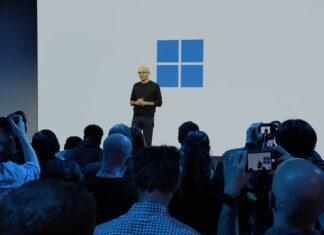
Microsoft showed a WinUI-based Windows Search, hybrid intelligence and secure agent containers, but barely talked about fixing Windows 11 itself, while Copilot got 36 mentions. Here is my word count of the livestream, what viewers said in the chat, and what Microsoft should do at its next Windows event.
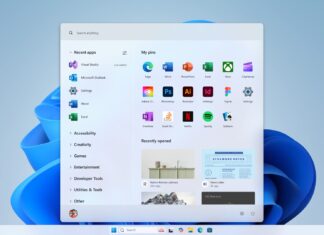
Microsoft design boss on why Windows 11 can’t please all 1 billion users: “Everyone...
Windows 11 is getting a "UI rejuvenation" in the coming months, which means Microsoft will talk a lot about modernizing legacy features. However, Microsoft can't realistically make a billion people happy with its design...
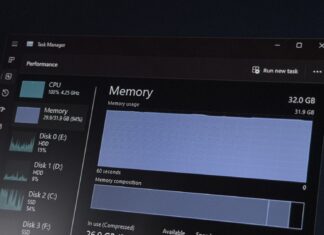
AI was supposed to sell PCs. Instead, PC shipments just crashed 20% as AI...
Omdia and IDC say PC makers stocked up early to beat memory price hikes, and the parts inside a $699 laptop now cost $699. Meanwhile, Windows 11 26H2 can use less RAM and WinUI is getting faster, but Microsoft's local AI push needs the expensive memory that is keeping buyers away from new PCs.

Microsoft is giving Windows 11’s legacy UI dark mode instead of killing it, now...
Windows 11 doesn't have a single design language, as even its own apps and OS features are scattered across different frameworks. Microsoft eventually plans to rebuild much of the legacy stuff using WinUI, but...

30-year Microsoft veteran explains why you shouldn’t run two antivirus apps on Windows 11
Microsoft veteran Raymond Chen, who has been with the company for more than three decades, has advice for everybody with two or more antivirus solutions, and it's quite straightforward. Just don't use multiple AVs.
While...
Microsoft admits one bad driver can crash all of Windows, and Intel’s Windows 11...
Intel has confirmed itsGPU drivers are now fully compatible with Windows 11 26H2, and now it could get Microsoft's DQI upgrade.

“Break up with your MacBook”: Microsoft bribes you with up to $1,000 extra to...
Microsoft pays MacBook Pro owners in cash, unlike Apple's store credit, but the bonus scales with your old Mac's value. We match every Surface Laptop Ultra configuration against M5 Pro and M5 Max MacBook Pros by price, and explain what RTX Spark and Windows 11's new agent containers add.
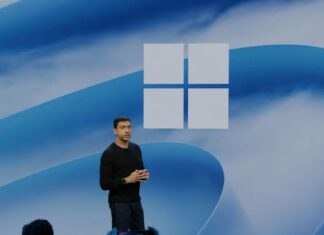
“Not giving up on AI”: Microsoft confirms Windows 11 Copilot+ PCs not dead, shipping...
Windows boss Pavan Davuluri says Copilot+ PCs ship in the tens of millions a year and run over 2 trillion local AI inferences a month. Hybrid intelligence will let Copilot use local context, actions and models in the coming months, even as Surface Laptop Ultra launched without the Copilot+ label.
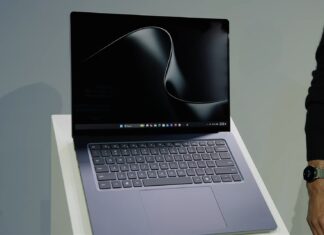
“Up to 6.2x faster”: Microsoft says it’s beating Apple, as Surface Laptop Ultra takes...
At its Windows event on October 7, Microsoft launched the Surface Laptop Ultra with Nvidia's RTX Spark chip. It's decent hardware, but the company also used the launch to make some bold claims about...
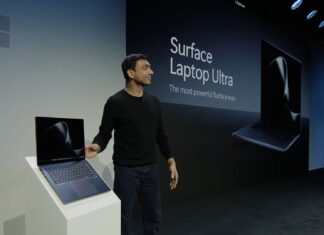
Microsoft’s MacBook Pro killer has up to 128GB RAM, starts at $2,599, and it’s...
Surface Laptop Ultra pairs NVIDIA's RTX Spark superchip with up to 128GB of unified memory, native CUDA, and a 15-inch 2,000-nit mini-LED touchscreen in a sub-18mm chassis. Here are the specs, ports, and the Windows 11 changes Microsoft made to take on Apple's MacBook Pro.
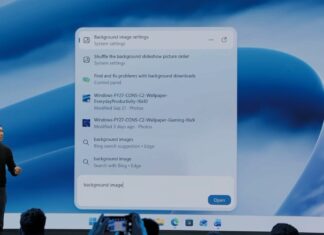
First look: A major Windows 11 Search overhaul is coming, and it changes your...
At today's Windows event, Microsoft confirmed there's a new Windows Search coming to all PCs later this year, and it's built from scratch. It offers faster results, and thousands of quick actions." According to...
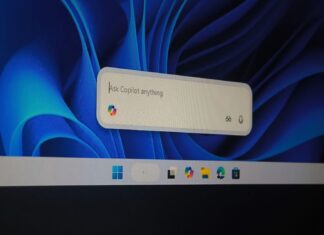
“Nobody wants Copilot”: Microsoft pauses Copilot on Windows 11’s taskbar to “incorporate your feedback,”...
Microsoft spent almost a year turning the Windows 11 taskbar Search box into Ask Copilot, a floating entry point for Microsoft 365 Copilot and agents. Now it's disabled, weeks before the unified Copilot arrived, just as Windows Search got cleaner. Our testing shows its compact UI deserves to survive.
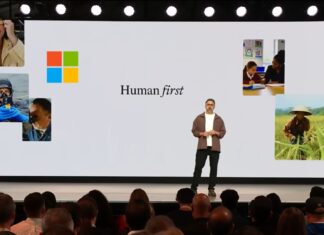
“AI won’t take your job anytime soon”: Microsoft’s AI boss says only 5% of...
Mustafa Suleyman now says AI won't take your job, citing Nobel laureate Daron Acemoglu's 5% estimate. In February, he said most office tasks would be automated within 18 months. We compare what Microsoft, Google, OpenAI and Anthropic say about AI and jobs, and why Microsoft's pitch needs to change.
Windows 11


Windows 10



