





Microsoft is investigating reports of Windows 11 KB5132061 installation errors, including 0x800f0993, 0x80070306, and 0x800f0989. In our tests, we observed that the November 2026 Patch Tuesday update reaches 99% before it fails, and you won’t make any progress even if you reattempt the installation.
On November 10, Microsoft rolled out Windows 11 KB5132061 as part of this month’s Patch Tuesday cycle, which means it’s a mandatory security update with close to 700 critical Windows-specific security fixes, plus other improvements like a customizable right-click menu.
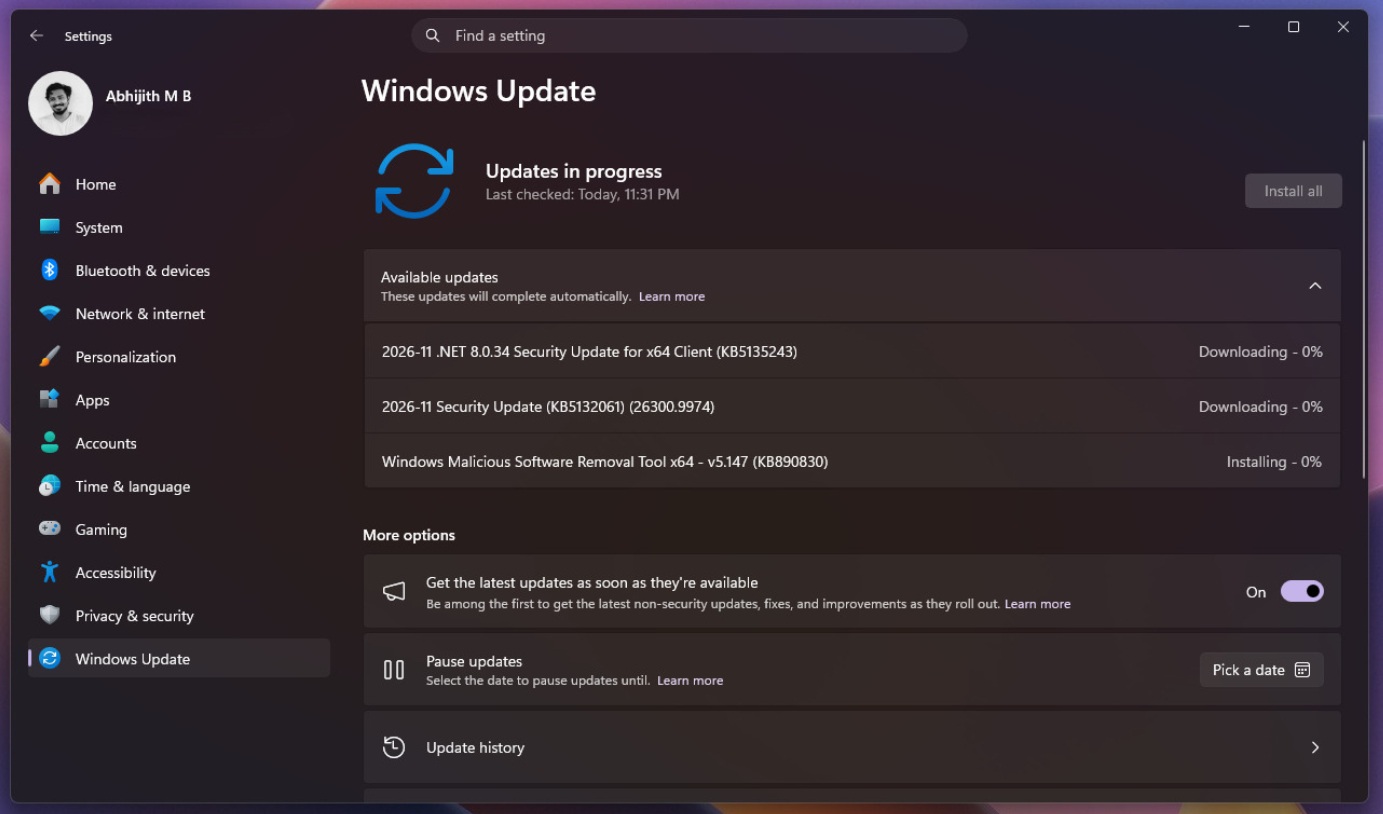
KB5132061 bumps Windows 11 26H2 to Build 26300.9974 and 25H2 to Build 26200.9974, and it’s supposed to take a few minutes to finish installing. Usually, a Windows update requires a single reboot, but this one may require two or more reboots because of a pending Windows Secure Boot certificate update.
Two or more reboots aren’t exactly a problem, but there’s a bug that’s preventing the November 2026 update from installing. On my PC, the update installed within a few minutes. But some users aren’t even able to get it to finish installing, and retrying doesn’t help.
“I’m stuck in a loop of installing KB5132061, but it’s repeatedly throwing errors such as 0x800f0993, 0x80070306, and 0x800f0989,” one user told Windows Latest, and there are dozens of similar complaints.
Windows 11 KB5132061 fails to install for some users, and Microsoft is trying to identify the root cause
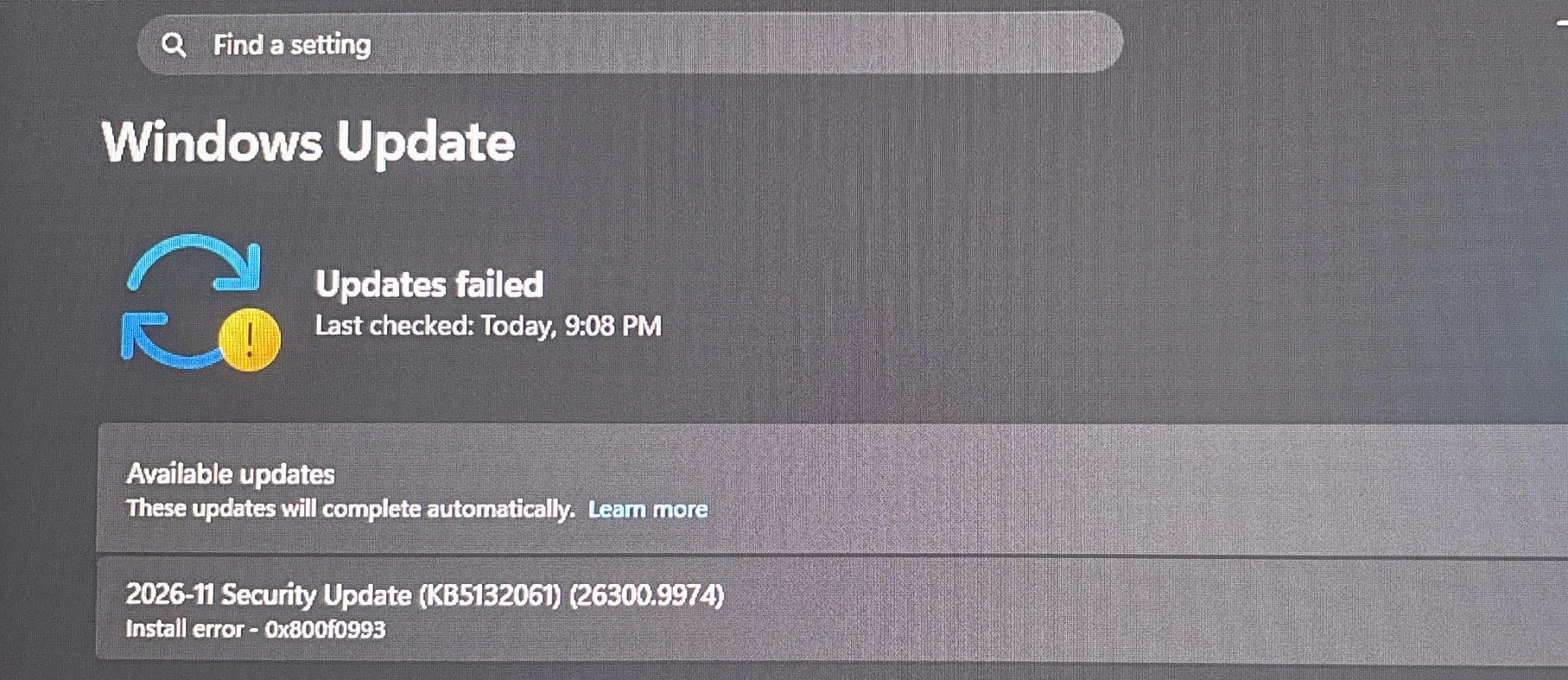
One user told us that the November 2026 update failed on four of their PCs with either 0x800f0989 or 0x80070306. They tried downloading the update manually and resetting Windows Update components, but it still failed.
Another user ran into 0x80070306 on two virtual machines and shared the following error:
“Installation Failure: Windows failed to install the following update with error 0x80070306: 2026-11 Security Update (KB5132061) (26300.9974).”
I’ve also seen reports of Windows 11 KB5132061 failing with 0x800f0993 and 0x800f0922. One person said it failed seven times, including once when they tried the offline installer from the Microsoft Update Catalog, before it finally installed on another attempt.
Of course, not everyone is affected. Some users have reported that the update installed without any errors, while others say it eventually went through after they restarted their PC and tried again.
Microsoft’s support document still says the company is “not currently aware of any issues with this update.” However, that doesn’t mean Microsoft isn’t looking at the reports, as I’ve been told the company is fully aware of the complaints and is investigating the root cause, including the possibility that Sandbox is responsible.
Could Windows Sandbox be blocking the update?
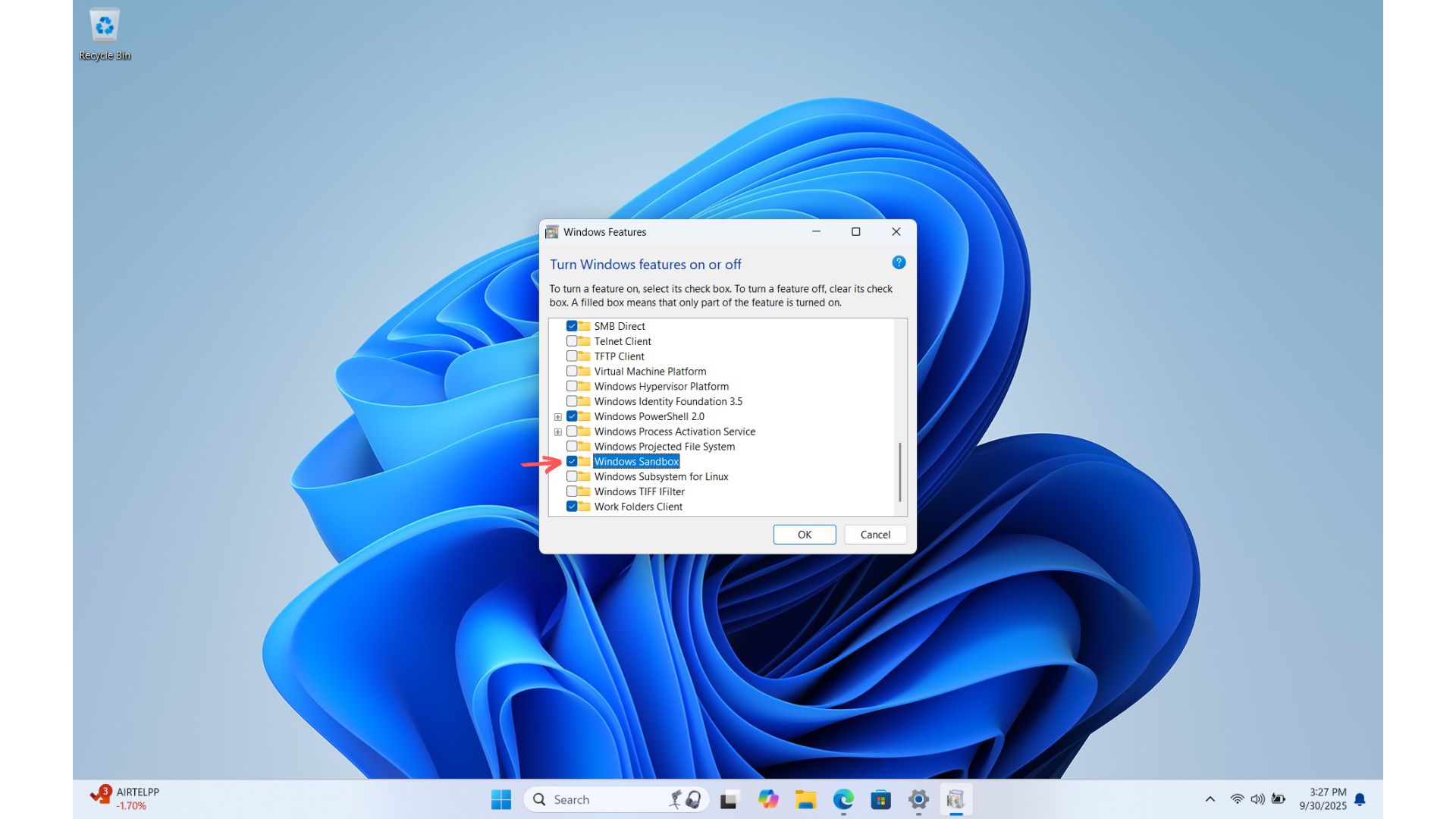
Windows Latest understands that Windows 11 KB5132061 installation issues could be tied to Windows Sandbox, so if you turn it off, you should be able to install the cumulative update without any trouble.
For those unaware, Windows Sandbox is one of the lesser-known features of Windows, and it lets you run apps in an isolated environment (virtual machine), with the idea of easily testing untrusted programs or downloads. It’s a great addition, and some might have turned on the feature without even realizing it, and now it’s causing the November 2026 update to fail.
One user who looked at their Windows installation logs noticed an error referring to a file used by Sandbox. On their PC, the update failed while Sandbox was enabled, but installed after they turned it off and restarted.
However, I’ve also seen a report from someone who ran into the error without having the option enabled. But if you use Sandbox and the update keeps failing, it might be worth trying:
- Open the Start menu and search for Turn Windows features on or off.
- Find Windows Sandbox in the list. If it’s checked, uncheck it and select OK.
- Restart your PC, then go back to Settings > Windows Update and try installing KB5132061 again.
What else can you try if KB5132061 won’t install?
If you just can’t get Windows 11 KB5132061 to install, you can also try downloading the update from the Microsoft Update Catalog.
If nothing else works, Windows 11 has a Fix problems using Windows Update option under Settings > System > Recovery. It’ll reinstall your current version of Windows while keeping your apps, files, and settings.
For now, Microsoft is looking into the reports, and we’ll update this article when we learn more.