






Microsoft has run out of ways to push New Outlook, so it’s now rolling out a new feature that lets you claim Rewards points when you use it instead of Outlook Classic on Windows 11. If Outlook has already applied the update, you’ll find a new Rewards icon in the title bar, and you can open it to claim any pending Rewards.
This section is called “Explore on Outlook,” and Microsoft confirmed that it’ll offer points regularly for checking out features and services in New Outlook. For example, today, I was given three activities worth 10 points each, and to my surprise, none of them required much effort.
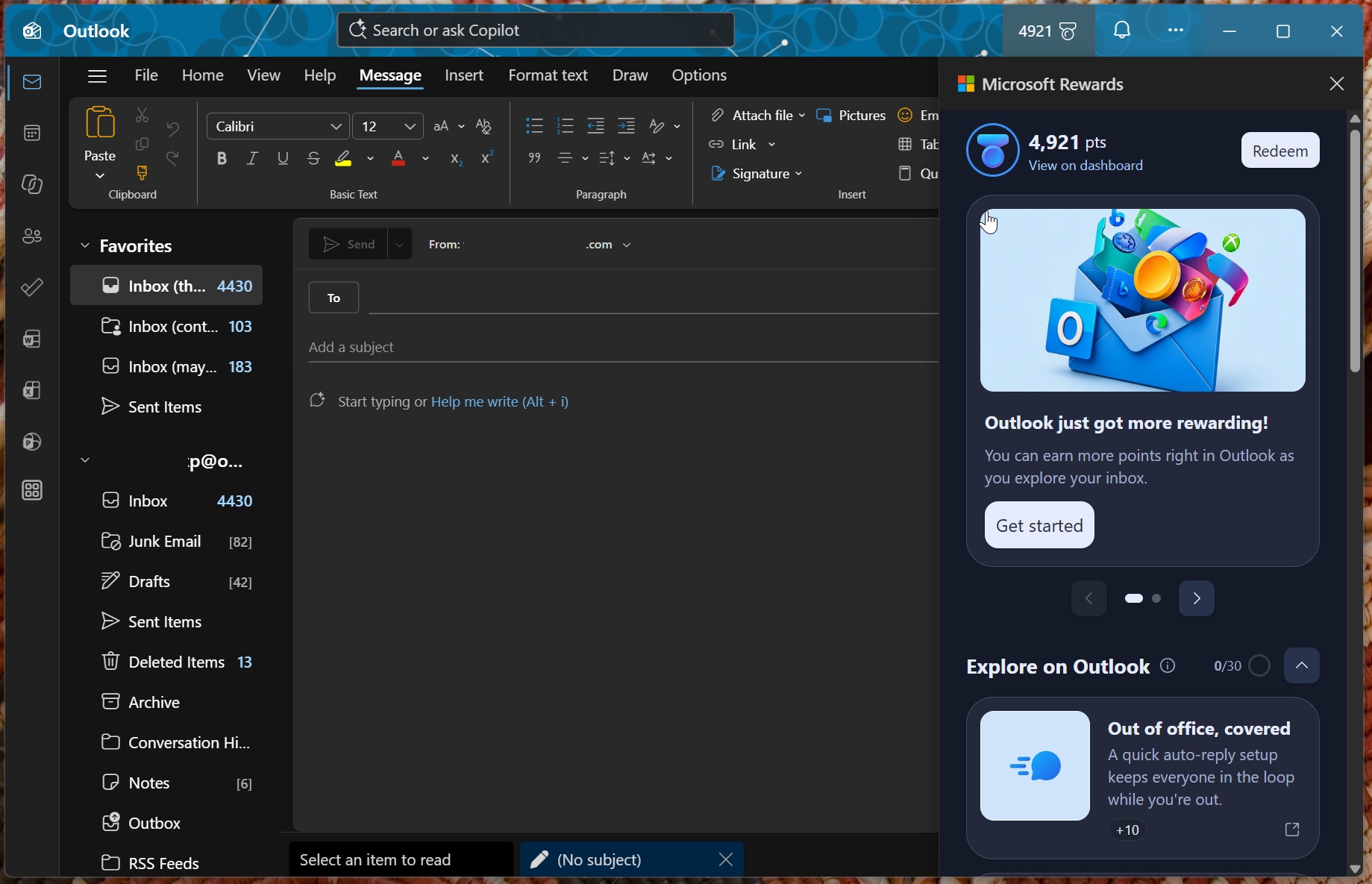
You can get Rewards points for doing almost nothing
The first option, “Out of office, covered,” opened Outlook’s automatic reply settings and marked the activity as completed even though I didn’t enable the feature. Microsoft wants you to use the feature because “a quick auto reply setup keeps everyone in the loop while you’re out.”
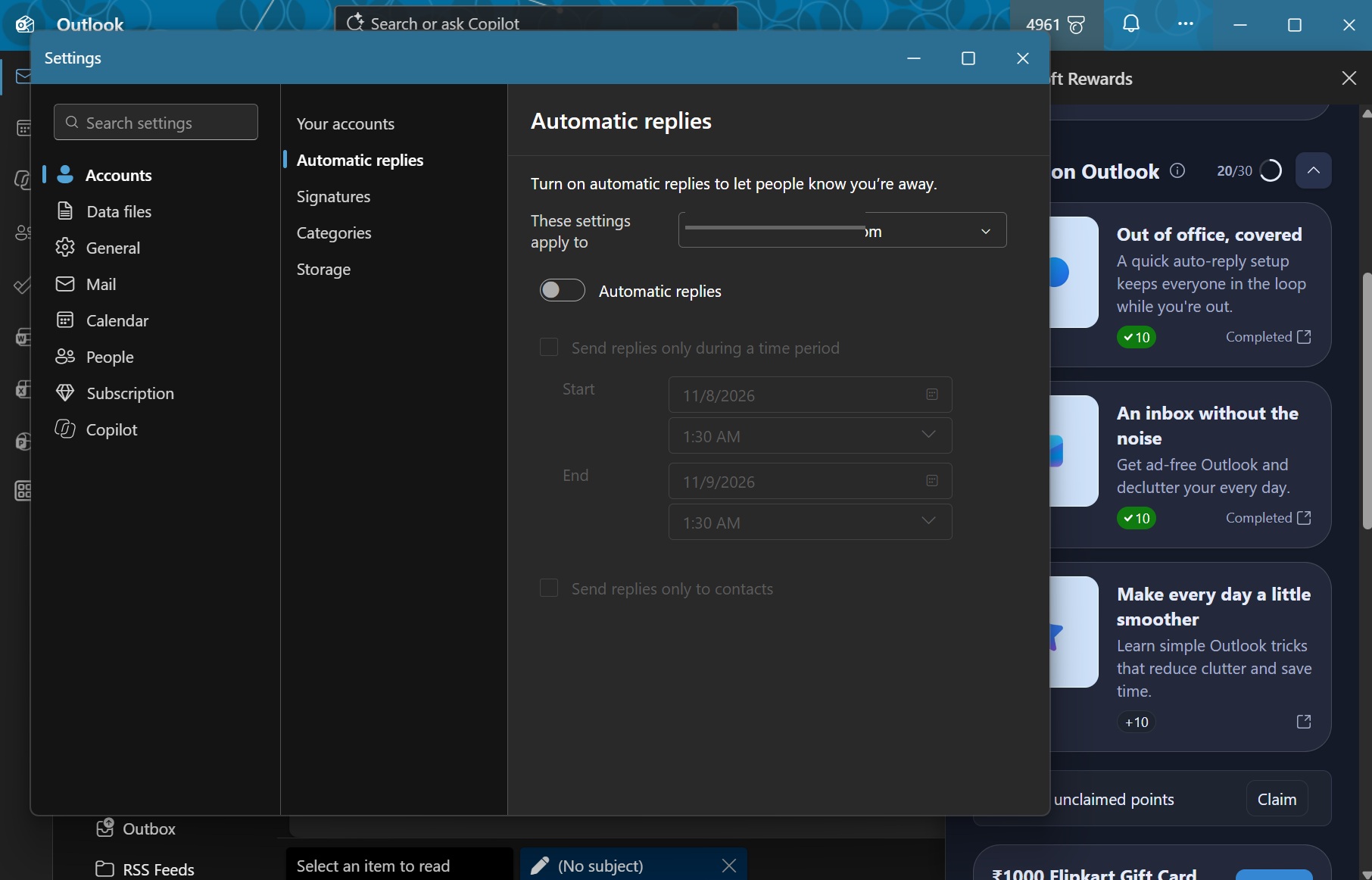
There’s a second Reward option called “An inbox without the noise,” which literally opens the Microsoft 365 subscription pricing page and encourages me to pay for it. That’s absurd because I am already paying for the subscription. Regardless, it means free points for you, as the option just opens the pricing page in your default browser.
Finally, the third option, “Make every day a little smoother,” simply searched for “boost your Outlook efficiency” on Bing. I got the points for opening the search results.
I followed the same approach for all three activities and accumulated 30 Rewards points doing almost nothing.
Every day, there’ll be three new tasks, mostly around how to get started with New Outlook. But if you don’t actively use the app, you may not see most of the Rewards.
Will Rewards convince you to use New Outlook?
This could be one of those ideas that might convince more people to use New Outlook. And as I stated at the outset, the app itself isn’t exactly horrible or in an unusable state. New Outlook is simply not meant for everyone, especially if you prefer performance, native integration, and an ad-free experience if you aren’t paying for Microsoft 365.
For enterprises, New Outlook has been a major downgrade compared to Classic Outlook, which still has a lot of features that New Outlook simply doesn’t. For example, PST support in Outlook Classic remains superior, as does local caching. New Outlook doesn’t support all PST features, and it’s also meant to run online, so local caching doesn’t really make the same difference.
In fact, Microsoft recently confirmed it’s working on faster search for Outlook Classic, and it’ll allow the legacy client to tap into Windows Search to pull results when you’re using it on a weaker internet connection. New Outlook will also get the feature later this year or early next year, but if you use Outlook Classic, you can get started right away.
Microsoft is hoping that consumers will ignore these shortcomings of New Outlook and start using it in the hope of getting Rewards points.