








Windows Latest found a native WinUI 3 version of Registry Editor in Microsoft’s open-source Microsoft.UI.Reactor repository, and I compiled it and ran it on my Windows 11 PC. It actually reads the real Windows Registry and makes regedit.exe look like a relic.
Microsoft has only mentioned “a registry editor” in passing, in an October developer blog post that promised a tour of its sample apps “next month.” The tour hasn’t happened yet, which makes this the first look at the app running on a PC. It’s a developer sample, though, and Microsoft hasn’t announced plans to replace Registry Editor in Windows 11.
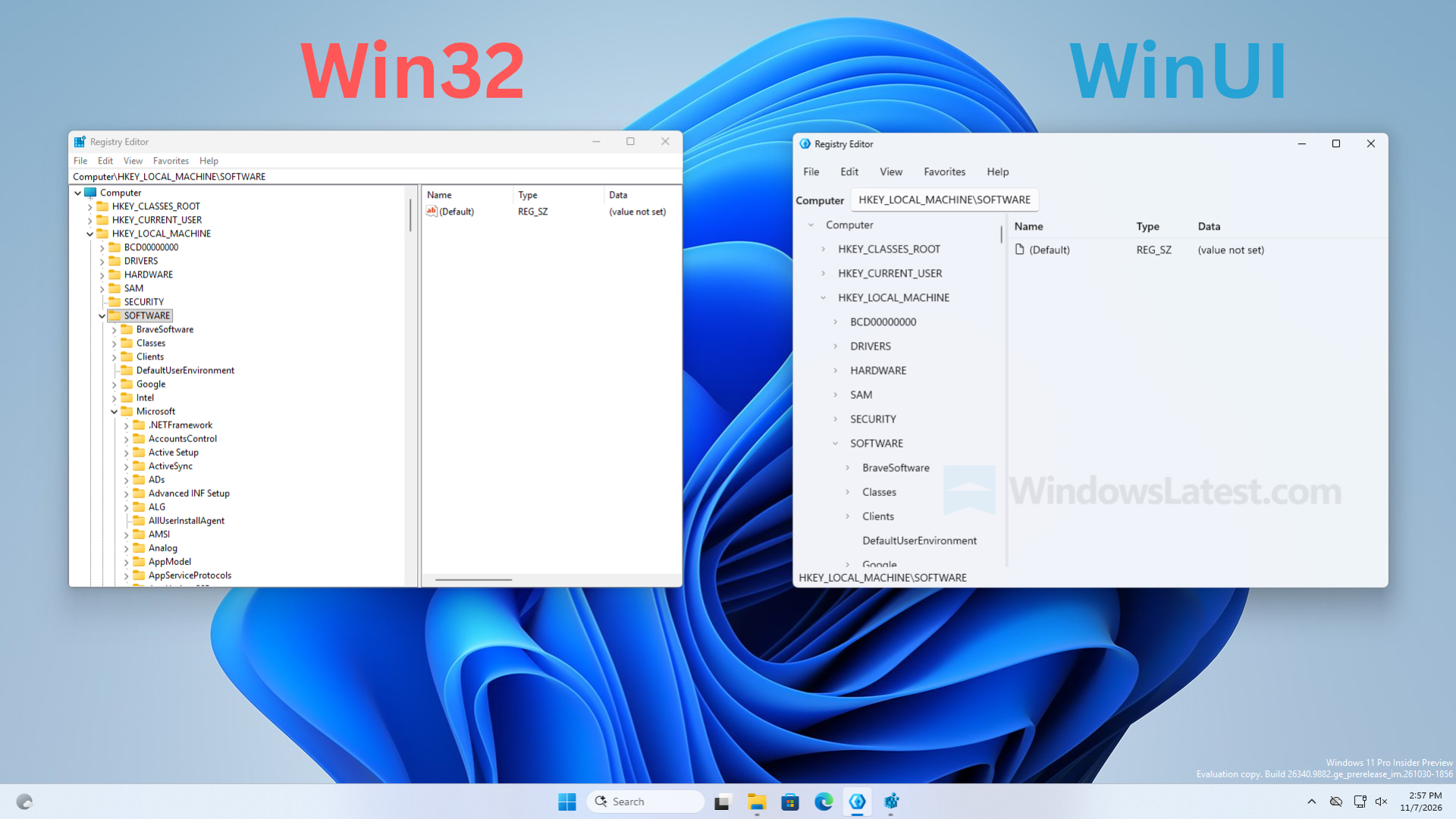
Microsoft’s new WinUI Registry Editor looks nothing like the Windows 95-era original
Registry Editor still uses the two-pane layout it got in Windows 95, with keys on the left and values on the right. Apart from the address bar added in the Windows 10 Creators Update, its yellow folders, cramped menus, and tiny text have barely changed in three decades.
The WinUI version keeps the same layout, and it’s a good idea; power users would not stop criticizing Microsoft for making them relearn regedit, which hasn’t changed for so long.
But what I like is that Menus have more breathing room. The tree drops the yellow folders, but I hope there would be some newer-looking folder icon when or if this WinUI regedit comes to fruition. The address bar is a WinUI text box, and a status bar at the bottom shows the current path, which may be unnecessary. Like I said, this is a developer sample, and things may change a lot.
On my PC running Build 26340.9882, the app opened quickly and felt as fast as regedit. However, expanding HKEY_CLASSES_ROOT showed a brief “Loading…” placeholder before listing keys like .386, .3gp and .7z, and HKEY_LOCAL_MACHINE\SOFTWARE showed the keys and values regedit showed. Menus open with WinUI’s fluid animations, and resizing the window is smooth.
Help > About confirms it’s not a mock-up, as the dialog shows “Registry Editor Reactor WinUI 3 Edition.”
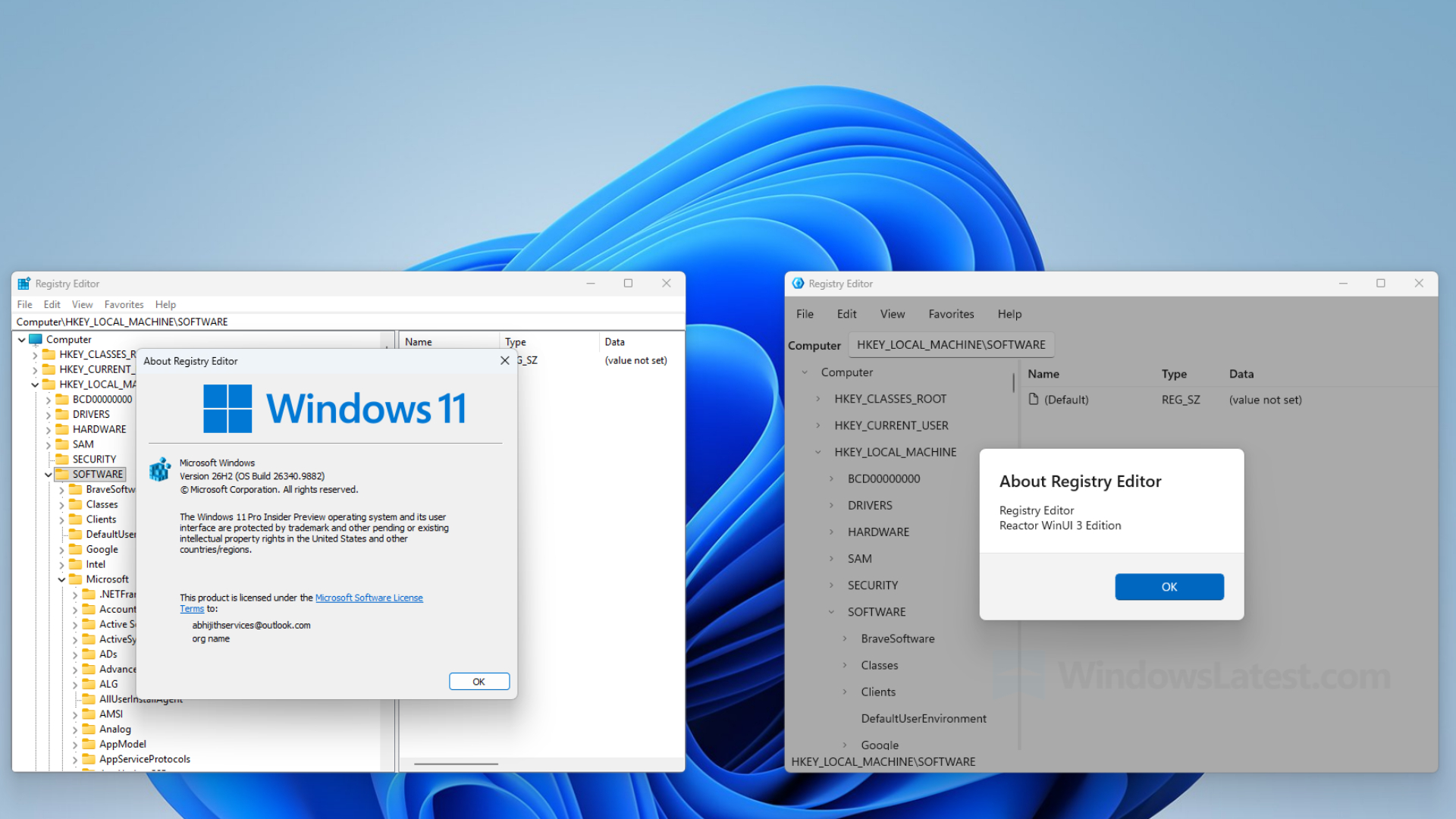
Microsoft uses WinUI 3 and a React-like C# framework to rebuild Registry Editor
Microsoft calls Reactor “an experimental C# framework that brings the MVU (Model-View-Update) pattern to WinUI desktop apps.” In a developer blog post, Principal Software Developer Engineer Alexandre Zollinger Chohfi says the goal is “to find out how far MVU can go on WinUI.”
Reactor is “not a new UI platform,” as Microsoft puts it. Every menu, tree and dialog in the app is a real WinUI control, with no HTML, Electron, or WebView2 involved. The only change is the way developers write the app.
- The UI is written in C#, without XAML pages, code-behind or ViewModels.
- Apps are built from components, with React-style hooks like UseState and UseEffect. It’s still C#, not JavaScript React.
- When state changes, Reactor updates only the controls that changed.
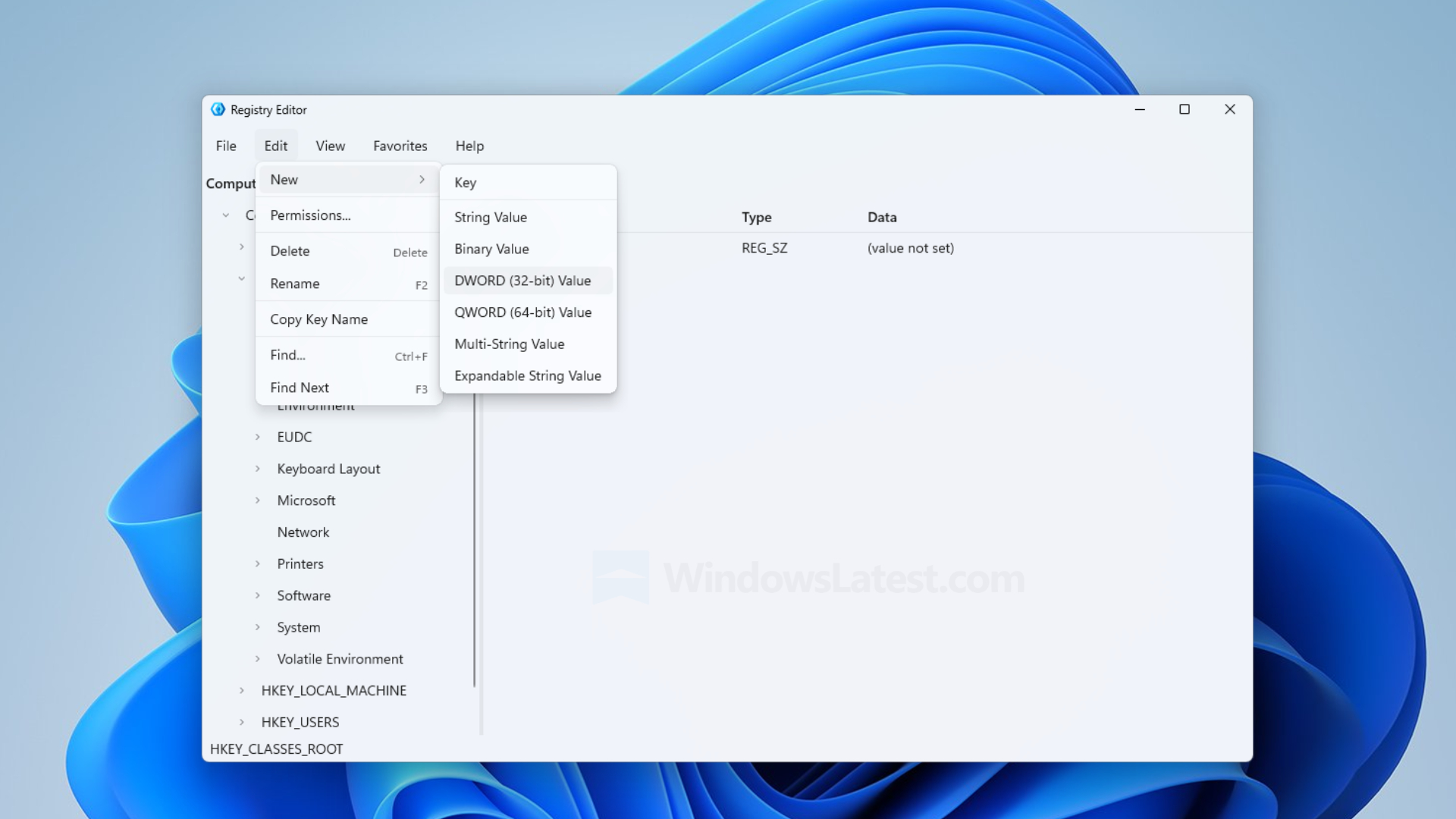
I appreciate that Microsoft didn’t just wrap regedit.exe in a modern window. In the sample’s source code, a separate RegistryService class reads and writes the Registry using .NET’s Microsoft.Win32 APIs and catches permission errors so a protected key doesn’t crash the app. The window also uses Windows 11’s Mica backdrop, which “only samples the desktop wallpaper once” to keep apps fast.
XAML isn’t going anywhere, as Microsoft says “WinUI is the foundation,” and ideas that prove themselves in Reactor could make it into WinUI too. When we covered Reactor, Microsoft pitched it as an easier way to build native apps, including with AI coding tools.
The Registry Editor sample works, but several features are still unfinished
I didn’t write or change any of Microsoft’s code. I only changed the build settings to bundle .NET and the Windows App SDK, which turned the sample into a portable folder that runs without me having to instal anything.
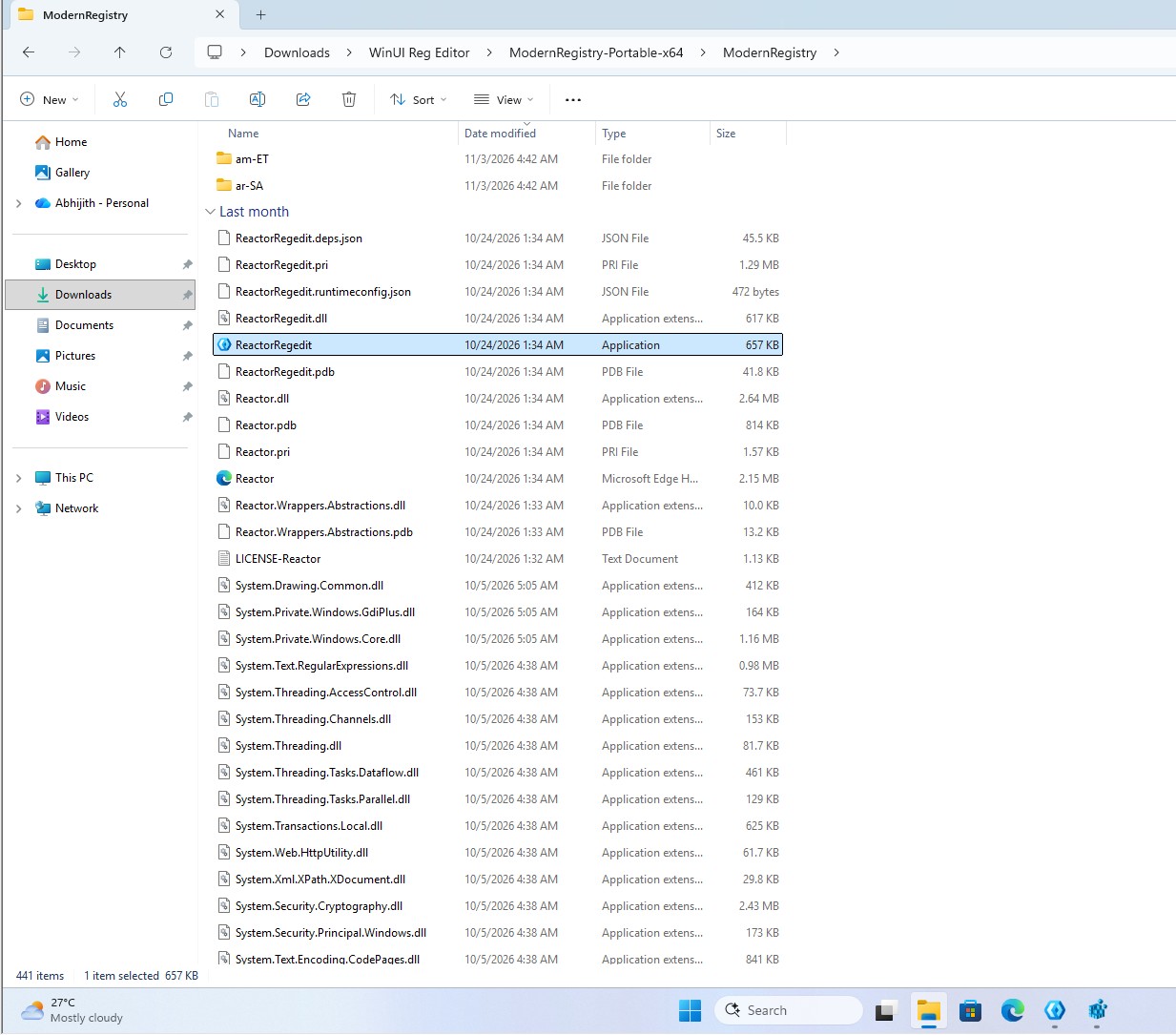
Microsoft’s code can create, rename and delete keys, add String, Binary, DWORD, QWORD, Multi-String and Expandable String values, and search with Find (Ctrl+F). Since one wrong edit can break Windows, if you’re going to try this, do it in a virtual machine, like I did.
| Feature | Status in Microsoft’s code |
|---|---|
| Favorites | Not saved after you close the app |
| Import and export | Clipboard only, no .reg file picker |
| Export All | Exports only HKEY_LOCAL_MACHINE |
| Permissions | Menu item does nothing |
| Load Hive and Unload Hive | Placeholders |
| Network Registry and Print | Empty |
A comment in the code says Permissions is “out of scope for initial implementation.”
Microsoft’s WinUI modernization is reaching even the oldest Windows tools
Again, the sample doesn’t mean regedit.exe is getting replaced, but Microsoft is thinking about it. On a podcast in August, Marcus Ash, Microsoft’s CVP of Design and Research for Windows, said “even things like Regedit and some of the tooling, we’ve already started to look at.”
Registry Editor would join a growing list.
- File Explorer’s Properties dialog is getting a WinUI 3 version with dark mode.
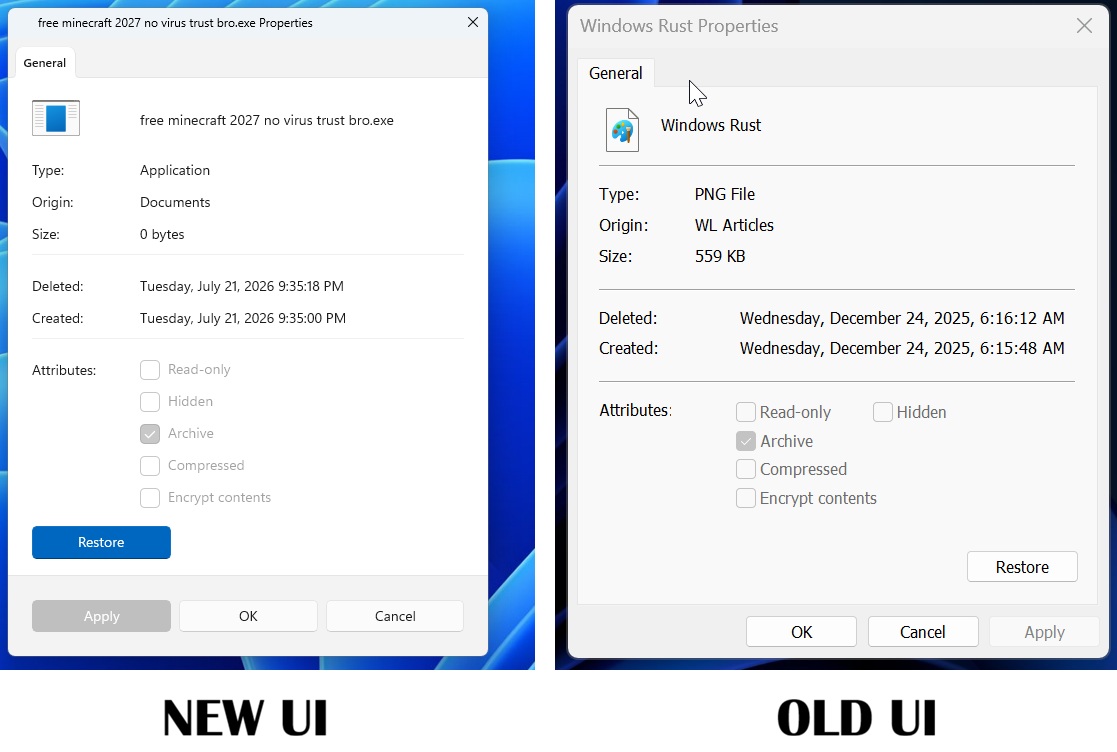
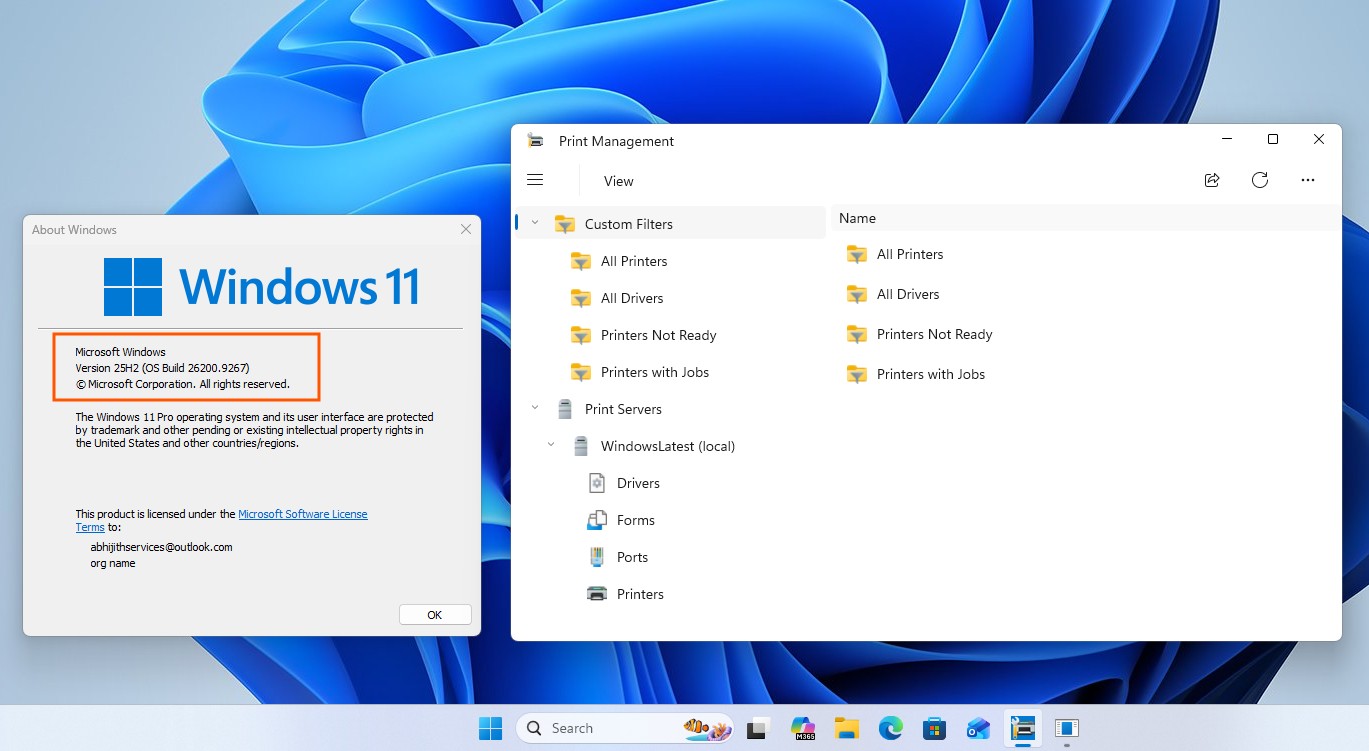
New UI and old UI of Properties sheet in Windows 11 - Print Management has a WinUI 3 app in place of the old MMC console, and AutoPlay is next.
- The modern Run dialog opens faster than the old one, according to Microsoft and in our detailed testing.

New Windows 11 Run dialog. Credit: Windows Latest - Even the defrag tool is “on our list,” says Microsoft.
Microsoft’s design team says more ancient dialogs are next, though Control Panel isn’t going away yet. It’s also cutting WinUI’s RAM usage, so new apps don’t end up heavier than the ones they replace.
The WinUI version is the first time Registry Editor has felt like a Windows 11 app. It still needs Permissions, proper .reg files, and plenty of testing, but if Microsoft ever ships a new Registry Editor, I’d be happy if it looked like this. Would you switch?