










Windows 11 could kill Control Panel faster, as Microsoft quietly tests Settings in the...
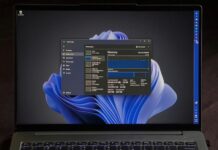
Microsoft is testing Project Odeon, a Store app that copies Windows 11 Settings, with a preview mode, dummy account and helper tools for tasks like renaming a PC. I installed it on an Insider PC, and it could let Microsoft ship Settings fixes faster and finally speed up the Control Panel migration.

Microsoft admits a Windows 11 bug is causing stutter in games, and it’s not...
Gamers blamed their mice, polling rates and GPU drivers, but a one-line entry in Microsoft's October changelog points to Windows itself. We dug through Microsoft Q&A and Reddit reports from SWTOR, Final Fantasy XIV and The Division 2 players, and explain what to try if the stutter continues.

Windows 11 KB5127648 26H2 is out with major changes, direct download links for offline...
Windows 11 KB5127648 is rolling out now, and it's the first cumulative update for Windows 11 26H2, but it's not a huge release compared to the previous update. It significantly improves...

I tested Windows 11 October 2026 Update, here’s everything new, improved, and fixed
It's the last update for Windows 11 24H2 Home and Pro, and it bundles everything from KB5124010, including Open apps maximized, new touchpad gestures, a Tips widget and fixes for File History and domain trust. We tested the changes, explain the Secure Boot deadline and how to move to 26H2.
One click let you escape Microsoft’s forced sign-in on Windows 11. Of course, Microsoft...
A month after we found that a tiny link in Windows 11 setup created a local account, Microsoft closed it without a word. Here's what the link does on a fresh 26H2 ISO now, how Microsoft blocked older bypasses, and what Microsoft VP Scott Hanselman said about the forced Microsoft account in March.
“We didn’t ask for more Microslop”: Microsoft promised to fix Windows 11, then dropped...
Microsoft showed a WinUI-based Windows Search, hybrid intelligence and secure agent containers, but barely talked about fixing Windows 11 itself, while Copilot got 36 mentions. Here is my word count of the livestream, what viewers said in the chat, and what Microsoft should do at its next Windows event.
Microsoft design boss on why Windows 11 can’t please all 1 billion users: “Everyone...
Windows 11 is getting a "UI rejuvenation" in the coming months, which means Microsoft will talk a lot about modernizing legacy features. However, Microsoft can't realistically make a billion people happy...

Microsoft is giving Windows 11’s legacy UI dark mode instead of killing it, now...
Windows 11 doesn't have a single design language, as even its own apps and OS features are scattered across different frameworks. Microsoft eventually plans to rebuild much of the legacy stuff...

30-year Microsoft veteran explains why you shouldn’t run two antivirus apps on Windows 11
Microsoft veteran Raymond Chen, who has been with the company for more than three decades, has advice for everybody with two or more antivirus solutions, and it's quite straightforward. Just don't...

Microsoft admits one bad driver can crash all of Windows, and Intel’s Windows 11...
Intel has confirmed itsGPU drivers are now fully compatible with Windows 11 26H2, and now it could get Microsoft's DQI upgrade.
Windows 11



Windows 10



