









Windows 11 26H2 is the newest version of Microsoft’s desktop OS, yet some of its most important files, including kernel32.dll, user32.dll, and ntoskrnl.exe, are named as if they were written for MS-DOS. They follow an old naming rule called 8.3, and Windows keeps it around for compatibility.
Raymond Chen, who has worked on Windows for more than 30 years, once explained why Microsoft prefers a format whose flaws are well documented instead of a new one that could break something else.
On my PC running Windows 11 26H2, File Explorer’s rounded corners and Fluent icons cover up a System32 folder full of names that would look right at home on a floppy disk from 1990.
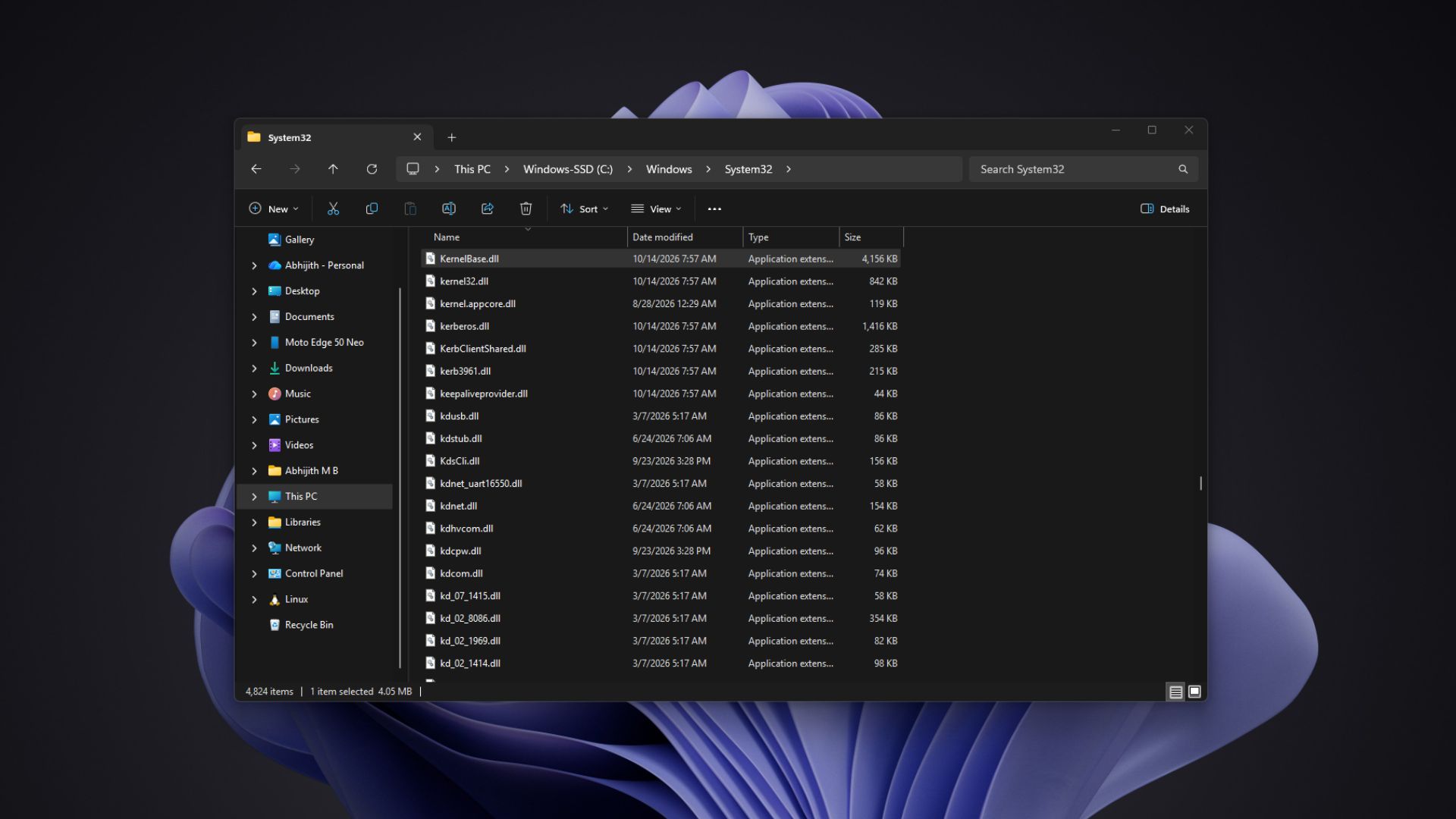
What is an 8.3 filename, and why did MS-DOS use it?
For those unaware, 8.3 is the file-naming rule MS-DOS used (yes, it’s that old). A name can have up to eight characters before the dot and up to three after it (the extension), so the longest possible 8.3 name is 12 characters, including the dot. Microsoft’s file system specification also says an 8.3 name can only use ASCII characters, can’t contain spaces, and can’t have more than one period.
Several of the oldest files in System32 follow this rule, while newer components like the Windows Security service don’t come close.
| Filename | Name + extension | Fits 8.3? |
|---|---|---|
| kernel32.dll | 8 + 3 | Yes |
| ntoskrnl.exe | 8 + 3 | Yes |
| user32.dll | 6 + 3 | Yes |
| hal.dll | 3 + 3 | Yes |
| SecurityHealthService.exe | 21 + 3 | No |
MS-DOS showed these names in uppercase, so KERNEL32.DLL might look more familiar if you used a PC in the 90s. Windows manages file names as case-insensitive by default, so kernel32.dll and KERNEL32.DLL are basically the same file.
But why is the limit eight and three? Chen explained it back in a 2009 post on his Old New Thing blog. “It’s a holdover from CP/M,” he wrote. CP/M was an operating system Gary Kildall created for early microcomputers in 1974, and MS-DOS worked hard to stay compatible with it, file names included.
Interestingly, even Chen doesn’t know why CP/M picked those numbers. He notes that two reserved bytes in the CP/M directory format could have stretched names to 10.3, and guesses eight was just a convenient number.
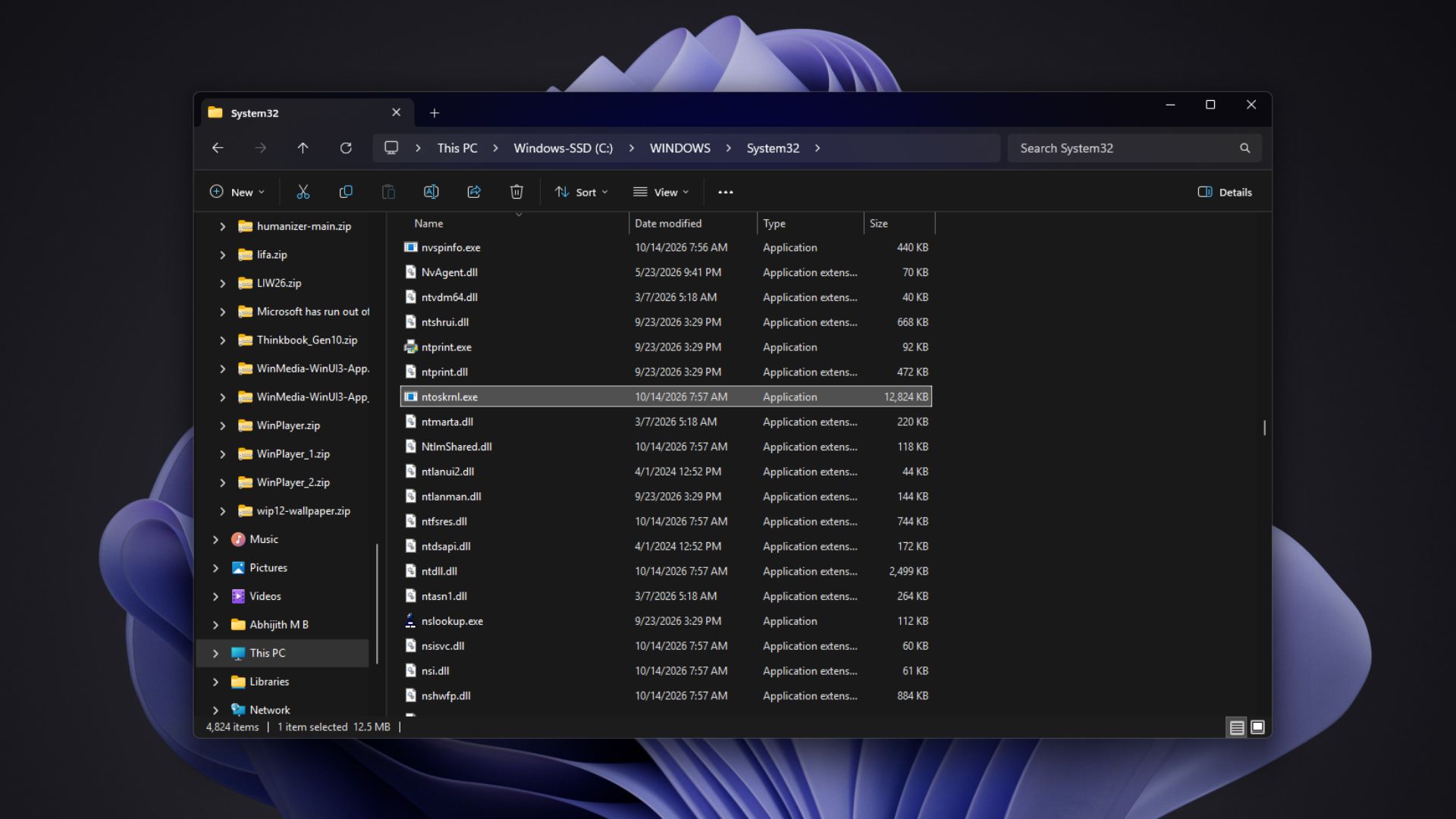
Of course, 8.3 is only a naming habit on Windows 11. NTFS, the default file system, supports long file names of up to 255 characters, and Windows has managed long names since the mid-90s.
Why Windows keeps 8.3 names for its oldest system files, according to Raymond Chen
In an even earlier 2007 post, Chen was brainstorming possible reasons, not Microsoft’s official ones.
The most obvious reason is that a DLL’s name can’t change once programs link to it, as those programs look for the file by name. If Microsoft renamed user32.dll tomorrow, decades of Windows apps would go looking for a file that no longer exists. Yes, it’s a compatibility thing!
Windows 95 also didn’t require the system drive to support long file names, partly because companies using roaming profiles may have depended on servers that couldn’t handle them, so every Windows 95 system file had to fit 8.3. Chen believes Windows NT allowed a short-names-only FAT system drive as late as Windows 2000, and long names became mandatory only with Windows XP.
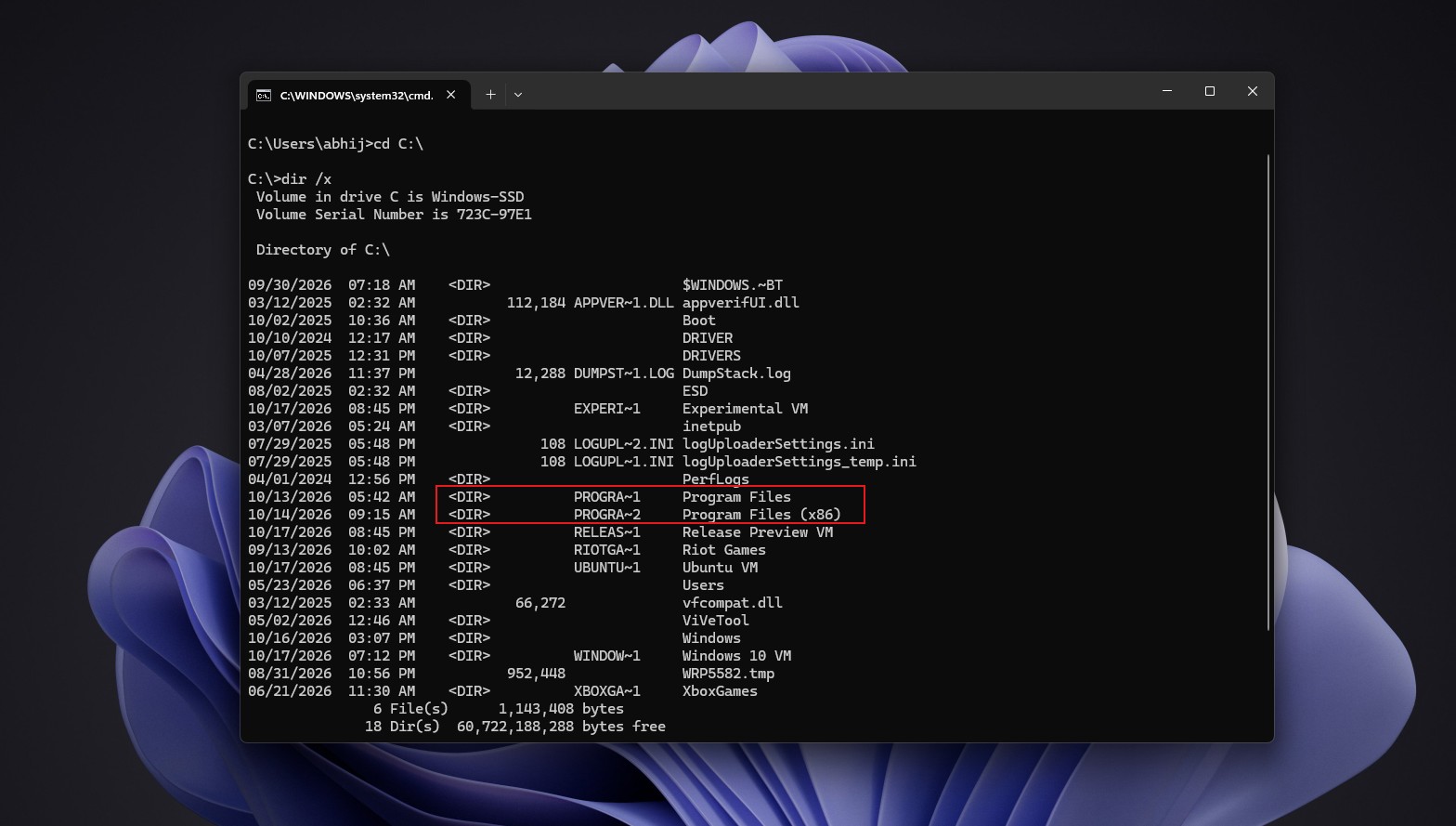
Even after XP, long names came with some extra luggage. Windows can generate a short alias for every long name, so if setup copies shellstyle.dll into a folder that already has shellstuff.dll, the new file will likely end up as SHELLS~2.DLL. Some programs hard-code these aliases, and Chen says plenty of apps assume Program Files is present at C:\PROGRA~1.
Out of curiosity, I ran dir /x on the C drive of my 26H2 PC, and Program Files still shows up as PROGRA~1. Microsoft’s NTFS documentation explains why, as short names are disabled by default on newly formatted volumes but stay enabled on the system volume for app compatibility.
The risk is one DLL going by two names. Windows loader handles a DLL’s short and long names as two different modules, so a process can end up with two copies in memory, each with its own global variables. Chen compares it to a childhood trip to Disneyland, where he and his brother waited at one Autopia exit while his parents waited at the other, with neither side knowing there were two. That might’ve been traumatic!
Chen’s last reason is the one I find most convincing. “All the problems with 8.3 names are well-understood and under control,” he wrote, adding that a switch to long names would only bring about a whole new set of problems in a system that already works.
In my opinion, the argument is justified even more in 2026. Microsoft is rewriting decades-old dialogs in WinUI 3, and even the new Properties dialog has to account for third-party apps that add their own tabs to the old one. Renaming kernel32.dll would break far more than a few tabs, and it wouldn’t make a PC faster or more secure.
Ironically, ReFS, the file system many expect to replace NTFS someday, drops support for short names, and if an old application goes looking for an 8.3 file on a ReFS drive, it simply crashes, proving exactly why Microsoft hasn’t touched the System32 names on NTFS.
So, the next time ntoskrnl.exe shows up in a blue screen crash report, know that its name follows a rule Windows inherited from a 1974 operating system, and Microsoft has good reasons to keep it that way. Chen made a similar point about old UI back in 2003, noting that companies with thousands of employees hate interface changes because retraining costs millions. Would you trade a tidier System32 for apps that refuse to open? Neither would I.