







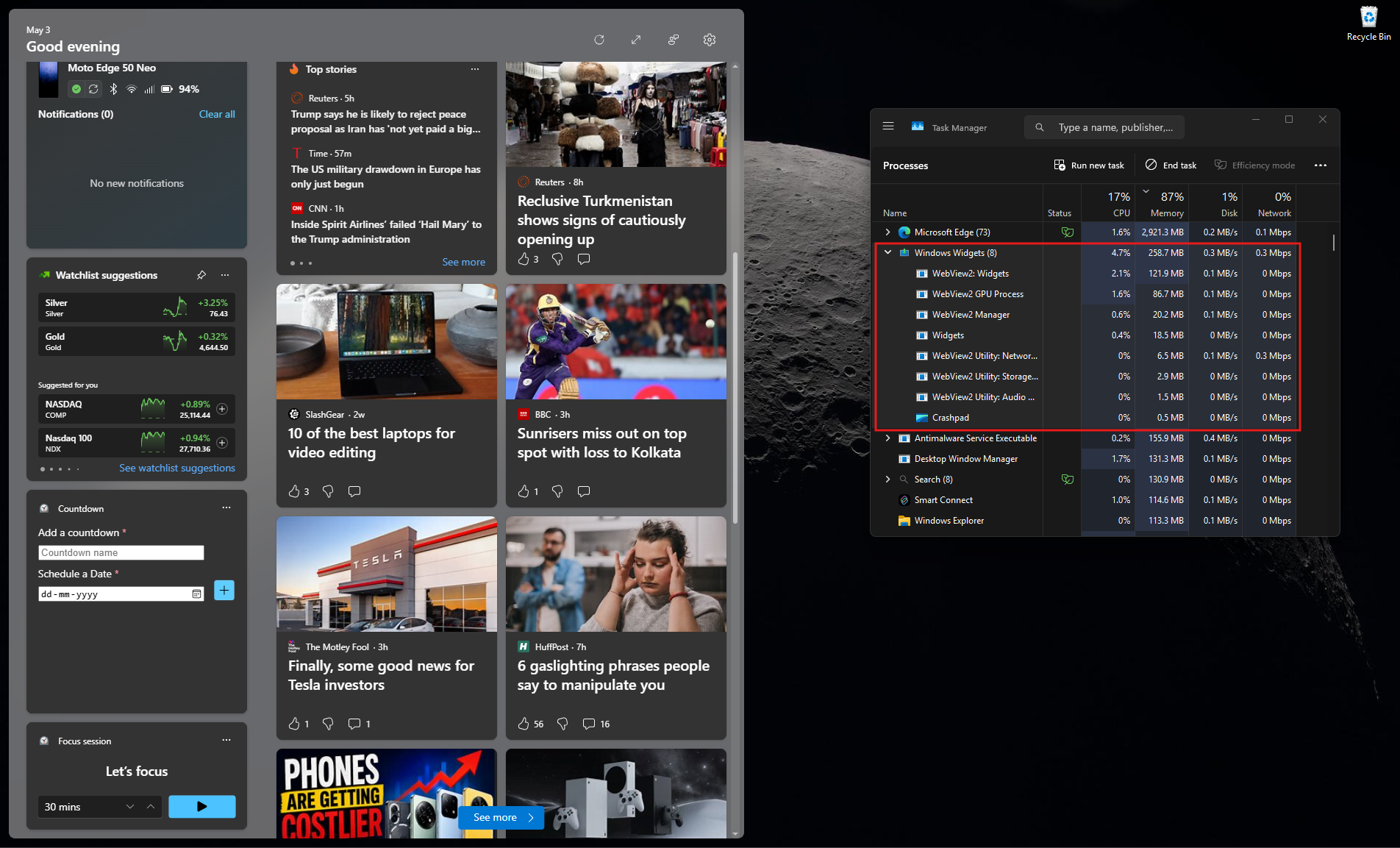
Microsoft says Windows 11 is now up to 20% more responsive, and its memory work makes an especially big difference on 8GB PCs. In an October 15 blog post, the company says Windows can keep up to 2GB more of your active data in RAM instead of moving it to slower storage. On PCs with 8GB of RAM or less, Widgets now load only when you open them, freeing more than 200MB.
After months of promises, these are the first numbers Microsoft has shared for its Windows 11 performance work, and I have already seen the fruits of this labor on my daily driver PC.
Windows 11 is up to 20% more responsive, Microsoft says
“The result is a Windows experience that’s up to 20% more responsive, with improvements you can feel as soon as you boot into your PC and extending to Start, File Explorer, Search, Snipping Tool, Microsoft 365, Edge and more,” Microsoft says.
The 20% is a best-case figure. Microsoft compared Windows 11 build 26300.9550, which is 26H2 with the September optional update, against an older 25H2 build, 26200.7628, measuring how quickly Search, Start, Settings, Snipping Tool, File Explorer, Microsoft 365 and right-click menus respond. So, it doesn’t mean every app or game runs 20% faster.
The memory changes come with three claims:
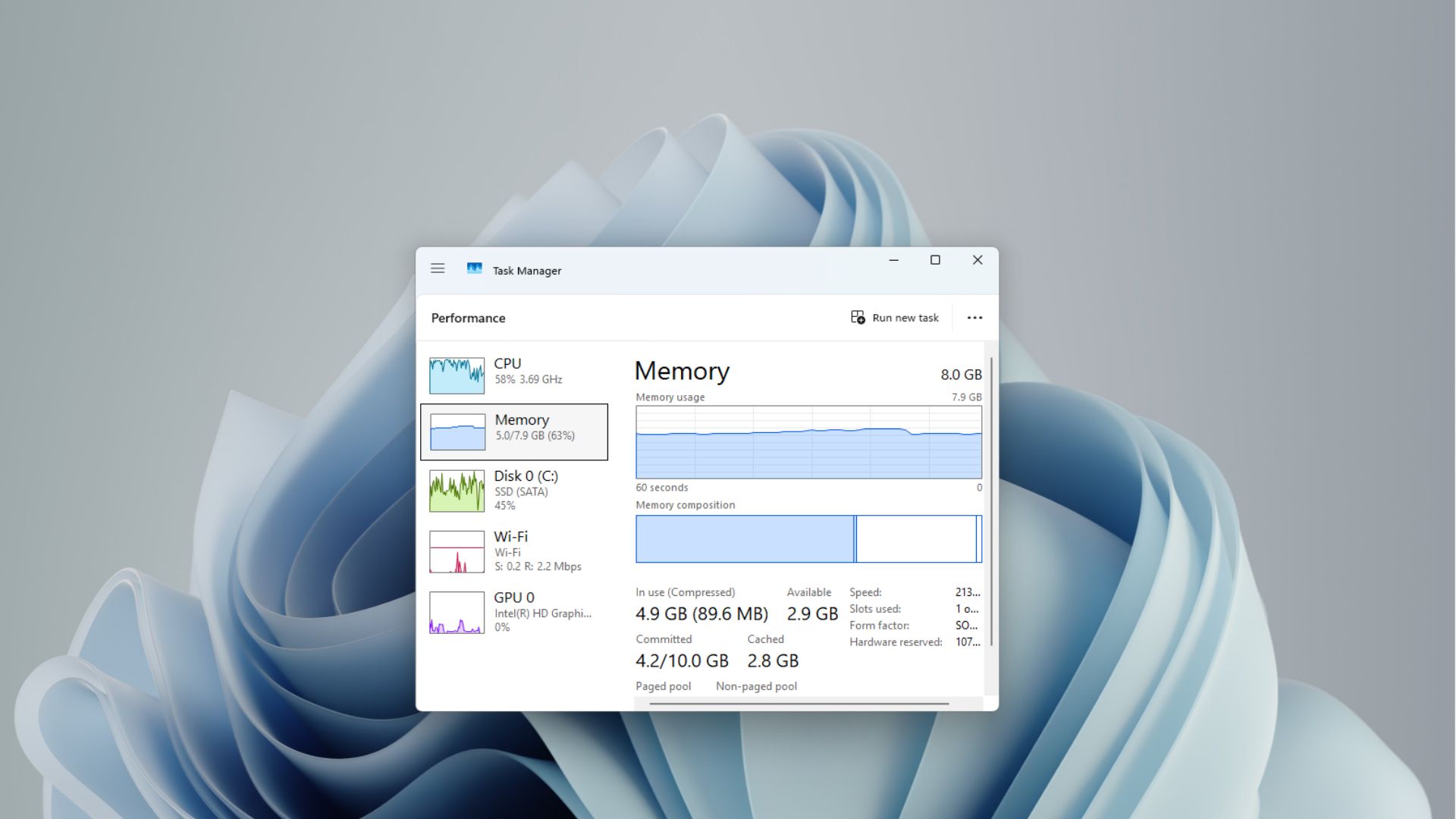
- Up to 2GB more active data in RAM. When memory fills up, Windows moves data it thinks you aren’t using to the page file on your SSD, and pulling it back makes apps stutter when you switch to them. Microsoft says Windows can now keep up to 2GB more of your active data in memory, “helping your PC stay responsive as you open more apps or browser tabs.”
- Over 200MB freed by Widgets. On PCs with 8GB of RAM or less, the Widgets board no longer preloads in the background.
- Lower background memory use. Microsoft says it has improved “memory management and efficiency across Windows,” without tying it to one component.
Keep in mind that the 2GB doesn’t mean Task Manager will show 2GB less RAM in use. It’s about how much of what you’re working on stays in fast memory.
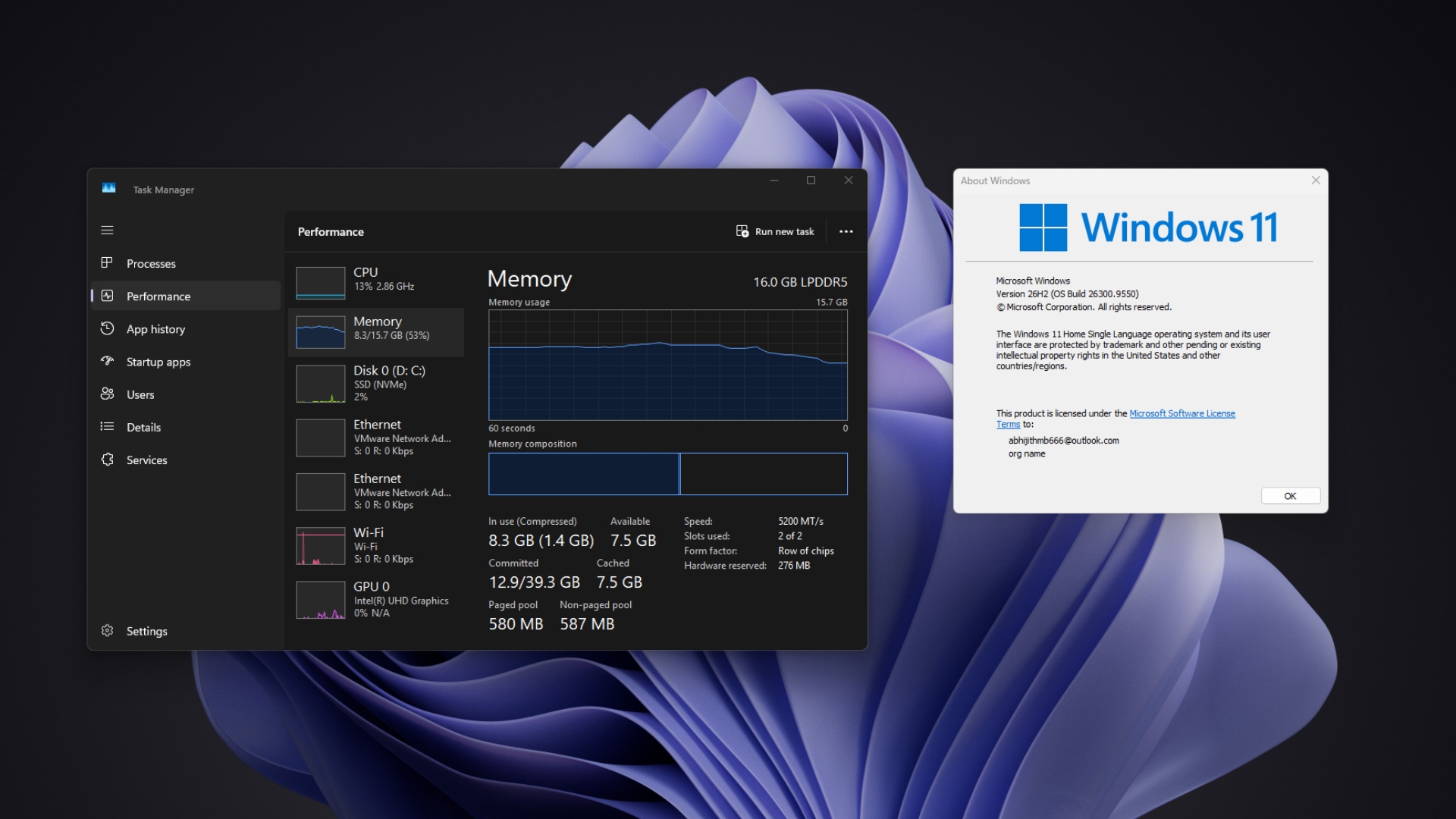
We’ve seen hints of this before. After installing Windows 11 26H2, my three-year-old 16GB laptop used up to 2GB less RAM after a restart, but one 8GB PC owner reported no change at all, with RAM usage stuck at 96%. Microsoft’s new claims are its first official numbers.
Microsoft promised to fix Windows 11’s RAM problem months ago
The October numbers are the payoff from a promise Microsoft made seven months ago.
- In March, Windows chief Pavan Davuluri committed to improving Windows quality, including a lower baseline memory footprint and faster core experiences.
- In May, on the Inside Windows podcast, Davuluri blamed the rising cost of memory for the push, saying, “You only take the memory cost as and when you use the capability.”
- In June, Microsoft’s Surface buying guide suddenly called 8GB “great for everyday use” like browsing, streaming, schoolwork, and productivity apps, shortly after Microsoft called 32GB the “no worries” upgrade for gaming.
- In July, Microsoft made “Memory optimization for 8GB and above” an official focus area, along with a more efficient memory allocator and efficiency work across WinUI 3, Chromium and WebView2.
- In August, we reported that Microsoft confirmed Windows 11 is a memory hog and promised the 8GB work by the end of 2026.
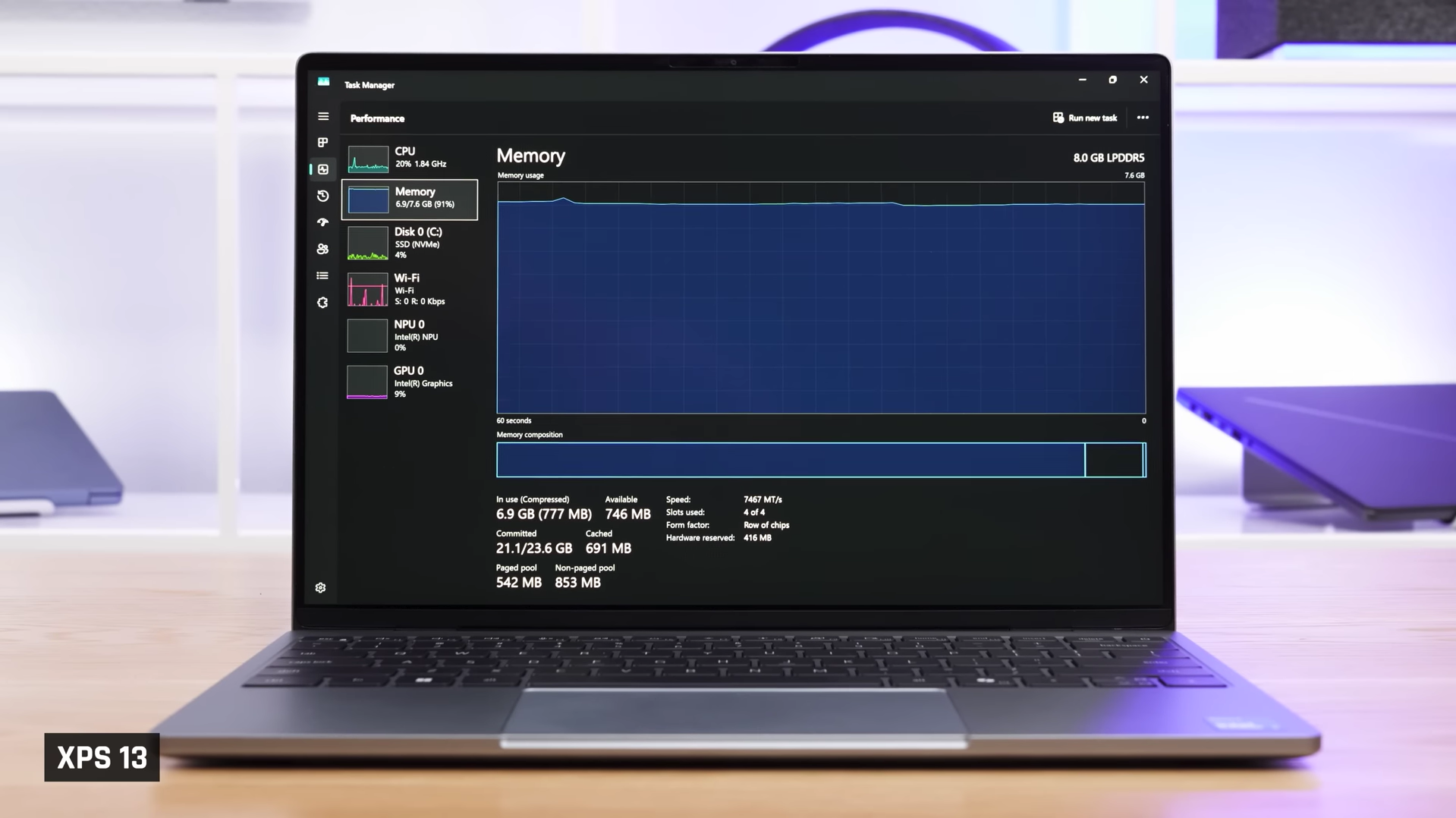
RAM usage in 8GB RAM variant of Dell XPS 13. Source: Just Josh via YouTube
Of course, none of this is happening due to the company’s goodwill. RAM prices have skyrocketed as AI data centers soak up memory supply, and PC makers are bringing back 8GB laptops to keep prices in check. Lenovo’s MacBook Neo rival starts at 8GB, so Microsoft has little choice but to make Windows 11 work well on it.
The improvements are welcome, but 8GB still has limits
To be clear, a leaner Windows 11 doesn’t turn 8GB into enough for everything. Browsing, streaming, and Office work are a far cry from editing videos, running local AI models, or keeping dozens of heavy apps open, and this sudden boost in performance can’t guarantee a PC can handle these with 8GB RAM. The point is, don’t take Microsoft’s word for it and purchase a PC with low RAM thinking that it would be enough for you.
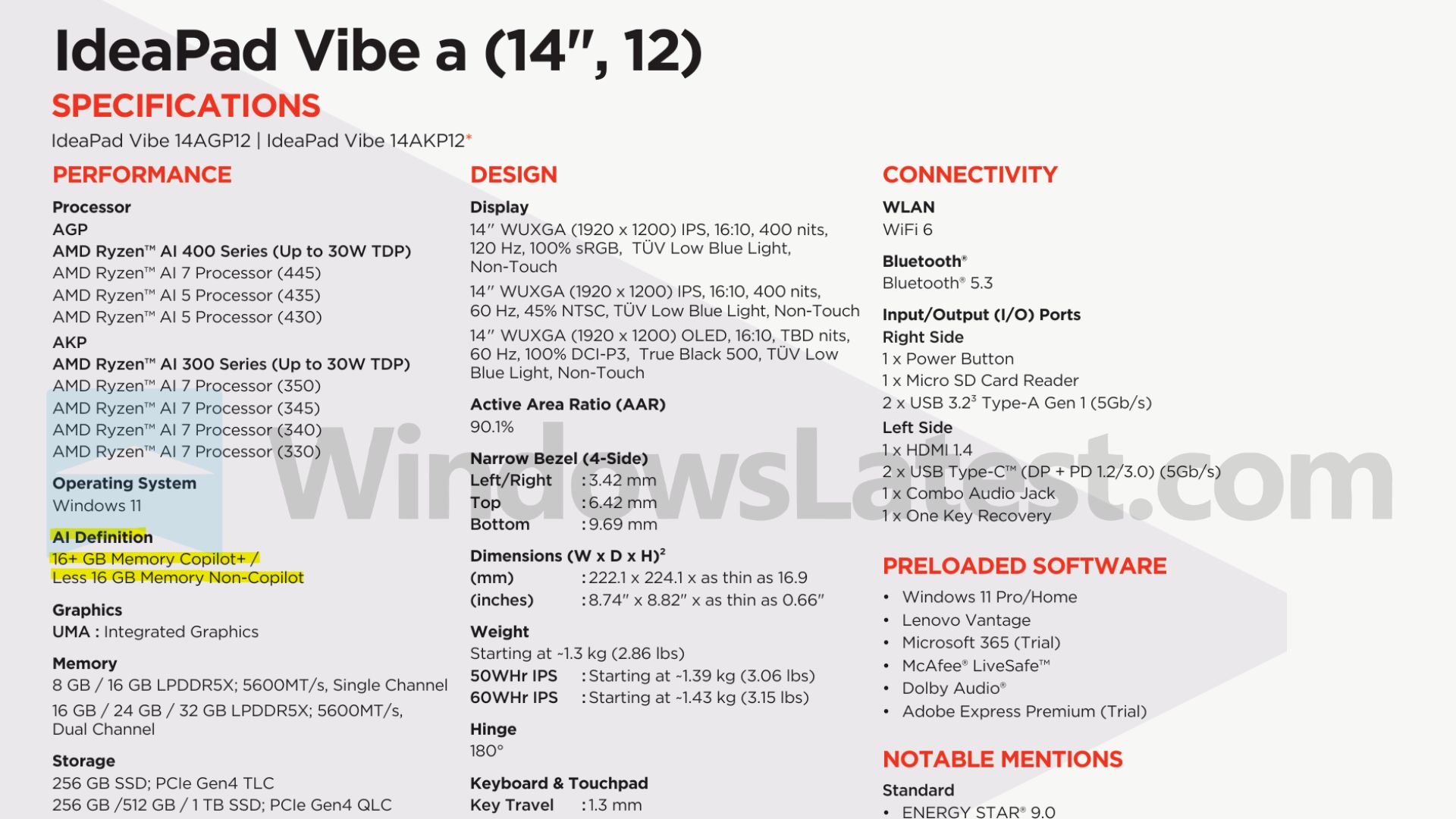
Speaking of AI, 8GB also locks you out of Microsoft’s own AI features. Lenovo’s spec sheets label every 8GB model “Non-Copilot”, even when they use the Ryzen AI chips found in the 16GB models, as Copilot+ PCs still need 16GB.
Ironically, Microsoft’s first attempt at a snappier Windows 11 was about the CPU. When we forced the Low Latency Profile on a 2016 ThinkCentre with a Core i3-6100 and 8GB of RAM, Start, Search, and Action Center felt noticeably quicker. But a faster CPU ramp-up doesn’t help much when the RAM is already full.
Microsoft measured its numbers on 26H2, so your best bet is to install Windows 11 26H2 and the latest update from Settings > Windows Update. The changes are rolling out gradually, so you may not see all of them right away. Still, after years of Windows 11 eating RAM like it’s free, Microsoft is finally optimizing for the PCs people are buying. The real test is whether 8GB owners feel the difference on their PCs when compared to MacBook Neo.