







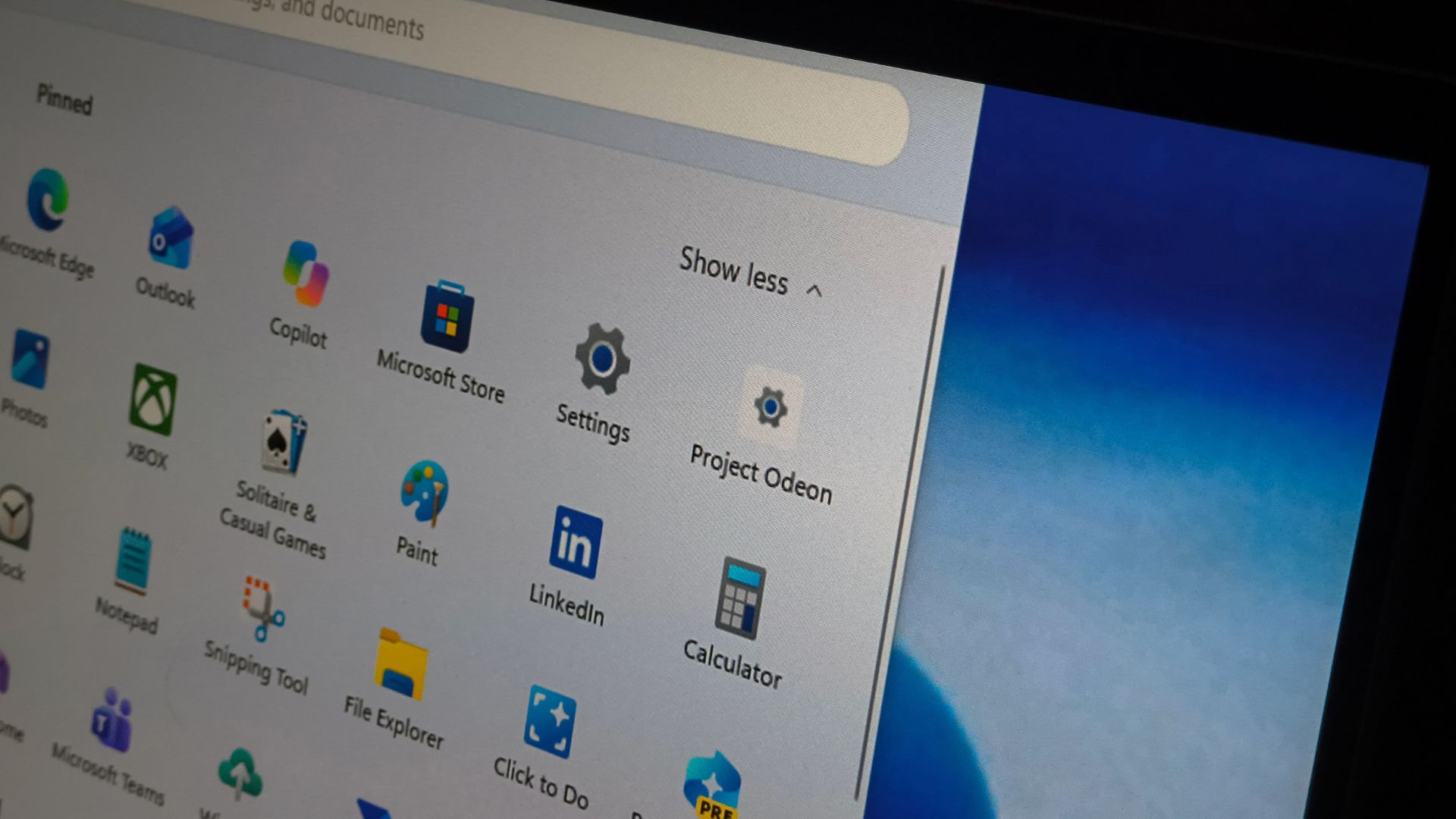
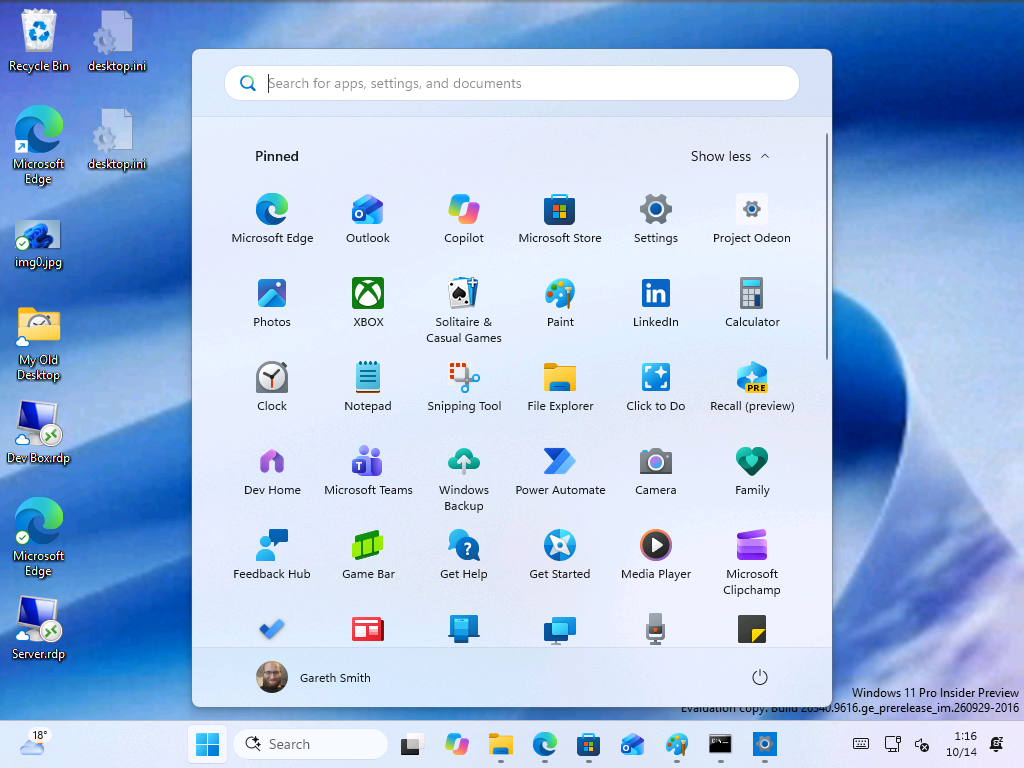
Microsoft is testing a Microsoft Store app codenamed “Project Odeon” that uses the Windows 11 Settings icon and looks almost identical to the Settings app. Our findings suggest parts of Settings could one day be updated through the Store instead of waiting for Windows updates, which might also speed up the move away from Control Panel.
We spotted Odeon in the Microsoft Store, and I installed it on a Windows 11 Insider virtual machine to see what it does. It runs next to the built-in Settings app, reads information from the PC, and hides a preview mode with a dummy account. Microsoft hasn’t announced Odeon yet.
Project Odeon is a Microsoft Store app that looks like Windows 11 Settings
Over the past few weeks, an application identified by the codename “Project Odeon” has surfaced in testing. A recent update gave it the Windows 11 Settings icon and an interface that closely resembles the Settings app, which we are already familiar with.
The Store listing for Odeon shows Microsoft Corporation as the publisher, puts the app under Productivity, and labels it Preview. On disk, the package is called Microsoft.ProjectOdeon, version 1.0.9.0, and it carries the publisher ID Microsoft uses for its Store apps, such as Notepad and Paint.
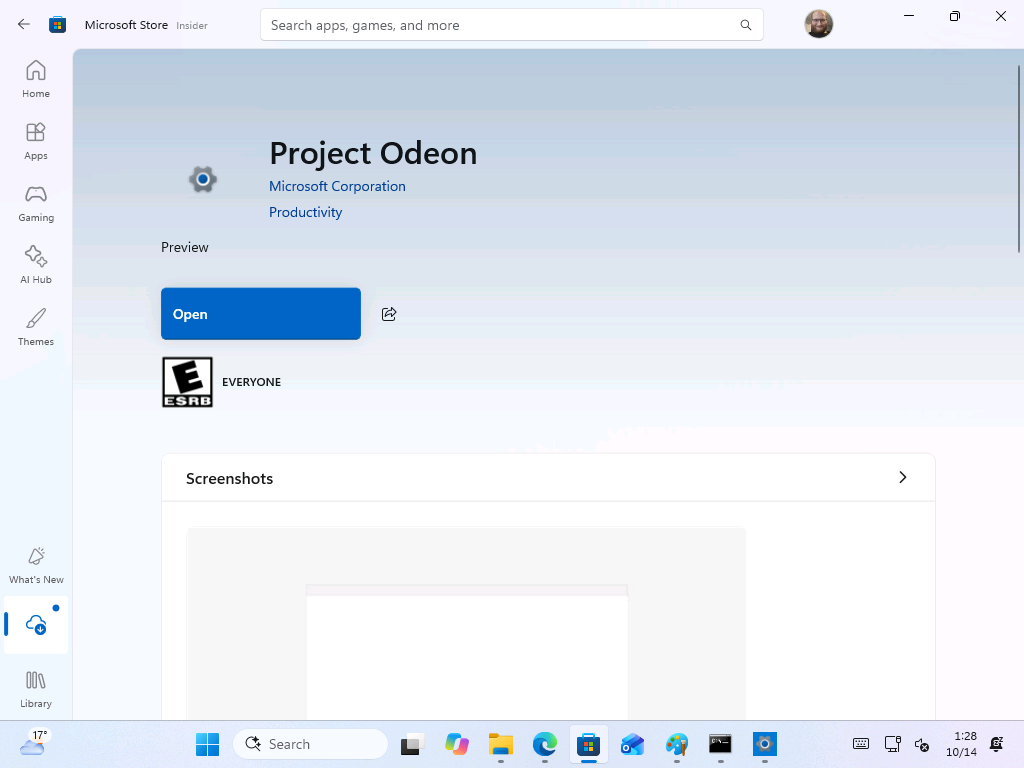
Odeon requires Windows 11 build 26100 or newer. Developer Mode had to be enabled before installing the package, whether through the Store or manually, which tells me that it is still a test build and nowhere close to a conventional public release.
I tested Project Odeon and compared it with the built-in Settings app
In my testing, installing Odeon did not replace the current Windows 11 Settings app, and both were available side by side. My test PC is a Hyper-V virtual machine running Windows 11 Insider Preview build 26340.9616, and Odeon was able to identify its name, network status, and pending Windows updates on the Home page, the way the regular Settings app does.
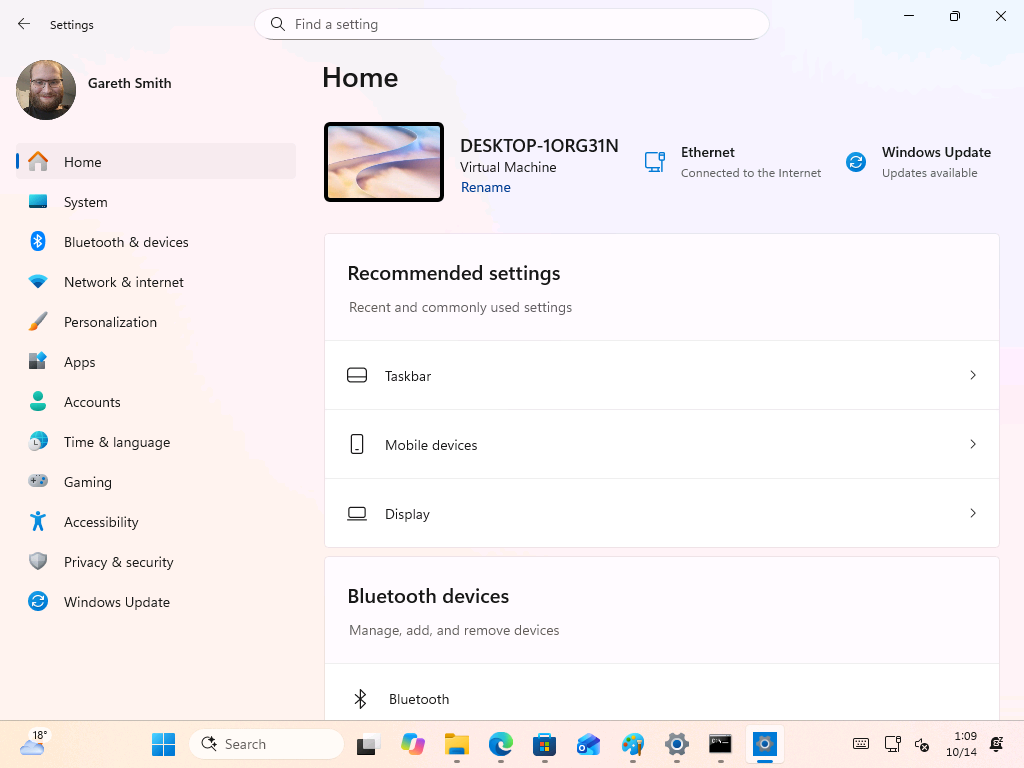
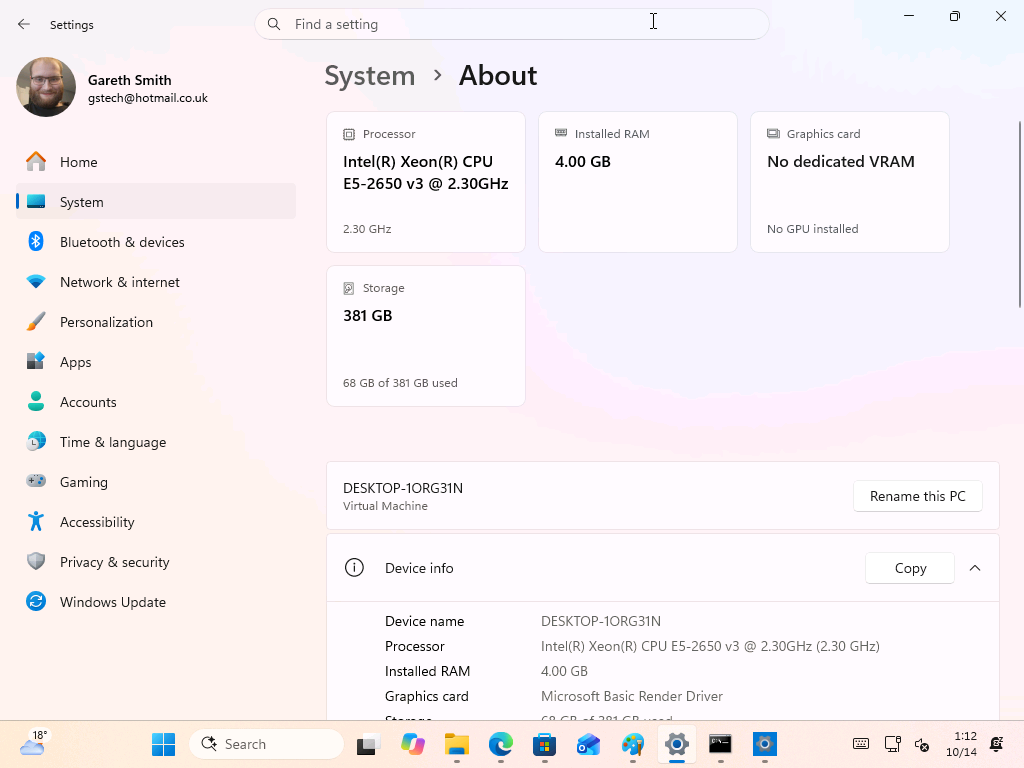
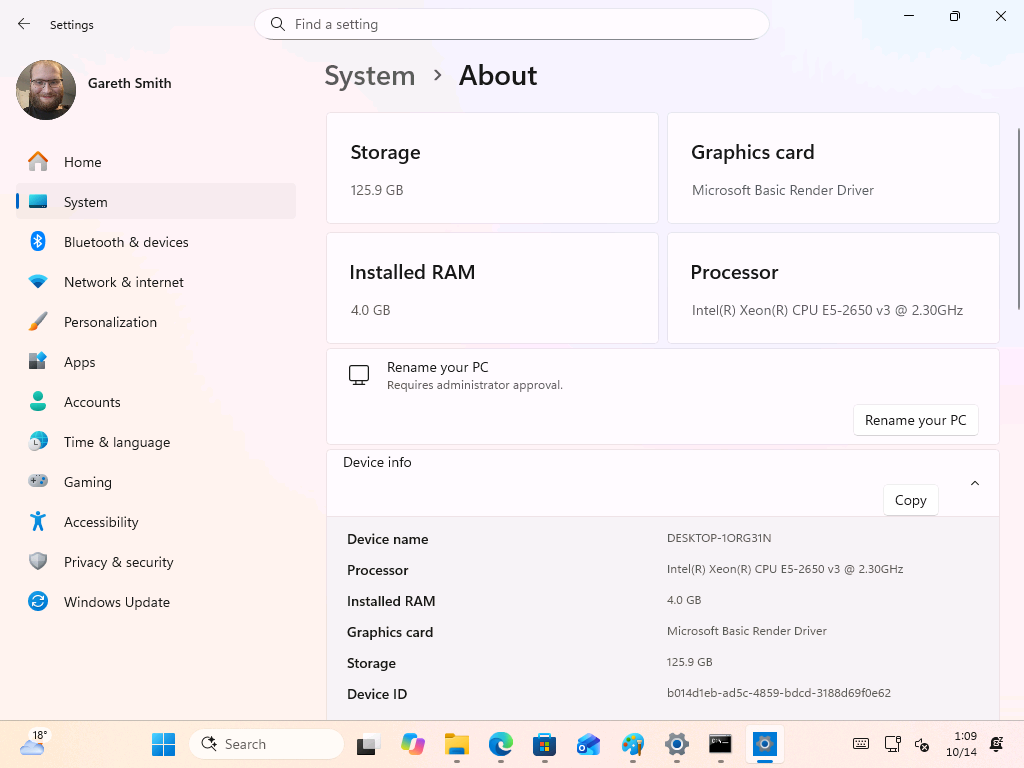
The two apps don’t always agree, though. On the About page, Odeon reported 125.9 GB of storage and the “Microsoft Basic Render Driver” as the graphics card, while the built-in Settings app showed 381 GB with 68 GB used and “No dedicated VRAM.” The layouts are different too, and Odeon’s Rename button says it “Requires administrator approval,” which lines up with one of the helper files inside the package.
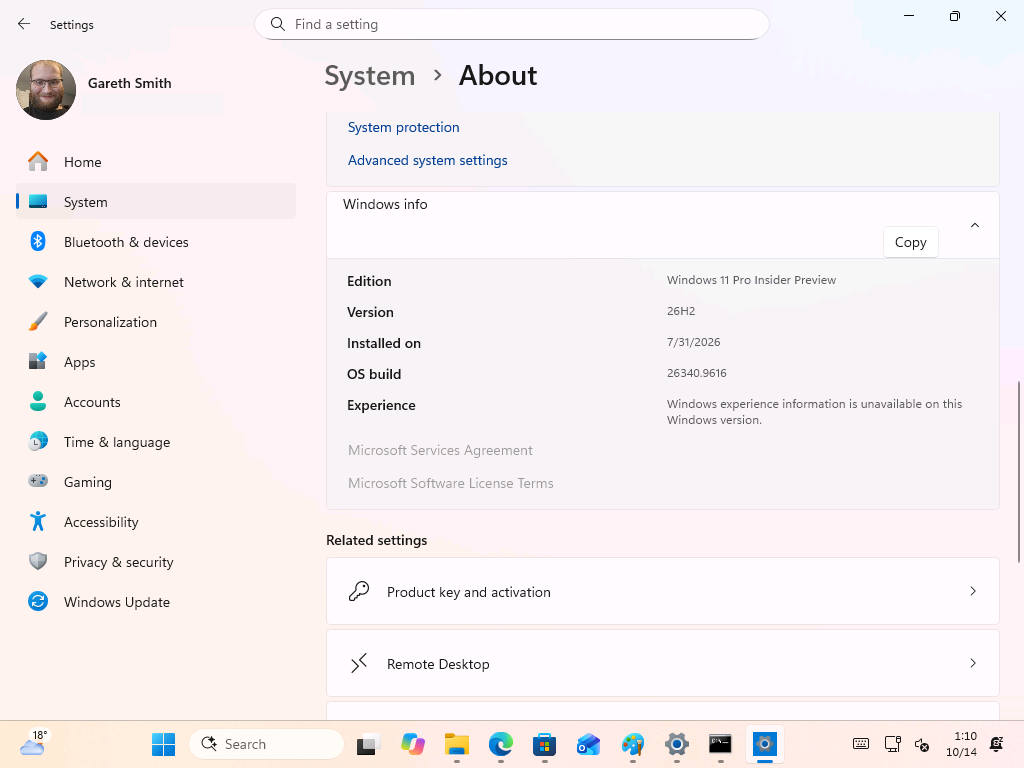
Odeon also identifies the correct Windows version, but the “Experience” field says the information “is unavailable on this Windows version,” and the Microsoft Services Agreement and Software License Terms links are greyed out.
Some Odeon pages look unfinished
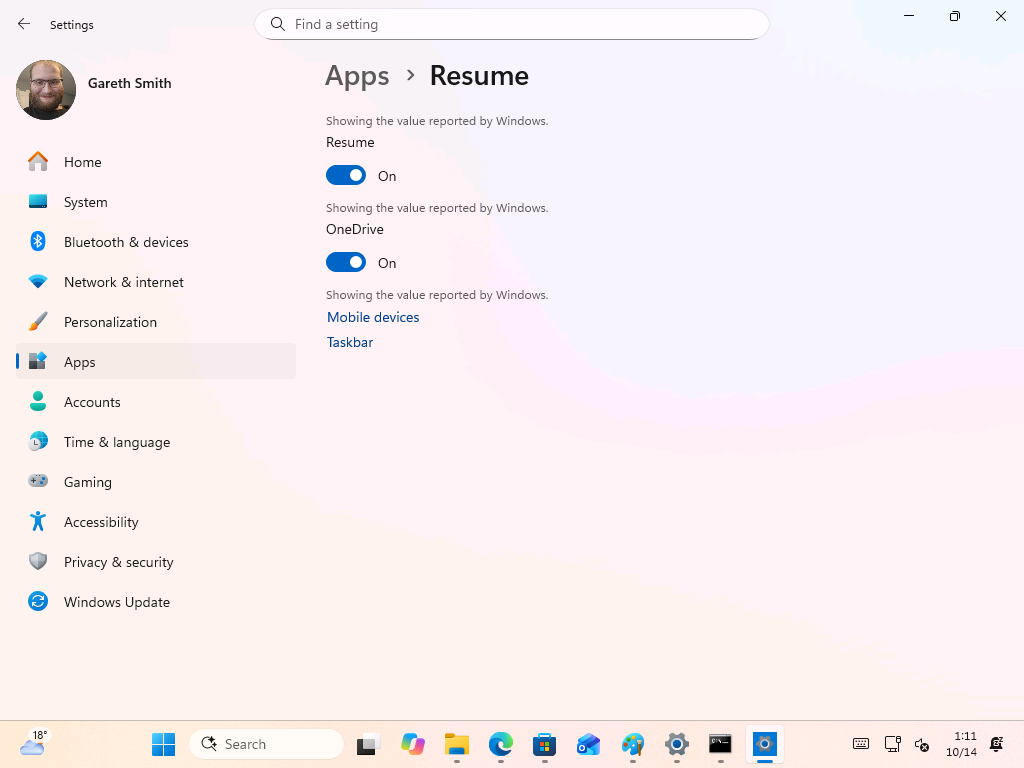
Some pages look a little odd in this early preview, and Resume and App Actions are two examples. On the Resume page, every toggle has the line “Showing the value reported by Windows” above it, followed by bare links to Mobile devices and Taskbar.
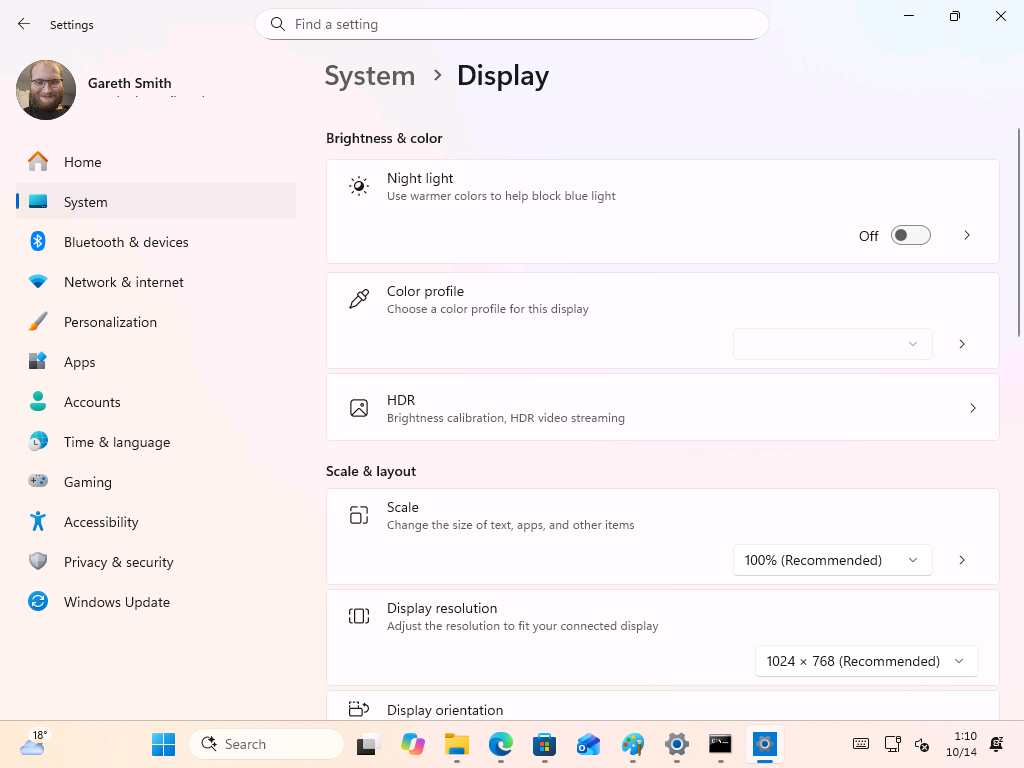
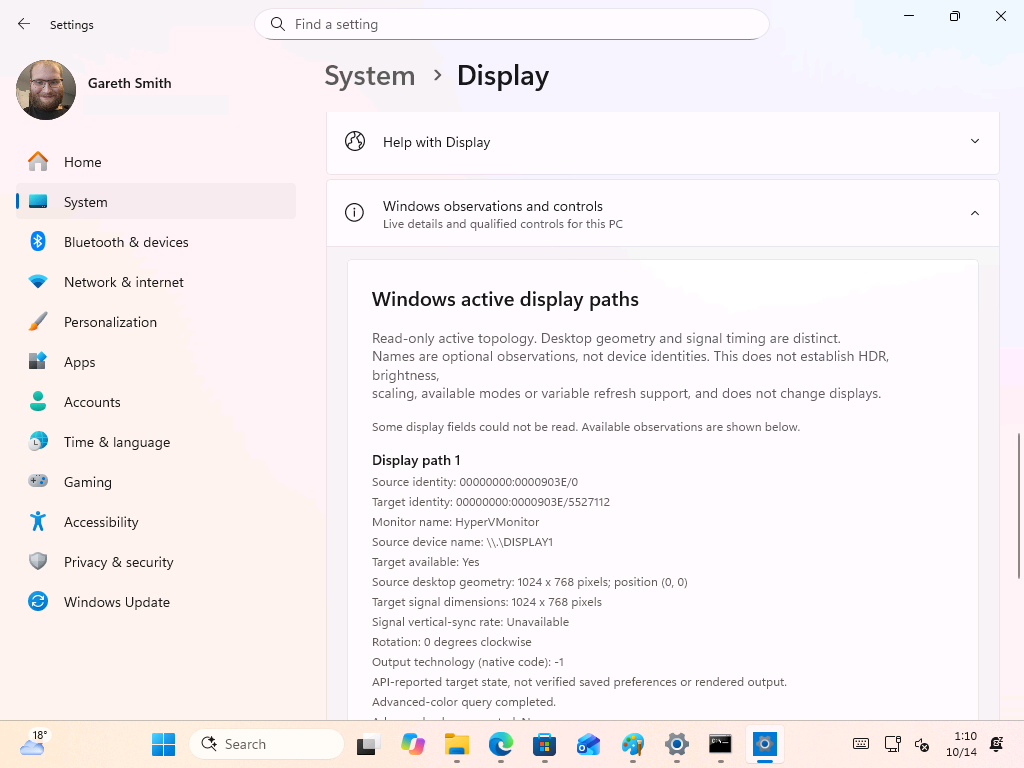
Other pages, including Display, contain an extra control showing raw information. The top half of Display looks normal, with Night light, HDR, Scale and resolution. Scroll down, and a “Windows observations and controls” section lists the display path, the monitor name (HyperVMonitor in my case), HDR support, color encoding and an SDR white level of 80 nits.
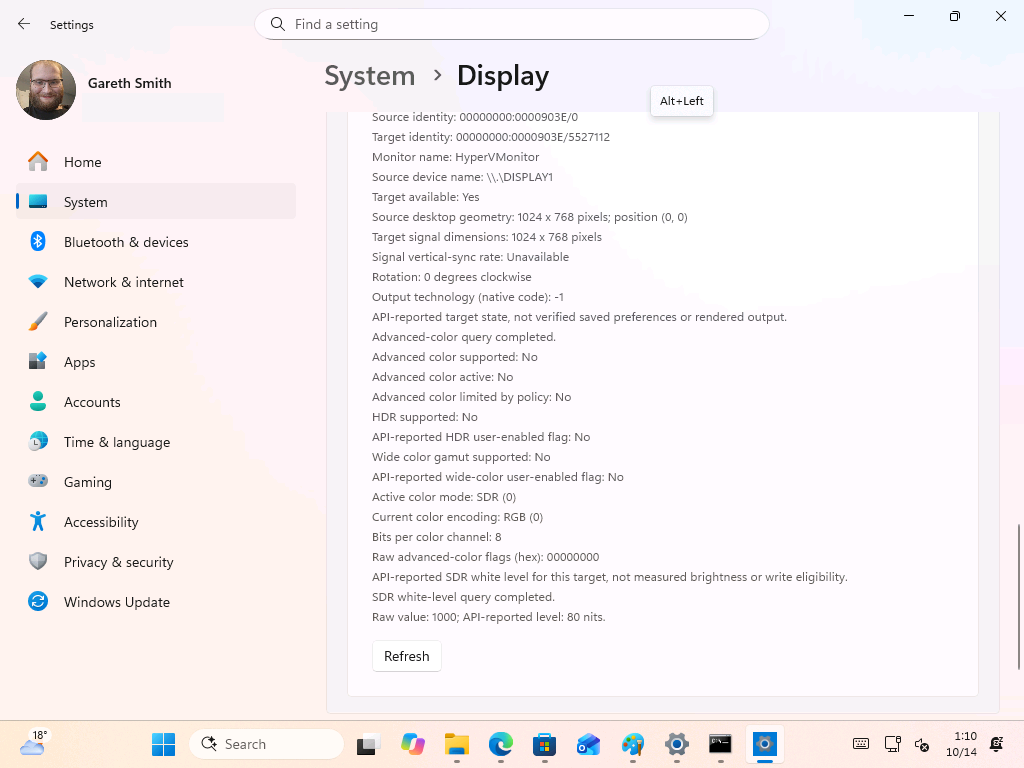
I also sometimes get an “Alt+Left” keycap while playing with it. It’s the tooltip for the Back button’s keyboard shortcut, and it appears on its own when you move around the app.
Odeon has a hidden preview mode with a dummy account
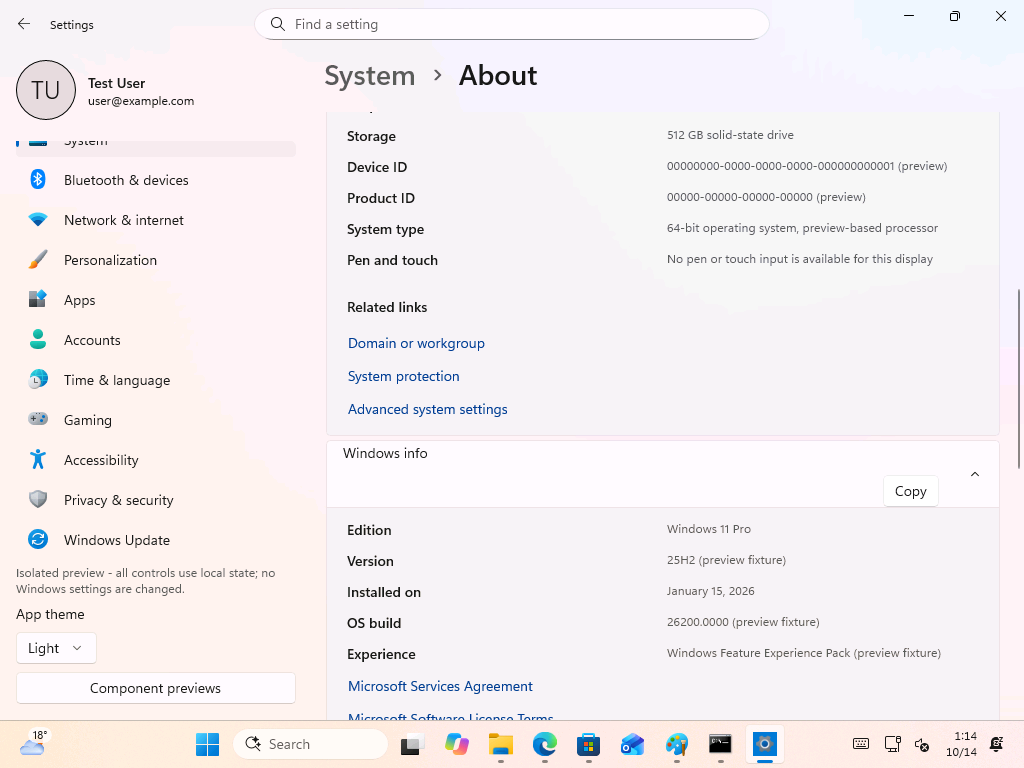
The app also supports a –preview command that opens a complete test experience with account and Home cards, a dummy account, dummy settings and six dummy wallpapers. A note in the sidebar says it’s an “Isolated preview,” where all controls use local state, and no Windows settings are changed.
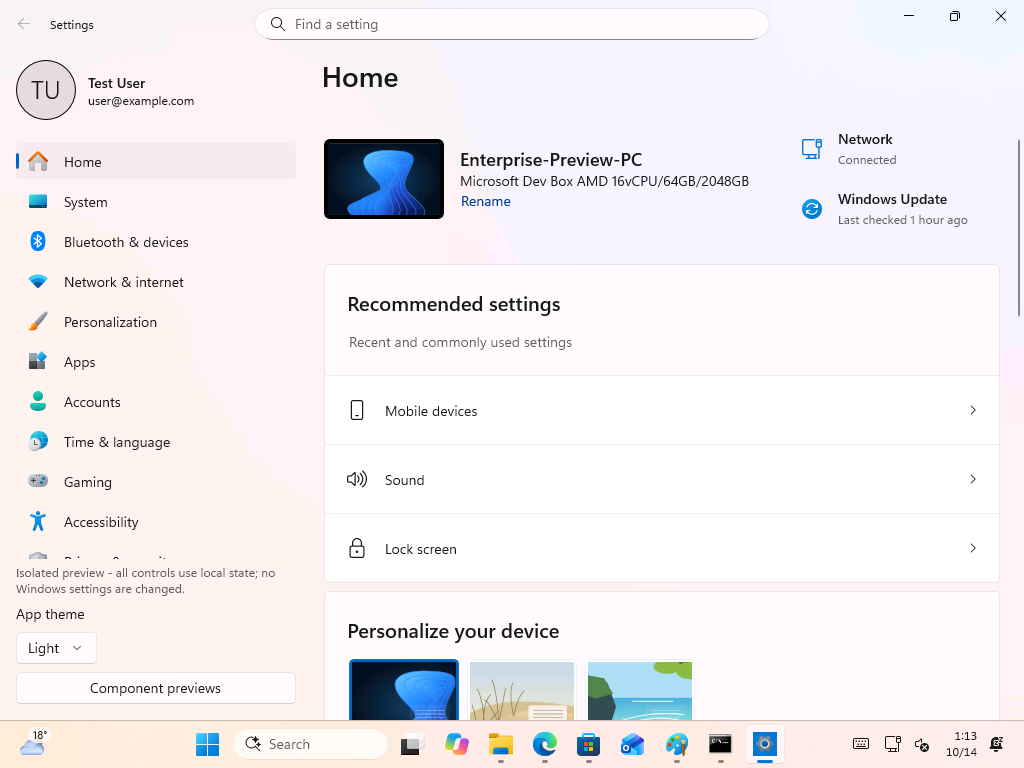
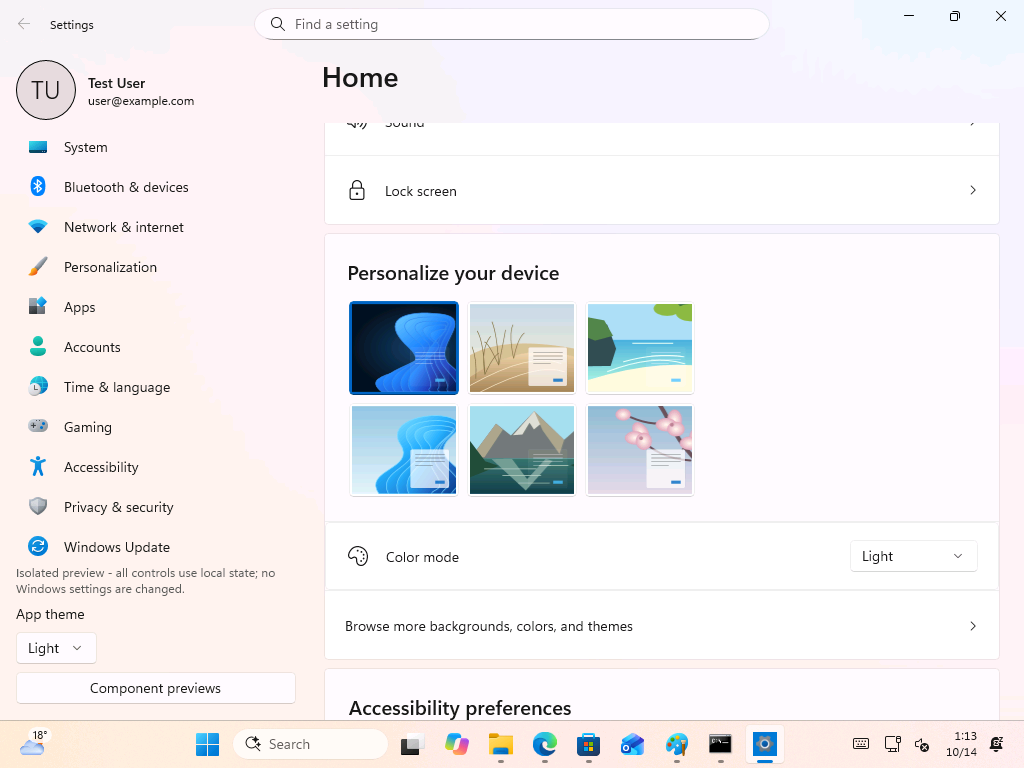
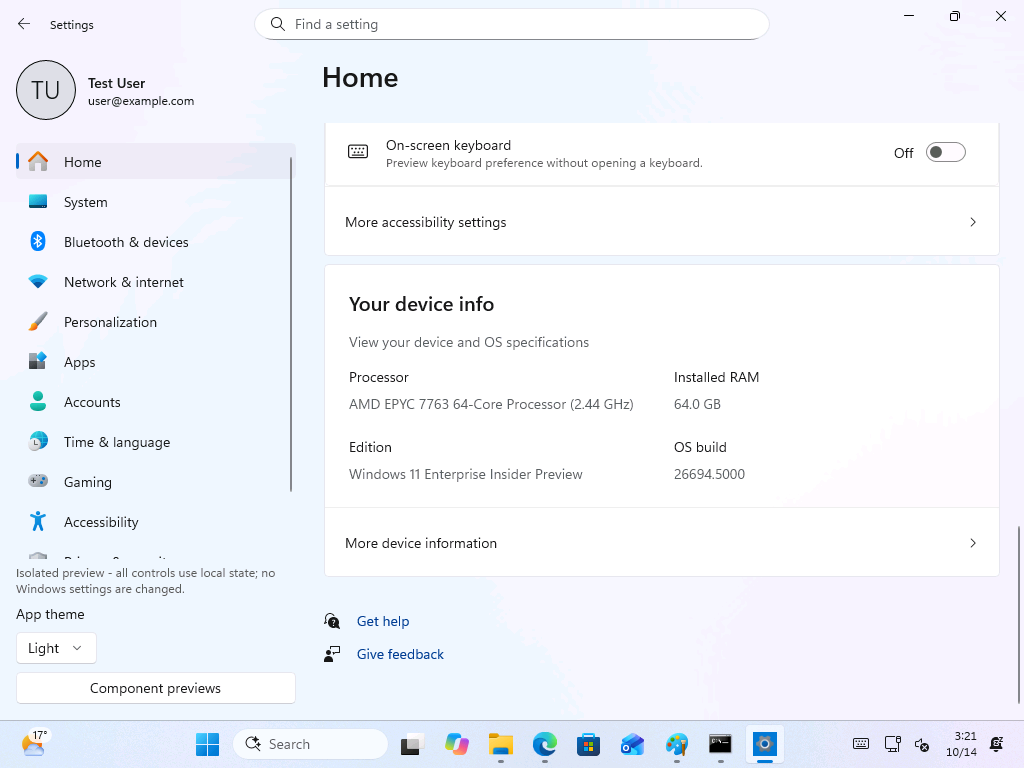
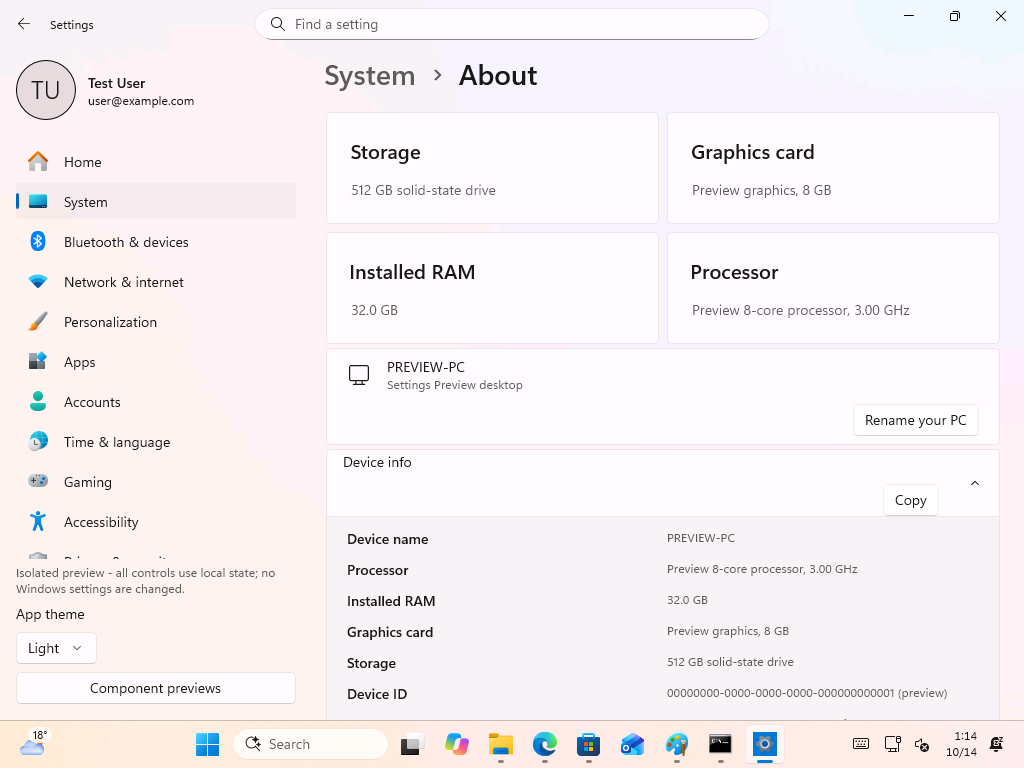
Everything in this mode is fake. The Home page shows a “Microsoft Dev Box AMD 16vCPU/64GB/2048GB” called Enterprise-Preview-PC, the device info card lists a 64-core AMD EPYC 7763 with 64 GB of RAM and build 26694.5000, and the About page switches to a “Preview 8-core processor” with 32 GB of RAM. Even the Windows info section is tagged as “preview fixture” data.
A Component previews button in the sidebar shows “safe local previews of existing managed Account and Home components.” There are only two to choose from: the Account page and the Home Microsoft 365 card, and both run on injected local data.
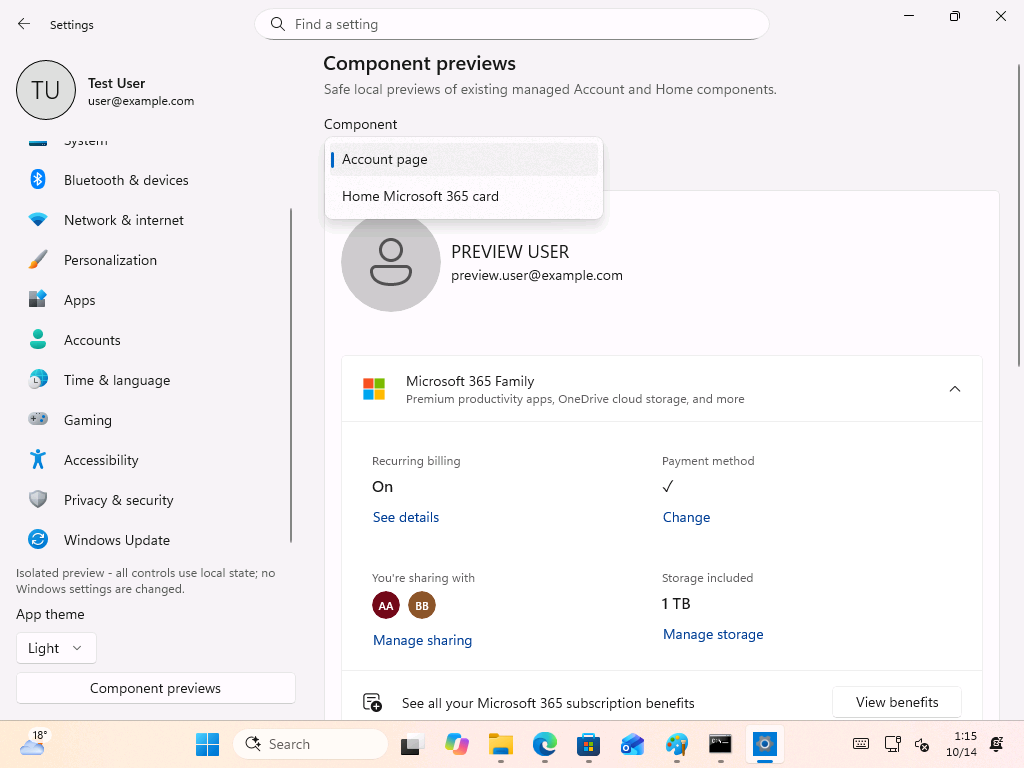
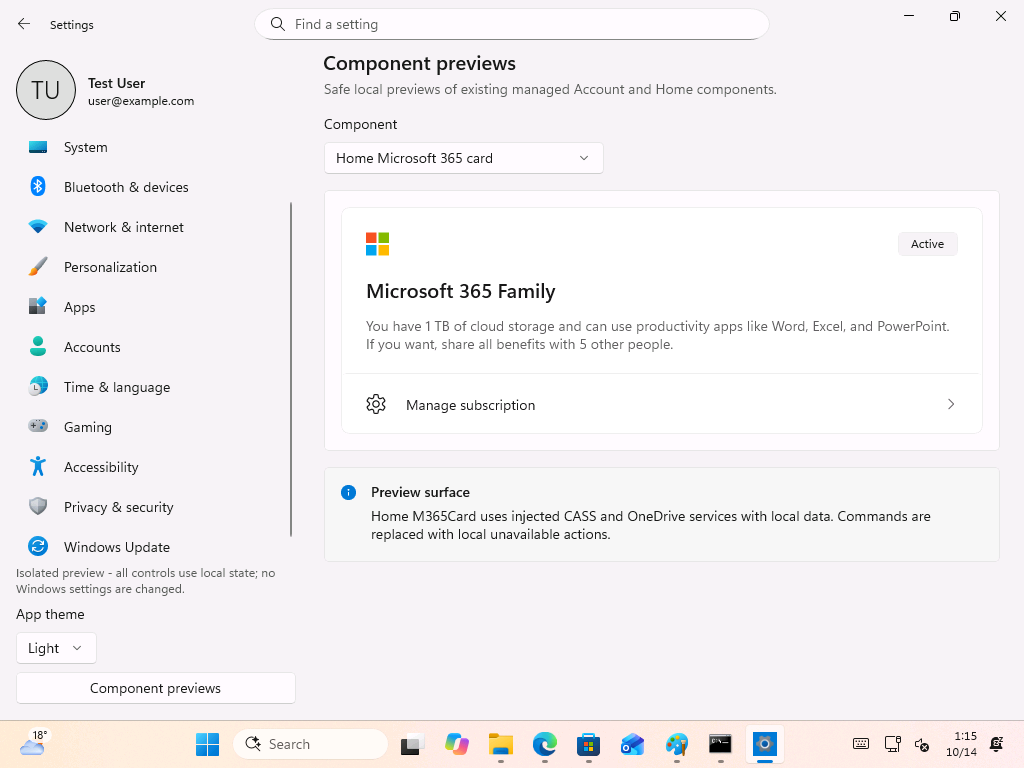
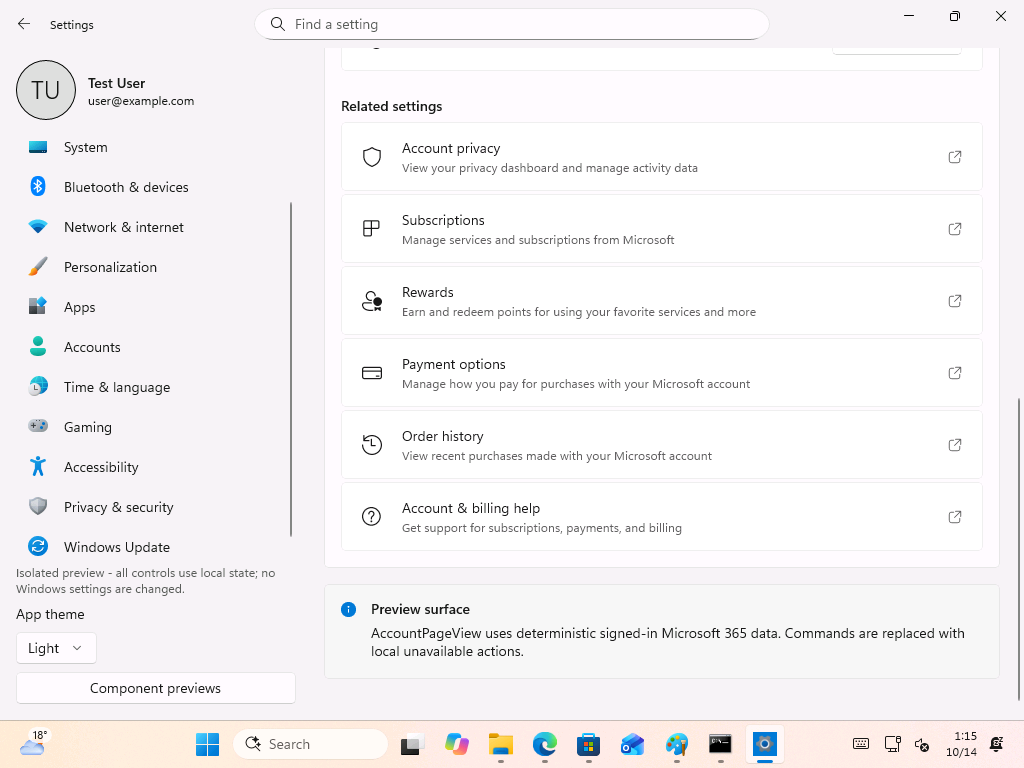
Ironically, out of everything in Settings, one of the two components Microsoft built a test harness for is the Microsoft 365 Family card. Settings has been used to push Microsoft account and Microsoft 365 promotions for a while, so I’m not surprised, but I’d have liked to see the Bluetooth or printer pages in that list first.
Odeon’s files point to small helper apps, not a full Settings replacement
The package’s apparent test executable is AccountExperiences.Settings.TestApp.exe, while the current Settings app uses SystemSettings.exe. The other files share the AccountExperiences prefix and include several narrowly named helper executables.
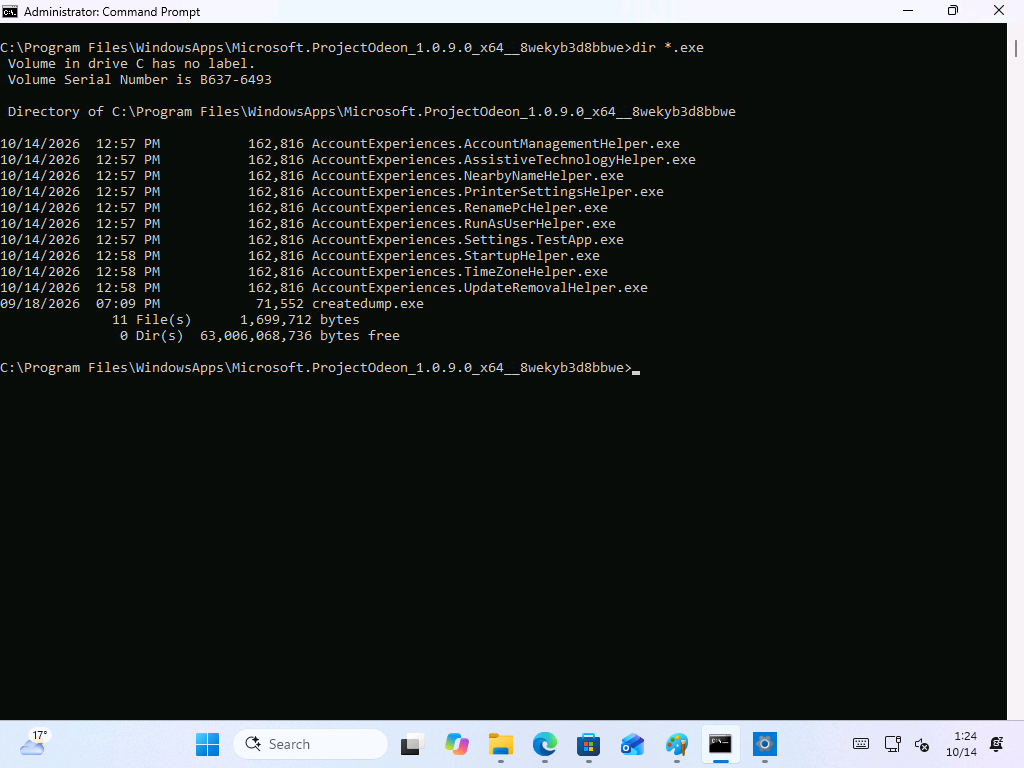
The helpers are AccountManagementHelper, AssistiveTechnologyHelper, NearbyNameHelper, PrinterSettingsHelper, RenamePcHelper, RunAsUserHelper, StartupHelper, TimeZoneHelper and UpdateRemovalHelper. Most of them corresponds to tasks that need more rights than a typical MS Store app has, such as renaming the PC, changing the time zone or removing updates. My guess is that Odeon keeps the interface in a sandboxed Store app and calls these helpers when it needs to change the system, which would also explain the administrator prompt on the About page.
The DLL list adds AccountExperiences.Home, Account, Core, FeatureStaging and an 8 MB SettingsPlatform file, the largest of the AccountExperiences files. Files like createdump.exe and clrgc.dll come from Microsoft’s .NET runtime, which suggests Odeon is a .NET app that has its own runtime.
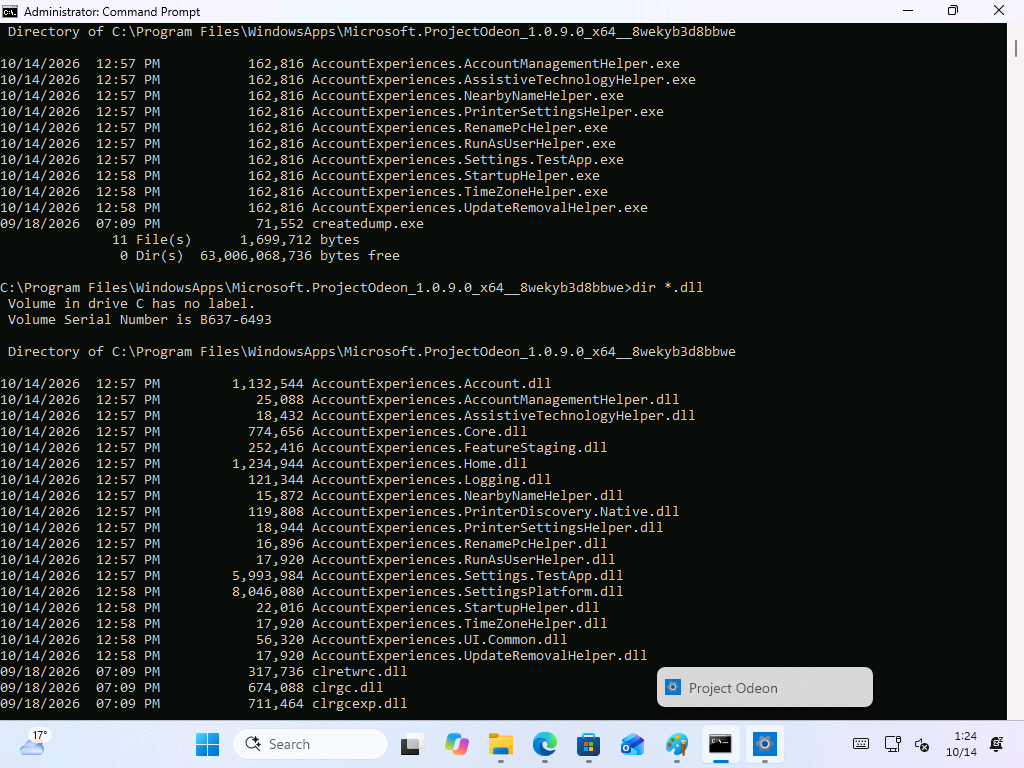
Although filenames do not reveal Microsoft’s plans, they suggest that the package may be testing focused system experiences instead of replacing the existing Settings app. Thinking in a neutral way, these clues does show a clear connection with Windows Settings, but they do not confirm that Microsoft plans to publish the full Settings app through the Store.
The project does not appear to be connected to the separate app also named Odeon, which uses AI to create widgets. Beyond the shared name, there is currently no known link between them. I will update this article if I find evidence that the two projects are connected.
Why Microsoft might move Settings to the Microsoft Store
Publishing parts of Settings through the Store could let Microsoft deliver interface fixes and selected improvements without waiting for a major Windows feature update or monthly cumulative update.
The Microsoft Store already provides an update channel for apps, and Microsoft says the Store can automatically install app updates that add features and fix problems.
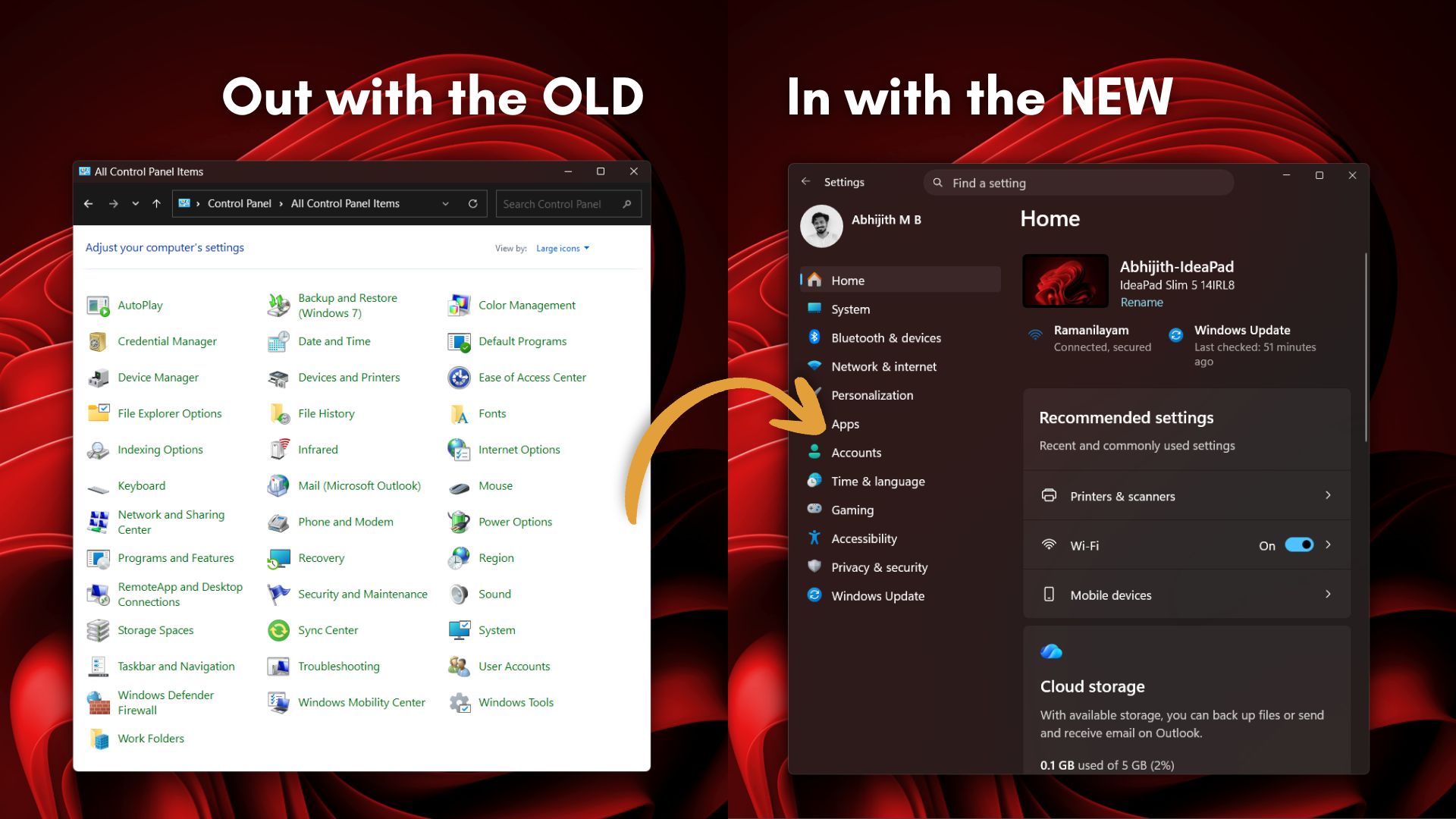
It could also help with Control Panel. March Rogers, Partner Director of Design at Microsoft, has said the team is “working our way through migrating all the old control panel controls into the modern Settings apps,” but he hasn’t given a timeline, and Control Panel is still around for tasks like manual printer setup. If new Settings pages could ship through the Store, every migrated page wouldn’t have to wait for the next Windows release.
Microsoft has also been testing a dedicated App updates page within Windows 11 Settings. It shows a closer integration brewing between Settings and the Store’s update infrastructure.
There’s a risk too. In January, a server-side Store issue stopped Notepad, Paint, Snipping Tool and even Windows Security from opening. A broken Notepad sure is annoying, but a Settings app that refuses to launch would be far worse, so Microsoft will need a fallback if it goes down this path.
What Project Odeon could become
It is not yet clear what Odeon is intended to become. The separate package and preview mode could be part of a redesigned Settings experience, or they may only exist for internal testing. There is currently no evidence that the app will receive a public release.
Microsoft is already rebuilding old dialogs in WinUI 3, and a Settings app that updates on its own schedule would make the work reach people faster.
Odeon remains a test, not confirmation of Microsoft’s plans. A public Store listing under the Settings name, a Windows Insider announcement or supporting documentation would be stronger evidence of a planned release. The separate package and helper executables do at least show that Microsoft is experimenting with a more modular Settings experience. I still find it interesting regardless.