






Windows 11 26H2, “Windows 11 2026 Update,” is now rolling out, and you can download it by going to Settings > Windows Update and clicking Download & install when the update becomes available on your PC. Here’s what it looks like when I checked for updates on my PC:
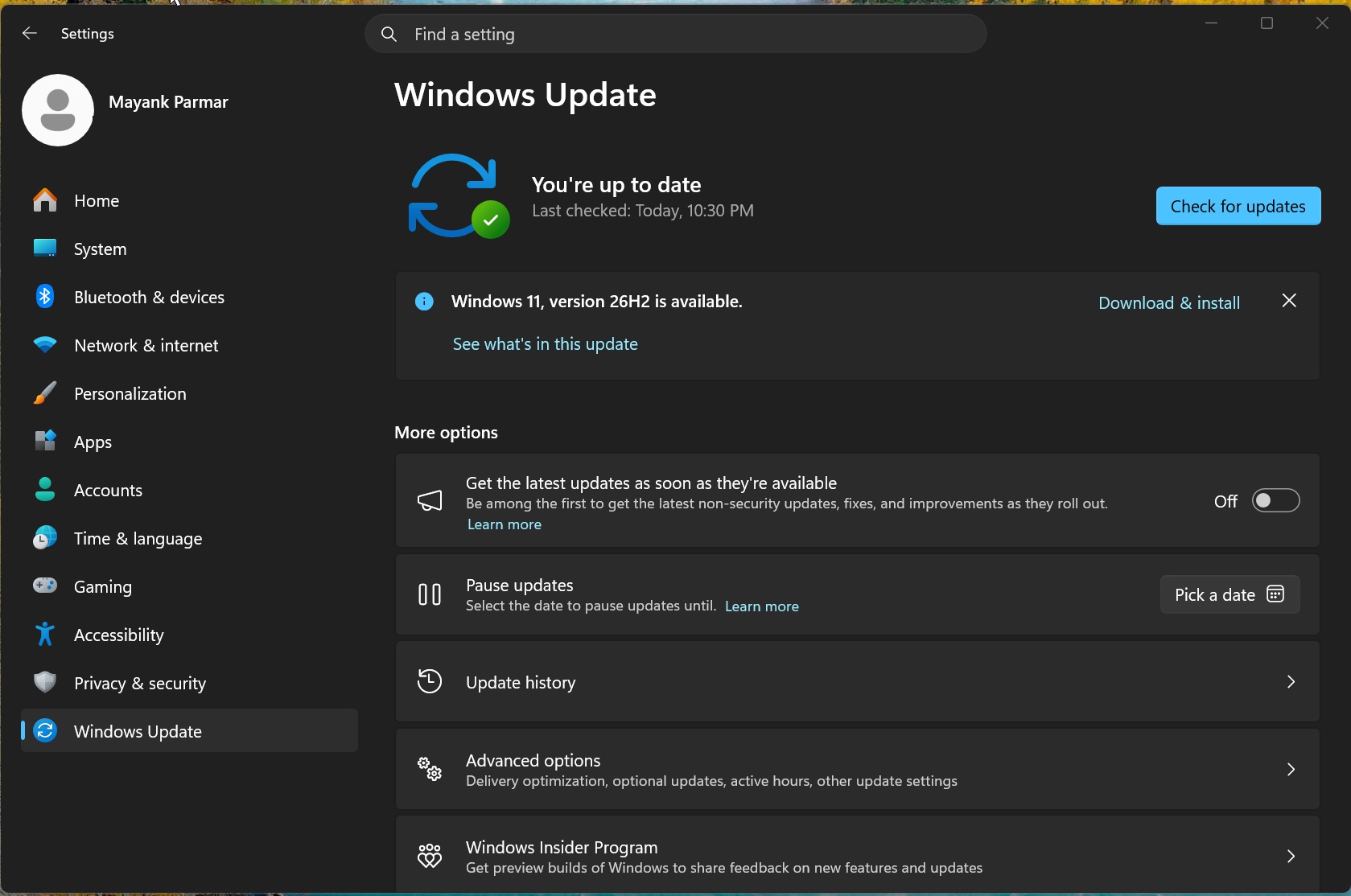
Windows 11 26H2 has been under development for the past several months, and it’s a nothingburger release. That means you’re not going to notice any visible changes if you have already applied recent monthly cumulative updates.
But why is that the case? Right now, Microsoft wants to focus on stability and get the fundamentals right, as Satya Nadella previously confirmed. In other words, if Windows 11 26H2 were a major release based on a new platform (different from version 25H2 or 24H2), it could have been buggy and introduced compatibility issues, as happened in the past.
Earlier today, I reported that Windows 11 26H2’s installation files were already live, pointing to an imminent release. Microsoft has now confirmed the public rollout on September 29, 2026.
How to download and install Windows 11 26H2
Windows 11 26H2 is gradually rolling out as an optional update. But if you can’t wait for it to show up on your PC, you can seek it by checking for updates.
Here’s how to download the update as soon as possible:
- Open Settings > Windows Update.
- Turn on Get the latest updates as soon as they’re available.
- Click Check for updates.
- Select Download and install when Windows 11, version 26H2 shows up.
- Restart your PC.
Windows 11 26H2’s update size is just 174KB if you’ve installed all recent monthly cumulative updates. Once the update is applied, you can confirm if your PC actually installed it by going to Settings > System > About. Now, look for the OS version and build numbers under Windows specifications. If it says version 26H2, you’re on the new release, and you don’t have to do anything.
If Windows 11 26H2 is not showing up at all, it could be because of a safeguard hold on your PC after Microsoft detected a compatibility issue.
“During rollout, we might place safeguard holds on devices where we detect a known compatibility issue that could impact the update experience,” Microsoft explained.
And if there are no compatibility issues, it simply means Windows 11 2026 Update is still rolling out. Turning on the toggle mentioned above won’t always make the update show up immediately.
Windows 11 26H2 is an enablement package on 24H2 and 25H2 PCs, and takes a few minutes to finish installing
Windows 11 26H2, 25H2, and 24H2 all share the same underlying code, which is why moving from one release to another can take just a few minutes.
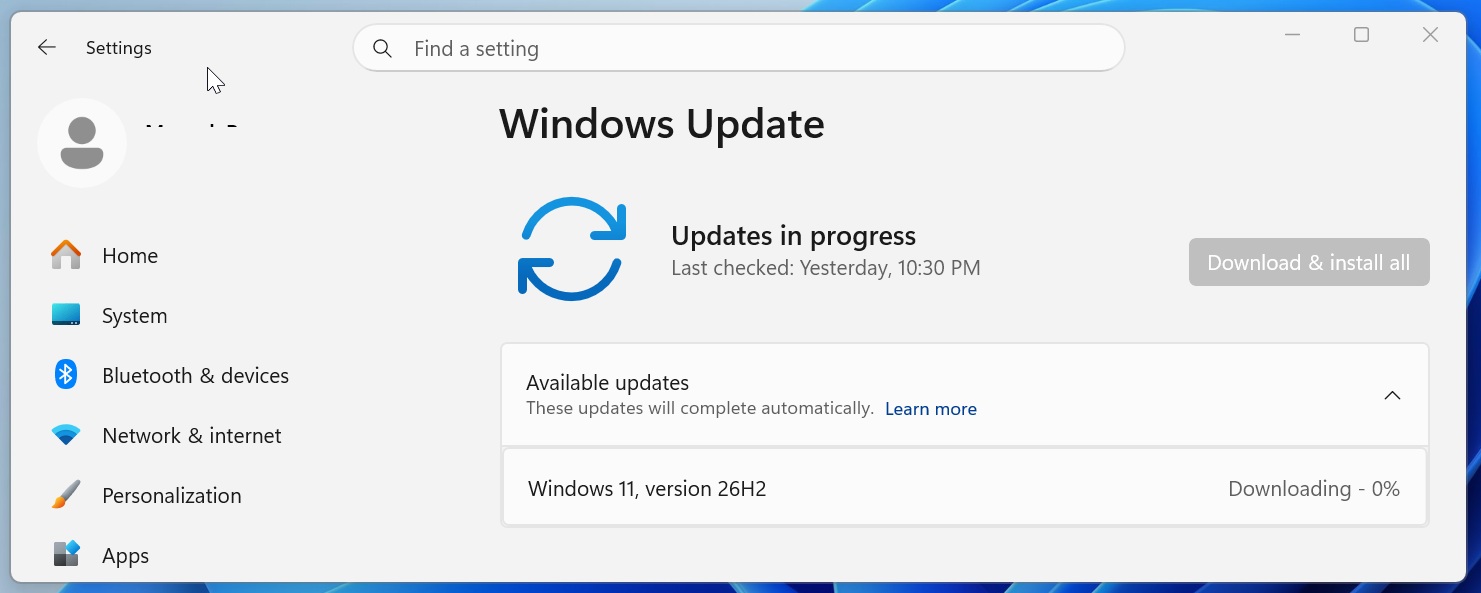
When you hit Download & install under Windows 11 2026 Update, you’re downloading an enablement package (eKB), which changes the OS version and build number while keeping the same underlying platform.
“An enablement package is a lightweight update that activates new features already included in the operating system through previous monthly servicing updates,” Microsoft explained in a document first seen by Windows Latest.
Microsoft calls it the “shared servicing branch,” and it allows the company to keep releasing new monthly features while reducing the risk of compatibility issues when you upgrade.
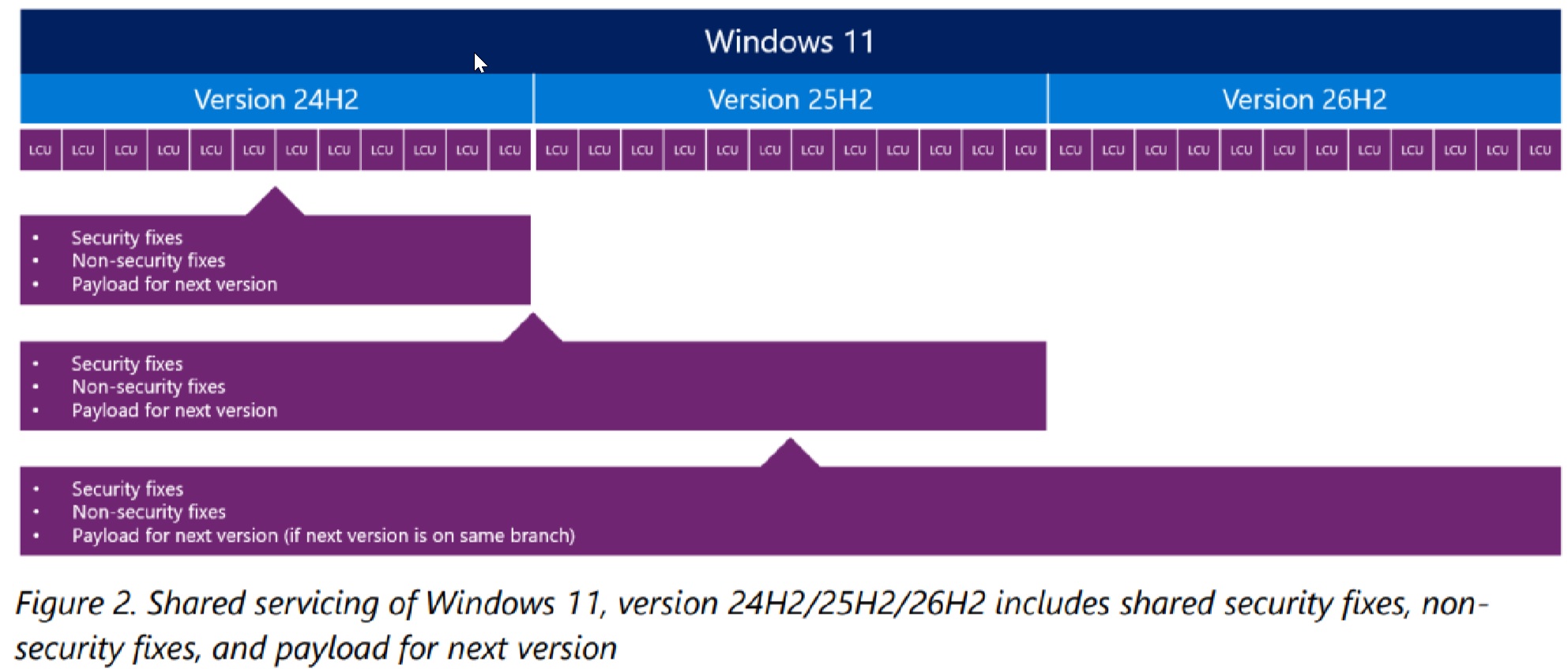
For those unaware, a shared servicing branch simply means the same source code branch is being used to build and maintain multiple versions of Windows.
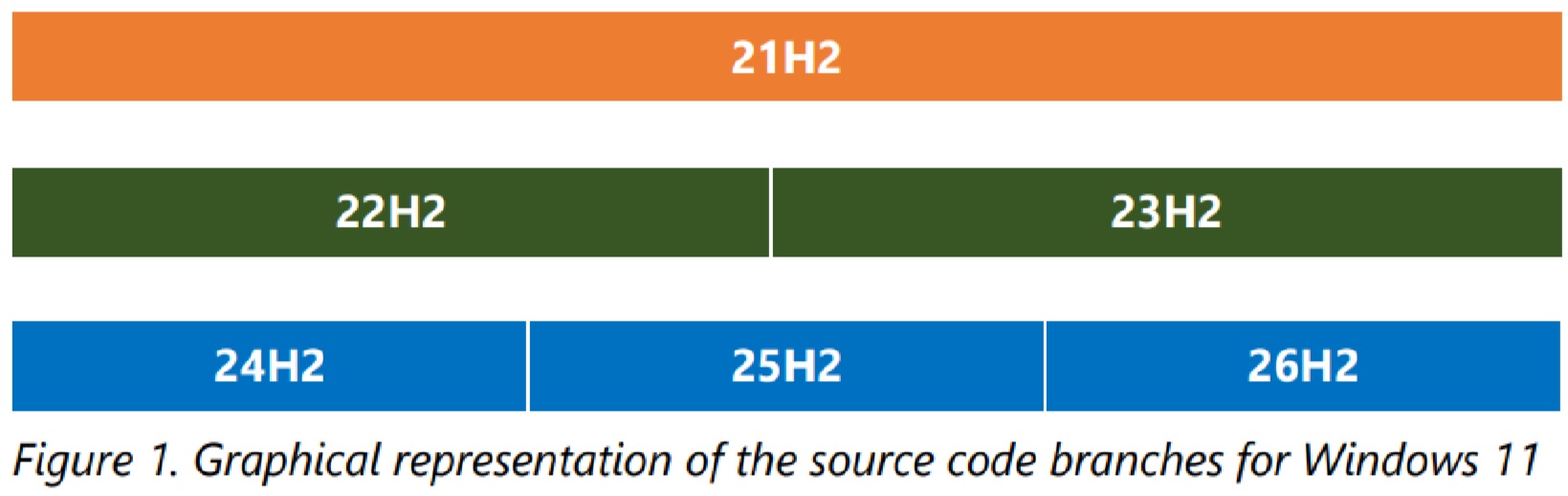
In this case, Windows 11 26H2, 25H2, and 24H2 are based on the Germanium release, which debuted with version 24H2 in 2024.
“Updating from one version of Windows to another from the same branch greatly reduces the risk of application or hardware compatibility issues,” the company noted.
So if you read a headline that claims Windows 11 26H2 has exclusive features, there’s nothing like that. Anything that is coming to Windows 11 26H2 is also coming to Windows 11 25H2 and even 24H2 (but only until October 2026, as it reaches end of support in that month).
It is worth noting that the shared code also applies to known issues. In other words, if a bug affects your Windows 11 25H2 machine, you cannot magically expect it to disappear with 26H2.
“If an issue affects 26H2, it will also affect 25H2, and vice versa. Likewise, an update that would fix that issue is the same update for both versions. It is the same source code, the same update package to install,” Microsoft noted.
Will your PC get Windows 11 26H2 today?
If you’re on Windows 11 24H2 or 25H2, you’ll be offered version 26H2 as an enablement package as the rollout expands. In case you’re on Windows 11 23H2, it would be a full OS swap with a much larger download, and it can take much longer to install.
Also, if you have a new Arm-based PC powered by Snapdragon X2 or Nvidia RTX Spark, your PC comes with Windows 11 26H1 and cannot upgrade to version 26H2. We expect these two Windows versions to merge with Windows 11 27H2, a new platform and major release in 2027.
What’s new in Windows 11 26H2?
Windows 11 26H2 comes with NOTHING. Yes, that’s it. There are no visible changes, and nothing that you cannot already have on Windows 11 25H2 or even 24H2. And as I noted at the outset, it’s because Microsoft does not want to disrupt its own efforts to make Windows more stable.
Microsoft’s official feature list looks fairly long, but there’s something to remember: 26H2 brings together the improvements delivered to 25H2 over the past year. These aren’t all features that suddenly became available with today’s update.
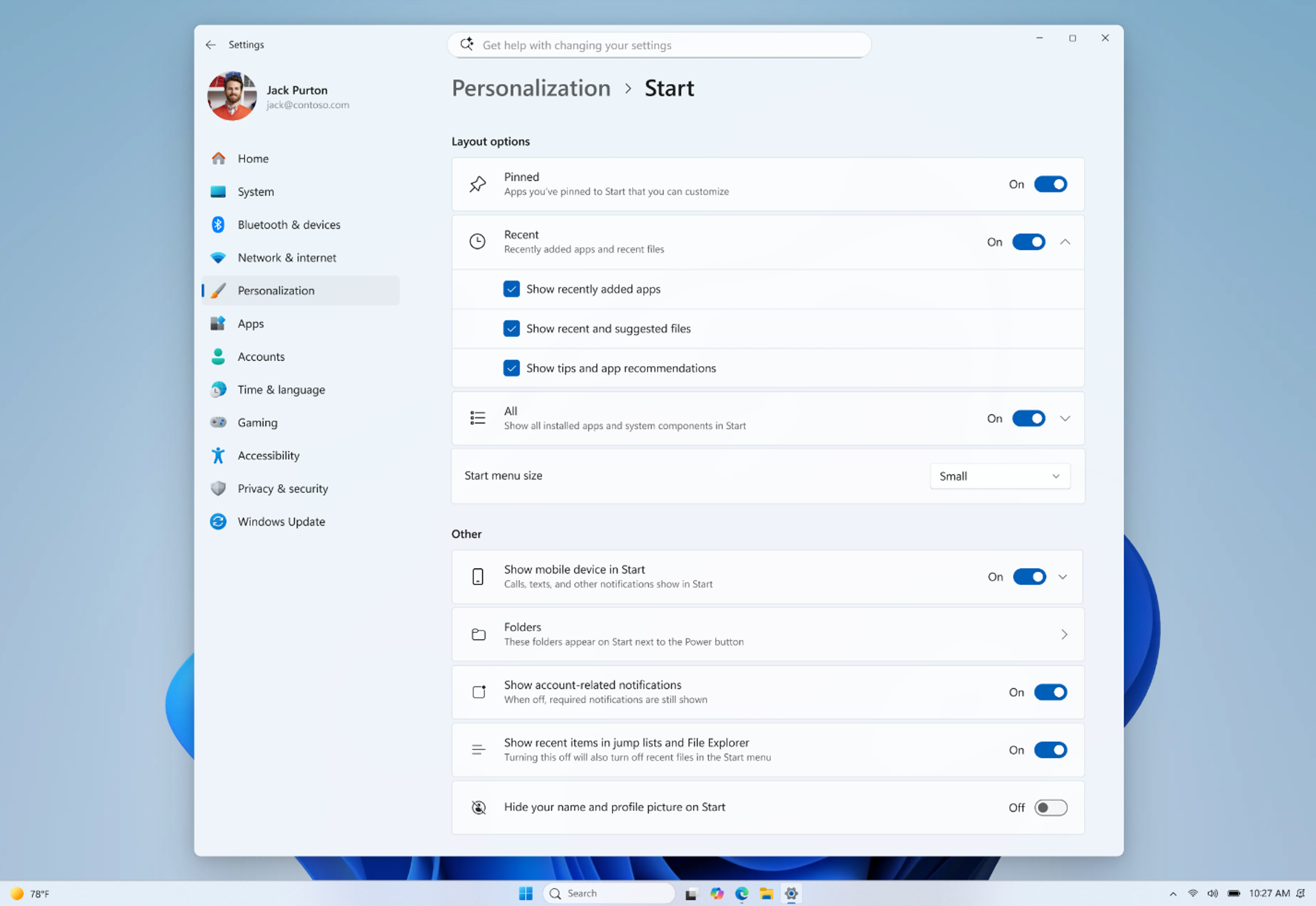
For example, Microsoft is highlighting new Start menu views and sizing options, the ability to move the taskbar to additional positions, and a smaller taskbar. If these sound familiar, it’s because we’ve already covered them in September’s update.
File Explorer gets AI actions for supported images, options to summarize OneDrive and SharePoint documents, quick actions for work and school accounts, and support for more archive formats.
Windows Search also gets improvements, including previews, better handling of typos and partial app names, clearer result types, and automatic indexing of frequently used folders. The idea is to make it easier to find something even when you don’t type its exact name.
On the accessibility side, Magnifier adds more precise zoom controls and screen tint options. Narrator gets Braille Viewer and other improvements, while Voice access expands natural language commanding on supported Copilot+ PCs.
These are useful changes, but if your PC already has them, installing 26H2 won’t make them feel new again. As I found when I tested Windows 11 26H2 ahead of release, you shouldn’t expect a completely different desktop after the restart.
Windows 11 26H2 resets the support lifecycle
So why install another Windows version if your PC already has most of the features? Well, the support window is one of the main reasons.
Microsoft confirmed that September 29, 2026 marks the start of servicing for Windows 11 26H2:
| Windows 11 26H2 edition | Support period |
|---|---|
| Home and Pro | 24 months |
| Enterprise and Education | 36 months |
Both support windows run from the release date. That’s particularly relevant if you’re still using Windows 11 24H2 Home or Pro, where support ends on October 13, 2026. The same editions of 25H2 remain supported until October 12, 2027.
There are two notable default changes for enterprises
First, Point-in-time restore is enabled by default on enterprise-managed PCs with a Windows partition of at least 200GB. It allows you to roll the system back to an earlier state when something goes wrong.
And Windows settings backup, previously called Windows Backup for Organizations, is enabled by default on eligible enterprise PCs.
This backs up your settings and Microsoft Store app list, which helps when moving to another PC. Your organization still needs separate arrangements for backing up other local files.
Microsoft says Windows 11 26H2 is also available through Windows Autopatch and the Microsoft 365 admin center.