








Microsoft may have a new idea to push you to switch to New Outlook if you haven’t yet: make Outlook Classic more like New Outlook by changing spacing, icons, fonts, and other elements. However, I’m worried these changes could cause another outrage among Outlook Classic users, who are already upset with the recent Copilot integration.
New Outlook has been out for years now, and it’s not necessarily terrible in its current shape, but I still prefer the Mail & Calendar apps for light use cases, and Outlook Classic for my enterprise needs.
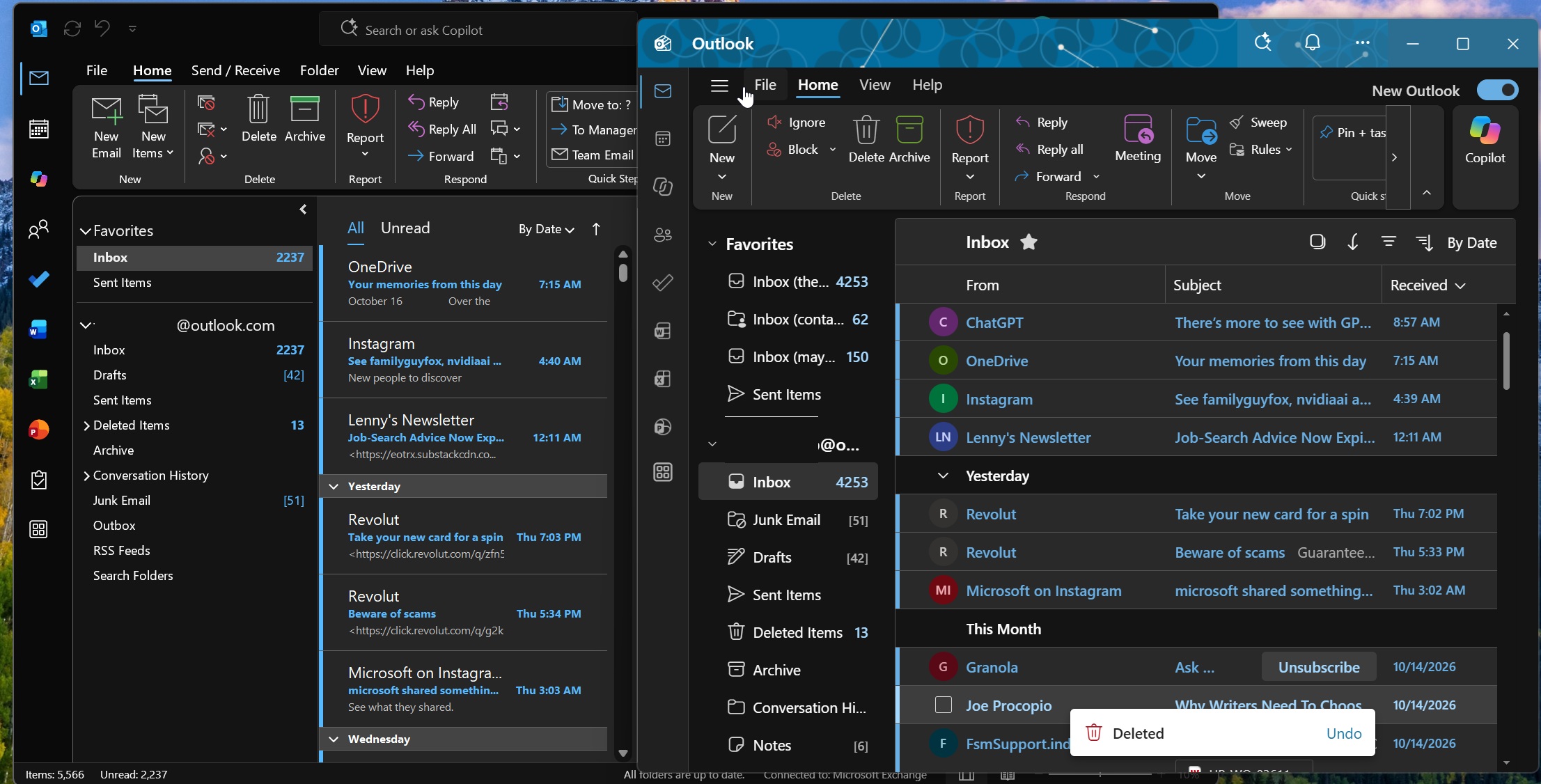
We don’t know how many have already ditched Outlook Classic for New Outlook, but my understanding is that millions still use the legacy version, which is why Microsoft is bothering to add Copilot to it.
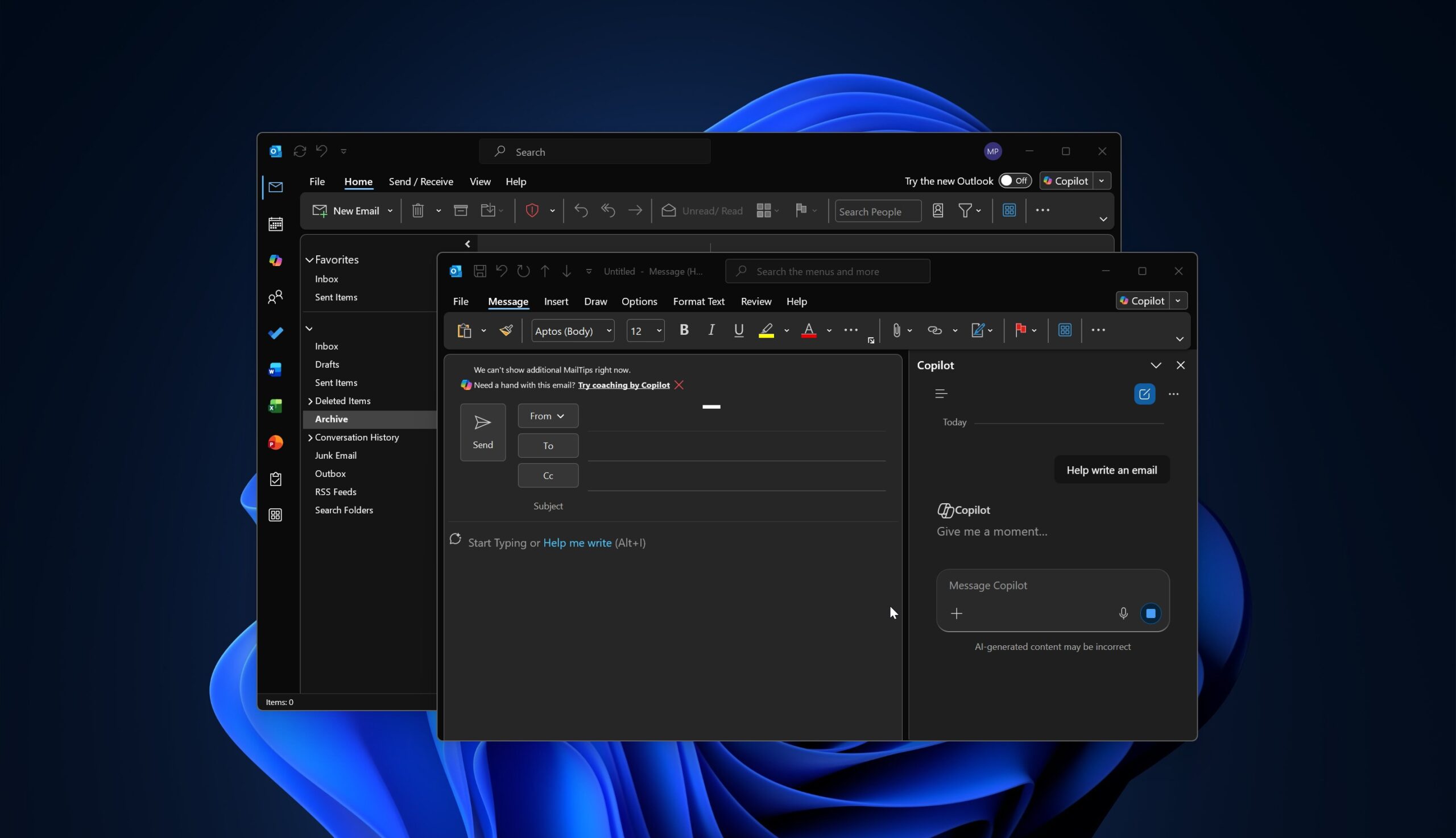
Microsoft has also realized it can’t convince all Outlook Classic holdouts to move to New Outlook, so it recently built an Outlook Classic clone as a New Outlook theme. And now it’s going to update Outlook Classic itself with some of the same visual ideas.
“Classic Outlook for Windows will receive visual updates like improved icons, spacing, and alignment starting early November 2026, enhancing clarity and consistency without changing workflows,” Microsoft noted in an Admin Center post from last week, first spotted by Windows Latest today.
Outlook Classic is getting a visual refresh, but Microsoft says workflows won’t change
Microsoft argues that it won’t change how Outlook Classic currently works, so you’re not going to lose any features, and there are no plans to move things around. That means you’re not going to wake up and find the New Email button in a different place. Microsoft also won’t move the “File” menu to a different spot, for example.
The update is supposed to reduce visual differences between Outlook Classic and other Outlook versions, including New Outlook. Microsoft says it’ll also make more similar changes across Outlook to “improve clarity and consistency across endpoints.”
However, I don’t think Microsoft is going to stop at icons, spacing, alignment, or fonts and call it a day. The company itself says these are only the “first updates,” which suggests Outlook Classic will continue getting visual changes.
“Improve clarity” doesn’t make a lot of sense, and Microsoft won’t explain what it means by that term, but it did tell us that there are no plans to entirely replace the Outlook Classic experience.
“The first updates focus on visual details such as icons, spacing, and alignment, while maintaining familiar ways of working. These updates are part of an ongoing series of improvements across Outlook experiences and are not a replacement for the classic Outlook experience.”
I’m told that Outlook Classic’s first big UI update in years will begin rolling out in early November 2026 and finish by the end of the month, but I wouldn’t be surprised if it gets delayed to the last month of the year.
Microsoft has not shared any screenshots, so your Outlook Classic experience could randomly change in November when the rollout happens, and there’s no way to “opt out.”
New Outlook is getting an Outlook Classic theme
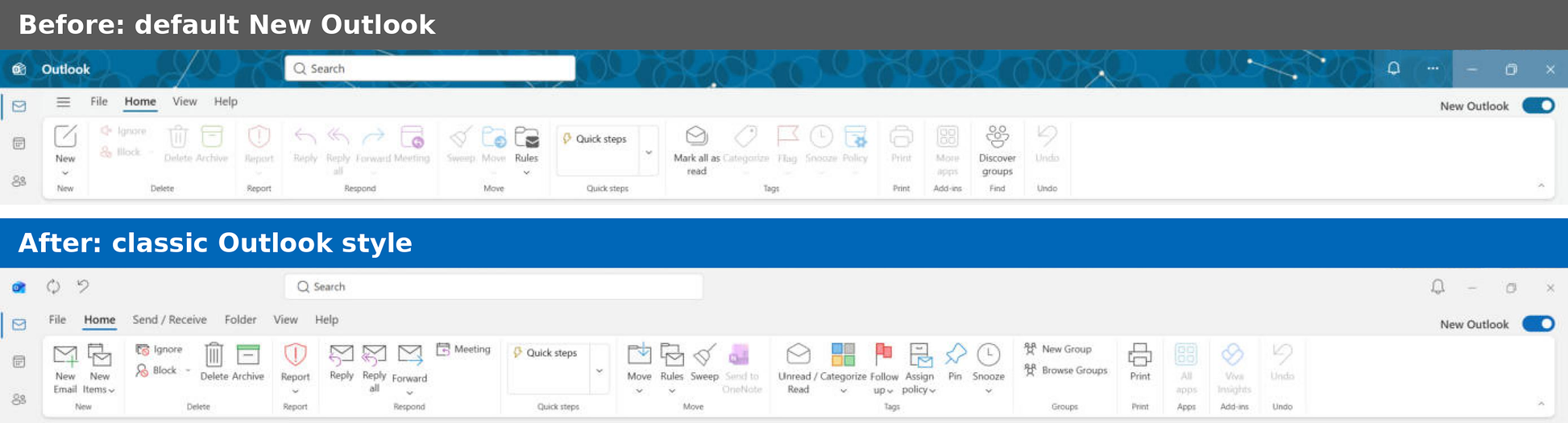
As ironic as it sounds, Microsoft is also trying to make New Outlook more like Outlook Classic, and it built a theme to do that. I’ve been using the Outlook Classic design as a “theme” for over a week now, and it does make New Outlook look like the old one. If you don’t believe me, have a look at the screenshot below:
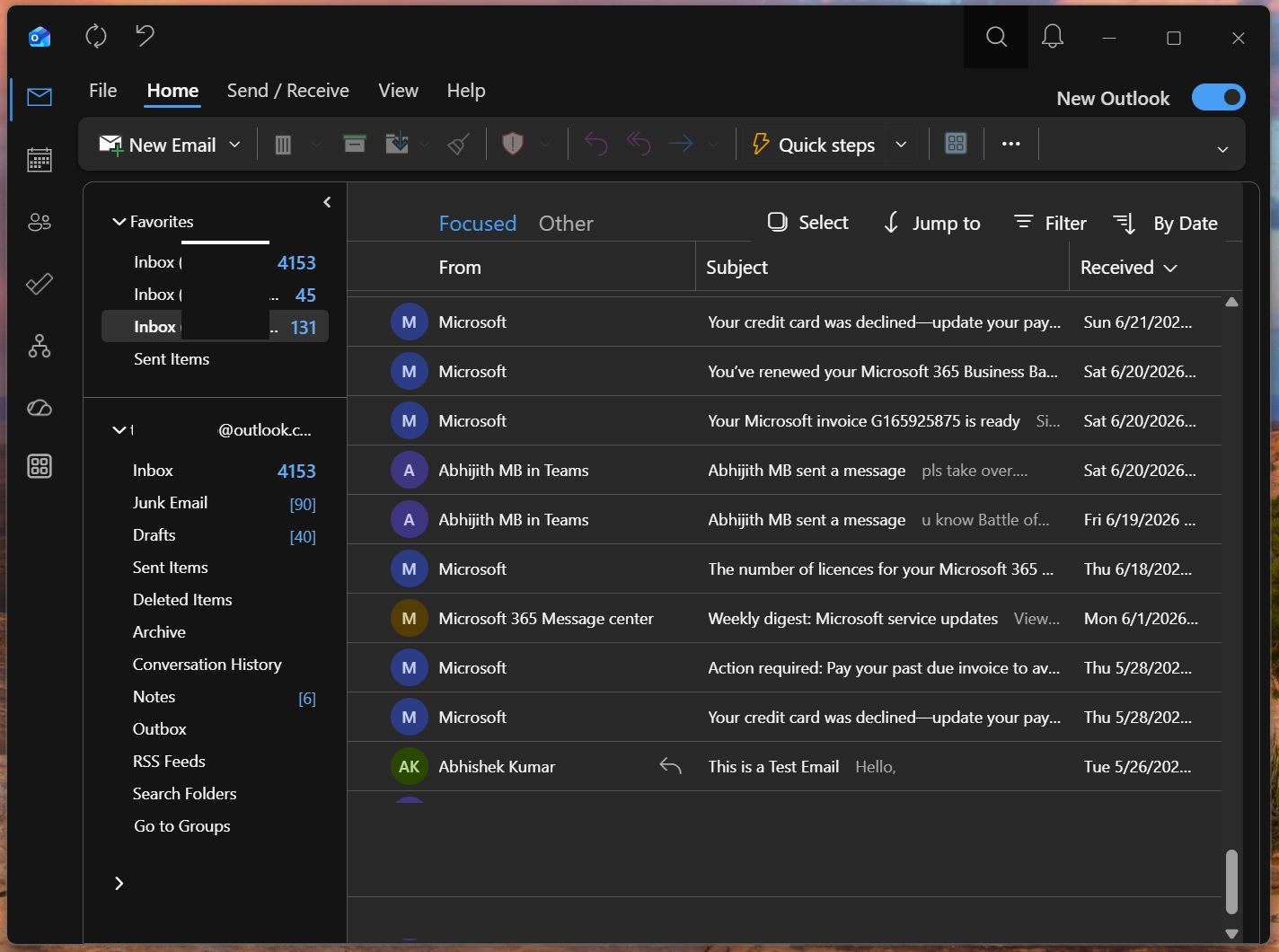
Do not mistake it for Outlook Classic. It’s actually New Outlook running the classic theme, and as you can see, Microsoft has changed the icons, folder list, title bar, moved the ribbon menu options, restored an Outlook Classic Quick Access Toolbar-like experience, and more.
Everything suggests that Microsoft has assumed it’s all about the UI/UX, but in reality, the reason Outlook Classic holdouts don’t want to switch is missing features or a lack of controls.
Microsoft doesn’t seem to understand what its own customers want, so it’s now trying two different things: make Outlook Classic more like New Outlook so you can easily adapt, and allow you to make New Outlook more like Outlook Classic with a theme if you simply can’t get over the old-style UI.