







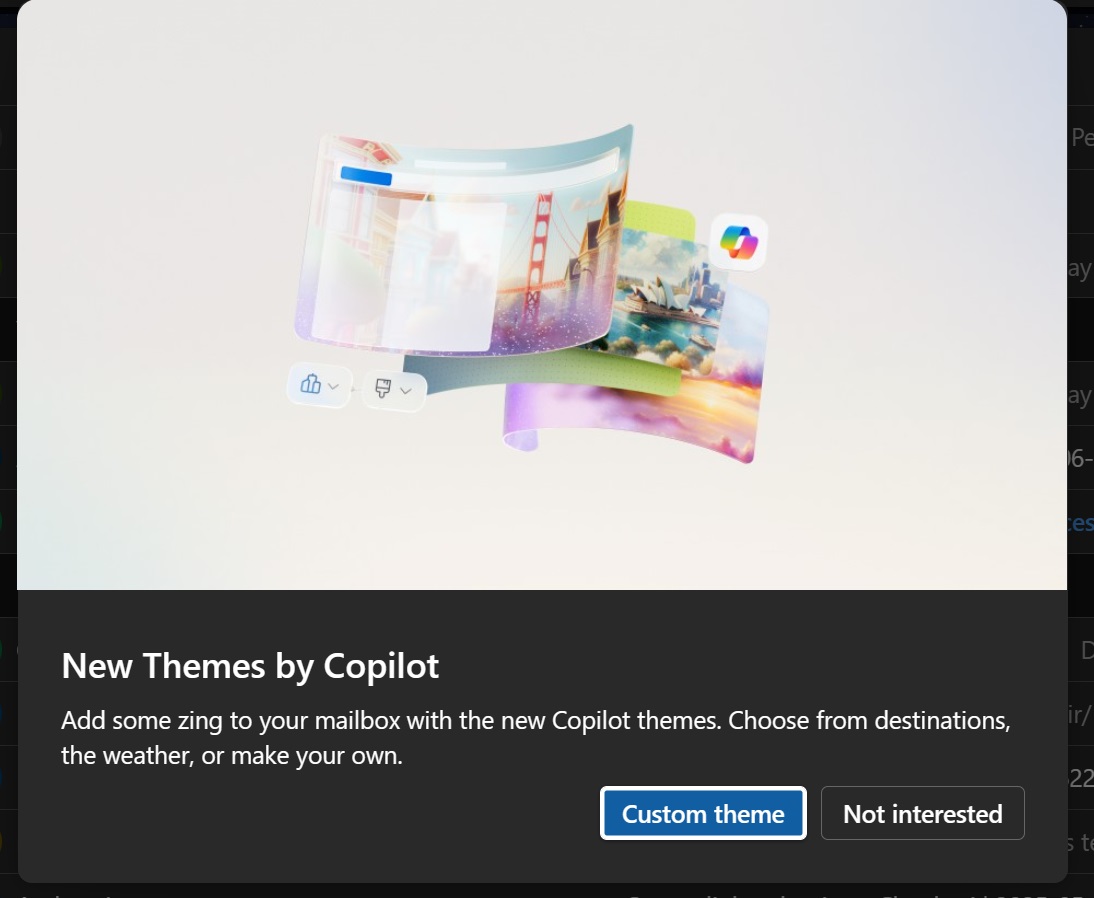
Microsoft appears to be realizing that nobody wants Copilot in places where it’s not required, and is slowly pulling it back. One of the biggest updates to New Outlook on Windows was support for Copilot-powered themes, but apparently, not enough people actually used the feature, and Microsoft is now taking it offline.
It’s not the first time Microsoft is pulling back on a Copilot feature. After Microsoft promised to add Copilot only where it makes sense, the company removed it from Windows 11’s Snipping Tool. It also renamed Copilot in Windows Notepad to “Writing tools,” in the hope that users would stop associating it with Copilot and hating it.
More recently, Windows Latest has also observed that Microsoft is no longer hell-bent on calling every PC a “Copilot+ PC” at every opportunity it gets. And now, it looks like Microsoft 365 products are getting similar changes. I noticed it earlier today when Microsoft quietly posted an update for IT admins that says:
“Themes by Copilot in Microsoft Outlook will be retired worldwide from mid- to late October 2026. Users with a Copilot license will lose the ability to select or revert to these themes, though current themes remain until changed. No action is required.” – Microsoft.
Of course, Microsoft wouldn’t explain why it’s removing an Outlook feature it once celebrated and hoped would convince more people to drop Outlook Classic. My guess is that fewer people actually used Copilot themes. I personally also did not like how the feature tried to match my personalization requests when prompted.
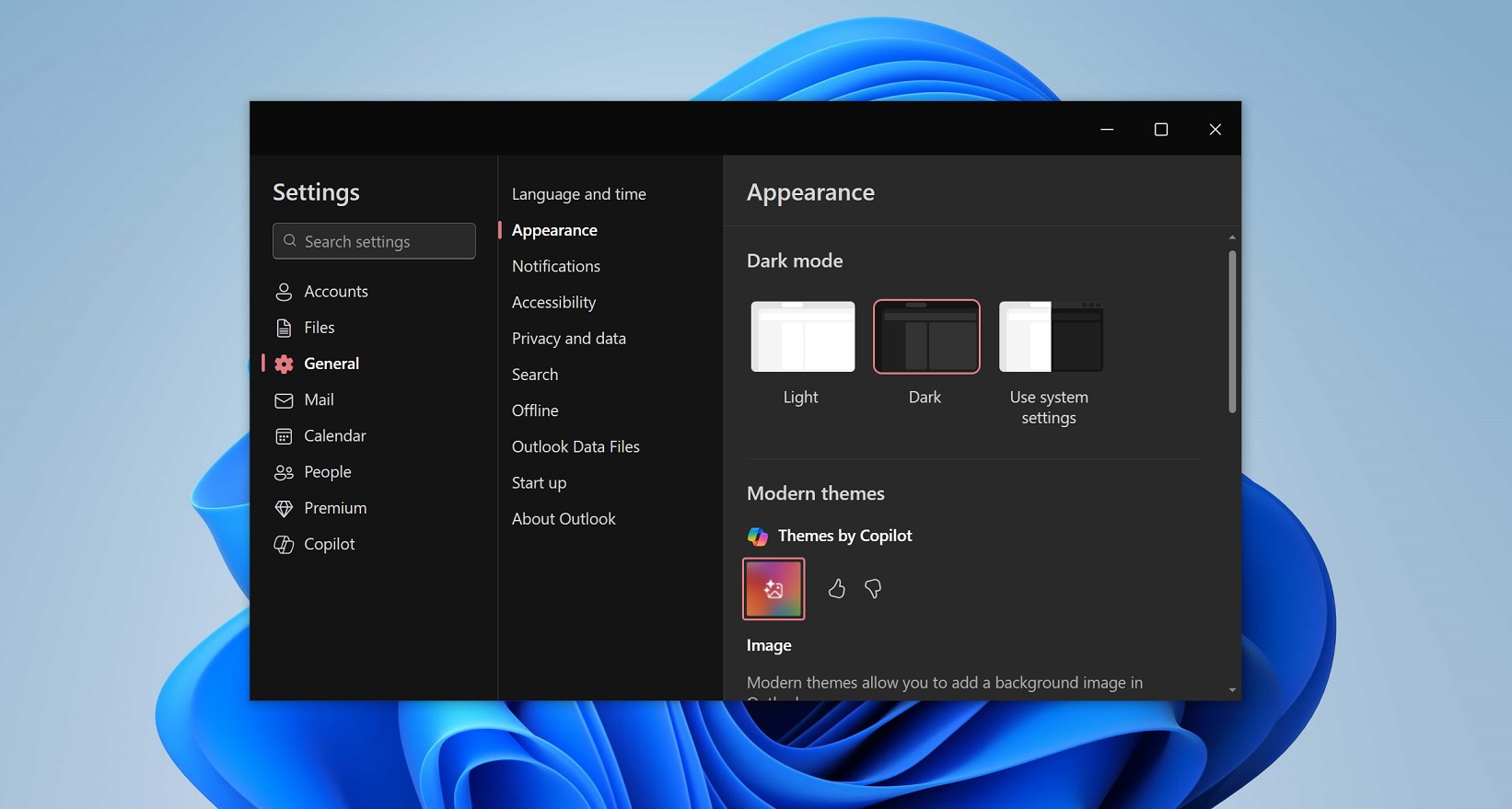
Outlook’s Copilot integration has never been great in my experience, and Copilot-powered themes were no exception.
In an Admin Center post seen by Windows Latest, Microsoft noted that it’ll remove all Copilot-powered themes from New Outlook in mid-October 2026. It’ll also remove the feature from other platforms, including Outlook.com on the web and the macOS app, which was recently updated with themes.
Microsoft is also removing Outlook’s “Wrap up your day” Copilot feature
Copilot themes aren’t the only AI feature getting pulled from Outlook.
There was another feature added to New Outlook on Windows and Android/iOS where it nudges you to “wrap up your day.”
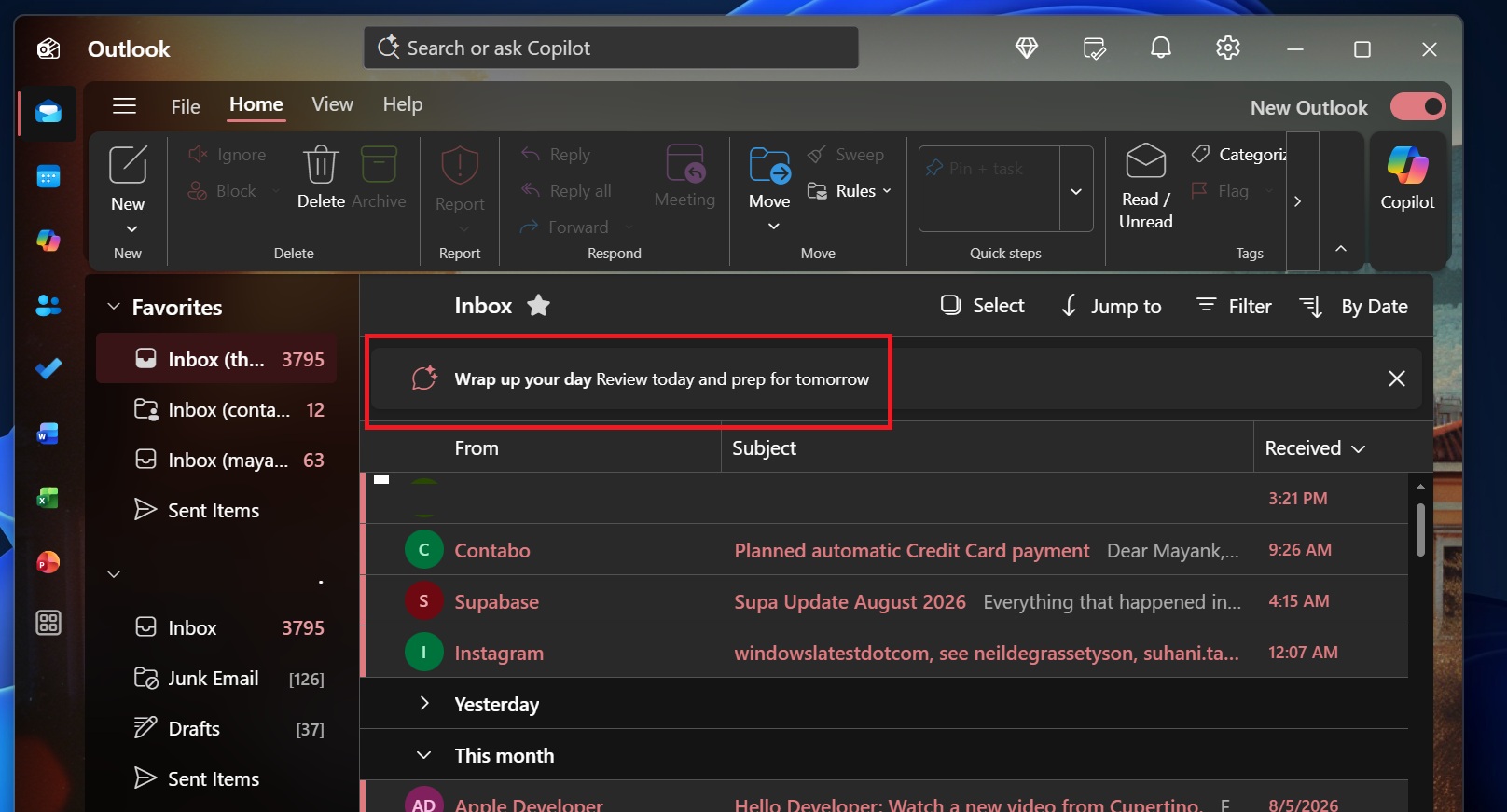
“Wrap up your day” would simply send a prompt to Copilot to generate an “executive and concise inbox brief” and open the result in the right sidebar.
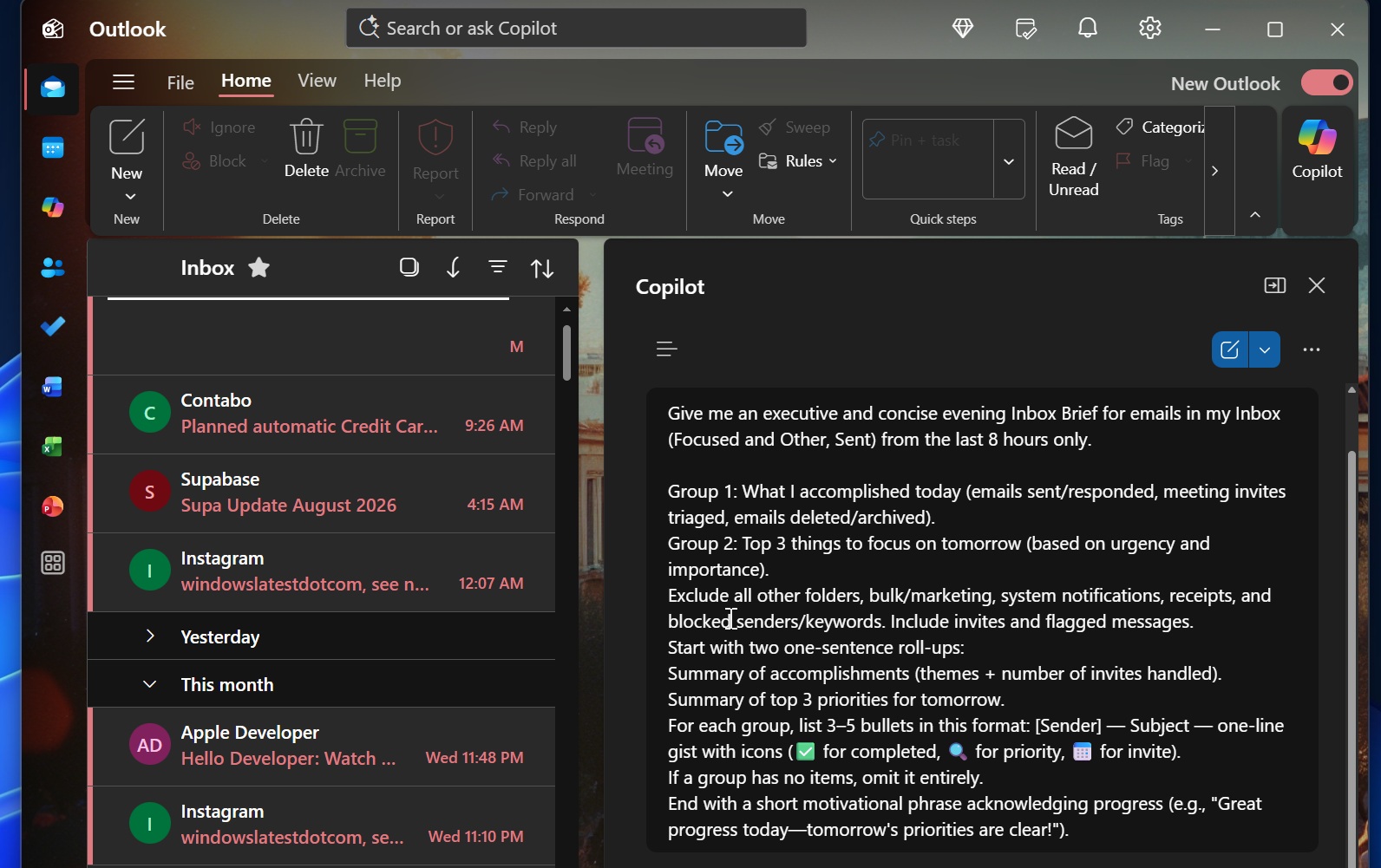
It did not really add any value to my Outlook experience, and more importantly, “Wrap up your day” using Copilot started getting annoying after a while. It didn’t matter how many times I dismissed it. The prompt still popped up across my Outlook apps and pushed me to open Copilot.
Thankfully, that’s another Copilot feature getting killed off in a recent update, although it’s unclear if Microsoft will bring it back in the future.
The same goes for themes. We can never tell when Microsoft’s leadership might change its mind and add more Copilot features, but for now, AI is definitely getting scaled back in Outlook, and for good reasons.
Copilot in Outlook is a mess, and Microsoft says it’ll simplify it
Up until now, Microsoft has really struggled to integrate Copilot into Outlook, but it says it’ll soon make things a lot easier for users.
Right now, you’ve got Copilot exposed in New Outlook through multiple places. There’s a floating button, which was recently rolled back after outrage, and a button inside the ribbon menu that opens Copilot in the right sidebar. You also have Copilot inside the compose experience, Outlook Search, and as a full chat experience on the left side.
It’s a cluttered mess, and what makes it particularly worse is that Copilot in New Outlook can get really annoying at times because it doesn’t always do what it’s supposed to. The company is looking to address the concerns by simplifying Copilot in Outlook and limiting areas where it can be triggered.
“Microsoft Outlook’s Copilot experience will be updated in October 2026 to a simplified, chat-centered design with improved navigation, chat layout, and Work IQ controls,” Microsoft noted in an admin center post.
You will still have Copilot in the ribbon menu, and it can be turned off if you want. Plus, it’s still possible to use Copilot to correct your messages or rewrite drafts, which can actually be useful.
So it appears that Microsoft is scaling back Copilot where it’s not needed, and it’s all part of the company’s efforts to make AI less frustrating.