







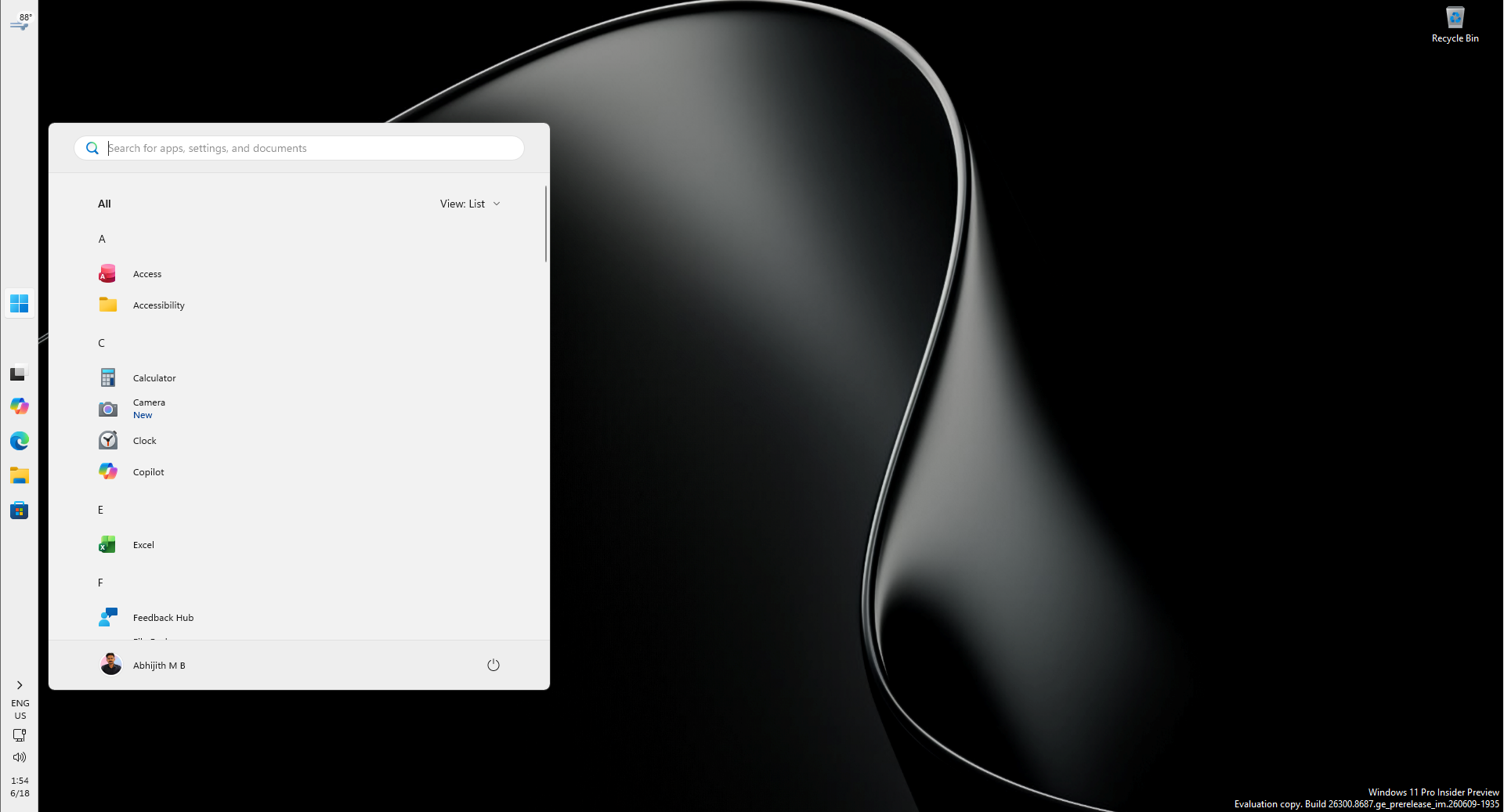
Mikhail Parakhin, who previously served as the head of Windows and Bing at Microsoft, has called out the company for still shipping an “unusable” Windows 11 taskbar experience. You can now move the taskbar, but you still can’t auto-hide it when it’s at the top or sides. The former Windows boss is clearly unhappy, as it’s been more than five years since Windows 11 shipped.
“Finally installed 26H2 update of Windows, was so looking forward to the “taskbar on the left” returning – a no-go :-(,” Mikhail Parakhin wrote in a post on X. “Autohide doesn’t work and I can’t adjust the size, so, not usable yet. Pavan Davuluri, c’mon, man, please make it real.”
Pavan Davuluri is the current boss of Windows at Microsoft, and he hasn’t responded to Mikhail’s criticism.
It’s not the first time a former Windows boss has criticized Microsoft or called out the Windows leadership for unreasonable decisions. This isn’t even a new complaint from Parakhin. Earlier this year, he revealed that he fought hard inside Microsoft to keep the movable taskbar, and described a vertical taskbar with auto-hide turned on as one of the best setups for productivity. He said he’d been using Windows that way for basically his whole life.
According to Parakhin, Windows 11 dropped Windows 10-era features because designers wanted a “symmetric panes” experience, with things like Weather, Widgets, and News on the left side of the screen, while notifications and system controls lived on the right. A vertical taskbar would interfere with those panes.
Five years later, Microsoft has finally brought the vertical taskbar back, but ironically, the exact setup Parakhin preferred, vertical with auto-hide, is still missing.
Windows 11’s movable taskbar and the option to make it smaller finally began shipping with the September 2026 Patch Tuesday update. But the rollout was gradual, so most users didn’t get these features until Windows 11 26H2 arrived.
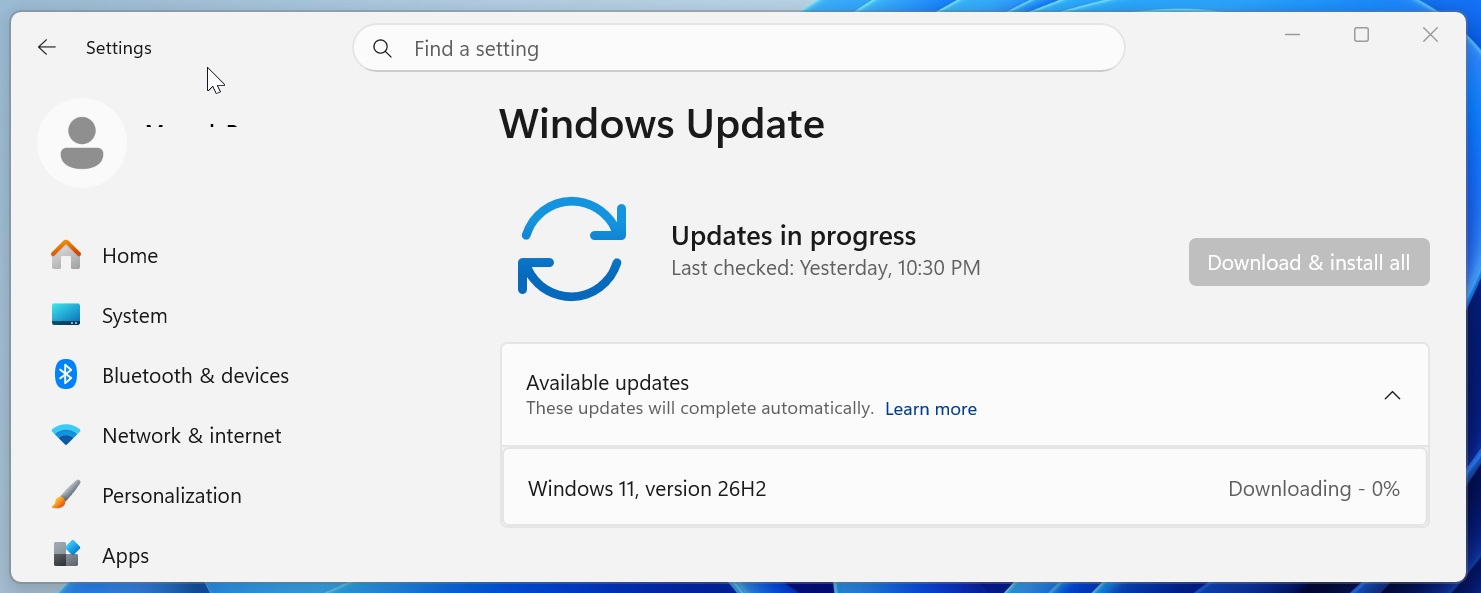
That update rolled out on September 29, and while it doesn’t come with new features on paper, it turns on features already delivered to versions 25H2 and 24H2. That means if you were still waiting for the vertical/movable taskbar to reach your PC, you’d get it with 26H2 in most cases.
It’s almost as good as the Windows 10 version, but there are obvious downsides, and you’d rather have the old version back than use Windows 11’s “modern taskbar.”
Windows 11’s so-called taskbar upgrade is still half-baked compared to Windows 10
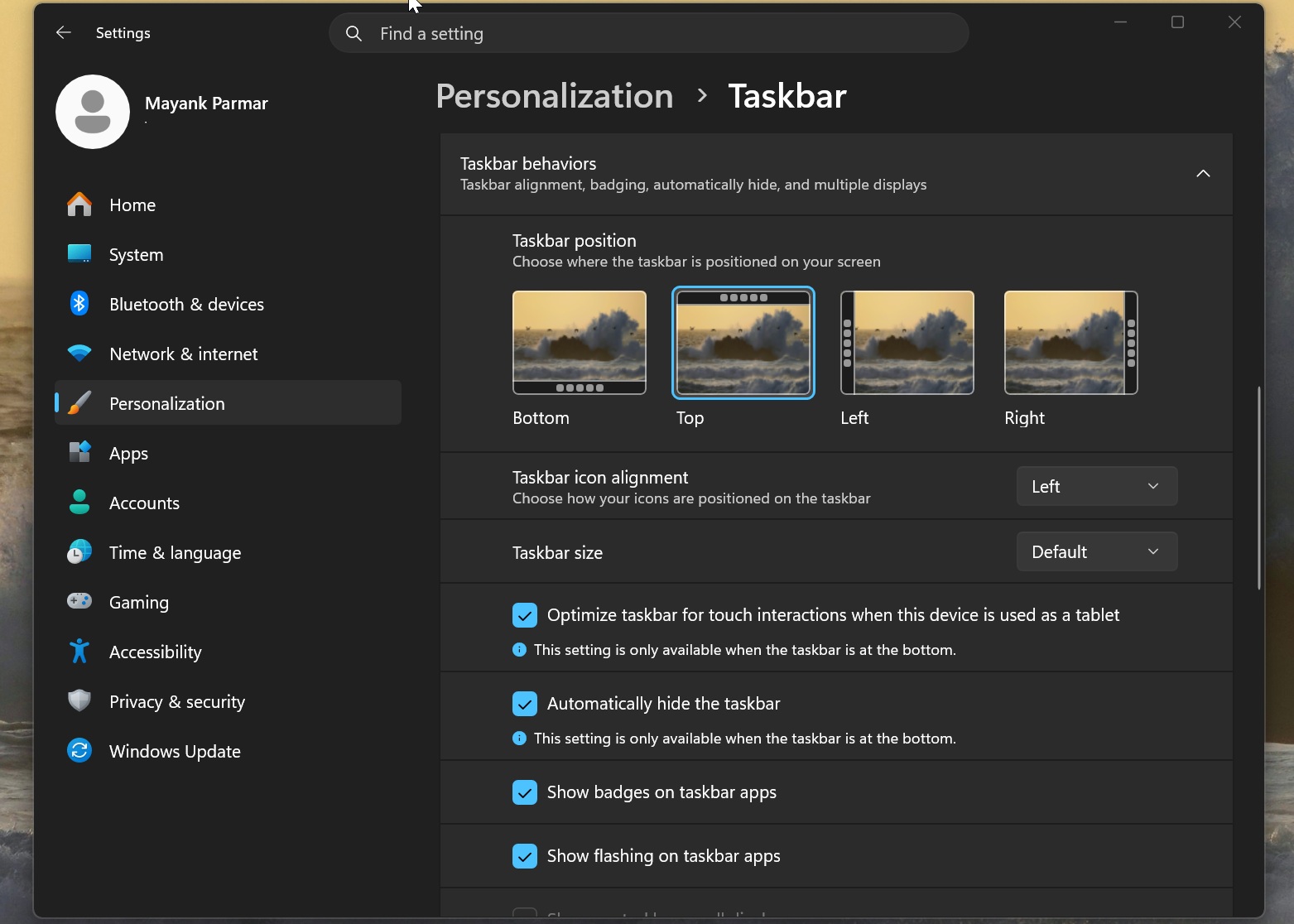
First and foremost, if you want to move the taskbar on Windows 11, you’d need to go to Windows Settings > Personalization > Taskbar and finally find the option to change the layout. You can either keep the taskbar at the bottom or move it to the left, right, or top of the screen.
However, right now, you can’t drag the taskbar to your preferred location like you could on Windows 10. For comparison, here’s how you could move the taskbar on Windows 10:
I am just holding the taskbar on Windows 10 and dragging it to the sides or the top of the screen. It’s a piece of cake compared to Windows 11, which forces me to use the Windows Settings app. I am told this Windows 10 feature is being considered, but I don’t think it’s a big deal unless you like to keep moving the taskbar all the time.
There’s a second limitation, and I personally think it’s a deal breaker for most people who actually cared enough to move the taskbar. Windows 11’s movable taskbar lacks auto-hide support at the top or sides. Microsoft has admitted it’s a known limitation, and it won’t tell us when that feature will roll out.
Right now, if you move the taskbar on Windows 11 and leave “Automatically hide the taskbar” turned on, you’ll realize it doesn’t work. When you open Windows Settings, you’ll see a small warning displayed right below the toggle that clearly says “This setting is only available when the taskbar is at the bottom.”
That wasn’t the case on Windows 10, which allowed you to move the taskbar and still auto-hide it. In fact, third-party apps that have let you move the taskbar on Windows 11 for five years also have a toggle to automatically hide it. And it makes sense, because you’d want more screen space when the taskbar is on the left, for example.
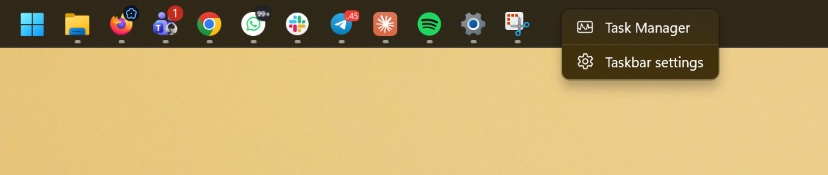
Windows 11’s taskbar has other problems too, such as the lack of a proper “right-click” menu. On Windows 10, you could do a few things via the taskbar’s right-click menu, such as locking it in place or unlocking it to resize it. If you haven’t used Windows 10 in a long time, here’s how the taskbar actually worked:
And here are the options when you right-click the Windows 11 taskbar:
Windows 11’s taskbar has only now started to catch up. In fact, it recently gained the option to make the taskbar and its icons smaller at once. And even then, you can’t manually resize the taskbar by dragging its edge. As you might remember, Windows 10 had a feature that allowed you to hold the edge of the taskbar and drag it to increase its size, similar to resizing the vertical tabs sidebar in a browser.
It’s unclear if Microsoft will ever bring that option to Windows 11, and it certainly makes sense for power users like former Windows boss Parakhin to be upset.
Parakhin, who claimed to be passionate about reviving Windows during his short time leading it at Microsoft, left the company a year ago and is currently the CTO at Shopify. But he says he still uses Windows, and sometimes Linux, for his work.
“What else would I be running?!” Mikhail responded when one user asked if he was still using Windows.
Microsoft hasn’t responded to the half-baked Windows 11 26H2 taskbar features, but I wouldn’t be surprised if it takes several months before all features from Windows 10 finally land on Windows 11.