









Windows 11 is trying to make it easier to clean-install the OS using a ReFS partition instead of defaulting to the familiar NTFS. While that remains in testing and we don’t know when ReFS will replace NTFS as the default format on Windows, Microsoft says it won’t allow ReFS on USB drives, and it makes you wonder what happened to the big ReFS bet.
For those unaware, it’s widely believed that ReFS will replace Windows 11’s NTFS as the default storage partition, and it totally makes sense, as it’s the ideal “successor.”
ReFS stands for Resilient File System, and it’s better than NTFS in many ways, including performance, security, and even improved data integrity. Microsoft already uses it for Dev Drive in Windows 11, and there have been plans to show a ReFS option in Windows Setup. ReFS also boosts partition size to 35 petabytes, and there are many other benefits, but we’re going to talk about that a bit later.
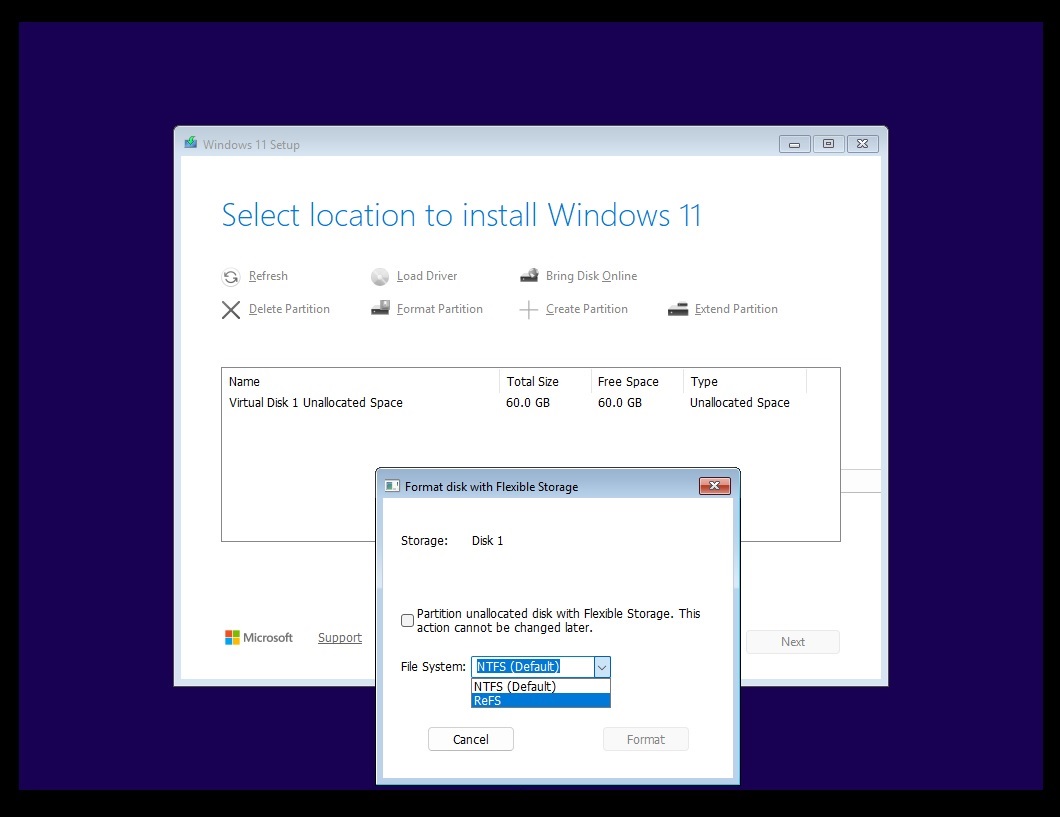
For now, Microsoft has confirmed that it’ll block ReFS-formatted USB drives by default with the January 2027 security update.
Microsoft confirms Windows 11 will block ReFS on USB drives
Microsoft argues that Windows 11 doesn’t support ReFS on removable media and calls it an “unsupported configuration.” However, if you want to keep using ReFS-formatted removable media, you will need to manually override the setting using either Group Policy or the Windows Registry. If you don’t modify the setting, the new restrictions will prevent affected volumes from mounting.
“ReFS on removable media, such as a USB disk, is not a supported configuration,” Microsoft explains in a support document spotted by Windows Latest. This restriction will be force-enabled on all PCs with the January 2027 update, and there are no plans to revert the restrictions.
However, that does not mean you can use ReFS anywhere you would normally use NTFS. Microsoft has continued to list removable media as unsupported, even though affected drives could still mount and remain accessible.
Windows 11 starts with warnings before blocking ReFS USB drives in January
In our tests, Windows Latest observed that Microsoft is already showing an alert when you try to use a ReFS-formatted USB drive, but it does not block your drive automatically.
Only the first phase of the “restriction” is rolling out with the Windows 11 October 2026 update. In this phase, Windows audits external ReFS volumes by default, but in my tests, I observed that it’s not blocking the drive yet.
The warning shows up in Event Viewer with Event ID 524, under the ReFS source. You’ll also see the alert in the system tray under the Removable device icon.
One more thing I noticed is that Windows logs the warning once per affected volume during each boot and keeps track of up to 32 affected ReFS volumes.
Finally, the second phase kicks off in January 2027 with the monthly security update, and in that phase, Windows will begin blocking ReFS removable drives unless you manually allow them.
“Auditing and blocking are enabled by default. ReFS volumes that meet either configured external-media condition are blocked from mounting unless an administrator explicitly changes the applicable setting,” Microsoft explained in a document.
If you keep using ReFS removable drives, Windows could stop making the volume available after the update. Note that the restriction applies at the mounting level, which means you’ll simply lose access to the drive, but Microsoft won’t delete files stored on the removable drive.
“Blocking can affect access to data on an external ReFS volume. Ensure that required data is available from supported storage before enforcing the policy,” the company noted.
Microsoft has been giving ReFS a bigger role in Windows 11
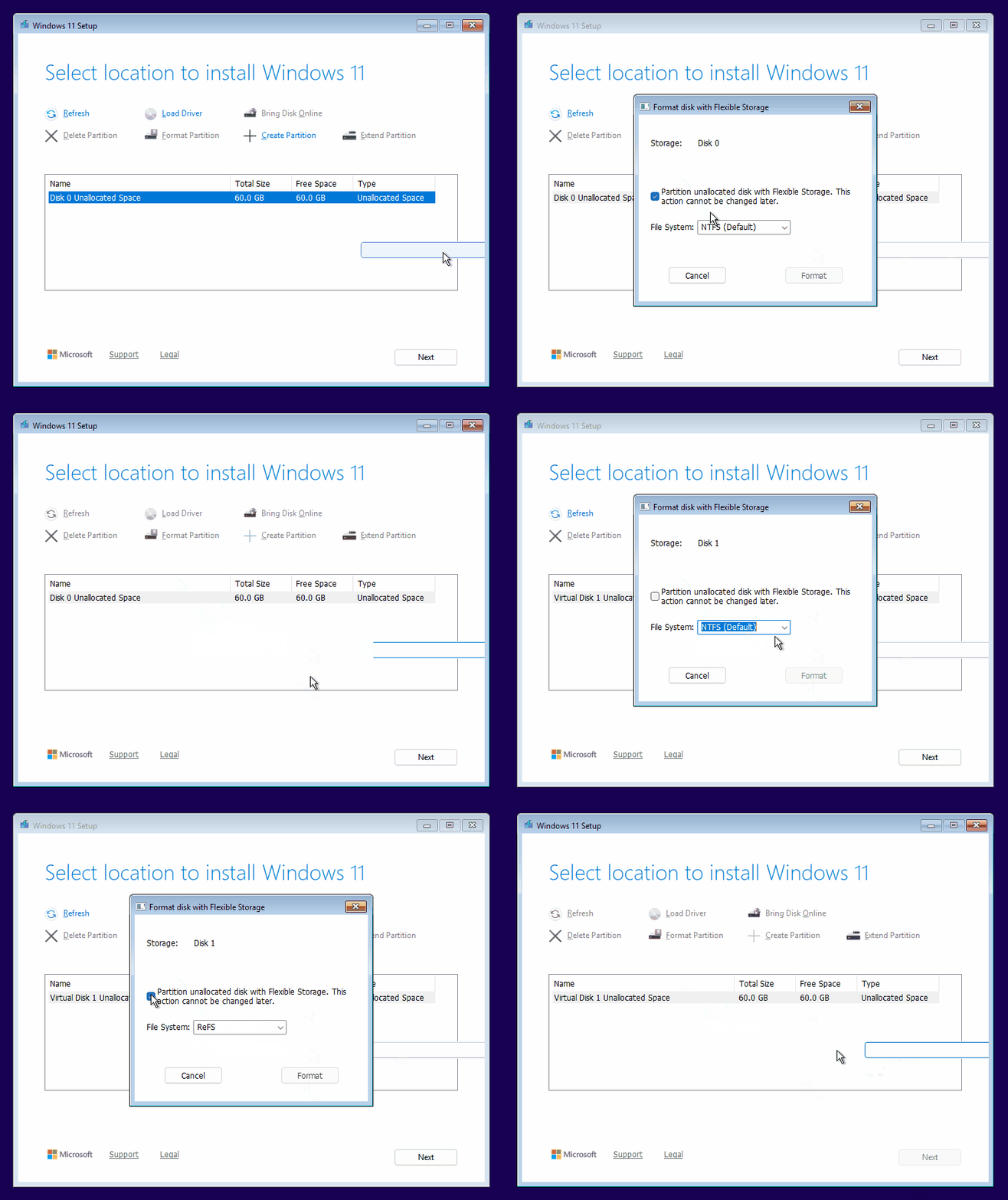
I wasn’t really expecting Microsoft to block ReFS on USB drives because it’s not supposed to be a “supported” configuration, especially at a time when we’ve been hoping for ReFS to become the default, replacing NTFS. It’s also even stranger because Microsoft has recently made ReFS more useful on Windows PCs.
For example, Dev Drive, if you remember, also uses ReFS storage aimed at developer workloads.
In the last two years, there have been numerous ReFS-related changes on Windows. In 2024, Microsoft added support for native block cloning, which allows eligible copies within the same ReFS volume to share existing data blocks. That means when one file changes, ReFS writes the changed data separately to keep the files independent.
We don’t know when Windows 11 will fully support ReFS and replace NTFS, but there’s a chance that Microsoft might make the better format the default only for high-workload use cases.