







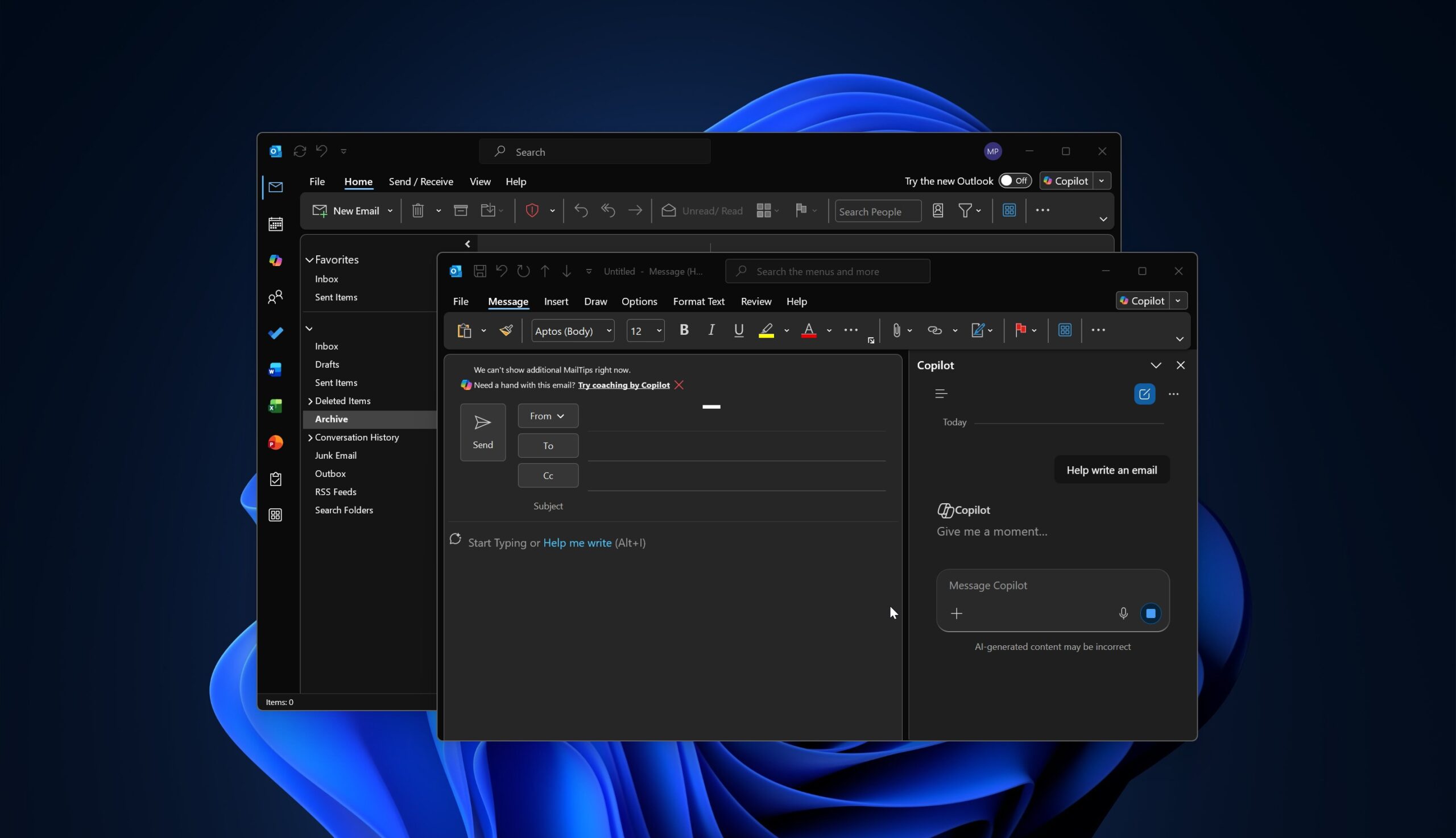
Microsoft has largely stopped adding new features to Outlook Classic, and most recent updates have been around bug fixes. But does that mean it won’t force Outlook Classic holdouts to try Copilot? Of course not, particularly because most businesses still prefer the Classic version over the so-called web crap, “New Outlook.”
In a post on the admin portal spotted by Windows Latest, Microsoft says it’ll enable the Copilot-based “Draft an email message” feature in all versions of Outlook, including the web, mobile, New Outlook, and Outlook Classic. If you don’t want to use Copilot in Outlook, you will need to opt out or manually disable the feature when it’s enabled.
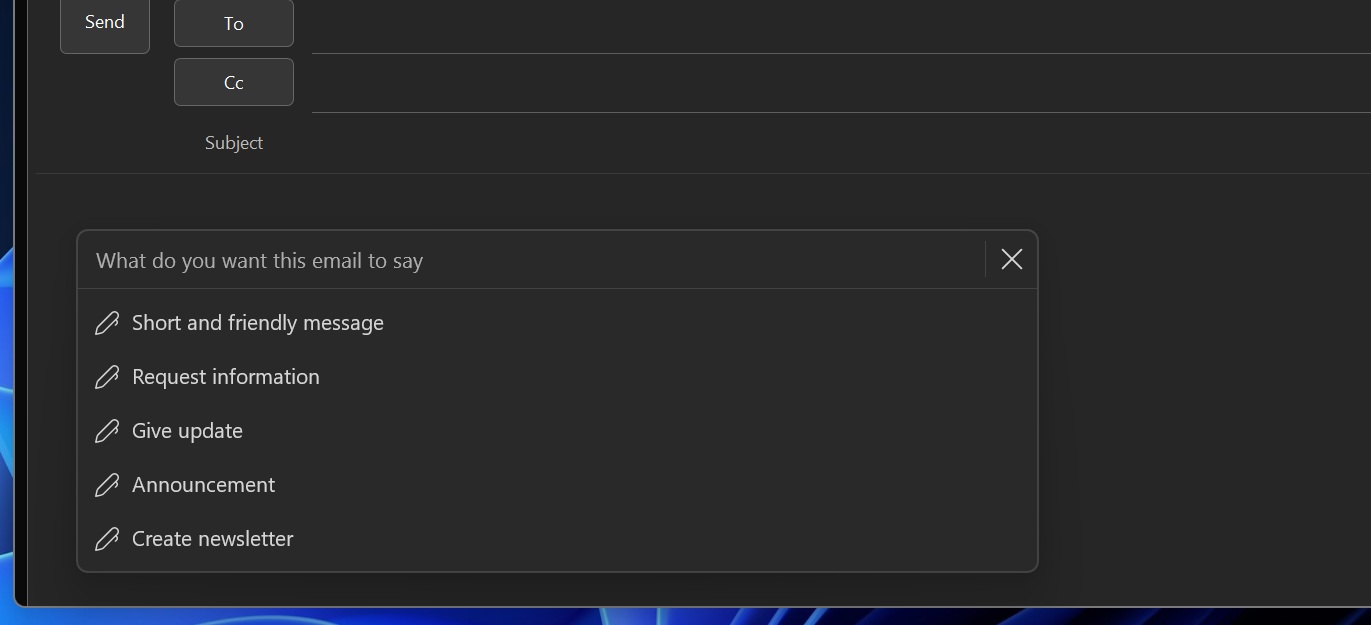
It’s worth noting that Copilot won’t appear for everyone with Microsoft 365. Also, I’m told that the new Copilot-powered email compose experience requires a Microsoft 365 Copilot license, which is a bit more expensive than the standard Microsoft 365 subscription.
However, the catch is that Microsoft’s new pricing page quietly promotes the Microsoft 365 Copilot license as the new standard, making it a bit difficult to find the original non-Copilot subscription.
Regardless, if you ever upgrade to Microsoft 365 Copilot, the AI-powered compose box will be turned on automatically.
Outlook Classic to get Copilot in late 2026
A new compose box experience powered by Copilot will begin rolling out in Outlook Classic by the end of the year. It’ll be turned on by default, and your admin won’t need to take any action. But in the case of New Outlook, you may have already received the update, or it’ll show up in the next few weeks.
Once it rolls out, you will be able to create a new email or edit an existing draft by launching Copilot within the compose box. Here’s how it looks like in New Outlook:
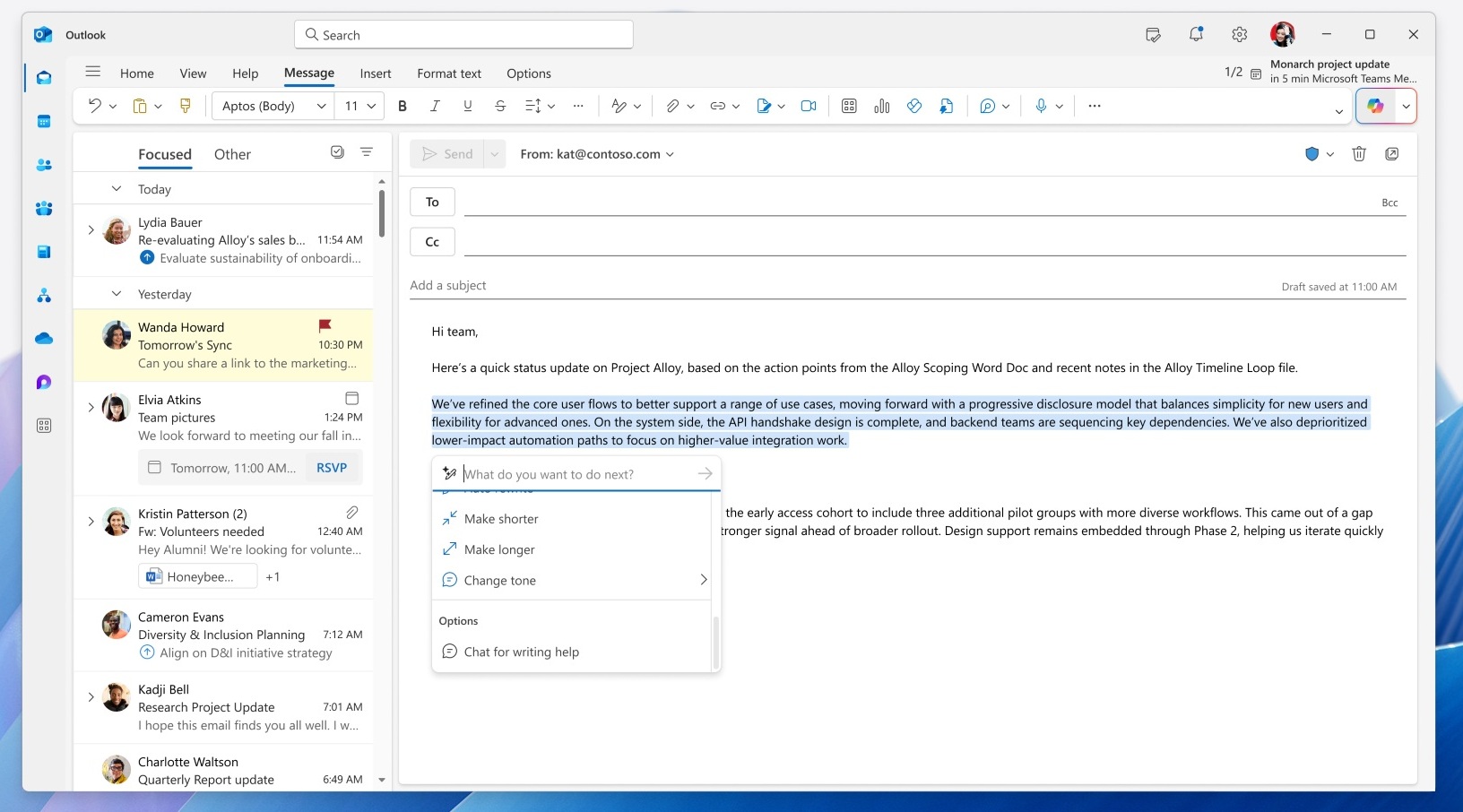
You can use Copilot to refine and rewrite emails, and also expand them directly within the compose surface.
Remember that Copilot has always been a part of Outlook, but it’s now about to feel more native and directly integrated into the compose box.
Other Outlook changes rolling out in the coming weeks
Windows Latest also observed that New Outlook for Windows will begin shipping to GCC High and DoD environments starting in September. Microsoft expects the rollout to finish by the end of the year, which means most government environments could be nudged to try New Outlook by December 2026.
However, Microsoft won’t automatically replace Outlook Classic in government environments, at least not for now.
“[New Outlook] remains off by default and opt-in, allowing admins control via policies and registry keys. Migration from COM to web add-ins is recommended,” Microsoft warns in a new update on the admin portal.
There are quite a lot of changes coming to New Outlook as well. For example, we recently reported that Microsoft is retiring “Meeting Insights” and replacing it with Copilot.
In a way, it’s good news because Meeting Insights often caused confusion, as the insights looked similar to traditional attachments, and some of us often wondered whether we were accidentally sending our critical files to external users.
At the same time, Microsoft is not killing off Meeting Insights because it realized how poorly it was implemented. Instead, it’s being killed off to push Copilot-powered summaries and insights.
In addition, major performance fixes are planned. Right now, New Outlook is up to 10 seconds slower than Outlook Classic when you try to open an email via notifications on Windows 11. This has been fixed internally and will roll out to everyone soon.
Outlook is also testing several other changes, including notifications grouping to reduce spam, advanced mail merge, advanced .PST support, and new Planner integration, similar to what we have in Microsoft Teams.