




When Windows 11 launched in 2021, Microsoft did not just put a new coat of paint on Windows 10, although that was the general consensus. Redmond did rebuild major parts of the desktop experience, and users quickly discovered that familiar Windows 10 features had disappeared.
The taskbar could not be moved to the top or sides. You could not drag files onto taskbar apps, but fortunately that came back in less than a year. Taskbar buttons could not be ungrouped, which took even more time to come back, and the Start menu lost the freeform resizing Windows 10 users had for years, which we still don’t have.
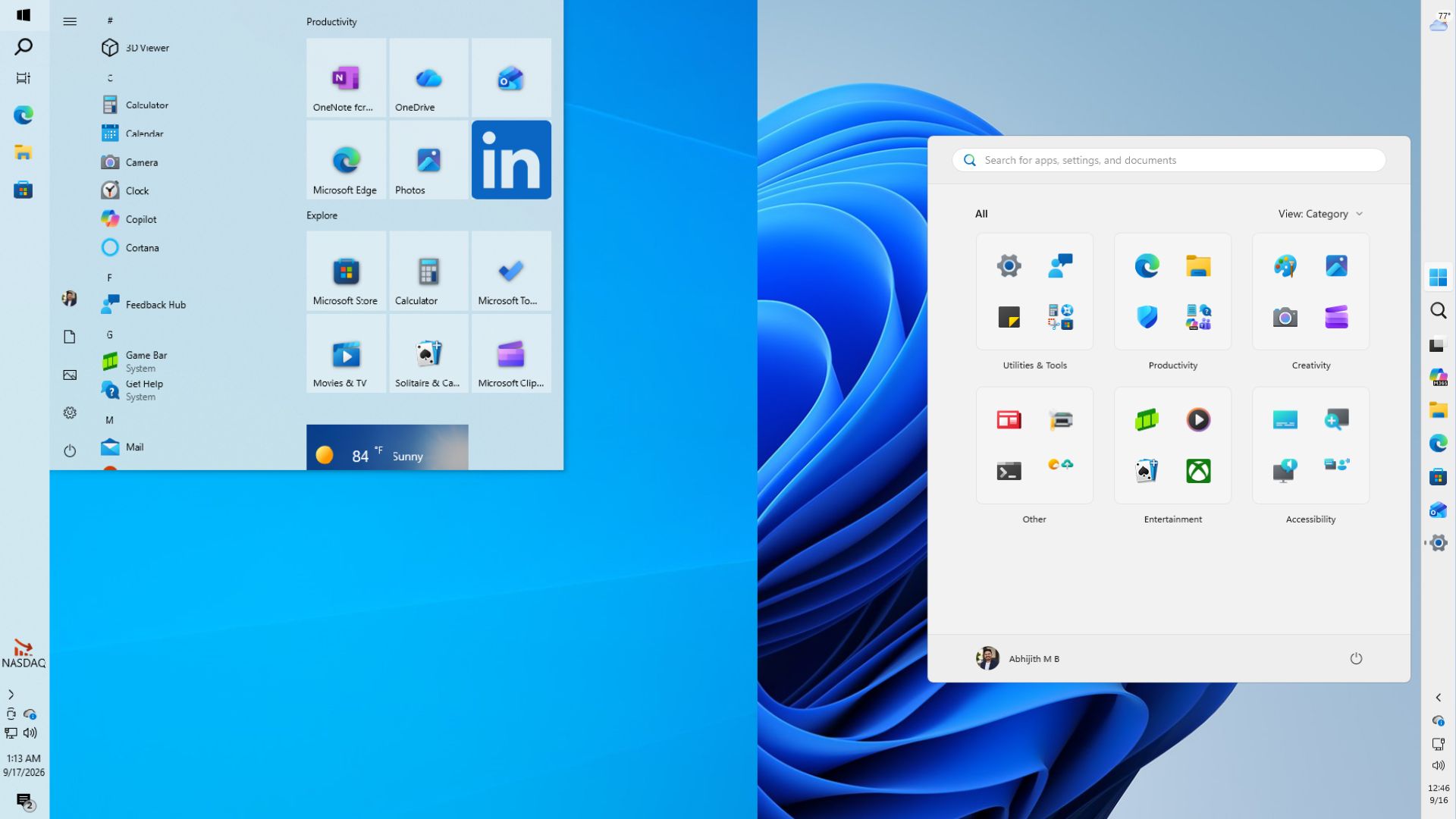
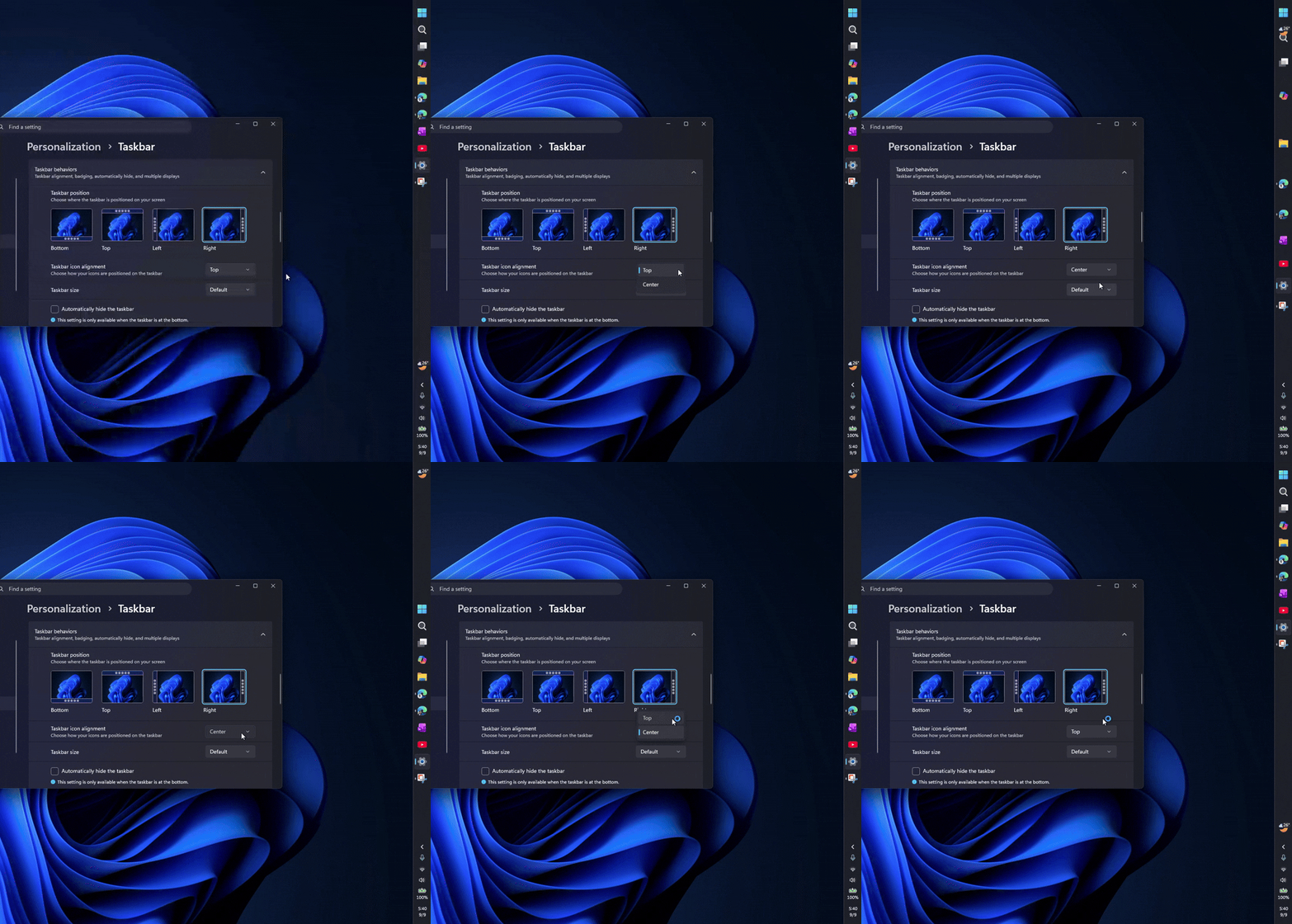
Five years later, Microsoft is rebuilding Windows 11. The taskbar can now go to the top, left, or right, and more Start and taskbar customization is on the way.
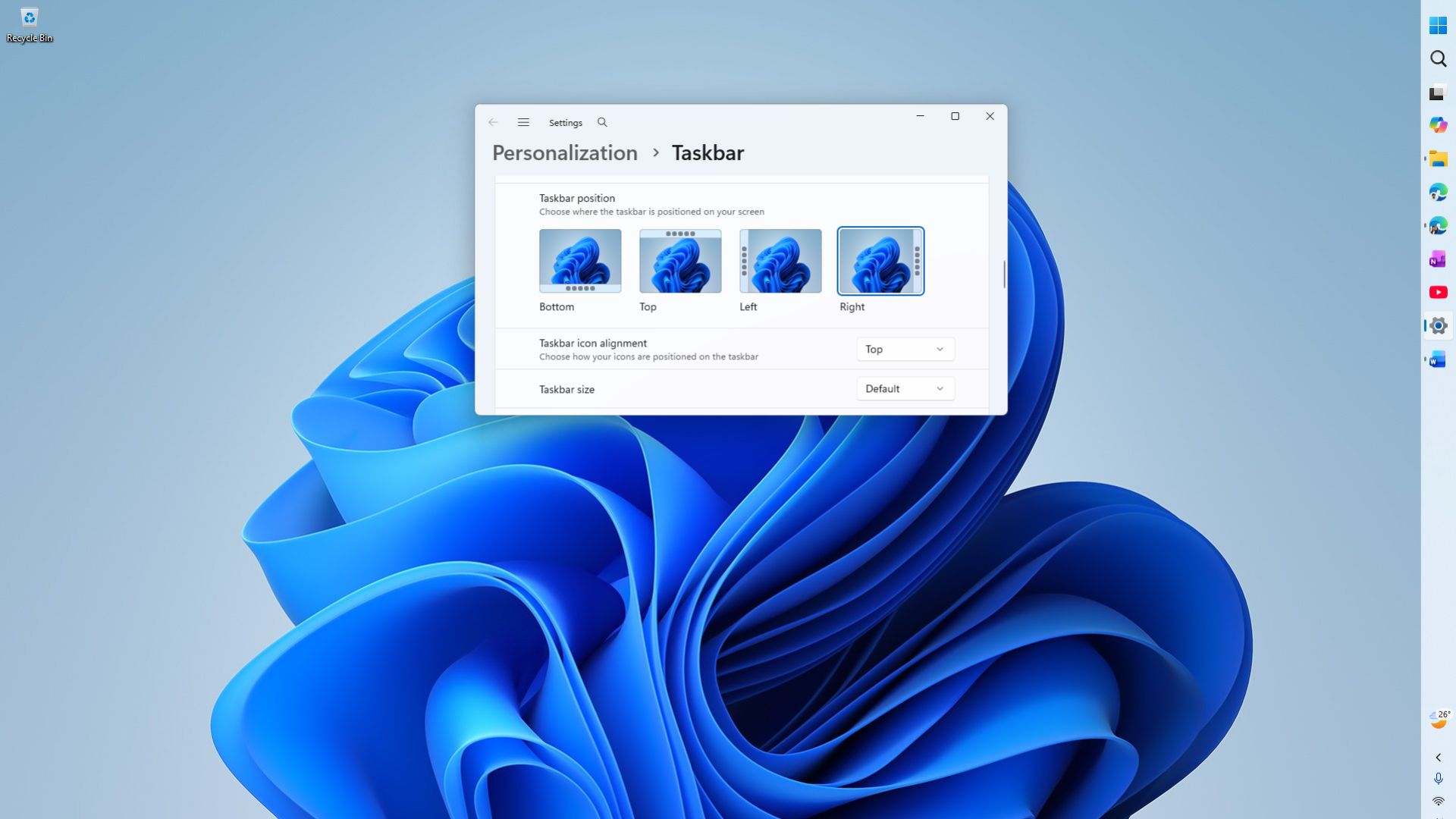
As these features come to our PCs, we looked at earlier explanations from Microsoft engineers, and we understand why these seemingly simple features took years to return and why they are finally returning.
Windows 11’s new design needed rework of familiar elements
Windows 10’s taskbar had accumulated years of functionality inherited from decades of Win32 code, and moving, resizing, and adjusting to all layouts were things the old shell already knew how to do. Windows 11 did not inherit any of that.
Tali Roth, Microsoft’s product manager for Windows core user experience at the time, addressed this in an April 2022 Windows Insider AMA:
“When we built Windows 11, we rebuilt the taskbar from scratch,” Roth said, adding that the team had to “pick and choose” which things would come first, because they could not simply copy old code into a new framework, which set the pattern for everything that followed.
Microsoft said moving the taskbar was a huge engineering job
Windows 10 let you unlock the taskbar and drag it to the top, left, or right with a right-click. Windows 11 removed that option, and here is why:
“When you think about having the taskbar on the right or the left, all of a sudden the reflow and the work that all of the apps have to do to be able to have a wonderful experience in those environments is just huge,” Roth said.
Of course, when you move that bar to the side, it forces every app, from legacy Win32 programs to the not-so-modern UWP apps, and of course, modern WinUI 3 apps to recalculate layouts and DPI scaling across screen sizes and multi-monitor setups. But that was something Microsoft already figured out.
However, since they reworked it from scratch with a new framework, they didn’t design the graphic UI to convert the text, icons, and flyouts to adapt to vertical or upper taskbars, and why is that? Telemetry!
Microsoft knew that there is a group of users who swear by alternate taskbar positions, but that group was small compared with the number of people asking for other features. But 1% of a billion is still a huge number.
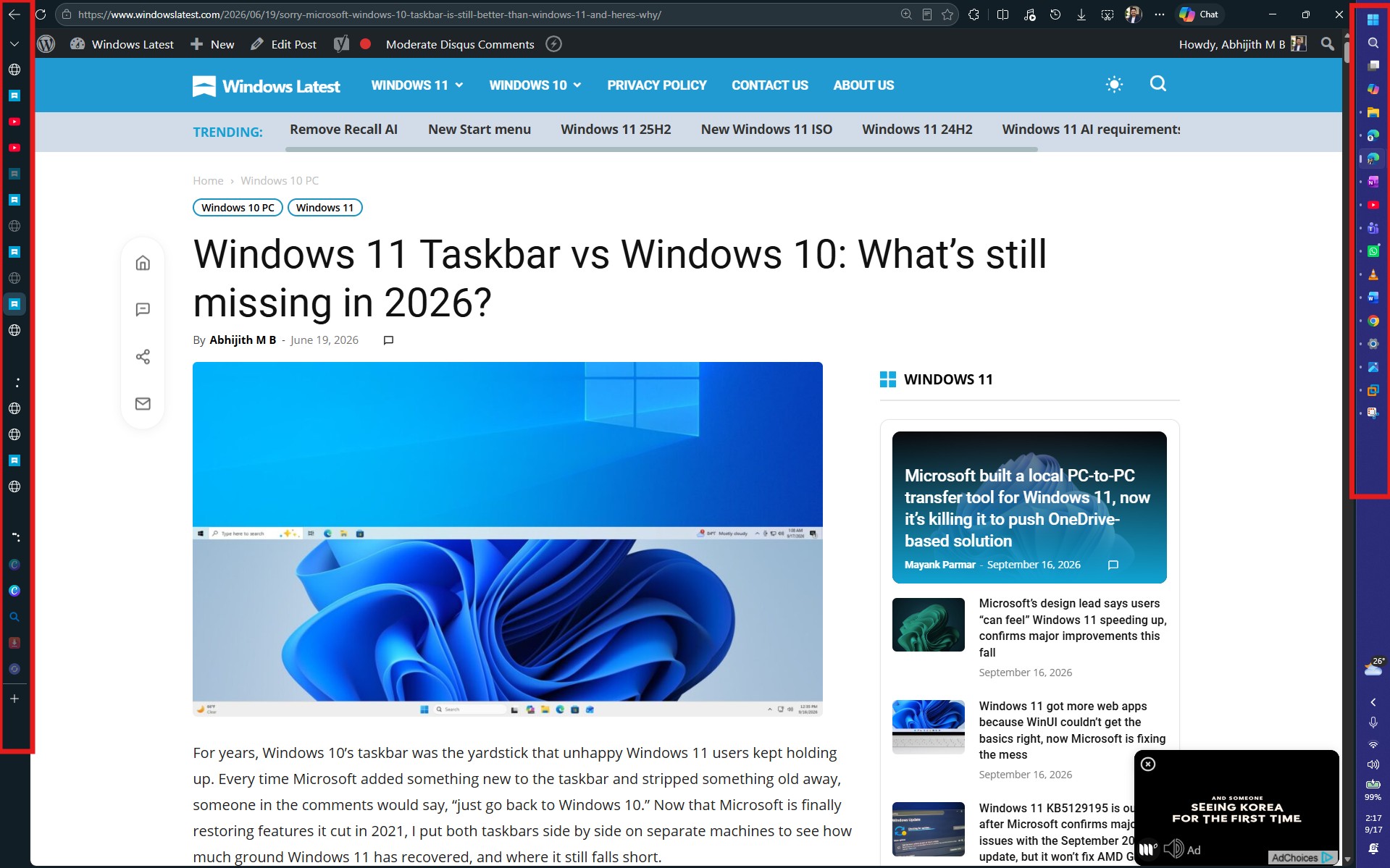
Also, the single most upvoted taskbar request in Microsoft’s Feedback Hub has long been the ability to move the taskbar back to the top and sides.
Start menu still doesn’t have drag-to-resize from Windows 10, but the reason isn’t straightforward
Start menu seemingly had to go through a lot of research but is still not at a sweet spot like it was in Windows 10. To be honest, I wasn’t a huge fan of Windows 10’s Start menu, but Live Tiles and the ability to resize it how I want made it practical.
Windows 11’s taskbar was like being forced, as if Microsoft found the one we all must like. Turns out, we don’t mend our minds like macOS users.
In an August 2021 Windows Experience Blog post, Microsoft’s Christian Valencia said research showed people wanted a “cleaner and simpler Start,” with smartphone design patterns shaping the layout around Search, apps, and files.
“As devices continue to evolve, wider screens have become the norm for TV, monitors and other screens. So we’ve put the taskbar at the forefront of device.”
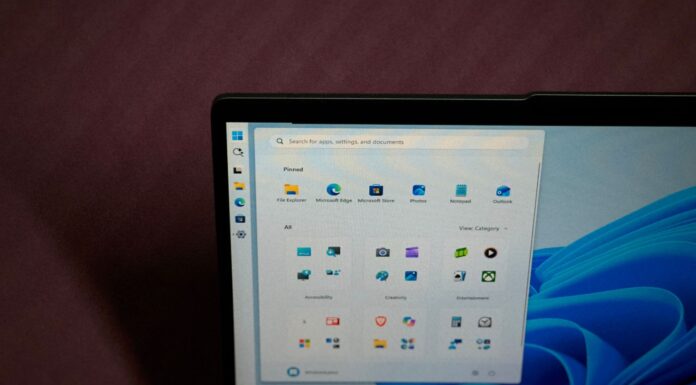
When Windows Latest tested Windows 11’s redesigned Start menu in October 2025, the single-page layout with Category, Grid, and List views was a genuine improvement over the old two-click mess, but the categorization itself was automatic and out of your control.
By January 2026, users found Category view dumping apps into “Other”, with no way to move them, and Microsoft could only say it was “listening to feedback.” The same week, Windows Latest reported the new Start menu had grown almost twice the size of the old one.
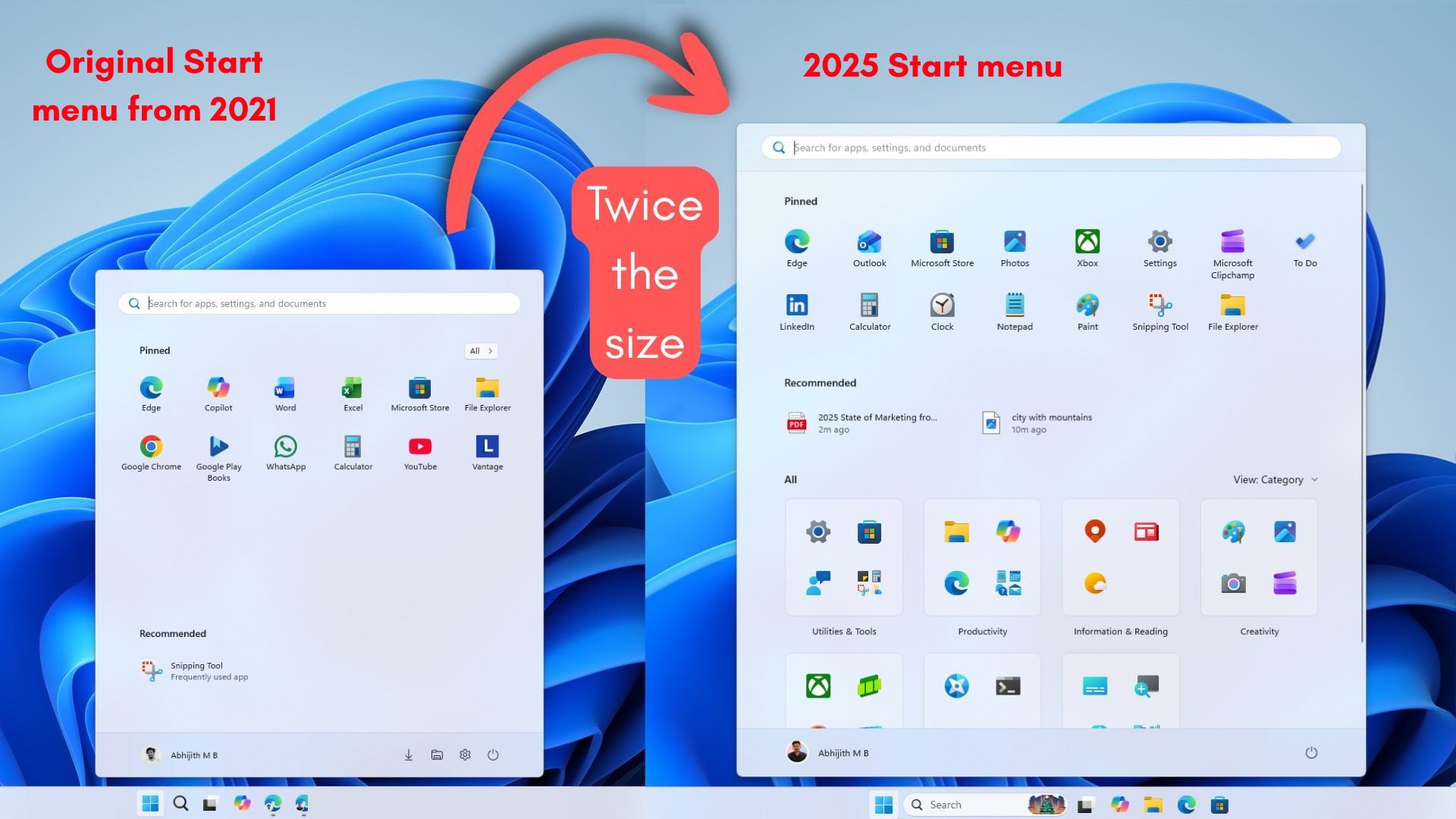
Microsoft confirmed the wider rollout in February 2026 and explained the redesign as an attempt to keep Start “quick” and “calm” while adding recommendations people didn’t ask for, which is a strange way to describe a menu that also somehow got harder to organize.
Microsoft even showed off five prototype Start menus it tested before landing on this one, and going by the comments, plenty of people preferred the ones that got rejected.
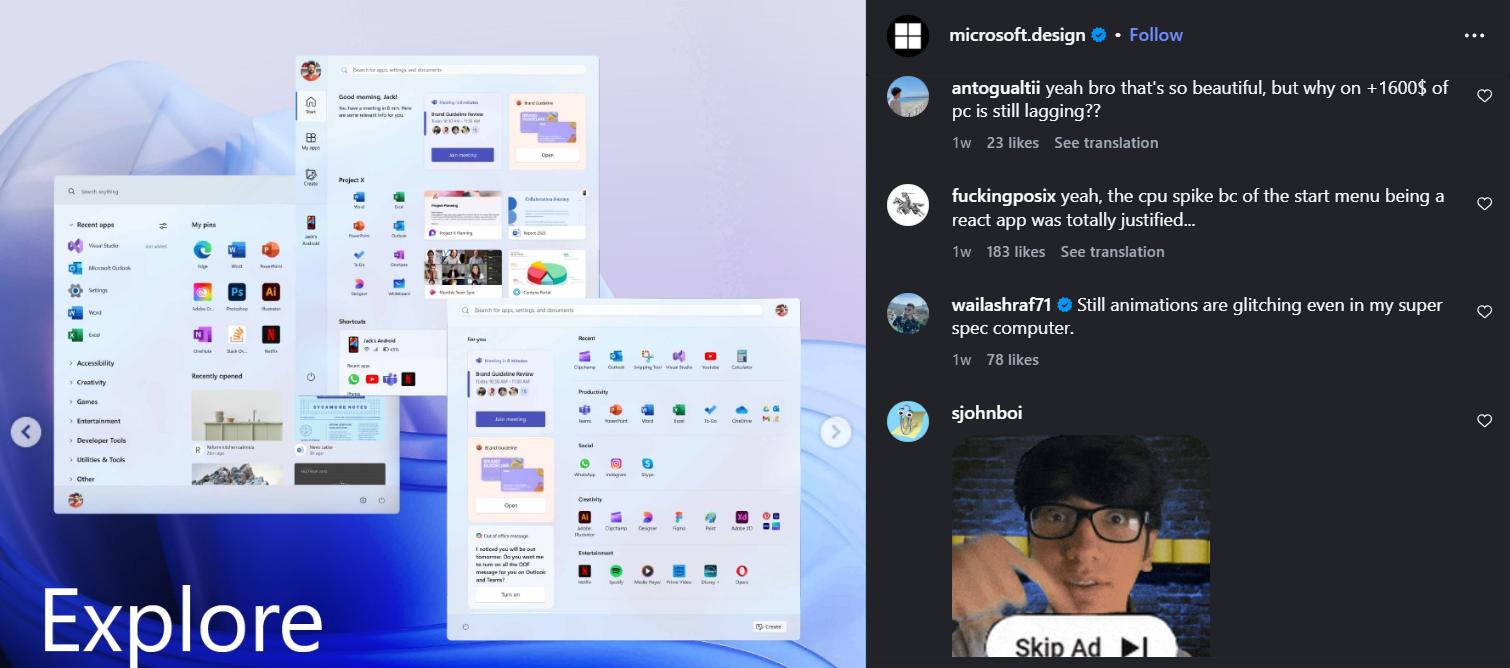
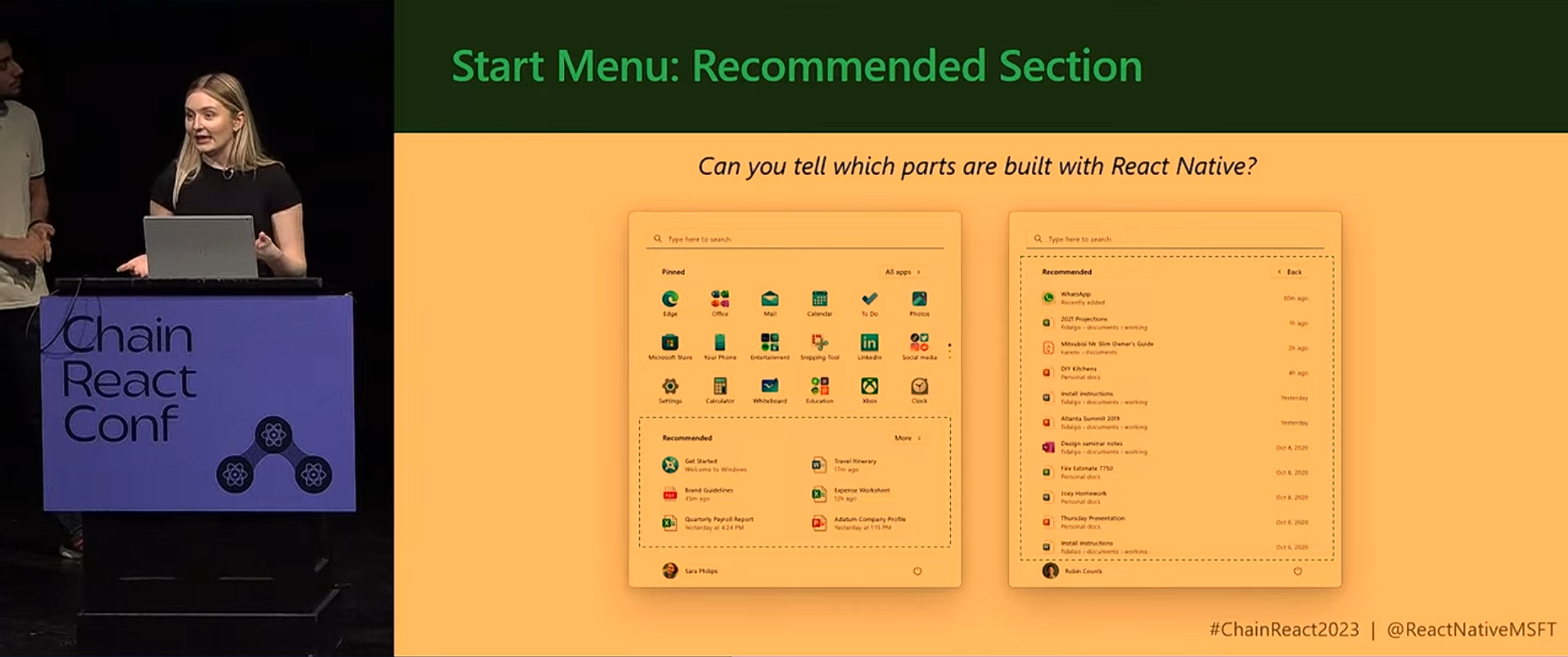
With all this work done, it’s normal for us to wonder why not just give the resizing option from Windows 10. However, Windows 11’s Start menu wasn’t just redesigned, it was rebuilt on React, a web-based framework.
Microsoft confirmed in March 2026 that it’s moving Start away from React to WinUI specifically to cut down on interaction latency. Yes, web-based UI is faster to iterate on and easier to ship across devices, but it being memory-hungry may not go well with the physics-based dragging in Windows 10’s Start menu. Microsoft hasn’t mentioned this, but I’d bet that’s why the current “fix” is Small, Large, and Adaptive presets instead of a drag handle. There’s still wasted space in every preset I choose.
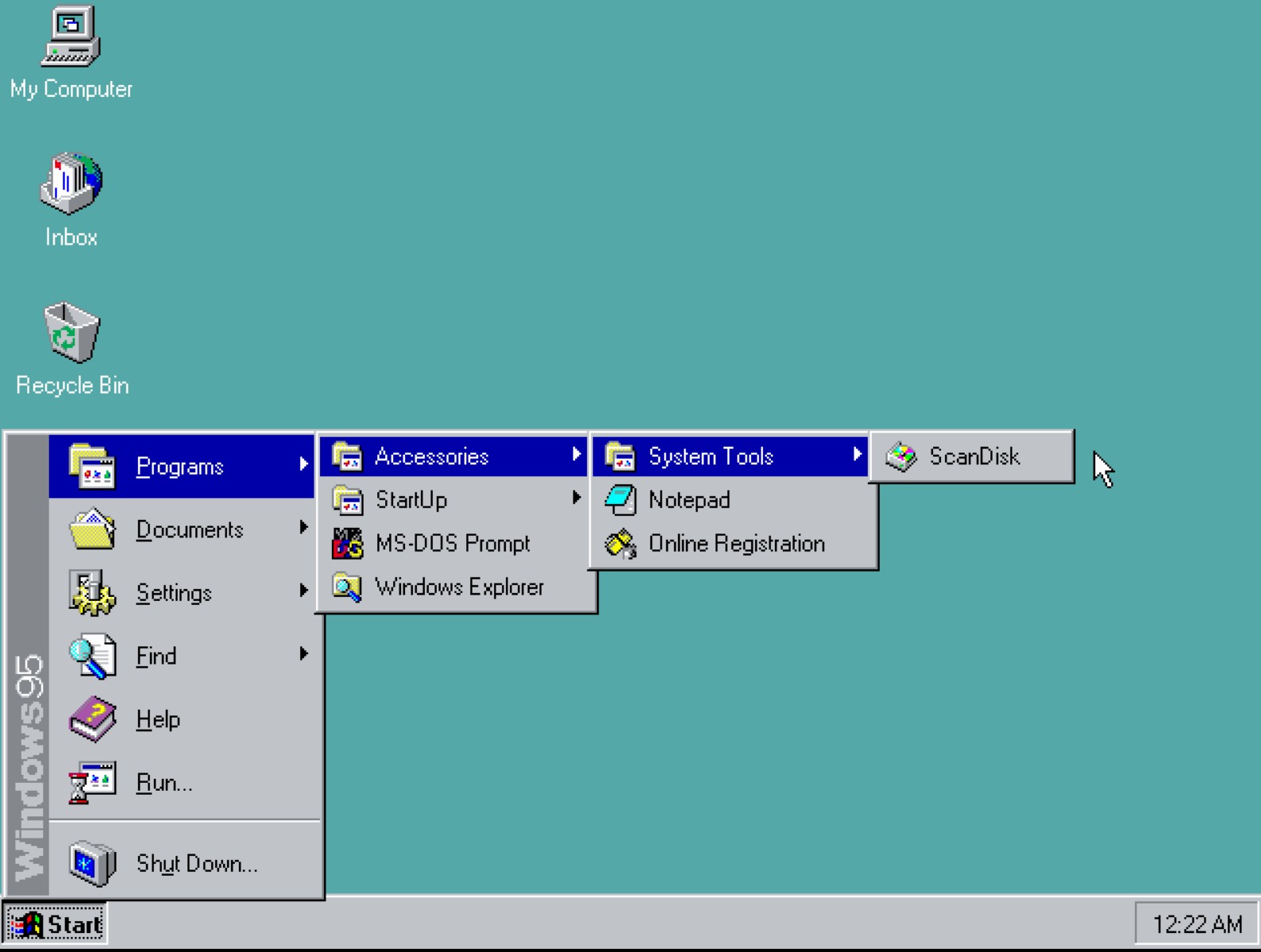
It’s ironic, because Windows 95’s original Start menu design came out of intense usability research. The structure from Programs to Accessories to System Tools still makes sense to me today. Windows 11 collapses that into one flat list that some people prefer, but it lost the logic that made the original so easy to navigate.
Microsoft has to finish the WinUI rebuild first, and only then does resizing or manual sorting become something worth shipping.
Five years after Windows 11’s launch, Microsoft finally changed its mind
Windows and Devices chief Pavan Davuluri wrote in an official Windows Insider Blog post that “repositioning the taskbar is one of the top asks we’ve heard from you,” which is a sharp reversal from the 2022 explanation of low demand.
By May 2026, Microsoft rolled out a hands-on preview, which Windows Latest tested and confirmed that Start, Search, and other flyouts had been rebuilt to respond to the taskbar’s new position. The feature became official with the September 2026 Patch Tuesday update, though Microsoft never explained what changed internally between 2022 and 2026.
A former executive mentioned one clue, though. Mikhail Parakhin, who led Windows and Edge engineering from 2019 to 2021, said in February 2026 that he “fought hard” against removing the movable taskbar, explaining that the original design pushed for “symmetric panes,” notifications on the right and Widgets on the left, a layout a vertical taskbar would have disrupted.
That said, we are getting several changes and features to Windows this year, including the ones we wanted from Windows 10, and as for how it’s happening, the answer is one word that starts with A and ends with I.
AI changed how fast Microsoft builds Windows, but that’s a double-edged sword
Distinguished Engineer David Fowler wrote on X that “typing code is absolutely over”, describing how Microsoft increasingly uses AI coding agents to generate, test, and modify software, and CEO Satya Nadella has infamously said 20 to 30 percent of code at Microsoft is written by AI.
If AI makes development faster, Microsoft may have more room to revisit old requests that once were behind bigger priorities, a plausible reason for the pace, though not proof AI built the movable taskbar.
However, them using more AI doesn’t mean consumers needed the same thing, which is why Davuluri’s memo promised to reduce “unnecessary Copilot entry points” in apps like Snipping Tool and Notepad.
Faster development does not automatically mean it’s safer. While the September 2026 update that brought the movable taskbar patched a record 974 CVEs, and Microsoft warned users not to delay installing it, days later, Microsoft admitted the update broke Remote Desktop sessions, Claude Cowork’s file access, and audio on some PCs, and pushed an emergency fix, KB5129195, on September 15, that still leaves AMD GPU errors unresolved.

Microsoft delayed Windows 10 features because Windows 11 was not Windows 10 with a new interface. The taskbar was rebuilt from the ground up, Start was redesigned several times with a different philosophy, and Microsoft prioritized features by its own data, judging some older capabilities too expensive to rebuild for the users who depended on them.
Anyway, the passage of time changed Microsoft’s philosophy when it comes to bringing requested features to life. And if the pace is anything to go by, we are surely getting a lot more features and may hear something in the upcoming October 7 Windows + Surface event.