






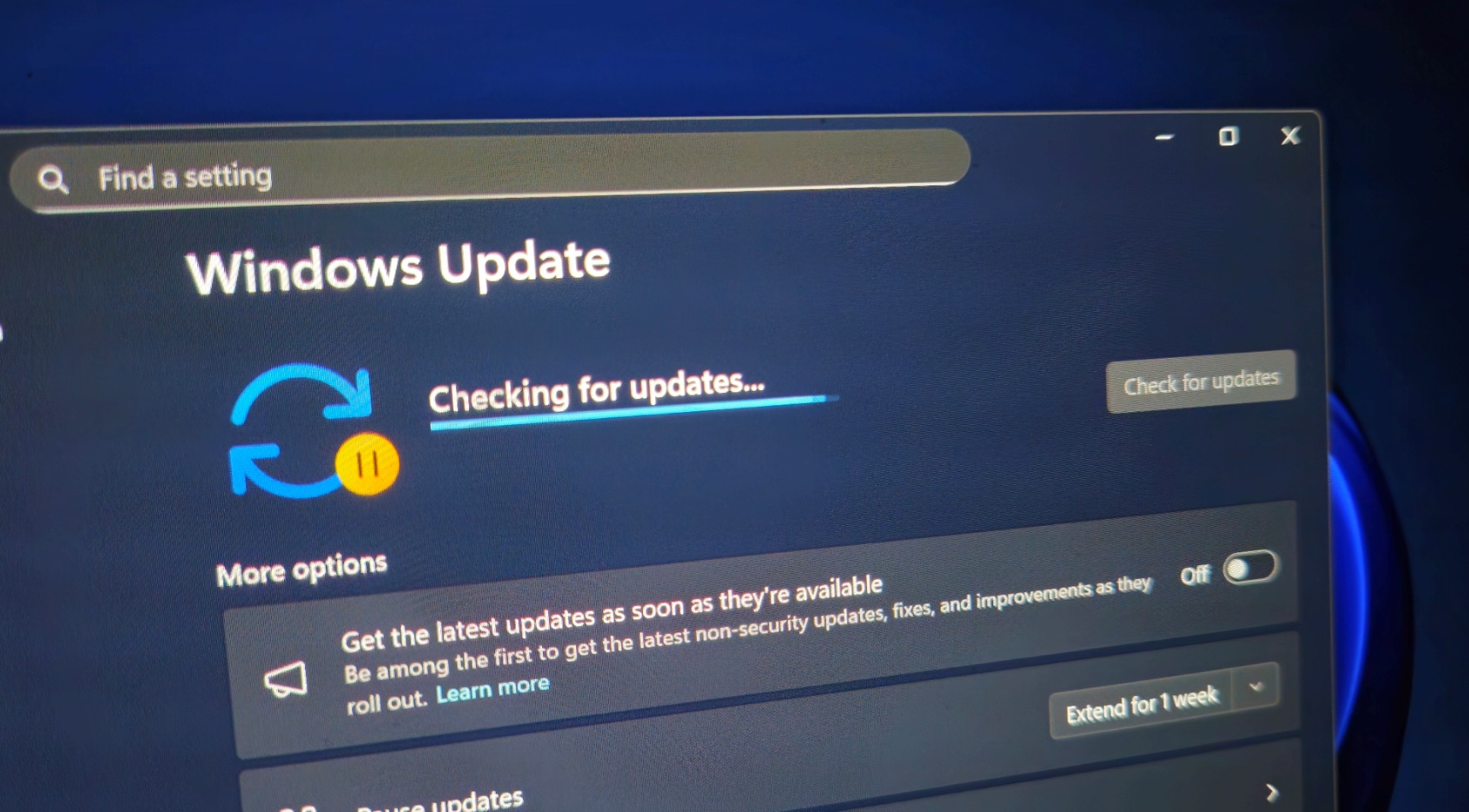
Windows 11 KB5129195 is rolling out now, and it addresses multiple critical issues we found in our tests after the September 2026 update. Microsoft told me today’s emergency update downloads automatically on PCs, and it also includes additional security protections against an “elevation of privilege” vulnerability. However, Microsoft hasn’t listed a fix for the AMD GPU errors we’ve been tracking.
KB5129195 is a mandatory, cumulative out-of-band update, which means it includes fixes from previous releases, including the September 2026 Patch Tuesday update. It advances Windows 11 25H2 to Build 26200.9457 and version 24H2 to Build 26100.9457.
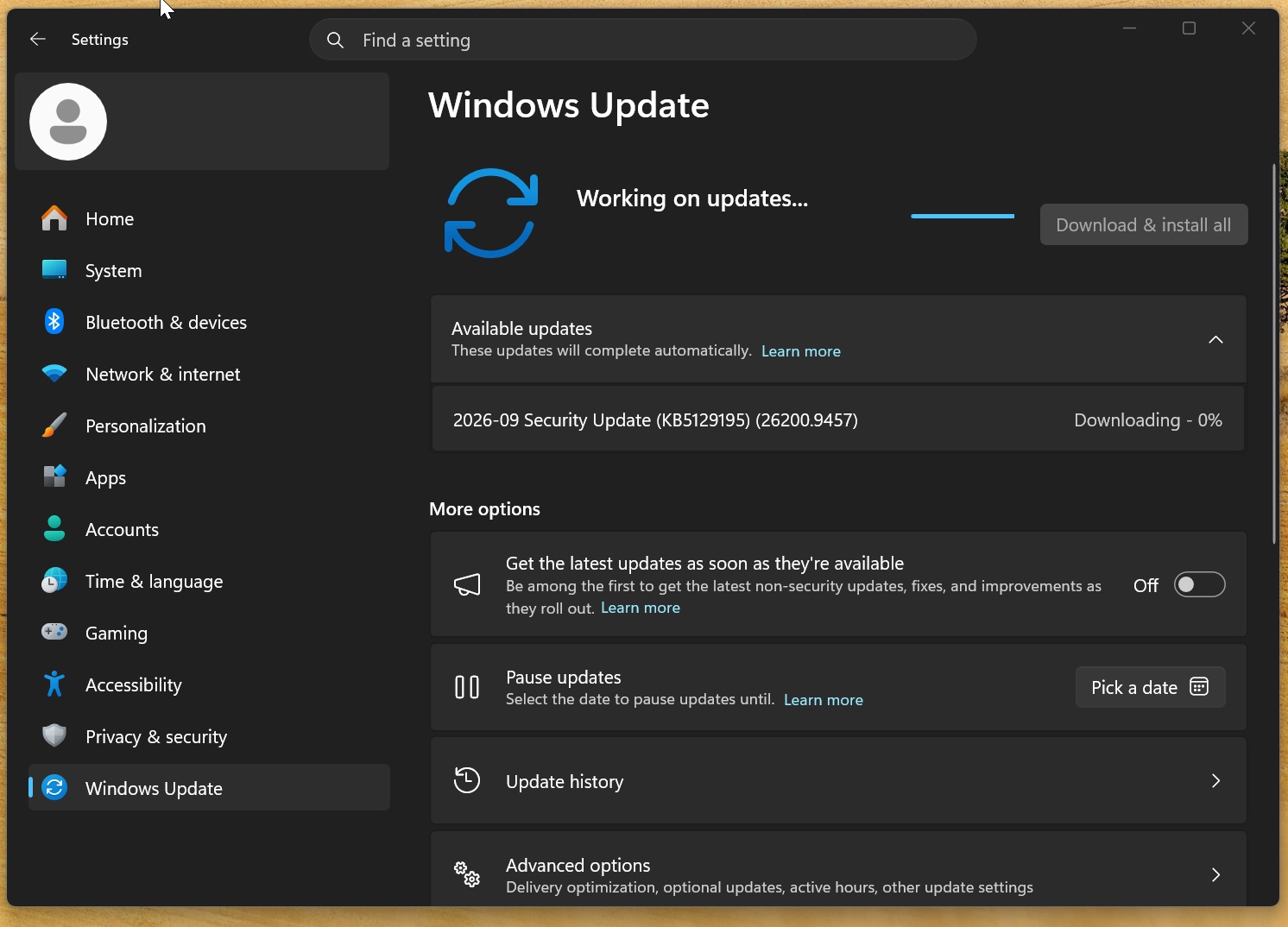
A single reboot is usually enough to finish applying it, but if you have a pending Secure Boot certificate update or a related firmware update, your PC may reboot multiple times.
To verify if the emergency update is installed, open Settings > System > About and check the OS build. You should see 26200.9457 on Windows 11 25H2 or 26100.9457 on 24H2.
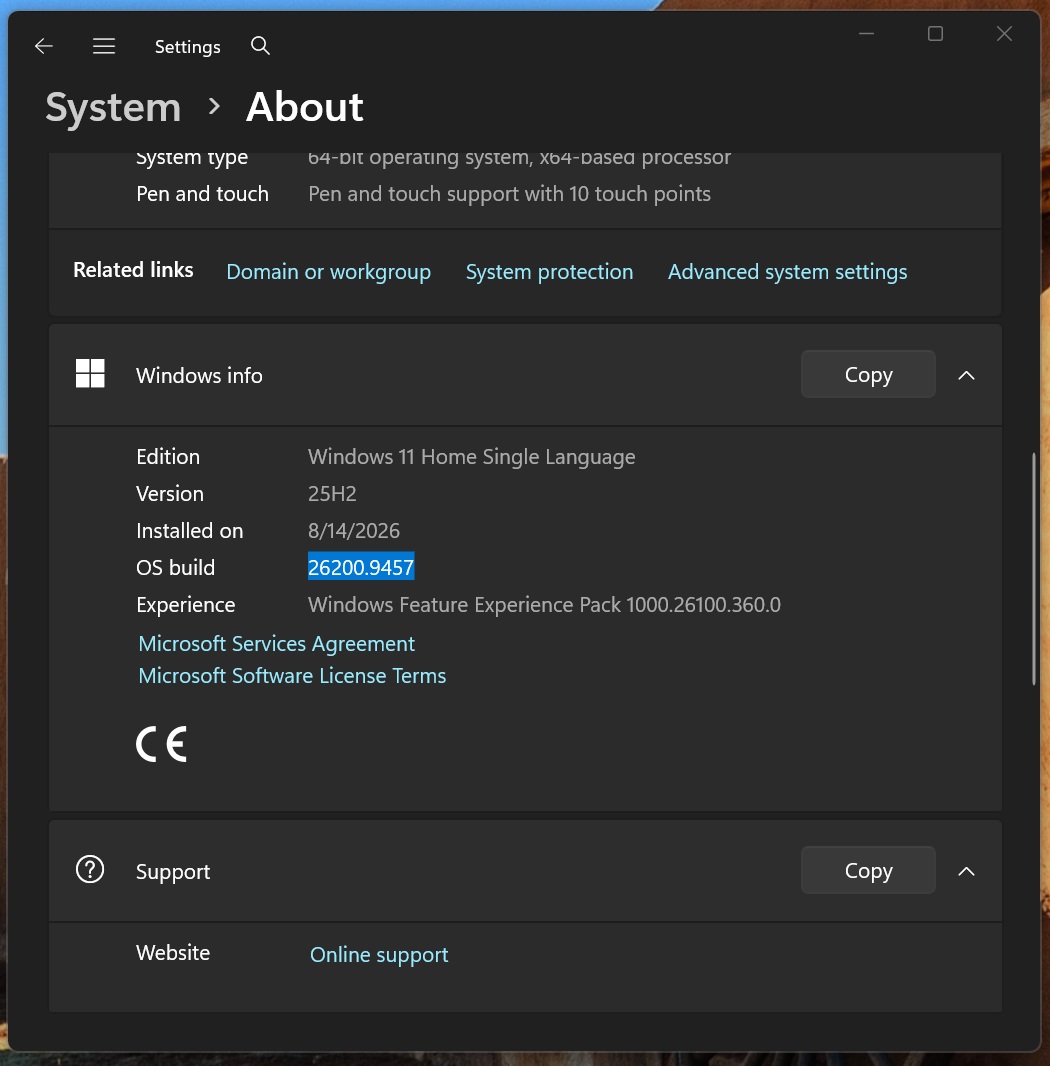
Today’s emergency update shows up as “2026-09 Security Update (KB5129195) (26200.9457)” on Windows 11 25H2 and takes approximately 10 minutes to finish downloading and installing, although this can vary by PC.
Windows 11 KB5129195 fixes critical bugs, but some issues remain
On September 8, 2026, Microsoft rolled out Windows 11 KB5124008 as part of the Patch Tuesday cycle, and it’s one of the biggest updates of 2026. That’s because it restores Windows 10 features, such as the movable taskbar, and also addresses hundreds of security issues.
Unfortunately, the September update caused havoc on some PCs, and Windows Latest documented several bugs before Microsoft acknowledged them.
Additional security fix for CVE-2026-62721
First, let’s talk about the security fix rolling out today, which makes Windows 11 KB5129195 even more important. I noticed that Microsoft updated its CVE-2026-62721 listing on MSRC (Microsoft’s security portal) and noted that the initial update didn’t completely resolve the security issue.
This vulnerability affects the Windows User-Mode Power Service (UMPS). It could allow an attacker with access to the machine to gain SYSTEM-level privileges by manipulating the service’s power-management requests.
Remote Desktop issues fixed
After the September 2026 update, Windows Latest found that Remote Desktop Services (RDS) had stopped working on some PCs, and our tests confirmed that removing the patch allowed connections to work again.
If you were affected, RDS would become unstable and make it impossible for you to even establish a connection. In most cases, users told us that they couldn’t sign in or get past the “Please wait for the Remote Desktop Configuration” screen.
And even if you got through, you could still run into an unresponsive File Explorer or Microsoft Management Console.
Thankfully, Microsoft confirmed it was aware of the reports after we flagged the issue in our tests and promised a fix. Windows 11 KB5129195 fixes the RDS issue, so you no longer need to resort to workarounds or remove security updates to address it.
Windows audio issues partially fixed
Windows 11 KB5129195 also fixes a bug where multichannel audio features, such as 8-channel or 3D audio modes, stopped working after the September 2026 update. Microsoft says this affected some USB devices that still worked in standard stereo mode.
Unfortunately, this does not fully resolve all the audio issues we found. In our tests, we found that some PCs with the September 2026 Update could no longer play any sound, and nothing happened when we increased the volume to 100%.
When you have audio issues on a Windows PC, you’d typically try to run the audio troubleshooter, which can be accessed through Settings. But in the case of this specific audio bug, you can’t even do that because the Windows Settings page for sound/audio immediately crashes before you can figure out what to tweak.
When we opened Device Manager and looked for the audio devices, they showed up normally, but when I opened the properties, there was an error message that made the issue quite obvious: “This device cannot start (Code 10).” This means Windows can see the device but cannot start it.
Microsoft is not fixing that issue today, so you might still end up with no audio after installing Windows 11 KB5129195. Since this confirmed issue only affects USB devices, you can consider switching to Bluetooth headphones while Microsoft figures out a patch.
We’ve also received reports of microphones not working on affected devices. Microsoft hasn’t listed a separate microphone fix in today’s emergency update.
Claude Cowork and other affected apps now work again on Windows
As soon as I installed the September 2026 update (KB5124008), I found a bug that broke Claude Cowork. In my tests, Claude Cowork’s workspace could no longer access my local storage, even when I had explicitly given it access, and that broke most Cowork actions that interacted with Windows storage.
This issue was widespread, and Anthropic was the first to confirm that the Windows update was responsible for breaking this functionality, well before Microsoft issued a clarification. While waiting for Microsoft to do something about it, Anthropic started showing an error message in Claude Cowork, pinning the blame on the Windows update:

Microsoft later confirmed it was aware of an issue affecting apps that share Windows host folders with HCS-managed Linux virtual machines using Plan9.
“Applications that use HCS-managed virtual machines might experience issues when sharing a host folder with Linux VMs using Plan9. Affected virtual machines start normally, but folders shared from the Windows host using Plan9 do not appear or cannot be accessed in the guest environment,” Microsoft explained in a support document.
I can confirm Windows 11 KB5129195 fixes this bug in Claude Cowork. My custom WSL-based apps also work again and no longer run into storage issues.
What about Explorer.exe crashes, File History, and AMD GPU issues?
We’re still tracking reports of separate Explorer.exe crashes, File History problems, and AMD GPU issues after Windows 11 KB5124008 (September 2026 Patch Tuesday). Unfortunately, today’s emergency update doesn’t list fixes for these problems.
Windows Latest has received reports of Explorer.exe failing to start or crashing almost immediately after you sign in, leaving some PCs stuck on a black screen without a working desktop or taskbar.
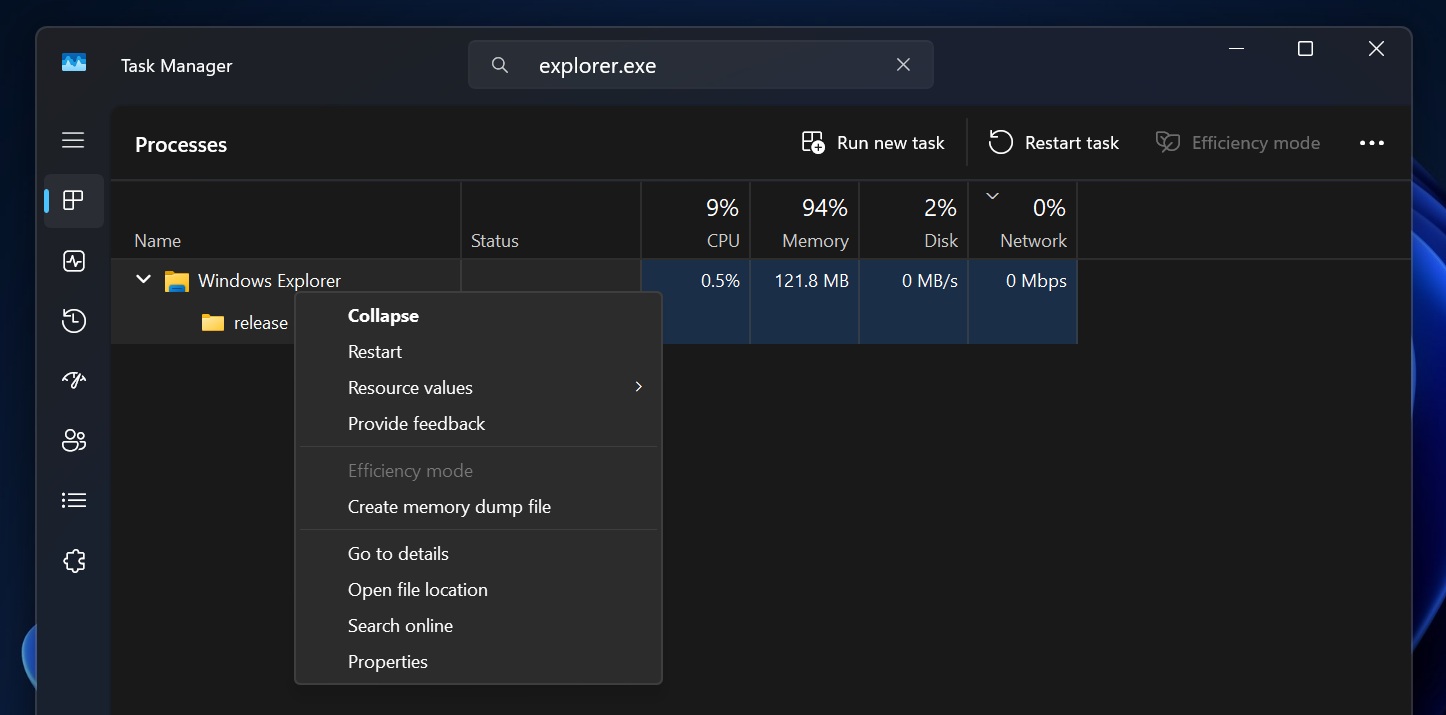
So far, these reports mostly involve enterprise environments using Citrix UPM, FSLogix, Horizon, or ProfileUnity ProfileDisks, and both Windows 11 24H2 and 25H2 appear to be affected. If you run into the issue, you can try restarting Explorer.exe using Task Manager, and it will work.
File History remains broken
File History is one of the lesser-known features of Windows, and while it hasn’t received any significant updates in years, many still use it because it keeps backups of different versions of files on an external drive, allowing you to restore an older version when needed.
Unfortunately, Windows 11’s September 2026 Update made the feature entirely useless for some users because File History could no longer detect external backup drives, even when the drives were connected.
Microsoft hasn’t confirmed the reports yet, but many users told me File History had been broken for months before it started getting more attention after the September 2026 Update, which appears to have affected more users.
File History remains unusable for affected users, and I can confirm Windows 11 KB5129195 does not move the needle for the legacy backup tool.
AMD Radeon PCs still have GPU errors
As soon as the September 2026 Update shipped, I started getting reports of serious GPU driver issues on AMD Radeon PCs. GPU issues are always quite difficult to track down because they can be linked to either a Windows update, GPU driver update, or firmware update. But in this case, we have reasons to believe it’s due to the Windows update.
If you’re affected and install the September update, you could experience black screens or system freezes even when you’re not playing games. I’ve seen reports on Reddit as well, where some users confirmed the GPU driver can also time out, and in the worst-case scenario, the display could simply disappear.
Specifically, reports involve PCs with Radeon RX 6600, RX 7700 XT, RX 7800 XT, RX 7900 GRE, RX 7900 XTX, and even RX 9070 XT GPUs, so the reports aren’t limited to one GPU model. Switching to older GPU drivers does not appear to make a difference, which makes the Windows update the stronger suspect.
Are major security fixes behind the spike in Windows update issues?
The bigger question is, what happened to Microsoft’s promise to make Windows more stable in 2026? Why is Windows suddenly so buggy? Although I don’t have a statement from Microsoft, I have a theory, and that is that the sudden spike is related to the increase in major security fixes.
Based on our analysis, the September 2026 Update fixes 611 unique security flaws affecting Windows 11 24H2 and 25H2. But when you take the entire Windows product family into account, which includes Windows Server, the number of fixes increases to 723. The number rises to 974 when you include all Microsoft products covered by the release:
| Month | Microsoft CVEs in 2025 | Microsoft CVEs in 2026 | YoY |
|---|---|---|---|
| January | 159 | 112 | -29.6% |
| February | 63 | 59 | -6.3% |
| March | 57 | 83 | +45.6% |
| April | 126 | 165 | +31.0% |
| May | 78 | 137 | +75.6% |
| June | 66 | 206 | +212.1% |
| July | 130 | 622 | +378.5% |
| August | 111 | 421 | +279.3% |
| September | 86 | 974 | +1,032.6% |
| January-September | 876 | 2,779 | +217.2% |
I am not trying to make a point that bug fixes are a bad thing, but what suddenly happened? Why is Microsoft shipping around 10 times as many security fixes as it did last September?
For comparison, Microsoft averaged around 100 security fixes a month from January through September 2025, but that is no longer the case today, and that’s partly because of… AI.
This year, Microsoft is using its in-house AI models to find more security bugs. It’s a good thing because patching these flaws makes Windows more secure, and Microsoft doesn’t have much choice as bad actors accelerate their own hunting using AI.
It’s a cat-and-mouse game because if Microsoft resorts to manually finding bugs, it may never be able to match the bad actors using cheaper AI models.
In a Reddit post, Microsoft employee Jason asked users experiencing Explorer.exe crashes to share memory dumps to help pinpoint the root cause.
“The September Windows updates were extensive and need more data to understand and root cause,” Jason wrote in a post on Reddit.
It’s entirely possible that changes made for some of those 611 security fixes resulted in multiple broken features, but you can’t expect Microsoft, or any company, to come out loudly and admit that.