





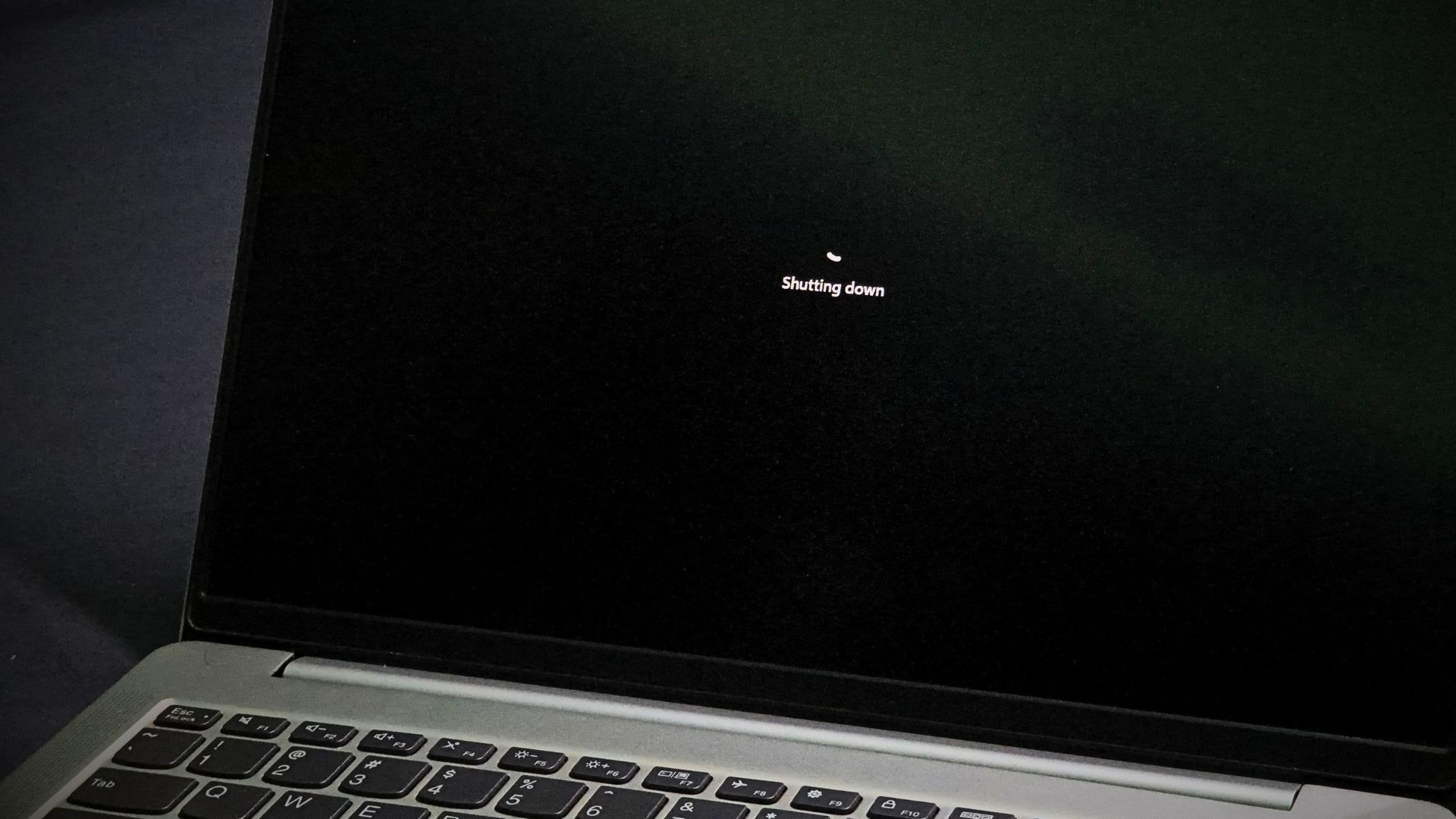
If your Windows 11 PC freezes and, instead of panicking, you hold the power button to kill it, the OS uses those last few seconds to save a snapshot of what went wrong. Eight seconds into the press, the kernel captures an emergency dump, which Windows can upload to Microsoft’s Windows Error Reporting service on the next boot, if your diagnostic data settings allow it.
Microsoft internally calls these “long power button hold” (LPBH) failures, and the ones caught on a completely black screen go to a dedicated team, which Microsoft veteran Raymond Chen is a part of, and as you might’ve guessed, he recently explained how this power button behaviour works.
Windows 11 starts capturing a kernel dump eight seconds into the press
When you press and hold the power button on your Windows 11 PC, and you continue holding for 12 seconds, the PC turns off at the hardware level without telling Windows, but four seconds earlier, “the Windows kernel realizes that the user is trying to do a force-power-off of the system,” says Chen, and it quickly takes a kernel dump. Sometimes four seconds isn’t enough, and the dump ends up incomplete.
Also, the 12-second figure isn’t universal. Microsoft’s debugger documentation mentions the firmware hard power-off at “usually about 10 seconds”, even shorter on some ARM64 laptops, and its Event ID 41 guide remarks forced shutdowns after holding the button for at least four seconds. However, if your laptop cuts power at five seconds, there’s no dump to speak of.
Windows also notes whether every pixel on screen is black. Those dumps are tagged “black screen LPBH” and analyzed by a virtual team that Chen is a part of. The culprit could be a broken video driver, the desktop compositor handing black pixels to a working driver, or nothing drawing to the screen, sometimes because the process responsible has hung.
Funnily enough, a black screen is when most of us reach for the power button anyway!
Does Windows 11 send the crash dump to Microsoft automatically?
It depends on your diagnostic data setting. According to Microsoft’s privacy documentation, Required diagnostic data tells the company when a crash dump file is created, but “crash dumps themselves are not collected without additional permissions, such as choosing to send Optional diagnostic data.”
The long press still gets reported, though. Microsoft’s list of required diagnostic events includes a LongPowerButtonPressDetected field that “identifies if the user was pressing and holding power button.”
The part about Optional data with Windows makes anyone anxious, as Microsoft says the memory state captured during a crash “may unintentionally include parts of a file you were using when a problem occurred.” Redmond hasn’t said what an LPBH dump contains.
To check, open Settings > Privacy & security > Diagnostics & feedback, and expand Diagnostic data. Turning off “Send optional diagnostic data” removes the main permission Microsoft names for collecting crash dumps. There’s no separate switch for power button dumps, but the toggle is also one of the settings that limit what Windows 11’s GDID tracker captures.
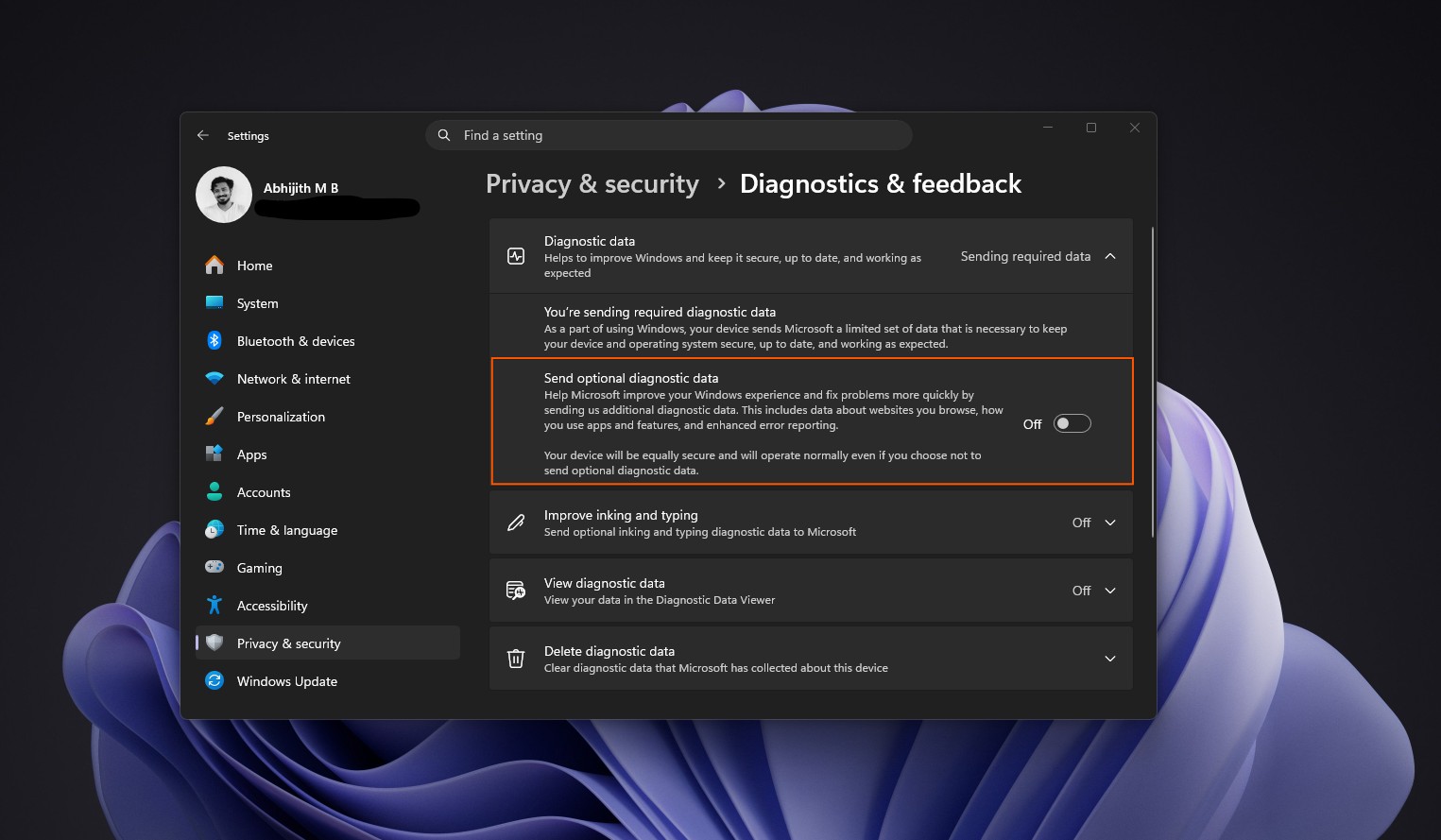
Note that the “Delete diagnostic data” button on that page doesn’t stop data from being sent, and it doesn’t clear data linked to your Microsoft account, which you’ll need to delete from the Microsoft privacy dashboard.
I, for one, would like a dedicated crash dump toggle, especially from a company that recently had to deny Windows 11 was spying on desktop PCs.
Microsoft already has a “release the power button” screen in Windows
Chen believes Windows Insider builds ask you to let go of the power button so the kernel can finish its dump. We couldn’t check, as we run Insider builds in a virtual machine.
Interestingly, Microsoft has documented a similar screen for years. With the PowerButtonBugcheck registry value set, holding the button for 7 seconds and releasing it before 10 seconds triggers Bug Check 0x1C8. Instead of the usual crash screen (which Windows 11 has already turned black), you see “Please release the power button. We just need a few more seconds to shut down.” with a percentage counter.
The option dates back to Windows 10 version 1809 and needs a GPIO-based power button. My guess is that the Insider prompt borrows from it, but Microsoft hasn’t confirmed anything.
To see if your PC logged a forced shutdown, check Kernel-Power Event ID 41 under Event Viewer > Windows Logs > System. Microsoft says holding the power button logs a nonzero PowerButtonTimestamp, and Windows 11 also lists LongPowerButtonPressDetected in the Details tab. However, Event ID 41 only confirms an unclean shutdown, and doesn’t prove Windows saved a dump.
With that said, a black screen isn’t always a Windows bug. Chen recalls a Windows 3.1 support call where a customer saw nothing after the logo, because they had set every color in the Colors control panel to black, window text included. Hardly a job for the black screen LPBH team.