







Windows 11 26H2 is a tiny enablement package if your PC is already on Windows 11 24H2 or 25H2, but if you’re still on 23H2, you need a full feature update of around 6.5GB. I downloaded the official Windows 11 26H2 enablement package, KB5121794, and the whole file is just 173KB, or 177,535 bytes.
I know it sounds crazy that the 2026 annual Windows feature update is just 174KB, and it’s not a compressed installer that later downloads gigabytes of files. The shortest explanation is that 26H2 features are already on up-to-date 24H2 and 25H2 PCs, and the package’s duty is just to turn them on.
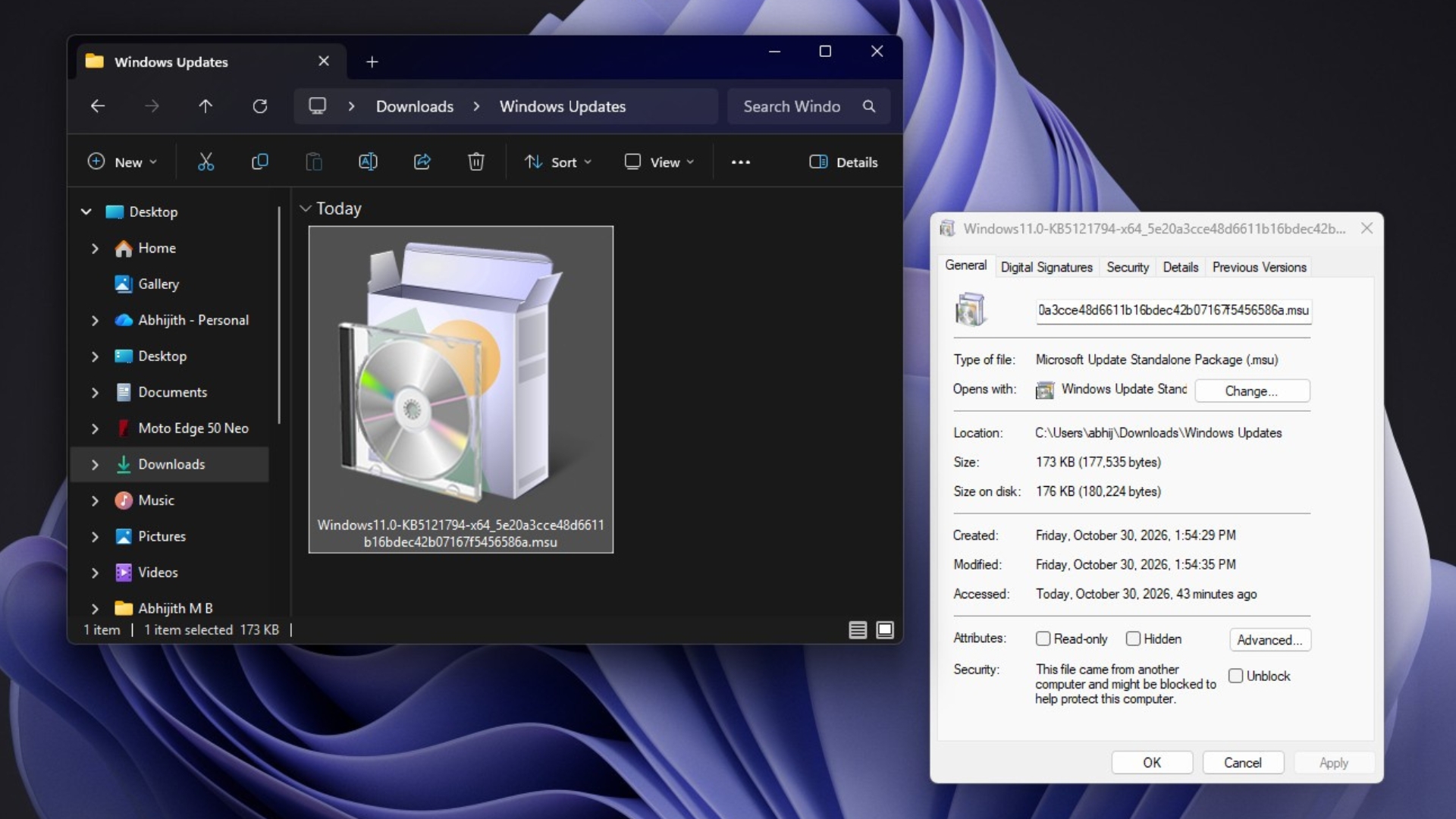
I downloaded the Windows 11 26H2 enablement package, and it’s 173KB
I grabbed the x64 package for 26H2 using direct Microsoft links. My File Explorer showed it as a Microsoft Update Standalone Package (.msu) with a size of 173KB, and it takes up just 176KB on disk.
Use the following links to download the Windows 11 26H2 enablement package for your PC, directly from Microsoft servers:
- AMD64 PCs (Intel/AMD): Direct download link (.msu)
- Arm64 PCs (Qualcomm): Direct download link (.msu)
When we first explained the 174KB size in June, we used Microsoft’s white paper as a reference; now we have the proof. According to Microsoft’s KB5121794 support document, “Windows 11, versions 24H2, 25H2, and 26H2 share a common core operating system with an identical set of system files.” The new features already come to PCs through monthly updates in a partially disabled state, and the package works as “a small, quick-to-install ‘master switch'” that turns them on.
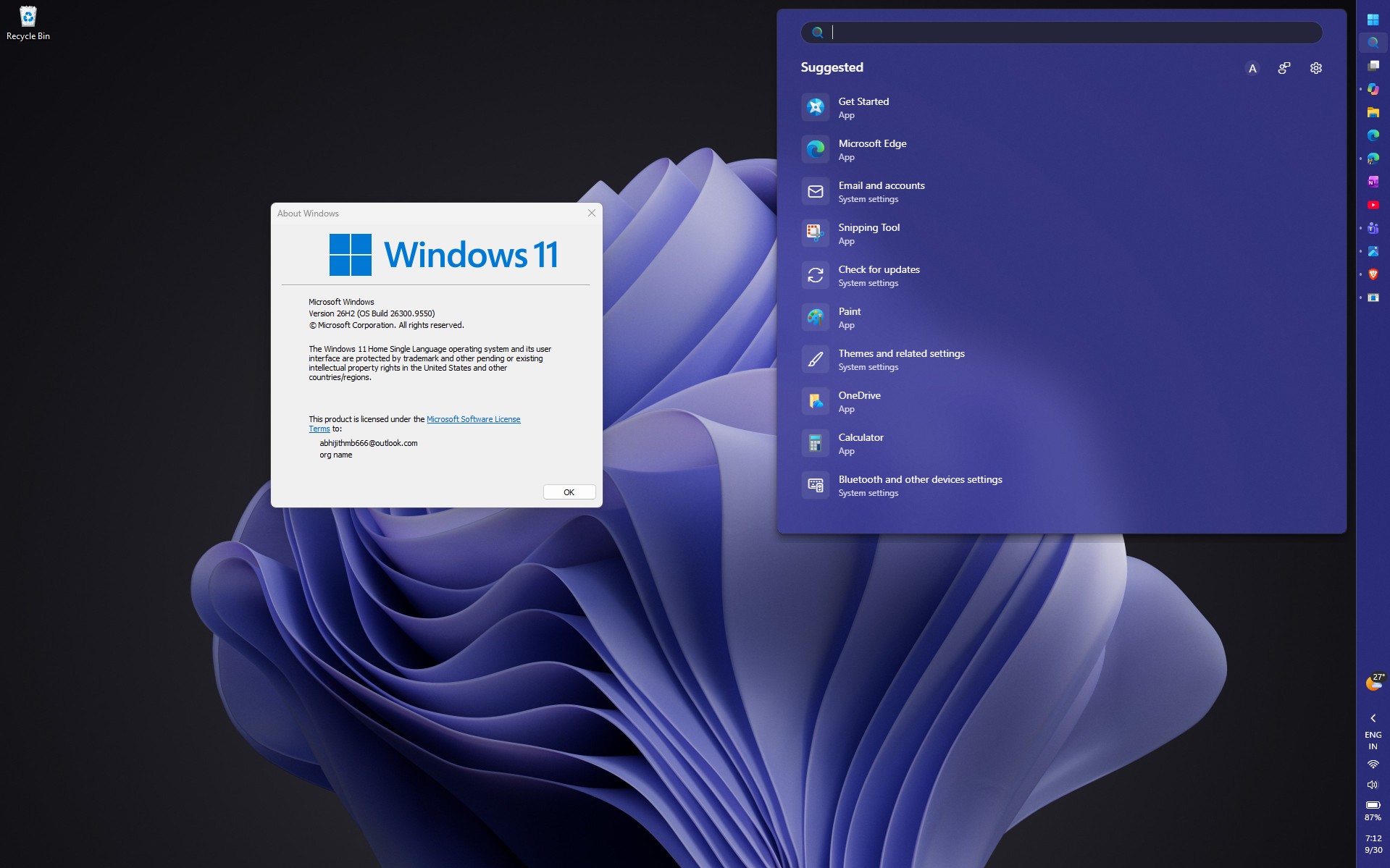
Note that this doesn’t mean that all features will be disabled. Microsoft gives new features to Windows PCs every month, but due to controlled feature rollout, some of them might not reach all PCs immediately.
Anyway, Microsoft describes four steps in its white paper. Code flags change from disabled to enabled, the PC restarts, the new features are enabled, and the build number changes from 26200 or 26100 to 26300. It’s also why 26H2 installs in under five minutes.

Why Windows 11 23H2 needs a 6.5GB upgrade
Windows 11 23H2 is on a different source code branch. Microsoft’s June 2026 white paper, Windows and the Shared Servicing Model, says there are two shared branches for Windows 11: “the 22H2/23H2 branch and the branch for 24H2/25H2/26H2.”
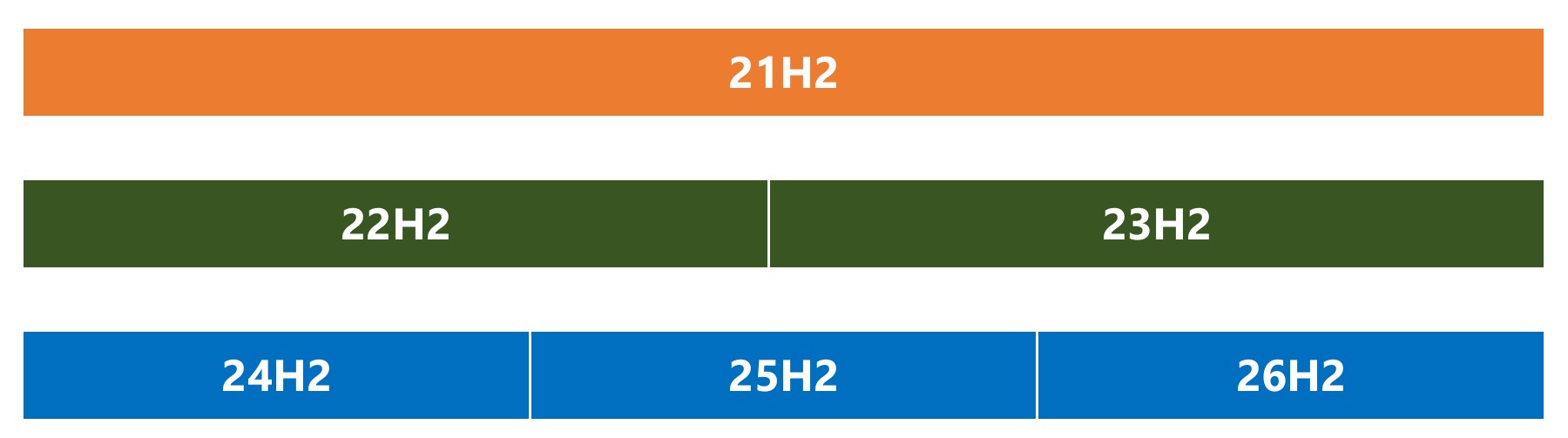
The newer branch also includes the Long Term Servicing Channel (LTSC) editions of Windows 11, which Microsoft says is why “it is a separate branch from Windows 11, version 23H2.” Since 23H2 PCs don’t receive the disabled 26H2 code in their monthly updates, there’s nothing for a master switch to turn on. Windows has to do what Microsoft calls an “OS swap,” which replaces the whole operating system.
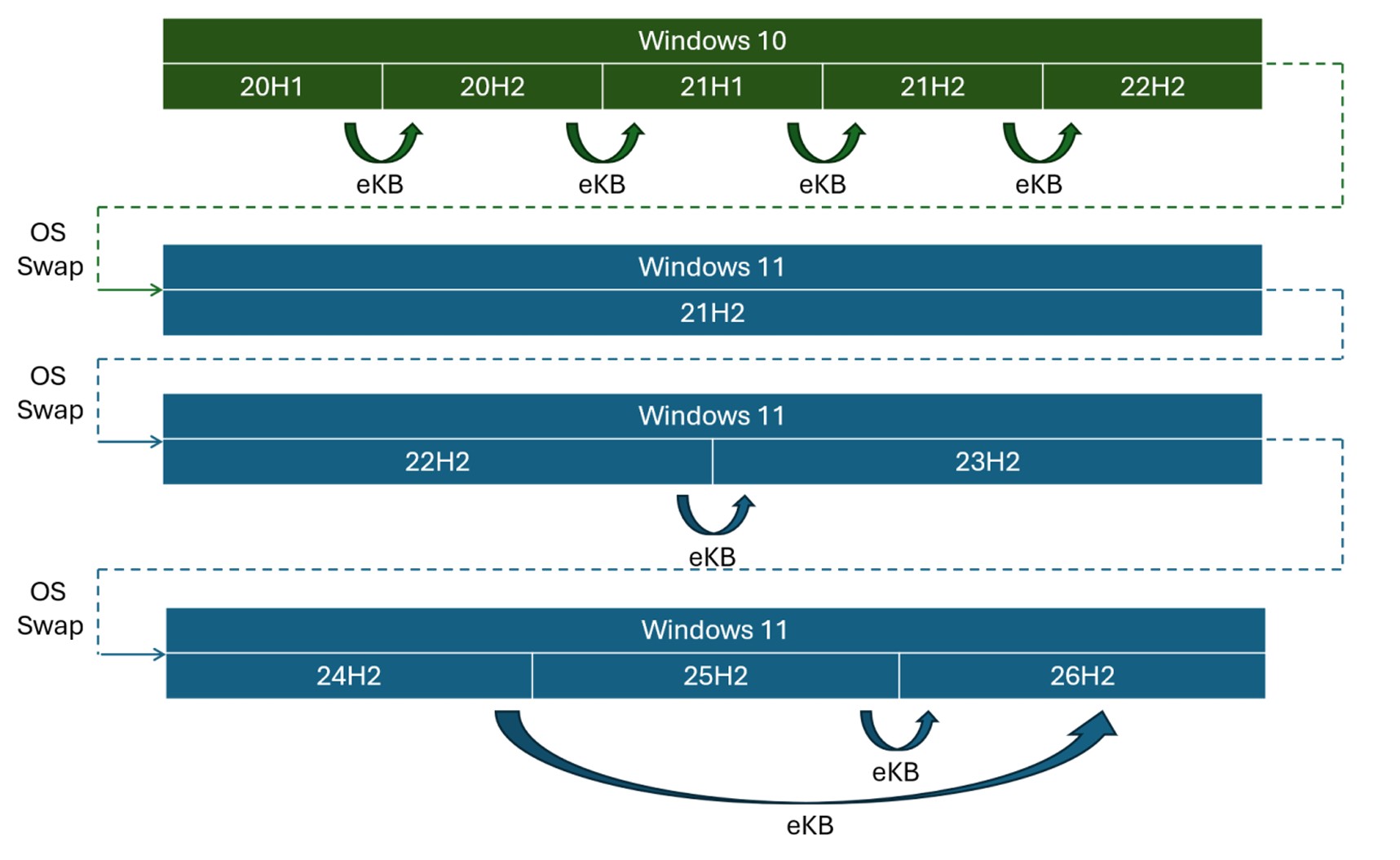
Microsoft’s example in the white paper is a 23H2 PC moving to 25H2, using x64, US English, Business editions. The upgrade includes the 5.3GB base image of 24H2 and an 887MB final cumulative update that “contains the complete payload for additions for 25H2.” Microsoft says the complete feature update is “close to 6.5GB,” which is why the enablement package is “about three-thousandths of one percent” of its size.
To be clear, Microsoft measured this for 25H2, not 26H2, and the two listed components add up to about 6.2GB. A 23H2 PC moving to 26H2 goes through a similar full upgrade, but the final download size depends on your edition and the latest cumulative update.
Which Windows versions get the 174KB update
- Windows 11 24H2: Enablement package, if you have the September 22, 2026 update (KB5124010) or later.
- Windows 11 25H2: Enablement package, with the KB5124010 or later prerequisite.
- Windows 11 23H2: Full feature update, around 6.5GB.
- Windows 10: Full Windows 11 upgrade, only if your PC meets the hardware requirements.
Interestingly, 22H2 and 23H2 share a branch too, which is why 23H2 was actually an enablement package for 22H2 PCs in 2023. It just doesn’t help with 26H2, though.
More importantly, if you’re on 23H2, you can’t stay put for long. Windows 11 23H2 Home and Pro already stopped getting updates in November 2025, and Enterprise and Education editions stop getting updates on November 10, 2026.
How to get Windows 11 26H2 the easy way
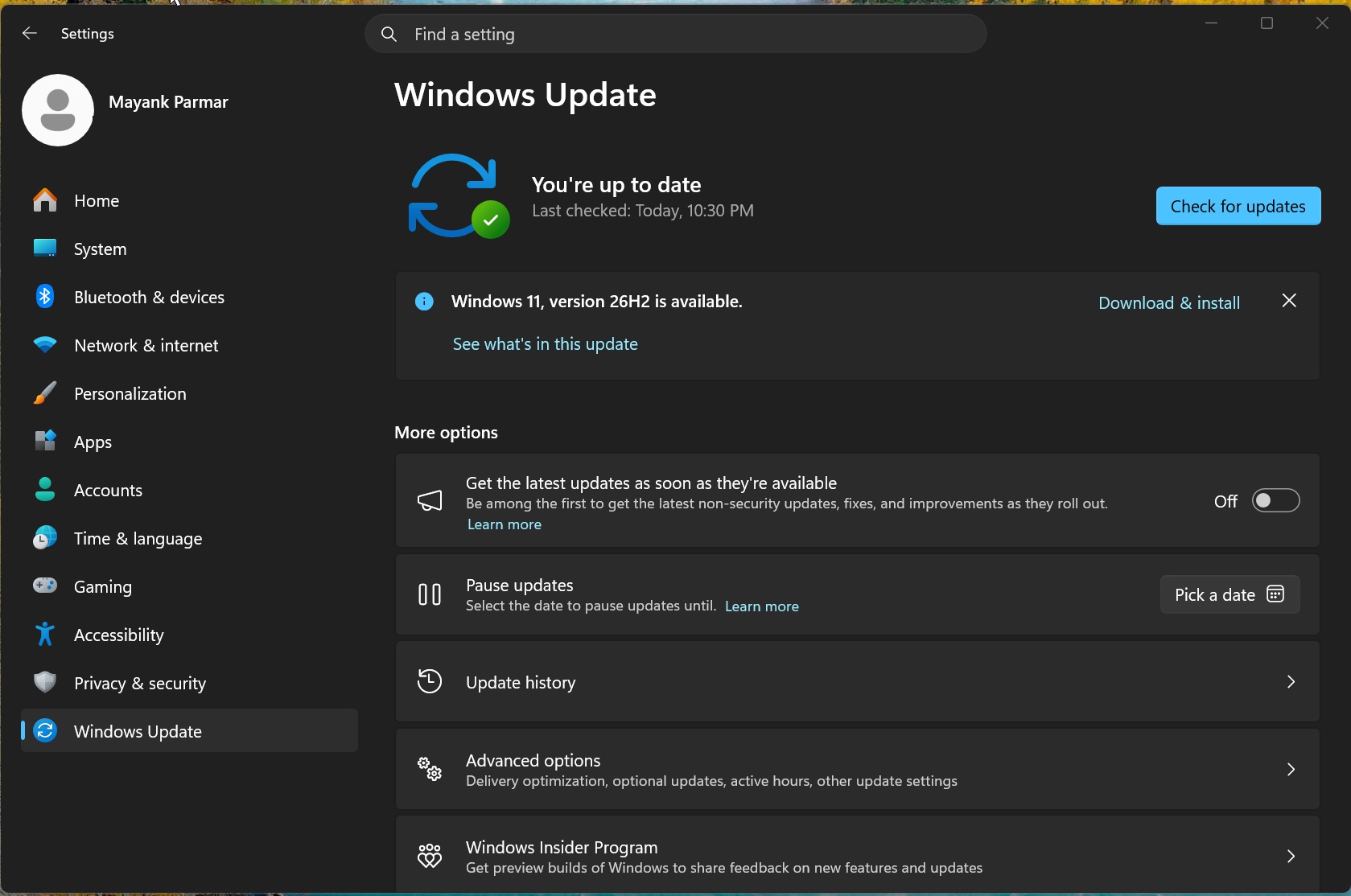
If you’re on 24H2 or 25H2, open Settings > Windows Update and click Check for updates. If you see “Windows 11, version 26H2 is available,” click Download & install. Microsoft’s John Cable, VP of Windows Servicing and Delivery, says this gives you “minimal download size, quick installation, and a single restart.”
Our 26H2 installation guide has every method, and if you’re on 23H2 or doing a clean install, note that the 26H2 ISO is around 8GB.
There are good reasons to move. Once you’re on 26H2, your PC gets noticeable performance improvements and lower RAM usage. On my dad’s 8GB laptop, memory use after a restart dropped from 5GB to 3.3GB. You can check what’s new and whether you’re on 26H2 by running winver.