








Microsoft is finally trying to make search work better in Outlook Classic, and if the plan turns out to be as good as it sounds on paper, I might have another reason to keep using it over New Outlook. Classic Outlook’s search now falls back to your PC when the cloud is slow, and New Outlook still doesn’t have that yet due to the fact that it’s a web wrapper.
However, Microsoft argues that all versions of Outlook will have better search, so it’s not leaving out New Outlook. But you’ll have to wait for some of those improvements to show up, as they’re still in development. In the case of Outlook Classic, the changes are now rolling out and should appear on your PC soon.
Outlook can now show more relevant items above the usual chronological results
One of the features available today is a new “relevance-ranked set,” and you’ll notice it almost immediately. Right now, when you search for an email or attachment in Outlook, you’re first shown three “Top results” based on the keywords you typed and their relevance. Below those, you have your regular search results in chronological order.
In most cases, Outlook’s top results, whether you’re using Classic or New Outlook, will be enough to find the most relevant email. But as you’ve noticed, the section is limited to just three results. For example, when I searched email, only three items showed up under “Top results,” while everything else appeared in the All results view.
Now, if you’ve got the latest update, you will notice that Outlook can show up to seven relevant results, followed by your regular chronological list.
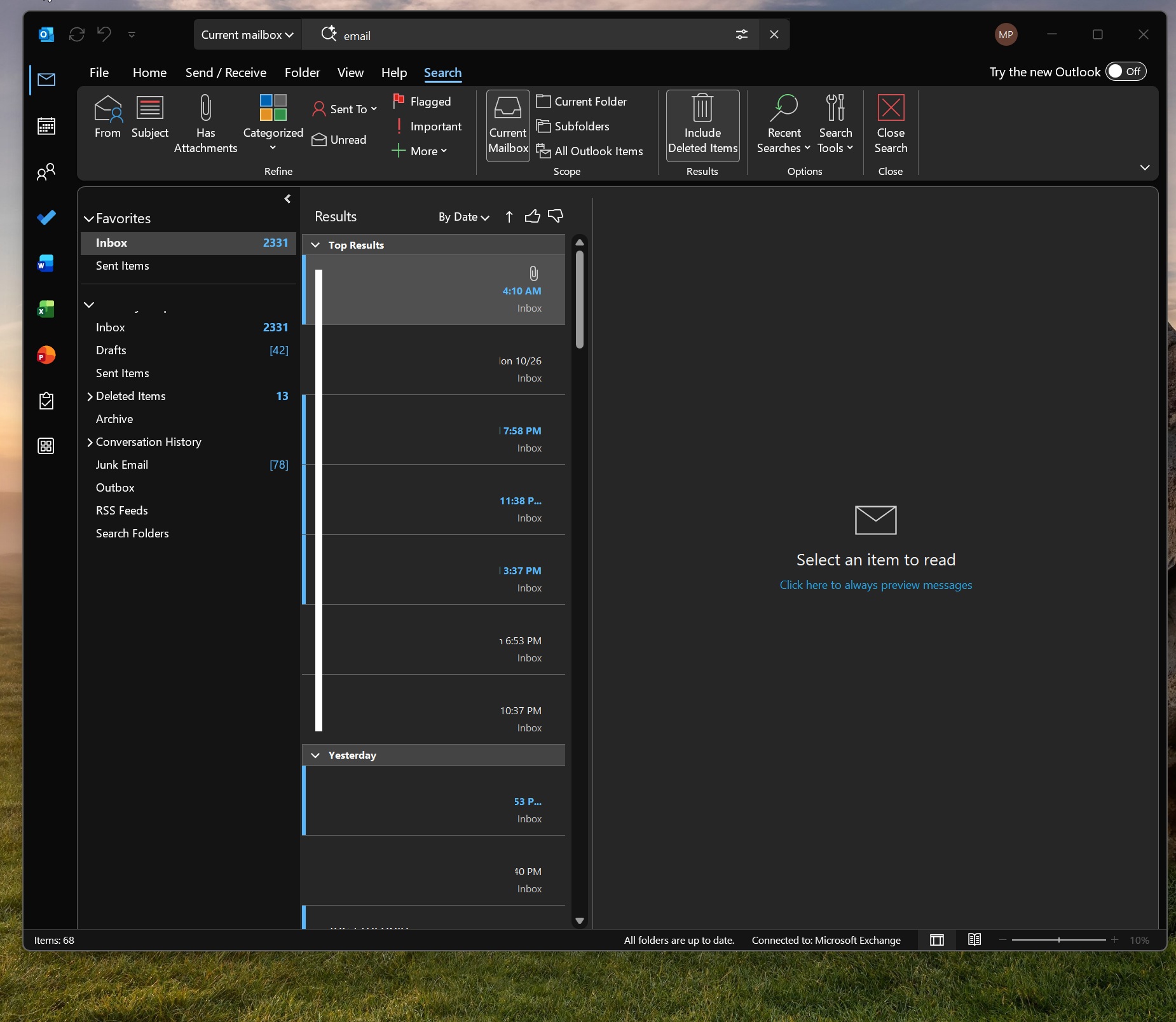
For those unaware, Outlook selects an email as a “top result,” also known as a “relevant result,” based on your previous interactions, recency, and sender. For example, if you frequently interact with a contact and the keyword shows up in their email, you’re likely to see emails from that sender at the top. It’s a neat idea, and it’s only getting better.
Outlook can now fall back to local search if cloud search fails
If you open Settings > Privacy & security > Search, and look under “Search my accounts,” you’ll find two options. The first is “Microsoft account,” and the second is a work or school account. Either option allows Windows Search to find items from products linked to those accounts, including Outlook.
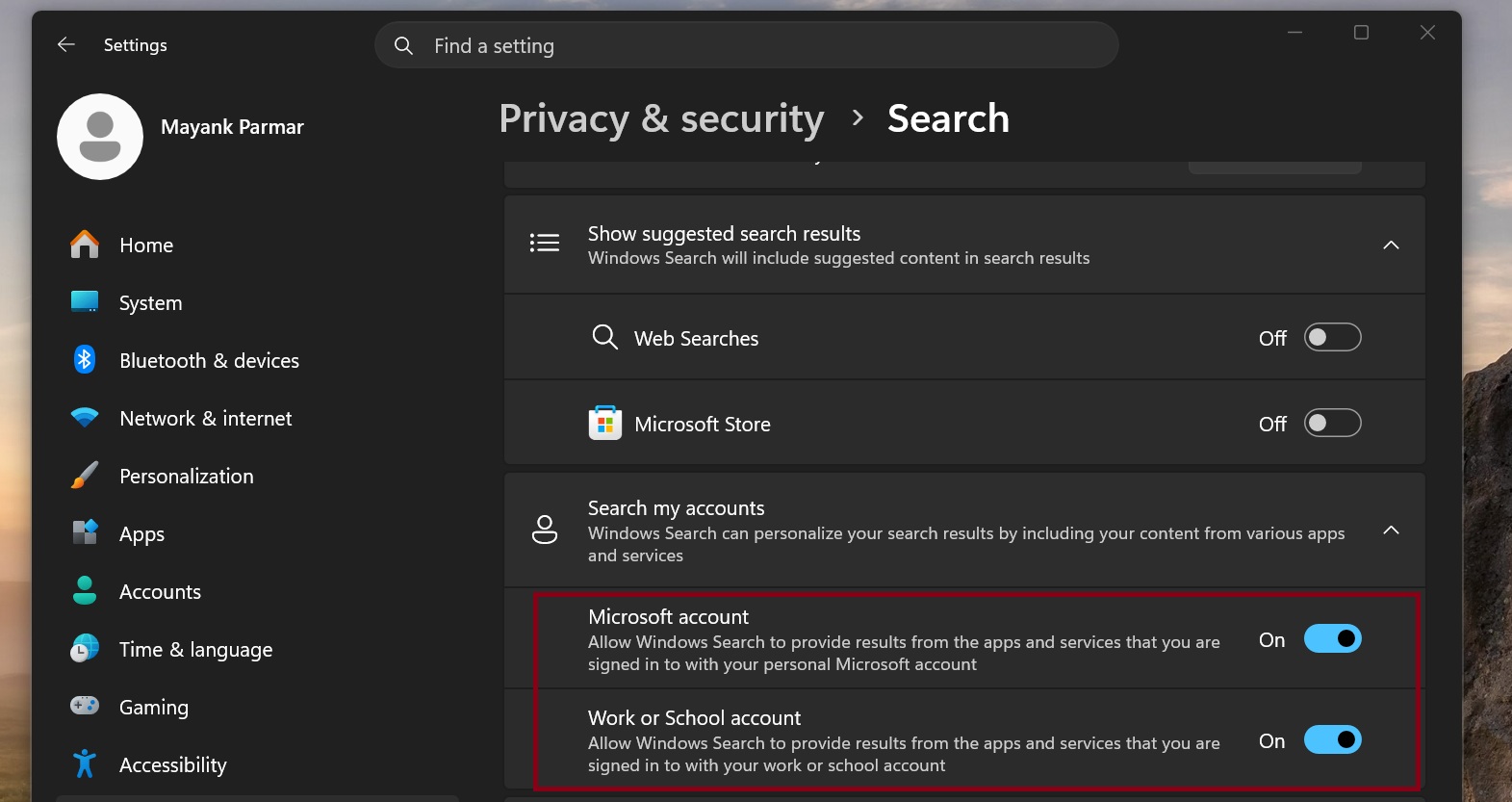
Now, we’re going to see even deeper integration. Outlook Classic also uses Windows Search to find emails and saved attachments in the local index when Microsoft’s cloud isn’t working. But as you can imagine, local search can only find files saved on your PC, so if something wasn’t synced or ever opened in Outlook (a years-old email), you’re not going to find it.
This feature only works in Outlook Classic. That’s because New Outlook’s offline capabilities are still under development, so there are a few things that work, such as attaching files when you’re offline or viewing your calendar. But offline search using Windows Search isn’t there yet.
“Local search remains necessary for offline scenarios and for content that is not stored in the cloud, including PST files and POP or IMAP accounts,” Microsoft noted in a support document. “Classic Outlook search now automatically falls back to the local index when connectivity or service latency prevents a timely response from the cloud service.”
Right now, other versions of Outlook, including those on Android and macOS, support local or offline search, but support for New Outlook is still in development.
I also noticed that these “Top results” appear when you have internet issues or are entirely offline, as they’re powered by the same Windows Search feature. Again, this works only when your Outlook files are saved locally.
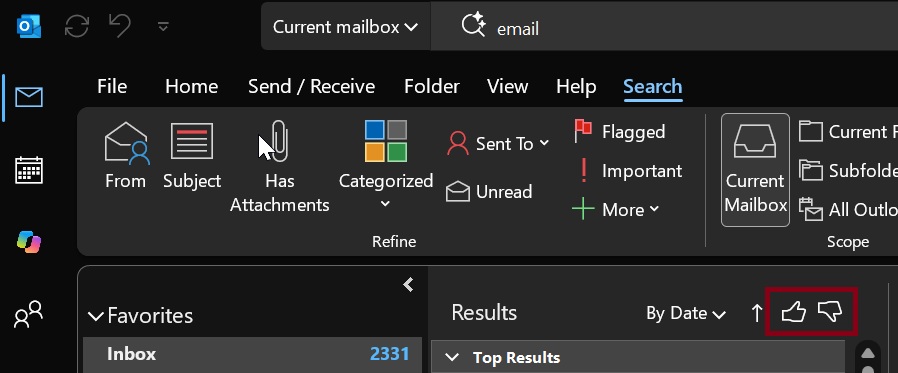
If you don’t like certain suggestions, you also have a new thumbs-up and thumbs-down prompt on the search results page. This helps Outlook improve its relevance.
It’s another neat idea, and it’s rolling out with other improvements, such as reduced latency for searches in Outlook. Microsoft says it managed to make searches 5% faster and plans to roll out bigger changes in the future.
For now, Outlook’s search is in better shape, and it looks like there’s a company-wide effort to get search right. We’re seeing similar improvements on Windows 11, and it’s interesting to see the Outlook team get involved. But unfortunately, there’s still no word on whether a native app will ever ship.