







After I updated my dad’s 8GB laptop to Windows 11 26H2, memory usage after a fresh restart dropped from 5GB to 3.7GB. I also checked on a fresh 8GB RAM virtual machine, which showed a similar drop, from 4.1GB on a year-old Windows 11 Build to around 2.8GB and 3.1GB on the latest one.
Microsoft made memory optimization for 8GB PCs one of its Windows 11 priorities for the rest of 2026, but it didn’t share any numbers at the time. Since the 26H2 rollout, users have reported boot RAM usage dropping by 1GB to 2GB, mostly on PCs with 16GB to 48GB of RAM, while one 8GB owner on Reddit still saw 96% of memory in use. So, does the cheapest tier of Windows laptops get any RAM benefits?
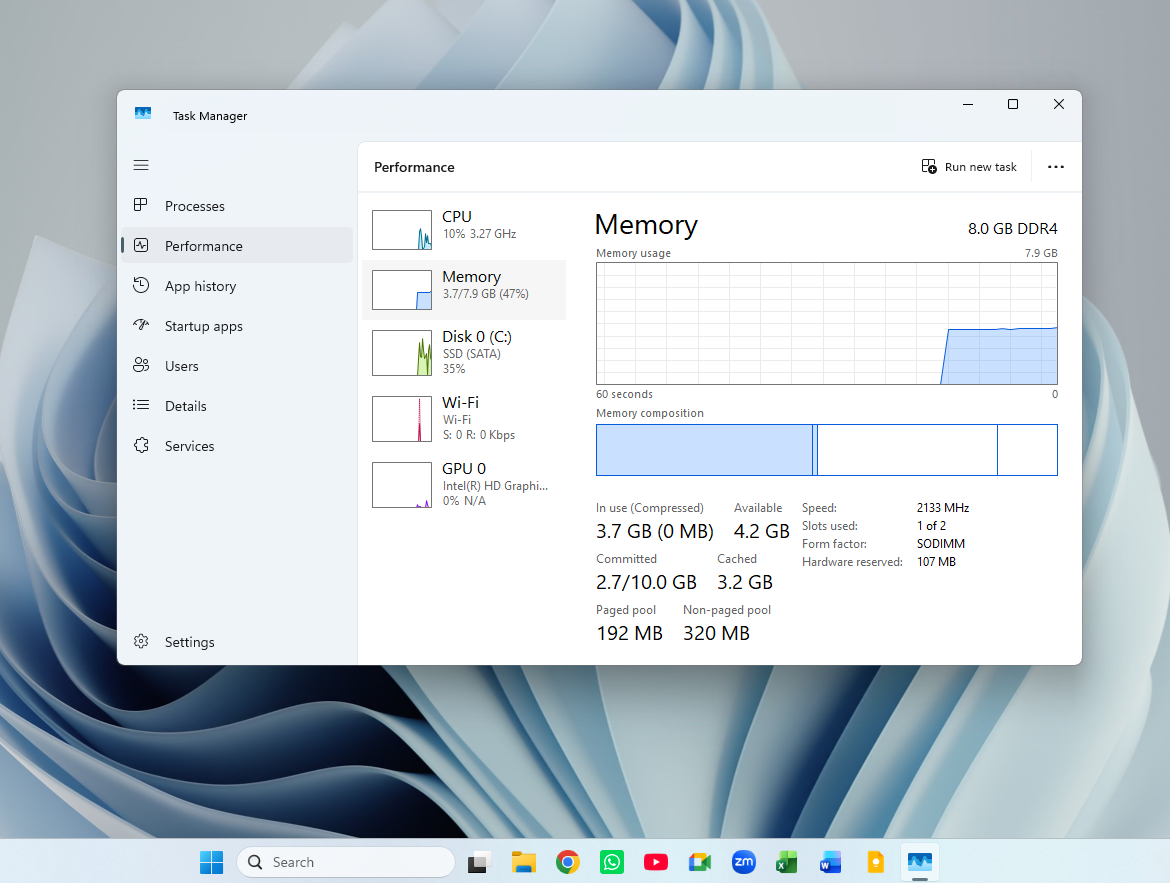
My 8GB laptop used 1.3GB less RAM after the Windows 11 26H2 update
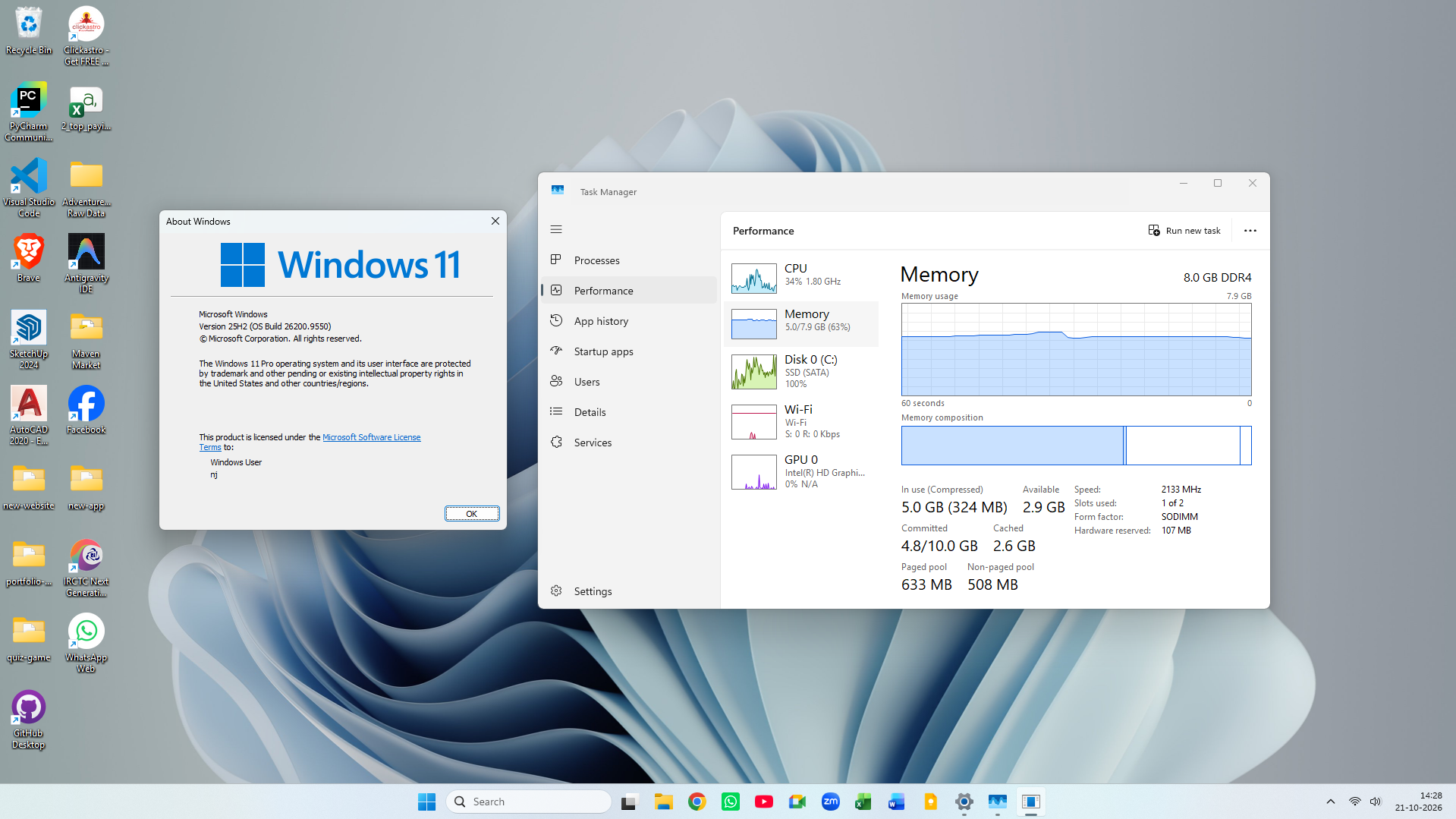
My dad’s laptop is far from a clean machine. It has 8GB of DDR4 RAM and a SATA SSD, and my brother used it to learn data analytics, so PyCharm, VS Code and GitHub Desktop share space with AutoCAD 2020 and SketchUp, which my dad uses for work.
Before the update, it was on Windows 11 25H2, build 26200.9550. After a fresh restart, Task Manager showed 5GB in use out of 7.9GB of usable memory, and it kept hovering around that mark. I then installed the October 2026 Patch Tuesday update, moved it to 26H2, and restarted again.
| Task Manager (after restart) | 25H2 (before) | 26H2 (after) |
|---|---|---|
| In use | 5.0GB (63%) | 3.7GB (47%) |
| Available | 2.9GB | 4.2GB |
| Compressed | 324MB | 0MB |
| Committed | 4.8GB / 10GB | 2.7GB / 10GB |
| Paged pool | 633MB | 192MB |
| Non-paged pool | 508MB | 320MB |
Memory in use dropped to 3.7GB, or 47%, with 4.2GB available, which is a solid improvement for an 8GB PC. Interestingly, compressed memory went from 324MB to zero, so Windows didn’t need to compress stuff after boot.
I didn’t run a benchmark, but switching between Chrome tabs felt slightly quicker afterwards. Of course, it’s my observation on one PC, and your mileage may vary.
To rule out the countless apps already installed here, I downloaded an older Windows 11 25H2 ISO and created a new virtual machine with 8GB of RAM. The build is 26200.6899, from October 2025. Just after a fresh install, without any apps, Task Manager showed 4.1GB in use.
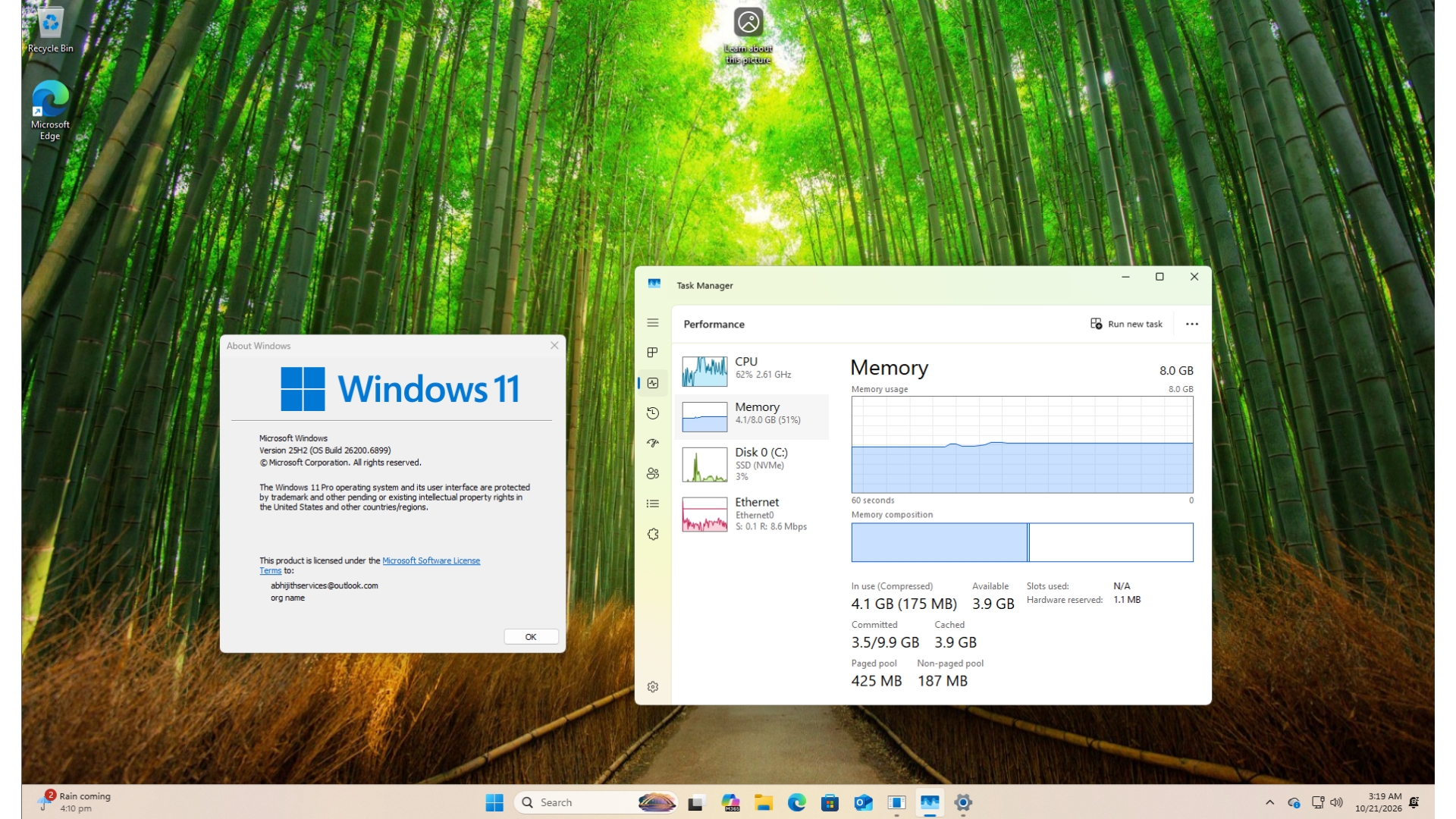
I then updated the VM to Windows 11 26H2, build 26300.9711, and memory usage after a restart dropped to 2.8GB, going up to around 3.1GB. I didn’t notice much difference in speed, but that’s expected on a VM with no apps installed. To be clear, the VM jumped a whole year of updates, so 26H2 isn’t the only reason for the drop.
Microsoft says Windows 11 can keep up to 2GB more data in memory
On October 15, Navjot Virk, Microsoft’s corporate vice president of Windows experiences, finally put some data and numbers for the work they did on memory usage in a Windows Experience Blog post.
“Windows can now keep up to 2GB more of your active data in memory instead of moving it to slower storage,” she wrote. On PCs with 8GB of RAM or less, Widgets now load only when you open them, which Microsoft says frees more than 200MB for other work. The company also claims Windows 11 is up to 20% more responsive, but that figure compares 26H2 build 26300.9550 against an older 25H2 build, 26200.7628.
However, both numbers are different from what Task Manager shows after a restart. The 2GB figure is about how much of your active data Windows keeps in fast memory, while the 200MB saving comes only from Widgets. My 1.3GB drop is far more than Widgets optimization, so the savings clearly come from something else.
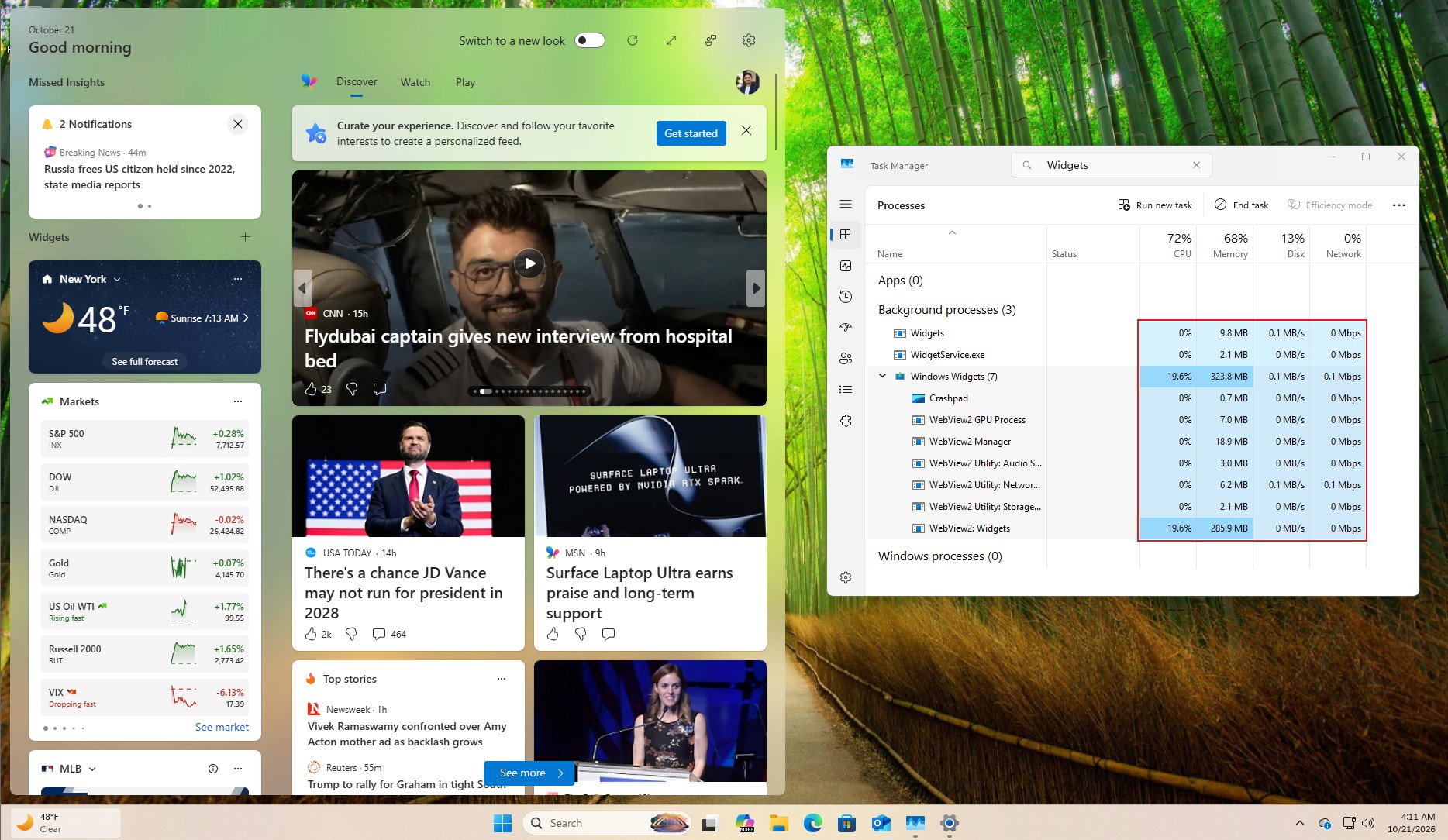
Microsoft’s July 31 update hinted at a few of them, including “a more efficient memory allocator,” WinUI 3 tuning so apps “use less memory by design,” and leaner Chromium and WebView2 components inside Windows.
Since 26H2 is an enablement package that shares its code with 24H2 and 25H2, these changes arrived over months of updates, and 26H2 is just when more people noticed them. On my 16GB laptop, 26H2 brought RAM usage after a restart down by as much as 2GB, even before Microsoft confirmed the numbers.
8GB laptops are back, and Windows 11 still has work to do
Windows boss Pavan Davuluri has been clear about why Microsoft suddenly cares about RAM. On the Inside Windows podcast, he said memory is “top of mind for us right now in the industry,” “especially as we look at the rising cost of memory for computers across the board,” as we reported earlier.
Rising memory prices have brought 8GB laptops back to store shelves. Microsoft’s Surface Laptop 13 now starts with 8GB at $949, and the company even quietly deleted its support documents recommending 32GB for gaming.
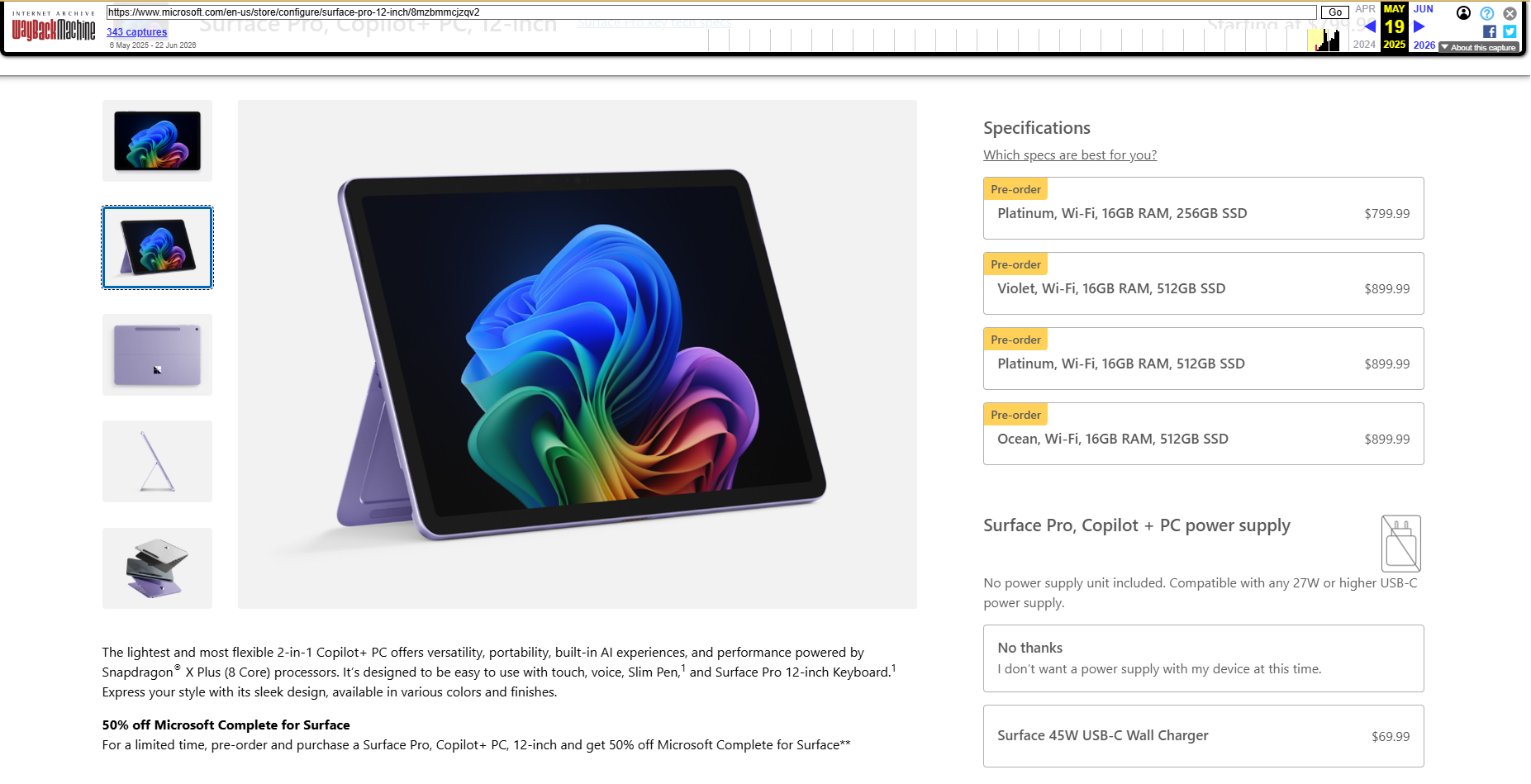
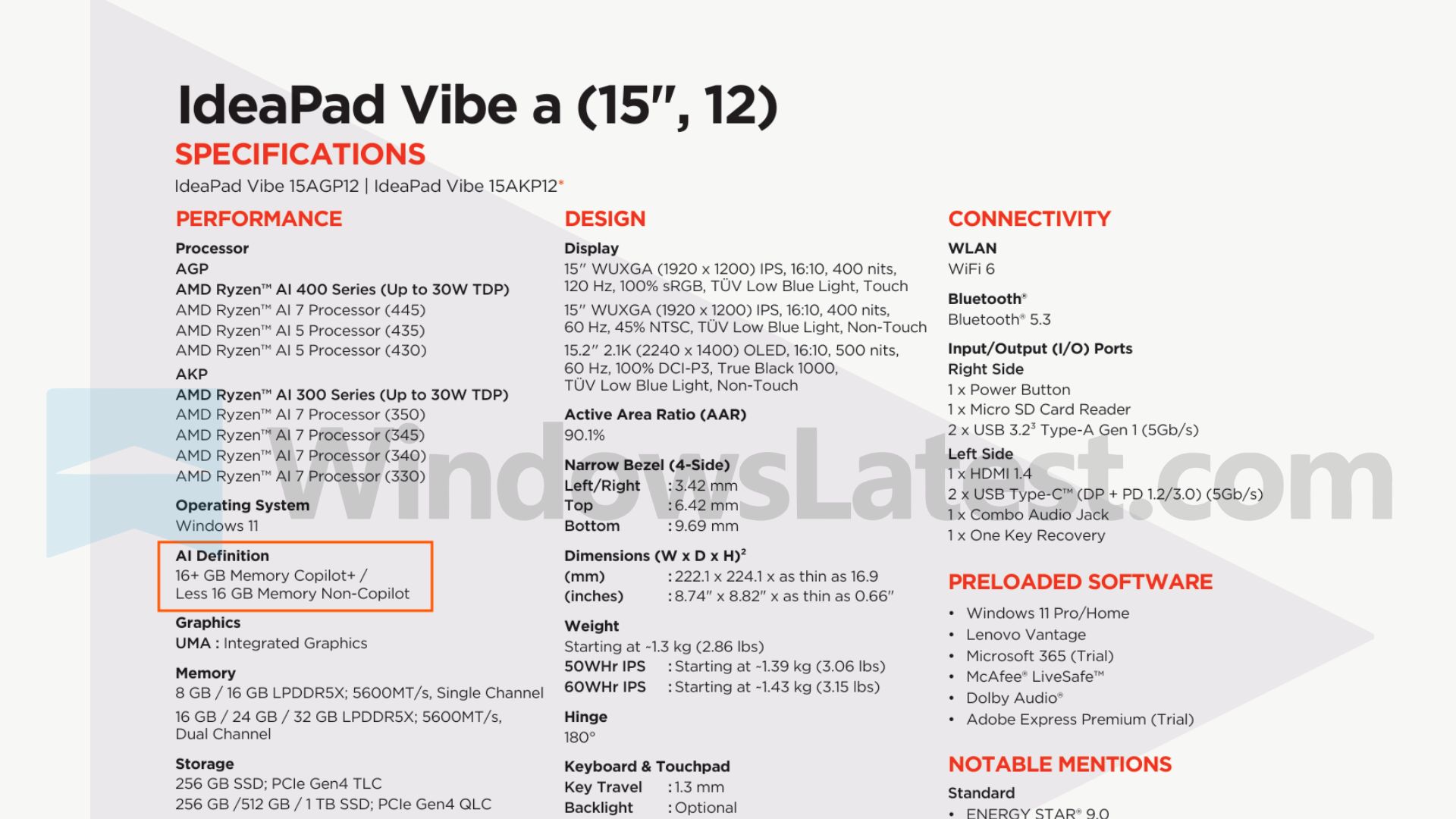
Even Snapdragon X laptops, which launched as 16GB Copilot+ PCs in 2024, now come with half the RAM, like the HP OmniBook 3, which Best Buy lists at $600 with 8GB. Lenovo is also preparing 8GB IdeaPads that can’t carry the Copilot+ badge.
Terrible times for buyers, but it would be even worse if Windows 11 kept eating 5GB at idle on these machines.
Ironically, the RAM shortage comes from the AI data center rush, which Microsoft is a big part of. In my opinion, a leaner Windows 11 is one of the few good things the AI boom has given PC users, even if indirectly.
Credit where it’s due, Microsoft delivered a visible improvement on both a used laptop and a clean install. But a smaller number in Task Manager is only half the job, as 8GB PCs need to feel fast once you open Chrome, Teams, and a few work apps. Have you noticed less RAM usage on any 8GB PC after updating?