








You can give a file in Windows 11 a 200-character name full of spaces and emojis, but heaven forbid you try naming a file or folder just CON, because File Explorer flat-out refuses. CON, PRN, AUX, NUL, COM1 to COM9 and LPT1 to LPT9 are reserved device names, and Microsoft engineer Raymond Chen tracks their origin to DOS 1.0, a version that didn’t even have folders!
Windows Latest tested it on a Windows 11 26H2 PC and spotted that one part of the rule doesn’t work the way Microsoft’s documentation says.
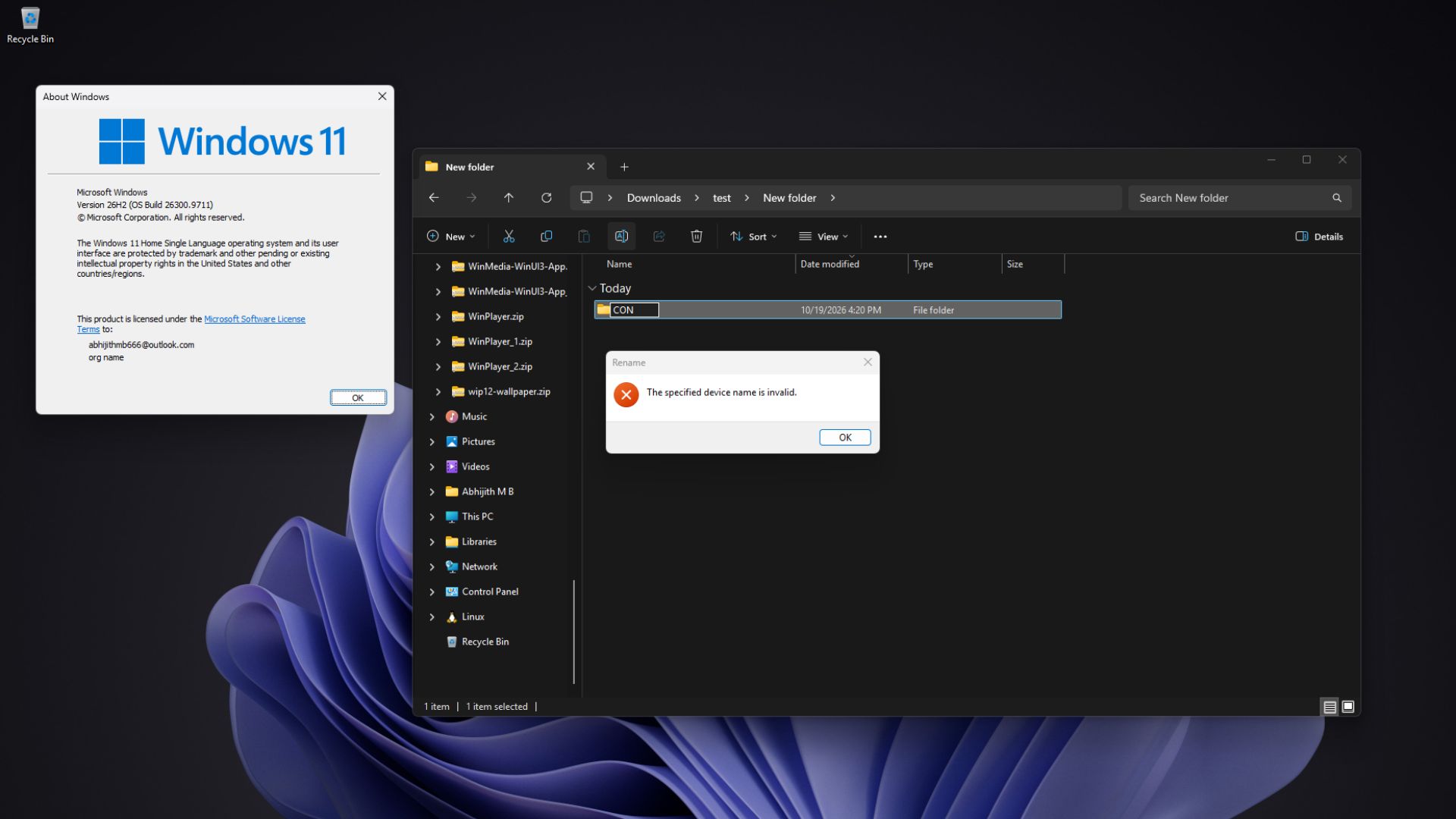
Windows 11 still treats CON, NUL and COM1 as devices, not file names
Each reserved name corresponds to a device, and NUL is a device that throws away whatever you send it.
| Reserved name | What it points to |
|---|---|
| CON | Console (keyboard and screen) |
| PRN | Printer |
| AUX | Auxiliary device |
| NUL | Null device (discards output) |
| COM1 to COM9 | Serial ports |
| LPT1 to LPT9 | Parallel (printer) ports |
Microsoft’s file naming documentation doesn’t mince words. “Do not use the following reserved names for the name of a file,” it says, and the rules apply to folders too, since Windows thinks of a folder as a special type of file.
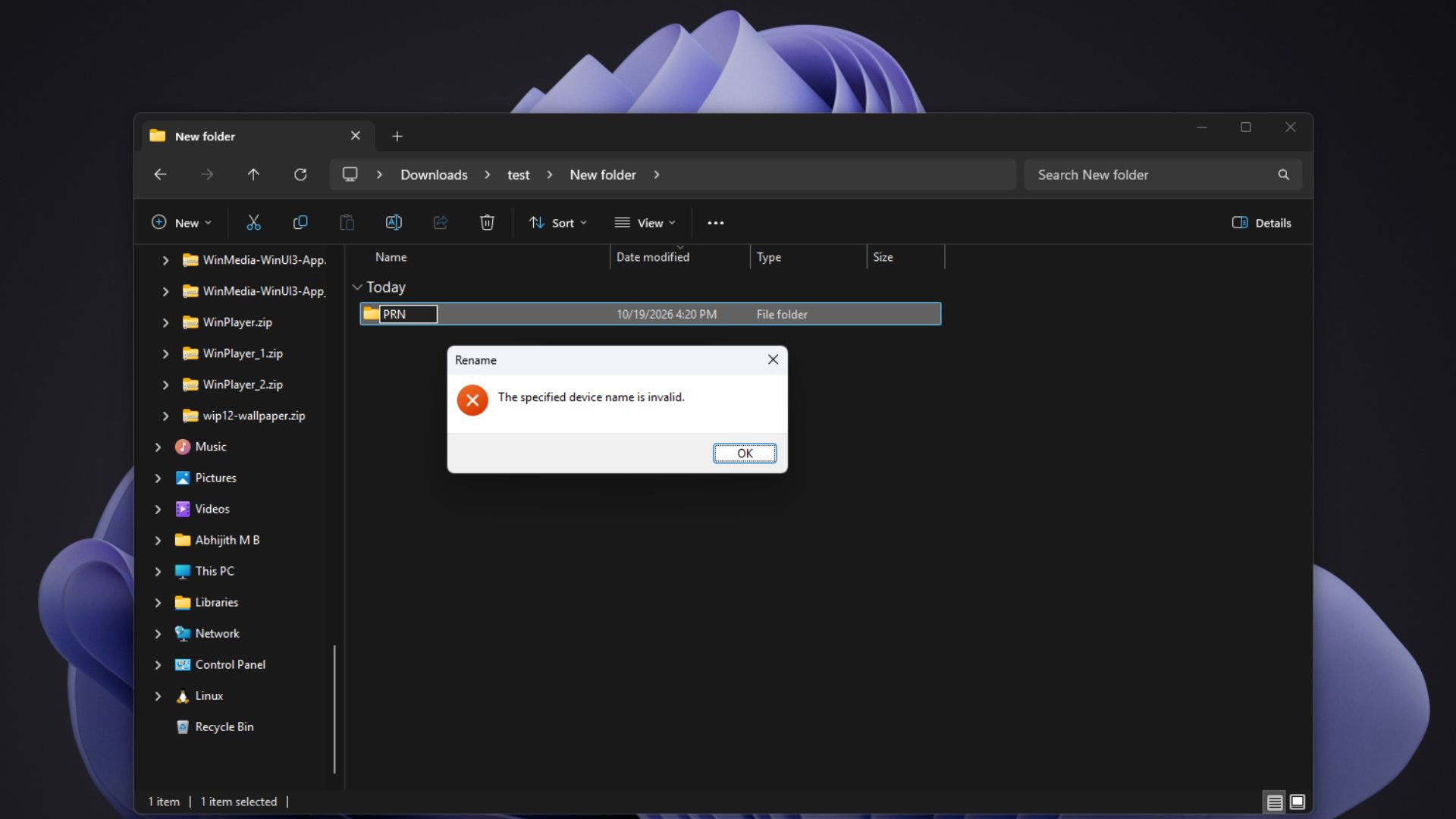
Adding an extension isn’t supposed to help (Spoiler alert! It does). According to Microsoft, “NUL.txt and NUL.tar.gz are both equivalent to NUL.” Even superscript digits are not exempt, as Windows reads ¹, ² and ³ as digits, so COM¹ and LPT³ are reserved “in every directory.”
Architecturally, COM1 is a link to the serial port inside the Windows kernel, which Microsoft calls an MS-DOS device name, so typing COM1 reaches the port, not a file.
Raymond Chen explains why a DOS 1.0 rule is still active in Windows 11
In a 2003 post on his Old New Thing blog, Chen explains that “DOS 1.0 didn’t support subdirectories, lowercase, or filenames longer than 8.3,” the limit behind Windows 11’s oldest system file names.
Back then, if an assembler asked where to save its listing and you wanted it printed, “you typed ‘PRN’ as the filename.” Typing NUL threw the output away, and CON sent it to the screen.
With only one directory on the disk, there was nowhere else for the magic names to work. Once we got folders, Chen mentioned that if the names didn’t work inside them, you couldn’t switch to a folder, run the assembler, and type NUL to get rid of the output. So, the names became magic in every folder.
But we are far away from anything close to DOS; then why are such rules still around in 2026? “Because everybody still relies on them,” Chen wrote. Batch files hide output by redirecting it to >NUL, scripts check whether a folder exists with “if exist directoryname\nul,” and old guides tell you to create files with “copy CON.”
As a coincidence, if the rule is removed, every script that redirects to NUL would start writing real files.
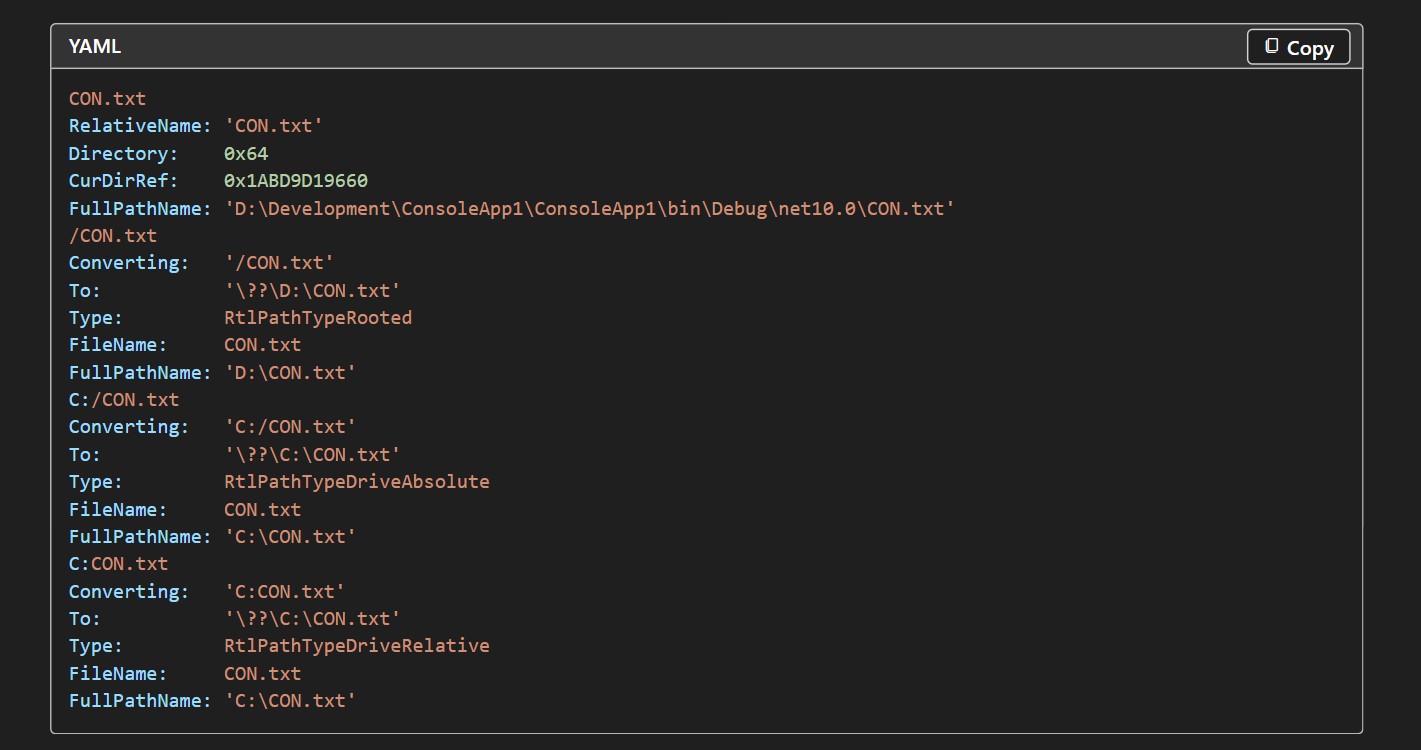
I tried the DOS-era rule on Windows 11 26H2, and NUL.txt slipped through
On my PC running Windows 11 26H2, renaming a new folder to CON gave me “The specified device name is invalid,” and PRN, AUX, NUL and COM1 got rejected too.
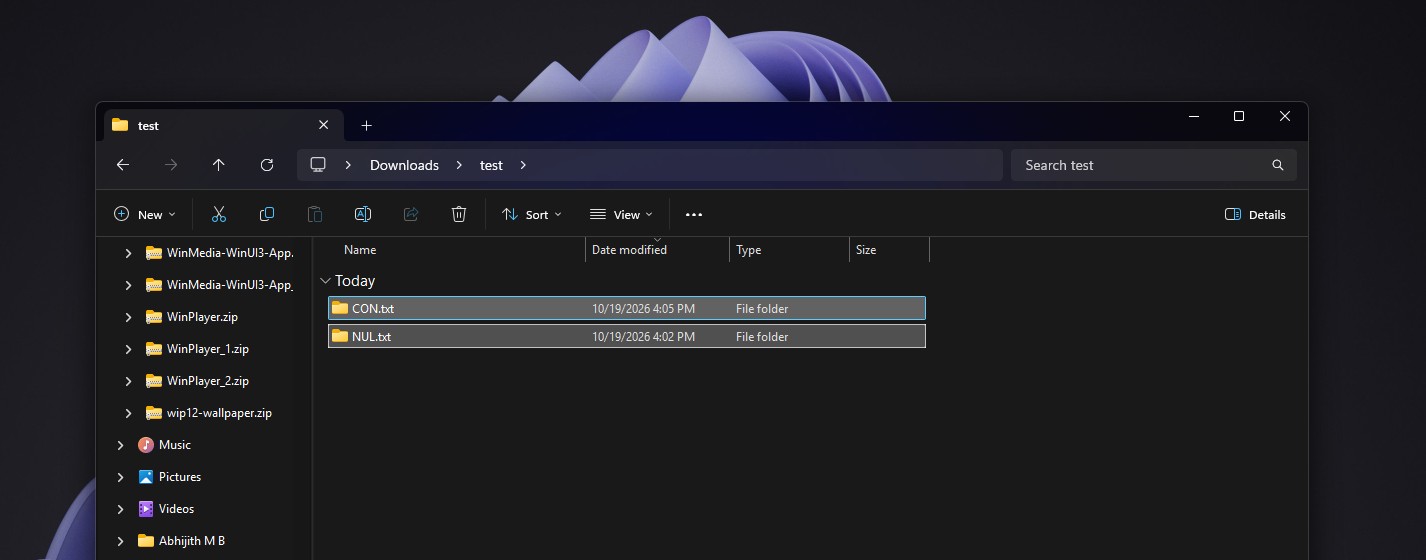
However, NUL.txt went through without a complaint, and so did CON.txt, even though Microsoft’s documentation still says NUL.txt equals NUL.
Well, if Microsoft isn’t updated, developers who dug into Python’s Windows support noticed back in 2022 that Windows 11 stopped treating device names with an extension as special when it processes file paths.
Unfortunately, such files can act strangely. One user on Microsoft Q&A found that PowerShell could list NUL.txt but couldn’t open or delete it, and a community advisor replied that “the result may be unpredictable.” Maybe that’s why Microsoft insisted NUL.txt and CON.txt don’t care about the extensions.
For a bit of fun, you can use Command Prompt to show the old DOS magic. Running echo hello > CON printed “hello” on screen instead of creating a file, and echo test > COM¹ failed, just like Microsoft documents.
So, Windows 11 did relax the rule just enough to let NUL.txt through, but CON is still considered a device, and not a file name. Like the Windows 95 heap manager that still ships in Windows 11, it’s one more relic Microsoft can’t remove without breaking someone’s 30-year-old batch file.