




Windows 11 26H2 may look like a boring annual update (because it is just an enablement package), but as it turns out, it arrives after months of performance work that many PCs didn’t get because of Microsoft’s gradual rollouts.
So, a bunch of users are experiencing better performance with Low Latency Profile, which speeds up the Start menu, Search, and app launches. And best of all, some users, including me, are seeing noticeably lower RAM usage after the 2026 update.
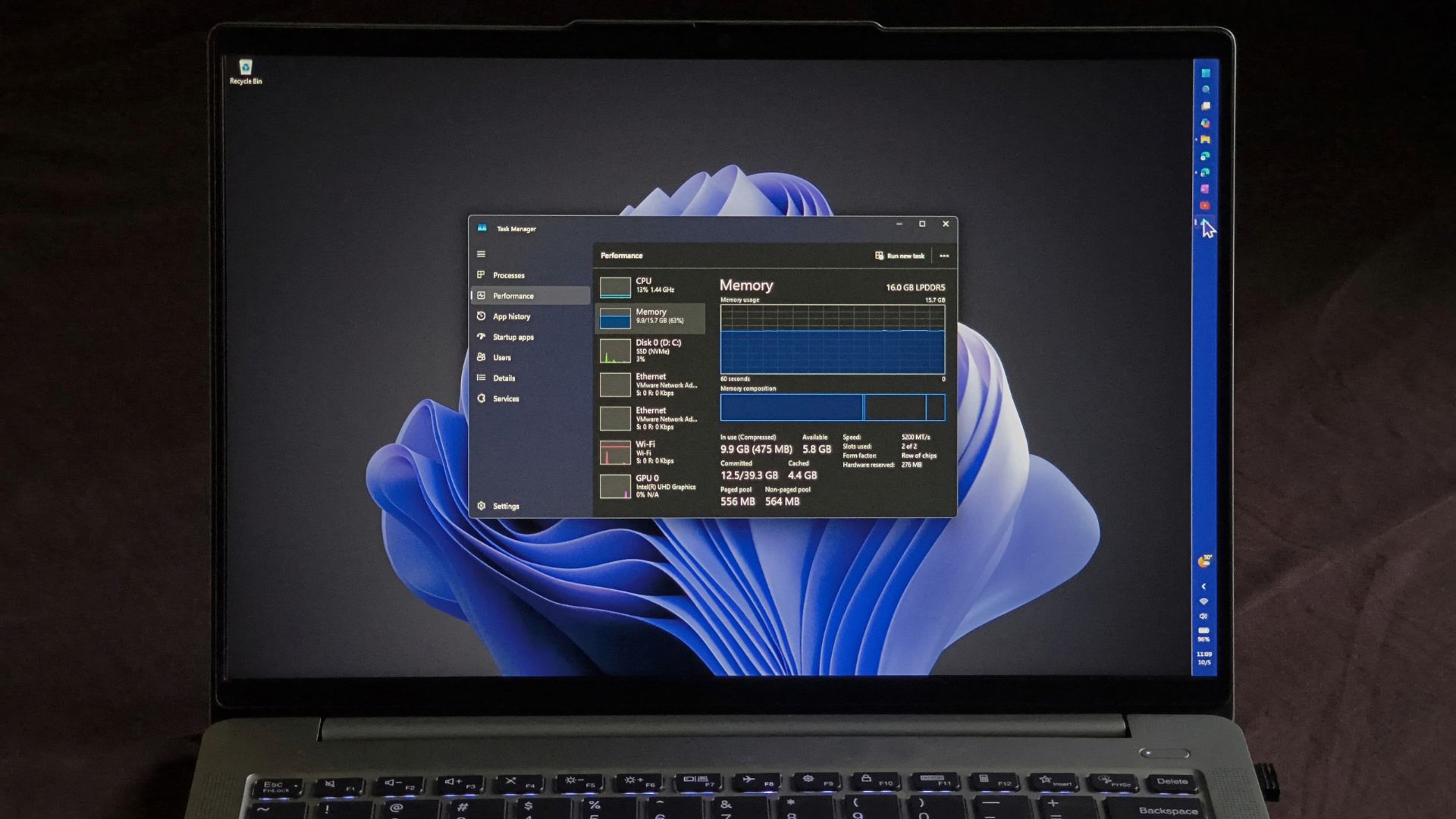
I installed 26H2 on my three-year-old 16GB laptop and noticed RAM usage reducing by as much as 2GB.
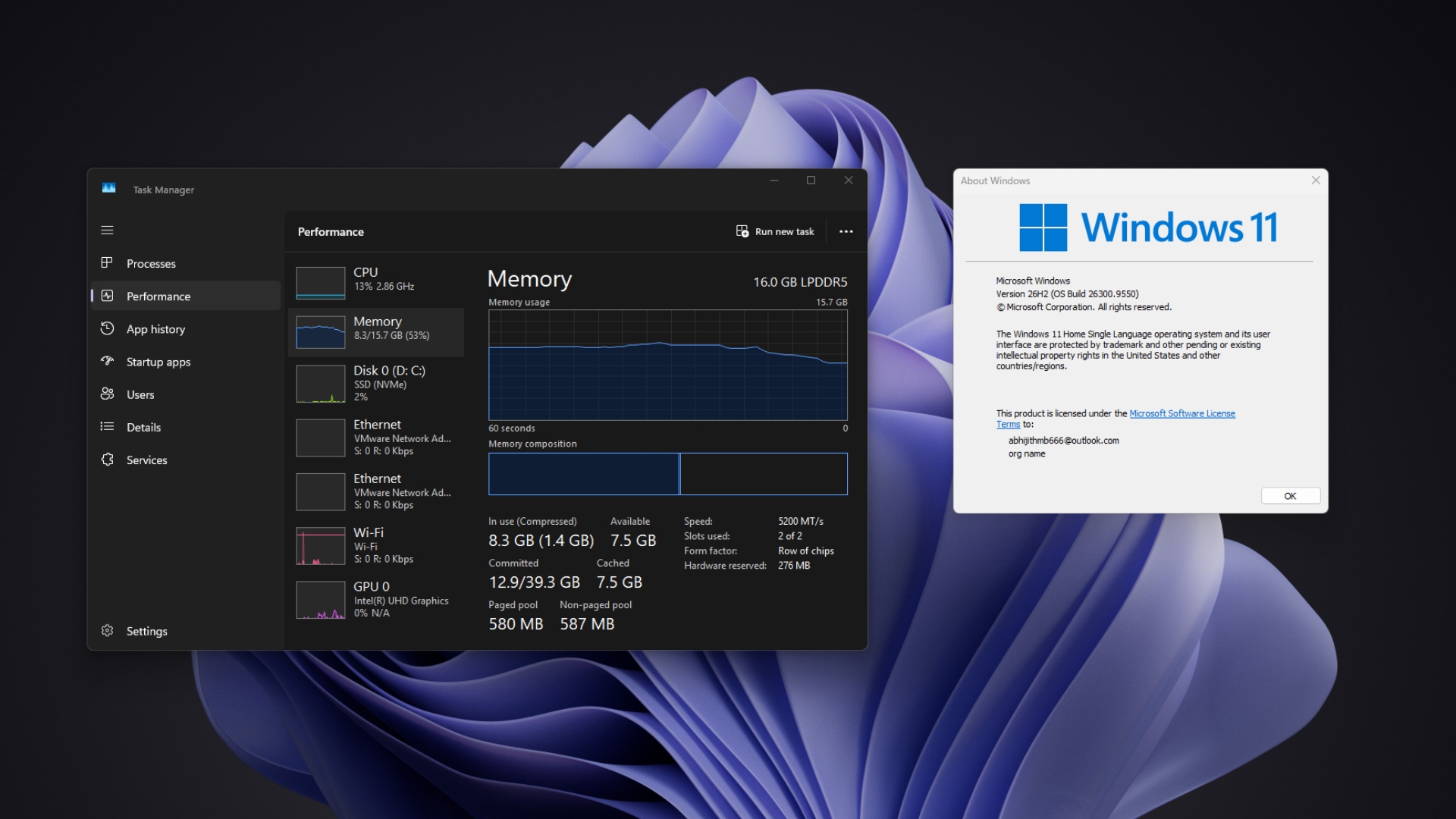
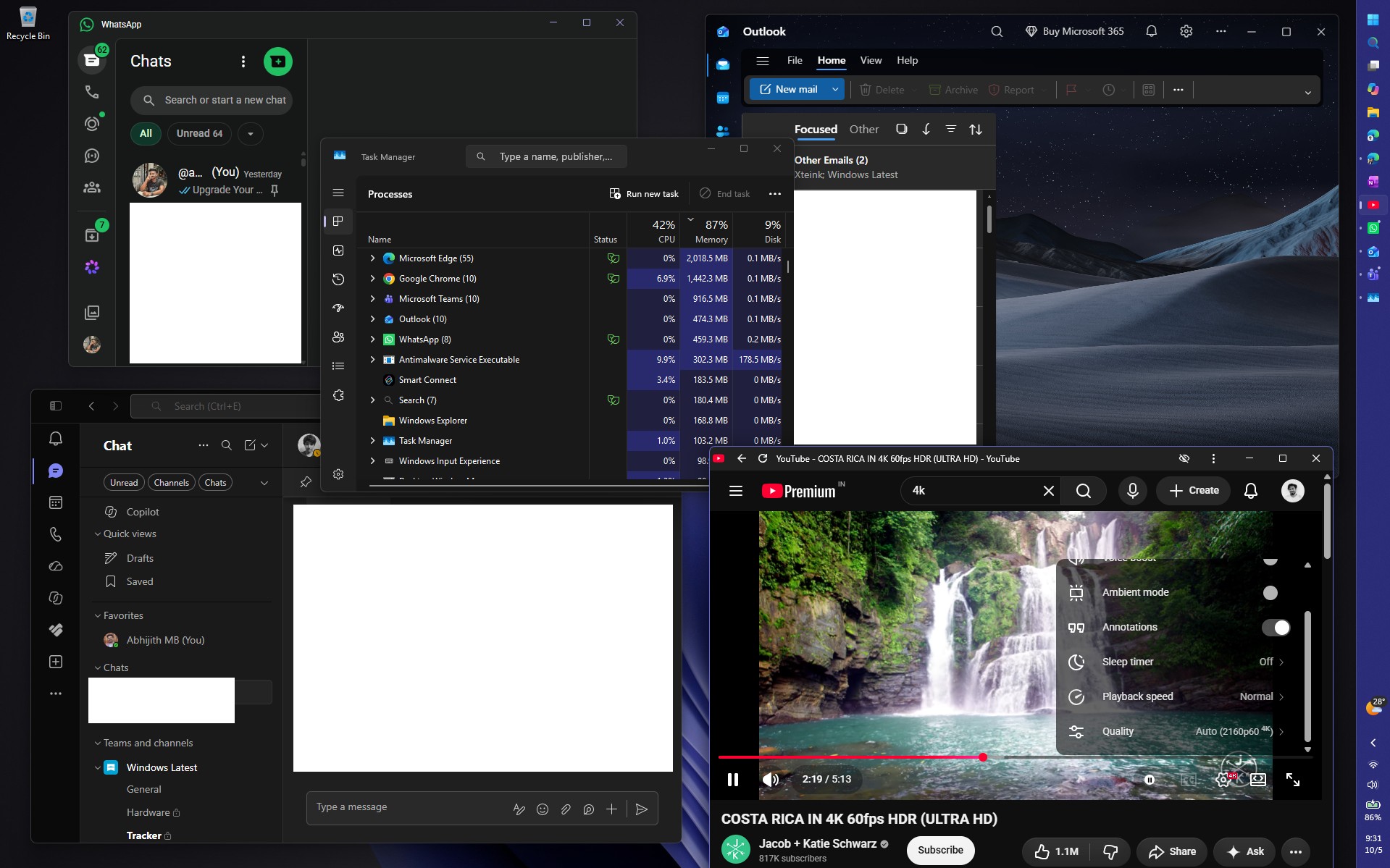
Windows 11 now uses far less RAM after a restart, and even with Edge, WhatsApp, Teams, Outlook, and a 4K 60fps YouTube video running together, memory usage stayed below 90%. Usually, that kind of workload easily pushes my laptop to 95% RAM utilization.
Windows 11’s Low Latency Profile is making the whole OS feel snappier
Windows 11 24H2, 25H2, and 26H2 share one servicing branch, and 26H2 is just an enablement package. Microsoft’s what’s new page says many of its features “have already been delivered through monthly servicing updates,” and that 26H2 “enables selected features and resets the support lifecycle.”
Low Latency Profile is one of those features. When you open the Start menu, Search, Notification Center, or an app, Windows pushes the CPU close to its maximum frequency for one to three seconds, finishes the work, and lets the processor drop back to idle sooner. It’s called “race to sleep,” and it targets the little pauses that make Windows feel slow even when the CPU isn’t busy.
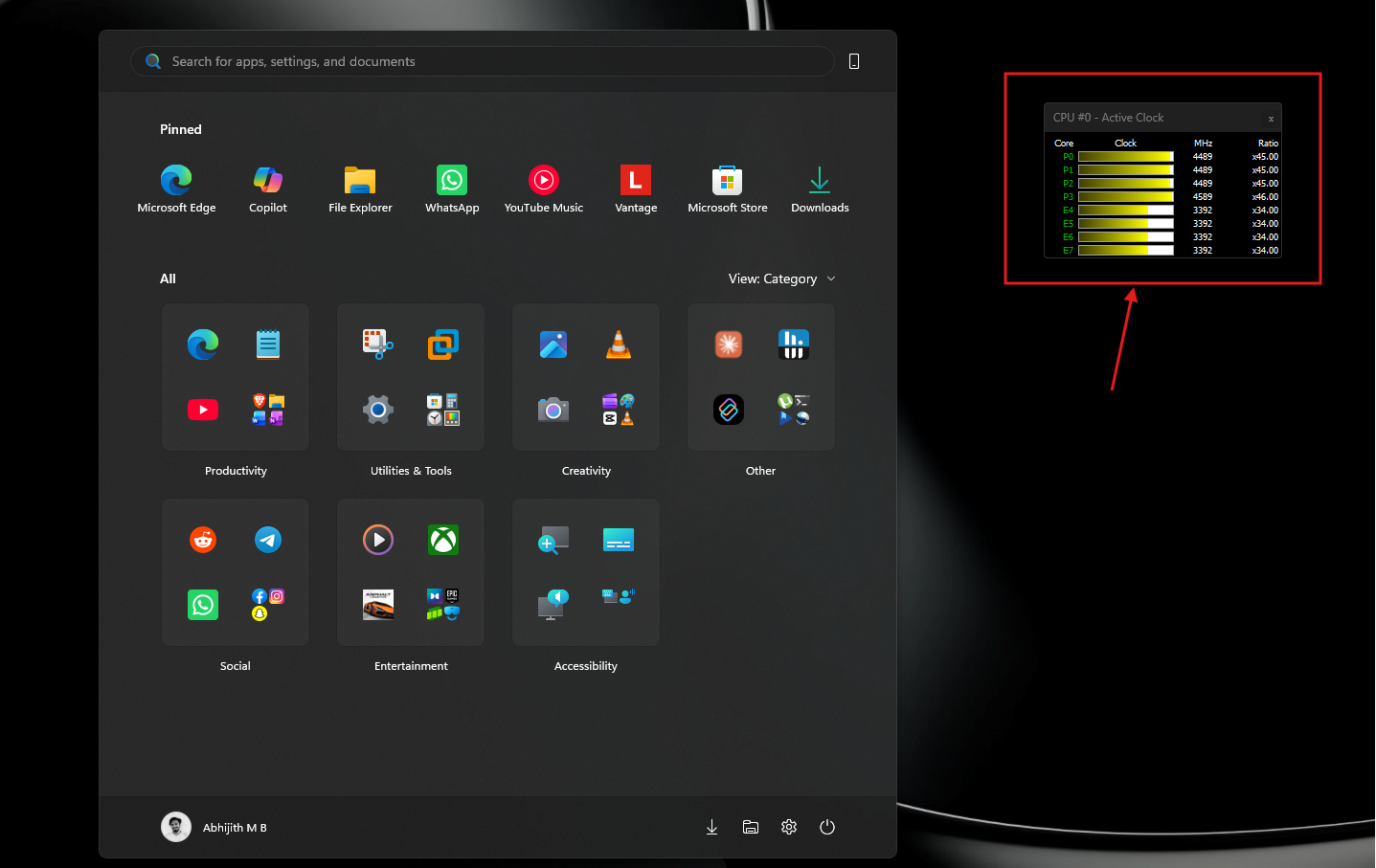
Microsoft rolled it out for shell elements in June, and the August update extended Low Latency Profile to app launches. In our before-and-after testing on one PC, apps like WhatsApp, Calculator, and even the RAM-hogging Weather app opened much faster.
However, Microsoft used controlled feature rollout, so two PCs on one update could get different results, and many people had to force it with ViVeTool. Even when we tested 26H2 in August, the version bump didn’t switch features on by itself.
Since 26H2 now rolls up everything from the past few months, both the shell and app launch boosts should be on for most PCs that move to it, which makes the whole OS feel snappier.
My 16GB Windows 11 laptop is suddenly using much less RAM after 26H2
On Reddit, a user reported that RAM usage on boot dropped by around 2GB after the 26H2 update, on a PC with 48GB of RAM. Another user on X said usage on their 32GB PC fell from 9.1GB on 25H2 to 7.5GB on 26H2, while an 8GB PC owner saw no change at all, still at 96%.
My RAM numbers look similar. Right after a restart, Task Manager showed 7.0GB in use out of 15.7GB, which is 45%, with 4GB cached and 8.8GB available. Before, this laptop would often cross 10GB before I even opened an app. The 7GB shown could’ve been smaller if it weren’t for the startup apps: Lenovo Smart Connect, Plex, Quick Share, PowerToys, WhatsApp, Teams, and more.
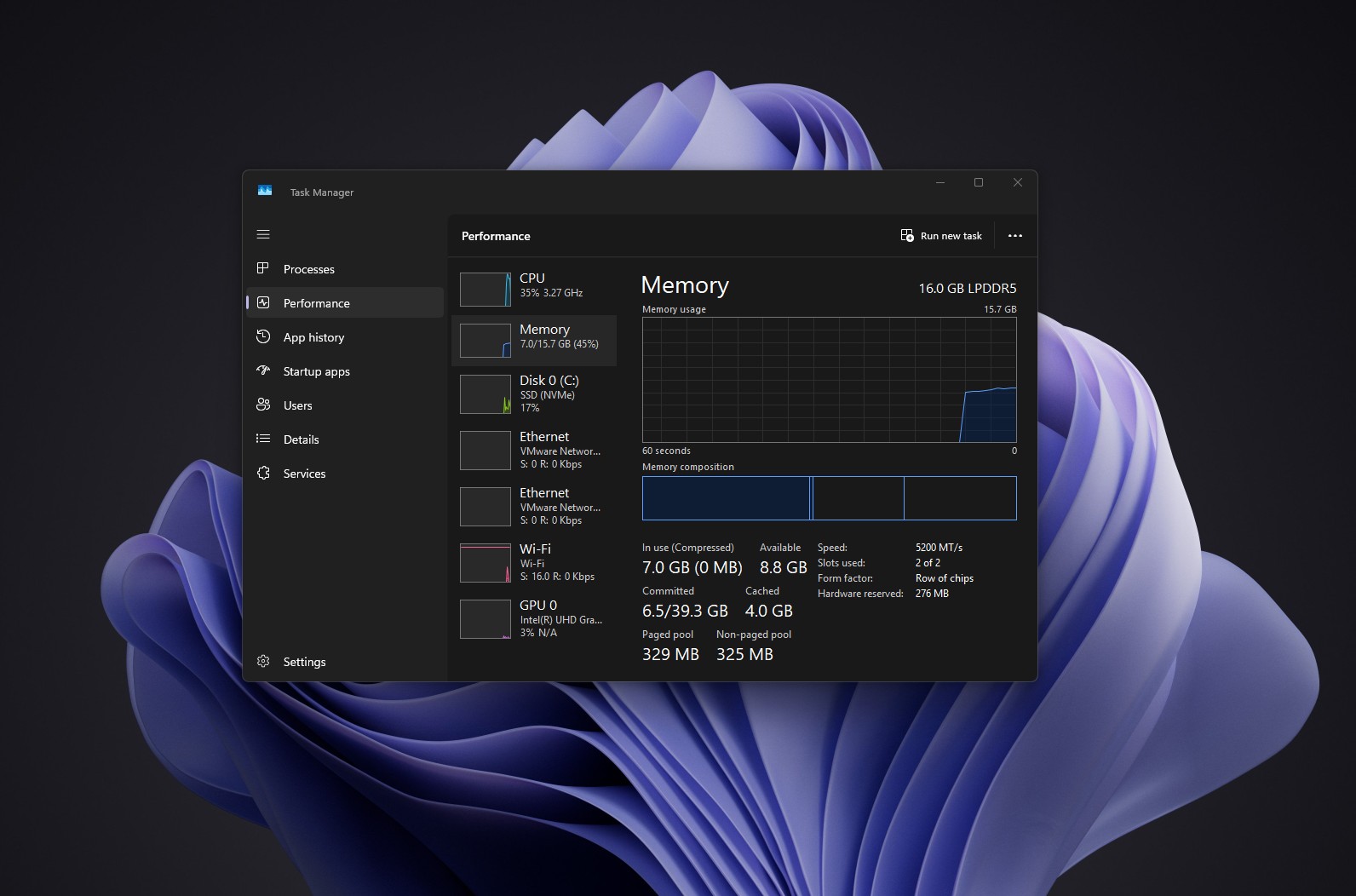
Keep in mind that high RAM usage isn’t always bad. Windows uses free memory to cache data it thinks you’ll need, and releases it when an app asks for more.
To push it, I opened WhatsApp, Teams, and Outlook alongside Edge with a bunch of heavy tabs, and played a 4K 60fps video on YouTube. Of course, this is a stress test scenario, but even then, Memory usage hovered around 87%. I know that my PC would have touched 95% in milder tests.
Out of curiosity, I then added Microsoft Store, Paint, Lenovo Vantage, Notepad, Spotify, and Raindrop.io, and memory usage still stopped at 89%, roughly 14GB. Interestingly, Edge seemed to give up memory as I opened more apps, and took more back once I closed them.
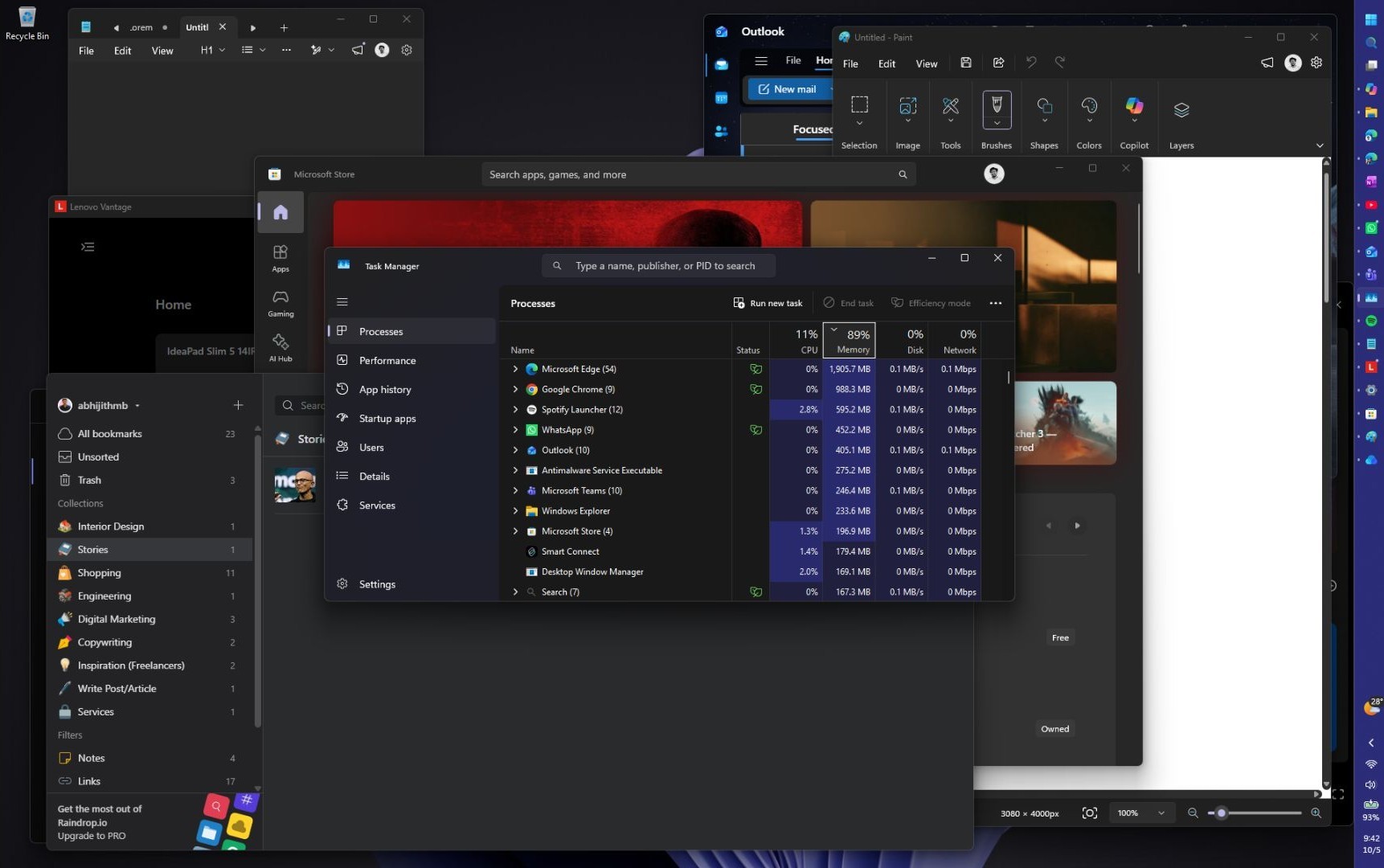
Of course, this would have easily gone above 95% RAM a few weeks ago, but we’re unaware of what part of Windows Microsoft optimized here.
I’ve always regretted buying a laptop with soldered RAM, because it was always stuck between 90% and 95%. Now, maybe I don’t need a new laptop just yet!
Obviously, your mileage may vary. Startup apps, cached memory, app versions, and how Edge manages its tabs can all change these numbers, so this doesn’t prove 26H2 itself cut RAM usage, especially since Microsoft hasn’t uttered a word that they already improved it.
We all assumed the RAM optimizations were coming later.
Microsoft promised to reduce Windows 11’s RAM usage, but 26H2 isn’t the whole story
Back in March, Microsoft said Windows 11 would run faster under heavy load and reduce RAM usage. In July, they made memory optimization for 8GB and above an official priority, and at IFA, they promised faster boot and better 8GB performance.
Pavan Davuluri also said the rising cost of memory is why Microsoft is working on the memory manager, memory compression, WinUI, and WebView2. WinUI just got a memory growth fix, too.
It’s strange that Microsoft didn’t list any RAM reduction among 26H2’s changes, because this is a very welcome change.
26H2 is probably just when months of optimization work became visible on many users’ PCs. But I have always been enabling features with ViVeTool, so that isn’t what happened here, at least for me.
The 8GB reports also suggest the work isn’t fully there yet, and our 26H2 test PC in August only had 4GB of RAM, which may be why we didn’t notice anything then.
Windows 11 has quietly been getting faster all year
Microsoft’s 26H2 page also calls out a faster and more responsive File Explorer, after months of work that made it faster without preloading. This, combined with Low Latency Profile, a faster Search, WinUI fixes, and memory work, means you get many small changes while using the OS.
However, using a PC involves third-party apps, and that’s where we need more optimizations. Electron apps like Discord are notoriously RAM-hungry. WhatsApp is probably the most popular, least optimized app in Windows. With Microsoft deleting its 32GB RAM recommendation as memory gets expensive, we hope developers take note and go the native route with app development. AI has enabled making WinUI apps easier than ever, especially with Microsoft wholeheartedly supporting vibe coding.
26H2 is a tiny enablement package, but Microsoft has spent 2026 fixing Windows 11 piece by piece. While Low Latency Profile is easy to verify, RAM drop isn’t.
I’m hoping Microsoft has more to say about RAM optimization in the upcoming October 7 event. Either way, my PC feels lighter than it has in a long time, and that gives me a lot of hope for Windows 11.