






Microsoft’s Windows chief Pavan Davuluri has admitted that the rising cost of memory is pushing the company to make Windows 11 use less RAM. Microsoft is working on the Windows memory manager, memory compression, WinUI 3 and WebView2, and has made “memory optimization for 8GB and above” an official priority for the rest of 2026.
In an episode of Microsoft’s Inside Windows podcast spotted by Windows Latest, a Surface Pro owner asked if Microsoft would improve memory consumption, since they had to disable on-device AI services just to run a local model.

“I do think memory is top of mind for us right now in the industry, especially as we look at the rising cost of memory for computers across the board,” said Davuluri. “For us, as a Windows team, we have clear efforts around driving better utilization of memory.”
Davuluri said this in May, and on July 31, Microsoft made it official, listing “Memory optimization for 8GB and above” as one of its new Windows focus areas.
Saying RAM is expensive is a huge understatement, but the effect is that OEMs are bringing 8GB laptops back, and hopefully, Windows 11 won’t choke on it.
Microsoft says Windows 11 itself needs to get better at using RAM
Davuluri wasn’t promising a RAM cleaner app. He described work at every layer, from the memory manager inside Windows to the “efficiency of frameworks that live on top of Windows,” so both apps and the OS use less memory.
“We do definitely have work when it comes to compressing memory and making sure we’re more efficient on the platform,” he said.
Marcus Ash, CVP of Design and Research, added that teams like Widgets and File Explorer are taking a scenario-based approach. “They’re really trying to figure out for a given scenario, how do I improve memory efficiencies.”
Davuluri followed up, saying: “You only take the memory cost as and when you use the capability. Otherwise, the base system gets a little bit more efficient across the board.”
So, Microsoft isn’t trying to make every part of Windows tiny. Optional features, including AI, should only eat RAM when you use them, while the base OS gets lighter. Davuluri also promised “better choice and end user control around AI,” which is good news for that Surface Pro owner, and the rest of us!
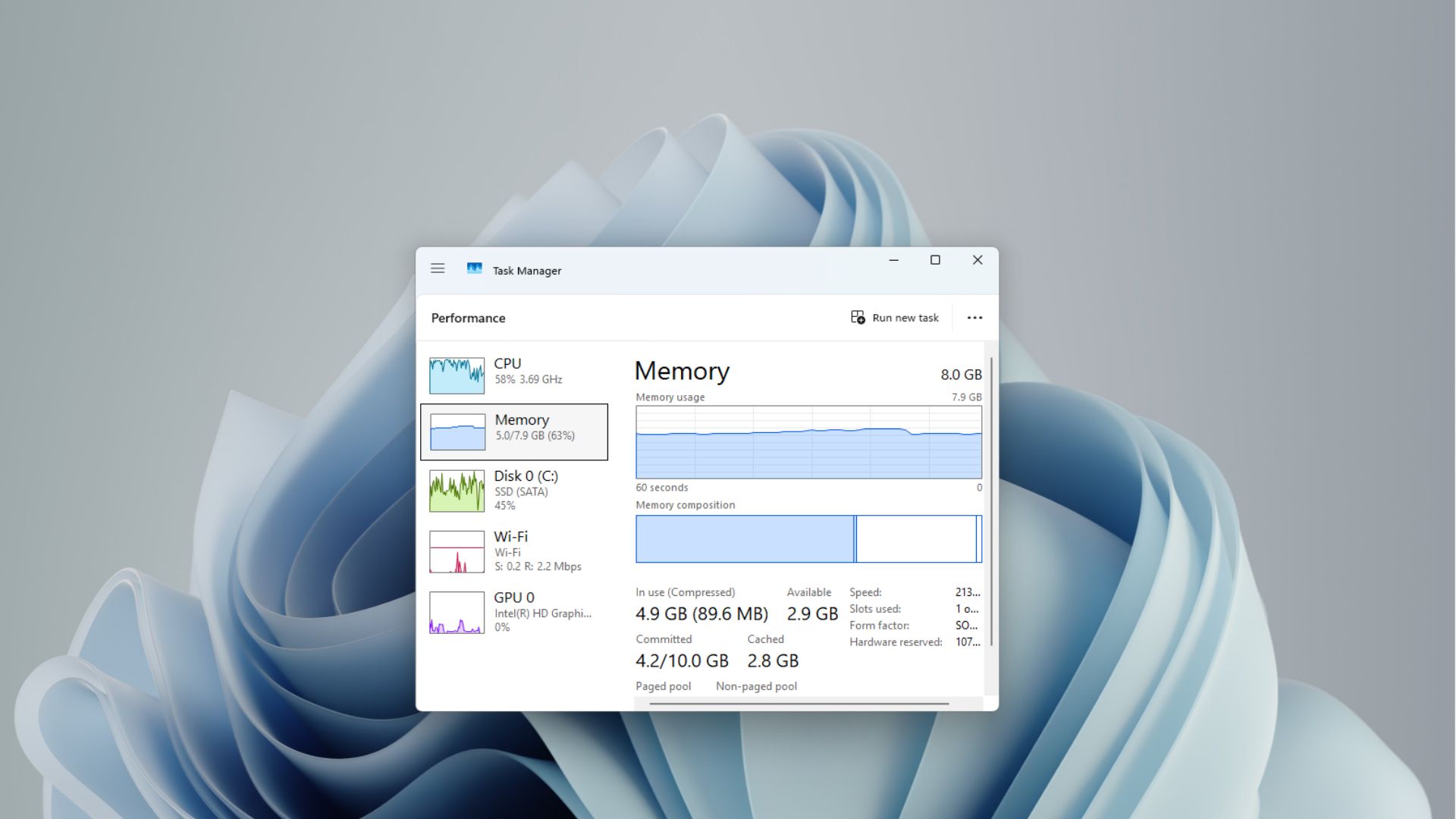
Later in the podcast, Davuluri said Microsoft is modernizing Windows with WinUI 3, starting with Run and common File Explorer dialogs. WinUI itself just got basic controls and a memory fix, and in July, Microsoft said it is tuning WinUI 3 “so that apps built on it use less memory by design.”
Microsoft helped create the RAM problem before putting Windows on a diet
For years, the answer to a slow Windows PC was simple: Buy more RAM.
Windows 11 still needs just 4GB (minimum requirement, that is), but Microsoft made 16GB the baseline for Copilot+ PCs, all while adding more and more web-based UI elements and making first-party web apps, having no regard for RAM usage.
Then memory prices exploded, and Microsoft started selling an 8GB Surface Laptop for $1,299, calling 8GB fine for everyday use, and even deleted its 32GB RAM recommendation from its docs.
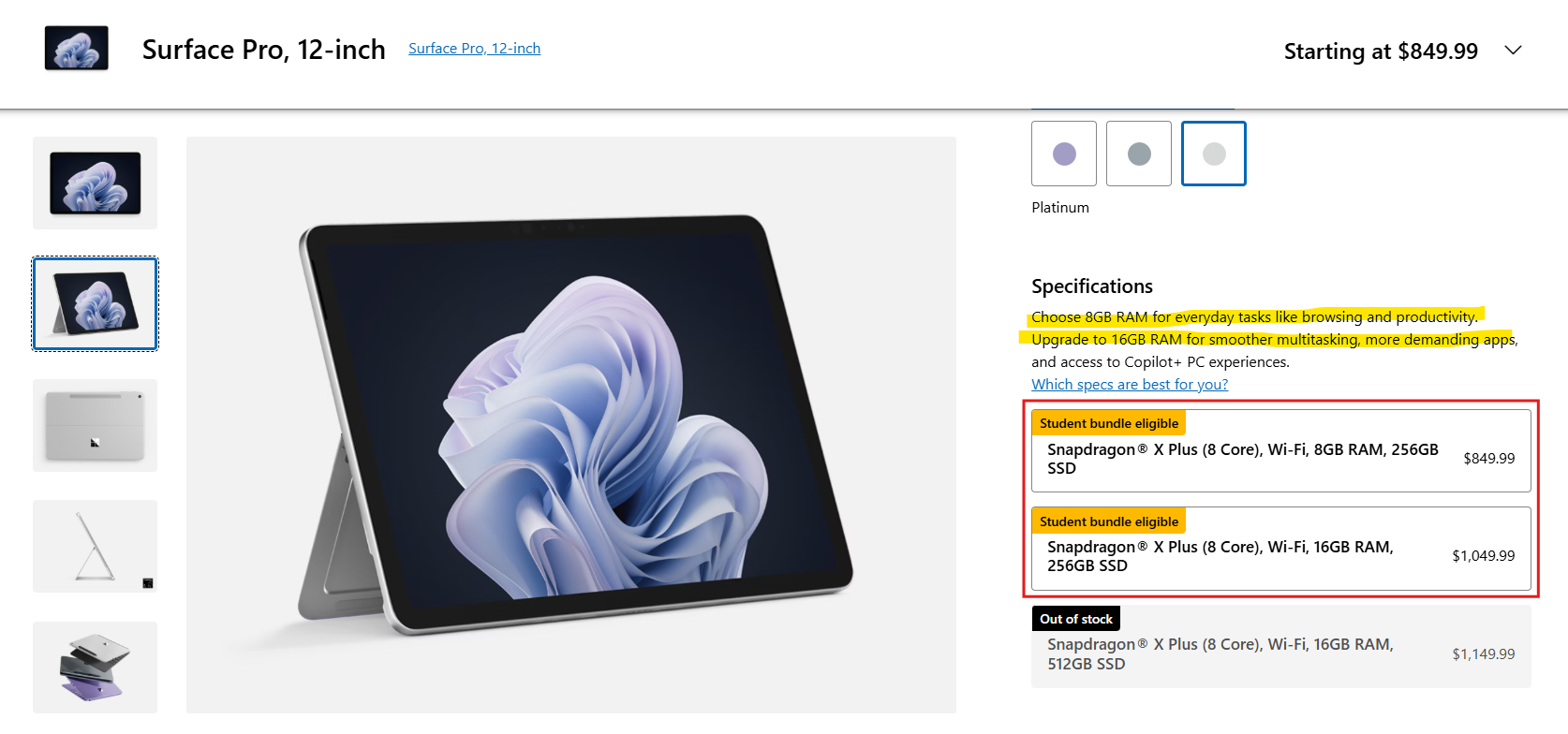
OEMs followed, with 8GB Windows 11 laptops, including Lenovo’s MacBook Neo rival.
On the flip side, Microsoft also built a special Windows 11 for power users that needs 64GB of RAM.
The AI boom made memory more expensive
Microsoft partnered with OpenAI in 2019 with a $1 billion investment, expanded it with a multibillion-dollar deal in 2023, and in January 2025 said it expected to spend about $80 billion that fiscal year on AI-enabled datacenters.
Meanwhile, memory makers shifted fab capacity toward High Bandwidth Memory (HBM) and server-grade DRAM to feed AI datacenters. According to TrendForce’s latest memory industry report, conventional DRAM contract prices climbed throughout 2026 as suppliers prioritized advanced nodes for high-performance servers, with prices rising another 10% to 15% quarter-over-quarter in Q4.
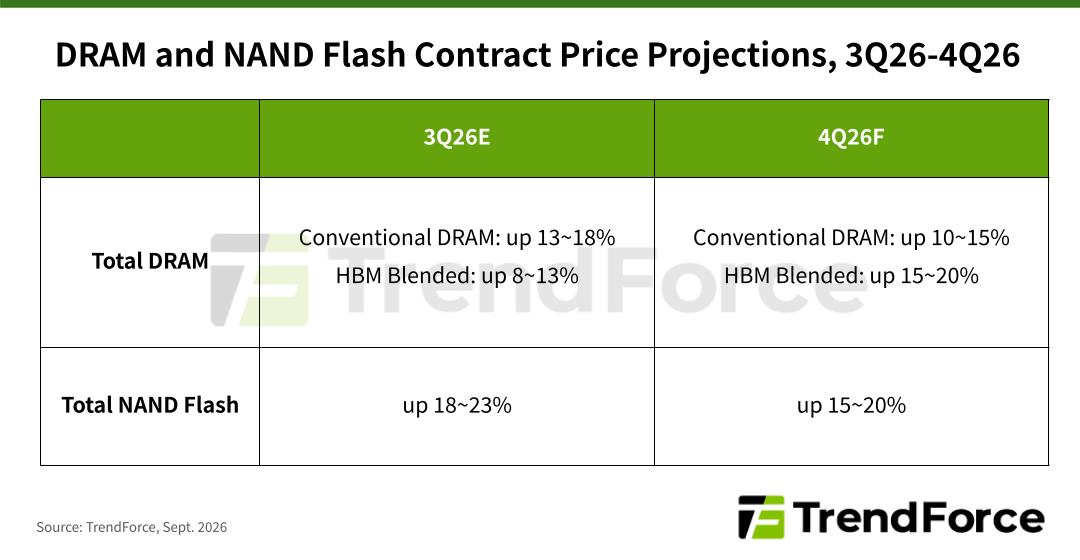
While enterprise server demand absorbed the lion’s share of production, it was us who felt the direct squeeze, as consumer PC memory module costs were pushed up, forcing PC makers to reconsider base configuration specs.
To be clear, Microsoft didn’t single-handedly cause RAM prices to explode. But it was at the front of the AI spending wave that changed the economics of memory, and now, the Windows team has to make the OS lighter because memory got too expensive. This is textbook irony.
Why Windows 11 uses so much RAM, and what Microsoft is doing about it
When you see users complaining about Windows 11’s RAM usage, there is usually a misunderstanding about how Windows manages memory. The OS operates on the principle that idle RAM is wasted RAM, so the Windows Memory Manager and the SysMain service aggressively prefetch frequently launched apps into the Standby cache.
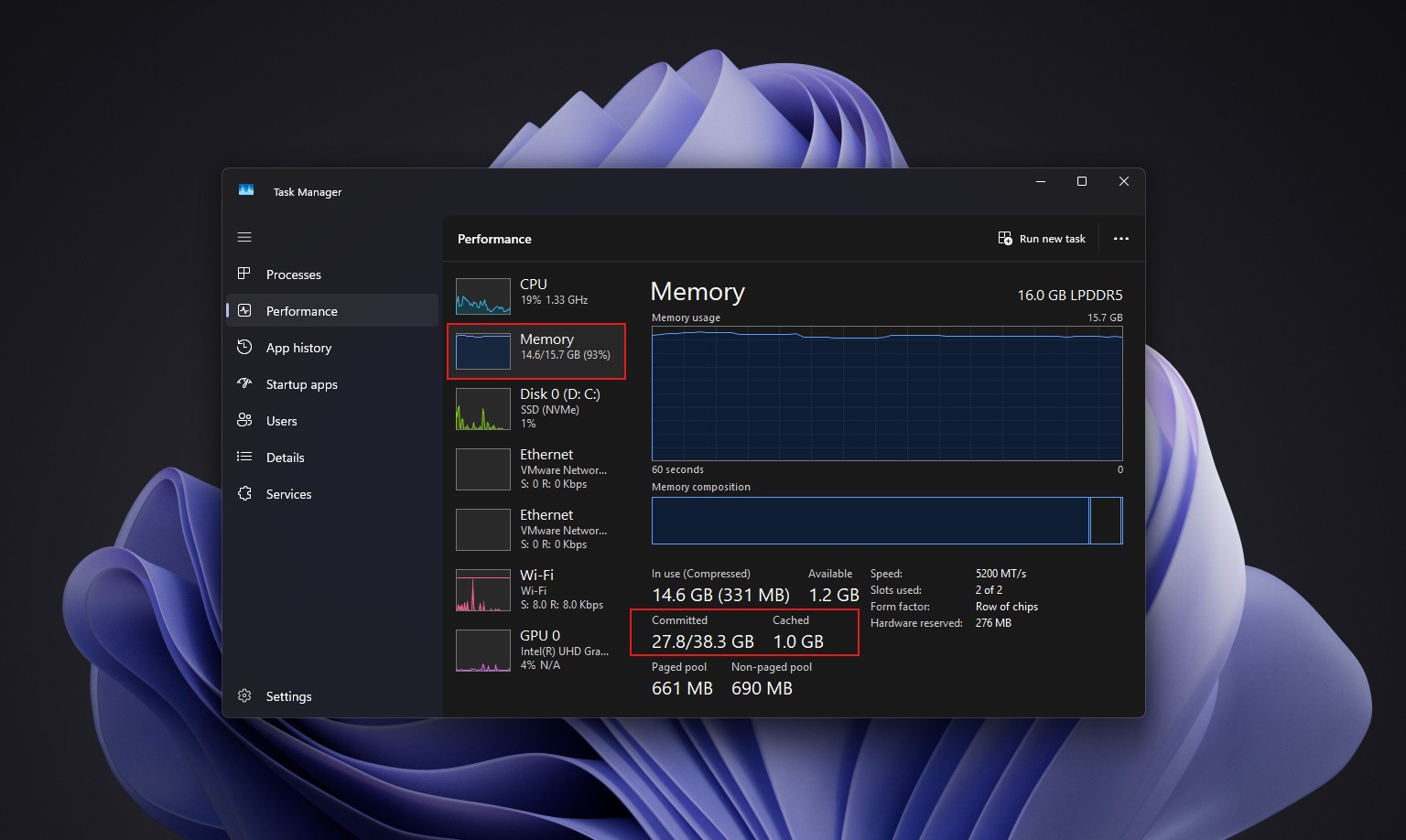
Note that this cached data doesn’t reduce your available headroom, and as soon as an active workload needs memory, Windows instantly discards or repurposes those standby pages without a performance drop.
But what I don’t accept is unnecessary RAM wastage due to poor app and OS optimization, and you might’ve guessed it already: I am indeed talking about web apps and web-based UI elements in Windows 11.
WebView2 is the Chromium-based engine behind many Windows features and Microsoft’s apps. Every WebView2 instance is a small browser instance.
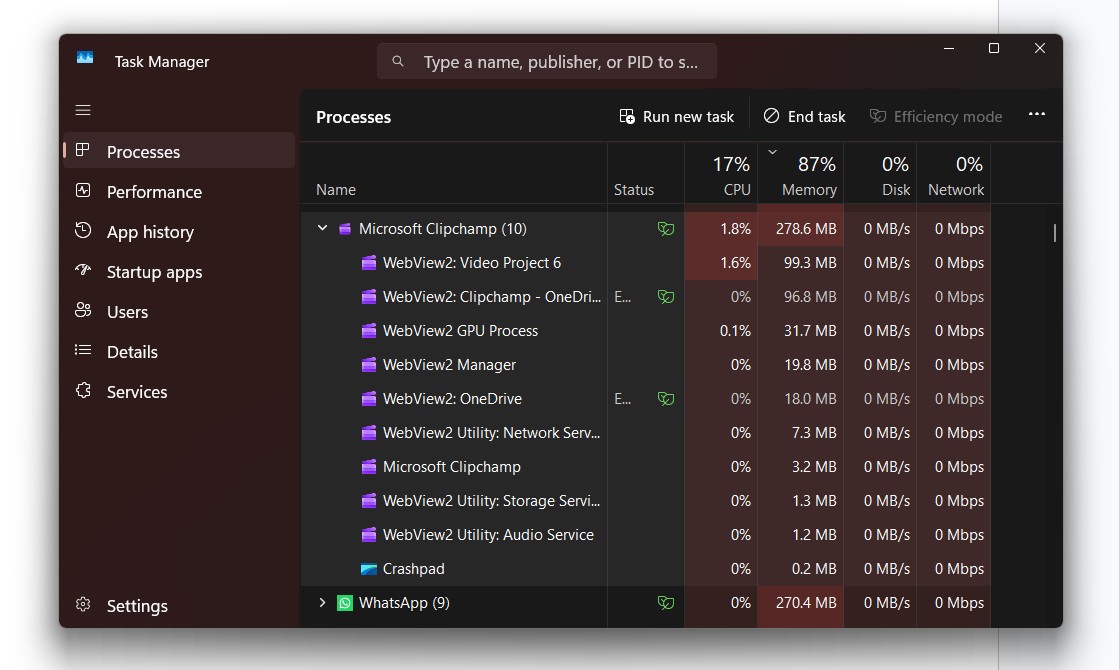
In its July update, Microsoft said it has moved to “a more efficient memory allocator to reduce overhead across apps and components,” and is “driving efficiencies across Chromium and Webview2 components when they appear in the operating system.”
Most of this work is still in Insider builds, though features like CPU boost already made a 10-year-old PC feel surprisingly new in our testing. Microsoft also promised faster boot and better 8GB performance without sharing any numbers.
Microsoft’s apps are a big part of the problem. Teams famously eats RAM while doing nothing, and Microsoft’s answer has been an efficiency mode, not a native app. Third-party apps using Electron and web components aren’t any better, with WhatsApp eating 1.2GB and Discord’s Electron app acting as one of Windows 11’s biggest RAM offenders.
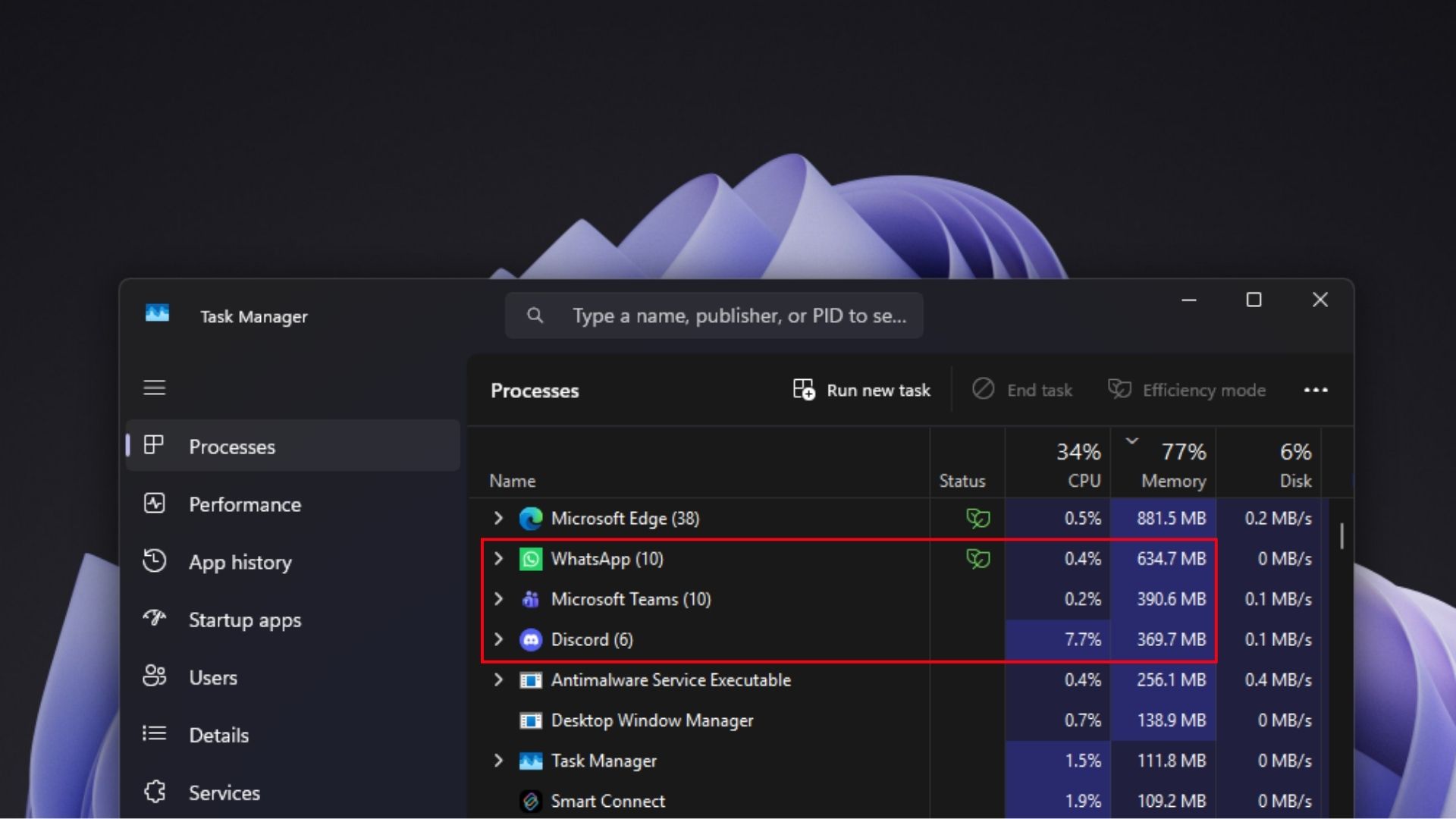
In my opinion, Microsoft should move its first-party apps, starting with Teams and maybe something trivial like Weather, to WinUI 3. A Windows experience like Weather shouldn’t need a browser engine, and Microsoft can’t ask developers to go native while its own apps use WebView2, especially after it told developers to build Electron AI apps earlier this year.
For years, the fix for a memory-hungry PC was buying more RAM, which worked while RAM was cheap. Now Microsoft is trying to fix it from the memory manager all the way up to WinUI. Microsoft made Windows comfortable with using more memory, and now that memory is expensive, the software giant has to make Windows comfortable with using less.