









For obvious reasons, Microsoft doesn’t make a 32-bit edition of Windows 11, but the OS still has to run decades of 32-bit apps, and there are plenty of them. Redmond’s solution is two system folders: System32 for native 64-bit files and SysWOW64 for 32-bit copies, plus what Microsoft calls the WOW64 file system redirector, which sneakily sends 32-bit apps to SysWOW64 when they ask for System32.
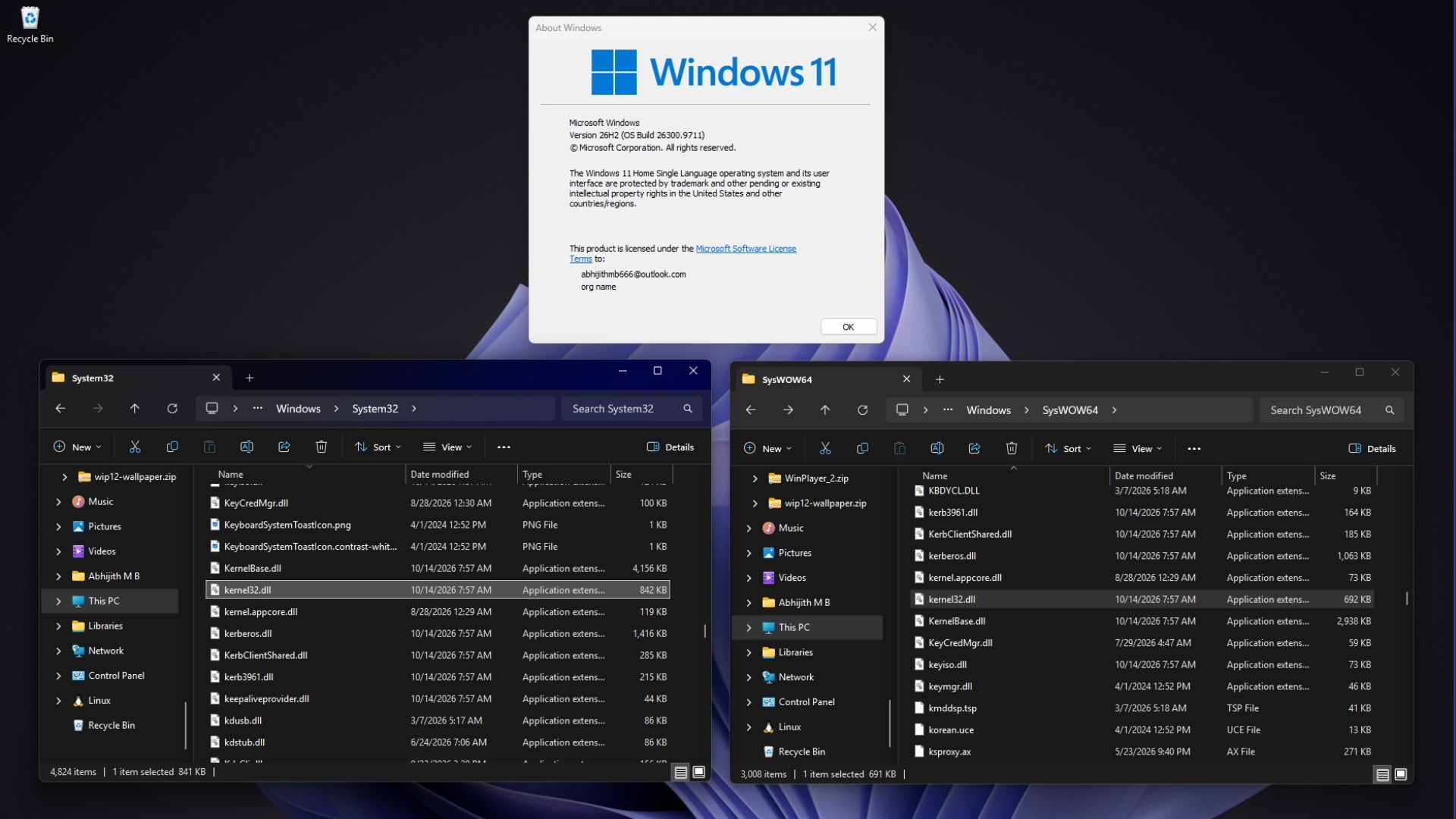
On my PC with Windows 11 26H2, both folders have a kernel32.dll, and unsurprisingly, the two files have different sizes, since one is built for 64-bit apps and the other for 32-bit apps.
Imagine if Microsoft were able to announce that they’re ending support for 32-bit software, as Apple did, and maybe Windows wouldn’t have all this baggage!
Why System32 has 64-bit files and SysWOW64 has 32-bit ones
Back in the days of 16-bit Windows, system files went into C:\Windows\System. When 32-bit Windows arrived, Microsoft added C:\Windows\System32 for the 32-bit files, which is where the “32” comes from.
By the time 64-bit Windows came along, plenty of programs had the System32 path hard-coded instead of asking for it through the GetSystemDirectory function. Microsoft veteran Raymond Chen explained in his Windows Confidential column that once recompiled as 64-bit, those programs still looked in System32, now expecting 64-bit files. Batch files had a similar problem, as a script running System32\reg.exe would have edited the 32-bit copy of the registry if the folder had 32-bit tools in it.
So, the Windows team decided System32 holds whatever matches the OS. Microsoft’s File System Redirector documentation says “The %windir%\System32 directory is reserved for 64-bit applications on 64-bit Windows.” Most DLLs also kept their file names when Microsoft built 64-bit versions, so kernel32.dll, a name that follows MS-DOS rules, is kernel32.dll in both folders, and the 32-bit copies needed their dedicated folder.
“The 32 is just part of the name and doesn’t mean anything,” Chen wrote, comparing it to brands like KFC and HSBC that go by their initials today. He added that in a more ideal world, the folder would have been called SysExec, since it holds files matching the program that’s running.
WOW64 stands for Windows 32-bit on Windows 64-bit (funny, I know), Microsoft’s compatibility layer for 32-bit apps, so the “64” in SysWOW64 refers to the OS while the files inside are 32-bit. Ironically, the system folder with “64” in its name is the one 64-bit apps don’t use.
How Windows 11 quietly redirects 32-bit apps to SysWOW64
According to Microsoft’s guide to running 32-bit applications, a 32-bit process can’t load a 64-bit DLL for execution, and vice versa. Without redirection, a 32-bit program loading kernel32.dll from System32 would get a file it can’t use.
WOW64 swaps these paths in the background whenever a 32-bit app asks for them on x64 Windows.
| What a 32-bit app asks for | Where 64-bit Windows sends it |
|---|---|
| C:\Windows\System32 | C:\Windows\SysWOW64 |
| C:\Windows\lastgood\system32 | C:\Windows\lastgood\SysWOW64 |
| C:\Windows\regedit.exe | C:\Windows\SysWOW64\regedit.exe |
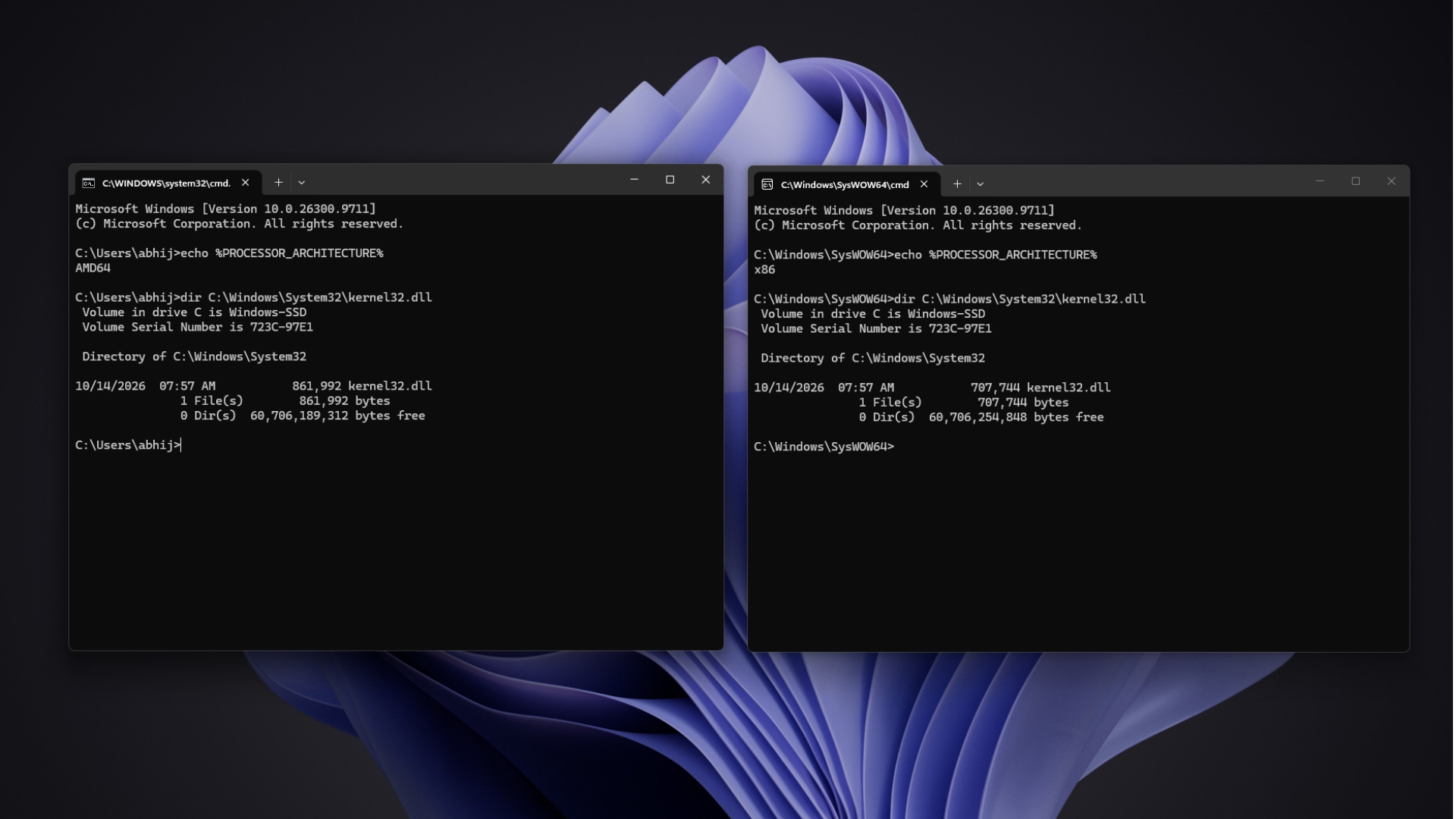
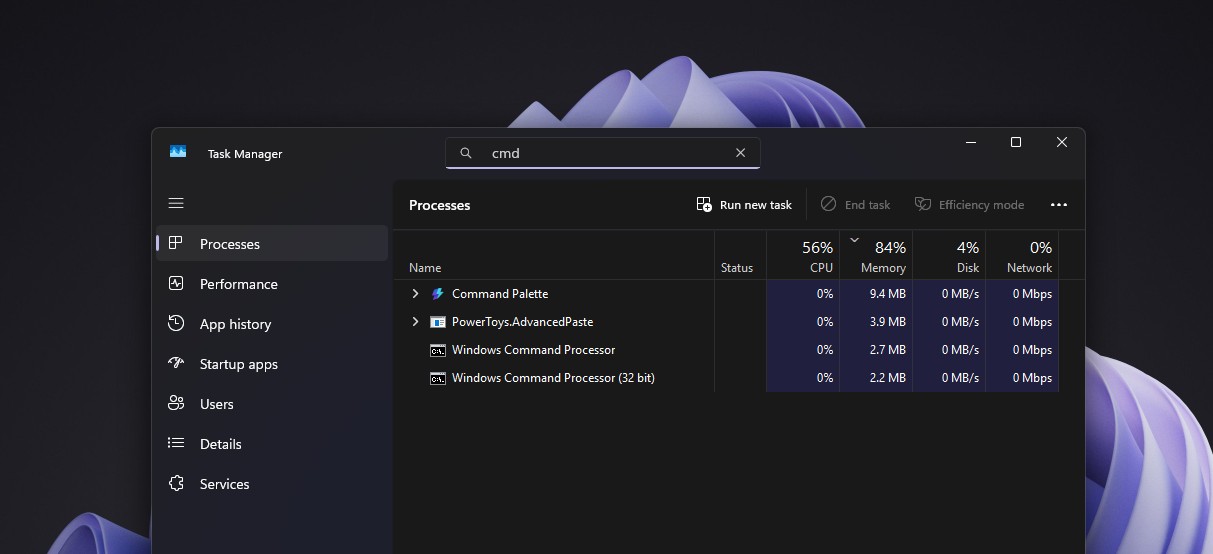
The app has no idea any of it happened. I opened the 32-bit Command Prompt from C:\Windows\SysWOW64\cmd.exe, and echo %PROCESSOR_ARCHITECTURE% returned x86, while the regular Command Prompt said AMD64. Running dir C:\Windows\System32\kernel32.dll in both windows then showed two different file sizes for one identical path.
Even Matt Pietrek, then on Microsoft’s Visual Studio team, fell for it. In a 2006 MSDN Magazine article, he wrote that he once listed kernel32.dll in both folders from a 32-bit command prompt, got matching results, and scratched his head for a while.
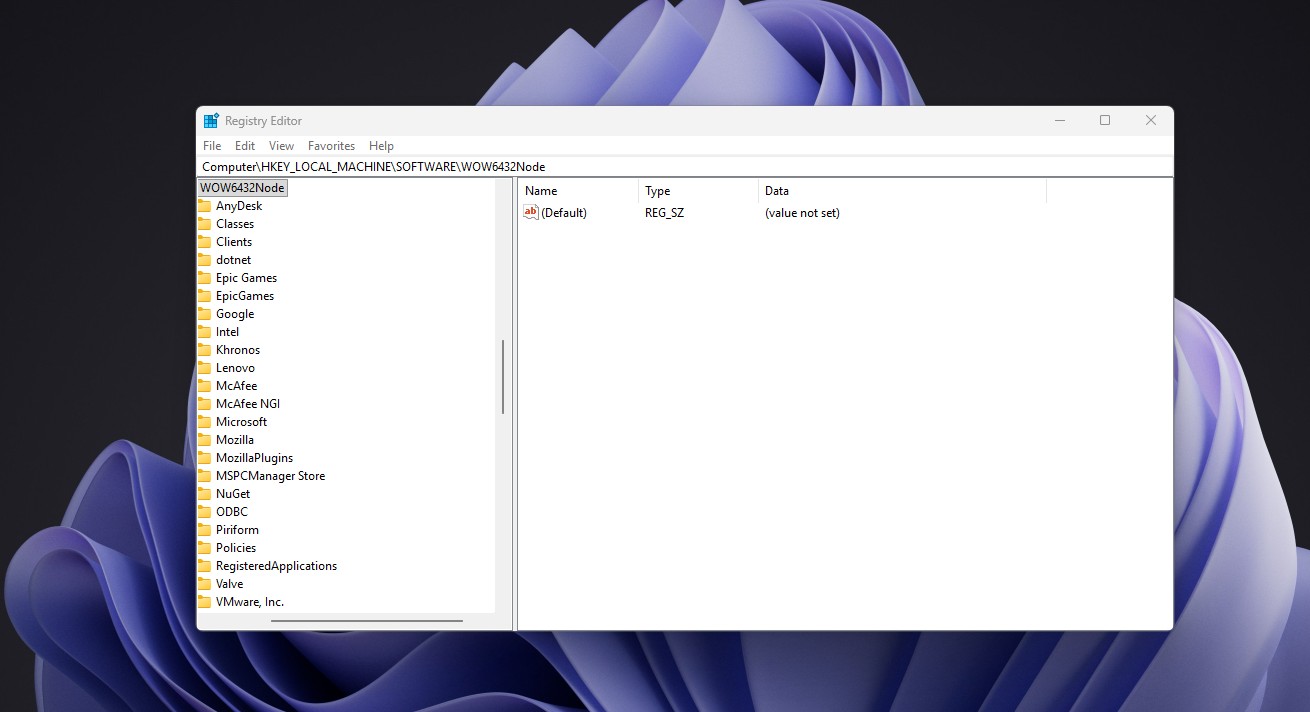
WOW64 also gives 32-bit apps their own registry view under HKEY_LOCAL_MACHINE\Software\Wow6432Node through the registry redirector, and sets their %ProgramFiles% variable to Program Files (x86).
Oddly, if opening a redirected file brings up a UAC prompt, Microsoft says redirection doesn’t happen and instead launches the 64-bit version, so developers should use the SysWOW64 path or run the 32-bit app as administrator.
Sysnative is a virtual folder, so you won’t find it in C:\Windows, and 64-bit apps can’t use it. When I typed C:\Windows\Sysnative into the address bar of File Explorer, which is a 64-bit app, Windows couldn’t find it, but dir C:\Windows\Sysnative\cmd.exe worked fine from the 32-bit Command Prompt.
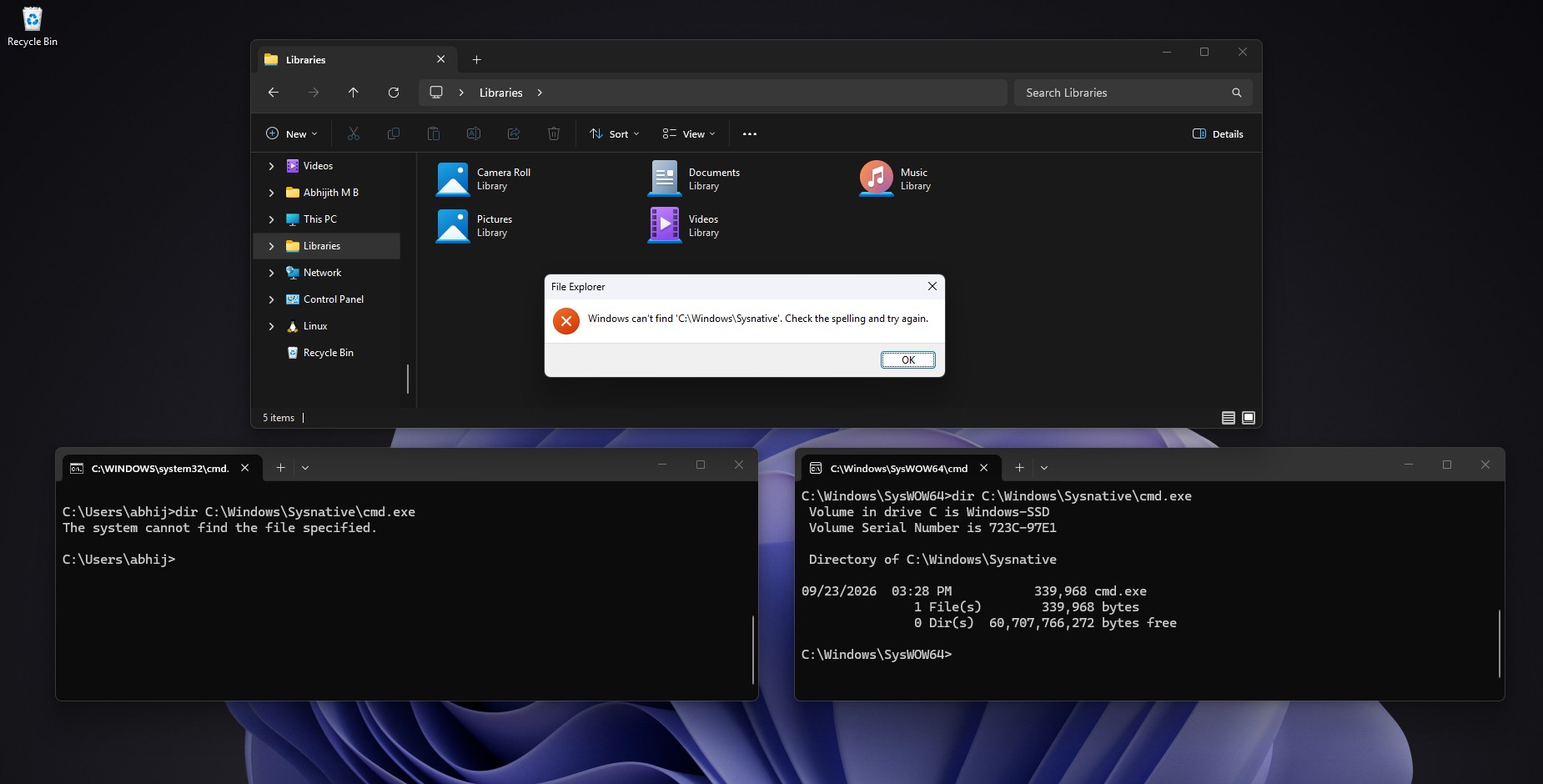
If they choose to do so, developers can switch redirection off with the Wow64DisableWow64FsRedirection function, but it affects every file operation on that thread. Microsoft’s documentation warns that “disabling file system redirection will cause DLL loading to fail.”
Funnily enough, TechNet’s editors cut Chen’s Sysnative explanation from his column for length, so he posted it on his blog in 2010, calling it “A local solution to a local problem.” Back in 2008, he’d told a developer to stop fighting the emulator and have the 32-bit installer launch a 64-bit one instead. I agree, as most of the trouble starts when a 32-bit app tries to act like a 64-bit one.
Six System32 folders are exempt from WOW64 redirection
Microsoft lists six System32 subfolders that 32-bit apps reach without being redirected.
- C:\Windows\System32\catroot
- C:\Windows\System32\catroot2
- C:\Windows\System32\driverstore
- C:\Windows\System32\drivers\etc
- C:\Windows\System32\logfiles
- C:\Windows\System32\spool
The list hasn’t always looked like this, as driverstore was redirected on Windows Vista, Windows XP, Windows Server 2003, and Windows Server 2008. Microsoft doesn’t explain the exemptions, but my guess is that these folders hold shared data, like the hosts file in drivers\etc, which both kinds of apps need one copy of.
SysArm32 is going away on Windows 11 Arm PCs
On Arm PCs like Snapdragon X laptops, 32-bit x86 apps go to SysWOW64 as well, while 32-bit Arm apps were redirected to a third folder called SysArm32. What’s happening here is that WOW64 on Arm64 translates x86 code with an emulator called xtajit.dll, while x64 processors run 32-bit code natively, with Wow64Cpu.dll managing the switch, according to Microsoft’s implementation details.
Microsoft’s Arm developer documentation now says Arm PCs no longer support 32-bit Arm apps, and the system binaries in the sysarm32 folder are removed too. Regular x86 apps, both 32-bit and 64-bit, keep running through Prism emulation, which got AVX and AVX2 support last year.
Microsoft could have renamed System32 two decades ago and broken a pile of apps, but they instead built a redirector, an alias, and an exemption list around the old name, much like it kept Windows 95’s heap manager for old programs. Not everything survived the jump to 64-bit, though, and 3D Pinball is proof. Personally, I’d have loved a SysExec folder, but a confusing name beats a broken installer any day. Would you have renamed it?