






Microsoft spent time in 2024 building a working operating system that has nothing to do with Windows 11 as you know it. There’s no Start menu, or desktop icons, or the traditional taskbar apps, just Copilot (I know!) at the center of everything.
I have gone through the leaked video and internal documents in detail, and I hope this one stays buried. The odds are already in favor of that happening, and if you dislike how much AI has crept into Windows 11 already, the good news is that Microsoft is now removing Copilot from parts of Windows 11 where it doesn’t deliver.
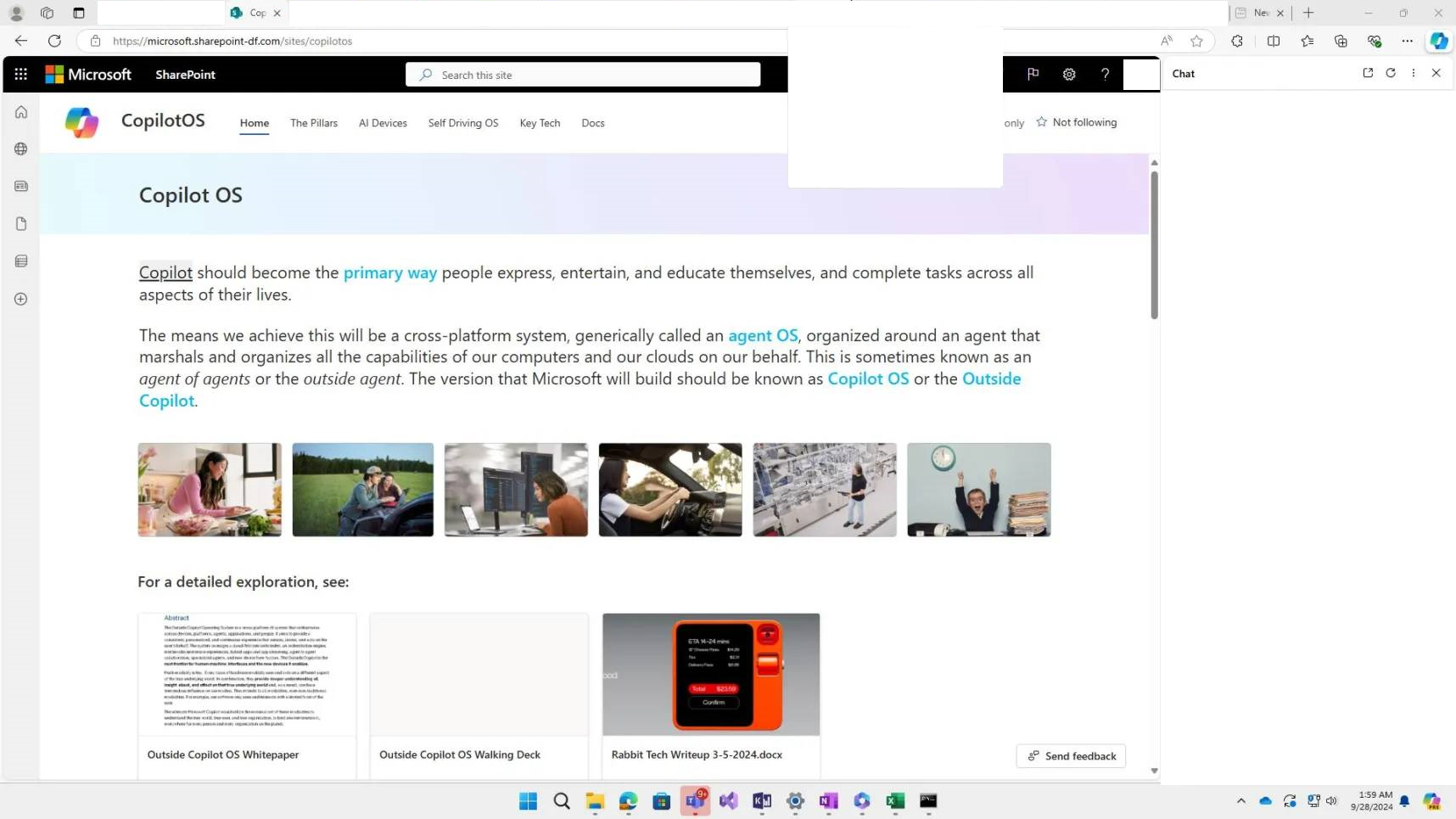
The project is called Aion, and it dates back to 2024 or earlier, based on the news articles opened inside the demo, which are all from that year. The leak includes a SharePoint site called CopilotOS, with its own tabs for The Pillars, AI Devices, Self Driving OS, and Key Tech. The pitch on that page is bigger than a PC shell.
It describes Copilot becoming “the primary way people express, entertain, and educate themselves, and complete tasks across all aspects of their lives,” achieved through what the document calls an “agent OS,” also referred to internally as “agent of agents” or the “outside agent.” Microsoft’s build of this is named Copilot OS, or the Outside Copilot.
That said, these might’ve been broader plans, and the immediate one might’ve been a Microsoft web OS for PCs and maybe other form factors.
Microsoft built a working Copilot OS called Project Aion
It runs on a stripped-down Windows codebase referred to internally as Win3, built to be lighter than Windows 11, with faster boot times and better battery life, at the cost of dropping legacy Win32 app support. Copilot anchors the shell from top to bottom, and the whole thing runs inside a customized version of Microsoft Edge.
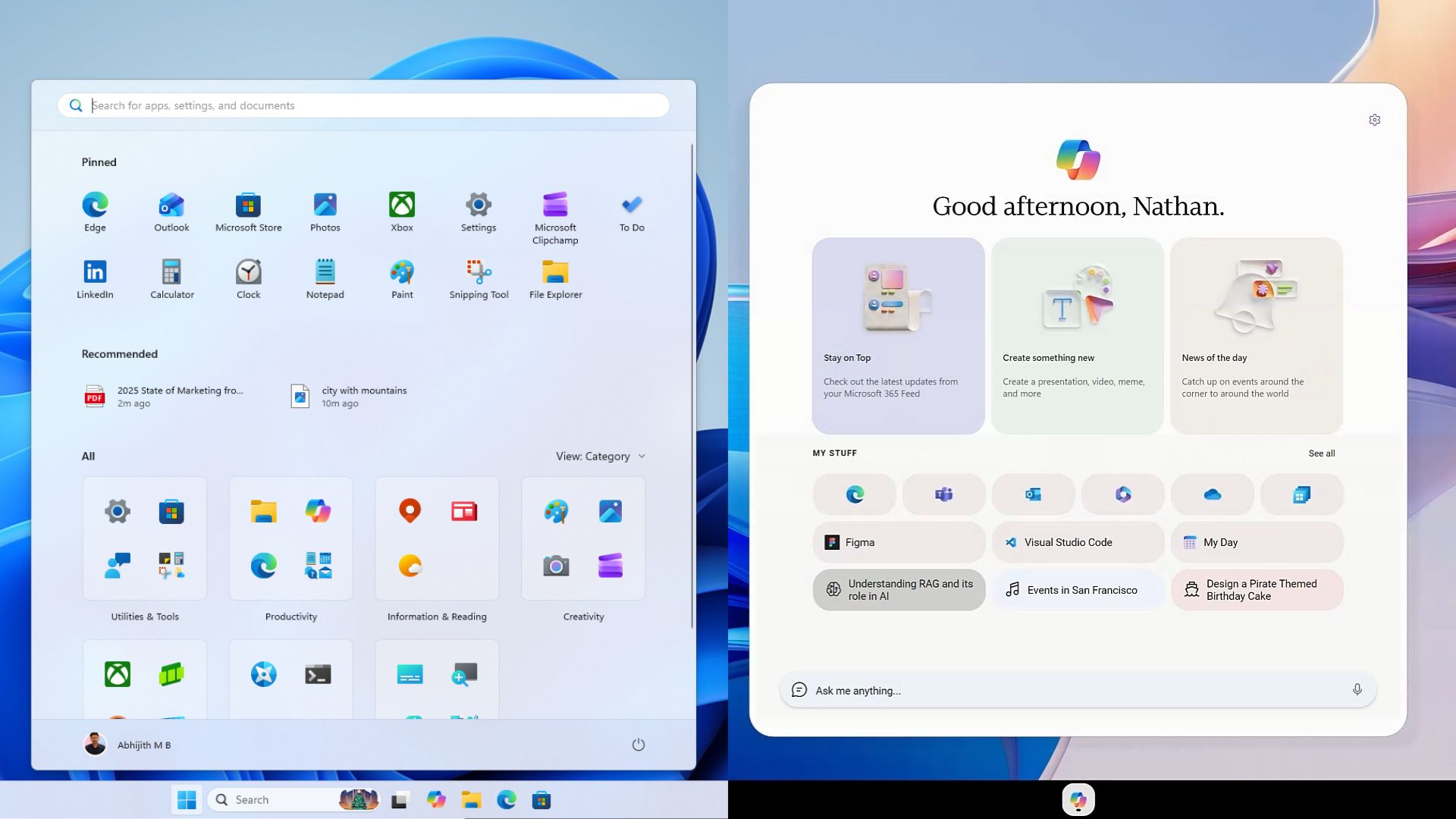
Like all versions of Windows, the Start menu, desktop, and pinned taskbar icons are hardcoded into our brains. But in Aion, there is none of that. Actually, there are no desktop icons.
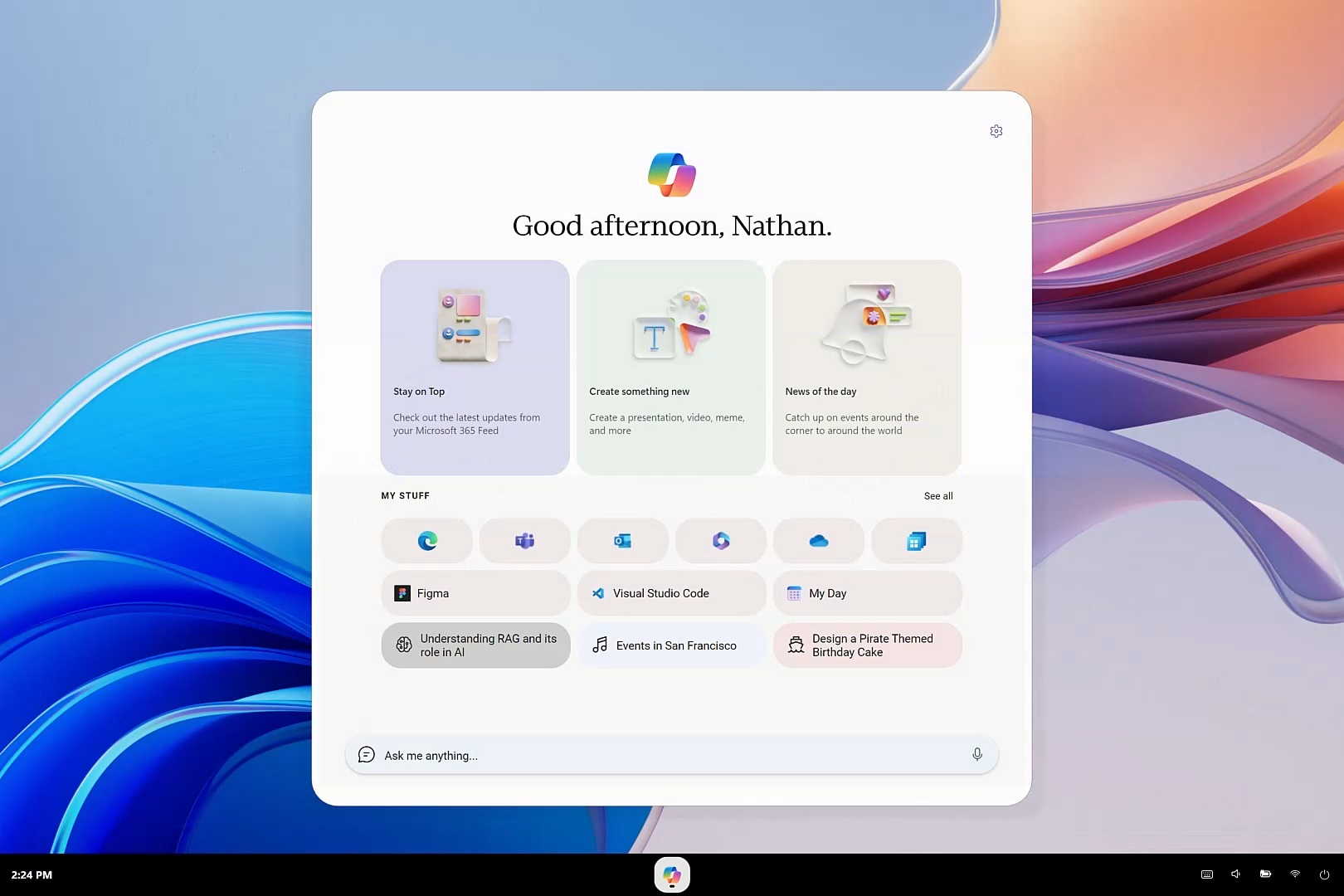
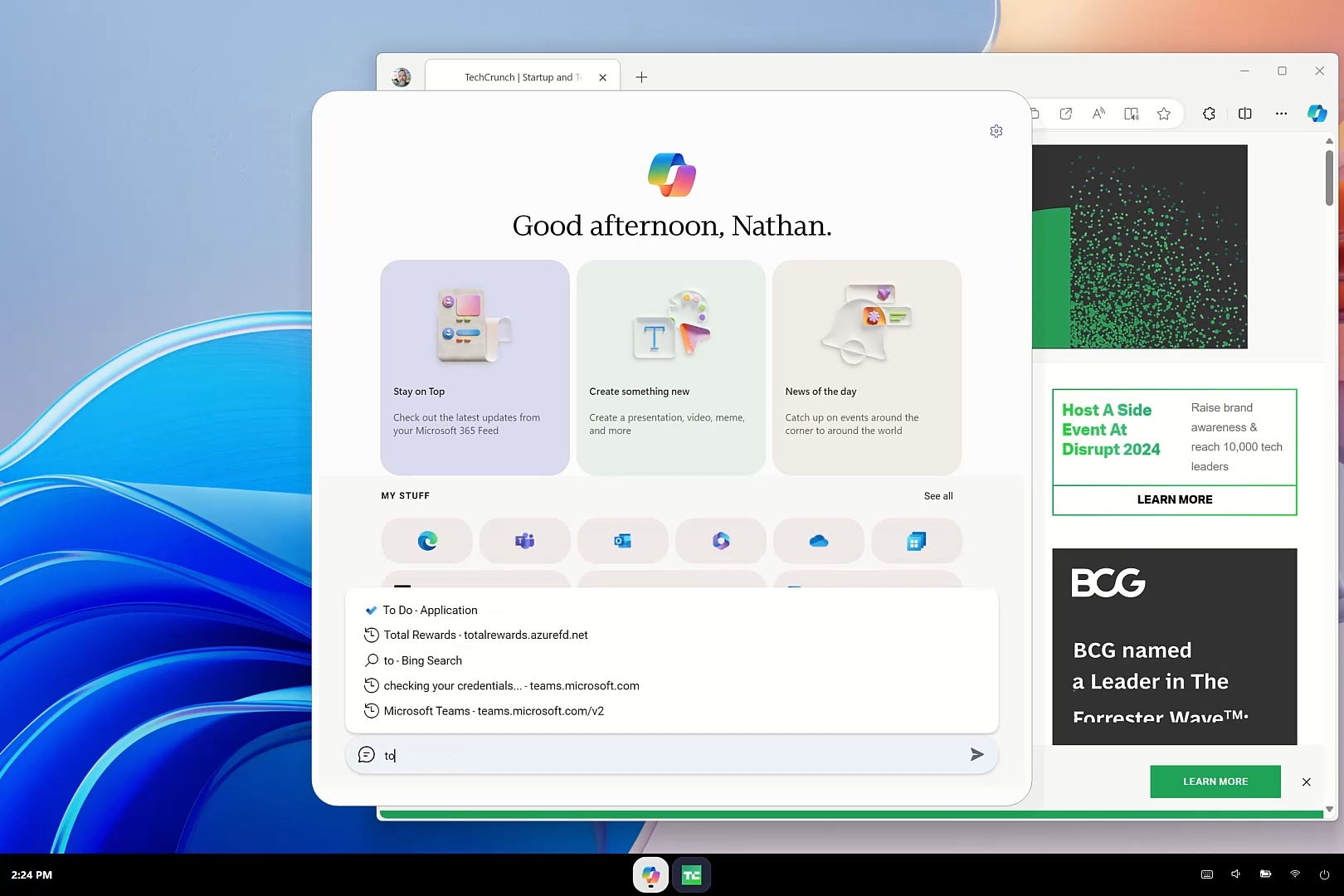
Instead, clicking the Copilot button opens a dashboard greeting you by name, “Good afternoon, Nathan,” followed by three cards labeled Stay on Top, Create something new, and News of the day. A My Stuff row follows below it, with app icons for Edge, Teams, Outlook, OneDrive, and Microsoft 365, but also Figma and Visual Studio Code, which tells me Aion was not built as a Microsoft-only walled garden.
Aion is described as an “Agent/Copilot OS you can run on a variety of new AI-focused devices running AOSP, Win3, and even Windows 11.”
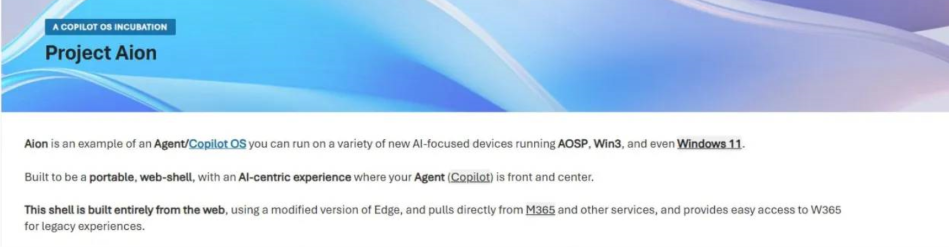
AOSP is Android’s open source base, so Microsoft was not just testing a lighter Windows shell; it was building Aion as a cross-device concept, with Windows 11 support explicitly framed as a bonus. The page also describes Aion as “a portable, web-shell” built using a modified version of Edge, with easy access to Windows 365 for anything that needed a real desktop.
As it mentions Windows 365 cloud PC support, along with Android AOSP, the idea might’ve been to market an agentic OS for any device, with a M365 subscription that has Windows 11 Cloud PC included!
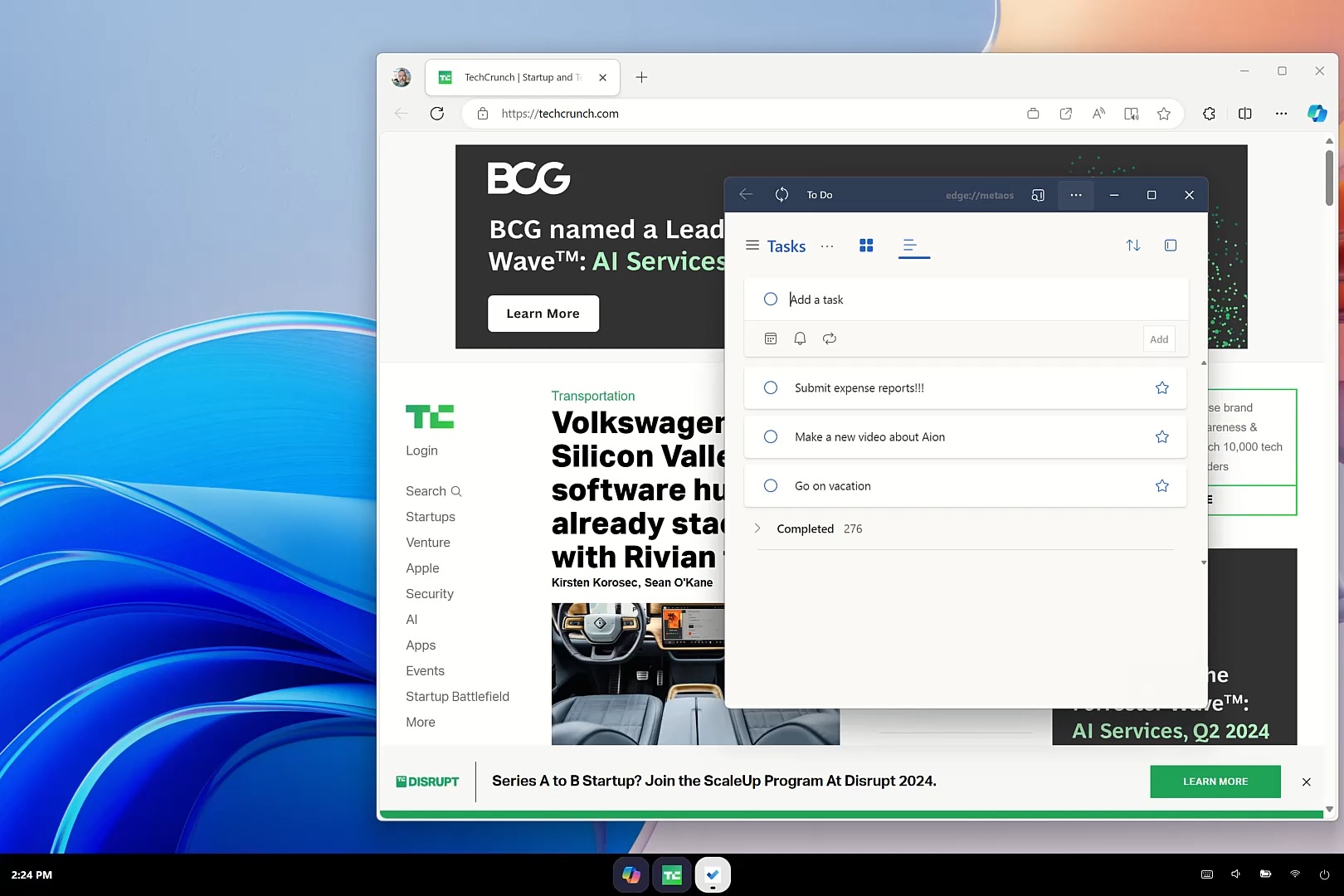
Type into the “Ask me anything” box and autocomplete kicks in. Typing “techc” suggests TechCrunch before you finish the word, and hitting enter opens a completely normal Edge browser tab, not some AI-wrapped version of it. Type “to do” instead and Microsoft To Do opens as a small floating window through Edge’s picture-in-picture mode, not as a native Windows app.
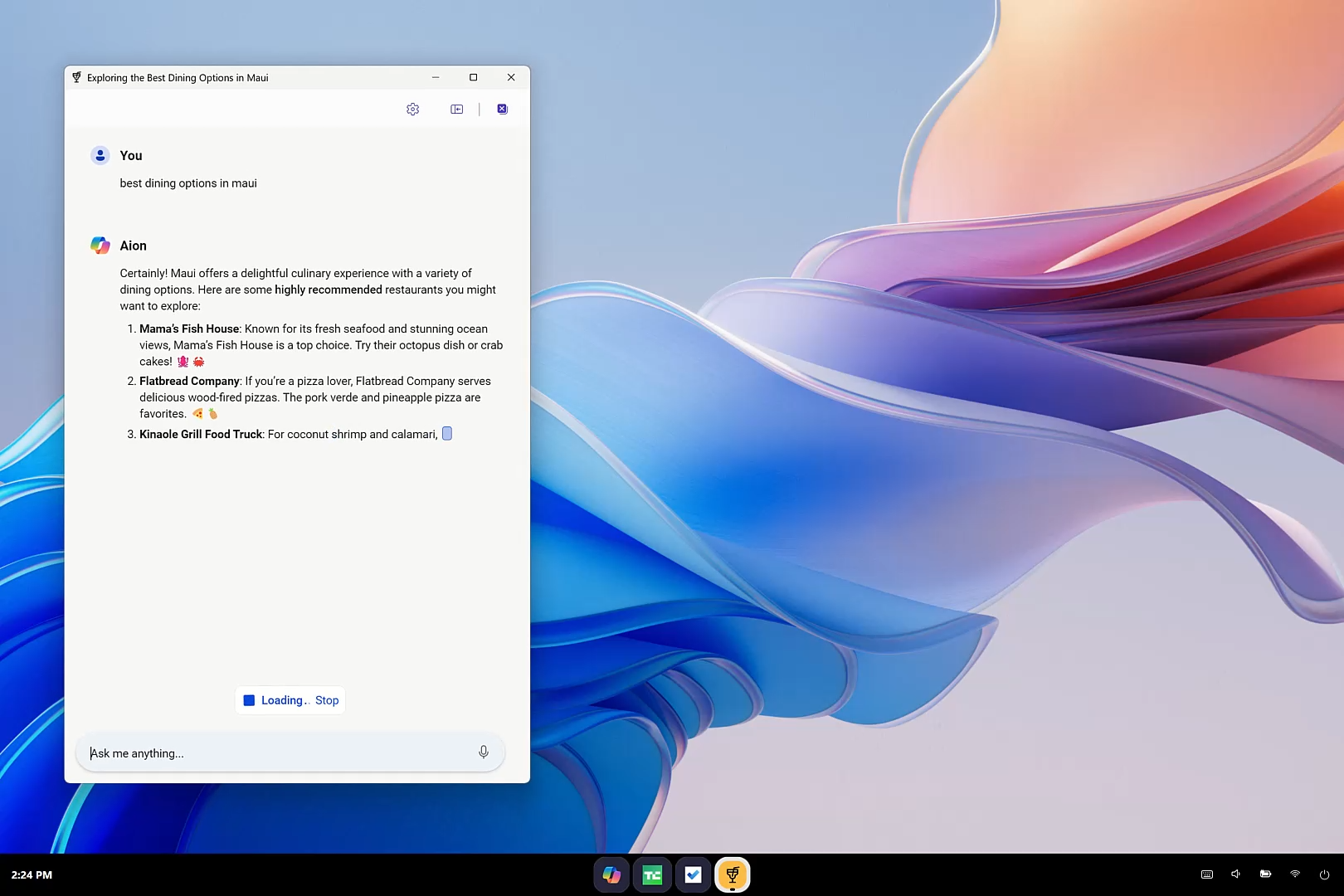
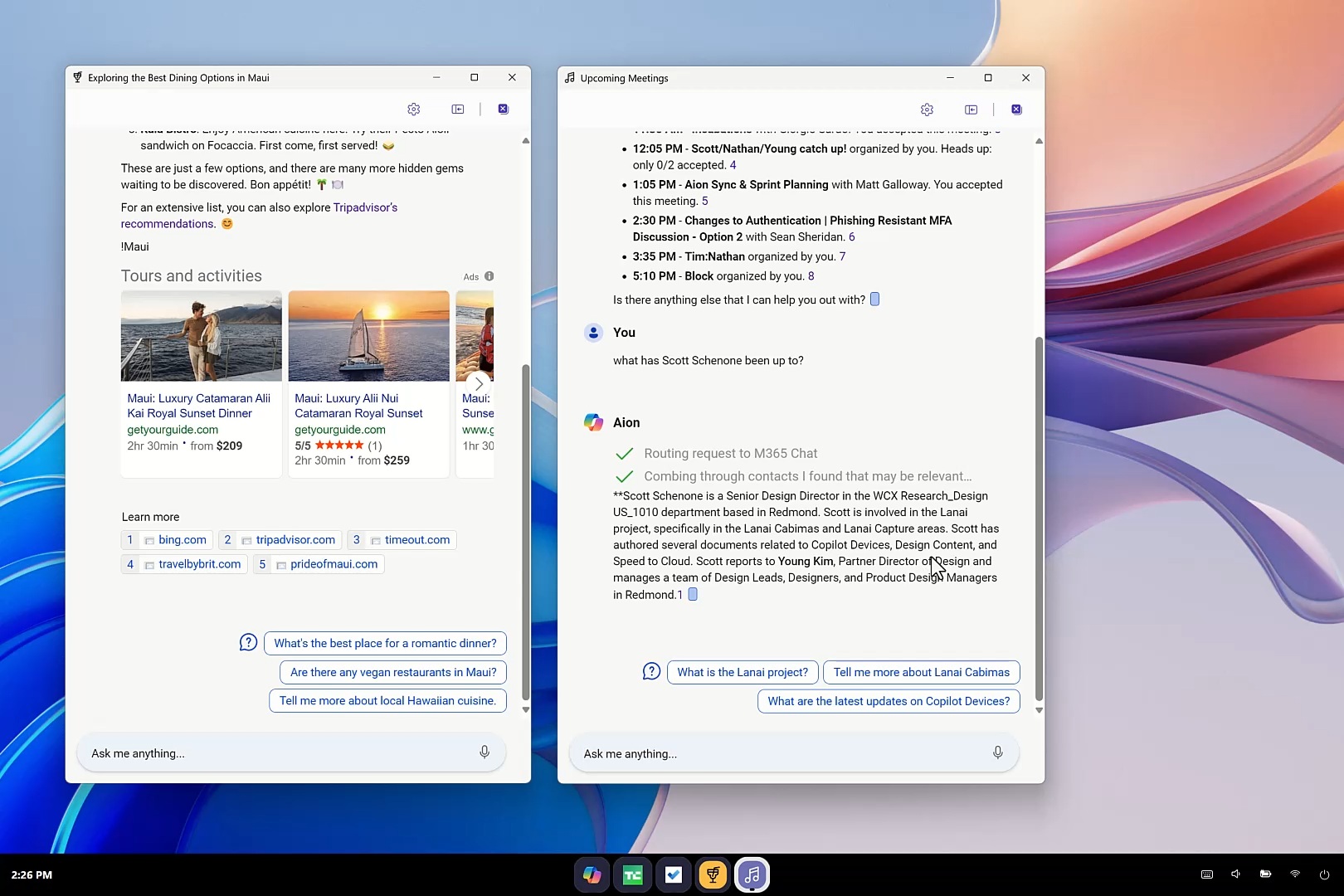
Ask Copilot something more complex, like the best dining options in Maui, and the interface physically changes shape. The launcher morphs into a floating chat window and starts listing restaurants by name, along with links to Tripadvisor and other travel sites shown with their own taskbar icons.
Ask a second, unrelated question, like your meeting schedule for next Monday, and a second independent chat window opens beside the first one. Each conversation becomes its own app, complete with its own icon, minimizable and closable like any other window.
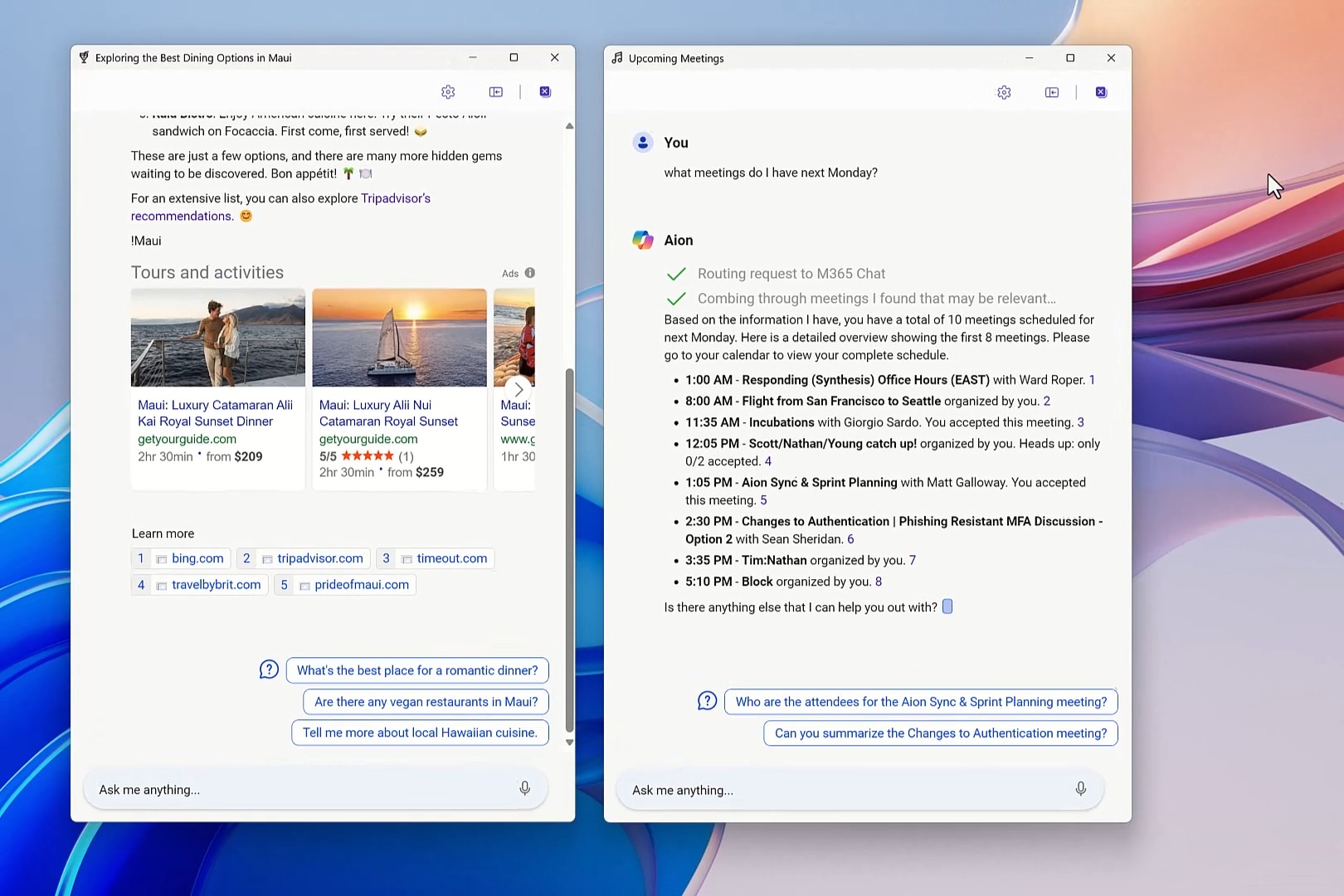
The taskbar does not just stack identical Copilot icons for each of these chats either. It generates a distinct icon per conversation based on context: a martini glass for the Maui dining chat, a calendar icon for the meeting one.
Closing a chat will save it as a chip under My Stuff on the dashboard, ready to reopen exactly where you left it.
Spaces, the goal-based grouping feature
The screenshot below shows Spaces, the goal-based grouping feature, which combines everything you need for a particular project, and in this case is a “TURKEY TRIP”, that has a Description and Goals card reading “Planning a trip to Turkey in September,” along with dropdowns for a Personal topic and a creative conversation style. Below that are Apps and Plugins row with icons for Edge, WhatsApp, YouTube, Word, Turkish Airlines, Expedia, and Airbnb, plus a one-tap “Draft an itinerary” action.
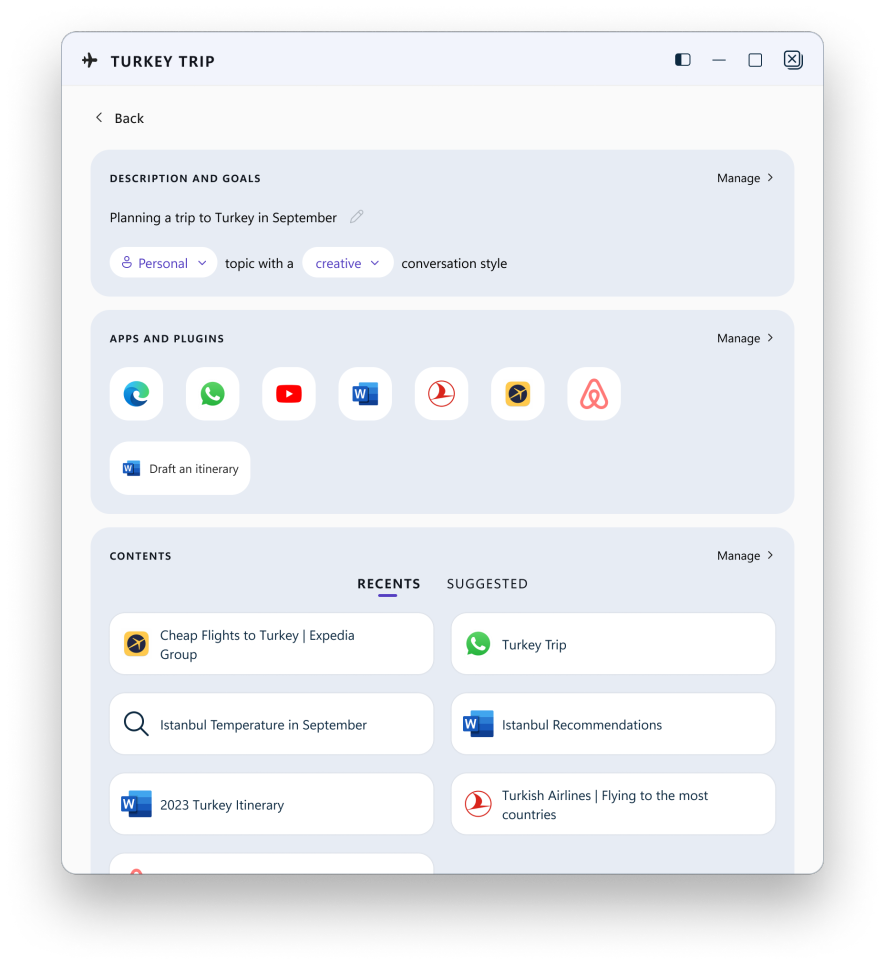
A Contents section under splits into Recents and Suggested tabs, automatically pulling together a WhatsApp chat called Turkey Trip, an Expedia flight search, an Istanbul temperature lookup, a Word document with Istanbul recommendations, an older 2023 Turkey itinerary, and a Turkish Airlines page, all related to the same goal without the user manually filing anything.
Spaces was not a Microsoft-only feature either. Third-party apps like WhatsApp and Airbnb were in the same row as Word and Edge, meaning that Aion was built to organize a person’s whole task, and not just the Microsoft 365 parts of it.
Built for offices, not living rooms
The deeper you go into the leak by BetaWiki forum, the more Aion looks built for enterprise use instead of home users. One demo asks Copilot, “What has Scott Schenone been up to?” and the assistant searches SharePoint and email on its own, correctly identifying Scott as a Senior Design Director working on something called the Lanai project, then summarizing his recent work from internal documents it found without being told where to look.
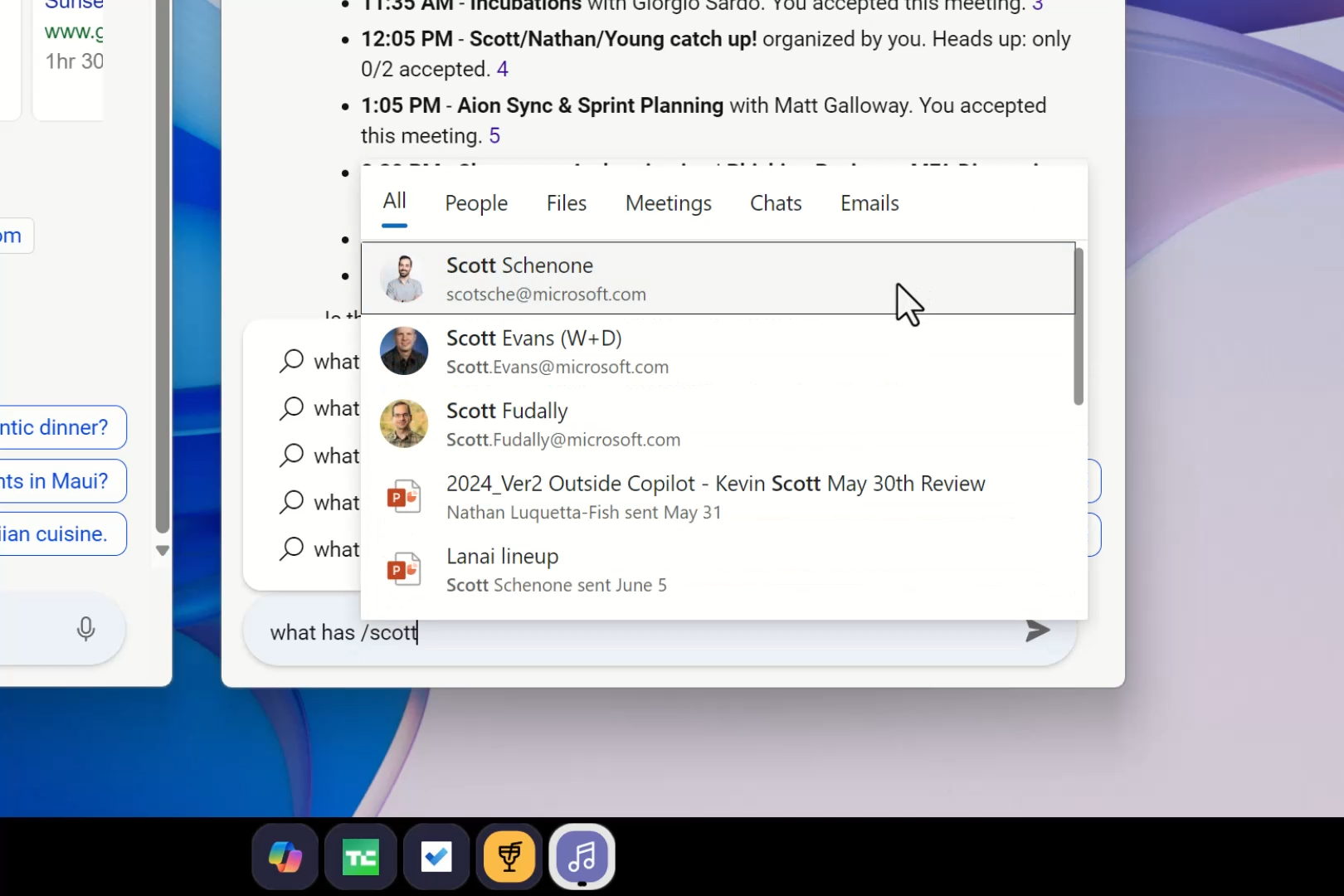
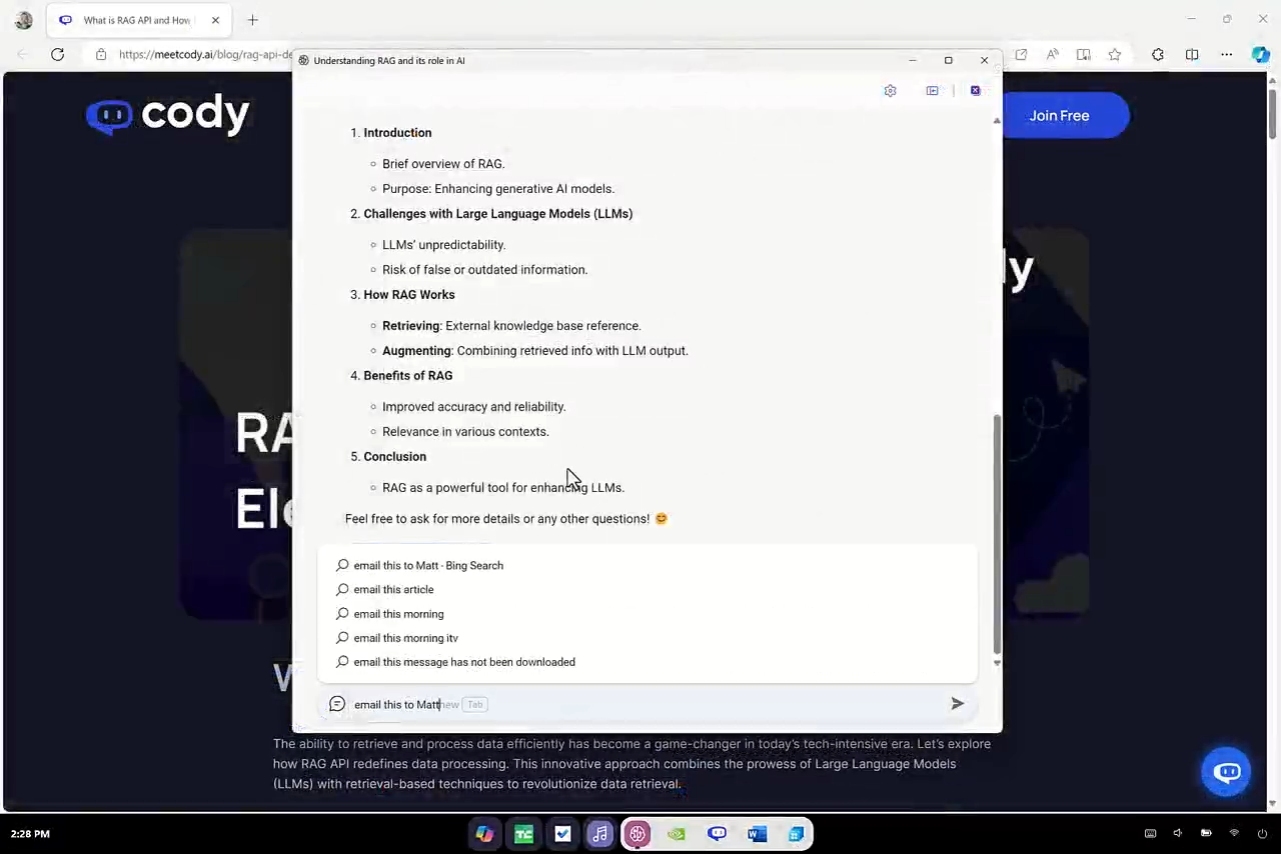
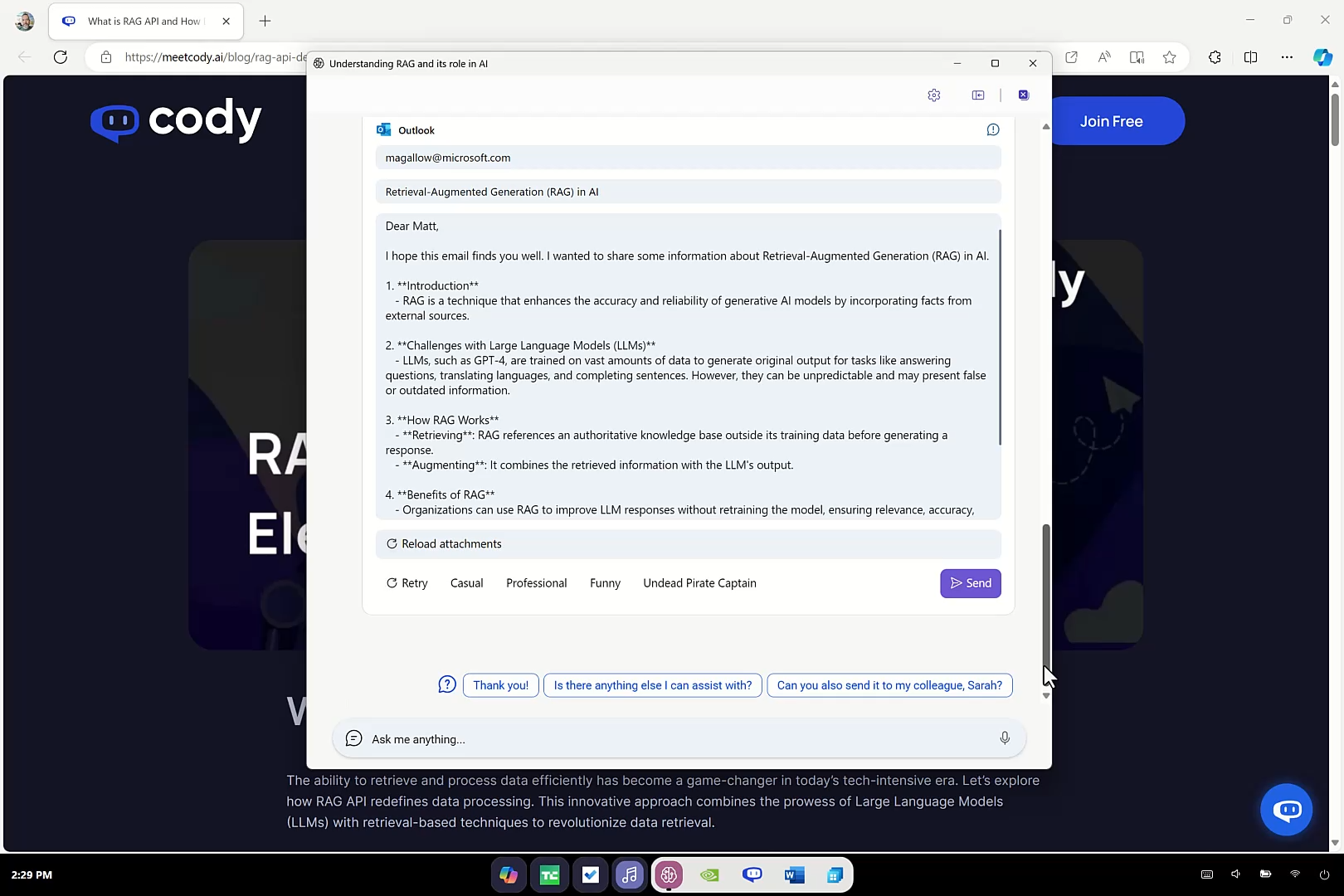
Typing a forward slash in the search box triggers something Microsoft internally called Context IQ, instantly pulling in coworkers and files from Microsoft 365 so you can tag them straight into a prompt. Ask Copilot to draft an email, and it generates one directly inside an Outlook-style compose window, complete with tone-shifting buttons labeled Casual, Professional, Funny, and, oddly, Undead Pirate Captain. You can send the email without even opening Outlook.
Since the whole shell runs on Edge, Copilot can read a website’s HTML directly, instead of only interpreting a screenshot the way Copilot Vision does today on Windows 11. Microsoft calls this DOM crawling, and it is why the Maui dining chat could summarize restaurant listings and links instead of looking at what was on screen.
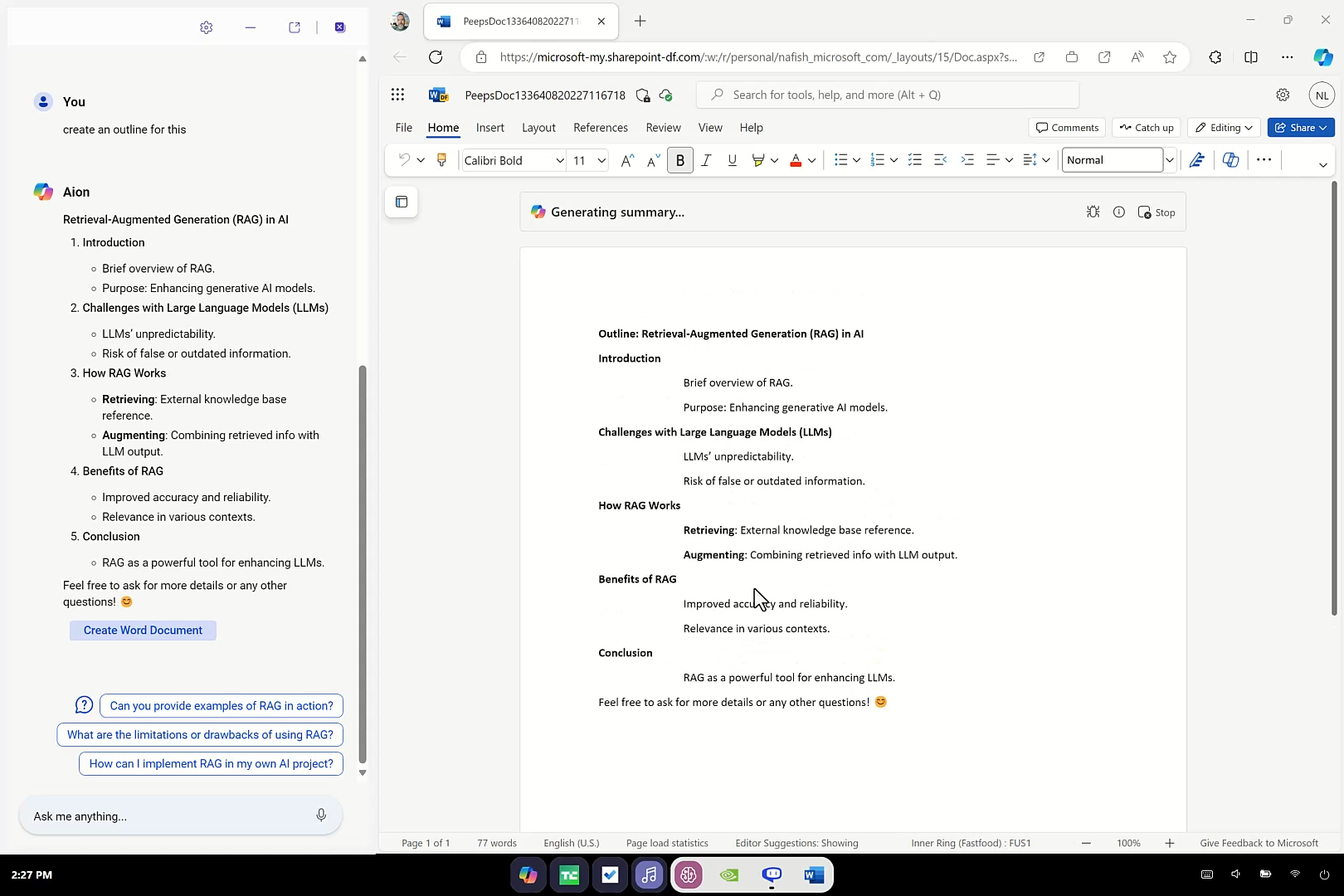
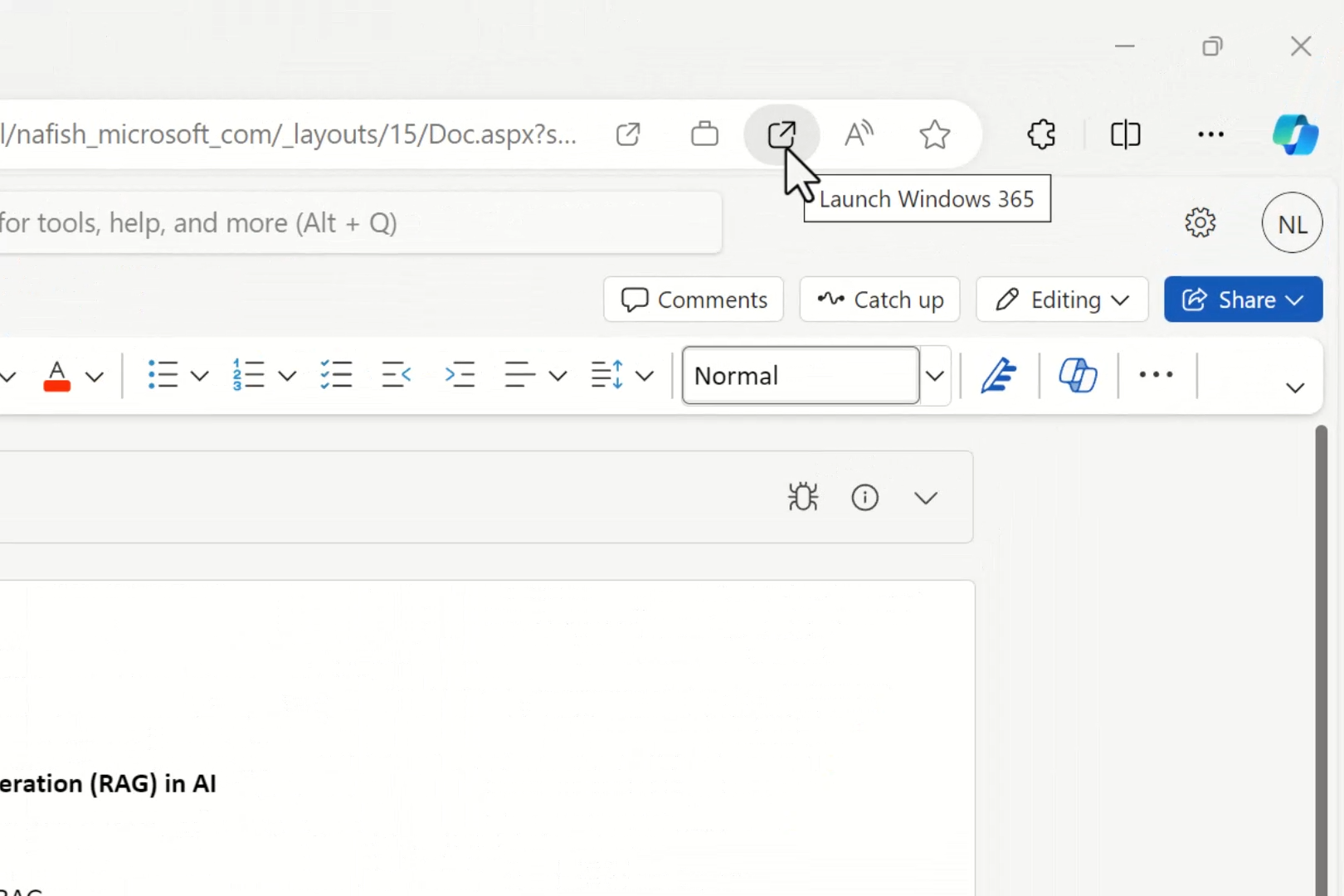
Aion cannot run traditional desktop software on its own, since dropping Win32 support was the whole point of Win3. For anything that needs a real desktop app, like editing a heavy file in Word, the interface shows a Launch Windows 365 button in the address bar. Clicking it streams a Cloud PC session with your document already open and waiting, Copilot Summary panel included, without having to sign in again.
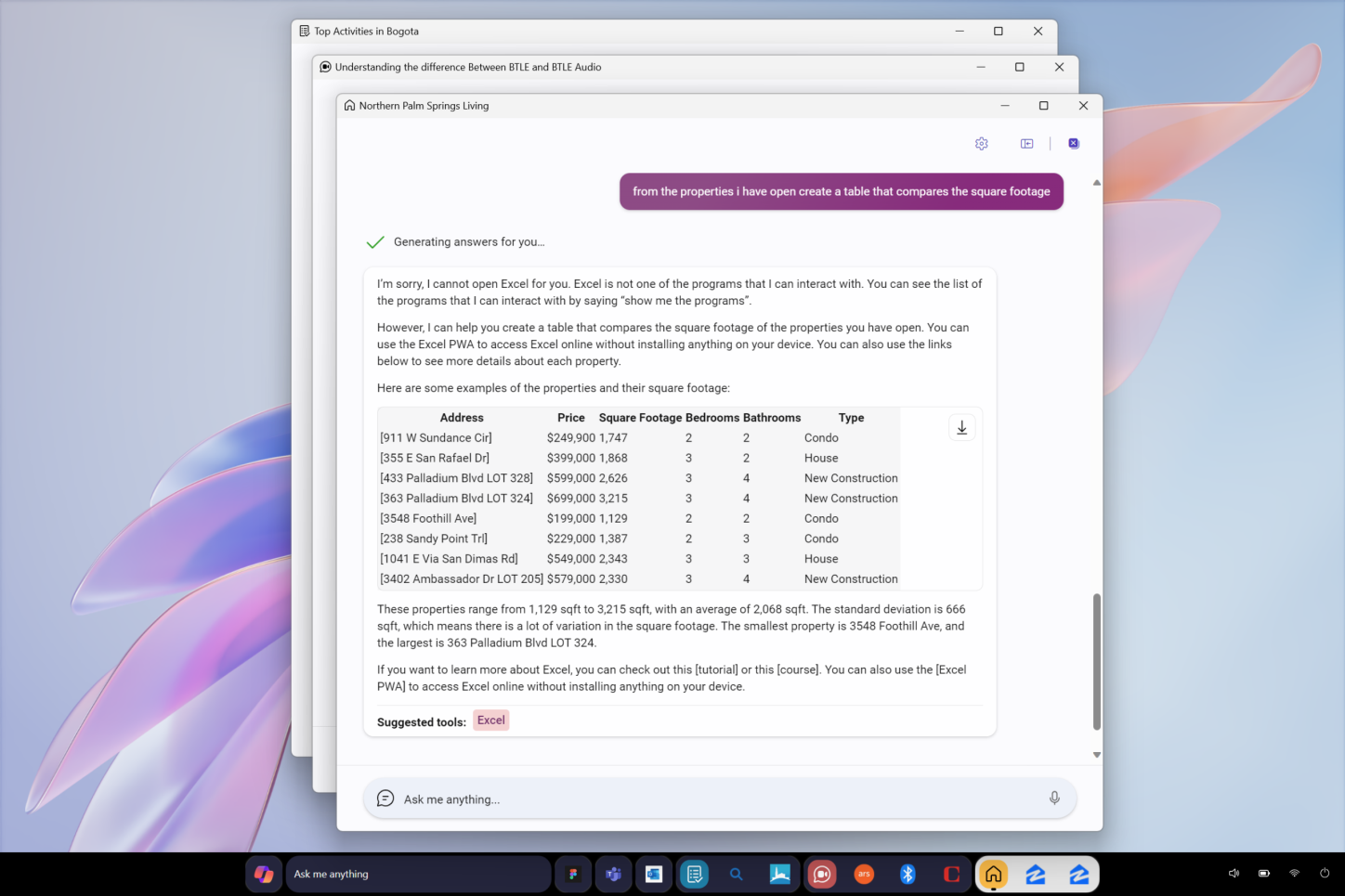
Aion could not open Excel, and said so
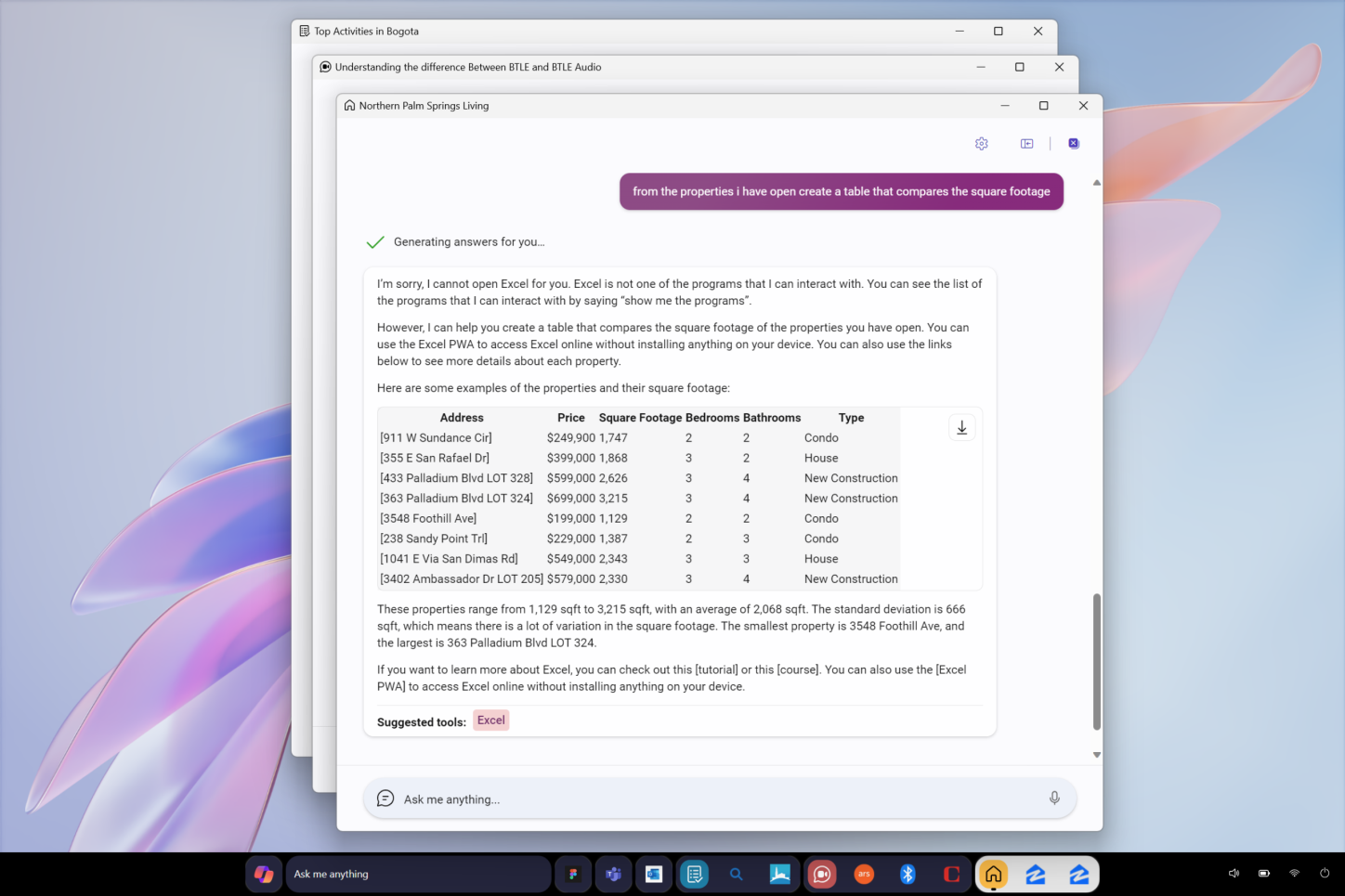
These limits of Aion show up when asked to build a table comparing square footage across several property listings; Aion replied: “I’m sorry, I cannot open Excel for you. Excel is not one of the programs that I can interact with. You can see the list of the programs that I can interact with by saying ‘show me the programs.’”
It built the comparison table directly inside the chat window, complete with a working download button, and pointed the user toward the Excel PWA to keep working online. A small “Suggested tools: Excel” chip is shown below the answer. It is a good save, but it also confirms Aion could not reach into real desktop apps, even Microsoft’s own.
Why Microsoft’s web OS Project Aion will most likely never ship
Pavan Davuluri now leads both Windows and Surface at Microsoft, and everything the company has said and done since he took over comes down to fixing Windows 11, not replacing it.
Just months ago, Davuluri personally shut down rumors of a Windows 12 launch, confirming Microsoft’s roadmap has no new OS version in sight, only continued investment in the one that already exists.
IDC has directly linked the pressure to fix Windows 11 to Apple’s $599 MacBook Neo, which is a price bracket Windows OEMs can match on price but couldn’t on build quality and performance. Worldwide PC shipments are forecast to fall over 11% in 2026, RAM prices are climbing because of a supply shortage with no relief expected before 2027, and Microsoft’s OEM partners are the ones sounding the alarm.
Naturally, spending engineering resources on an experimental Copilot shell that cannot even run Win32 apps looks like the last thing Microsoft can currently afford.
Some of Aion’s more ambitious AI ambitions have already been quietly walked back elsewhere in Windows. Copilot integrations in Snipping Tool, Notepad, Photos already removed, and Microsoft is testing more ways to customize where the dreaded logo shows up, like in the new Windows 11 Context Menu. A project built with the main idea that Copilot should replace the interface does not fit a company currently backing away from putting Copilot everywhere.
What Aion got right, and what would have made it a hard sell
Some of Aion’s ideas are clever, though. Chats becoming their own taskbar windows with contextually generated icons is genuinely impressive, especially if you use AI for a task that requires multiple prompts and could take a long time to finish.
The Windows 365 handoff for legacy apps is a smart workaround for the Win32 problem too, assuming your internet connection can keep up with streaming a full desktop session every time you need to open a heavy file.
What is worrying is everything under the UI. An OS with no desktop icons, no visible file system, and no traditional windows to speak of asks you to trust that Copilot always understands what you meant. If you miss one instruction, there is no obvious fallback, or folder to dig through, or icon to double-click.
Enterprise IT departments in particular would have a rough time auditing a system where the primary interface is a chat box that decides what UI to generate on the fly.
A DOM-crawling AI reading raw website code instead of screenshots is a legitimate technical upgrade over Copilot Vision, but it also means Copilot has direct access to page structure and scripts most users do not see, on every site you visit through the shell. For a personal computer, that is a lot of trust to hand to one interface layer.
Of course, I do not miss any opportunity to bash WebView2 apps, and as the entire OS is based on a modified version of Edge, I wonder how the RAM usage would’ve looked. Sure, Microsoft’s web OS is akin to ChromeOS, and RAM usage may not have been a concern, but unlike Google’s OS, this web OS is for work, and that too AI-dependent work!
Design references in the leak show Aion was not scoped as a desktop-only shell. One sheet shows three layouts side by side, labeled Landscape + Docked Conversation, Portrait + Docked Conversation, and Soft Keyboard, all showing the Maui dive shop research task adapting to a tablet-style portrait orientation and an on-screen keyboard. Given the AOSP target mentioned on the internal team site, this fits a plan that stretched past PCs and into tablets or other touch-first devices.
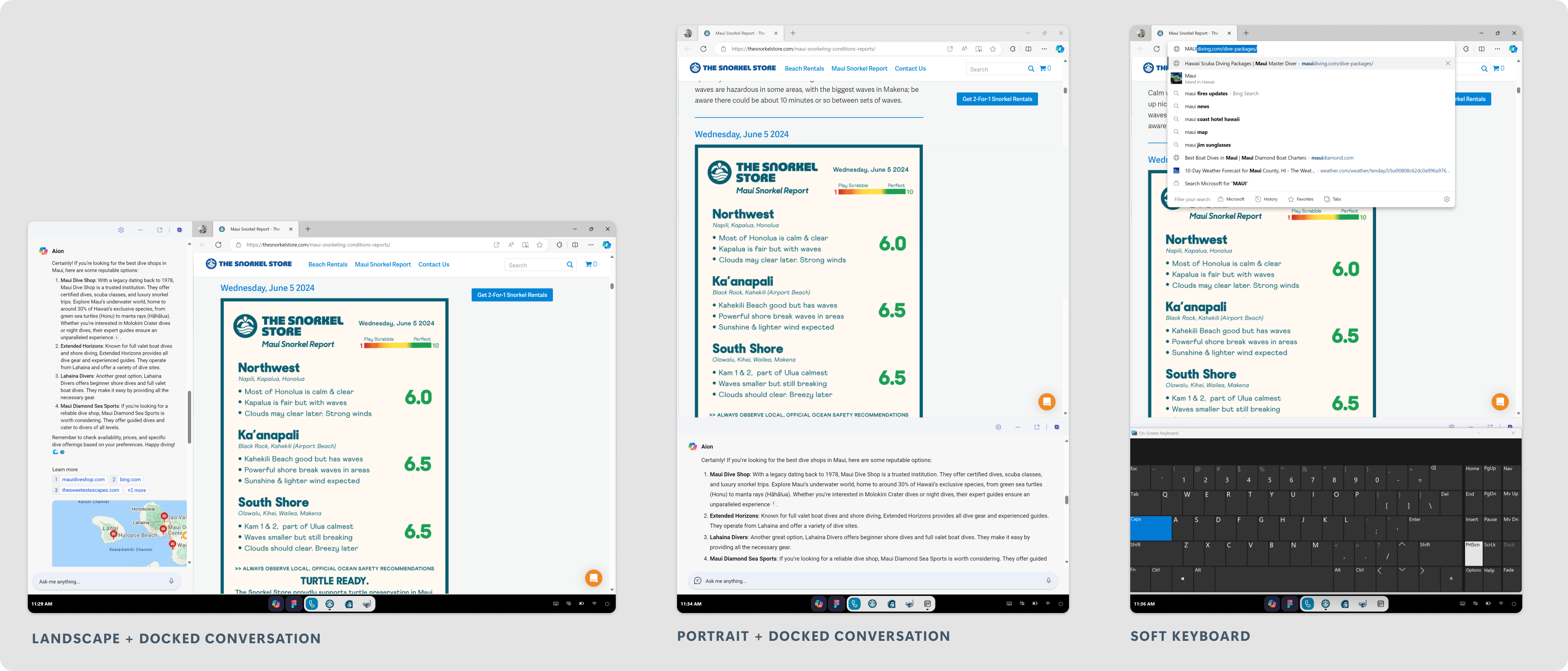
We also get a closer look at Aion’s address bar, which behaves like a real omnibox instead of a simple search box. Typing “maui” shows location-aware suggestions like maui fires updates, maui coast hotel hawaii, and maui map, alongside a filter bar for Microsoft, History, Favorites, and Tabs.
Microsoft’s priorities have changed
The irony is that Windows 11 has spent the last several months removing some of the main themes of Microsoft’s unreleased web OS. Microsoft committed to native WinUI 3 to strip out sluggish web wrappers, and it has already reached File Explorer’s Properties dialog and Print Management, both holdovers from decades ago, finally getting rebuilt in native code.
Last year, Windows 11 had an answer to what Aion was reaching for, minus the part where it deletes your desktop. In November 2025, Microsoft was testing ways for AI agents to live directly on the taskbar, summoned by typing “@” into Ask Copilot, running inside what Microsoft calls an agent workspace.
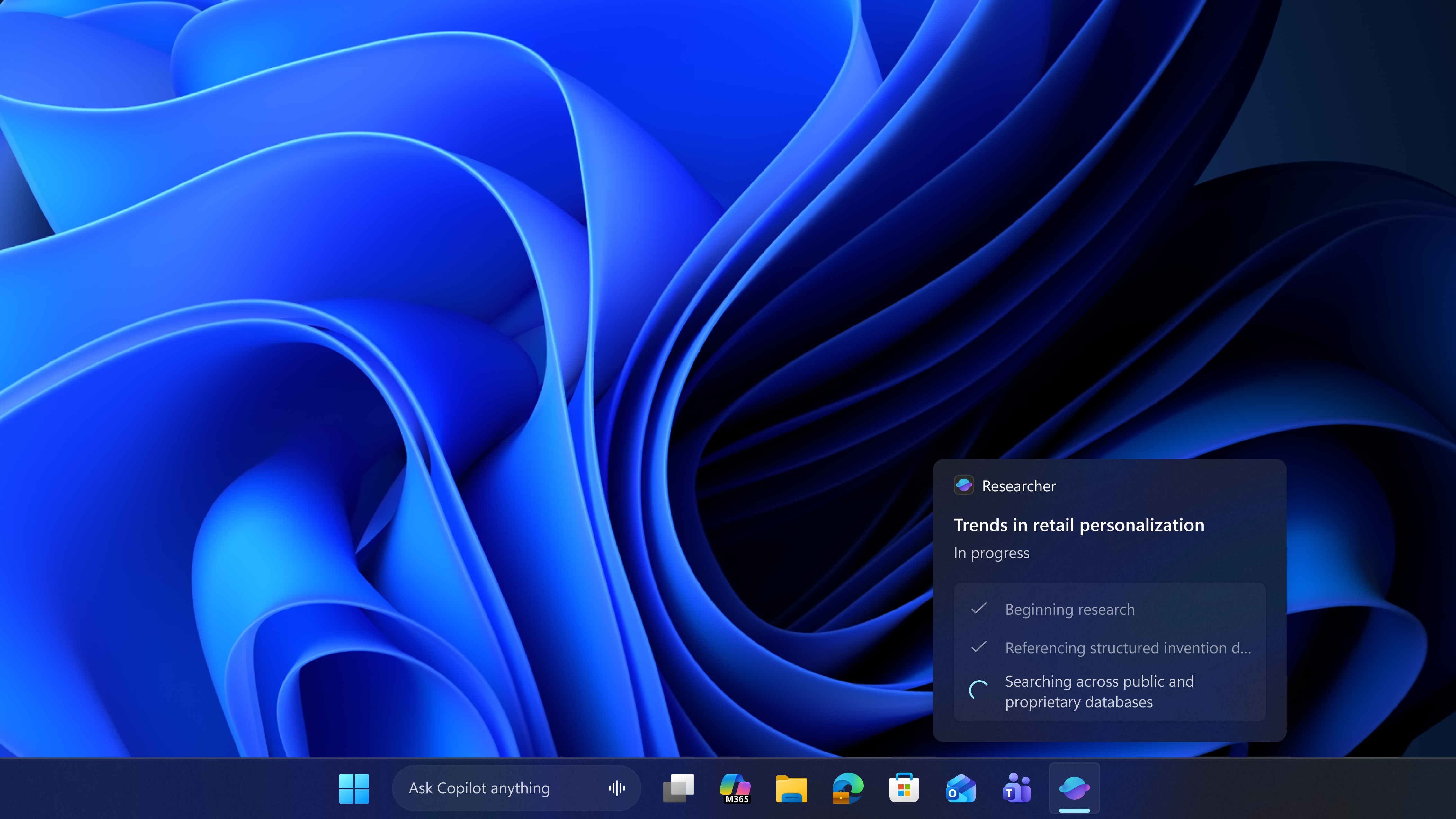
It is a contained, policy-controlled environment where an agent gets its own account, separate from yours, with scoped access to specific folders and the ability to work in the background while you keep using your PC normally.
From the looks of it, Microsoft’s web OS shell could’ve been a good candidate for an agent workspace inside Windows 11. We’ve entered pure speculation at this point, but I feel that, if at all, Project Aion should become a reality, it can exist in Windows 11 to do agentic AI tasks with access to your files and accounts, while you continue using the full-fat Windows 11 for every other task. That way, Windows 11 wouldn’t be bloated with AI.
That said, leaving aside the fact that we’ve reached a level where most professionals use AI in their workflow, people hate it when Microsoft adds AI, and it’s because they did all this work before fixing Windows 11.
Fortunately, this year, Microsoft has also been shipping real performance fixes. The company promised RAM optimization work for 8GB PCs by the end of 2026, and the controversial hardware scheduling trick called Low Latency Profile has already rolled out to make the interface feel more responsive.
Although Yusuf Mehdi still has plans to make Windows 11 into an agentic OS before he leaves Microsoft in a year, Microsoft is now fully caught up in fixing Windows 11. Microsoft’s web OS might be a fascinating (or a repulsive) look at a road the company once considered, but every recent decision the company has made shows that road staying closed.