







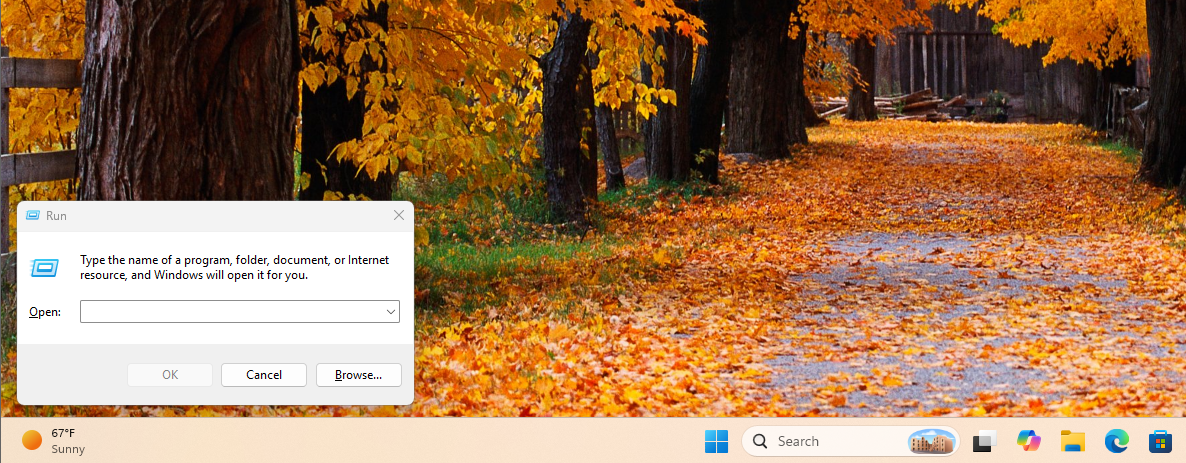
For decades, the Win + R keyboard shortcut has been the ultimate muscle-memory reflex for Windows power users. For example, my fingers default to winword to open MS Word, every time I start my PC. But despite its utility, it has remained a glaring visual relic of the Windows 95 era, completely detached from the Fluent Design language of modern operating systems.
Windows Latest recently reported that Windows 11’s hidden modern Run dialog is getting a slimmer design ahead of its rollout, confirming that Microsoft is actively working to modernize this classic tool. Now, Microsoft has officially detailed the engineering behind this revamp via its developer blogs.
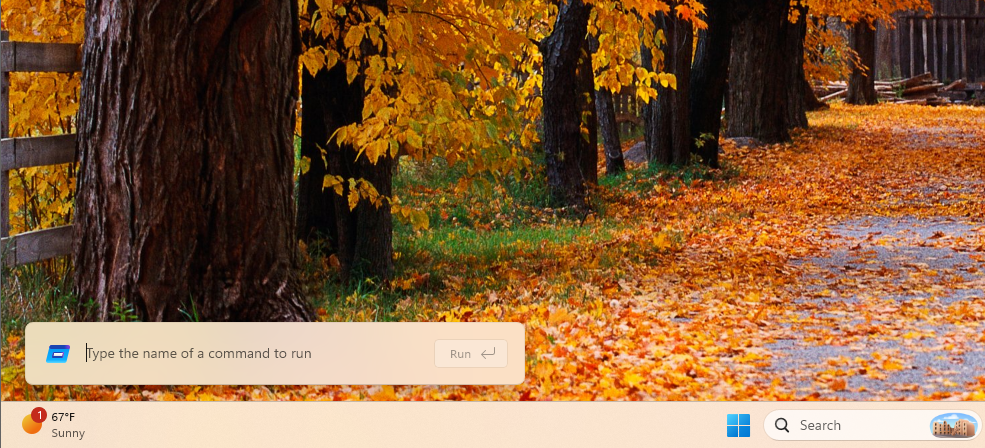
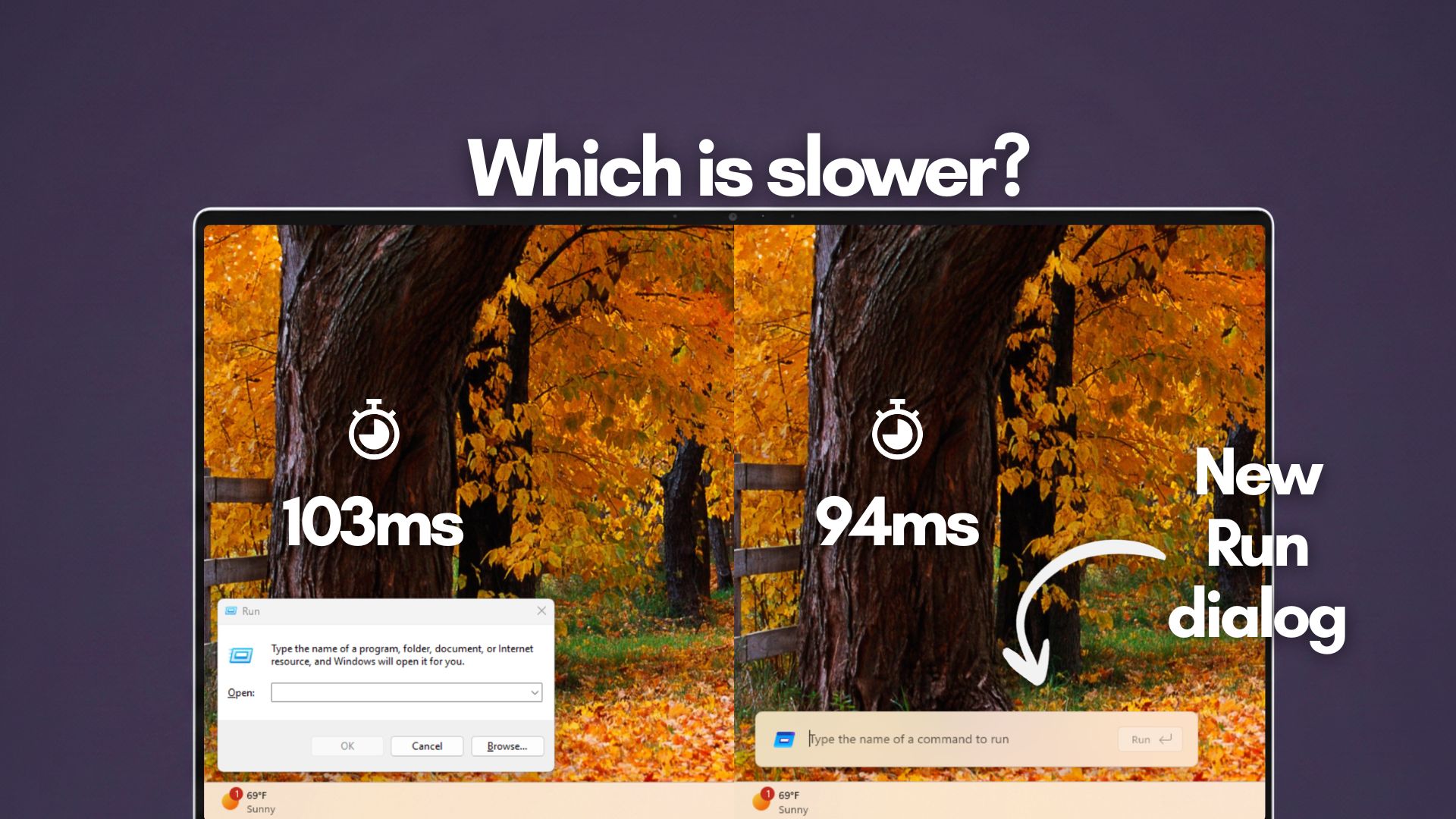
The company proudly announced that the new Run dialog, built from the ground up using C# and WinUI 3, boasts a median “time-to-show” of just 94 milliseconds. Microsoft presented this metric as a major performance victory, as they managed to beat the old Run dialog by 9ms. However, instead of applause, the announcement was met with a bizarre wave of internet backlash.
Armchair developers, tech commentators, and gaming enthusiasts took to X to mock the 94ms metric. The argument is that 94ms is an “eternity” in the computing world, considering that gaming monitors refresh every 8 milliseconds, and complex AAA video games can render entire 3D scenes loaded with physics calculations multiple times within that same 94ms window.
To the untrained eye, comparing a simple text box to a sprawling video game makes Microsoft’s engineering look completely incompetent. How could a massive tech giant take nearly a tenth of a second just to draw a rectangle on the screen?
Well, as it turns out, the problem is that this entire controversy is built on a fundamental misunderstanding of computer science.
Why the Windows 11 modern Run dialog backlash is completely baseless
First, we have to look at the difference between two completely distinct performance metrics: Time to First Frame (TTFF) and Frames Per Second (FPS).
When a game like Cyberpunk 2077 can render three frames in 94ms, they are talking about a “hot path” scenario. When you are playing a video game, the game engine is already fully loaded into your system’s RAM and VRAM. The asset pipeline is actively running, the graphics API (like DirectX 12) has established a direct line of communication with the GPU, and the software is looping continuously. Rendering the next frame in an already-running application is incredibly fast because all the heavy lifting of instantiation has already been done.
Opening the Run dialog is what developers call a “cold path” scenario.
When you press Win + R, the operating system has to intercept that keyboard hardware interrupt. It then has to allocate memory for a brand-new application process. Because the modern Run dialog is a native WinUI 3 application, the OS must load the necessary XAML frameworks, parse the layout, instantiate the text boxes and buttons, and query the system for your user history.
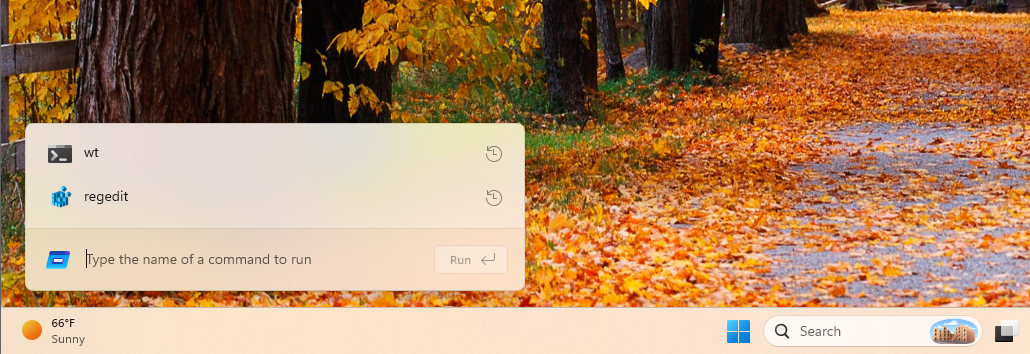
Once the application is built in memory, the Desktop Window Manager (DWM) has to composite that new window over your existing desktop, applying Windows 11’s Fluent Design materials, such as Mica transparency and drop shadows. Only after all of that happens can the GPU render the very first frame to your monitor.
Accomplishing all of this cold-path instantiation in 94 milliseconds, which is literally faster than the blink of a human eye, is a remarkable feat of software engineering. It is made possible because Microsoft is compiling the new Run dialog using .NET AOT (Ahead-of-Time) compilation, allowing it to execute with the speed of native code while retaining the safety and modernity of C#.
So, essentially, the backlash originated from a basic confusion between two entirely different performance metrics. Furthermore, the outrage completely ignores the most important piece of data Microsoft shared:
The old Run dialog was slower.
Before rewriting the tool, Microsoft added a telemetry measure to the legacy Win32 Run dialog across a massive sample size of 35 million users. They found that the classic, barebones Windows 95-style Run box had a median time-to-show of 103ms.
Let that sink in. The internet is furious that Microsoft replaced a 103ms application with a richer, more capable 94ms application. No one ever complained that the legacy Run dialog felt slow, yet people are suddenly outraged by a modernized version that is mathematically faster.
The new Run dialog is a massive functional upgrade.
The foundation of this new experience actually comes from PowerToys Run. So, Microsoft was able to iterate on the design using direct community feedback over the last few years.
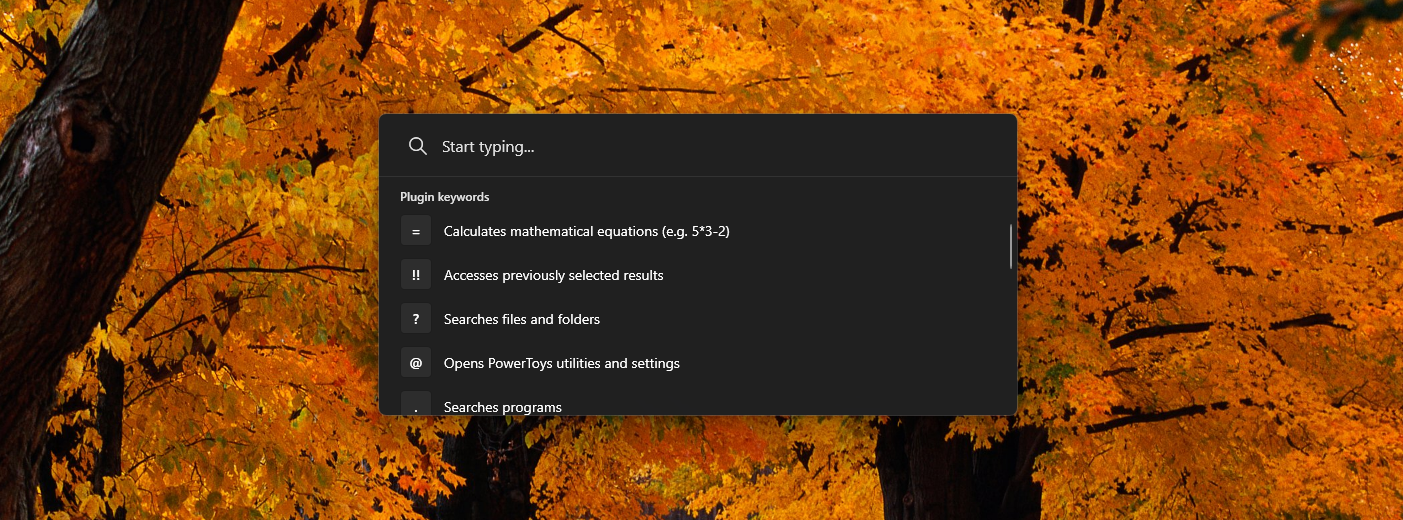
Telemetry showed that only 0.0038% ever clicked the “Browse” button, so the new default design minimizes clutter to focus on keyboard-first navigation.
Also, you can now simply type ~\ into the modern Run box to instantly jump to your user home directory, and then continue navigating your file system directly from the text field just as you would in a command-line interface.
And yes, it finally features full dark mode support, unlike the similarly aged File Explorer Properties dialog, which, we found, is also getting a WinUI 3 makeover.
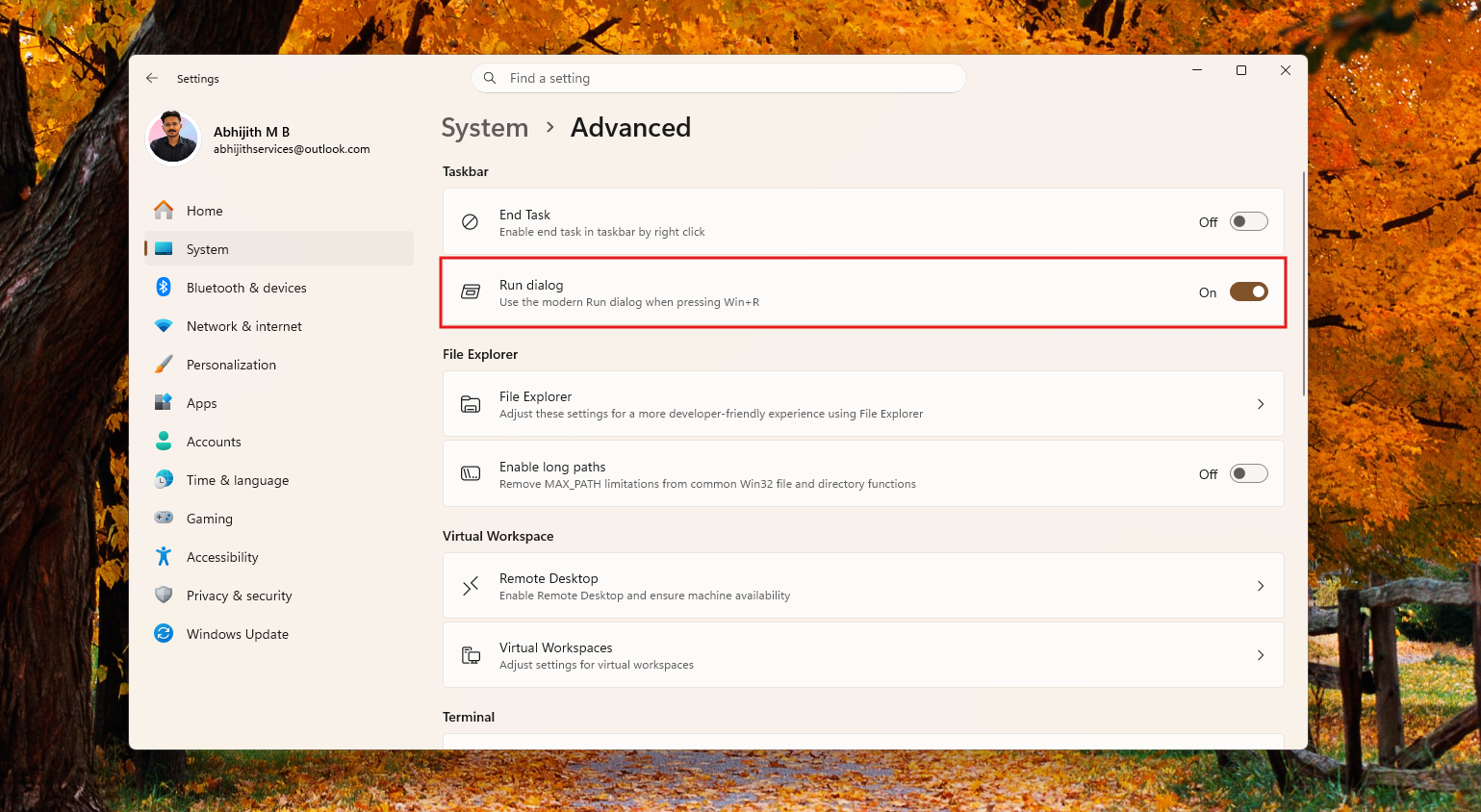
Currently, the modern Run dialog is slowly rolling out as an opt-in feature for Insiders in the Experimental Channel. If you are on the latest build, you can test it yourself by navigating to Settings > System > Advanced and toggling on the “Run dialog” option.
Microsoft’s push to modernize the Run dialog replaces ancient, inconsistent code with a fast, AOT-compiled WinUI 3 app that respects your system’s theme and improves usability. The internet might be yelling about milliseconds, but the reality is that Windows is getting better.