






A viral video comparing the MacBook Neo with a Windows gaming laptop racked up 5.4 million views on X this week, and Microsoft just couldn’t resist responding. First spotted by Windows Latest, Microsoft’s Windows account quote-tweeted the clip with its own version starring the new Dell XPS 13, just days after Apple quietly bumped the Neo’s price from $599 to $699.
As expected, Dell jumped in support of Microsoft, and the thing turned what should have been a marketing moment into Microsoft’s most direct shot yet at Apple’s budget MacBook.
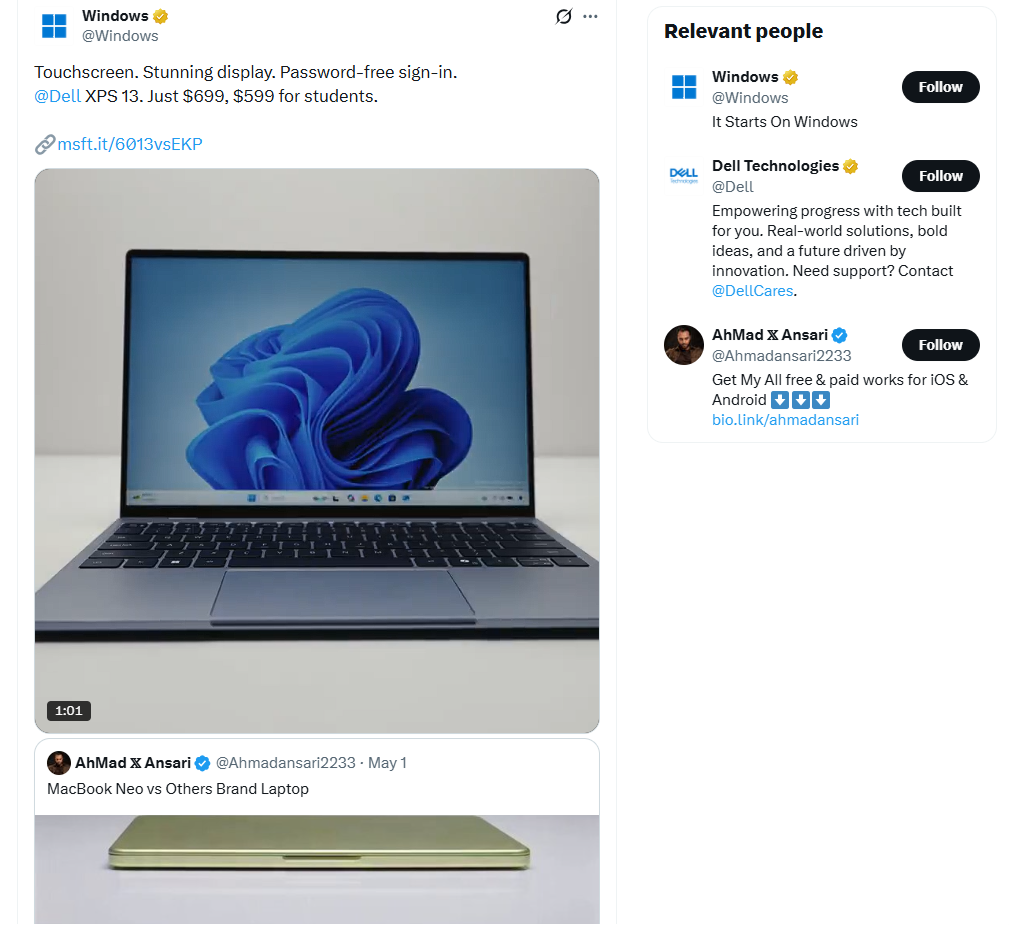
Before getting into Microsoft’s response, the original video needs some unpacking, because, I feel, it is the textbook definition of engagement bait dressed up as a hardware comparison.
Everything wrong with the viral MacBook Neo vs Windows laptop video
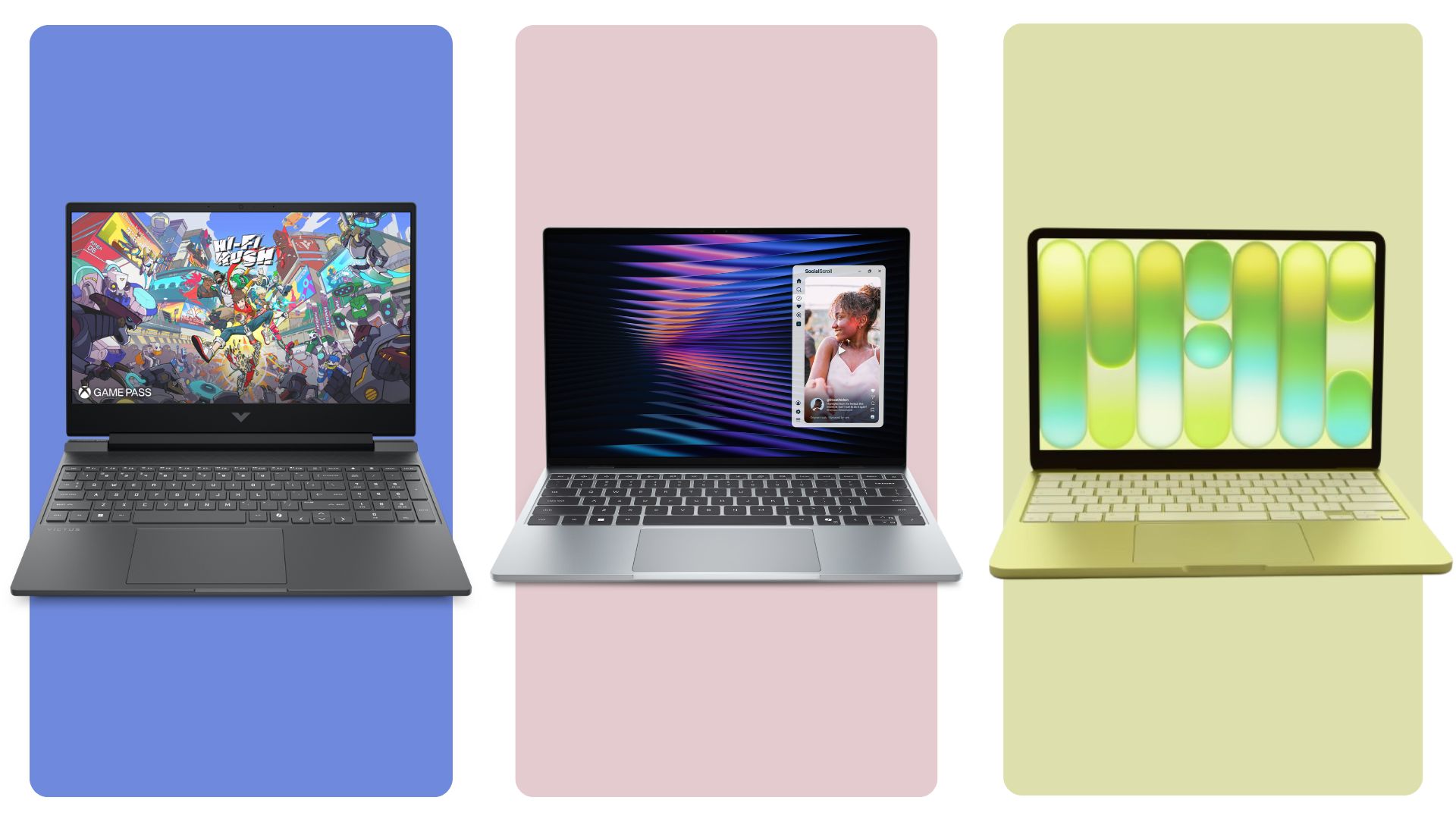
The video, posted by X user @Ahmadansari2233, on May 1, splits the screen between the then $599 MacBook Neo and a $699 “others brand” laptop, which a quick look at the deck reveals is an HP Victus gaming laptop, complete with an Intel Core sticker, an NVIDIA GeForce badge, and a setup QR code label still stuck to the palm rest.
The clip runs through thinness tests, port comparisons, a cable lift gimmick where the Neo gets suspended in the air by its own charging cable, and a wobble test on the lid. Each segment is built to make the Neo look refined, and the Victus look like it was bought specifically to lose.
Interestingly, the HP Victus gaming laptop is widely known for its significant screen wobble due to a structural design flaw.
Here is the part that irks me, especially as this got 5.4 million views. A gaming laptop and an ultraportable are not the same category of device. Gaming laptops like the Victus pour their budget into the GPU and cooling system, and not chassis rigidity, because the people buying them care about frame rates, not how the lid flexes when you twist it.

Apple, meanwhile, only sells three chassis types across its entire MacBook lineup, the Neo, Air, and Pro, so there is no equivalent low-cost, high-performance option to pit against it fairly.

Windows buyers get to choose from hundreds of laptops built for wildly different purposes. Comparing a $699 budget gaming laptop’s build quality to a $599 fanless ultraportable was never a fair fight, and surprisingly, the top replies on the original post called this out, with several users pointing out that a fairer comparison would have been against an HP ProBook or EliteBook instead.
The danger in this video is that it works against its own audience. People with very different computing needs watched a viral clip and walked away thinking the Neo could replace whatever they currently use, without anyone mentioning that Apple’s gaming library on macOS is nowhere close to what Windows offers, or that 8GB of RAM on the Neo is a hard ceiling with no upgrade path. Ragebait works because it skips nuance, and this video skipped all of it.
Microsoft shuts the viral MacBook Neo video with the Dell XPS 13
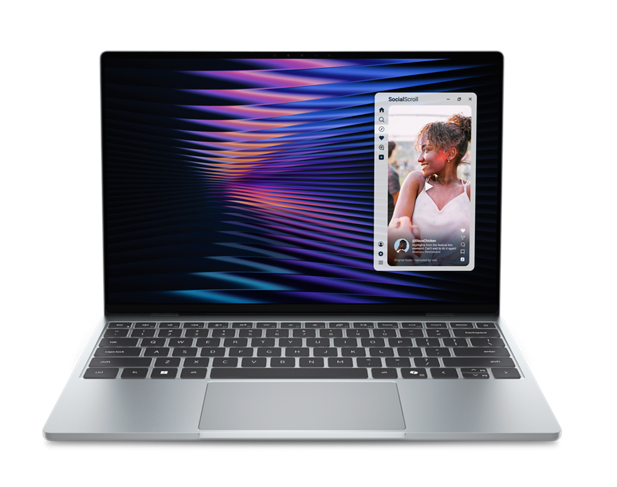
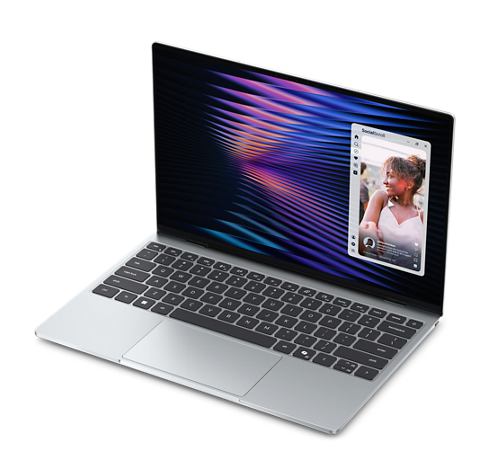
First spotted by Windows Latest, Microsoft’s response video goes with a $699 Dell XPS 13 in Sky blue:
The clip opens on the closed lid, then transitions to the laptop booting into the Windows 11 logo screen, a side profile shot showing off the thin chassis, and the same thinness test from the viral video, holding the lid edge between two fingers to show how slim it is. From there it moves into a Windows Hello lock screen with face unlock already active, then a finger tapping directly on the display to show off the touchscreen, something the Neo simply does not have.
The video closes with two hands lifting the XPS 13 by its edges with zero flex, followed by an overhead shot of the keyboard deck, completely free of stickers, protective film, or QR codes.
Microsoft also captioned the post to show everything the MacBook Neo doesn’t have:
“Touchscreen. Stunning display. Password-free sign-in. @Dell XPS 13. Just $699, $599 for students.”
Dell didn’t stay quiet either, replying: “A great Windows experience starts with great hardware. The Dell XPS 13 brings stunning visuals, seamless sign-in, and premium craftsmanship together.”
The new XPS 13 starts at $599 for students and $699 for everyone else, the same price tier the viral video used to push the Neo.
The base configuration runs Intel’s new Core 5 320 “Wildcat Lake” chip with 8GB of RAM and a 512GB SSD, paired with a 2.5K touch display that runs a variable 30 to 120Hz refresh rate. It weighs just 2.2 pounds and measures 12.7mm thick, making it lighter than the Neo’s 2.7 pounds despite matching it on thinness.
Dell also confirmed Core Ultra Series 3 configurations with up to 32GB of RAM and 1TB of storage are coming later this summer.
Full Specifications of the Dell XPS 13
| Specification | Dell XPS 13 (2026, DX13260) |
|---|---|
| Display | 13.4-inch, 2560 x 1600 (2.5K), touch, 30-120Hz variable refresh rate, 500 nits, 100% DCI-P3, Dolby Vision, DisplayHDR 400 |
| Processor | Intel Core 5 320 (Wildcat Lake) at launch; Intel Core Ultra 7 355 (Panther Lake) arriving later in summer 2026 |
| RAM | 8GB or 16GB LPDDR5x (Core 5 models); up to 32GB LPDDR5x (Core Ultra models) |
| Storage | Up to 512GB PCIe Gen4 SSD (Core 5 models); up to 1TB (Core Ultra models) |
| Graphics | Intel integrated graphics |
| Ports | 2x USB-C 3.2 Gen 2 with DisplayPort and Power Delivery (Core 5 models); 2x Thunderbolt 4 (Core Ultra models) |
| Webcam | 1080p (2MP) FHD camera plus IR camera, Windows Hello face unlock |
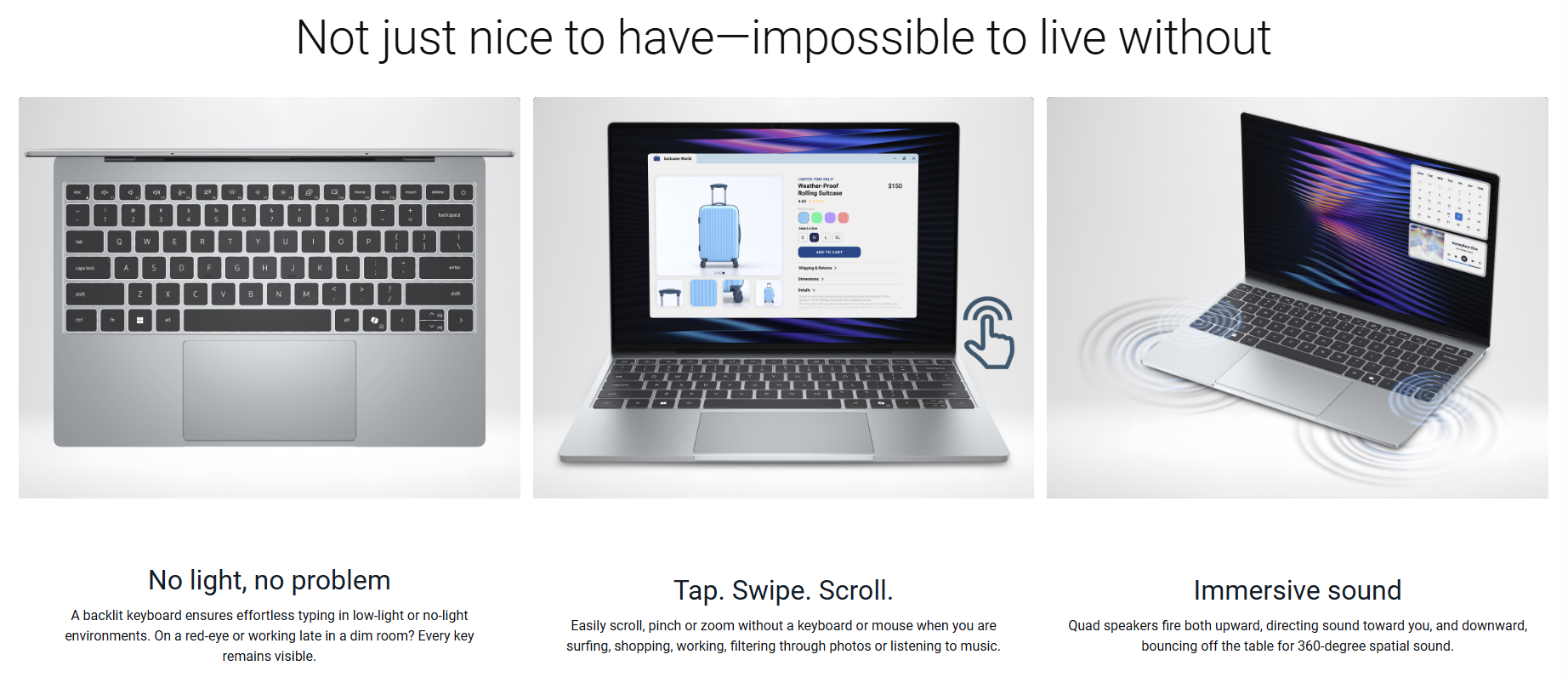
| Audio | Quad-speaker design, 8W total peak output, Dolby Atmos |
| Wireless | Wi-Fi 7 (Intel BE213 2×2) and Bluetooth 6.0 |
| Battery | 3-cell, 52Whr, up to 17 hours of video streaming |
| Charging | 65W USB-C AC adapter |
| Keyboard | Full-size backlit chiclet keyboard with 0.8mm key travel |
| Chassis | CNC-machined aluminum, dual-fan cooling |
| Weight | 2.2 lb (1 kg) |
| Dimensions | 12.7mm (H) x 296.9mm (W) x 200.66mm (D) |
| Colors | Sky, Storm |
| Operating system | Windows 11 Home / Windows 11 Pro |
| Starting price | $599 (students 16+), $699 (everyone else) |
Microsoft’s swing at the Neo didn’t start here. In May, a Signal65 benchmark report Microsoft commissioned that pitted the Neo against four mainstream Windows laptops, and we weren’t particularly impressed by it, since the comparison leaned heavily on spec sheets instead of real-world usability.
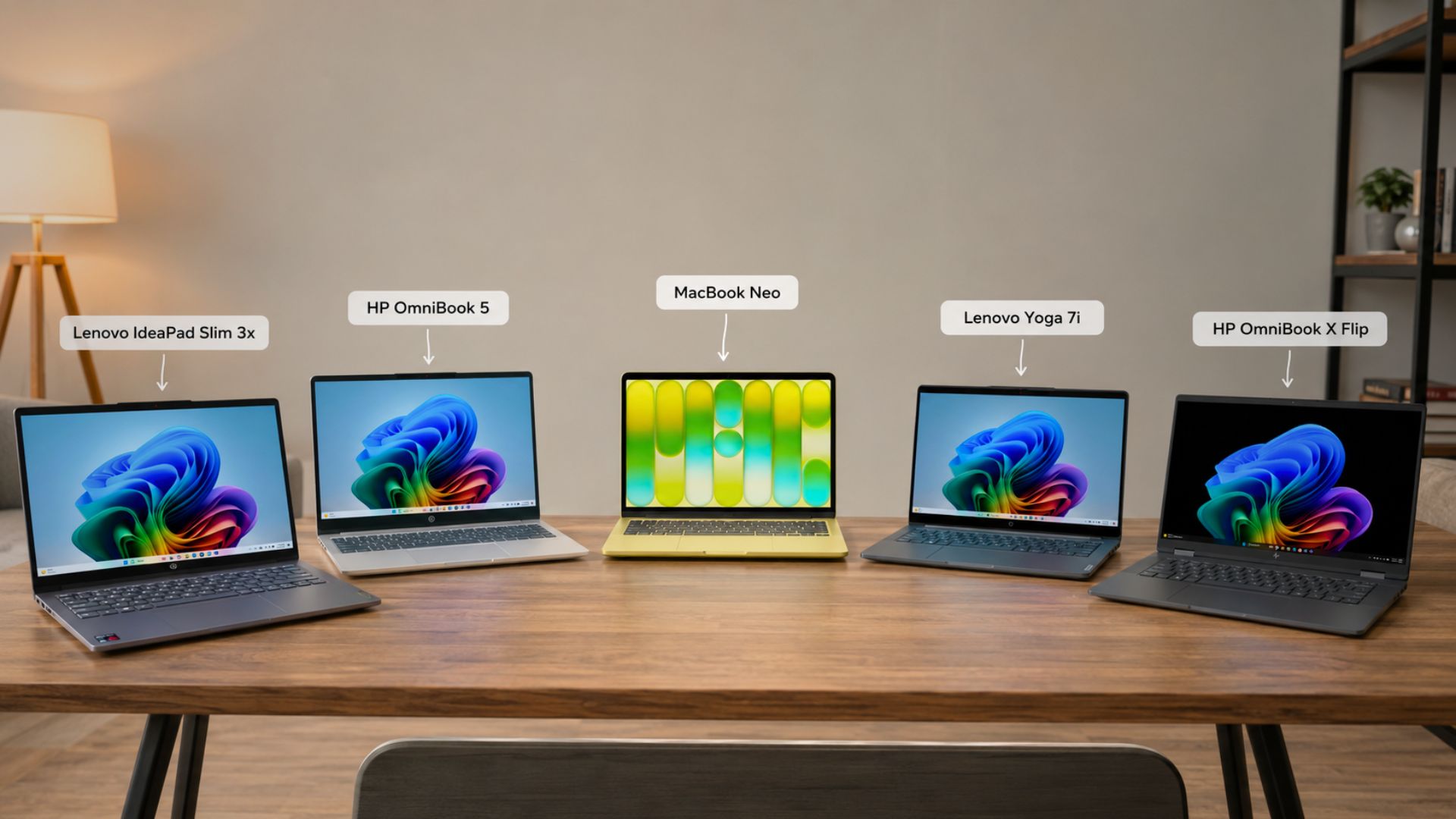
But this reply, showing off an actually better product than the MacBook Neo at the time Apple raised the Neo’s price, is a solid move.
Is Dell XPS 13 better than MacBook Neo?
Yes, and by a wide margin once you get past the base price match.

The XPS 13 includes a touchscreen, something Apple has never put on a MacBook. The display itself outresolves the Neo too, running 2560×1600 against the Neo’s 2408×1506, with a variable 30 to 120Hz refresh rate compared to the Neo’s fixed 60Hz panel.
Dell also covers 100 percent of the DCI-P3 color gamut, a wider range than the Neo’s sRGB coverage, which is a real advantage for anyone planning color-accurate creative work on a budget machine.

Biometric sign-in is a major win for the XPS 13 with an infrared camera for Windows Hello facial recognition standard on every configuration. The entry-level Neo has no biometrics at all, with Touch ID reserved for the pricier $799 tier.
Audio tells a similar story, with the XPS 13 running a quad-speaker setup at 8W peak output against the Neo’s dual-speaker system, and connectivity favours Dell too, with Wi-Fi 7 standard compared to the Neo’s Wi-Fi 6E.
Ports are where the spec sheet really tips in Dell’s favor. The XPS 13’s base model carries two full-speed USB-C 3.2 Gen 2 ports, while the Neo splits its two USB-C ports between one USB 3 connection and a laughable USB 2.0.
Step up to the Core Ultra configuration and the XPS 13 swaps in dual Thunderbolt 4 ports instead. The Neo does keep its 3.5mm headphone jack, and its fanless design means silent operation, something the dual-fan XPS 13 can’t claim, though that also means the Neo throttles harder under sustained load.
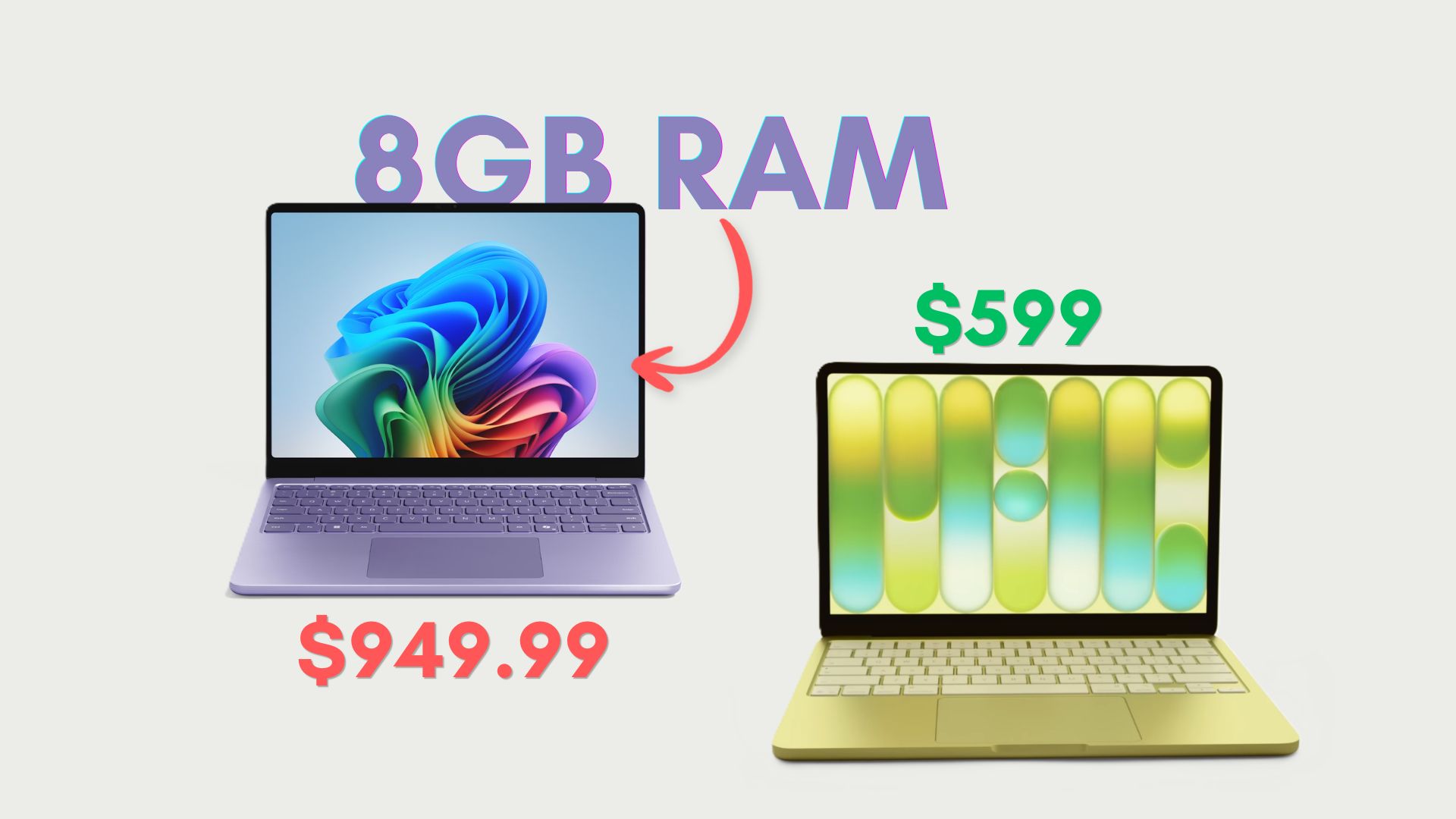
Then there is RAM, which Microsoft made sure to highlight in a follow-up reply on X. The base XPS 13 ships with 8GB just like the entry Neo, but Dell lets buyers configure up to 16GB on the Core 5 model and up to 32GB once the Core Ultra chips arrive.
The Neo has no such path. Its 8GB is a hard ceiling due to the smartphone chip it uses. For anyone who suspects they’ll outgrow 8GB within a year or two, which is a real possibility given how memory-hungry web apps and AI workflows have become, the XPS 13 offers a way out that Apple does not.

| Category | Dell XPS 13 (2026) | MacBook Neo |
|---|---|---|
| Starting price | $599 (students), $699 (everyone else) | $599 (education), $699 (everyone else), up from $499/$599 before Apple’s June 2026 price hike |
| RAM ceiling | Up to 32GB, configurable | Hard-capped at 8GB, no upgrade option |
| Touchscreen | Yes, 30-120Hz variable refresh | No touch input |
| Display resolution | 2560 x 1600 | 2408 x 1506 |
| Color gamut | 100% DCI-P3 | sRGB (narrower gamut) |
| Biometric sign-in | Windows Hello IR face unlock, standard on every configuration | No biometrics on base model; Touch ID only on the pricier $799 tier |
| Keyboard backlight | Yes, standard | No backlight on any configuration |
| Speakers | Quad-speaker, 8W peak output | Dual side-firing speakers |
| Wireless | Wi-Fi 7 | Wi-Fi 6E |
| USB-C ports | 2x full-speed USB-C 3.2 Gen 2 (or Thunderbolt 4 on Core Ultra) | 2x USB-C, but one port is capped at USB 2.0 speeds |
| Headphone jack | Not included | 3.5mm jack included |
| Cooling | Dual-fan, active cooling | Fanless, silent operation |
| Weight | 2.2 lb (1 kg) | 2.7 lb (1.23 kg) |
| Charging | 65W fast charging | No fast charging option |
| Battery life (rated) | Up to 17 hours (video streaming) | Up to 16 hours (video playback) |
Windows 11’s reputation problem hasn’t gone anywhere
All this said, Microsoft has something huge to worry about. The original ragebait video, despite being one-sided and badly framed, still pulled in plenty of comments defending the Windows laptop. Microsoft’s own quote-tweet, armed with a far superior $699 Dell XPS 13, got a much rougher reception.
Users replied with the likes of “only drawback: windows” to some saying they would trade the XPS 13 for a MacBook Air, alongside several uses of the now-familiar “Microslop” nickname. Users pointed to the Copilot key as a dealbreaker on its own, while another dismissed the entire pitch by saying the hardware doesn’t matter when the operating system is the problem.
Fortunately for Dell, none of this is about the XPS 13’s hardware, which by every spec comparison available outclasses the Neo at the same price. Unfortunately for Microsoft, it is about years of accumulated frustration with Windows 11, with the Copilot push, the bloat, and the memory issues that have made “Windows is slow” into an almost reflexive comment.
Years of this frustration only got louder with popular Windows apps like Discord, Teams, and the new WhatsApp eating through RAM, all while memory chips got more expensive.
Microsoft also didn’t help its own case earlier this year by pushing 16GB RAM as the Copilot+ PC minimum for years, only to turn around and ship an 8GB Surface Laptop for $1,299, and then following up with a consumer version that’s priced closer to the MacBook Air.
To be fair, Microsoft does seem to be taking the software side seriously now. The company has spent most of 2026 walking back its earlier missteps, rolling out fixes for memory leaks, slow startup times, and File Explorer bugs, alongside a CPU scheduler trick called the Low Latency Profile that makes budget hardware feel noticeably snappier when opening apps or the Start menu.
Windows 11 26H2, arriving this fall, is expected to carry more of these performance fixes forward.
The biggest problem Microsoft has now is that people are unaware of the fixes that already arrived and are coming to Windows 11. The XPS 13 is the better laptop here, but whether that ends up in the short attention span of anyone scrolling past a viral video on X is a different question.