





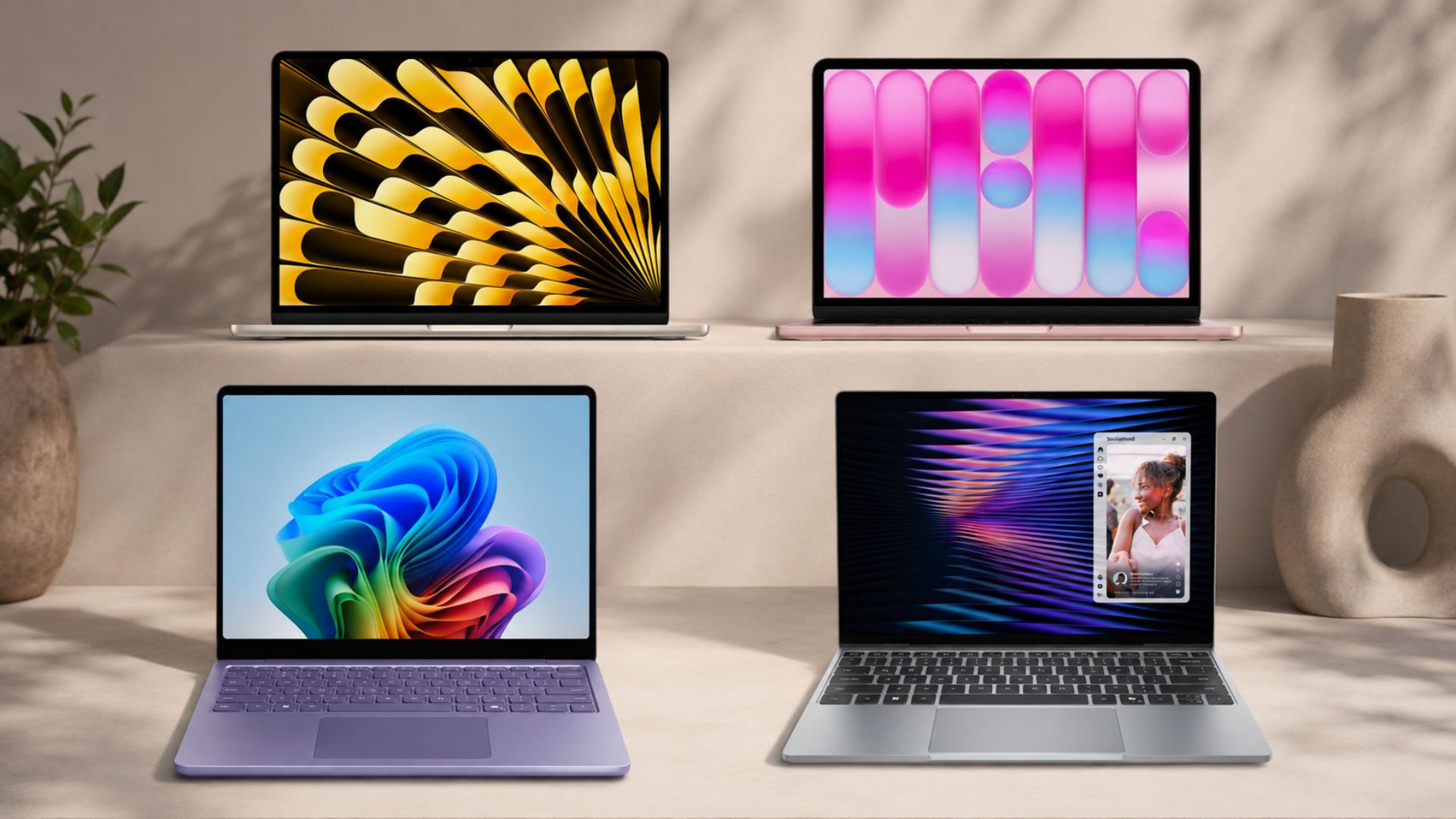
Independent lab testing just showed that Microsoft Word opens a lot slower on Windows laptops than it does on MacBooks. Two separate tests, run with robot-controlled precision, found the same result while comparing Apple’s MacBook Neo with the Dell XPS 13 and the MacBook Air M5 going up against Microsoft’s Surface Laptop 13.
Of course, Apple’s M-series silicon being fast is not news to anyone at this point. But this is Microsoft Word we are talking about; an app Microsoft has had over three decades to optimize for its own operating system.
However, despite losing on raw performance, the Snapdragon X2 Plus and Intel’s new Panther Lake-based silicon beat both MacBooks on battery life during everyday productivity work, cycling between Word and Excel.
But only one of these two Windows machines is worth buying over its Apple rival right now. The other one has a very good excuse and a very bad price tag working against it.

A 500-page Word document opens faster on MacBooks than on the Windows competition
The tests come from PhoneBuff, a YouTube channel known for lab-grade, robot-controlled testing across phones and now laptops.
In the MacBook Air versus Surface Laptop comparison, both laptops opened the same 500-page Word document, and the MacBook Air with the M5 chip finished in 7 seconds. The Surface Laptop, running Qualcomm’s latest Snapdragon X2 Plus, took 12 seconds, nearly twice as long, to open a Microsoft app on a Windows PC.
Then in the MacBook Neo versus Dell XPS 13 test, the same story played out again, and arguably worse. The MacBook Neo isn’t even running proper Apple Silicon here; it uses the A18 Pro, a repurposed iPhone chip.
Dell’s XPS 13, in the configuration PhoneBuff tested, runs Intel’s Core 5 320, part of the new Wildcat Lake family, paired with just 8GB of RAM, which is the entry-level variant Dell ships to hit its MacBook Neo-matching price. The Neo opened the Word file in 7 seconds. The XPS 13 took 12 seconds.
So, an iPhone chip repurposed into a $599 laptop opened a Microsoft app faster than Windows PCs that are supposed to run Microsoft apps well. It’s not a great look for Intel, Dell, Microsoft, or the PC industry, given this should be the one category where Windows has a home turf advantage.
For what it’s worth, I tried opening a 500-page Word document on my own PC, which isn’t a particularly powerful machine, and it loaded noticeably faster than either Windows laptop (and the MacBooks) in these tests. Mine had images in it too, in case that’s relevant. So, the issue might come down to the specific file, the specific hardware configuration, or something about how these particular units were set up.
We don’t know for sure whether this is a chip problem or a Windows problem. Either way, Microsoft needs to get its own software running well on its own OS, because right now, this is embarrassing. Remember when the MacBook Neo launched, Apple surprisingly showed off Microsoft Office apps running on their budget laptop.
That said, the Surface Laptop and the XPS 13 both beat the MacBooks in a category where Windows laptops failed a couple years ago.
Windows machines beat MacBooks on battery life doing real productivity work
Apple’s M-series chips launched with a reputation built almost exclusively around battery life, so this is the one category everyone expects Apple to win without a fight.
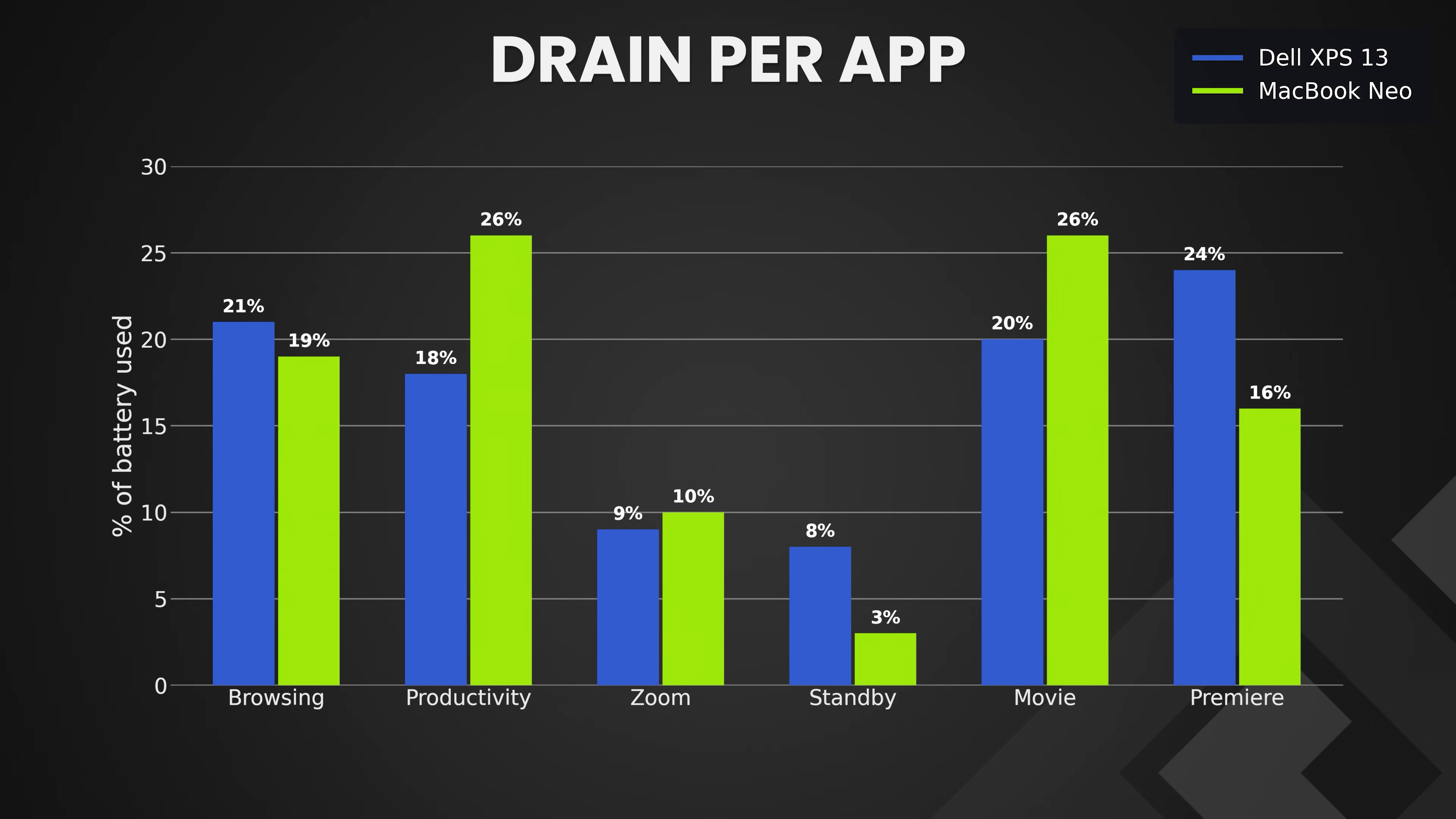
In PhoneBuff’s productivity battery test, which cycles between Word and Excel, copies and pastes text, types continuously, and plays music in the background through Spotify, the XPS 13 dropped only 18 percentage points over two hours compared to a 26-point drop on the MacBook Neo.
Per-app battery draw put the XPS 13 at 18% used against the Neo’s 26% for that productivity segment, and the overall drain graph shows the XPS 13 holding a consistent lead over the Neo from start to finish, only really converging once the Premiere export pushed both machines into a much heavier workload.
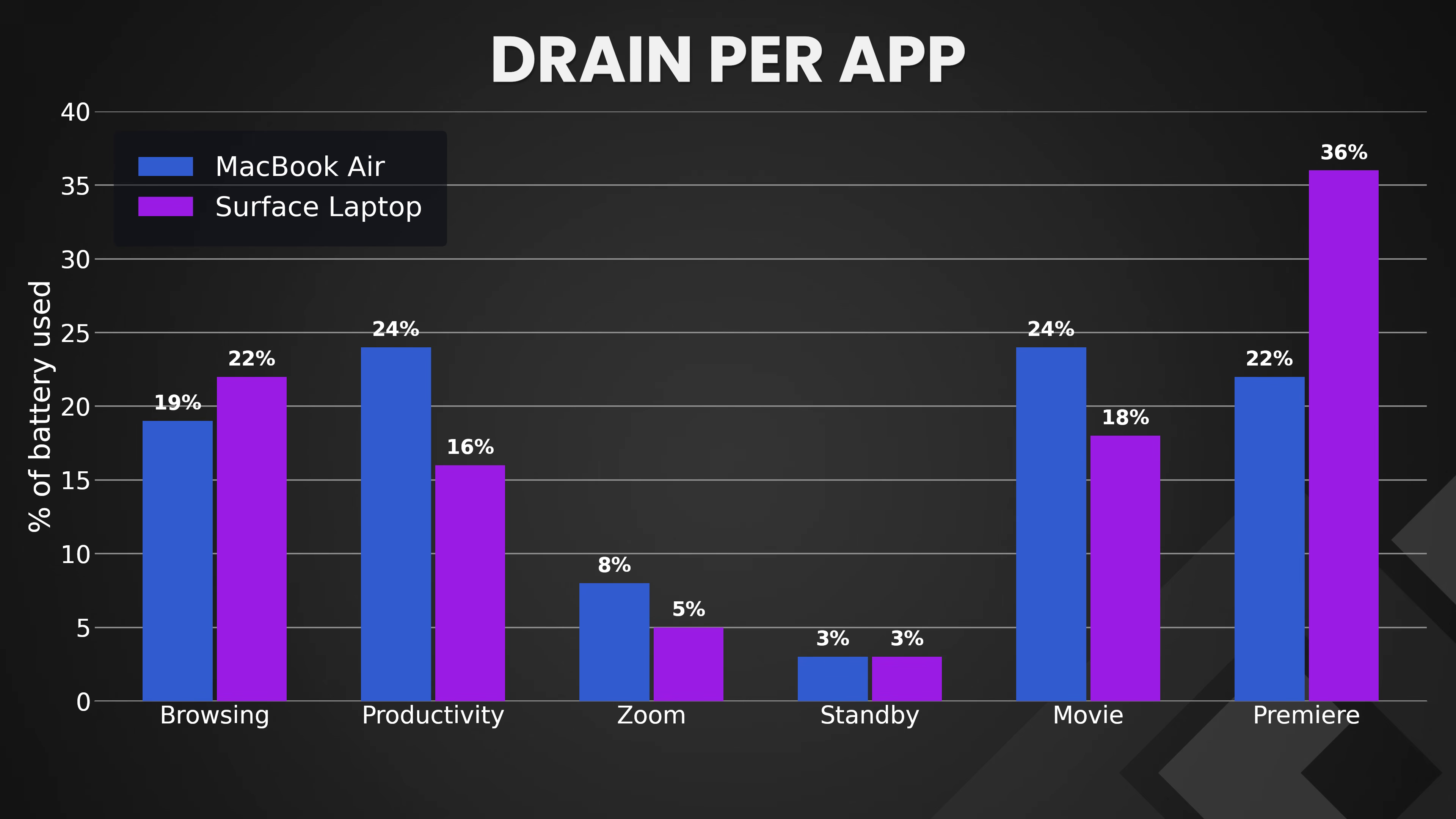
The Surface Laptop versus MacBook Air test told a similar story. The Surface Laptop pulled ahead by five points during the same productivity cycle, draining just 16% of its battery compared to the Air’s 24%.
The overall drain chart shows the Surface Laptop tracking closely with, and often ahead of, the MacBook Air for most of the test, before Premiere evens things out again near the end.
I did not expect this. Snapdragon being ARM-based has always had efficiency working in its favor, but Intel winning a battery fight against Apple silicon is surprising.
Panther Lake, and by extension the Wildcat Lake chips derived from it, appears to have made real gains here, and it is exciting to see x86 competing with Apple on efficiency again, even if it’s only in lighter workloads instead of sustained, heavy ones like video export. But if I’m doing such heavy tasks, I would be plugging in my device anyway!
The Dell is worth it. The Surface currently isn’t.
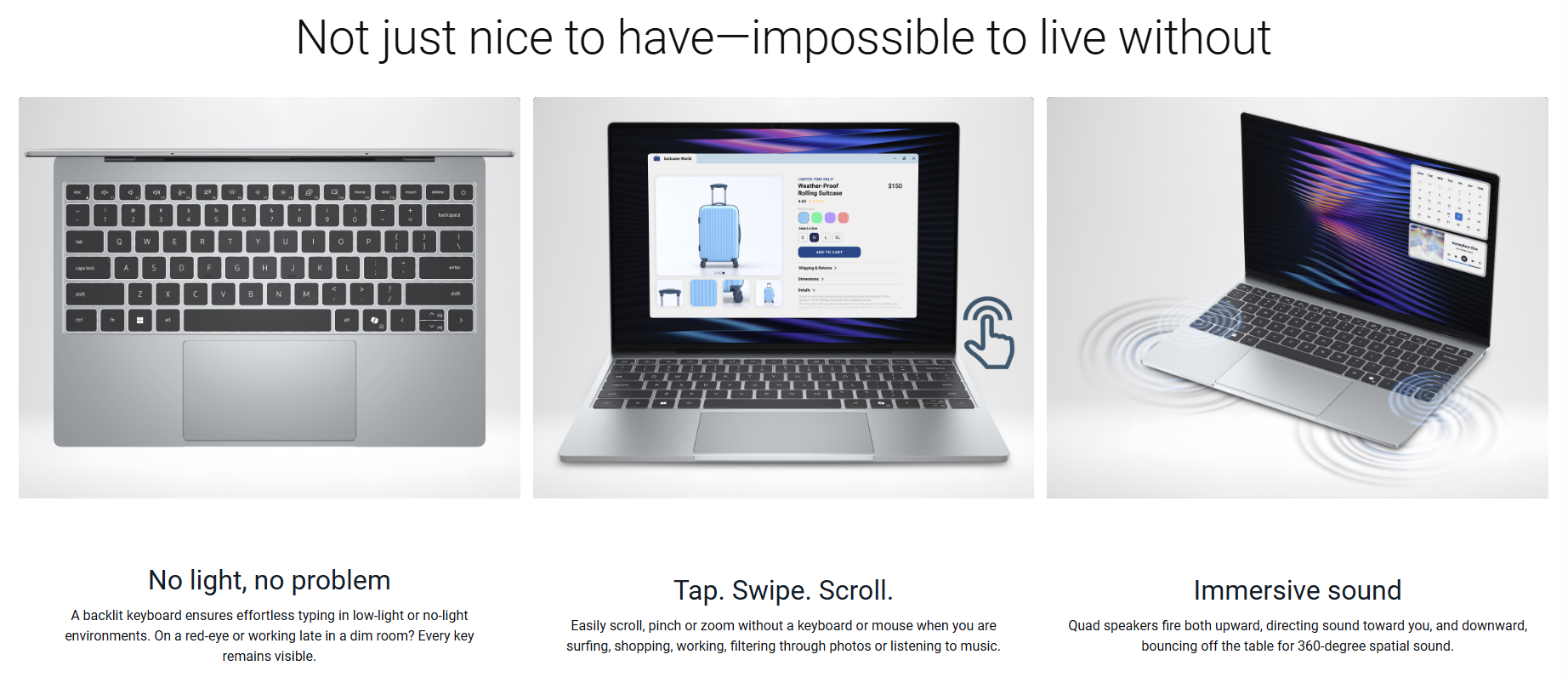
The Dell XPS 13 is a solid product, and a better buy than the MacBook Neo it’s built to compete with. It has a touchscreen the Neo lacks, a sharper and more color-accurate display, a 120Hz refresh rate, expandable storage, and now, apparently, better battery life in everyday productivity use.
The Word opening speed is a real weakness, but it’s an isolated one against an otherwise well-rounded, similarly priced machine.
The Surface Laptop is a tougher sell. It loses to the MacBook Air in performance, cameras, microphones, and speaker quality, despite Microsoft saying Surface has a superior camera.
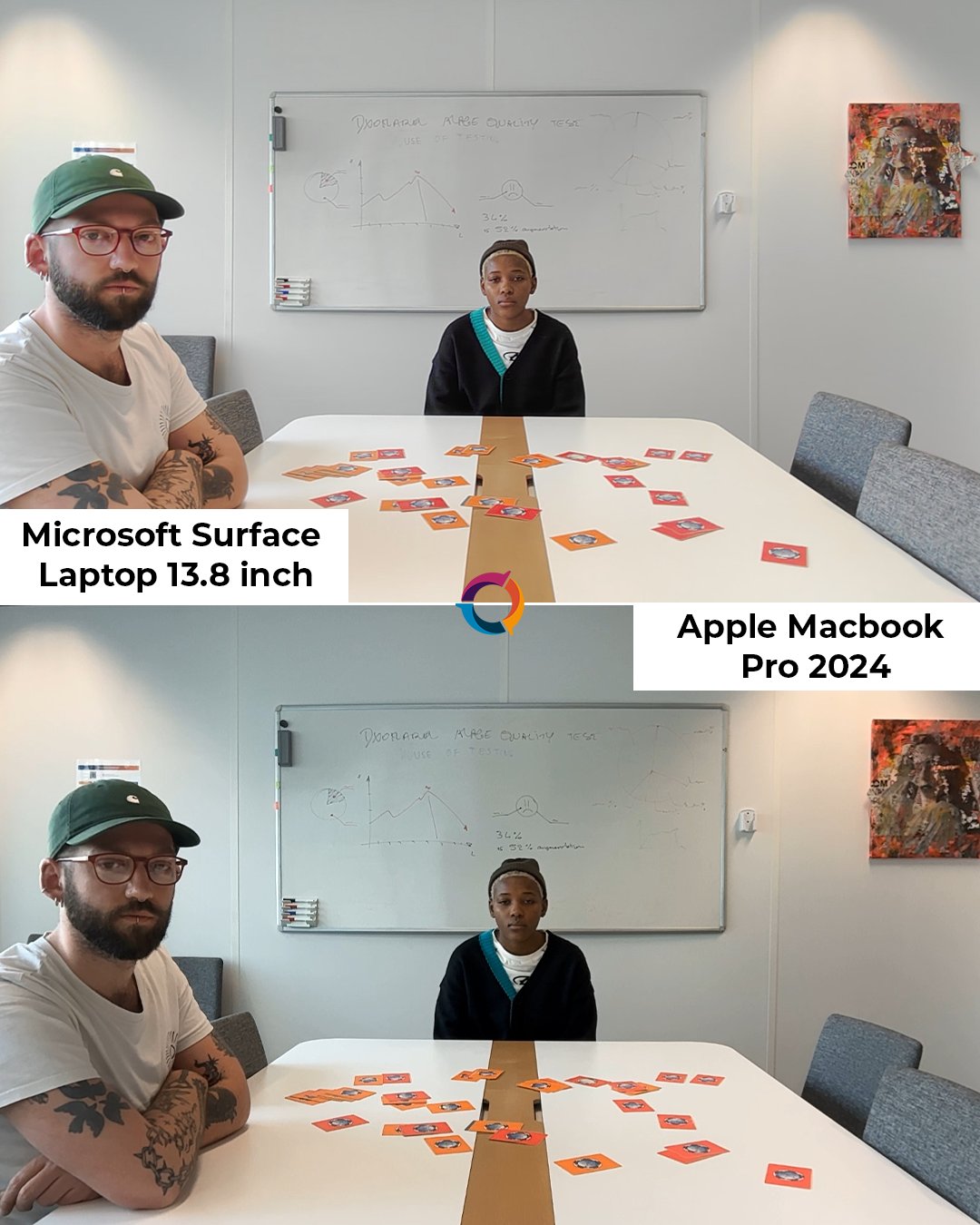
The final nail in the coffin is that the Surface Laptop costs $300 more for the privilege, which is a price as absurd as the $1300 Surface Laptop for Business with 8GB RAM.
We understand the memory and chip supply crunch happening across the industry right now, and it’s affecting everyone’s pricing. But Microsoft would be better off absorbing some of that cost rather than letting the Surface brand look like bad value next to a MacBook Air that performs better for less money. Not to mention, Microsoft was one of the key players that caused this RAMageddon in the first place.
Windows needs real optimization, not just faster chips
Better battery life from Snapdragon and Intel is an encouraging sign. But Word opening twice as slow on Windows PCs shows a deeper issue.
Microsoft already knows this. The company recently admitted Windows 11 uses too much memory and promised optimization for PCs with 8GB of RAM and above by the end of 2026, which, notably, is exactly the RAM configuration Dell used in the XPS 13 that lost this Word test.
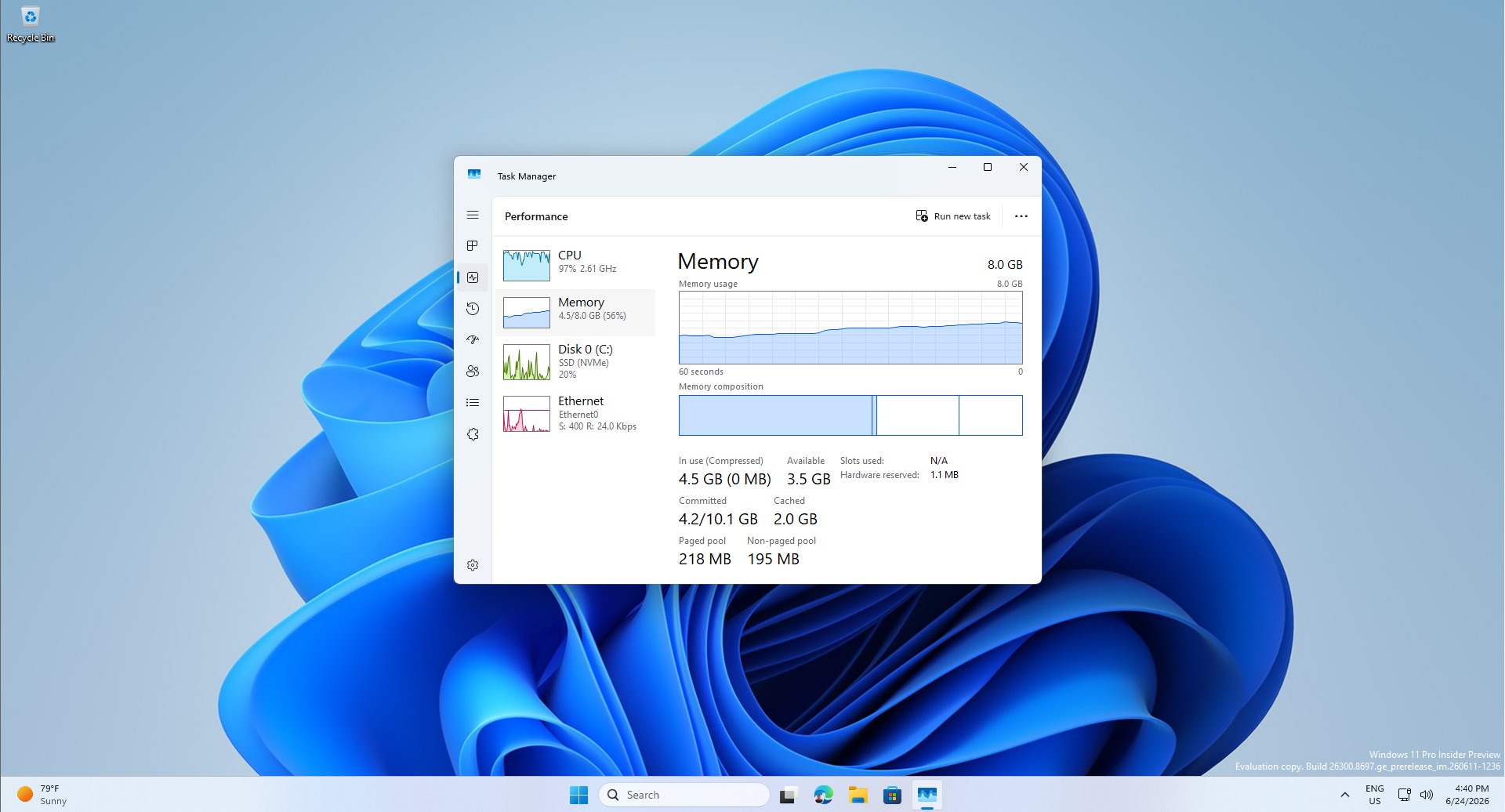
Optimizing for 8GB and above effectively means Windows should run better across the board, on 16GB and 32GB machines too, not just the entry-level ones.
In terms of software development, Apple can move fast here because its ecosystem is small and tightly controlled. Windows carries decades of legacy software and countless enterprise deployments that can’t be broken overnight, so wholesale optimization is a much harder problem for Microsoft than it ever was for Apple.
But that’s exactly why the push toward WinUI is important, replacing WebView2, arguably the worst thing to happen to Windows performance in years, with native code wherever Microsoft can.
Also, the RTX Spark powered devices are just around the corner, with different formfactors too, like the upcoming Lenovo Yoga 9n 2-in-1. However, fast silicon can only cover for a bloated OS for so long, and this round of testing is proof that it already isn’t covering enough.