






Windows 11 Sun Valley 2 could freshen up the dusty old corners of the...
Windows 11 or Sun Valley update promises UI overhaul and a more modern look for the interface based on WinUI design principles. Unfortunately, the original Windows 11 version couldn't freshen up several old interfaces...
Windows 11’s Android subsystem is getting new features
Windows 11's highly-anticipated Windows Subsystem for Android is finally available for more users and Microsoft has already started working on the next big update. A new version of Android integration is available for testers...
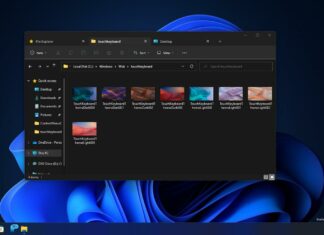
Hands on with Windows 11’s leaked File Explorer with tabs feature
If you're one of many users who have been requesting Microsoft to add tabs to File Explorer, we finally have some good news for you. Windows 11 version 22H2 or Sun Valley 2 update...
Windows 10 KB5011487 (21H2, 21H1) released – here’s what’s improved
Windows 11 KB5011487 is a new cumulative update rolling out to devices running version 21H2 or older. This update is also available for older versions provided they use Enterprise or Education edition. In addition...
Windows 11 KB5011493 released with several new features
Windows 11 KB5011493 has been released for everyone as part of the Patch Tuesday cycle and it comes with several new features. Microsoft also published Windows 11 KB5011493 offline installers and these installers can...
Microsoft quietly confirms Windows 11 version 22H2 feature update
Microsoft will be celebrating the one-year birthday of Windows 11 with the release of a major update codenamed "Sun Valley 2". If you have a Windows 11 device, you'll get the update automatically, and for...

Windows 11 22H2 feature promises significant protection from malware
Windows 11 Sun Valley 2 (version 22H2) is set to launch in a few months and it's shaping up to be a fantastic update that brings back removed features, improves the user interface, and...
You can now easily bypass Windows 11 system requirements
Microsoft's Windows 11 announcement caused plenty of confusion and criticism due to its strict hardware requirements. Windows 11 officially requires 8th-gen or newer Intel processors, 4GB of RAM, 64GB of storage device, TPM 2.0...
Microsoft wants to make Windows 11 updates more power efficient
Microsoft is exploring support for a new version of Windows Update in the Dev Channel of the Windows Insider program. This new feature is included in Windows 11 Build 22567 and it aims to...
Microsoft Edge for Windows is getting a new feature to detect performance issues
Microsoft Edge for Windows 11 and Windows 10 is set to run a lot faster thanks to a new tool that will allow users to debug performance issues. The browser can run slower than...
Windows 11 Build 22567 released with new design features and more
Windows 11 Build 22567 is now rolling out with a number of design improvements and a few new features aimed at improving Windows Update. Today's preview release is available for those in Dev Channel...
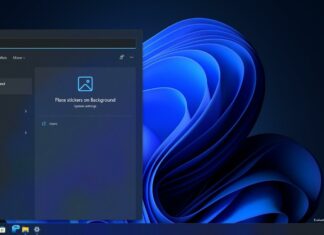
Our first look at Windows 11’s new tool to customize desktop background
Sun Valley 2 is going to be a big release for Windows 11 and Microsoft is internally exploring support for new features and improvements. As per reports and evidence spotted in preview builds, Windows...
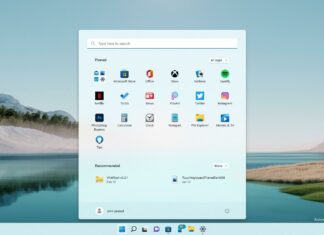
Windows 11 KB5010414 accidentally hides Start Menu, Microsoft responds
It looks like Windows 11's February 2022 optional update (KB5010414) fail is causing misery for some users, with people taking to the Feedback Hub to complain that after installing the update, their Start menu...
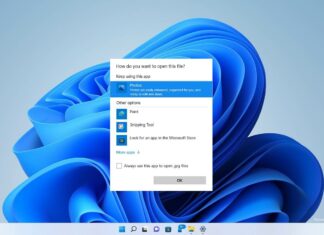
Microsoft is redesigning Windows 11’s default apps picker tool
As part of the broader WinUI/Fluent Design push with Sun Valley 2, Microsoft is testing a small tweak to one particularly important and frequently used component when managing files on Windows 11. The 'app...
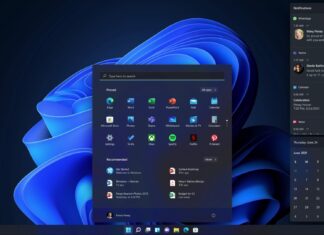
Windows 11’s new feature makes it easier to manage Bluetooth devices
Windows 11 comes with a "Quick Settings" panel that replaces the Action Center which houses both notifications and settings on Windows 10. With Quick Settings, you can quickly change a setting without having to...
Windows 11


Windows 10