






Apart from old-school power users who live in the Run command, and the modern kind who swear by tools like PowerToys Command Palette and Raycast, the Start menu, and the taskbar are the two most interacted-with things in Windows 11. So Microsoft was absolutely in their right mind when they decided to make these more personal.
Both the Start menu and the taskbar have faced relentless criticism since Windows 11 launched. The taskbar has triggered backlash because it can’t be repositioned anymore, unlike in Windows 10. Microsoft also gave reasons for removing that function.
Then there is the MSN feed that swings by every time you hover over the weather widget, and the lack of a true compact mode in the Taskbar.
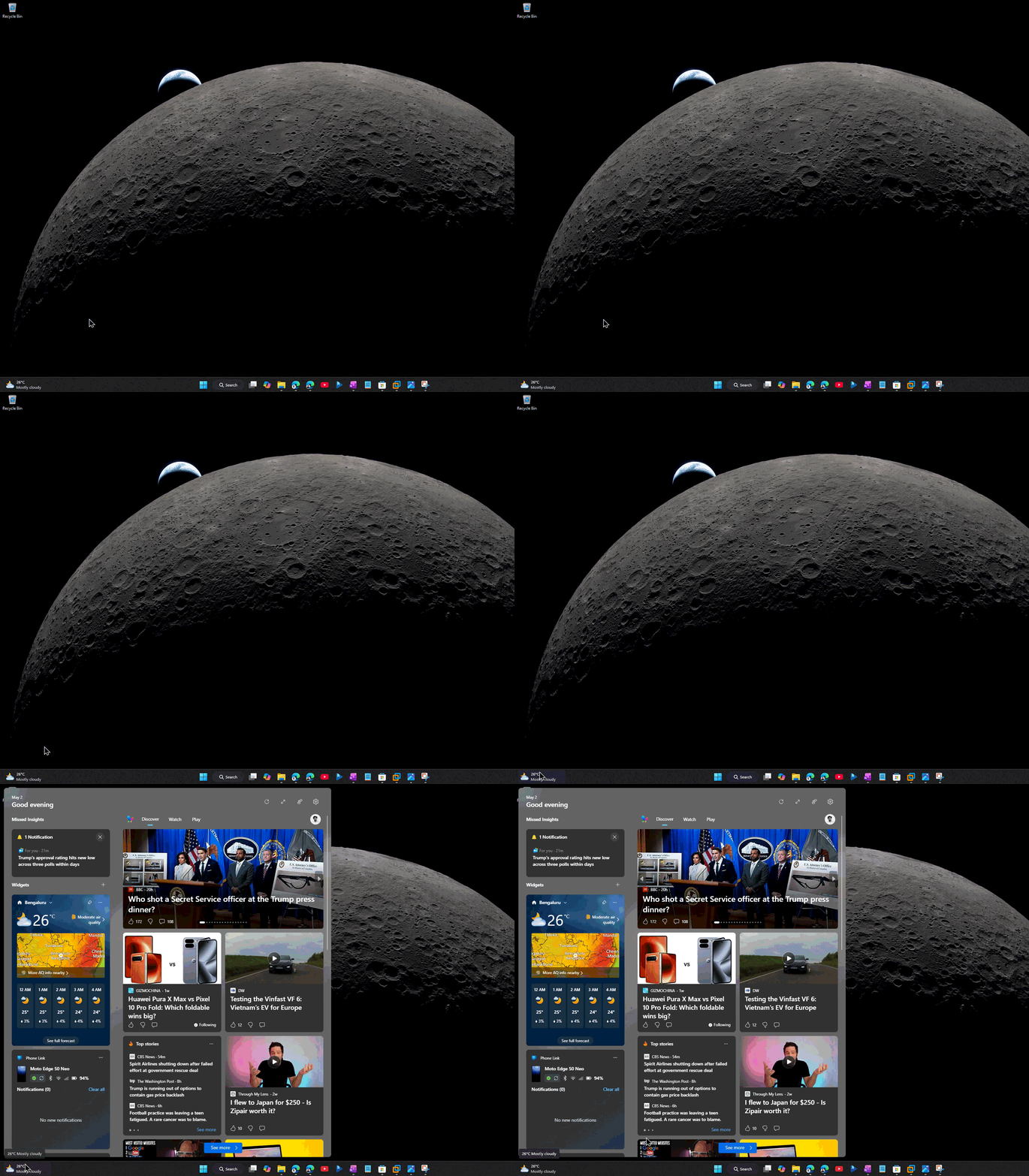
We also found a bug when clicking the Task Manager from the taskbar, which would trigger a duplicate Task Manager that bogged down background processes. Fortunately, it was fixed after our report.
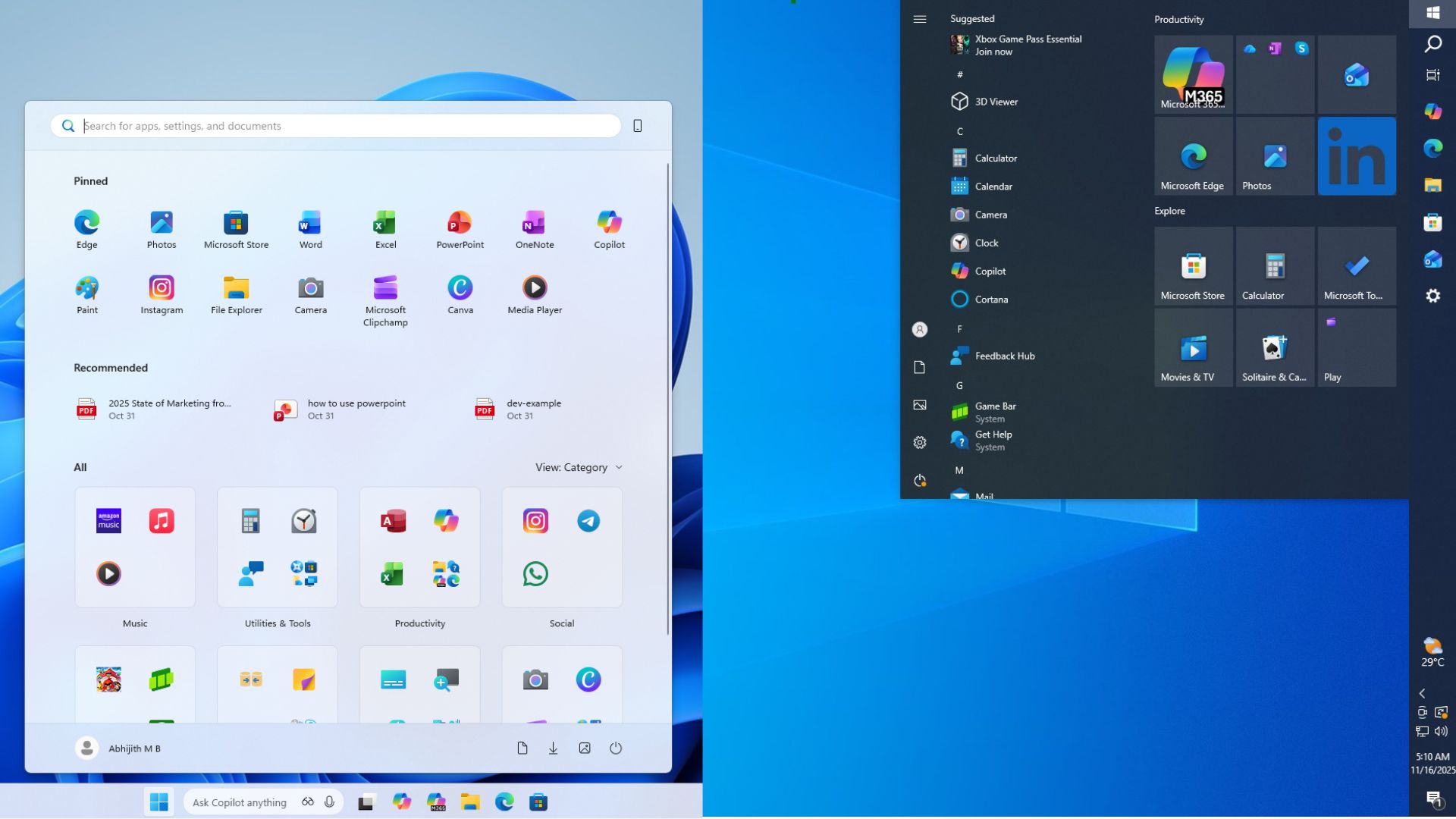
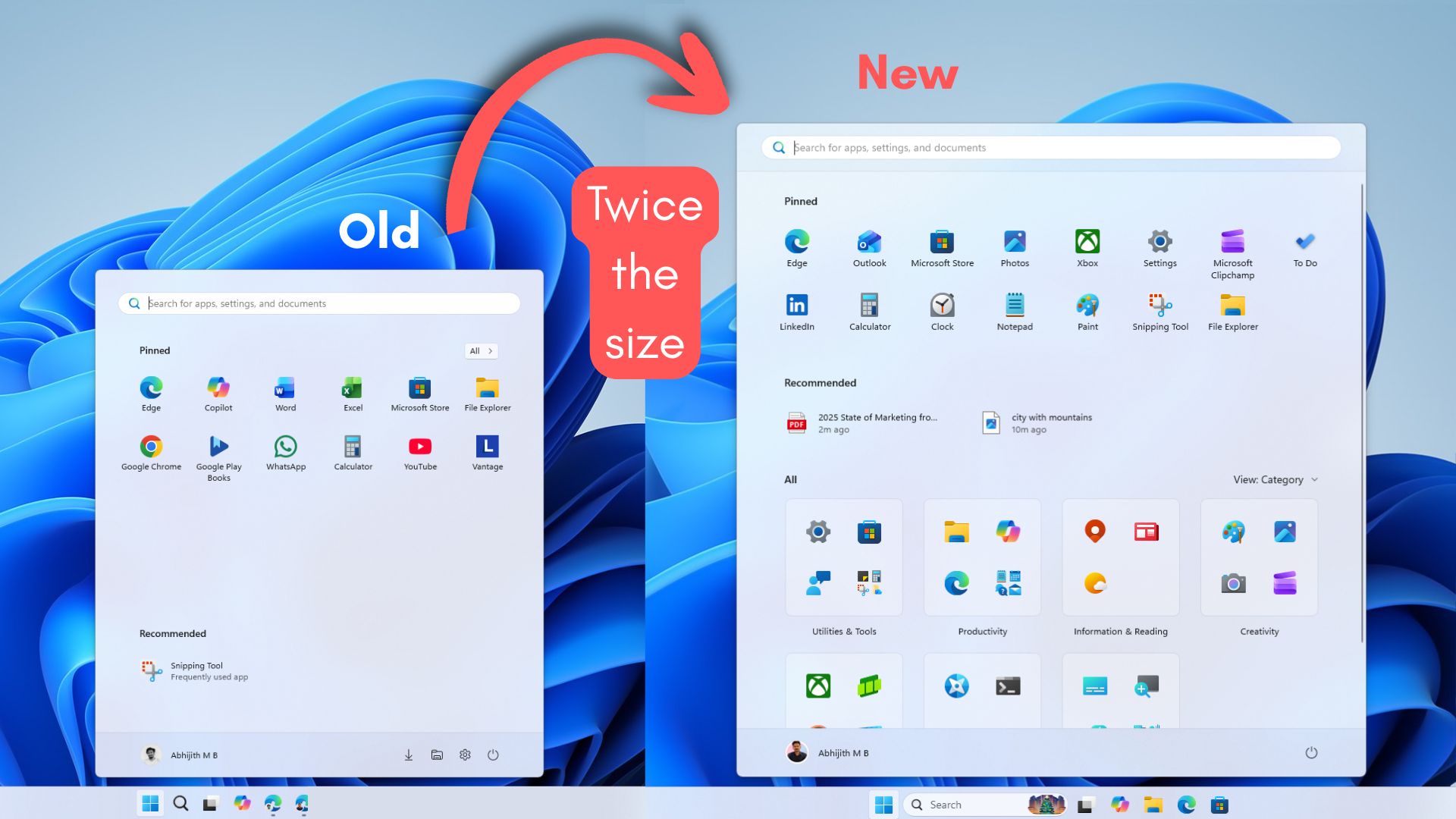
As for the Start menu, users hated the lack of customization, the excessive size, and the poor performance. Our detailed testing showed how the new Start menu takes up a lot of space, completely dominating vertical screen real estate.
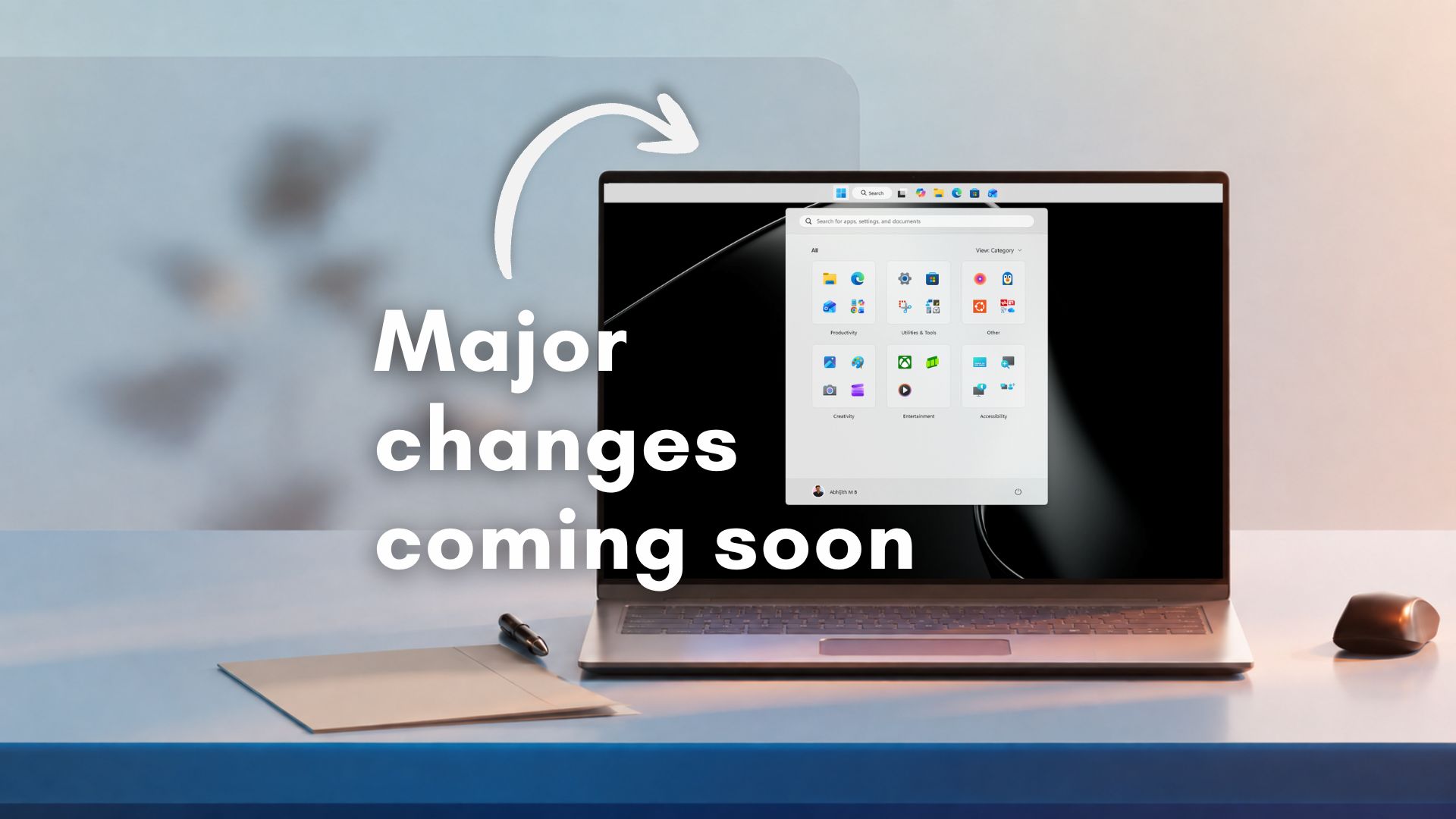
However, Microsoft is no longer that company, and they are finally doing everything to fix Windows 11 from the ground up. Just three weeks ago, the software giant laid out a roadmap for these parts of the OS that finally acknowledges what users have been saying for years, and the changes to the taskbar and Start menu are coming soon.
New features coming to the Windows 11 taskbar
The headline feature is one that Tim Sweeney and Elon Musk famously asked for on X, and one that Microsoft’s own Feedback Hub has had pinned at the top for years, and no points in guessing, it’s undoubtedly the ability to move the taskbar.
Native taskbar repositioning is finally arriving in Windows 11. You’ll be able to place the taskbar at the top, left, or right of the screen, with icon alignment options that adapt accordingly. In our testing, the Start menu and flyouts all work as expected. Of course, this wouldn’t be surprising if you’re still using Windows 10. Microsoft is bringing the movable taskbar after 5 years!
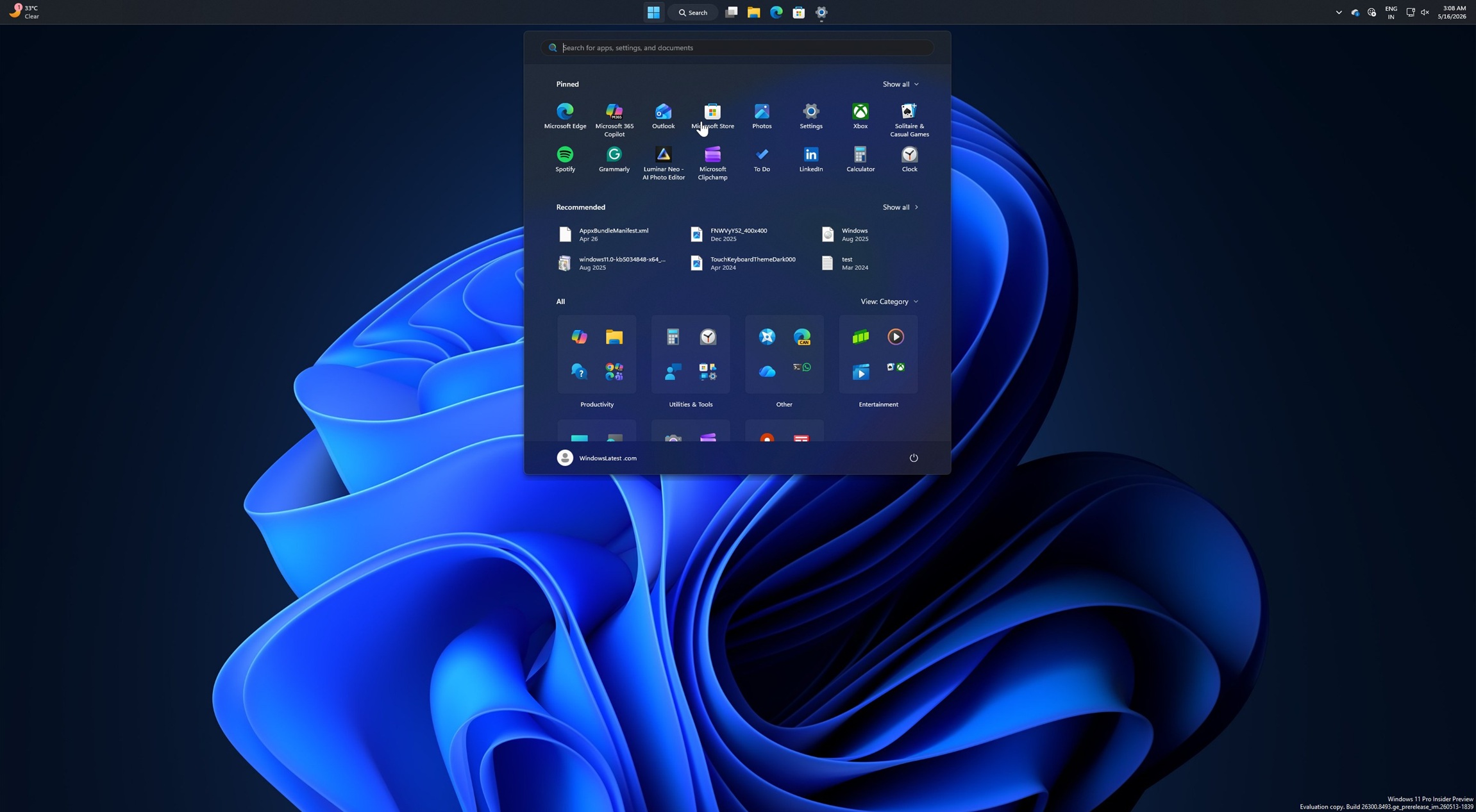
When the taskbar sits on the left or right, you can align icons to the top or center. When it’s on the top, you get left-aligned or centered icons.
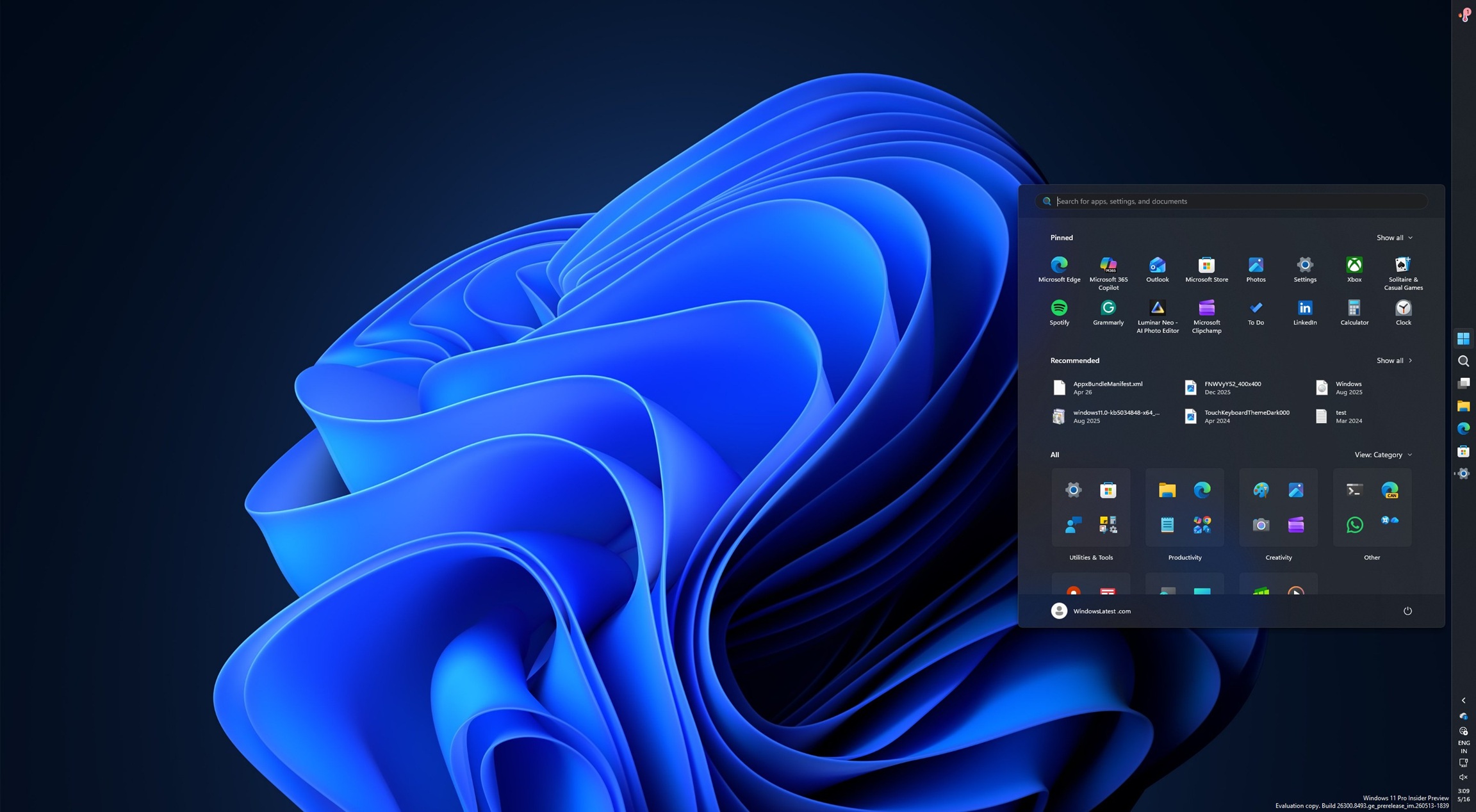
And for those who like their open apps labeled and ungrouped, a vertical taskbar with “Never combine” enabled makes each window instantly identifiable.
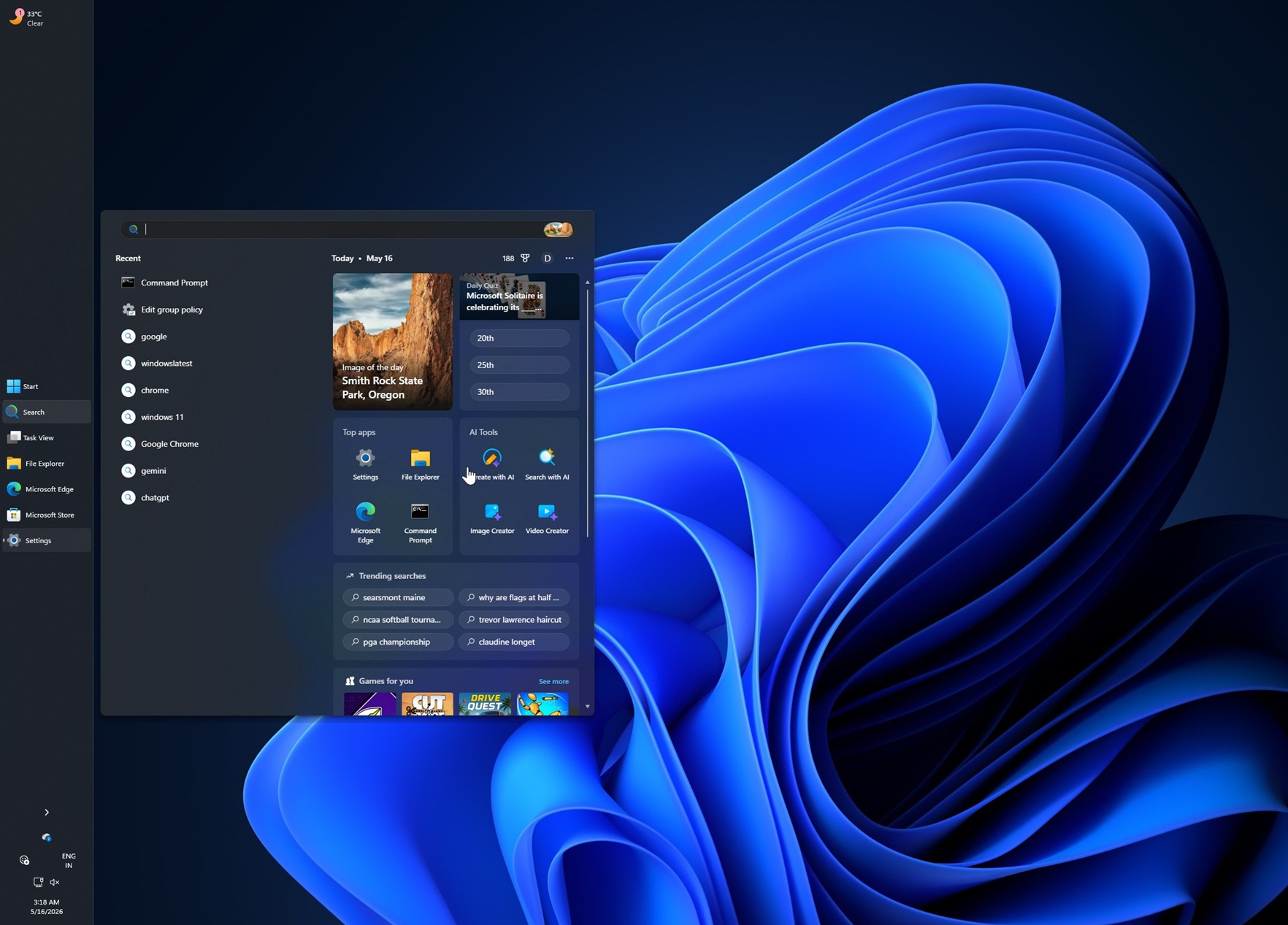
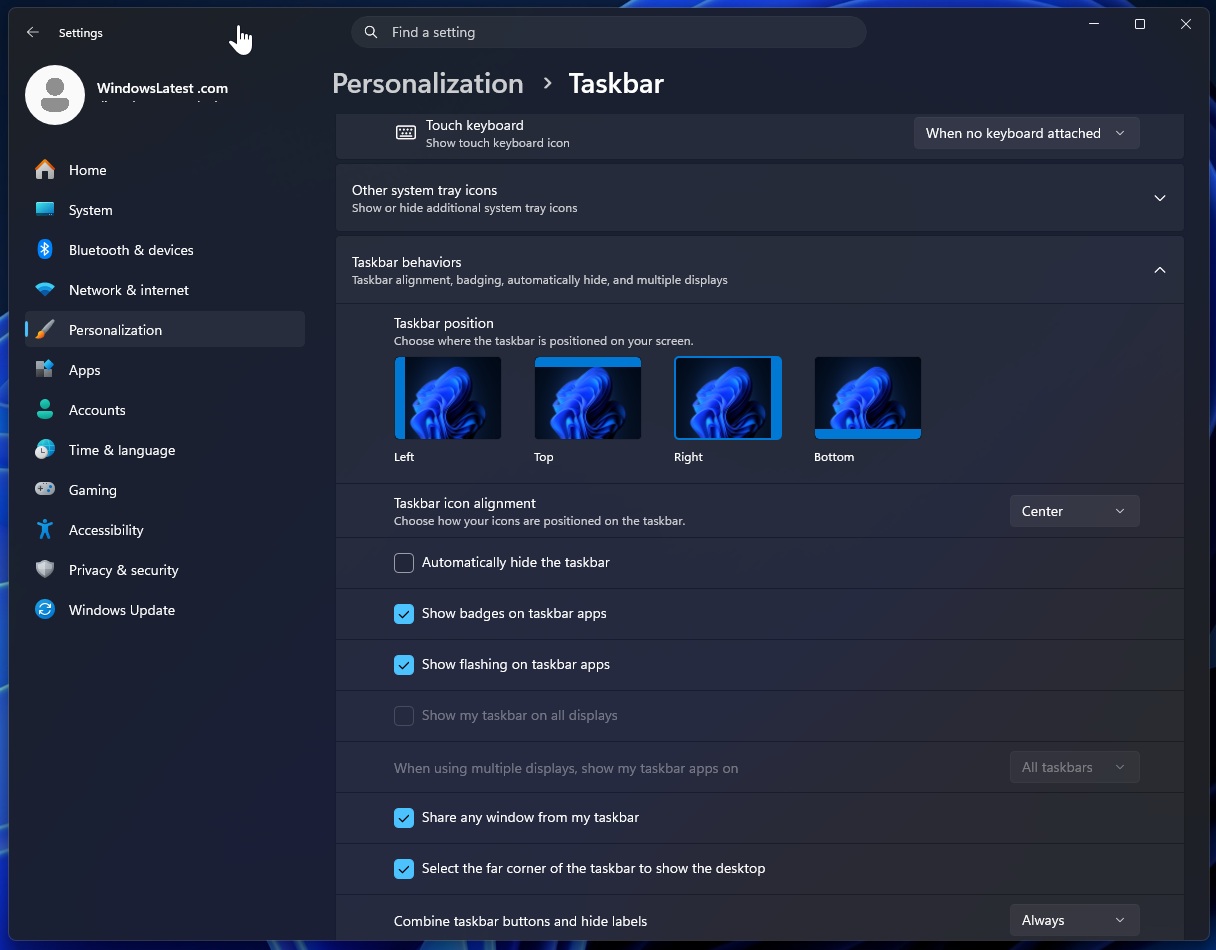
To move it, head to Settings > Personalization > Taskbar > Taskbar behaviors. Microsoft is still working on auto-hide support, touch gestures, and search boxes in alternate positions, so those won’t be part of the first rollout.
A true smaller taskbar is also coming, which is again another feature that Windows 10 had. Microsoft previously “reduced” the taskbar size by only shrinking the icons, which didn’t actually give back any screen space.
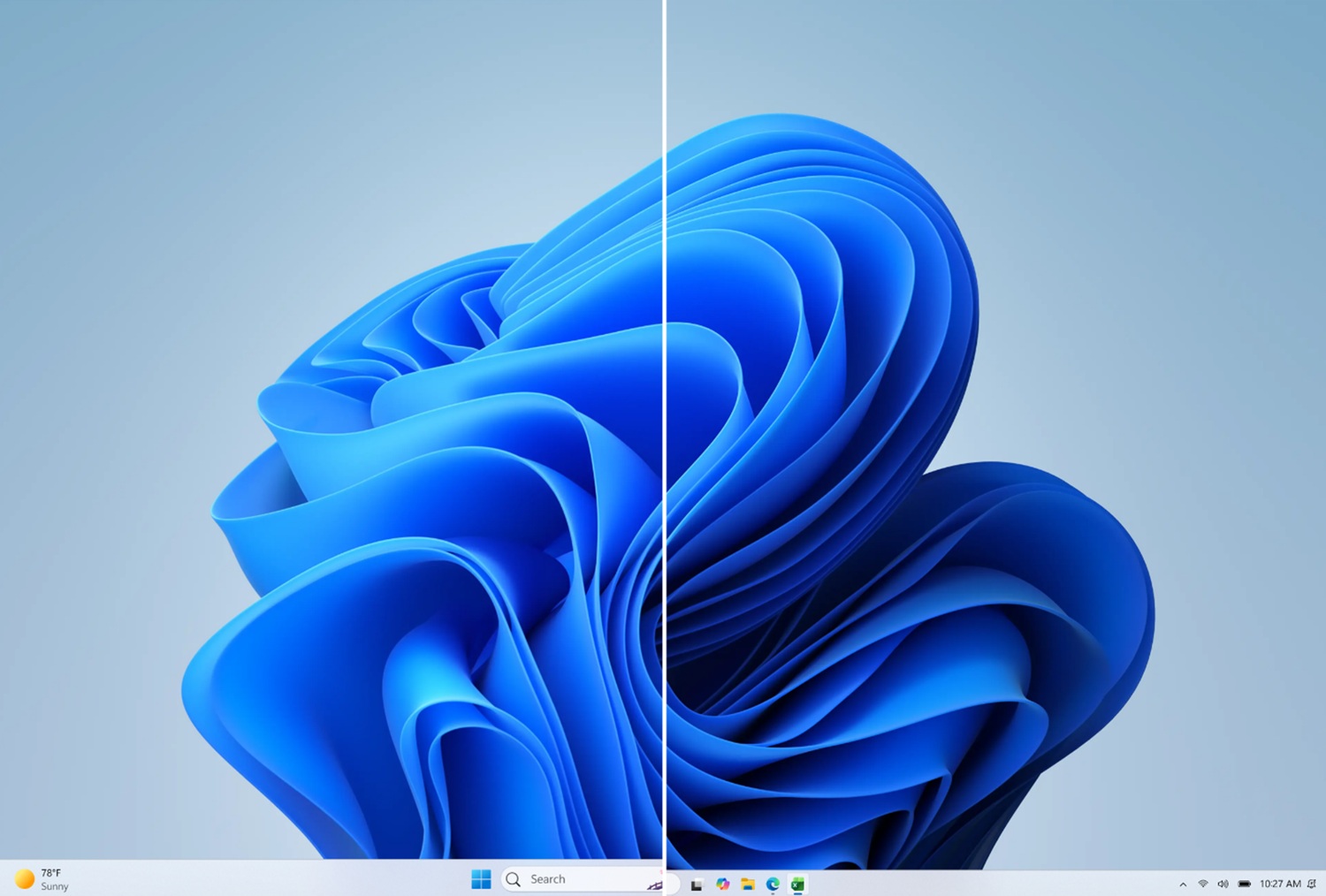
The new “Show smaller taskbar buttons” toggle, when set to Always, reduces both icon size and the physical height of the taskbar itself. For those of us who use 14” laptops, a smaller taskbar is a meaningful gain in vertical real estate.
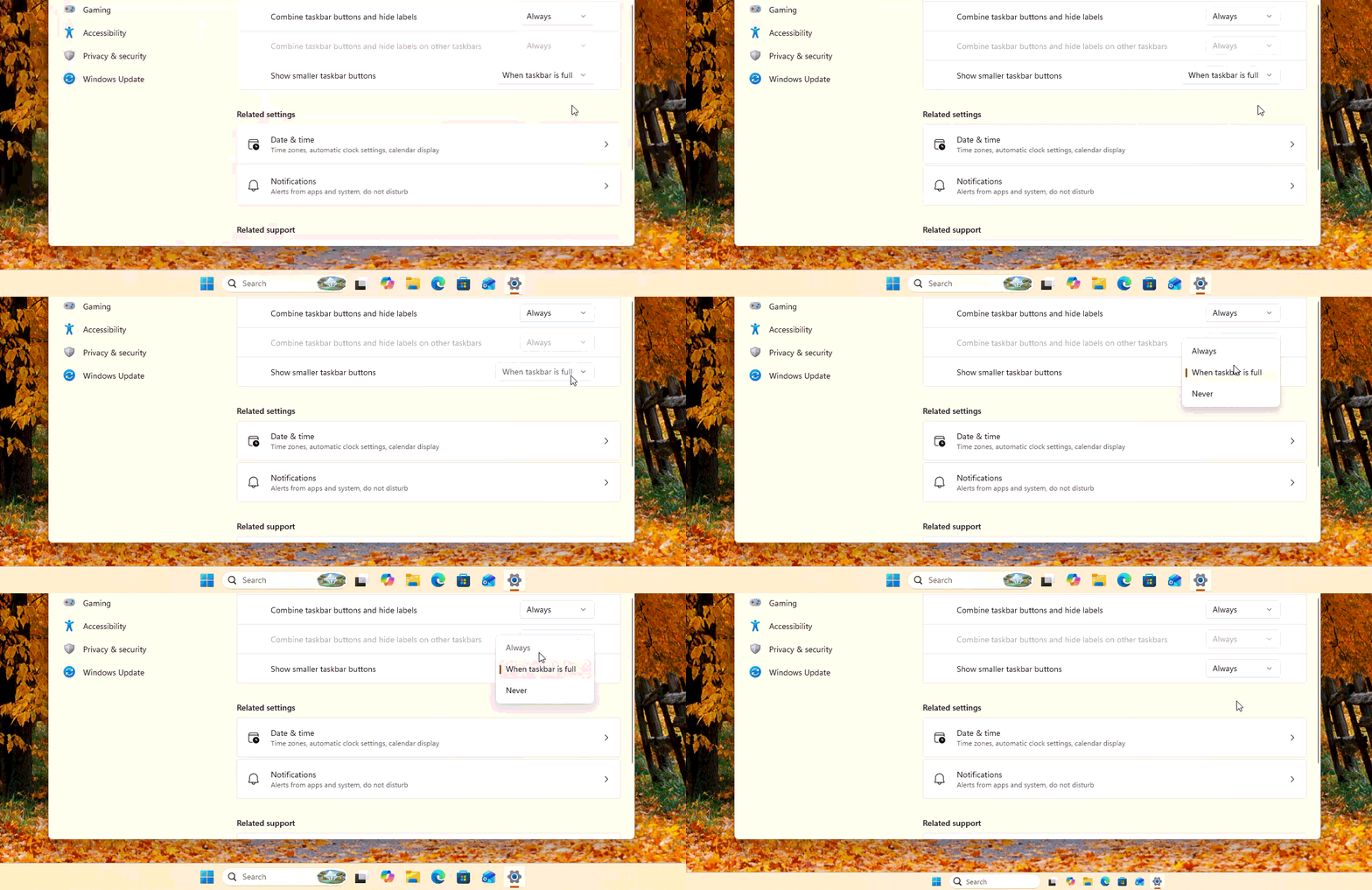
While both these features are currently live in the Insider Experimental channel, we expect them to arrive on all PC in the next few weeks.
However, a feature that is already rolling out (gradually) to all PCs that have been updated with the May 2026 Optional Windows 11 KB5089573 (build 26200.8524) is the Shared Audio feature.
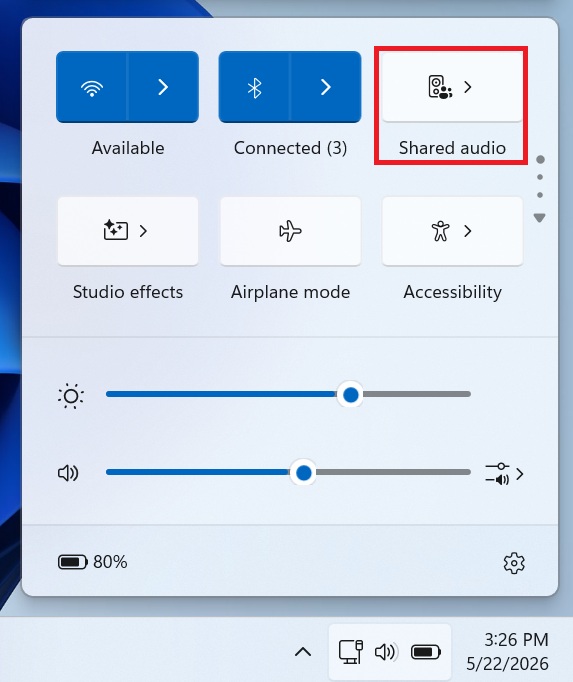
The AirPods-style audio sharing feature is something that Apple users are already accustomed to, and I, for one, have always wanted it for my Windows laptop. However, the feature needs and uses Bluetooth LE audio to let two pairs of headphones listen to the same PC simultaneously, with a dedicated system tray indicator on the taskbar to manage both streams.
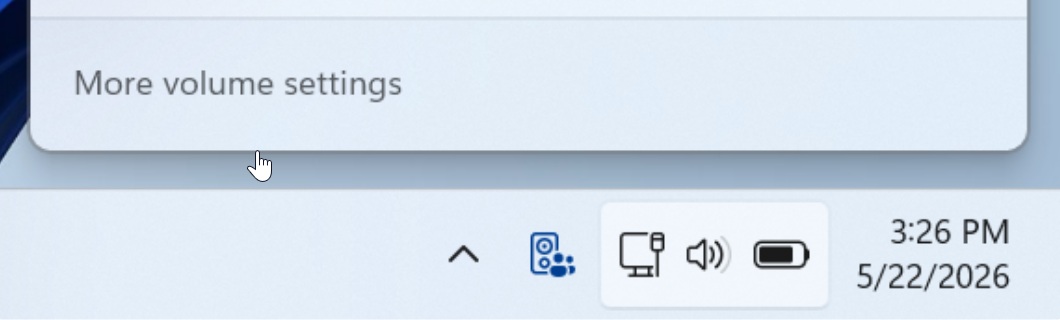
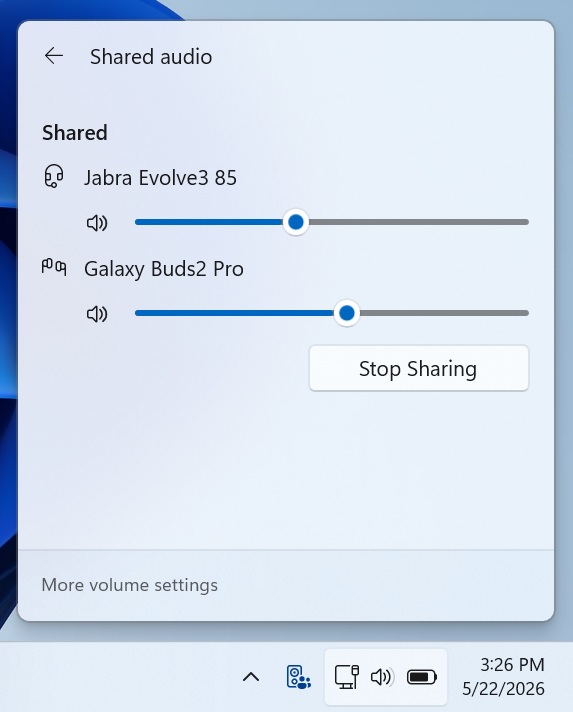
It’s a niche feature for some, but it’s really useful when you’re watching a movie with a friend, and your laptop speakers don’t cut it. You can even change the volumes of the two headsets individually. We have already tested Shared Audio on our PC, and it works flawlessly.
And finally, the quality of life improvement in the taskbar is that Microsoft is finally addressing the Widgets board. Soon, accidentally brushing the corner of your screen will no longer trigger a massive panel filled with tabloid news and intrusive ads.
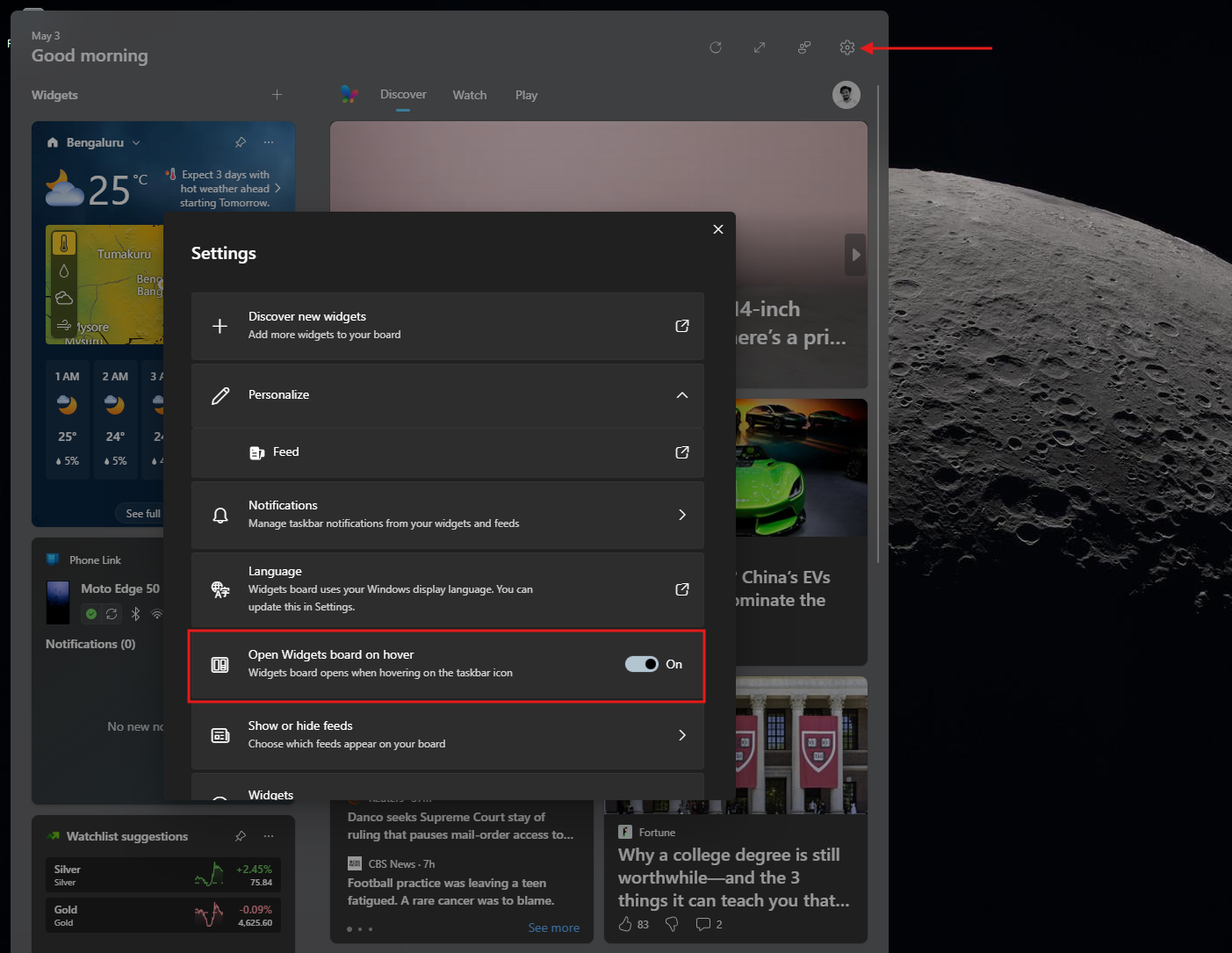
As we reported earlier this month, Microsoft will soon be turning off the MSN feed in Windows 11 Widgets by default. The company is pushing a “quieter” taskbar experience and completely disabling the frustrating “Open on hover” behavior right out of the box.
Microsoft is also killing taskbar badging. The operating system will no longer display irritating red notification dots or cycle through animated stock market alerts unless you deliberately interact with the board first.
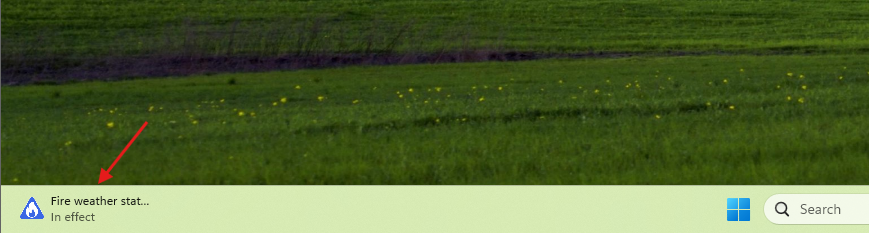
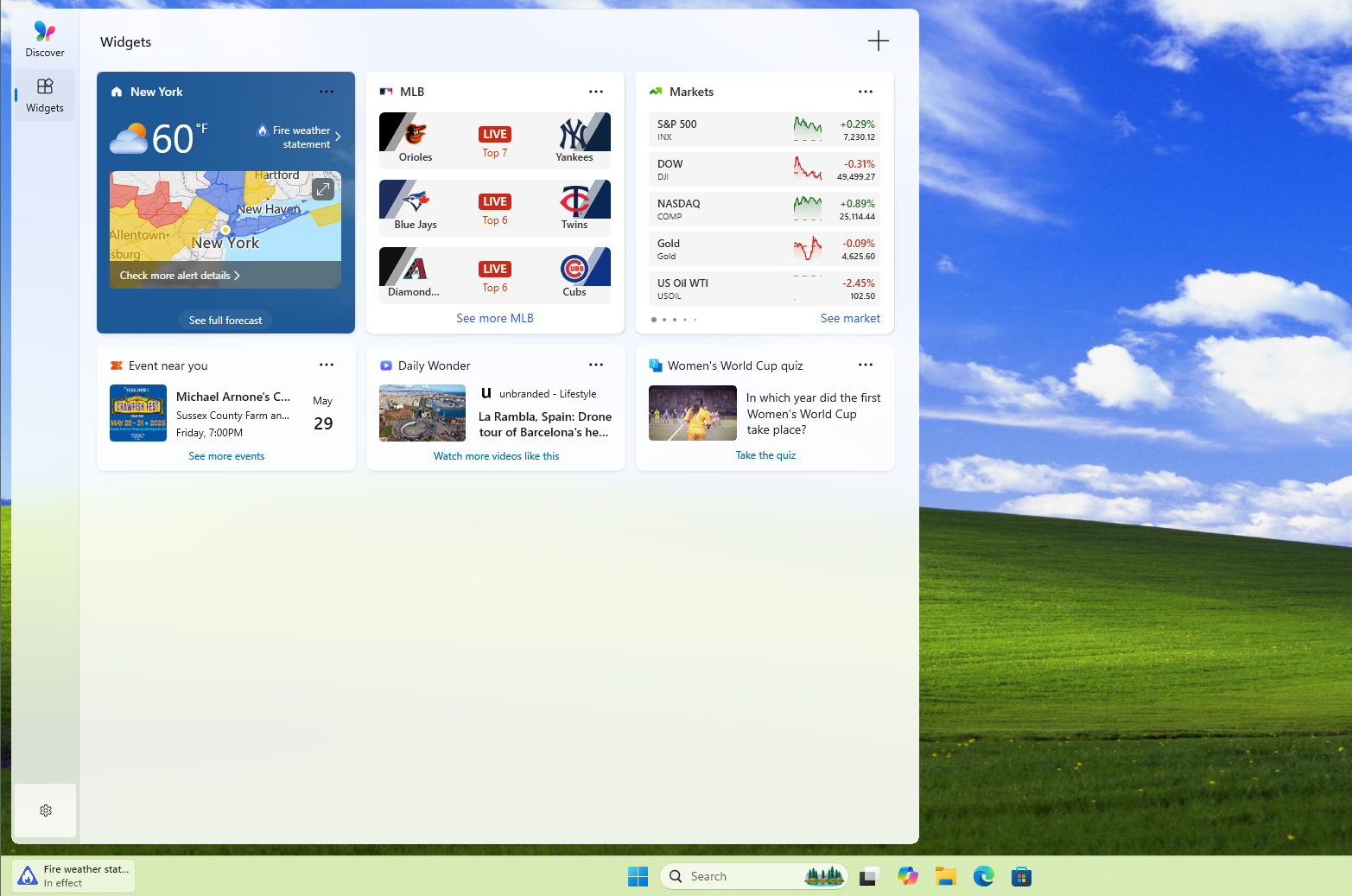
Clicking the Widgets icon now prioritizes your actual pinned mini-apps. You will see your calendar, local weather, and system stats upfront instead of facing an immediate bombardment from the MSN Discover feed.
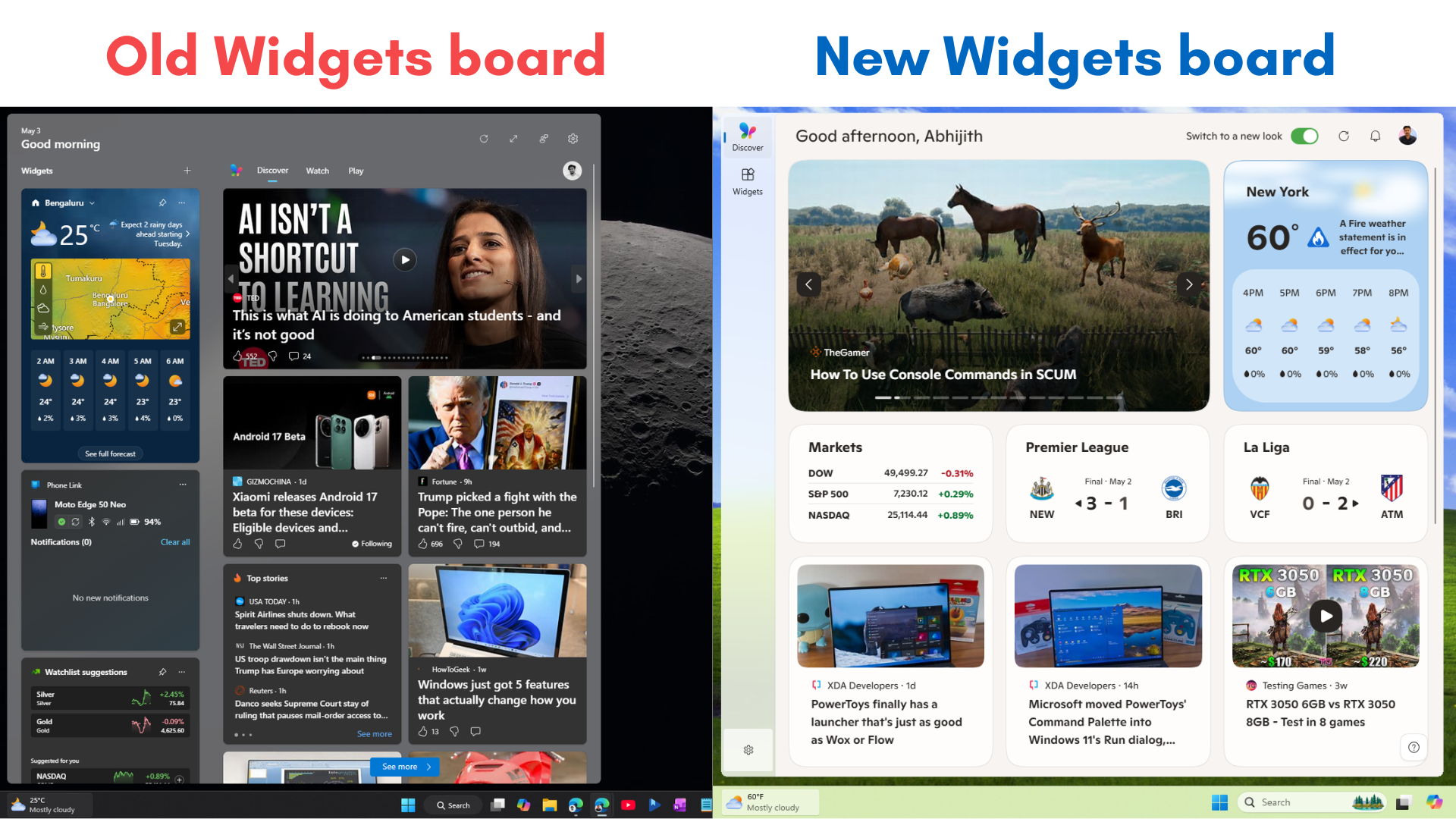
Forcing the MSN feed to take a back seat proves Microsoft is finally willing to sacrifice ad revenue to build an operating system that respects user attention.
What’s new in the Windows 11 Start menu
The Start menu changes are equally significant, and they address complaints that we at Windows Latest have been covering for a while, including the Start menu taking up too much screen space and the poor customization options.
Section-level toggles are the most practical addition to the Start menu. You’ll be able to independently hide or show the Pinned, Recent, and All Apps sections. One toggle per section, no buried settings.
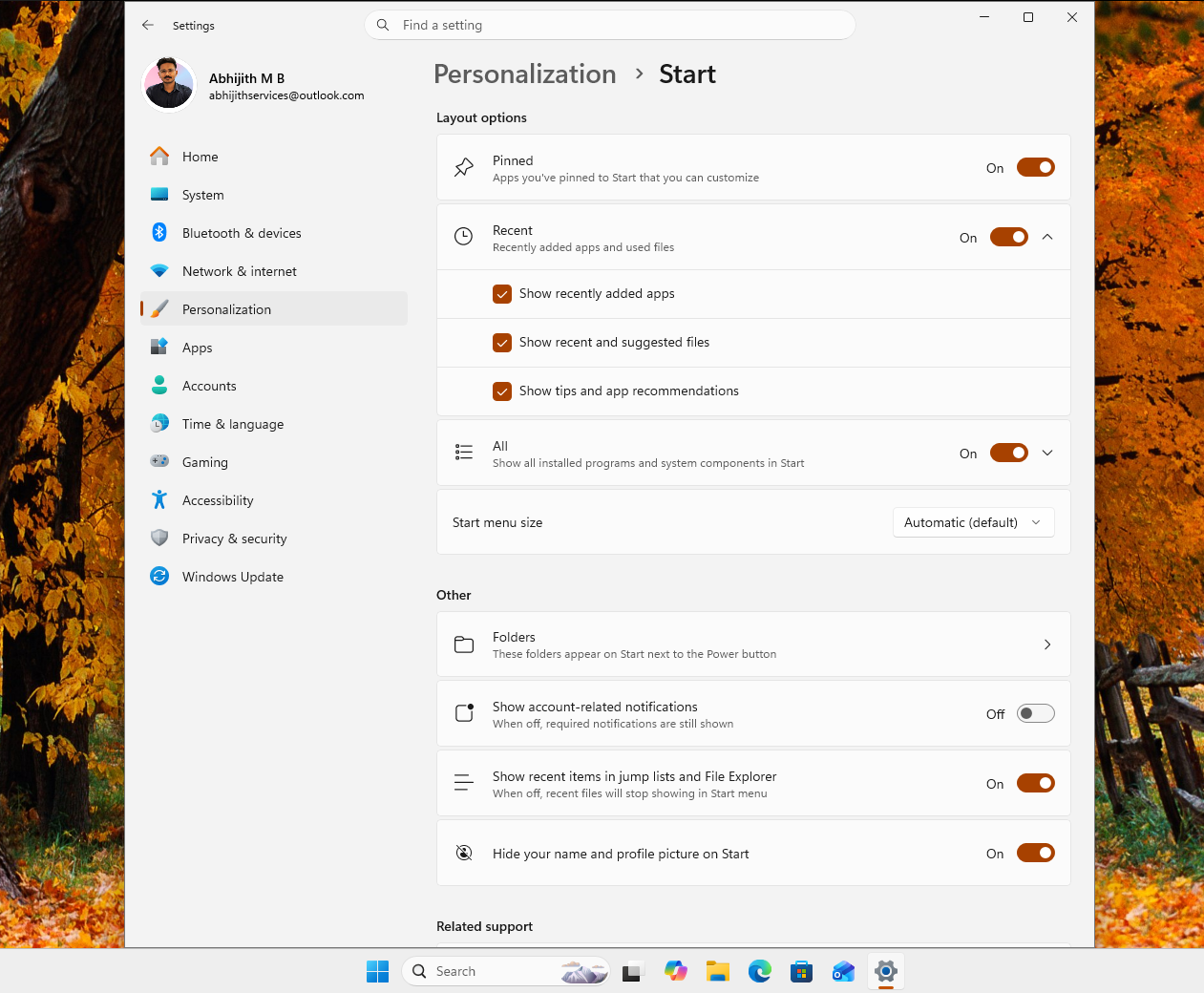
If you want a Start menu with just pinned apps, turn off Recent and All. If you want everything, leave it on.
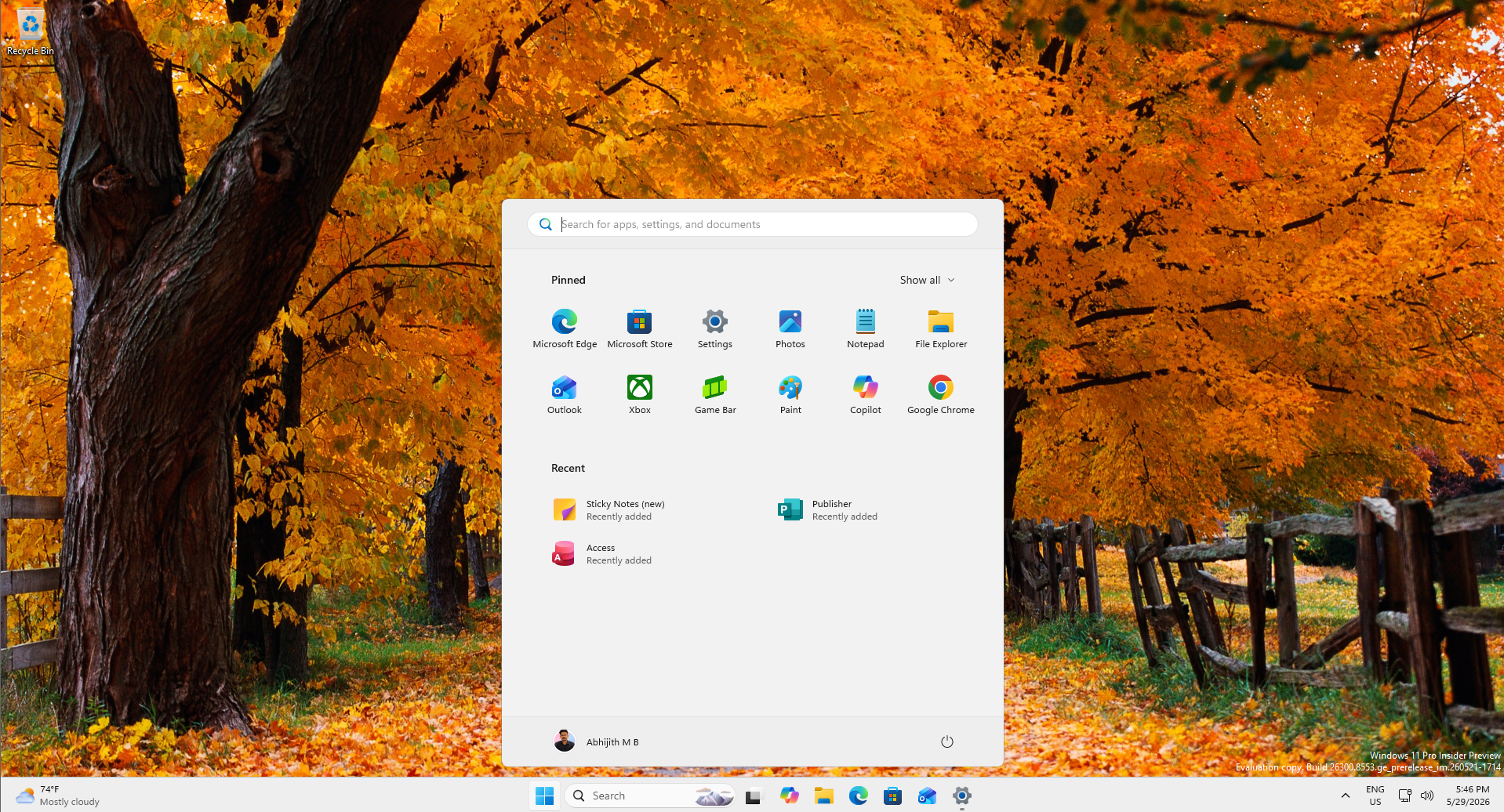
Microsoft is also fixing a long-standing annoyance. Turning off Recommended in Start currently wipes out your File Explorer jump list history, too. With the new change, a separate control for file recommendations means you can disable the Start feed without affecting recent files elsewhere.
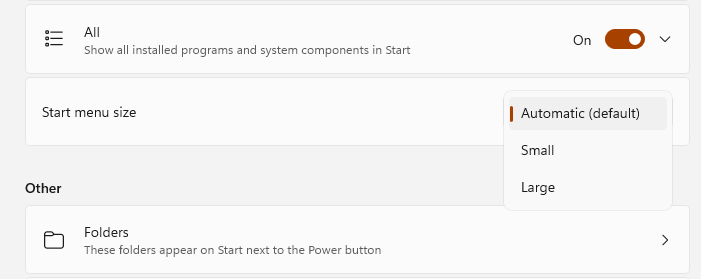
The best feature for me is that now I can finally resize the Start menu. You can now choose Small (6 app columns) or Large (8 app columns), instead of relying entirely on the automatic layout that made the Start menu feel too large on smaller screens.
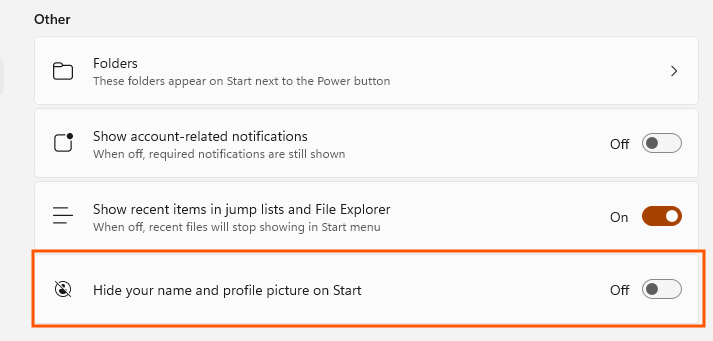
There’s also a privacy mode that hides your account name and profile picture from the Start menu surface, useful when you’re presenting, screen sharing, or streaming without wanting your Microsoft account details on display.
“Recommended” is being renamed to “Recent”, which is something that honestly should have been the name from day one. The section shows recently installed apps and recently used files, not personalized recommendations in any meaningful algorithmic sense. I feel the rename is more honest, and Microsoft says file relevancy is being improved alongside it, so what shows up will hopefully reflect what you’ve been working on.
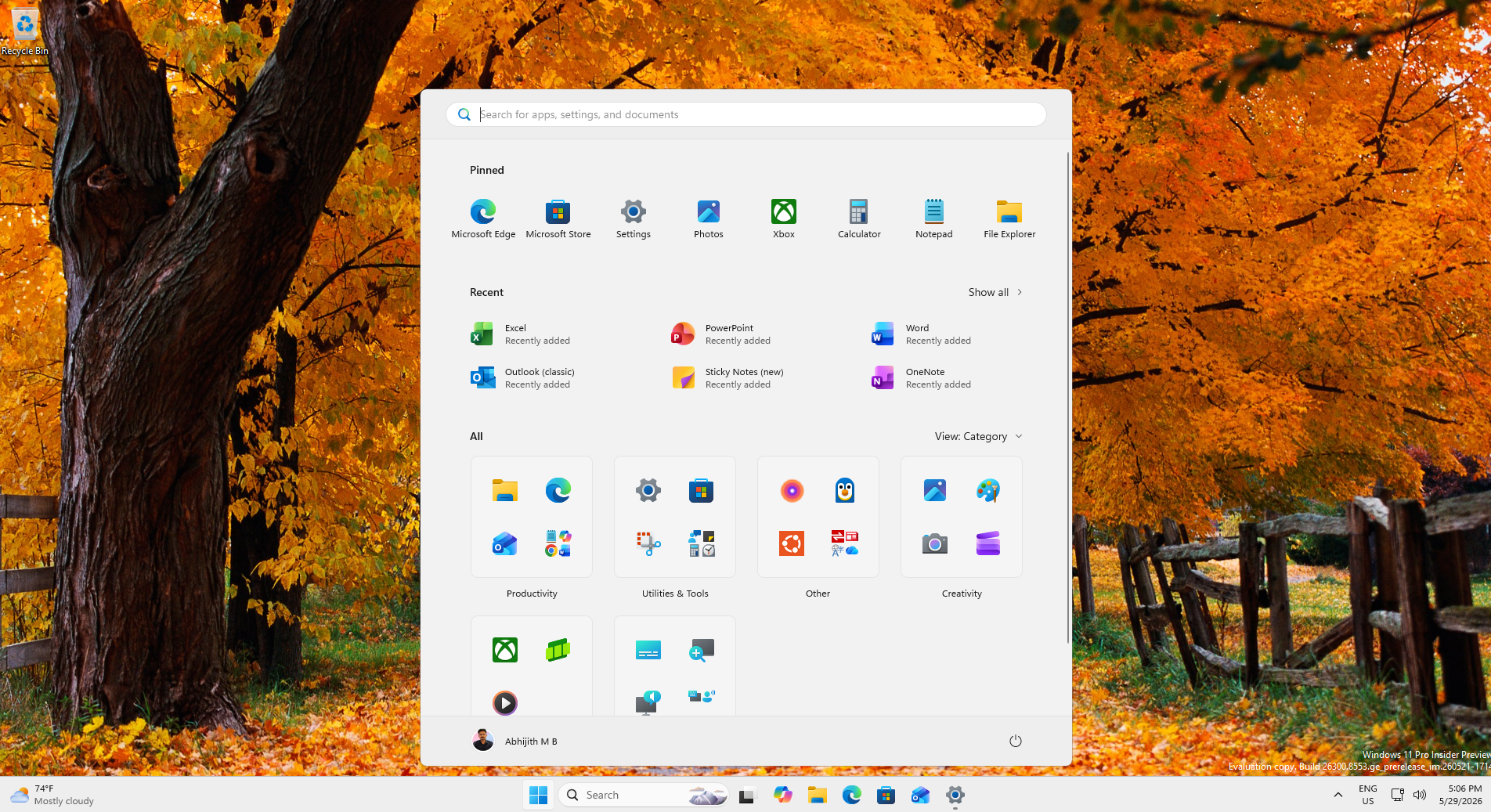
The customization options in the Start menu have reached a point where you can effectively turn off everything:
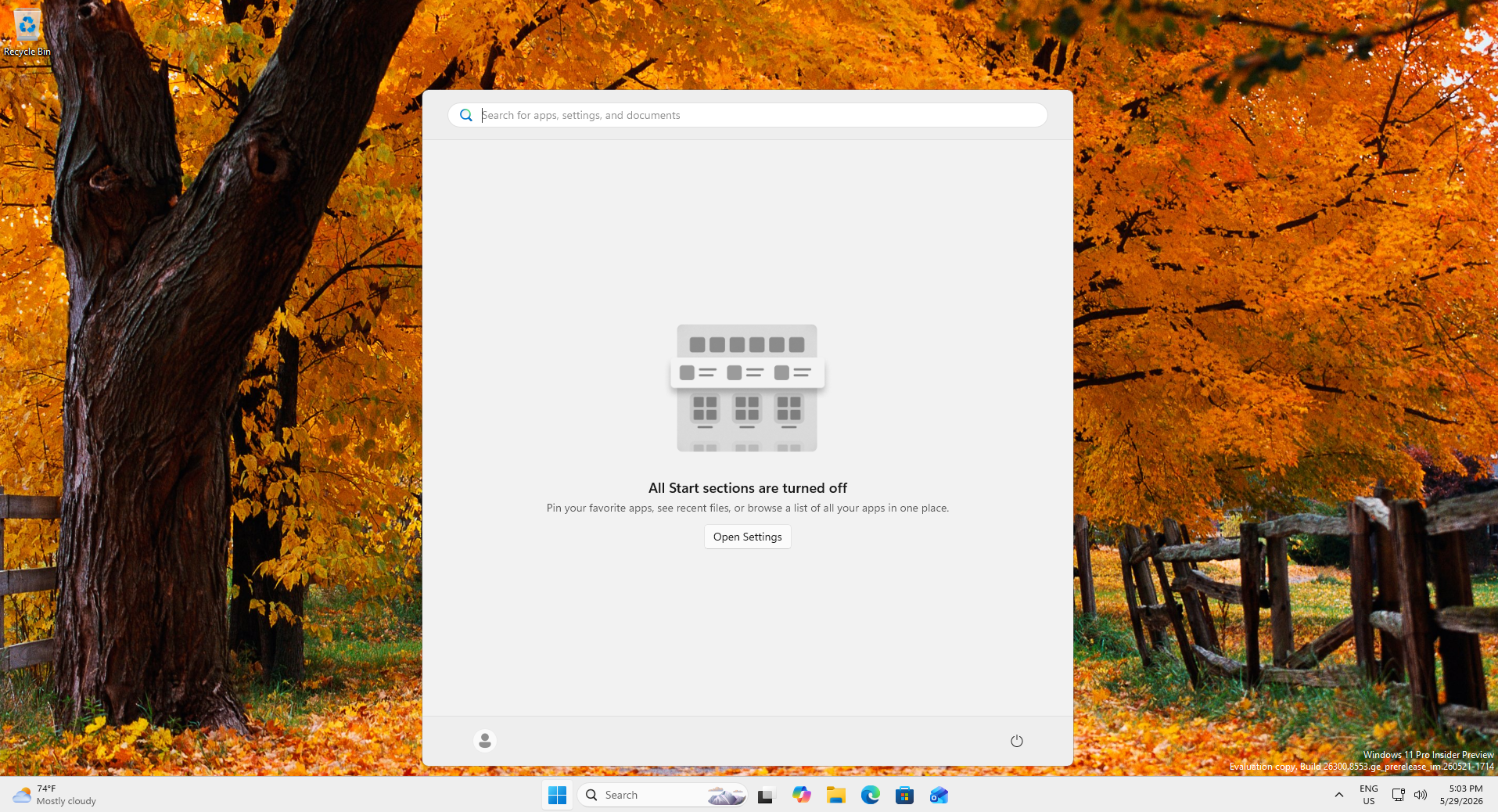
The biggest improvement to the Start menu is coming soon
I am personally looking forward to the Start menu’s complete move to WinUI. Microsoft is dropping the versioned “WinUI 3” name in favor of just WinUI, built on a brand-new modular engine. The company also mentioned this at Build 2026, and it is exactly what will give the Start menu the responsiveness overhaul it has desperately needed since launch.
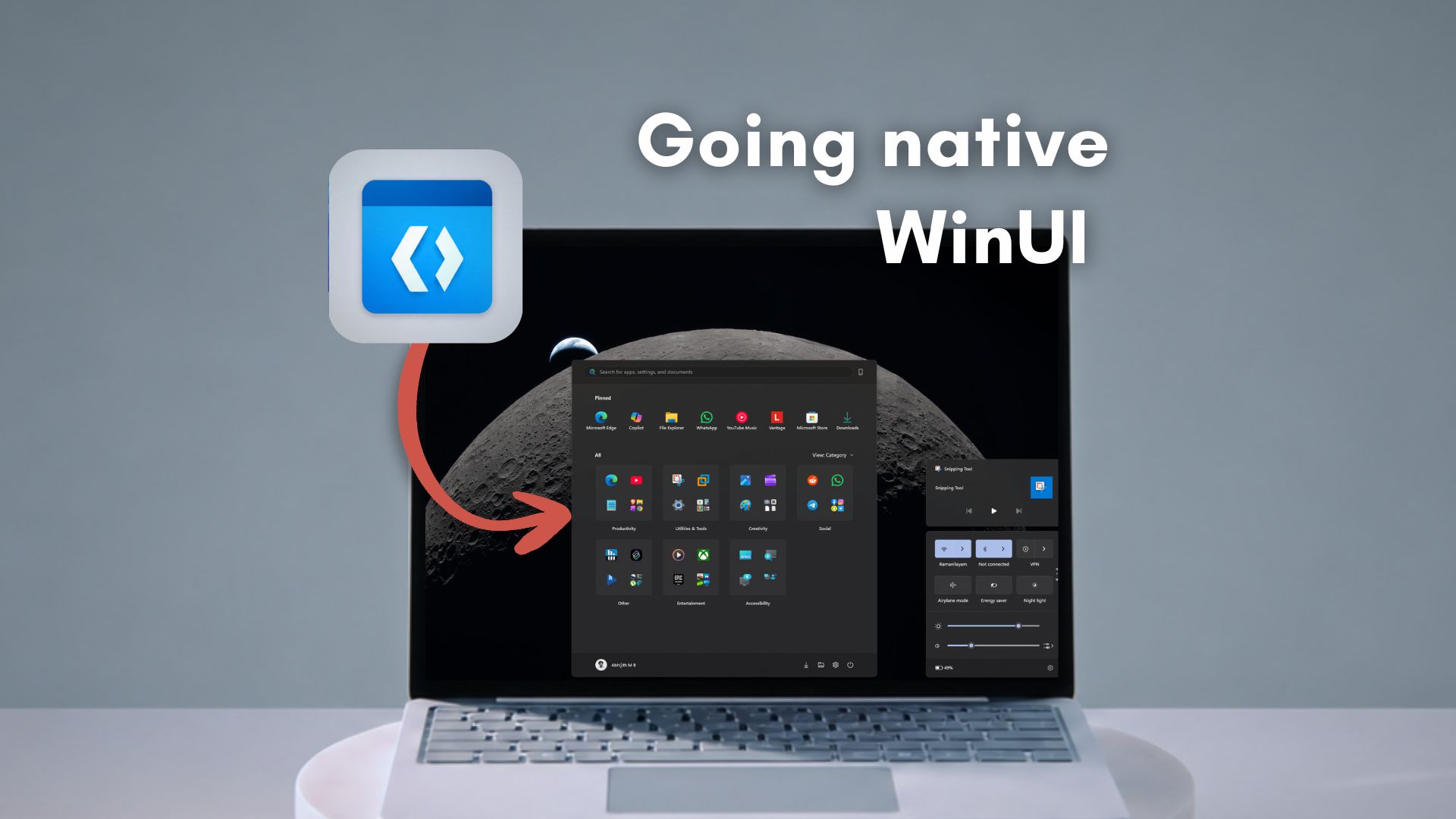
We are already seeing the performance groundwork laid out for this transition. The Low Latency Profile CPU boost, which prioritizes the Start menu engine to reduce micro-stutters, already arrived with the May optional update, and the feature is officially rolling out to all PCs this week as part of the June Patch Tuesday update.
However, the WinUI update is the kind of foundational fix that makes everything else on your PC feel faster. For a company that has spent the better part of two years being heavily criticized for injecting bloatware while neglecting the basics, this particular commitment to getting the fundamentals right is the most encouraging signal we have seen in a long time.