






“Choose Chrome, the browser built by Google” is a new message that pops up when you browse Google.com in Microsoft Edge. It’s not the first time we’ve come across anti-Edge pop-ups on Google, but this one is particularly interesting because it actually has a “Download Chrome” button that begins downloading Chrome immediately after you click it.
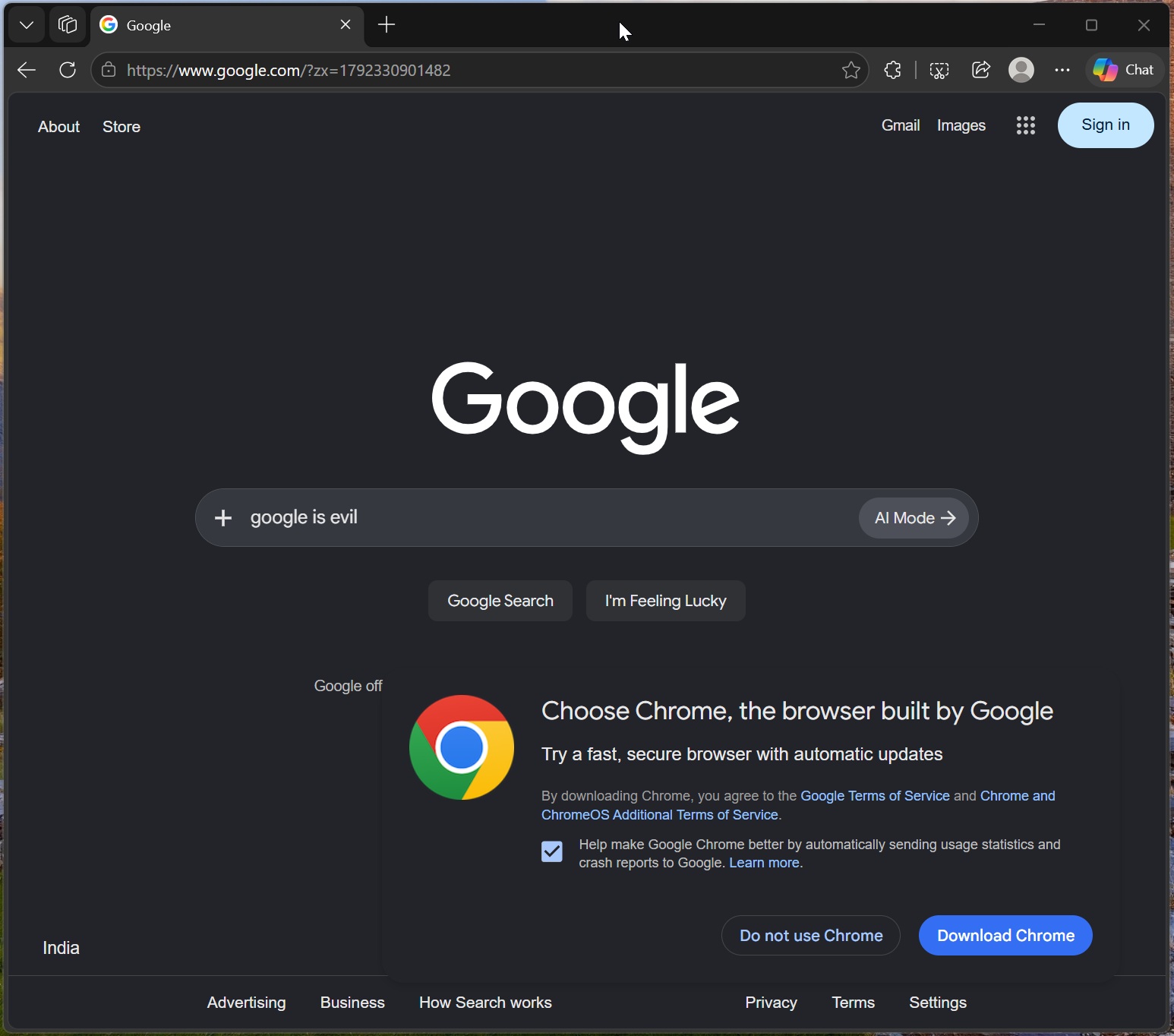
Microsoft is often shamed for pushing Edge, Bing, or Copilot, but for some reason, Google’s similar practices are often overlooked. While the above “Choose Chrome” pop-up is not necessarily illegal in the United States or Europe, it still raises legitimate concerns about anti-competitive self-preferencing.
I ran into the above Chrome download pop-up when I casually opened Google.com in my Edge browser. When I clicked “Download Chrome,” it opened Chrome’s download page and immediately started downloading the browser installer (ChromeSetup.exe) without requiring another click.
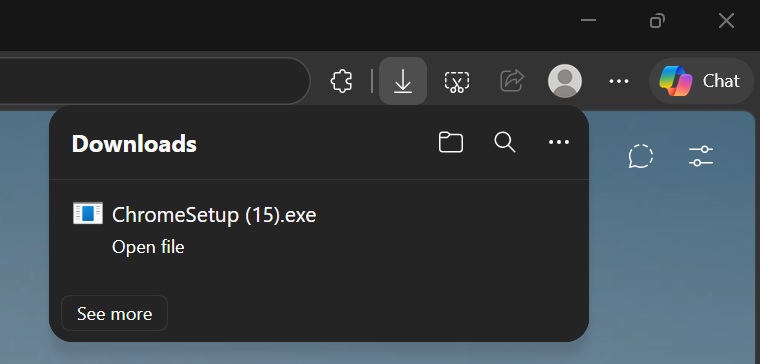
It doesn’t install Chrome automatically because you still need to double-click the installer and may have to pass through Windows 11’s SmartScreen protection, but it does start downloading the installer, which is saved in the Downloads folder. I also noticed that the option to send usage statistics and crash reports to Google was already checked!
Microsoft Edge fights back with its own banner
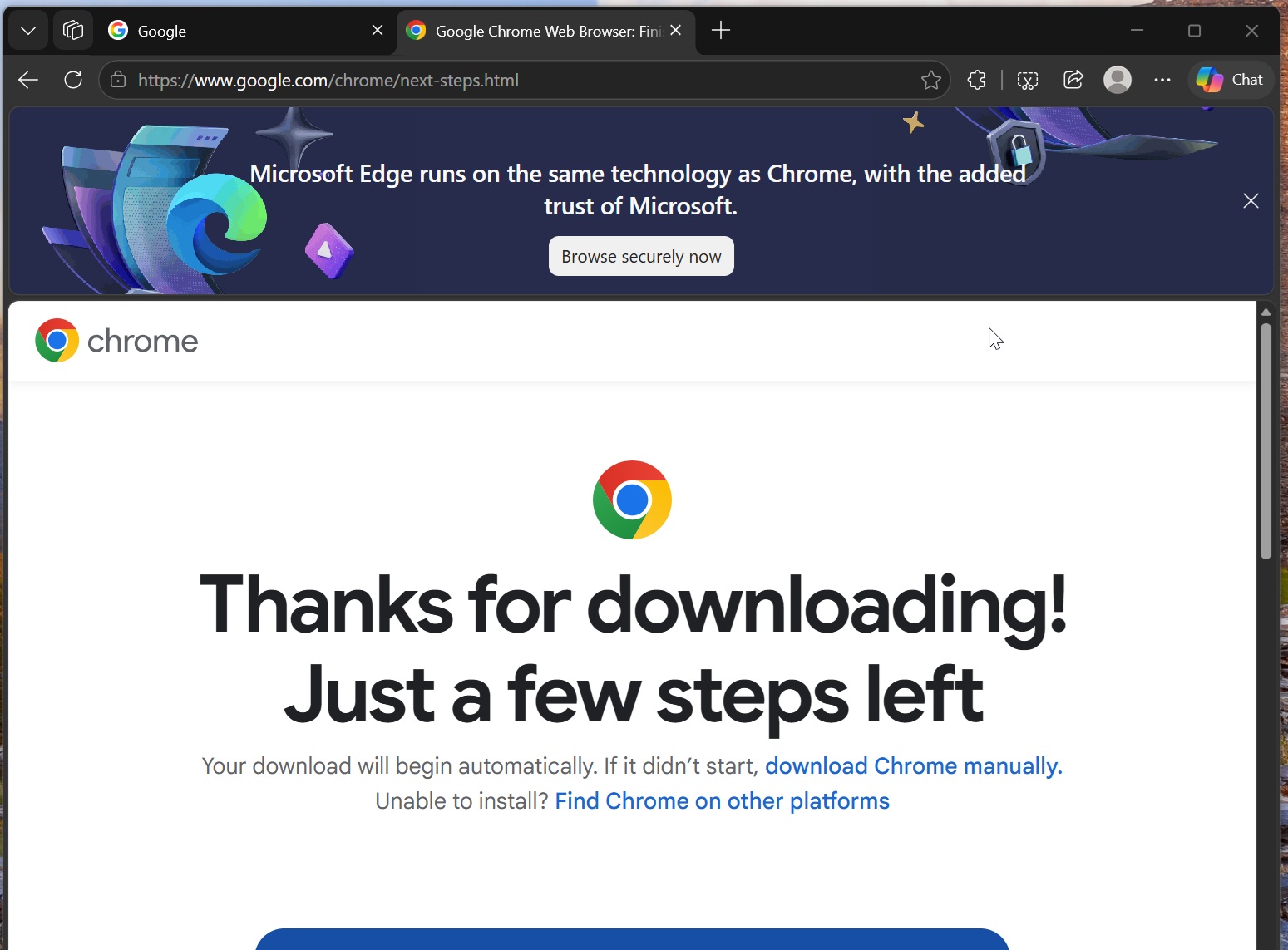
As funny as it may sound, Microsoft is actually already prepared for Google’s pop-up with its own banner. When I was redirected to Chrome’s download page, Edge quickly displayed a banner at the top of the tab, stating that “Microsoft Edge runs on the same technology as Chrome, with the added trust of Microsoft.”
It also had a “Browse securely now” CTA (call to action). That opened a page highlighting all the features of Microsoft Edge.
This is a perfect example of a cat-and-mouse game, as we have Google using its search homepage to convince Edge users to download Chrome, while Microsoft is fighting back and asking users to rethink their choice, arguing that the two browsers are essentially the ‘same.’
Microsoft is not exactly lying when it says Edge runs on the same technology as Chrome, as both are powered by the same underlying technology, ‘Chromium.’ Chromium has been largely developed by Google, but Microsoft, along with Opera, Vivaldi, Brave, and companies like Intel, Nvidia, and Arm, have also contributed to it.
However, Microsoft Edge still wins in many areas, such as the ability to automatically put inactive tabs to sleep and support for Windows 11’s newest feature that allows the browser to launch faster if it was already running in the background.
Edge also had some other unique features, such as Collections or Sidebar, but those have been removed or scaled back as Microsoft is trying to make Edge more like Chrome, and I am not sure if it’s an ideal move.
What’s the point of these pop-ups and banners?
Some of you might argue that these pop-ups do nothing, and you’ll ignore them and keep using the browser you prefer. The same goes for a search engine. If you prefer Google, you’d keep using it and not switch to Bing because of these pop-ups or ads on Windows 11.
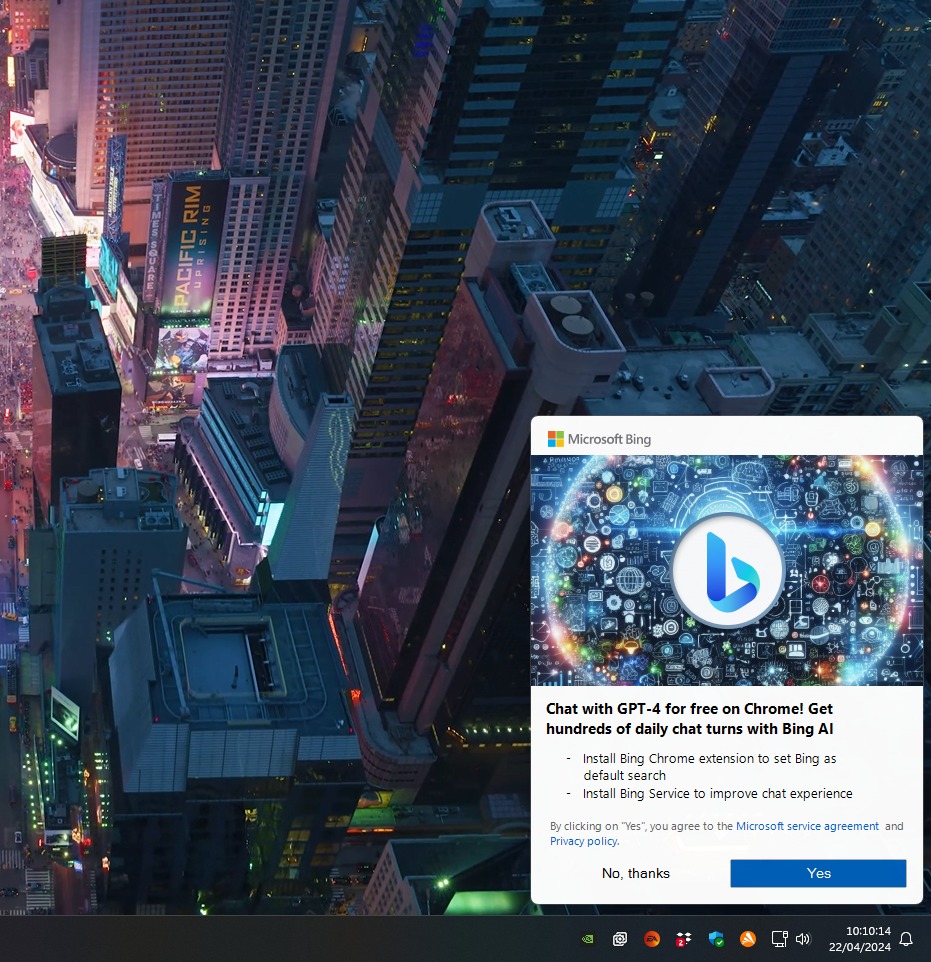
And it’s a fair argument. You’re not entirely wrong if you believe so, but you’re overlooking a large number of users who might actually respond to these pop-ups.
There’s a reason why the Bing team paid the Windows team to run ads for Bing on the desktop in 2024. And there’s also a reason why Google is going after Edge’s tiny market share. The reason is very simple. These companies believe these tactics work for the users they’re targeting.
For many users who aren’t really tech-savvy, Google is synonymous with a search engine, and Chrome with a browser. In January 2025, Microsoft made Bing look like Google.com when users searched for Google on Bing, and it did that on purpose.
An average user who wants to search the internet would type ‘Google,’ because they’re used to doing it on their phones, and they’d simply click on the Google.com result in Bing if Microsoft didn’t have the giant banner mimicking Google’s interface. Once that user is on Google, they might never return to Bing.

Microsoft had found a clever, although somewhat sneaky, way to reduce this bounce rate. When users searched for Google on Bing, Microsoft displayed a Google-like homepage with a clean layout, a search bar in the middle, and simple illustrations. Even Bing’s usual search bar was hidden until you scrolled.
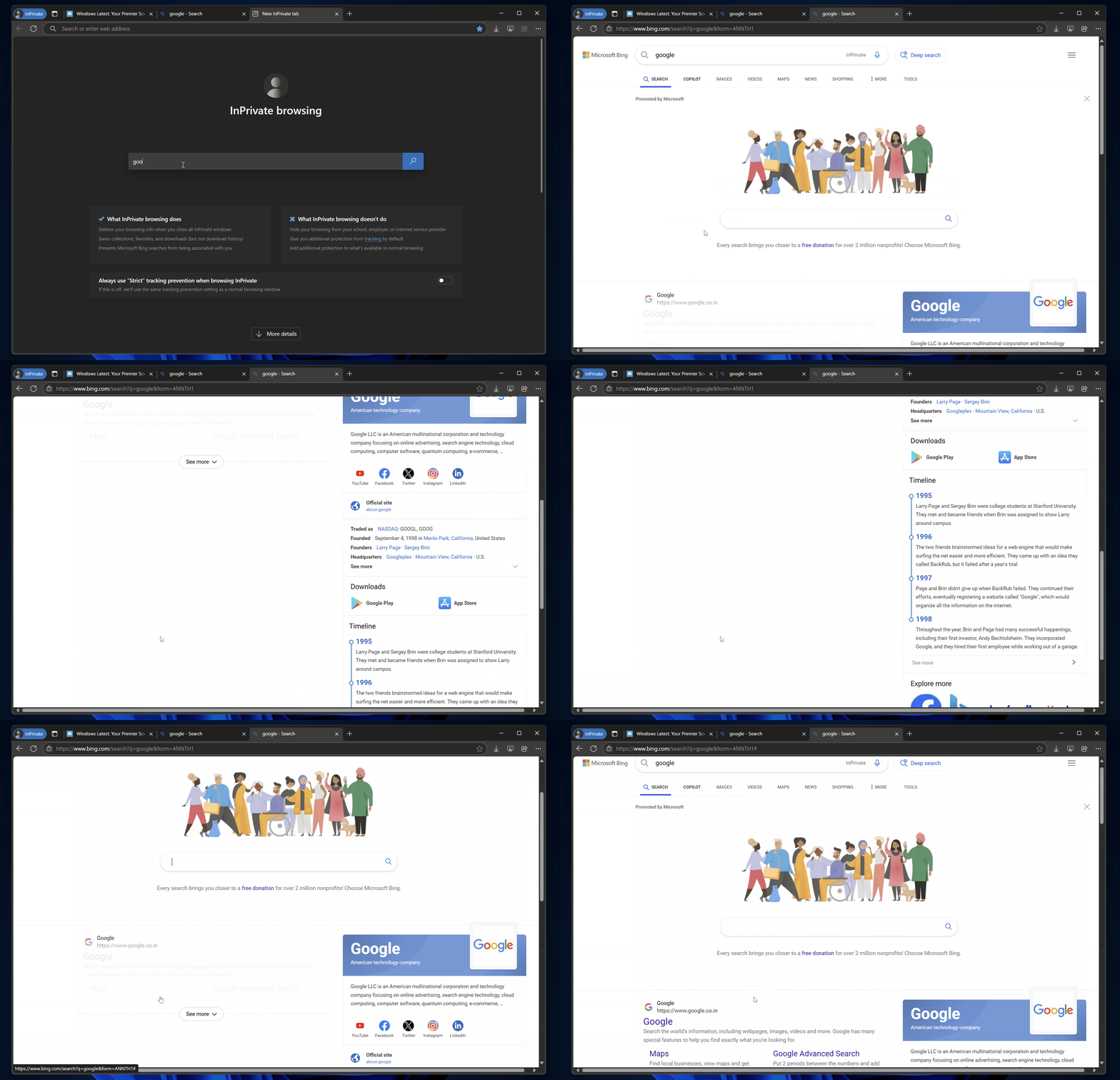
If you use Google every day, you’ll realize that Bing did a pretty good job of mimicking its homepage. And it could actually work on an average user, who might just start typing in Bing’s fake Google-like search box and end up staying on Bing.
Google is trying to pull off something similar. Even with Edge’s tiny share of the desktop browser market, Google is hoping that nagging users who visit its search engine with a pop-up to try Chrome might actually convince some of them to switch, thanks to a very simple message: “Choose Chrome, the browser built by Google.”