







Windows XP ran old software so well partly because it shipped with a hidden database of problematic apps. When Windows spotted one of them, it could lie to the app about the Windows version or even hand it the old Windows 95 memory manager, just for that one program.
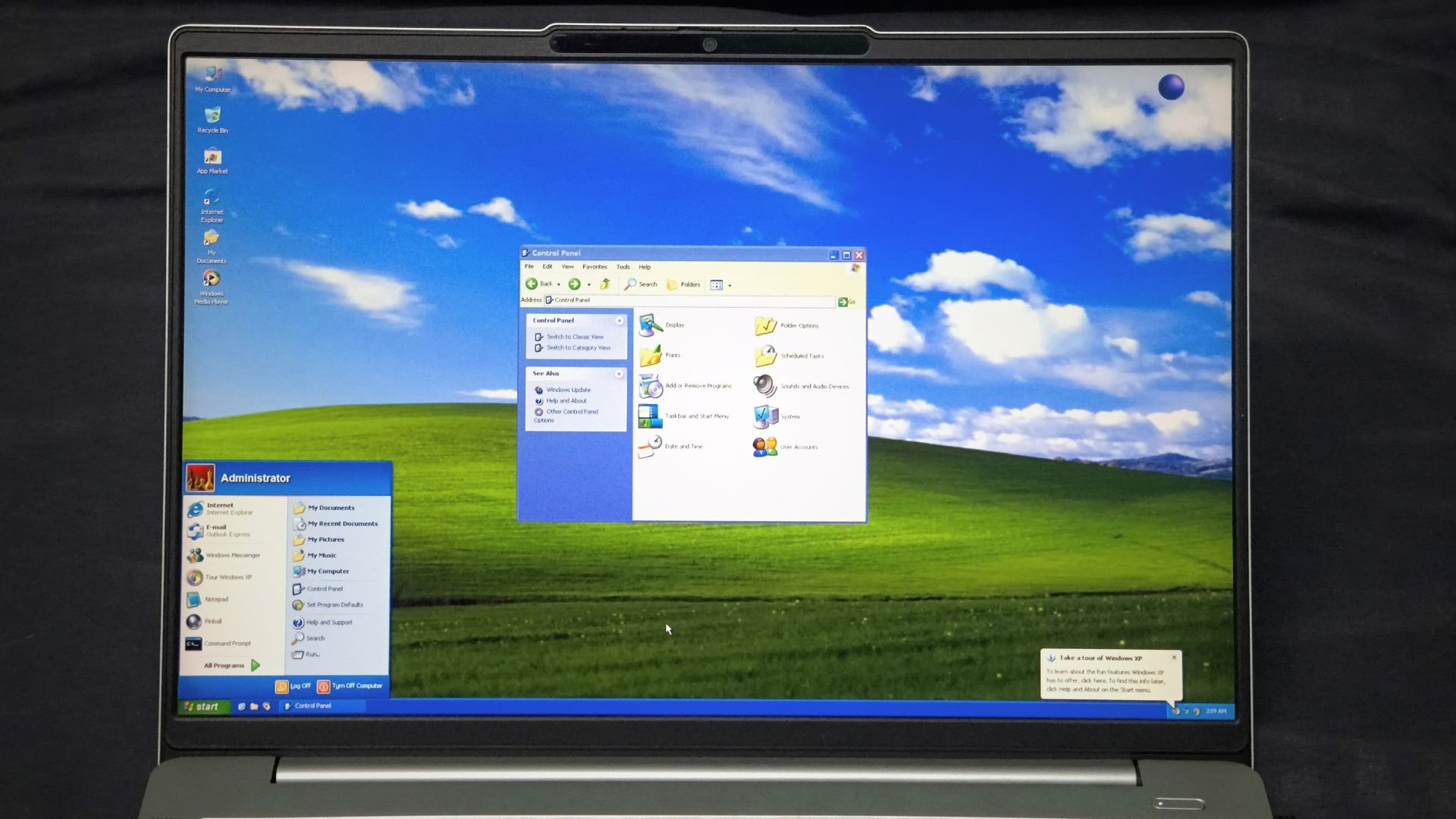
If you used Windows XP back in the day, you might still be a fan for the sole reason that it ran almost anything you threw at it, including games and business software written years before it launched in 2001. Plenty of those apps weren’t updated for XP, and they ran anyway!

Microsoft engineer Raymond Chen, who has been working on Windows for over 30 years, wrote in 2003 that XP kept its list of compatibility fixes in the C:\WINDOWS\AppPatch folder, stored in a binary format “to permit rapid scanning.”
What boggles my mind here is what Windows did after it found a match. It could change how Windows works only for that app, and only while it was running. This sounds like what an AI would do, but, of course, this was 25 years ago, and everything was pure human intellect.
Windows XP could recognise an app and change Windows just for it
Microsoft calls this list the Application Compatibility Database, an indexed binary file with an .sdb extension. On XP, the main database was Sysmain.sdb, and Microsoft said that there were roughly 200 compatibility fixes when the OS launched.
For application software, Windows didn’t look at just its .exe name. XP matched apps using file size, checksum, version, and date, and could even check for other files in the app’s folder, so a fix could target one version of a program without hitting the newer one that worked fine.
Once Windows found a match, it applied what Microsoft calls shims. When the app called a Windows API, Windows routed that call through a small stub function first, which could tweak what the app sent, change what Windows returned, or run its own code before calling the correct Windows function.
For example, some apps refused to run unless they saw one specific Windows version. Shims like Win98VersionLie fixed that by returning Windows 98 version information to the app, no matter which Windows was running on the PC.
Yes, Windows was lying to the app, and the app had no clue.
Chen wasn’t a fan of developers depending on this. In a 2010 post, he said that if a program only runs after applying VersionLie, its developer should fix the version checks, because compatibility mode is “there for the customer, not for the program.”
Speaking of which, compatibility modes aren’t mini versions of old Windows. Each one is a bundle of shims and flags, and Windows 95 mode on XP packed about 50 of the most common fixes.
Microsoft went much further than lying about the Windows version
Faking a version number is one thing, but Chen’s favourite shim is EmulateHeap, which, in his words, “replaces the standard heap with an exact copy of the Windows 95 heap manager.”
The heap is how a program borrows memory from Windows, and some old apps were written such that they depended too much on how Windows 95 handled them, so they broke when it was a newer version of the software, like XP.
So instead of telling users that the app was badly written, Windows gave that one app the memory manager it grew up with.
Microsoft was doing such things long before XP. Former Microsoft programmer Joel Spolsky once wrote that SimCity read memory it had just freed, so Windows 95 shipped with code that looked for SimCity and ran the memory allocator in a special mode that didn’t free memory right away.
The other side of the coin is security. In a 2017 post, Chen explained that Windows 2000 compatibility mode makes a program load DLLs using Windows 2000 rules, which predate the safer SafeDllSearchMode setting, and Microsoft did this on purpose for apps that depend on those rules.
Chen calls it “bug-for-bug compatibility,” and points out that a vendor who hasn’t fixed their app in over fifteen years isn’t going to fix it now.
Still, shims can’t do everything. Chen says they only work inside the app’s own process, so they don’t change the security boundaries between the program and the rest of the system, and they’re no help for incompatible kernel-mode drivers.
Microsoft couldn’t afford to let one broken app kill a Windows upgrade
So why didn’t Microsoft just block apps that depended on undocumented features? In his 2003 post, Chen said every blocked app “is another reason for people not to upgrade to the next version of Windows.”
“It takes only one incompatible program to sour an upgrade,” he wrote.
Chen asked readers to imagine being an IT manager whose company’s word processor doesn’t work on XP. The vendor might want $150 per copy for version 2.0, and in Chen’s words, “Congratulations, the cost of upgrading to Windows XP just tripled.” And that’s if the vendor is still in business.
You are not alone if you’re thinking about these days where every app has turned into a subscription!
Anyway, Chen also recalled a survey by Microsoft’s Setup team, where pretty much every company had at least one “deal-breaker” program (read: an app the company can’t function without), usually an in-house Visual Basic app whose developer had left. Would you upgrade the whole office to XP and lose the one app your business runs on? Of course not, and in my opinion, Microsoft knew that better than anyone.
XP also gave Microsoft a cleaner way to manage these hacks. According to Chen, many compatibility fixes moved into DLLs in the AppPatch folder, so “the compatibility workarounds no longer sully the core OS files.”
Microsoft kept feeding XP new fixes for years, too. Its April 2011 Application Compatibility Update replaced Sysmain.sdb on XP SP3 with a 1,206,508-byte version, roughly 1.2MB, almost a decade after XP launched.
Compatibility shaped other XP decisions too. With XP SP2, Microsoft capped 32-bit Windows at 4GB of RAM to avoid crashes from buggy drivers, and Windows still carries quirks like file system tunnelling because old software expects them.
Windows XP turns 25 later this month, and people still celebrate the Bliss wallpaper like it’s a national treasure. Ironically, some of the apps that earned XP its reputation were badly written, and some were simply checking for the wrong version number.

Of course, we didn’t need to know any of it. We double-clicked the program, and it opened.
So, the next time someone comments that XP was so well written that it ran everything, you’ll know the real story behind it.