









Microsoft has moved WSL Containers out of public preview, and it’s now generally available for anyone who runs wsl –update. In a September 29 announcement, Logan Iyer, Corporate Vice President of Windows Platform + Developer, confirmed the latest WSL release ships with wslc.exe and the WSL Containers API.
Until now, Windows developers who wanted Linux containers usually installed Docker Desktop or set up Docker Engine inside a WSL distro by hand. WSL Containers puts Microsoft’s container workflow into WSL.
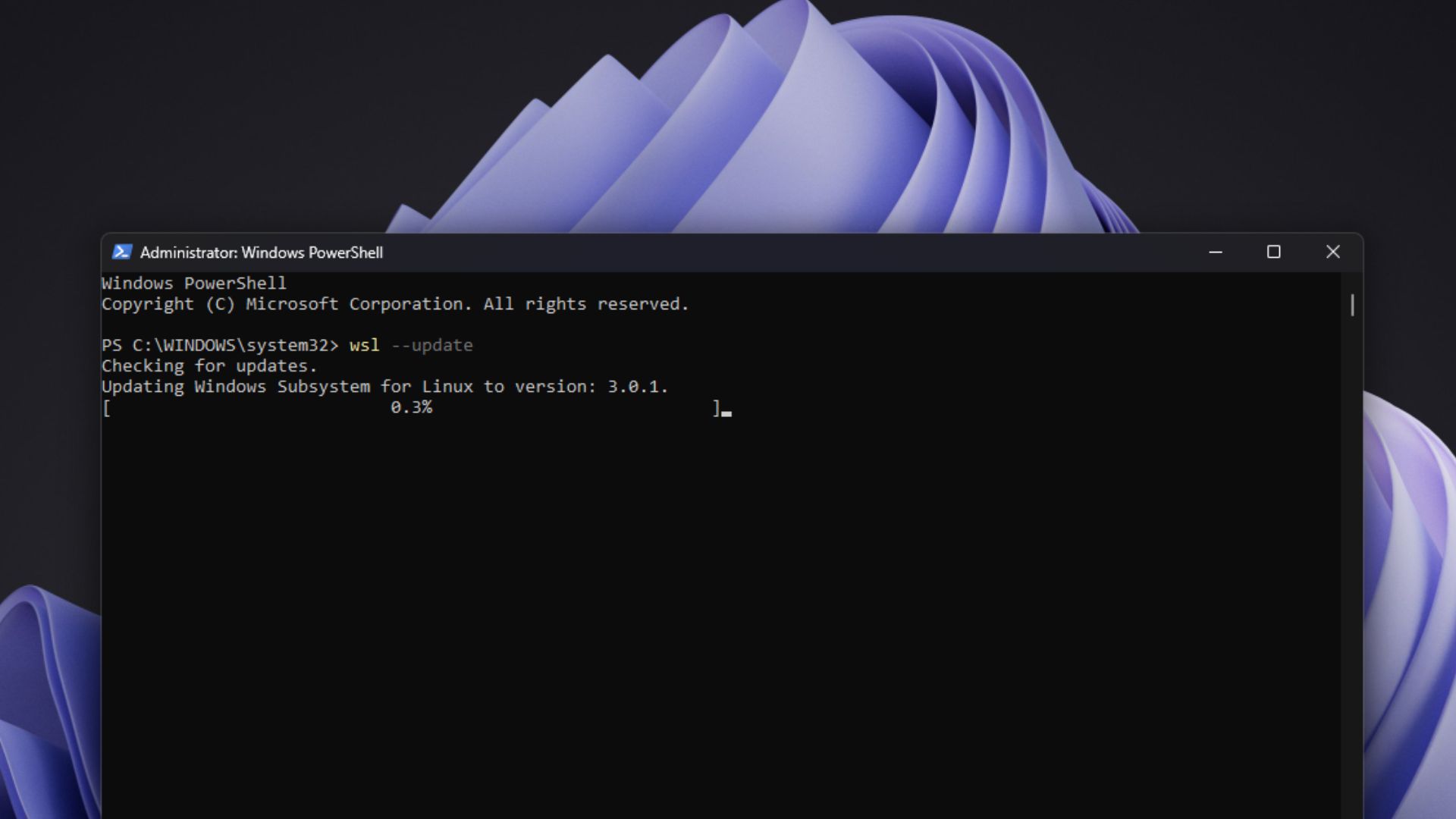
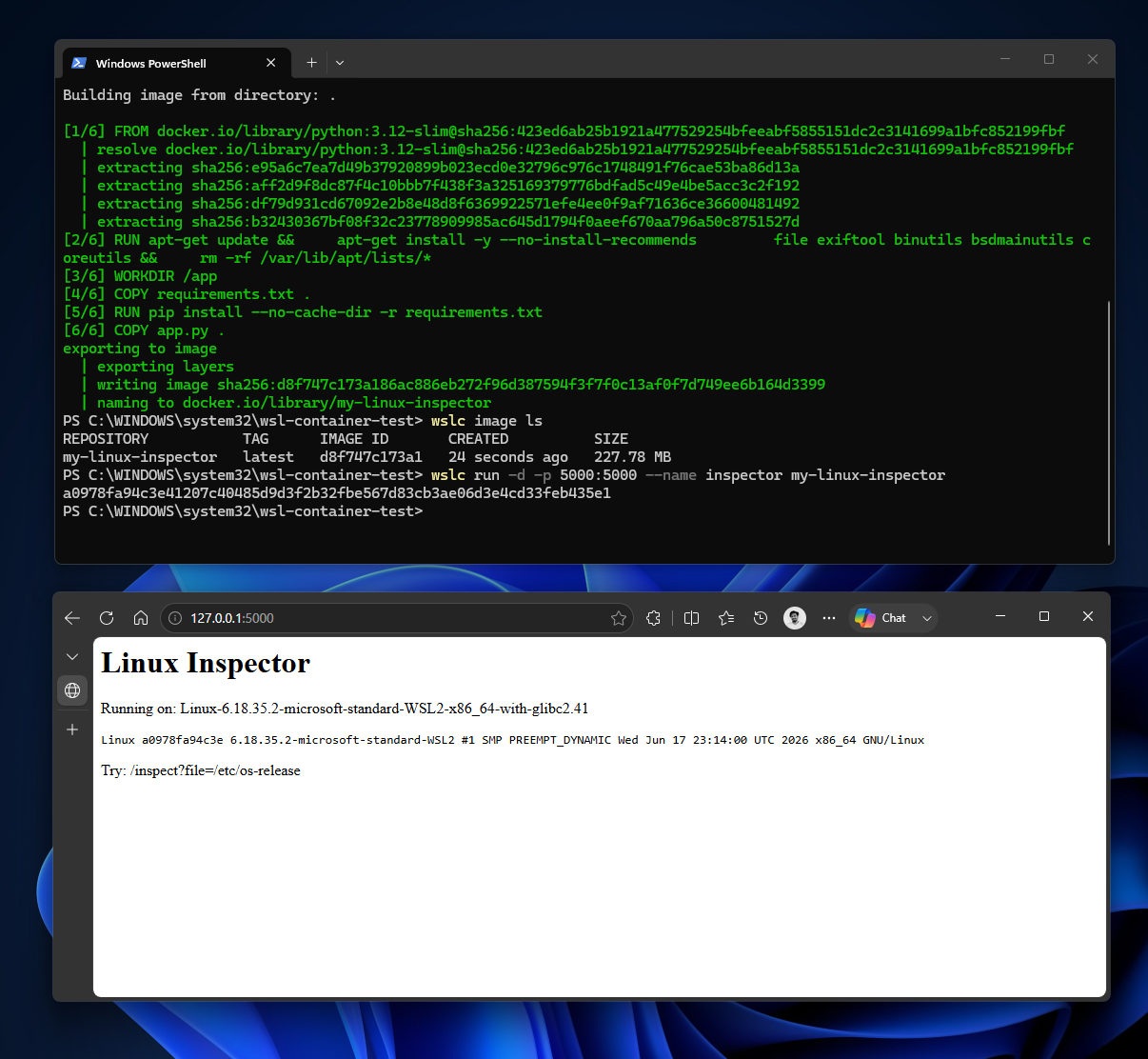
We tested WSL Containers in July when it was still in preview, built a custom Linux container, ran a Flask app through it, reached it from Windows over localhost, too. All worked well.
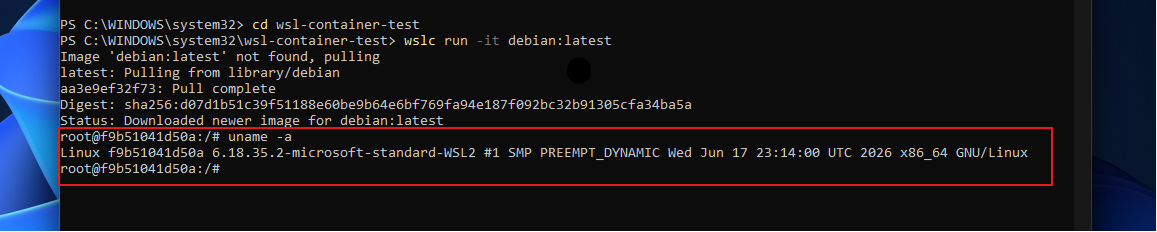
And no, this isn’t WSL 3. Microsoft shut down the WSL 3 rumours earlier this year, although, funnily enough, the GA build on GitHub is WSL 3.0.1.
WSL Containers is a CLI and an API, not a new version of WSL
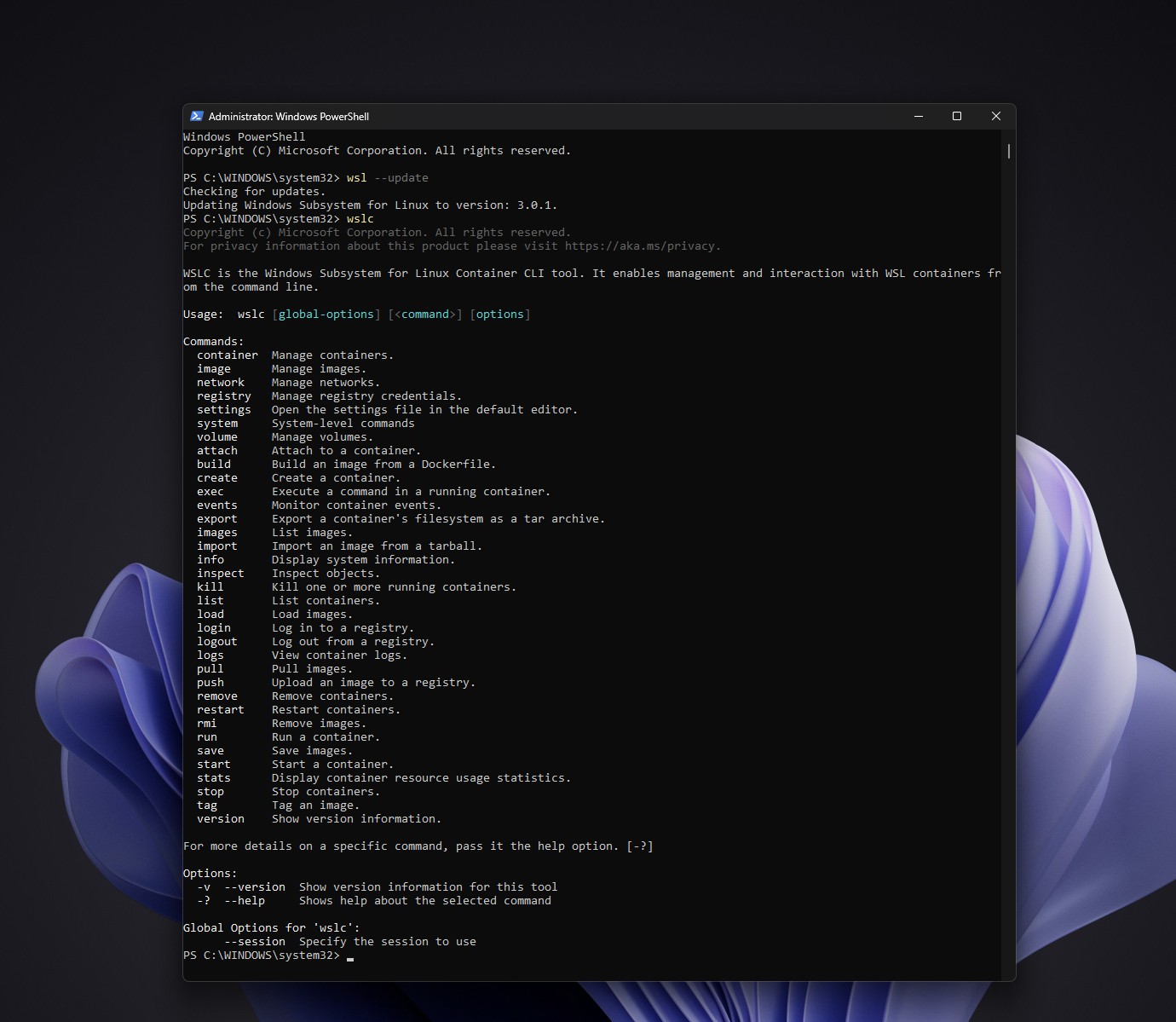
The first piece is wslc.exe, a command-line tool to build, run, manage and deploy Linux containers from Windows. Microsoft also ships container.exe as an alias, and those who’re familiar with Docker will feel at home.
wslc run –rm -it ubuntu:latest
wslc image ls
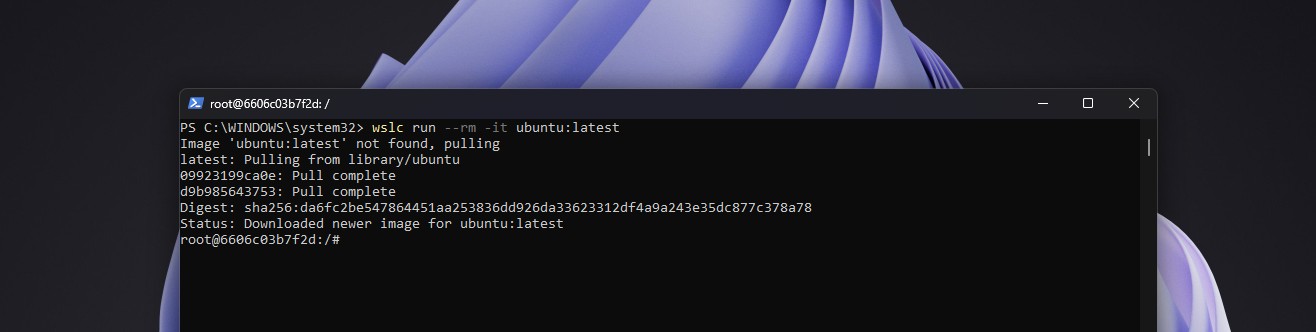
The second piece is the WSL Containers API, which lets native Windows apps create and control Linux containers in code. It ships in the Microsoft.WSL.Containers NuGet package with C# and C++/WinRT projections, and supports stdin and stdout, file mounts, networking and GPU access.
What does it mean for WSL Containers to get general availability?
Craig Loewen, a Principal Product Manager at Microsoft who works on WSL, explained the practical meaning of GA on X. “It’s now moved out of preview and is in the ‘version of WSL that everyone gets’ and is ready for use for full development and production use cases,” he wrote.
However, “native” doesn’t mean these containers run on the Windows kernel. They run on a Linux kernel inside WSL’s virtual machine infrastructure.
Microsoft built WSL Containers differently from regular WSL
Pierre Boulay, a Senior Software Engineer at Microsoft, published an architecture deep dive on September 29 about WSL Containers.
In regular WSL, apps talk to wslservice.exe, which is a privileged Windows service that creates the virtual machine. For WSL Containers, this service doesn’t keep ownership of the VM. It creates a child process called wslcsession.exe, which runs on behalf of the user and takes care of creating containers, mounting directories and binding network ports.
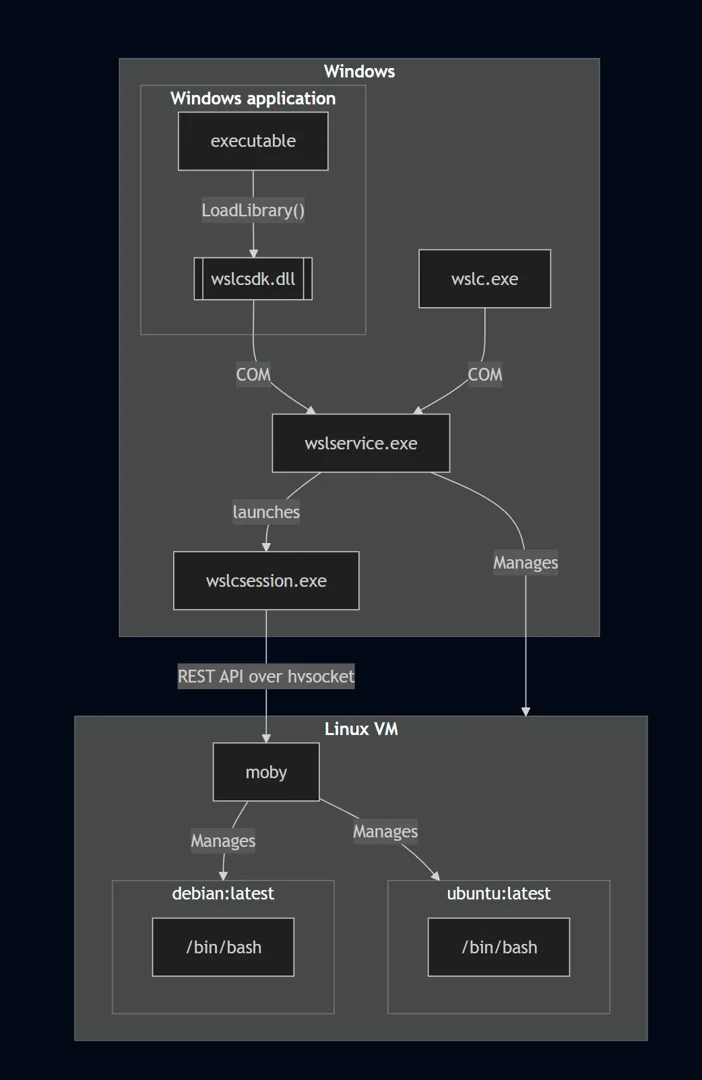
Microsoft says this gives each session stronger isolation, since sessions live in separate processes, and tighter security, because session operations run with fewer privileges than wslservice.exe.
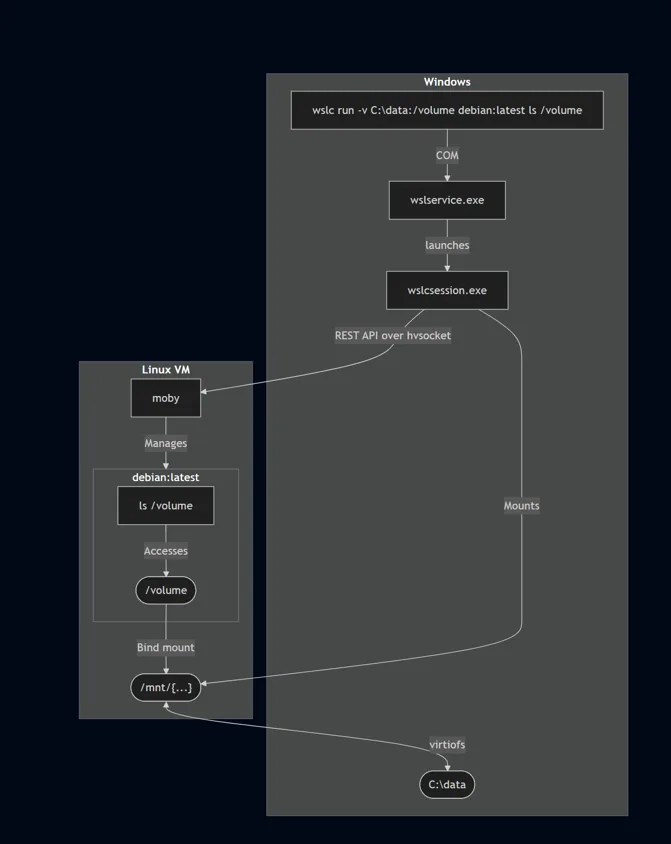
Each session gets its own VHD, stored under %AppData%\Local\wslc\sessions. Containers can use Windows folders through volume mounts, which Microsoft shares into the VM over virtiofs. According to Boulay, “Compared to plan9, virtiofs is about twice as fast,” and plan9 is what regular WSL distros have used to reach your C: drive. Containers that need a native Linux filesystem or a size limit can use VHD-backed volumes.
WSL General Availability brings new commands and a networking model called Consommé
The GA release adds wslc container restart, file copying with cp, wslc network connect and disconnect, extra driver options for wslc network create, container health checks, and –mount support in wslc create and wslc run.
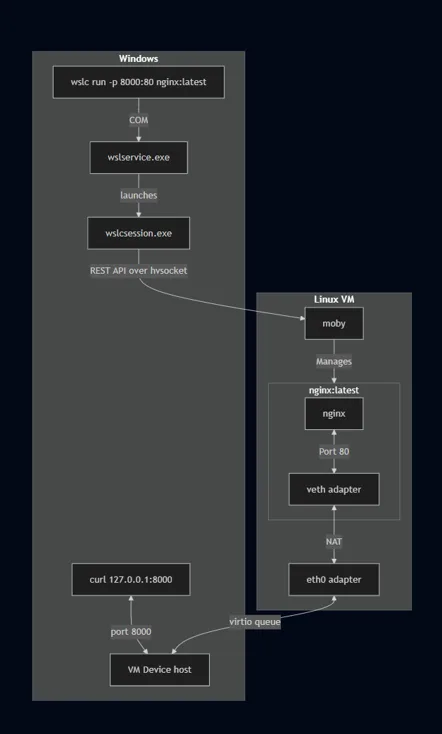
Networking gets the more interesting change. Under Consommé, all traffic from the Linux VM goes as Ethernet frames into a virtio queue, and a Windows process running as the user answers DNS queries, routes TCP and UDP traffic, and handles port mapping.
Since the traffic leaves as if a regular Windows process sent it, Microsoft says it plays far better with VPNs and firewalls, which have been a headache for WSL users for years. In our July testing, the Flask service in the container was reachable at 127.0.0.1:5000 from Windows without any extra networking setup.
WSL Containers is finally ready for enterprise use
IT admins should note that with GA, Microsoft Intune can turn WSL Containers on or off and restrict image pulls to a list of approved registries.
Microsoft Defender for Endpoint’s existing WSL integration now covers containers too, showing process, file and network activity inside a container and linking it back to the Windows host.
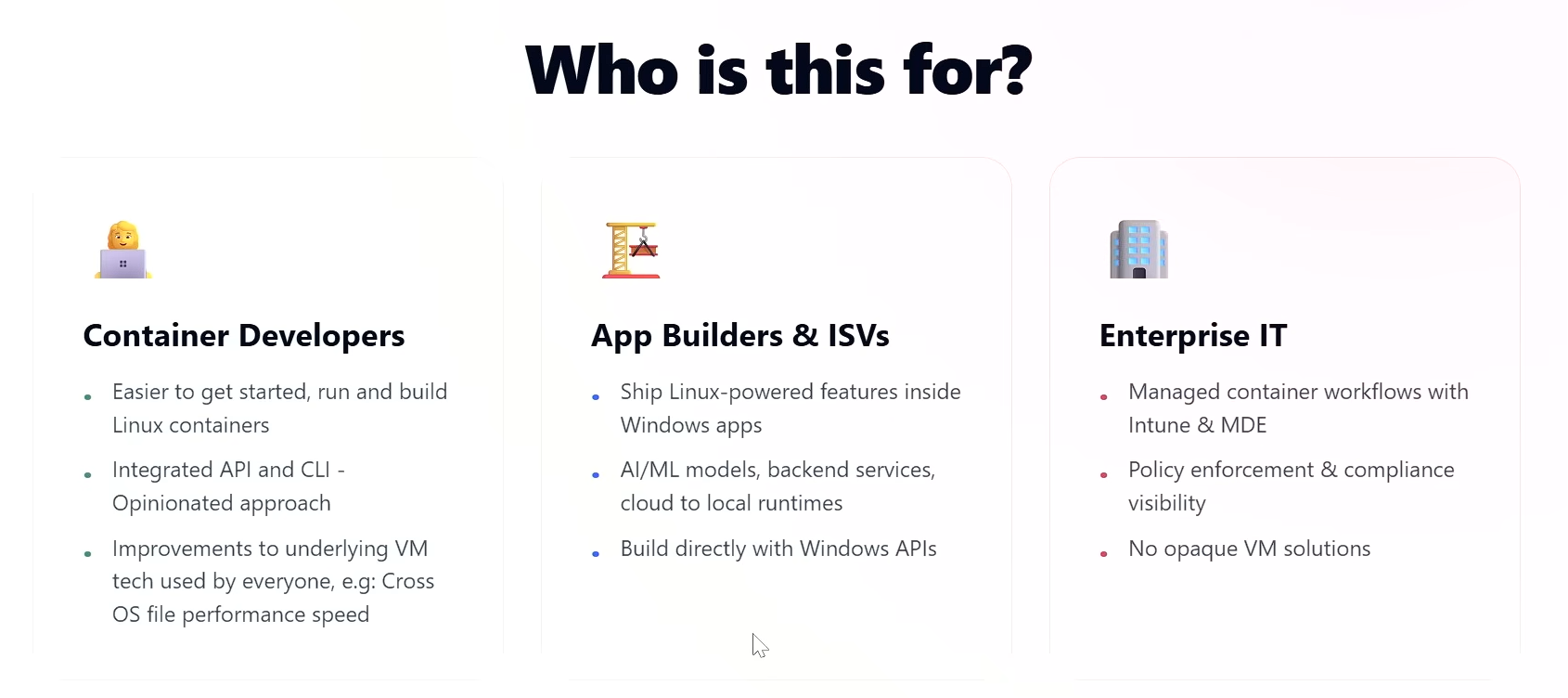
Our preview coverage found Microsoft building this with Group Policy, registry allowlists and Defender, and GA confirms those pieces are ready. Loewen said in a short video that there’s “full integration with Intune as well as Microsoft Defender for Endpoint giving you the controls you need to make sure that that’s secure in your enterprise environment.”
VS Code Dev Containers can use WSL Containers, with some rough edges
Microsoft’s GA announcement says the VS Code Dev Containers extension can use wslc as its container driver, and the VS Code Containers extension and Aspire support it as well.
When a user asked Loewen for a VS Code setup guide, he said it “should be as simple as just setting ‘wslc’ as your chosen binary in your settings.” The user, Neil Enns, then reported that Dev Containers still complained the “docker” command wasn’t found, even after switching from the pre-release to the release version of the extension. So, the integration is live, but your editor setup might still need some troubleshooting.
Microsoft is already working on wslc compose
“Our top feature request for WSLc is adding compose support, and this will be our focus for our next iterations,” Microsoft said.
Compose lets developers describe several related containers, like a web frontend, a backend API, a database and a cache, in one compose.yaml file and bring the whole stack up with a single command. In our July testing, the lack of Compose was why we had to start every container in a multi-container project one by one.
Microsoft’s goal is for “wsl compose up to work with your existing compose.yaml files, unchanged,” and Loewen confirmed on X that it’s on the roadmap. Compose is also tracked in a GitHub issue.
A community workaround and missing pieces like –privileged
When a developer asked whether wslc could build and push images from inside a WSL distro, Loewen mentioned wslc-remote, a community repository he wrote. Microsoft wants to support it natively, but he said there are “a lot of nasty edge cases,” so it stays a community project with mixed expectations.
Another user said missing –privileged support forced them back to Docker for kind and k3d Kubernetes clusters. Loewen replied that it’s coming soon, and should reach preview shortly since it’s already in the main branch.
Remember, GA doesn’t mean wslc can match every mature container platform feature for feature.
WSL Containers also runs on Windows 10 and Windows Server
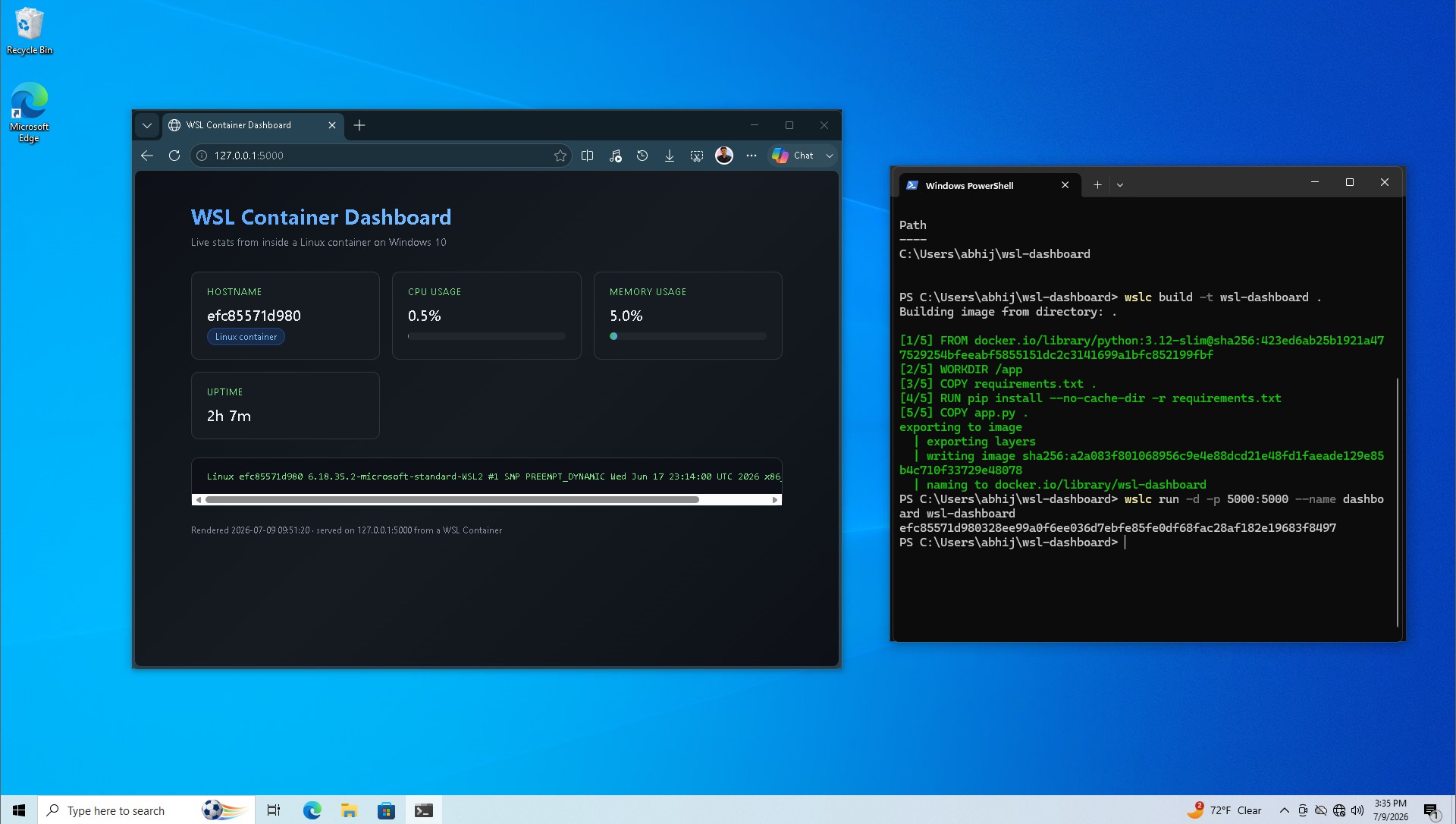
As we reported, Windows 10 is still getting WSL features for developers. Loewen said in July that WSL Containers “works anywhere WSL is supported today,” and we ran wslc on Windows 10, building and serving a Flask dashboard.
On X, when asked if WSL Containers is supported in production on Windows Server, Loewen said, “Yes this is supported in production!”
Linux is becoming a normal part of Windows
The irony is that, years ago, Steve Ballmer infamously called Linux “a cancer,” and now Microsoft is practically turning Windows 11 into a first-class Linux container host. We’ve already seen this when Microsoft shipped its own free Linux distro, and adding container tools into WSL only hardens the cement. Redmond realized Windows can’t survive without Linux.
WSL is open source now, Microsoft keeps improving Windows-Linux file access and networking, and with the WSL Containers API, a Windows app can run a Linux container without its users having to think of Linux being involved.
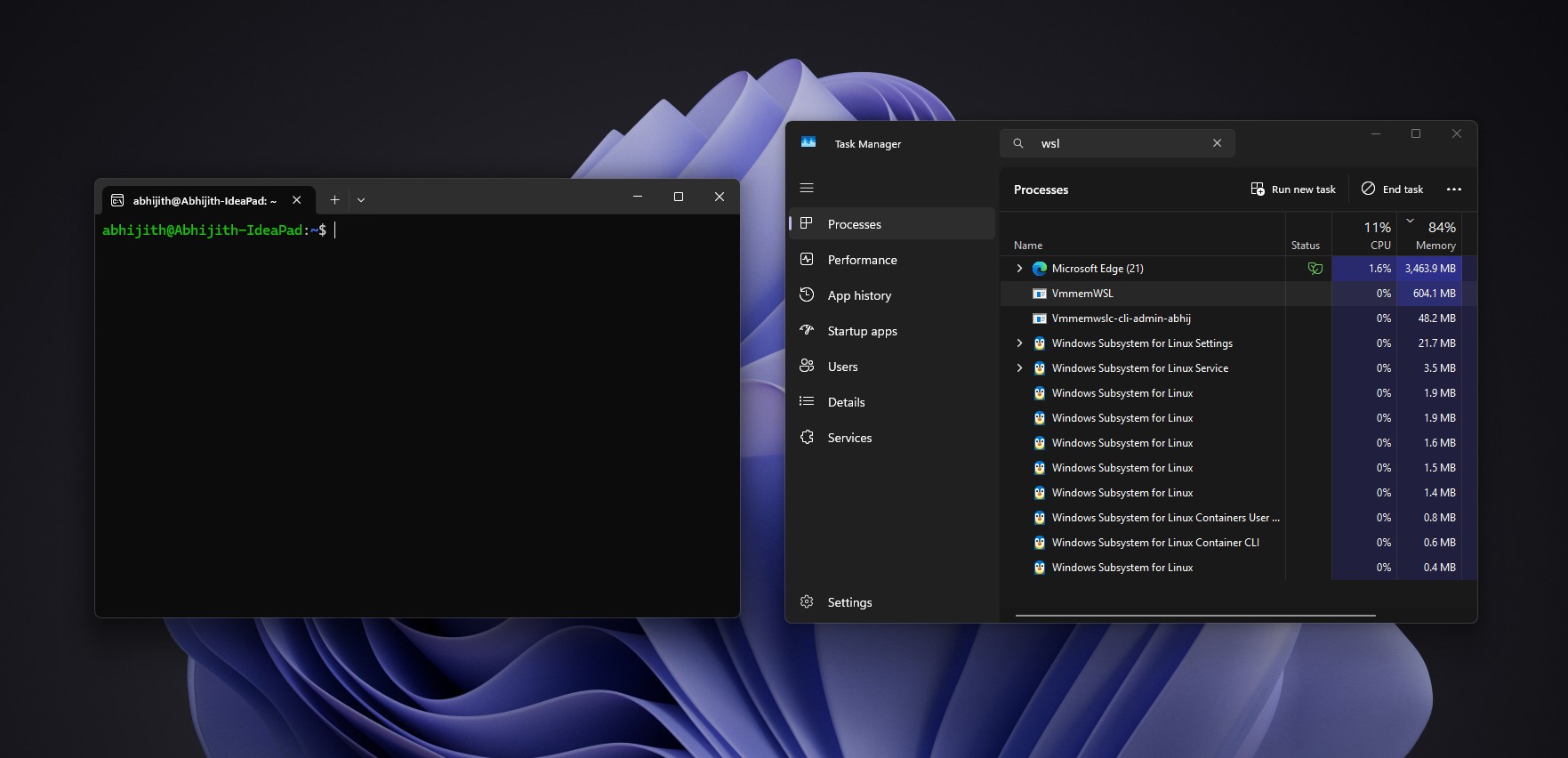
Microsoft’s GA post describes Linux on Windows moving beyond a development environment into a platform for running AI and cloud-native workloads. Google is bringing native Windows 11 and WSL support to its new AI tools, and Ubuntu is growing faster on Windows 11 than on native Linux PCs, so WSL increasingly connects Windows developers with Linux tooling.
Yes, WSL Containers has moved past being an interesting preview. A wsl –update gets developers a first-party CLI and API for Linux containers, and admins get Intune and Defender controls.
I don’t think most users can jump away from Docker Desktop so quickly. Compose is still on the roadmap, some advanced scenarios still need Docker, and third-party tools are important. The part I’m most curious about is wsl compose up, because the day it runs existing Compose files unchanged is the day a lot of developers can finally uninstall Docker Desktop.