








Microsoft has a new idea that might give you a reason to choose New Outlook over Outlook Classic: automatic spell check before you hit Send.
Outlook already has spell check through Microsoft Editor, which lets you check messages for errors as you type. But Microsoft’s next feature works differently. It’ll step in when you’re about to send an email with typos and remind you to correct them before the message goes out.
Right now, when you compose an email in Outlook, you can already see typos and other grammar mistakes within the compose box. That’s powered by Microsoft Editor, Microsoft’s alternative to Grammarly, although it’s optimized more for business use cases than consumers.
But how often do we end up sending an email with errors because we thought we’d fix them at the last minute and then forgot? It happens to me all the time, especially when I’m in a rush.
Turns out there’s a very easy solution to that problem, and that is to stop you before the email is sent and give you another chance to fix the mistakes.
In an Admin Center update spotted by Windows Latest, Microsoft confirmed that New Outlook is getting automatic spell check before sending emails starting in October 2026, although it won’t be widely available until at least mid-December 2026.
I don’t think I have to explain why Outlook is getting automatic spell check, but in the company’s own words:
“If you don’t want to check spelling manually for every message—or you’re worried you might forget!—you can set Outlook to check spelling for you every time before sending emails” – Microsoft.
Windows Latest understands that Microsoft won’t automatically begin nagging you about spelling errors because that experience could get annoying.
You’d be surprised how many people don’t mind small grammar errors. And in the case of Outlook, it’s also quite common for Microsoft Editor to flag words that aren’t actually wrong. For example, if you use “colour” in British English, Microsoft Editor might try to correct it to “color” because your preferred writing style is set to American English.
Keeping those false positives and user control in mind, Microsoft won’t force-enable automatic spell check. You’ll be able to toggle it on from Settings starting in October 2026.
Outlook Classic is getting more Copilot
Outlook Classic won’t get the automatic spell check feature because it’s only supposed to receive security fixes and improvements, unless we’re talking about Copilot.
In another Admin Center update, Windows Latest spotted that Microsoft is adding a new User Initiated Insights feature to Copilot in Outlook Classic.
This will let you trigger Copilot only when you actually want it. For example, you can select some text and choose “Explain this.” Copilot will then provide contextual insights based on what you’ve selected.
“This enhancement gives users greater control over when and how Copilot assists them, improving productivity, clarity, and decision-making directly within their workflow,” Microsoft noted.
Microsoft began testing the feature in May 2026, and it’s now set to begin rolling out to everyone in October 2026.
If you don’t understand how the feature could actually be useful, take a look at the screenshot below:
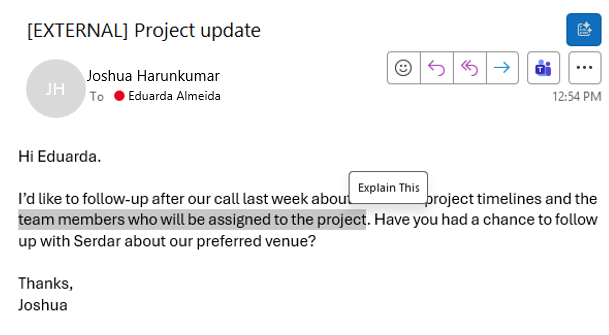
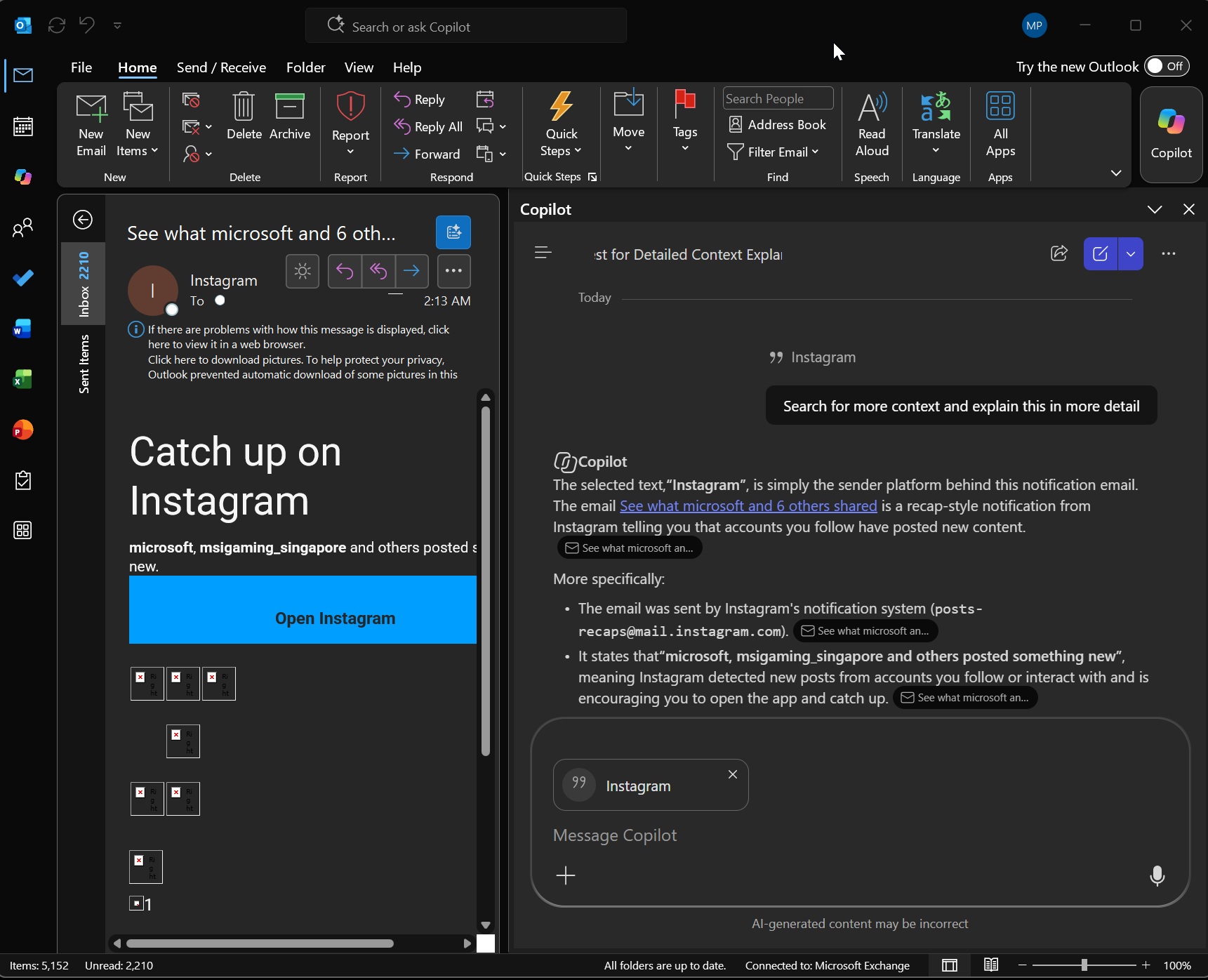
Instead of Copilot popping up out of nowhere in the sidebar or search bar, you can trigger it only when you find it useful. When you click Explain this, Outlook sends the selected text to Copilot’s sidebar, which looks at the context (content of the email and previous emails) and tries to explain the selected text.
I don’t think it’s a bad idea, but I’d prefer new features coming to New Outlook over these unnecessary Copilot editions.
And if you’re planning to move away from Outlook Classic, Microsoft has a plan to make that transition easier too.
New Outlook is getting an Outlook Classic-like theme, so the interface looks and feels more like the Win32 version.
But I don’t think Microsoft fully understands why people are still holding back. Those who are staying on Outlook Classic aren’t doing so just because of how it looks. In many cases, they’re staying because New Outlook still lacks advanced features that are important to their workflows.