








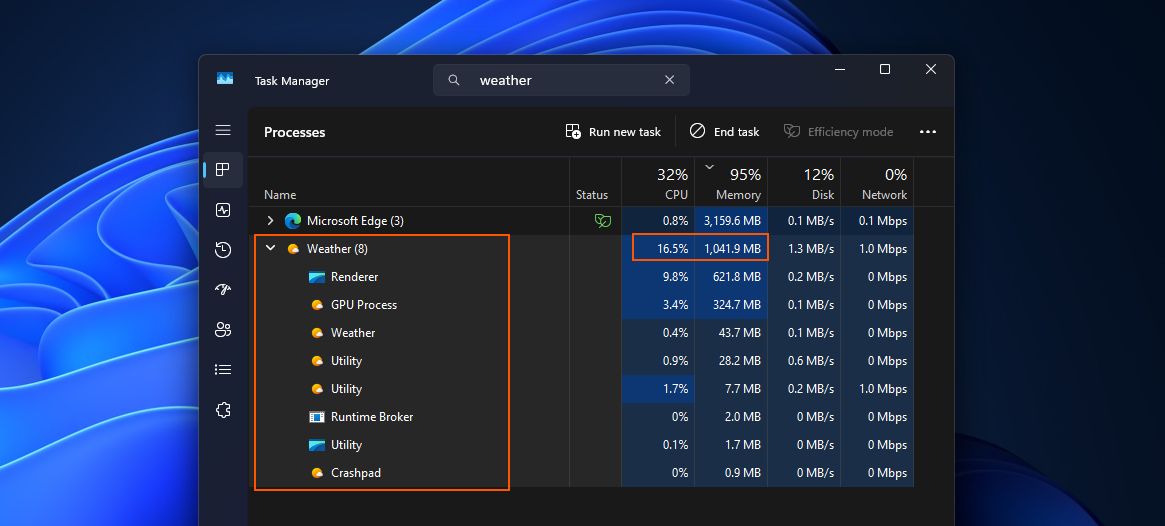
On Windows, a web app is just a scroll or tap away, as even something as basic as the inbox Weather app uses Edge’s WebView2 to load MSN content in the background. That is the current state of Windows 11, but as Microsoft previously promised, it’s going to build 100% native apps. And now, the company is making it easier to build native WinUI apps, even if you’re coming from another platform.
Microsoft rebuilding its own apps in WinUI only solves a fraction of the problem it created by neglecting WinUI and favouring WebView2-based solutions over older Win32 APIs that worked perfectly well. There’s a project called “Microsoft.UI.Reactor,” which isn’t supposed to replace WinUI, but it could help fix Windows 11’s native apps problem.
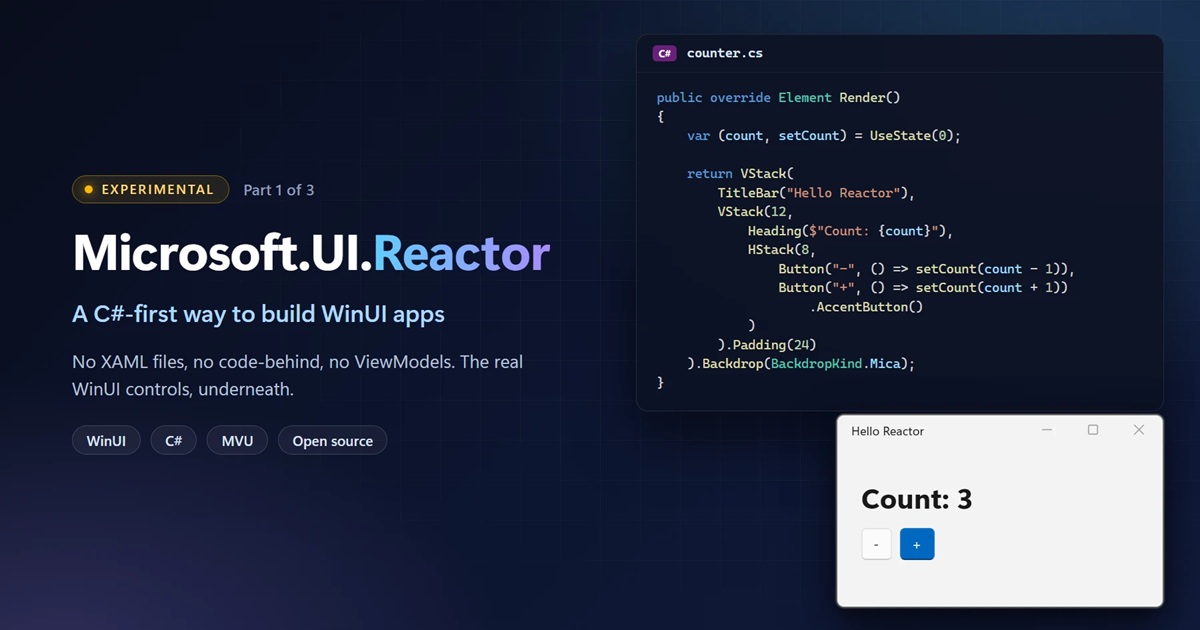
Microsoft.UI.Reactor is an experimental C# framework that renders WinUI controls, so it’s not a new UI platform and it’s not supposed to kill anything, including WinUI. And that aligns with Microsoft’s previous statements. At the Build 2026 developer conference, Microsoft promised it would stick with WinUI, and Reactor is another way to build apps on that same foundation.
“There is no new renderer and no fork of anything. Reactor renders WinUI controls and primitives,” the company noted.
Microsoft wants developers from other platforms to feel at home with WinUI, and it doesn’t plan to kill XAML
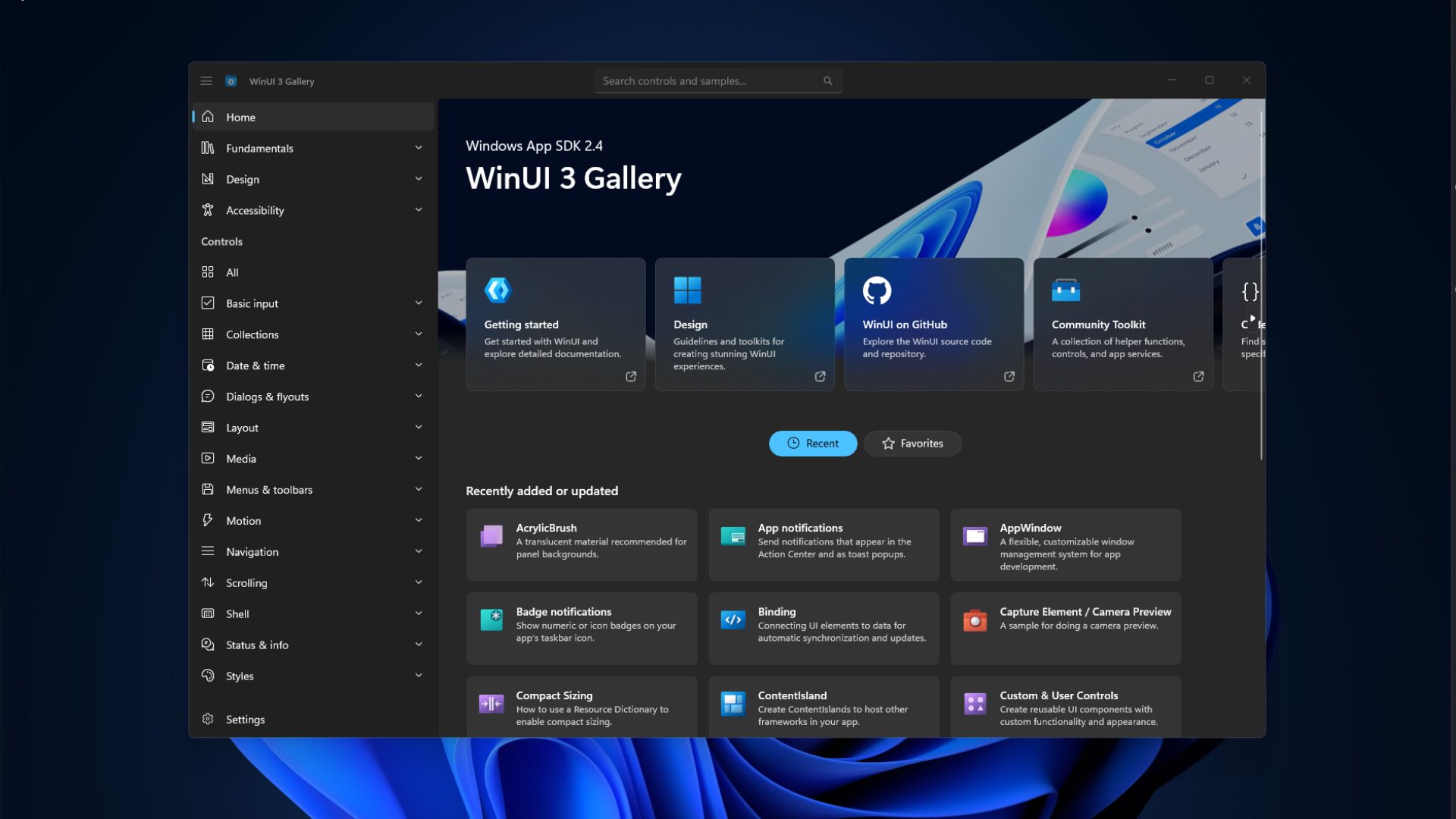
WinUI is a framework specifically used on Windows, and consumers usually associate it with a framework to build modern apps that respect Windows 11’s design guidelines. Its apps are typically built with XAML, which describes the interface, alongside code that handles what the app does.
XAML is not the problem here, but if an Android or macOS developer wants to build a native Windows app using WinUI, having foundational programming knowledge alone is not enough. They STILL need to learn how this works on Windows.
With Reactor, Microsoft says developers can now describe the interface directly in C#, so they no longer have to involve XAML if they plan to bring their mobile or macOS apps to Windows. It’s making it a tad easier to get started with WinUI using an approach that should feel familiar whether you’ve worked with SwiftUI or React Native.
“If you’ve built UI with React, React Native, SwiftUI, or Jetpack Compose, the usual WinUI path starts with learning a markup language and a binding engine, and we want to find out whether Reactor can remove that step,” Microsoft explained in a document seen by Windows Latest.
“XAML is a first-class way to use it, it isn’t being deprecated, and it’s still getting active investment,” Microsoft confirmed.
This is where I think it gets really interesting, and as a React developer myself, I strongly believe Microsoft could convince developers to stop shipping web wrappers or Chromium crap by making it easier to build native apps.
You can’t expect devs to use WinUI if getting started feels like unnecessary work. They’d rather settle for building a web app, which is faster than learning XAML first.
A simple native app can now fit in one file
For example, Microsoft explained that its sample app built with XAML needs five files and a project file. But that drops to just a single C# file with Reactor.
With that said, there are also other advantages to trying Reactor besides avoiding having to learn XAML. One of the features is a set of 60+ built-in code checks, which can flag issues with Windows features like dark mode, accessibility, and even performance.
In the document, Microsoft argues that the code checks catch “a hard-coded brush that won’t survive dark mode” or “an icon-only button a screen reader would announce as ‘button’.”
It might not sound like a big deal, but when you take a look at the state of Windows apps and how “unfinished” they appear or feel, Microsoft’s approach with Reactor could be a game changer.
Also, Microsoft confirmed that Reactor maintains the app’s state across most edits, so if you’re a developer, you can see changes as you work.
Last but not least, Reactor’s C# advantage should allow developers, or even non-developers, to build apps for Windows 11 using AI coding tools. If anything, I’m glad we’re going to see more Windows 11 apps built using the WinUI framework, which means faster performance, native experiences, and better OS-level integrations.