





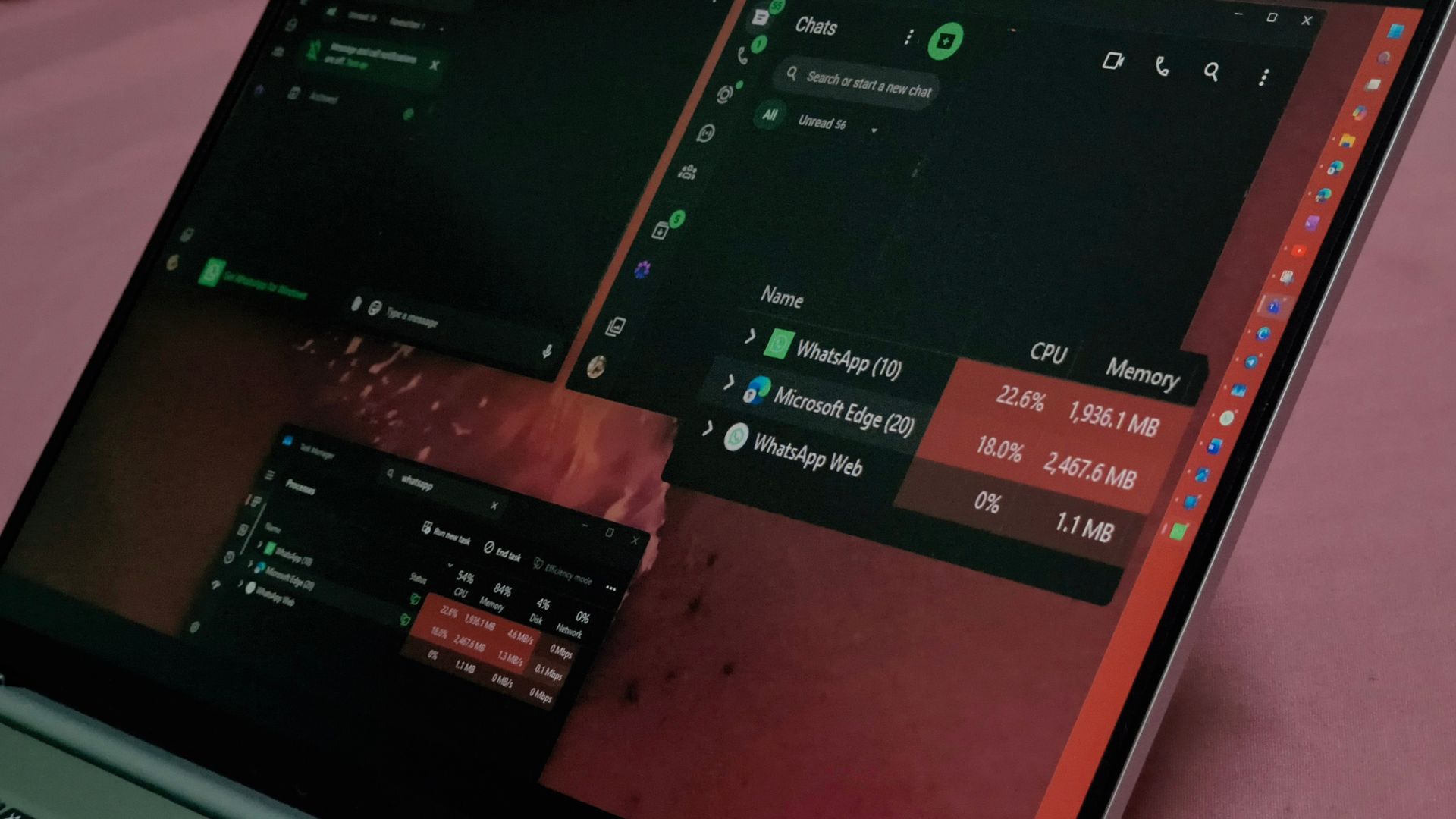
WhatsApp for Windows 11 used 2,157.8MB of RAM on my PC while I was simply scrolling through chats, a year after Meta replaced its native app with a WebView2 wrapper. I’ve uninstalled it, and between WhatsApp Web, which now supports voice and video calls, and streaming WhatsApp from my phone, I’m not missing anything.
If WhatsApp were fast while eating all that memory, I could live with it. It isn’t, and the alternatives I tested use a fraction of the RAM. I honestly do not understand what Meta engineers are doing. Wasn’t AI supposed to give us better software?
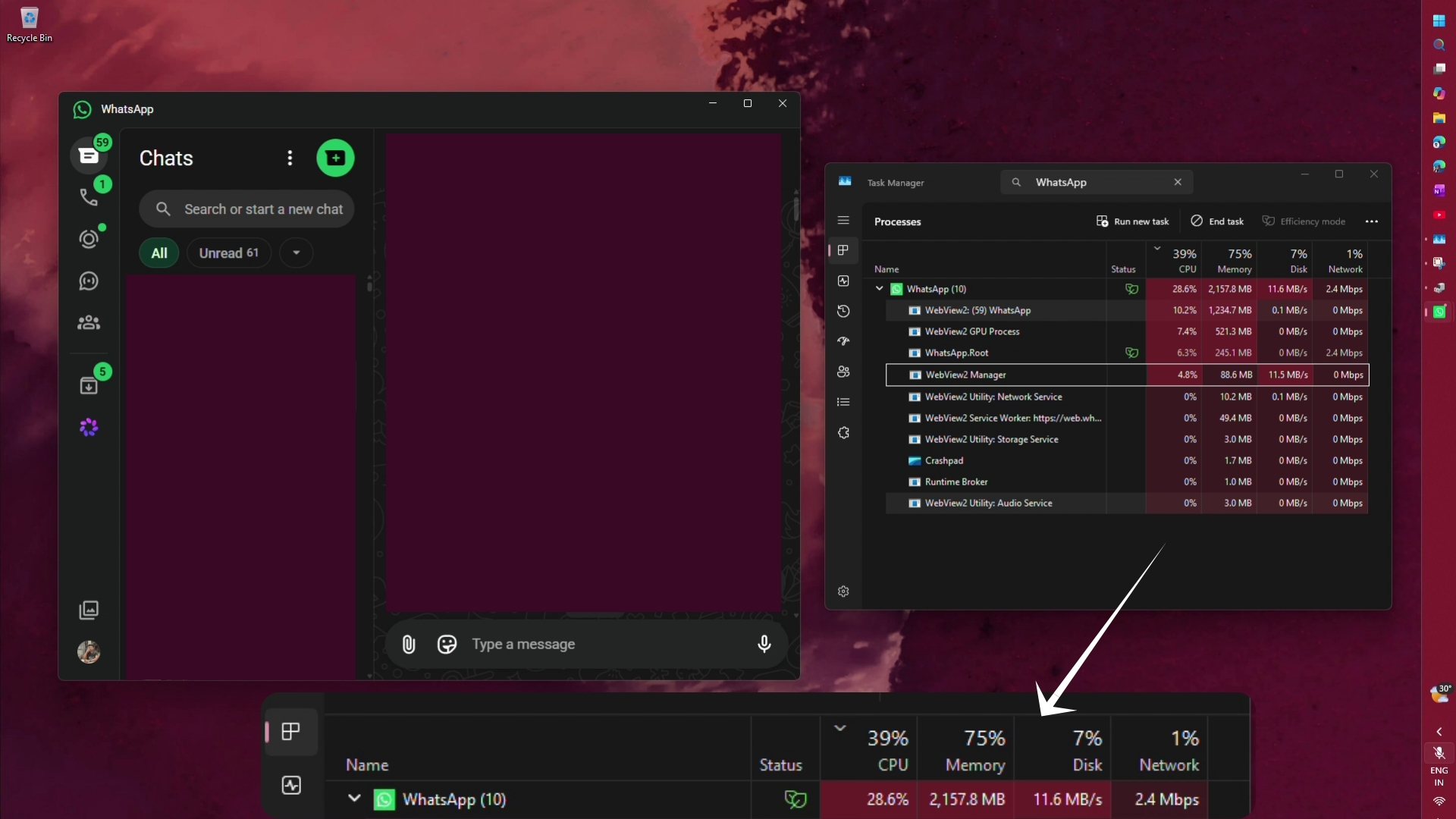
WhatsApp for Windows 11 now crosses 2GB of RAM, and it’s still slow
In Task Manager, the WhatsApp process group shows 10 processes. The WhatsApp WebView2 tab takes 1,234.7MB, the WebView2 GPU process takes 521.3MB, WhatsApp.Root uses 245.1MB and the WebView2 Manager another 88.6MB, which was the amount of RAM used by the native version of WhatsApp from a year ago. This web slop (sorry, not sorry) also hit 28.6% CPU and 11.6MB/s of disk activity while I scrolled.
For context, Meta killed the native WhatsApp app in November 2025, and the new version simply loads web.whatsapp.com inside Microsoft Edge WebView2. When I first tested it, the old UWP app was under 100MB when idle and around 250MB while scrolling, while the WebView2 version used about 600MB idle and 1.2GB while scrolling. During video calls, it was roughly 900MB versus 316MB. This is enshittification at its best!
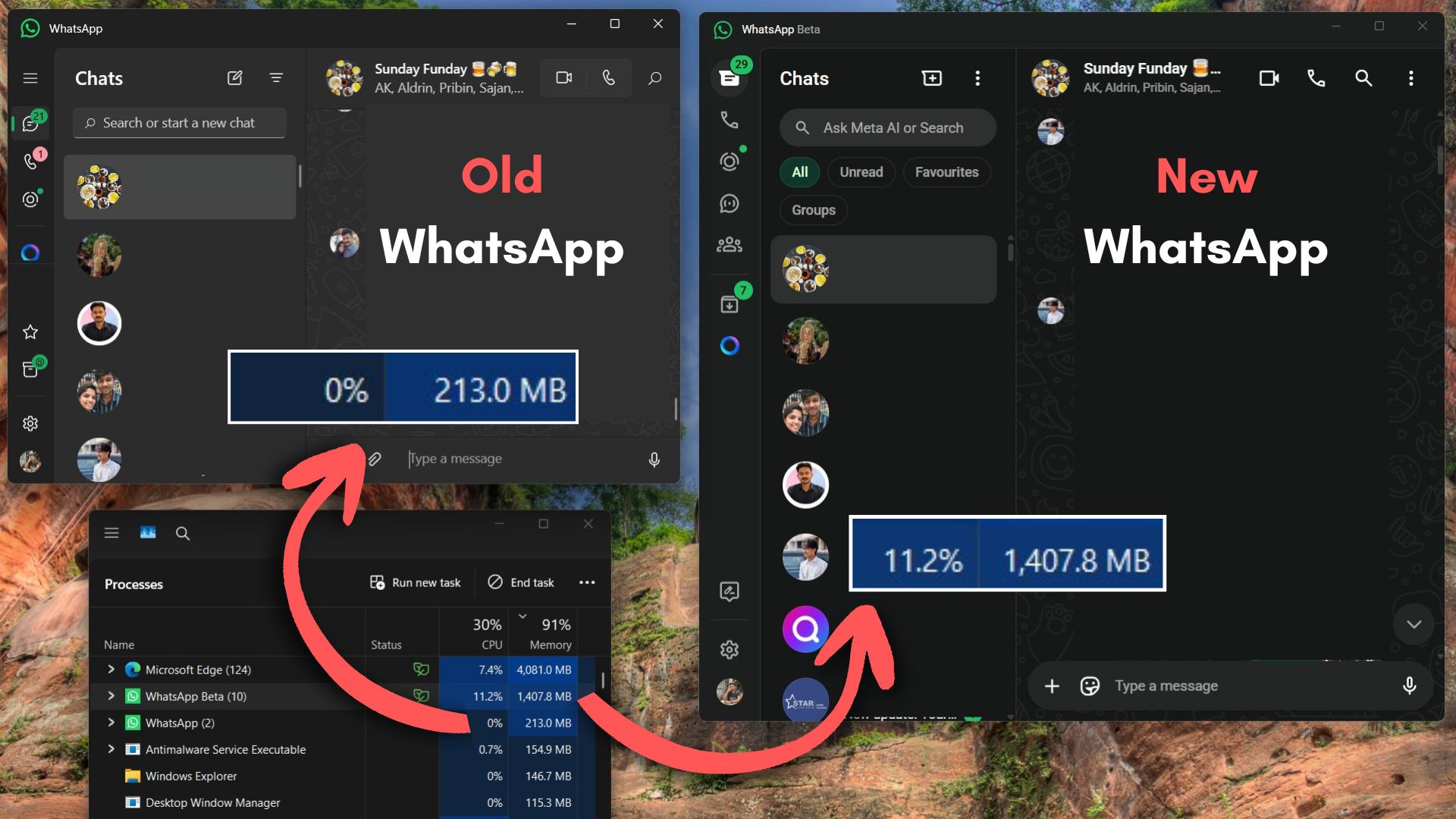
In June, WhatsApp was still eating 1.2GB of RAM on Windows 11. Now it’s crossing 2GB.
The RAM would be easier to forgive if the app was at least fast. Switching chats still takes about a second, scrolling is choppy, and the single tick on a sent message shows up late. Ironically, WhatsApp’s own help page once said its native Windows and Mac apps “provide increased performance and reliability”, and yet Meta logged users out to push them to the web wrapper.
WhatsApp Web uses less RAM, and it finally has calls too
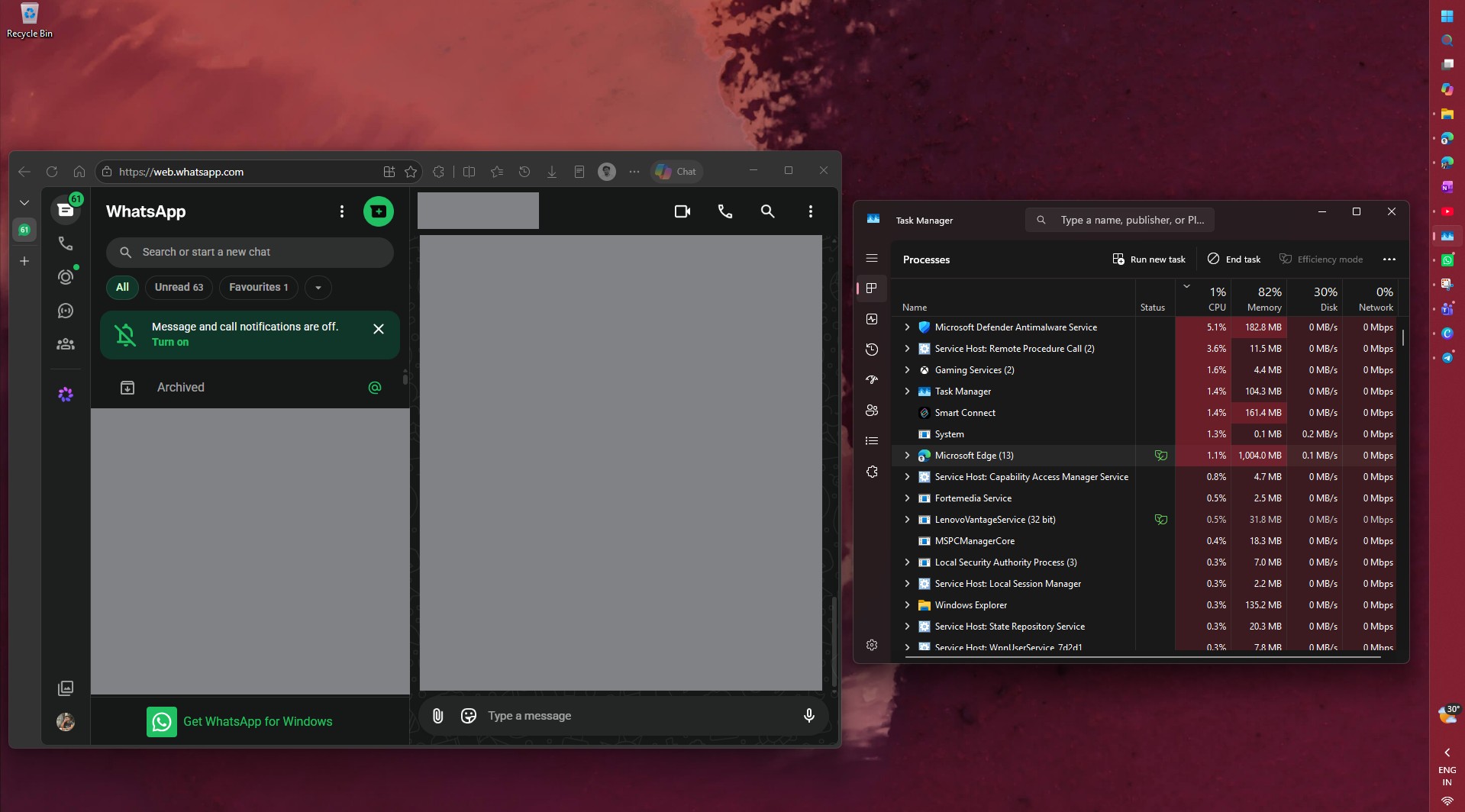
Sadly, or rather, as expected, WhatsApp Web isn’t lightweight. In Edge’s Browser Task Manager, my WhatsApp tab used about 700MB.
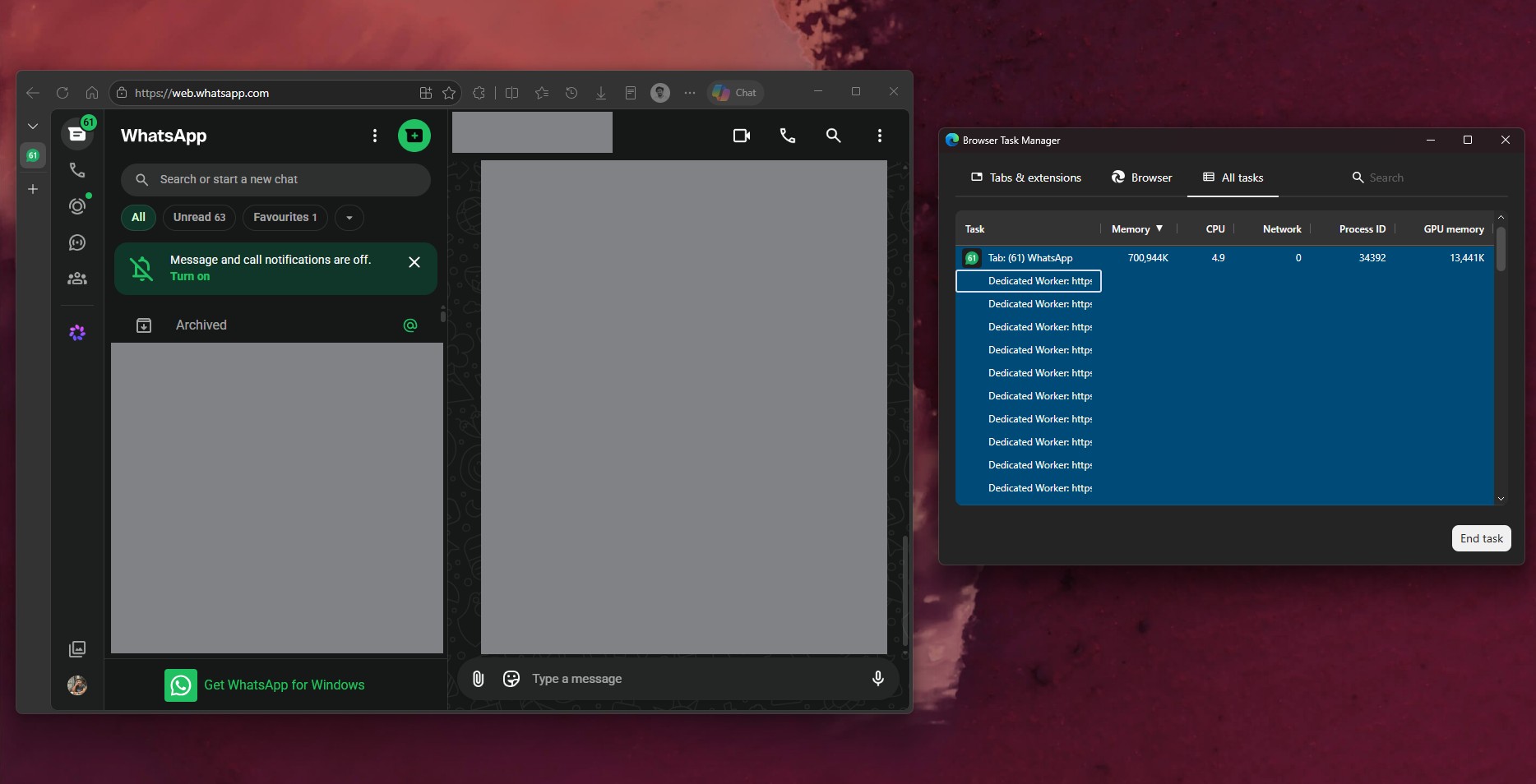
The RAM usage continues to rise as we use WhatsApp Web, especially while scrolling through texts. But in my testing, it is smoother than WhatsApp Desktop. There’s an important thing to consider here. My default browser is Edge, and it is always open, so when I open WhatsApp Web in it, the reduction in performance is not as drastic as when I open WhatsApp Desktop, which is similar to how I opened an entire browser just to run WhatsApp.
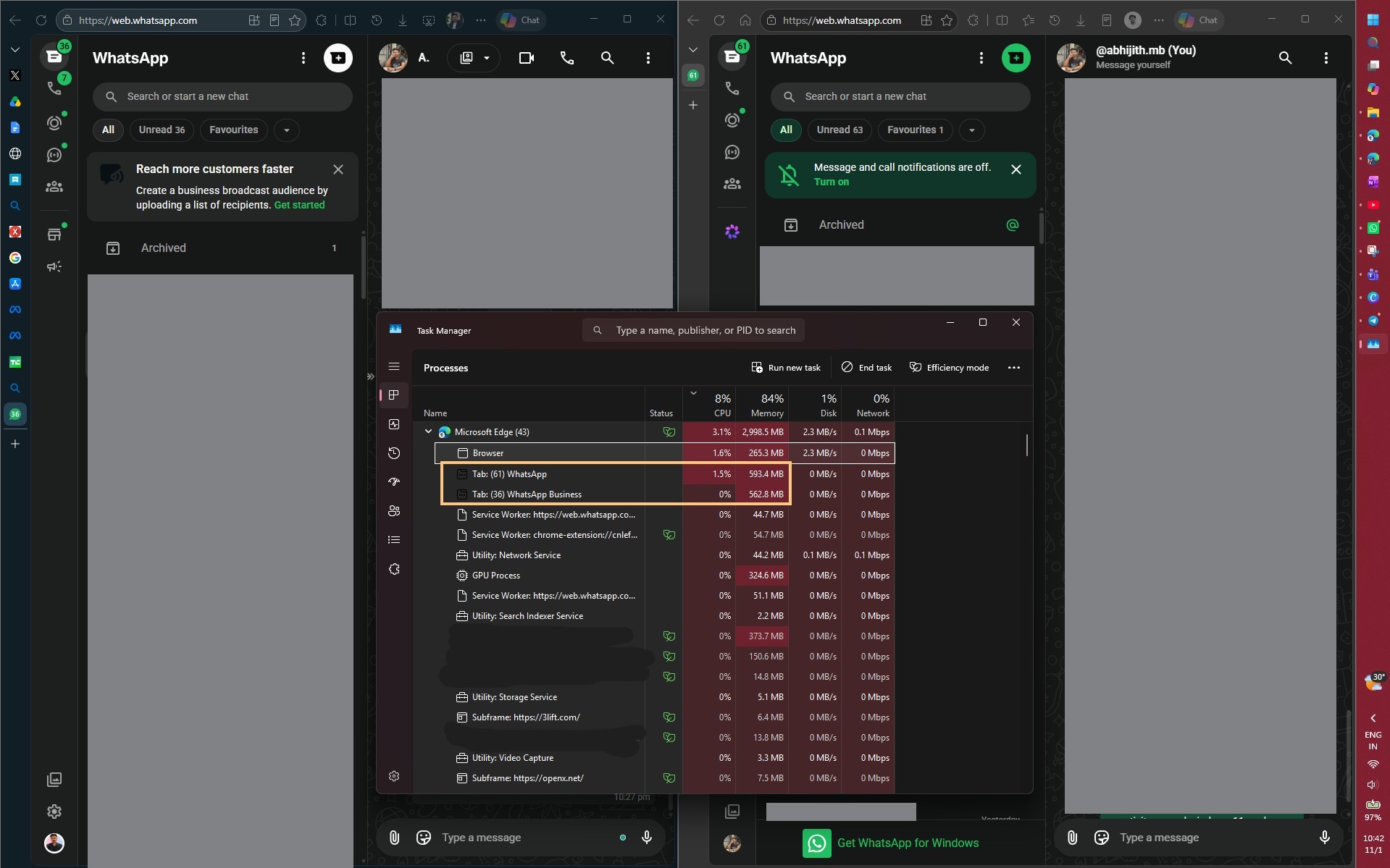
When I opened my personal and WhatsApp Business accounts in two Edge tabs, they used 593.4MB and 562.8MB, or about 1.16GB for two accounts, still well under the 2GB that one account hit in the desktop app.
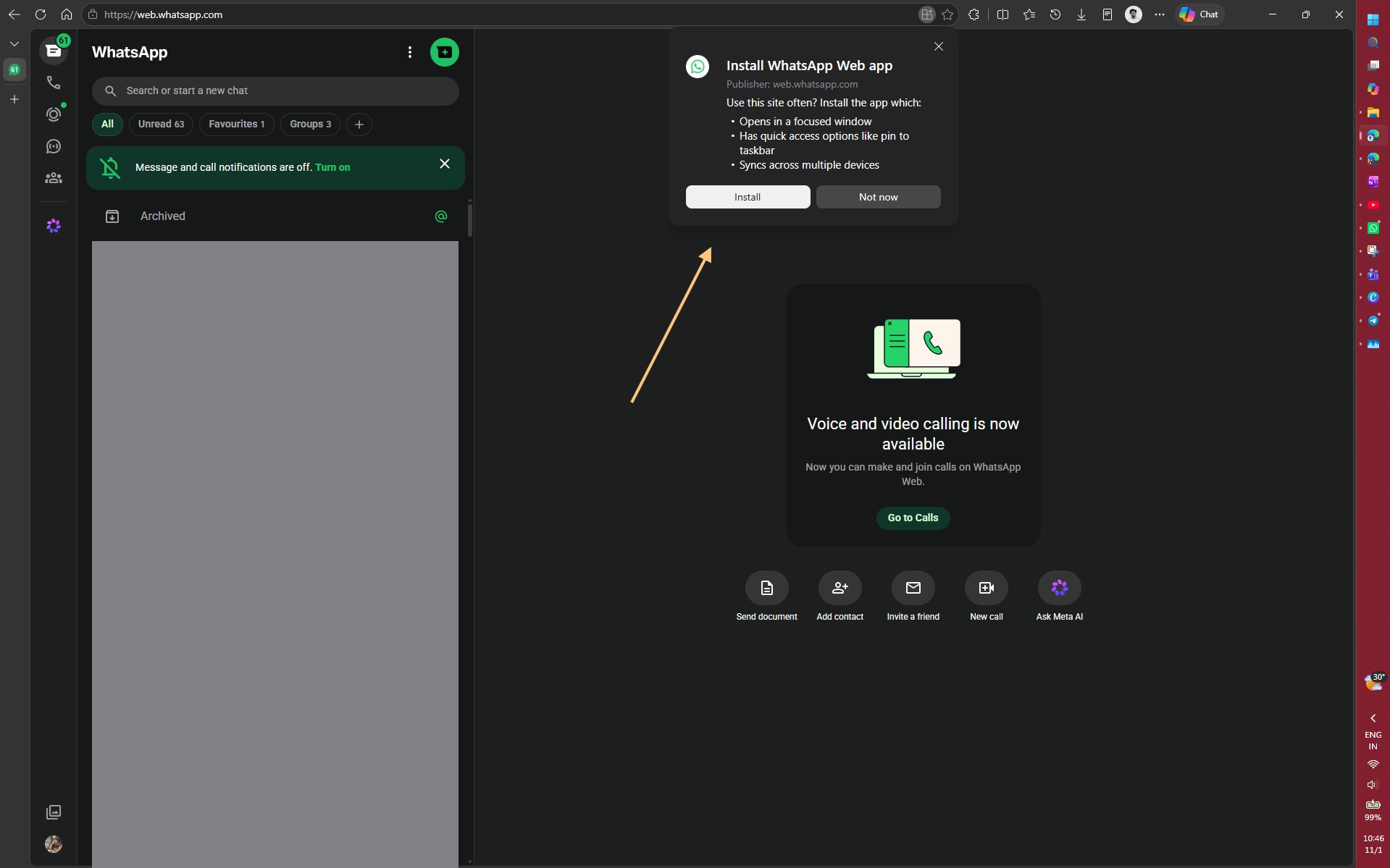
You can also install WhatsApp Web as an app, as Edge shows an “Install WhatsApp Web app” icon when you open the site.
I installed it and ran it next to the desktop app. At first glance, Task Manager shows “WhatsApp Web” using just 2.5MB, which is too good to be true.
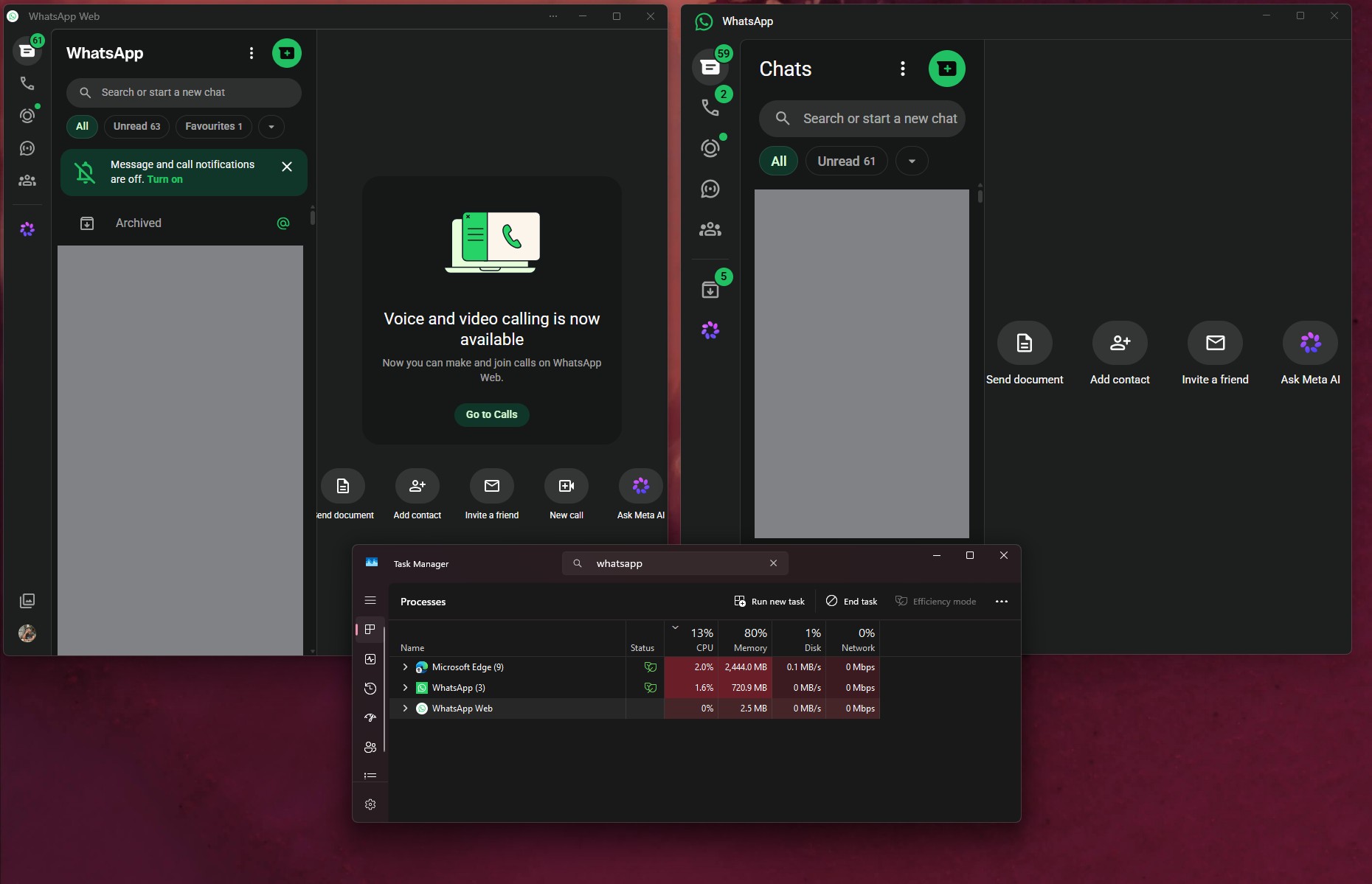
The real work happens under Microsoft Edge, where “App: web.whatsapp.com” used 579.6MB. At that point, the WhatsApp desktop app was using about 720.9MB RAM.
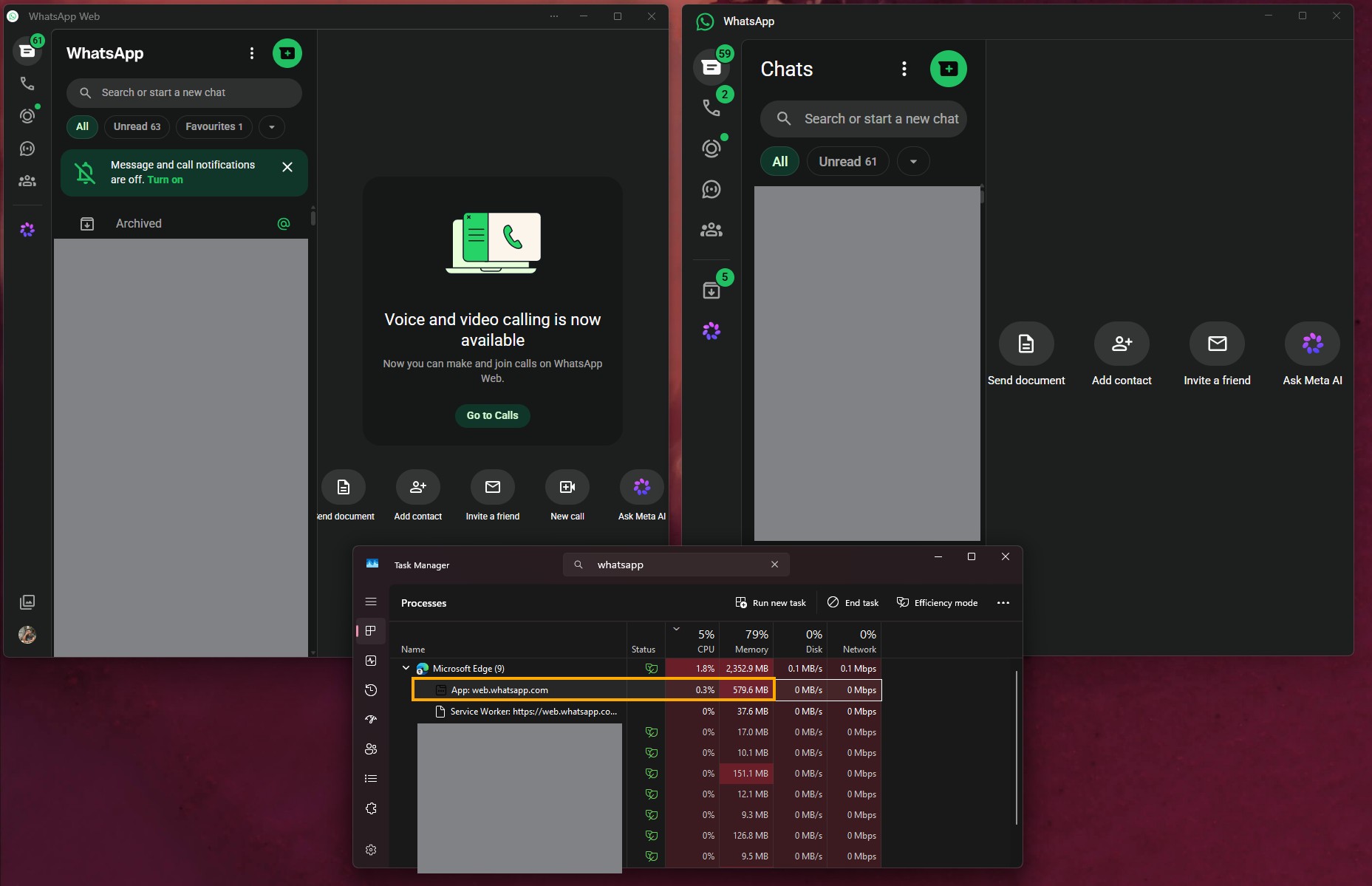
Calling was the one reason to keep the desktop app around, and that’s gone now. In July, WhatsApp brought voice and video calls to WhatsApp Web, along with screen sharing, a Calls tab with history and favourites, call transfer between devices, waiting rooms for group calls, QuickHD video and noise suppression. The features are rolling out gradually, and my browser already shows the “Voice and video calling is now available” card.
WhatsApp Web also recently told me I can share message history with new group members, use chat themes and custom wallpapers, like a status with a heart, and export a chat as a file.
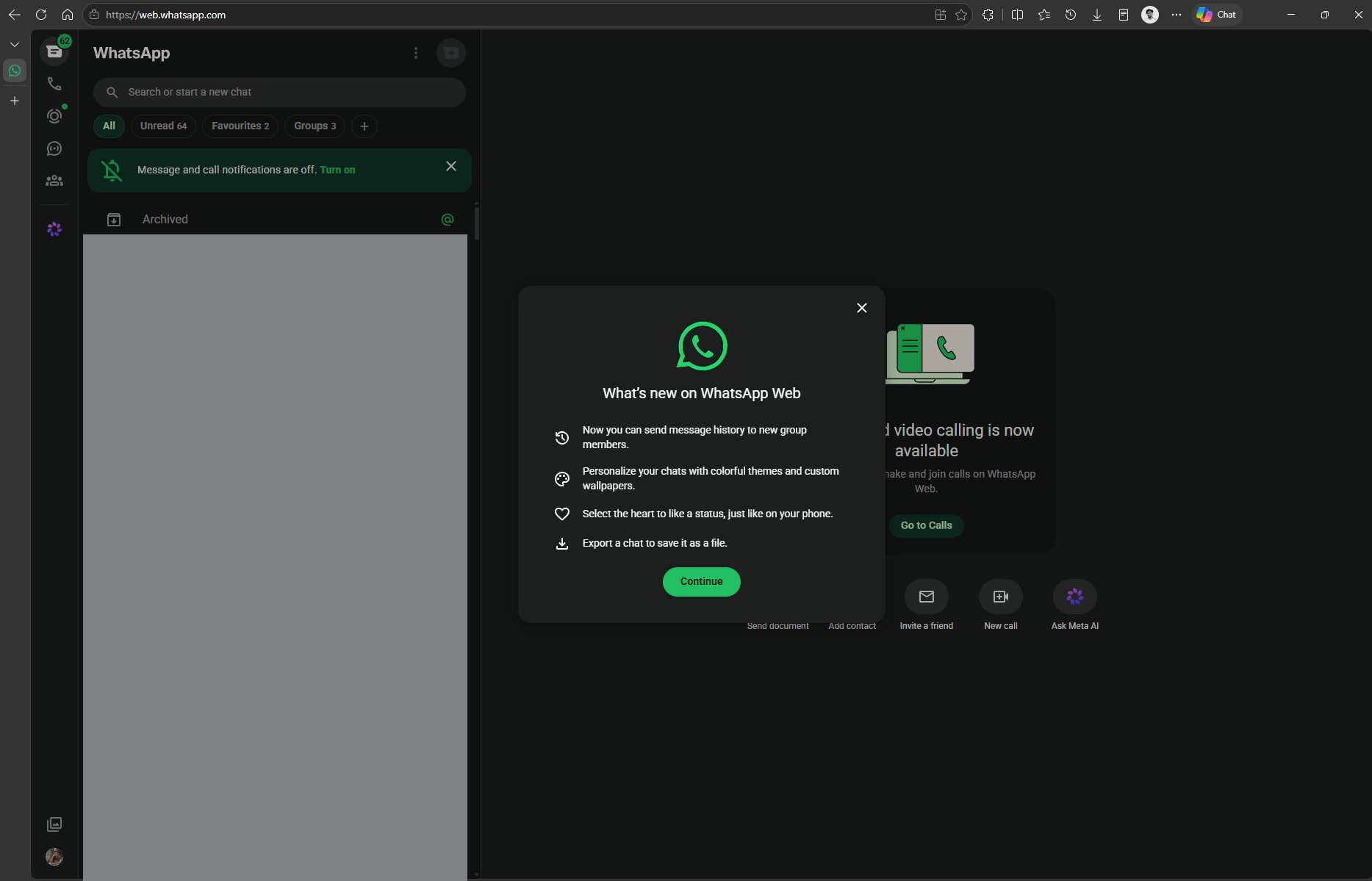
The only catch is Windows 11’s Resume feature for WhatsApp, which always opens the desktop app, so it won’t help if you use WhatsApp in the browser.
Streaming WhatsApp from my phone uses just 83.5MB on my PC
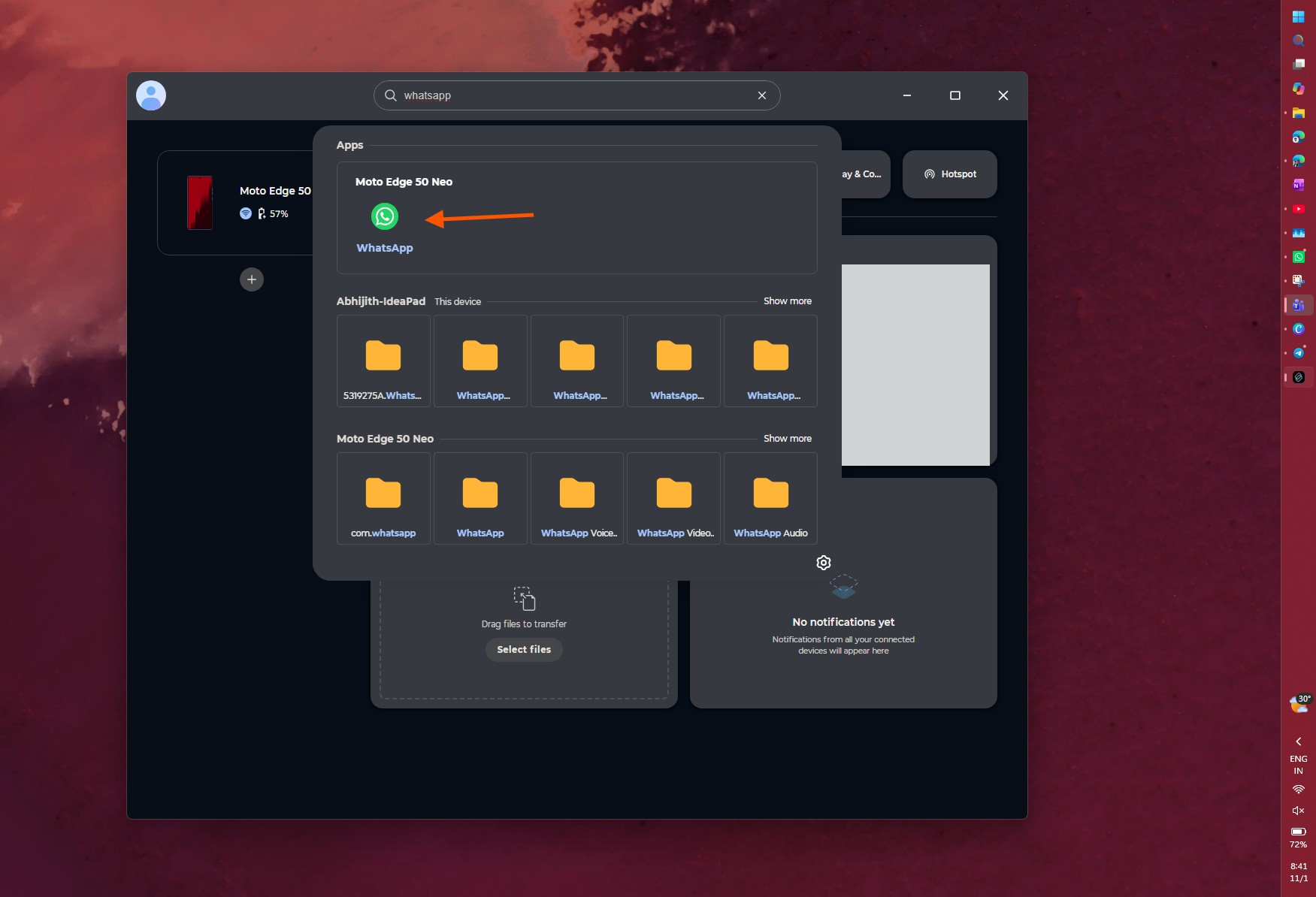
My other trick needs the right hardware. I use a Lenovo IdeaPad with a Motorola Edge 50 Neo, and since Lenovo owns Motorola, both come with Smart Connect, which is a match made in heaven. I just searched for WhatsApp in Smart Connect and opened the Android app in a window on my PC. As easy as that!
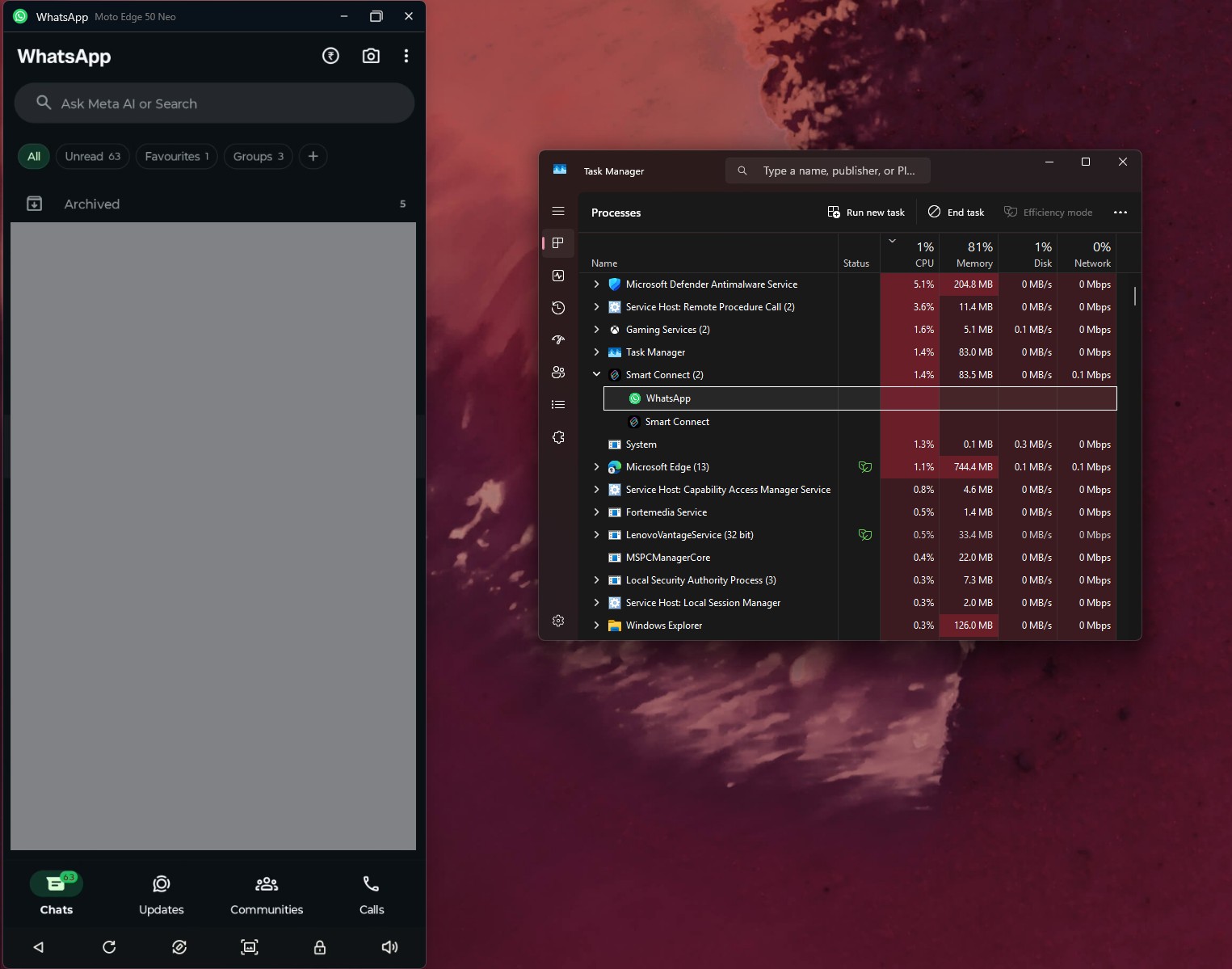
Since WhatsApp keeps running on the phone, Smart Connect used only 83.5MB on my PC, and that includes the Smart Connect app itself. I use it daily, and it’s been reliable. File transfers are also possible with the app, making it arguably better than anything we can do with what Meta has given to Windows users.
I understand that not everyone has a Lenovo PC and a Motorola phone. Fortunately, Microsoft’s Phone Link can stream apps from supported Samsung, HONOR, OPPO, ASUS, vivo, and Xiaomi phones, and we found that Windows 11’s new taskbar Search can now open apps from your Android phone in a Phone Link window.
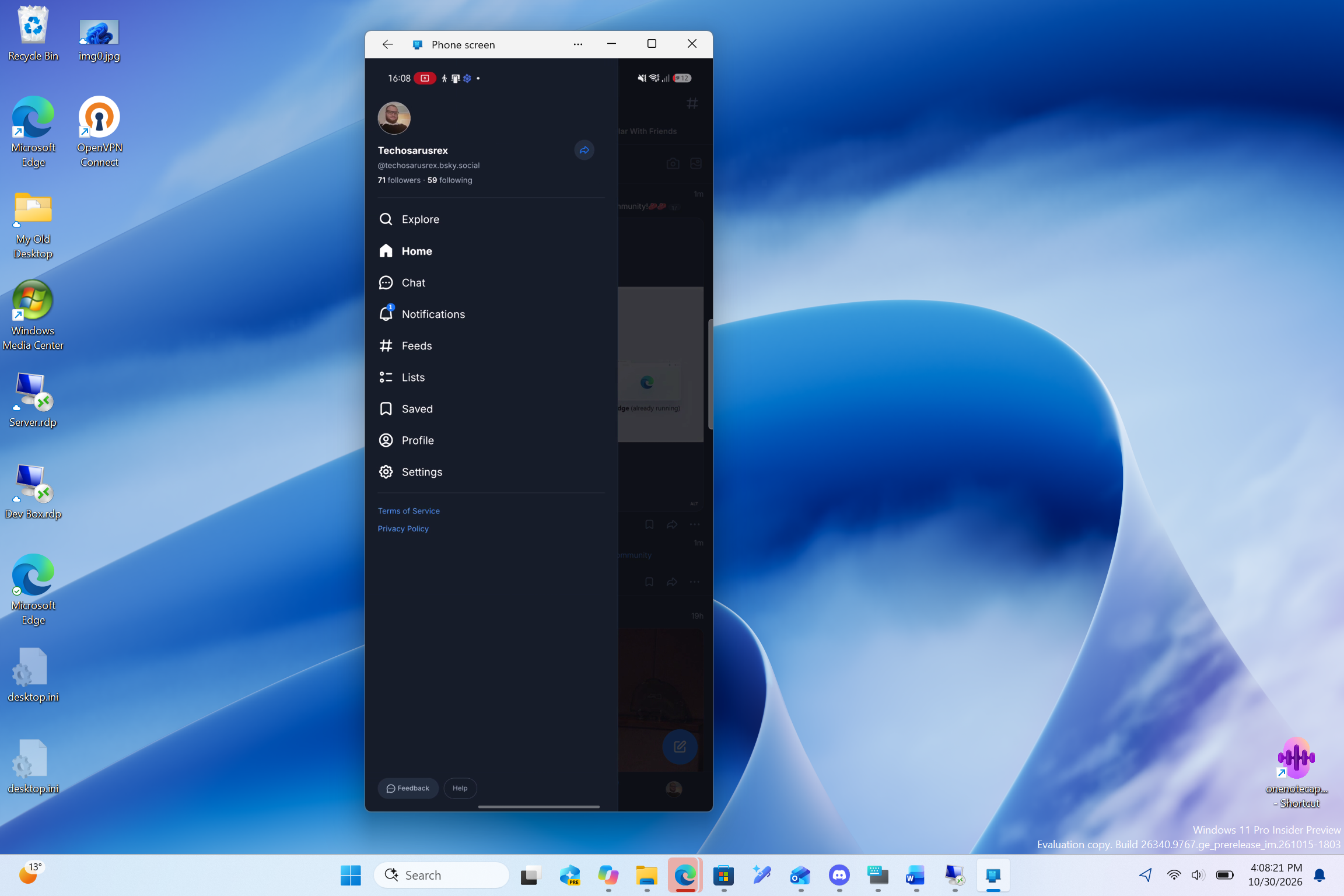
It’s still in testing, but it could make streaming WhatsApp on your PC a lot more natural, like how it is in the iOS + macOS walled garden.
Telegram and a one-person project show what WhatsApp could be
I’m in Telegram groups that get thousands of messages a day, but Telegram Desktop uses only 340.1MB on my PC. In Task Manager, the only sub-process it lists is the active conversation, unlike the pile of WebView2 processes under WhatsApp. It’s not a fair benchmark, as the two apps don’t have the same people I talk with.
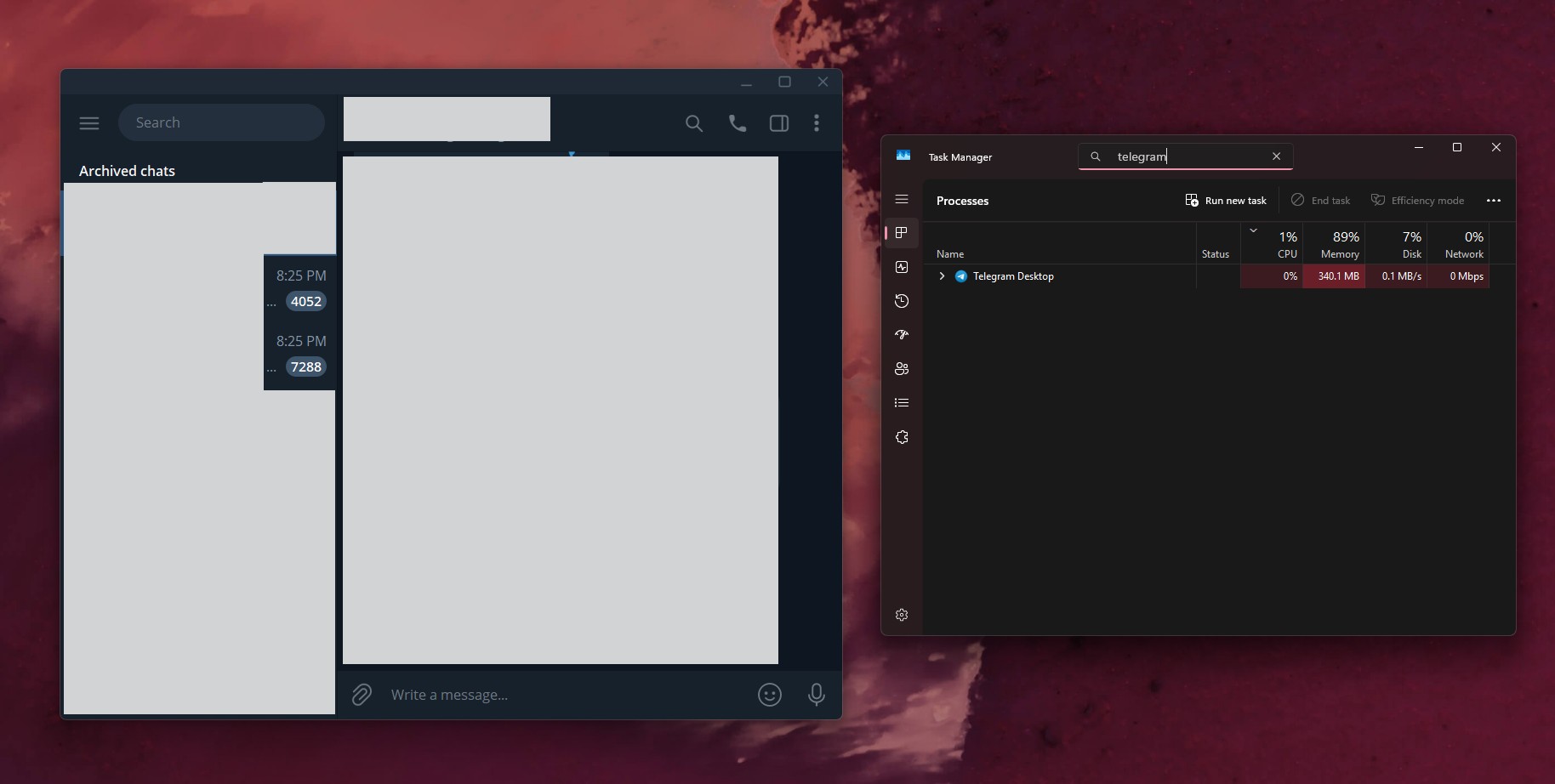
However, Telegram is better in features and usability when compared to WhatsApp. Its developers have also been very consistent with their Windows app, which I hugely appreciate. Remember, Telegram is tiny compared to Meta.
In other interesting news, Independent developer Carmine Paolino went ahead and built ZapFast, a native WhatsApp client written in Rust for Windows, macOS and Linux. It connects to WhatsApp as a companion device, without a browser engine. In his Linux test, Paolino says it used about 150MB of idle RAM versus 1.13GB for WhatsApp Web with Chromium, and the chat UI loaded in about just 0.7 seconds compared to 4.
Of course, I’m not recommending it. ZapFast doesn’t support calls, status, or communities yet, but that’s not the issue. Its web page warns that “Using an unofficial client may be against WhatsApp’s terms of service and could get an account suspended.” Anyway, the point is, if one developer can build a native WhatsApp client, what’s stopping Meta?
Meta has no excuse to keep WhatsApp a web wrapper on Windows
Windows has 1.6 billion monthly users, according to Satya Nadella, and WhatsApp is the most popular messaging app out there. On Steam’s September survey, Windows has a 95.03% share versus 1.92% for macOS. Sure, that’s a gaming crowd, but you get the idea. Yet Meta still ships a native WhatsApp app for Mac, while Windows users get web slop (I guess this is the right word).
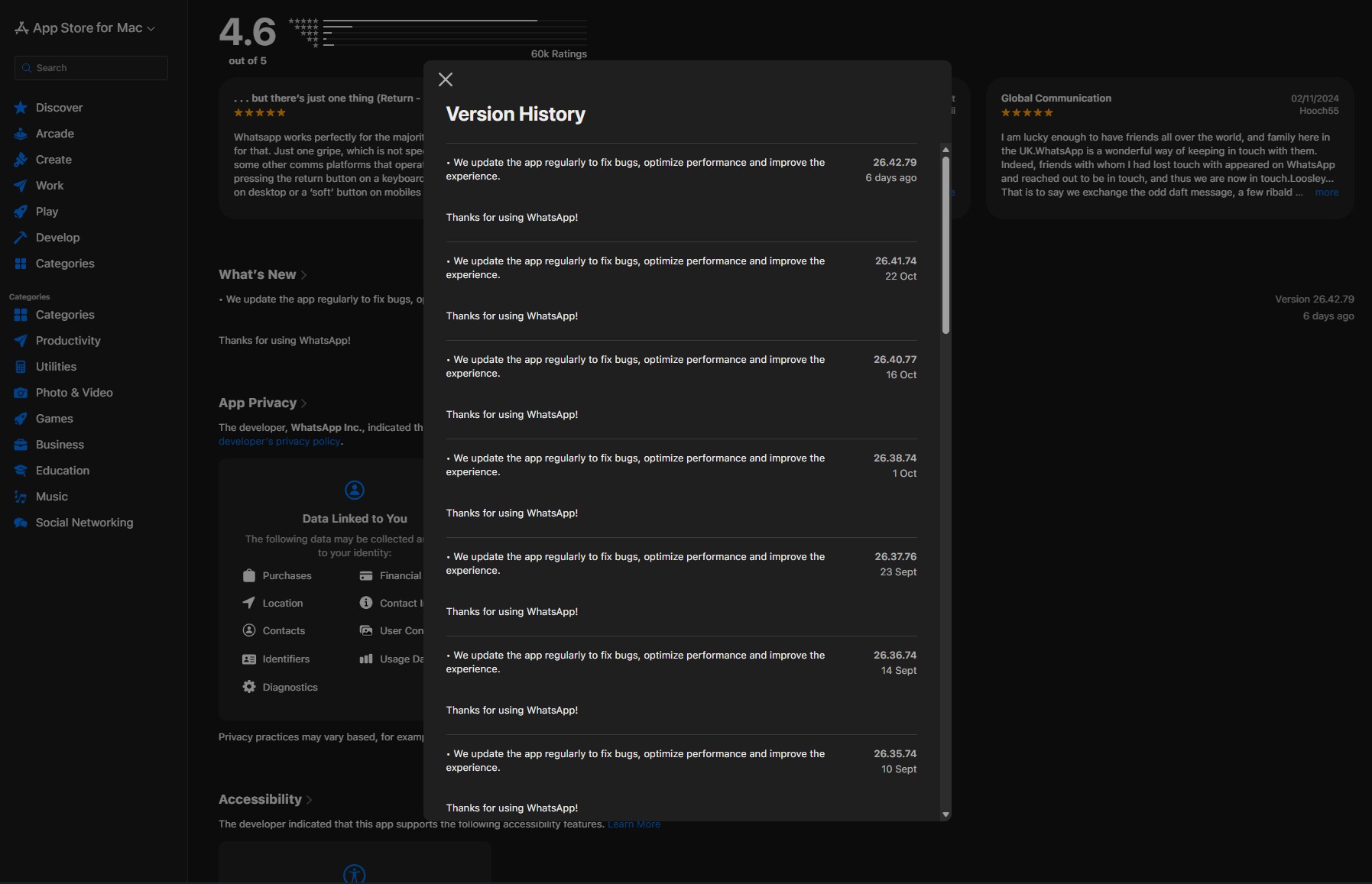
I get why developers prioritise the Mac for paid apps, as the consensus is that Mac users are more willing to pay. But WhatsApp is free, so that argument doesn’t work here. Make it make sense, Meta.
Also, WinUI is in its best shape yet, with the framework finally getting basic controls it lacked for years. Microsoft’s design team even prototyped Windows 11’s new speed test in a day with an agentic AI workflow.
AI helped make this in a day, on one person’s spare time:
Meanwhile, Meta launched its Muse Spark AI model in April and expects to spend $135 billion to $145 billion on capital expenditure this year as it builds out AI infrastructure. Surely, a company with that kind of money can spare a few engineers, or a few AI agents, for a native Windows app?
Sadly, WhatsApp once loved Windows. I remember using the WhatsApp beta on Windows Phone, and later, the UWP app on Windows 11 was fast and smooth. Microsoft’s Teams is also a web app and eats a ton of RAM, but it isn’t nearly as laggy as WhatsApp. And no, I’m not giving Teams any credit here.
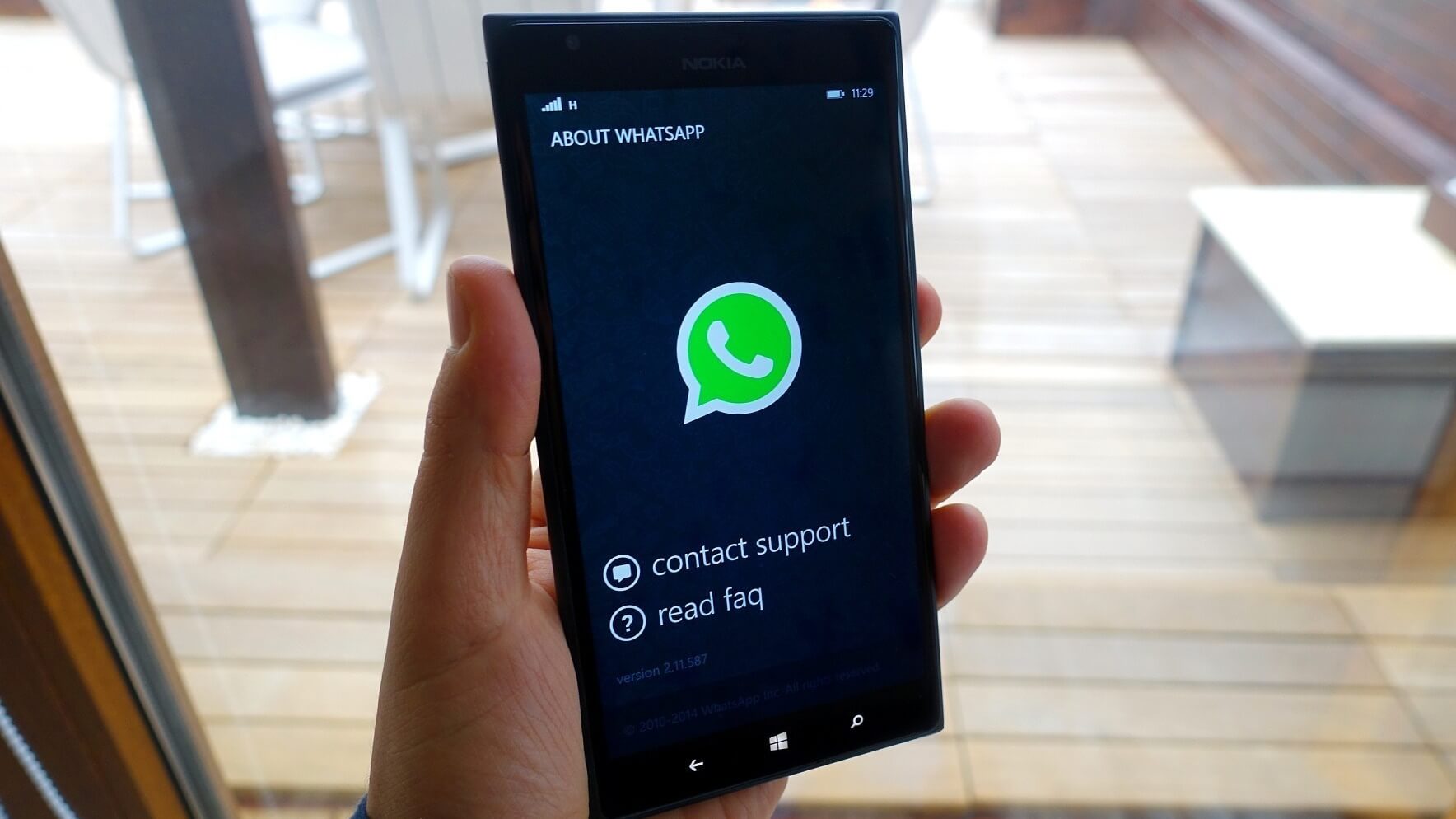
I know this is not how it works, but I wish Microsoft would talk to Meta, because an app as popular as WhatsApp shouldn’t be this slow on the Microsoft Store. Until Meta builds a native app again, WhatsApp isn’t coming back on my PC.
Are you still using WhatsApp for Windows, or have you moved to the web? Let us know in the comments.