








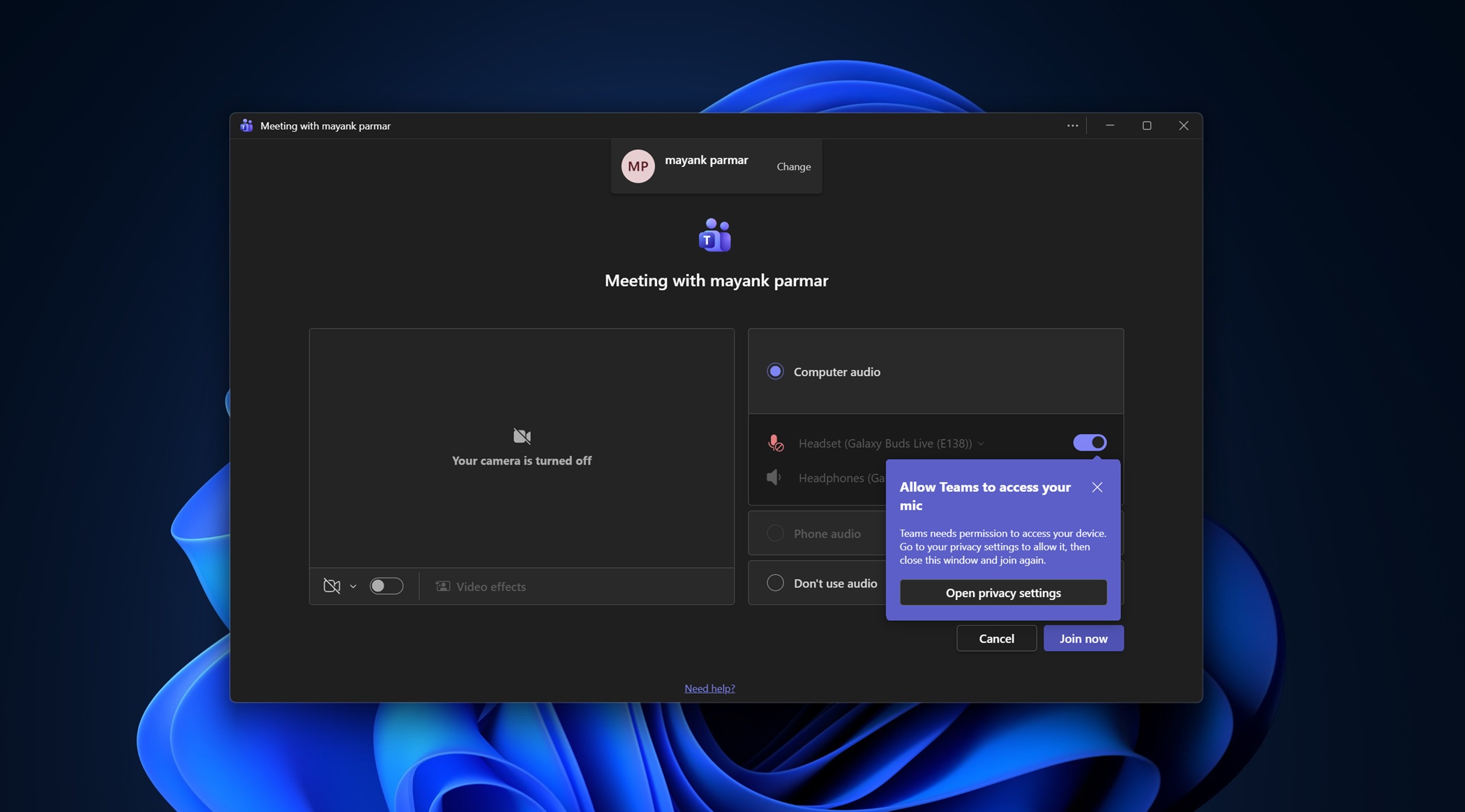
If you make an app ten times worse, improve it three times, and then call it a major improvement, would you really consider that progress? Apparently, the answer is yes if you work at one of the large tech companies. Microsoft says MS Teams is now more responsive, which may be true, but there’s no denying it still eats up RAM even when doing nothing on Windows.
Microsoft Teams is not a favorite app for most people, but it’s a necessity, as most of us are forced to use Teams, Slack, Meet, or Zoom at our workplace. Teams used to be an average app until Microsoft decided to rewrite it in WebView2, and it has no plans to switch to a native framework.
In fact, Microsoft says Teams is actually faster and more reliable on all platforms, not just Windows. That means major “performance” improvements are heading to Teams for macOS and iOS as well.
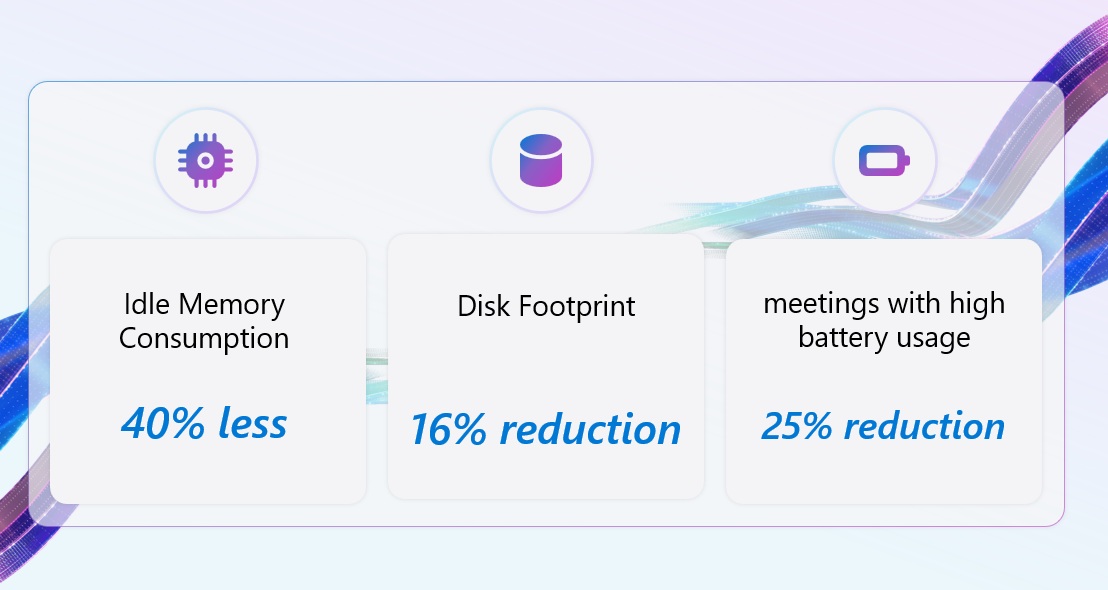
In November 2025, Microsoft said it made Teams render videos faster by adopting a “hybrid desktop client architecture” and rebuilding the existing API across web and native layers. This improved video rendering in Teams meetings. For example, Microsoft found that Teams video loading time was reduced by 10%, and video freezes dropped by 36%.
Teams wouldn’t have all of these problems if it switched to a native framework for Windows and macOS, but Microsoft wouldn’t do that to save costs. Yes, literally, and Microsoft admitted that in a new statement.
Why is Microsoft Teams not dropping WebView2 for the native framework?
Microsoft argues that WebView2 allows the company to have a consistent rendering pipeline and “accelerates” feature rollout. It also makes custom instrumentation easier to debug, as the core structure is shared across the two platforms, and that is the web (JS, etc.).
Microsoft says it’s making the Teams WebView2 integration faster and has seen notable improvements.
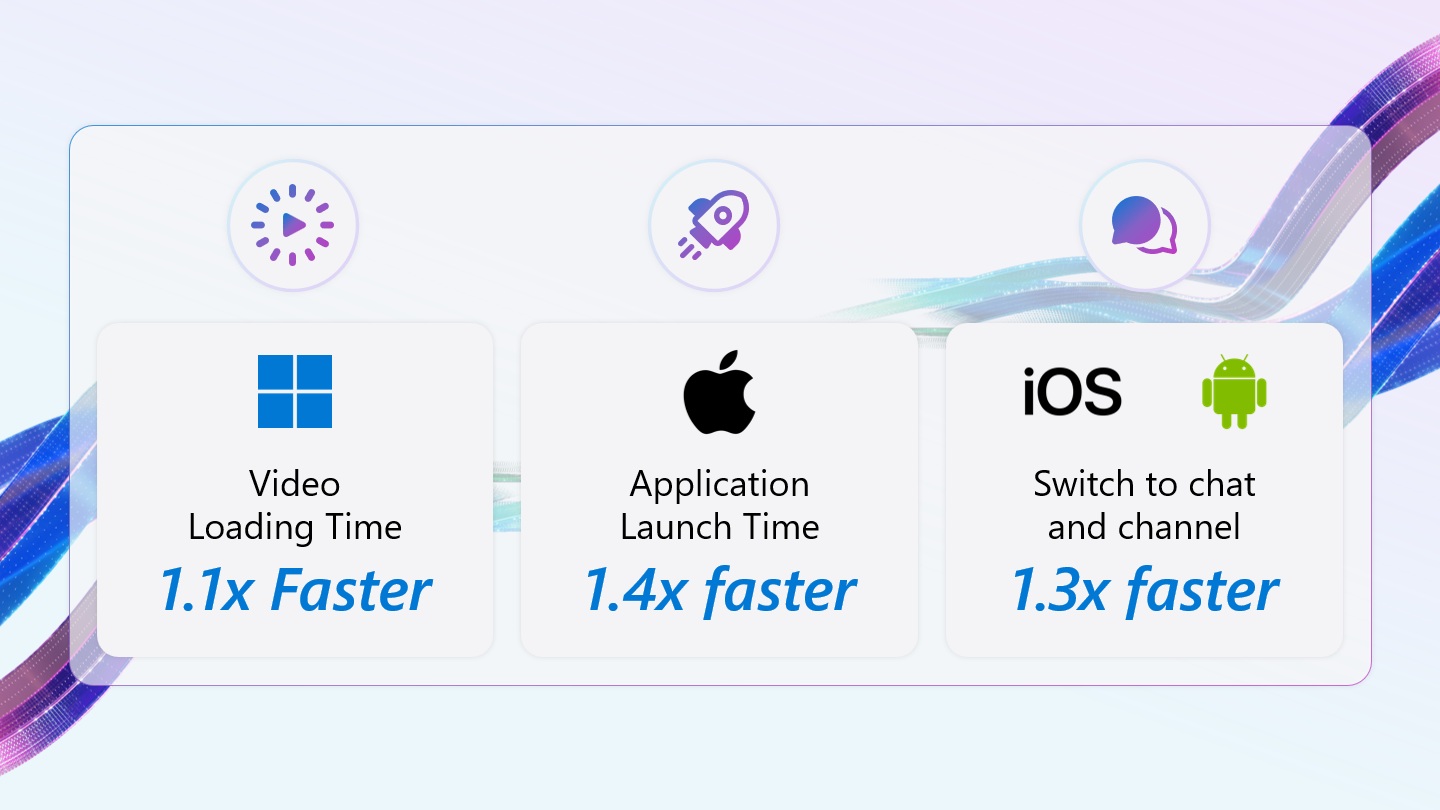
“For example, the recent integration with IDBIndex: getAllRecords() method for faster chat and channel switch by 10%, and Set MemoryUsageTargetLevel, Empty Working Set for Windows Idle memory by 40% improvements,” the company noted last year.
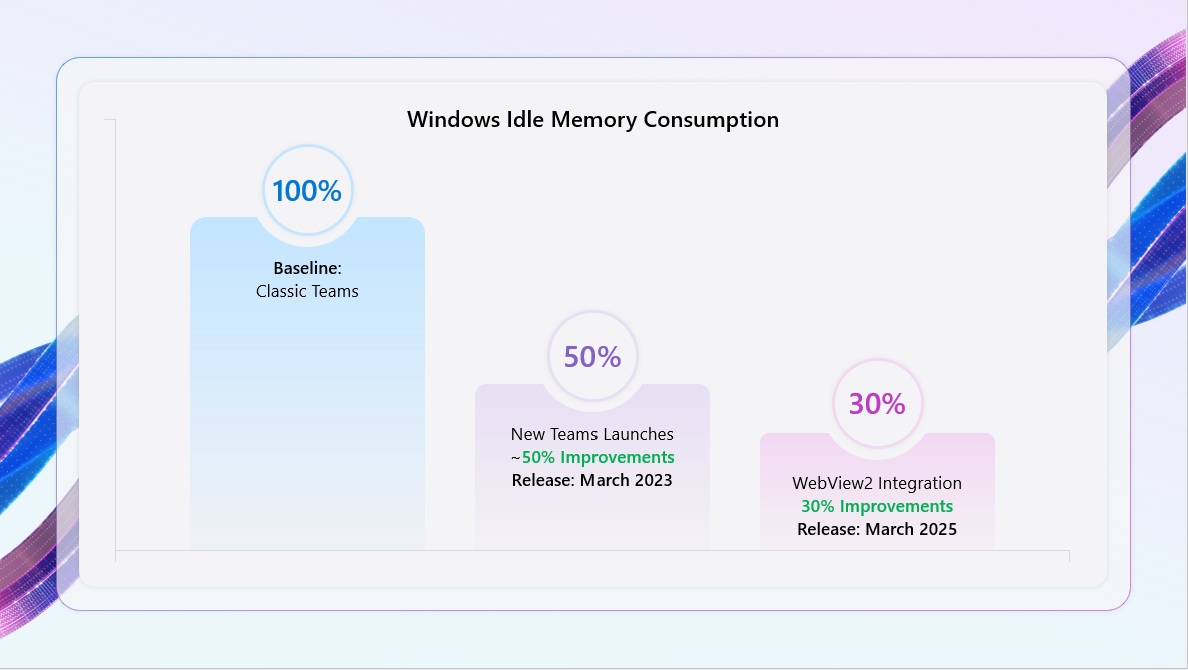
Fast forward to June 2026, Microsoft says it’s not done yet, and it has rolled out major improvements to run Teams faster in recent weeks.
Microsoft says Teams is now more responsive and reliable
Microsoft Teams has reduced latency by 20% when you switch between one chat and another. This means Teams should load chats faster, and Microsoft has plans to further reduce latency in the coming days. It’s particularly noticeable on Windows PCs with 8GB of RAM or slower networks.
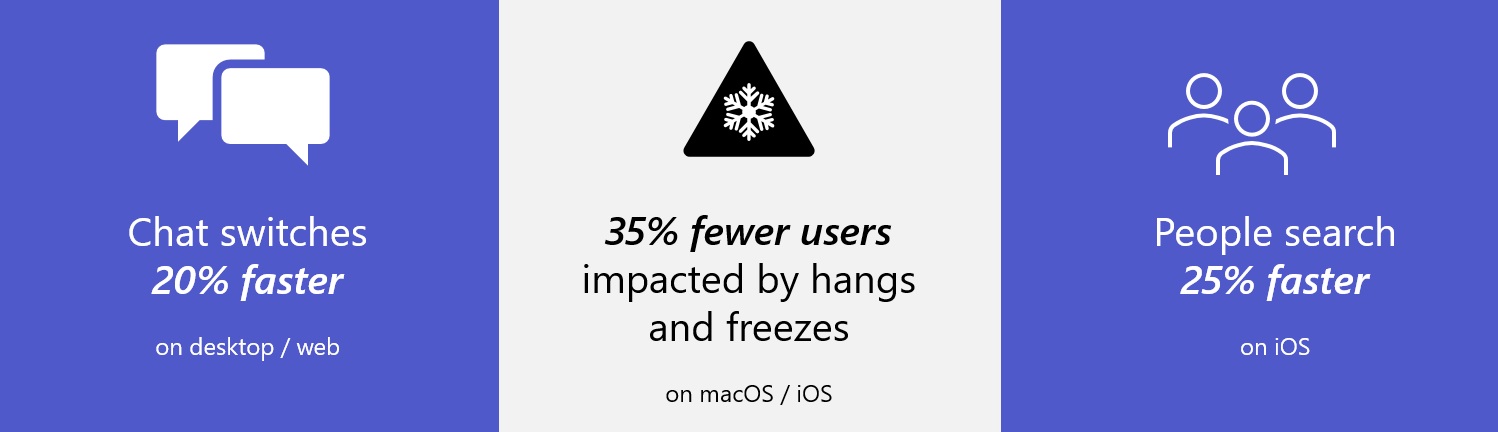
Microsoft says it reduced data query calls during the React renderer, and it eventually patched up the root cause that was causing delays.
Second, Microsoft says it identified another bug that causes the Teams app to hang or stop responding to clicks, or even when you scroll. This issue particularly affected Microsoft Teams for macOS, but it’s getting patched up now.
Microsoft says it tracked the problem to WebView2, particularly its dynamic library, and shared the following details.
“Loading the WebView2 dynamic library on the main thread caused 6% of all freezes. Working with the WebView2 team, we enabled a new feature that preloads the library on a background thread, significantly reducing the blocking time during the call to create the WebView2 environment,” Microsoft noted in a support document.
I’m not going to dismiss these improvements as nothing. Teams has certainly improved a lot, but my argument is that it continues to use more memory and still feels sluggish, largely due to the fact that it’s built using web components.
Microsoft Teams can use up to 1GB of RAM doing nothing
I installed a fresh copy of Microsoft Teams from the Store on my PC with 32GB of RAM, and I opened it with a new Microsoft account. That means I don’t have any pending notifications, texts, or even a conversation, but does that mean Teams won’t use all of my RAM? No.
If you look at the screenshot below, you’ll notice up to eight processes related to WebView, and overall RAM usage sits at 963MB while doing absolutely nothing.
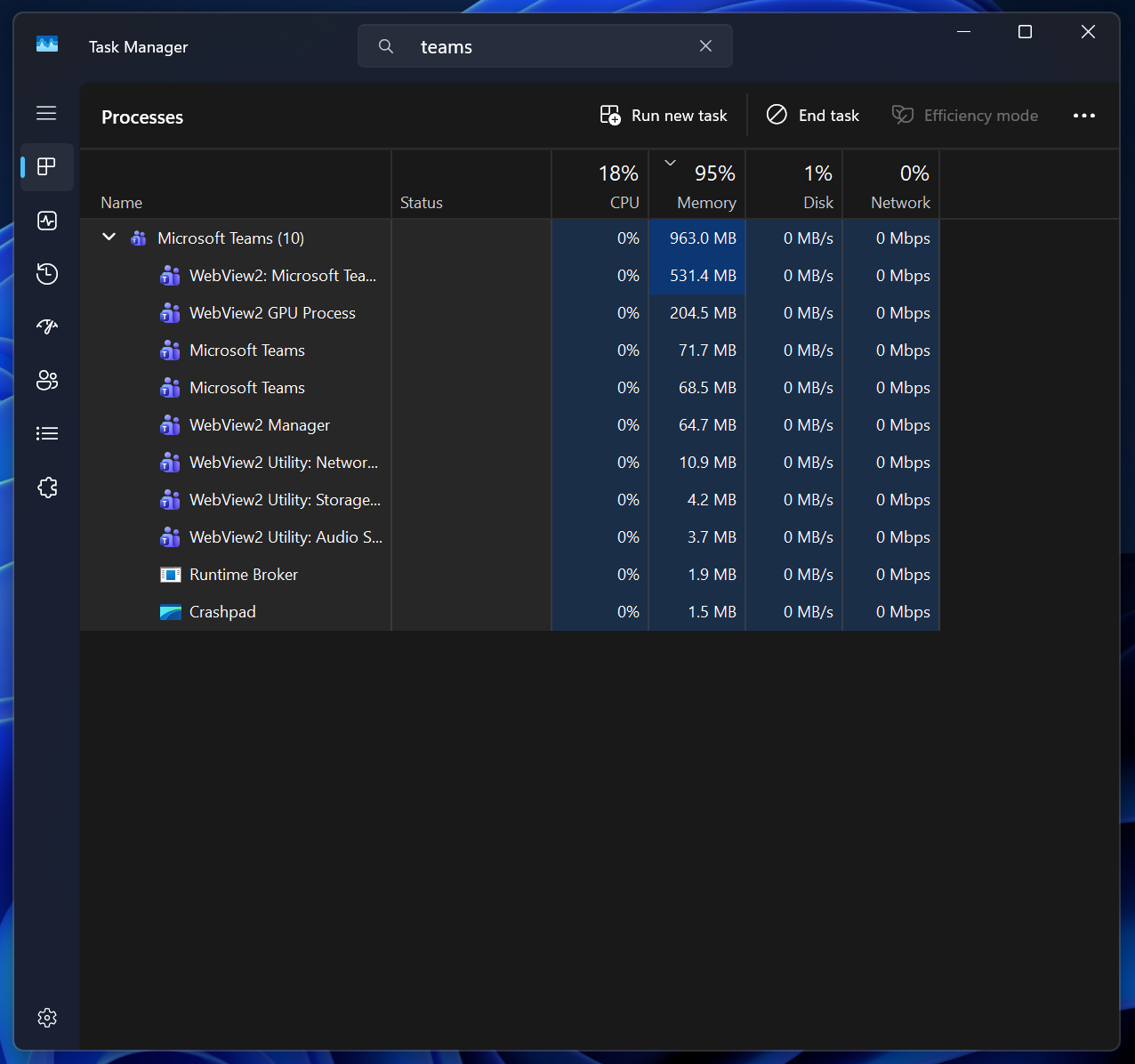
It’s crazy that Microsoft’s own Teams app does not run smoothly on Windows 11 and can use up to 2GB of memory during active calls. In fact, Microsoft recently admitted that it’ll be moving Teams calls to another .exe to reduce UI lags due to the shared infrastructure.
And it’s not just Teams. Other web-based apps, such as Discord, also use 2-3 GB of RAM in normal use cases. Discord developers admitted that its app RAM usage can go above 4GB sometimes, which is why it introduced a feature that automatically restarts the app when it reaches a high RAM usage threshold.