








Windows 11 doesn’t have a single design language, as even its own apps and OS features are scattered across different frameworks. Microsoft eventually plans to rebuild much of the legacy stuff using WinUI, but that would take a while. Instead of killing legacy UI for half-baked modernization efforts, it’s making more of it better with dark mode, and Hyper-V Manager is now on the list.
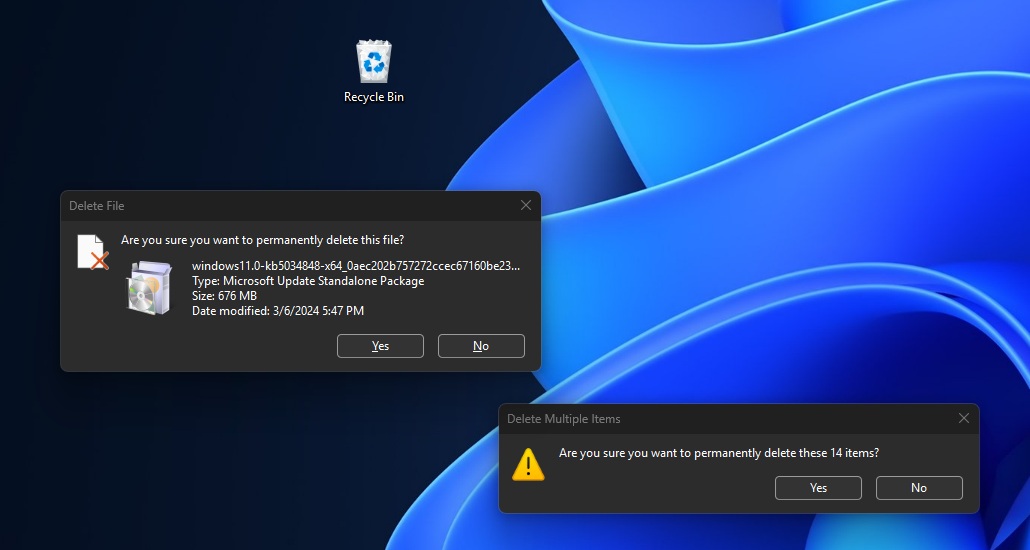
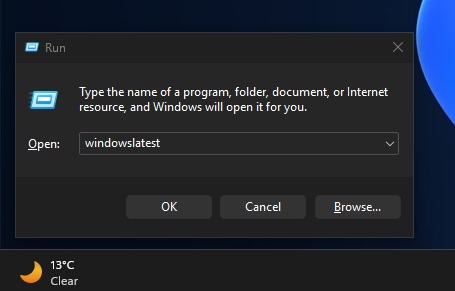
As you might have noticed, Windows 11 recently got dark mode support for file-operation dialogs, such as file deletion alerts and file transfer graphs. Moreover, there’s a new version of the legacy Windows Run dialog with dark mode, which keeps the familiar UI but respects the OS-wide theme.
Now, a similar update is coming to Hyper-V Manager, one of the oldest tools on Windows.
If you have never used Hyper-V Manager, it’s a tool used by enterprises to create and maintain virtual machines. So it’s probably not an exciting feature for regular consumers, but if you care about dark mode, I think it’s one of the biggest hints that even the oldest areas of Windows could eventually get it.
Hyper-V Manager hasn’t had a major visual update in years, and many of its configuration dialogs still open as bright white windows, even when Windows is using dark mode. That is finally starting to change in preview builds.
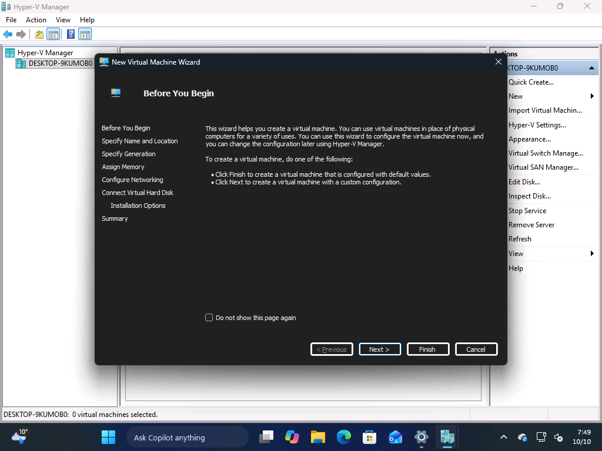
Unlike the recent WinUI-based Print Management refresh, these dialogs still use legacy Win32 APIs. Hyper-V Manager remains hosted in Microsoft Management Console (MMC), so this is a dark mode facelift for the existing tool. For now, we don’t know if Microsoft is also building a WinUI variant.
Which Hyper-V Manager dialogs support dark mode?
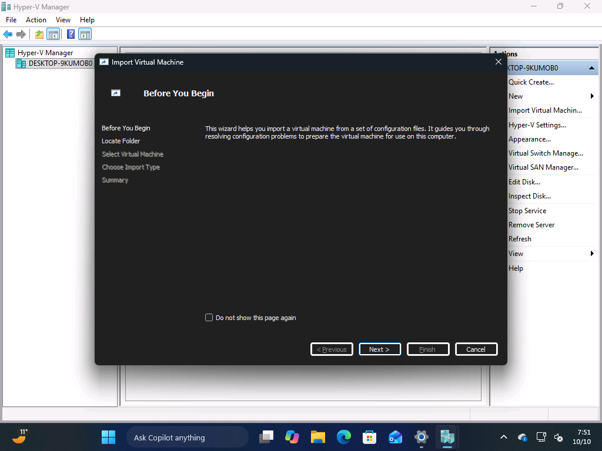
In my tests, as soon as I installed recent Windows builds, I noticed that dark mode had been applied to the New Virtual Machine, Export Virtual Machine, and Import Virtual Machine dialogs in Hyper-V Manager. Here’s a screenshot of the “Import Virtual Machine” dialog with dark mode, and as you can see, there are some rough edges.
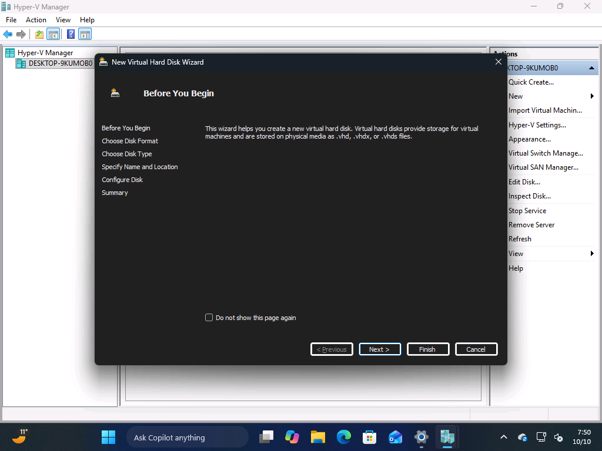
Likewise, I noticed that the New Virtual Hard Disk wizard has also received the dark mode treatment.
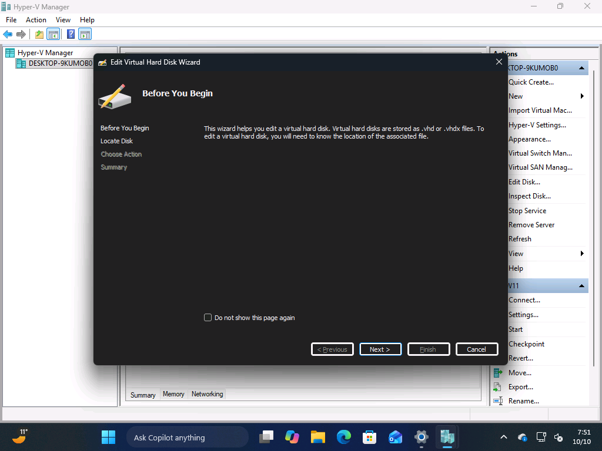
And if you try to edit one of the virtual hard disks, you’ll come across dark mode again.
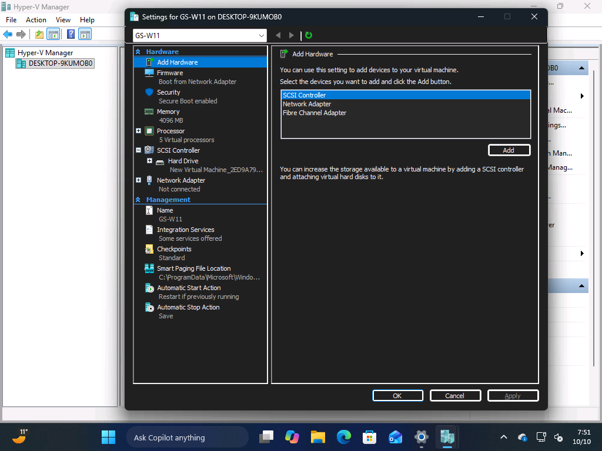
The virtual machine settings page has a dark appearance as well, but the layout hasn’t changed at all. It’s still the same familiar experience:
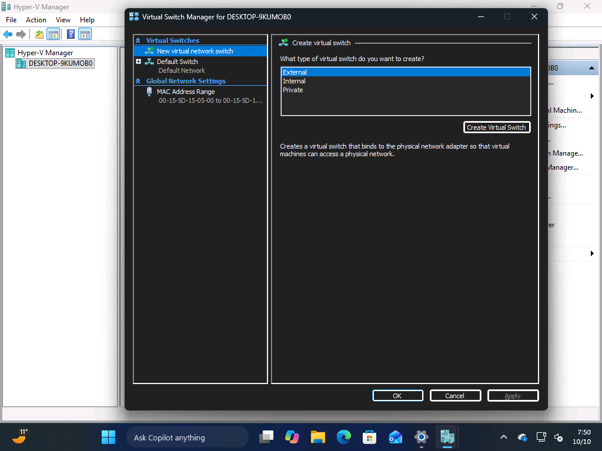
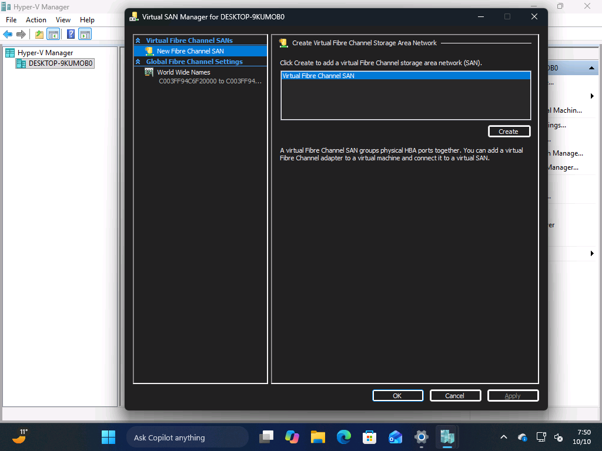
Can you already try Windows 11’s early dark mode improvements?
I personally observed Hyper-V’s dark mode in Windows Server preview builds and Windows 11 preview builds. In other words, you can’t try Hyper-V’s dark mode or most of the dark mode/WinUI refreshes in the production channel yet. Microsoft still needs time to iron out bugs and add dark mode to more areas.
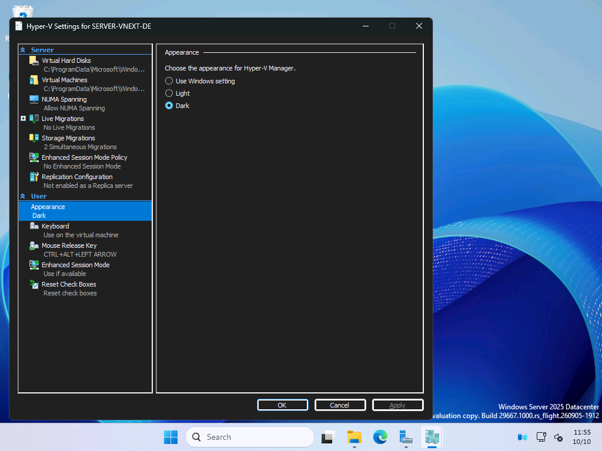
As far as I am aware, Hyper-V’s dark mode support is not gated behind a feature ID in the builds I tested, which should make it easier for testers to find. When something new in Windows is gated behind a feature, you need to use a third-party tool like ViveTool to turn it on. But in this case, Hyper-V’s dark mode support is available out of the box, but for some reason, Microsoft hasn’t announced it yet.
I also noticed that Microsoft has useful theme options, similar to what we have in modern Windows apps like Notepad. That means Hyper-V can stay dark regardless of the system theme, or follow the Windows theme automatically. There’s also an option to keep it light.
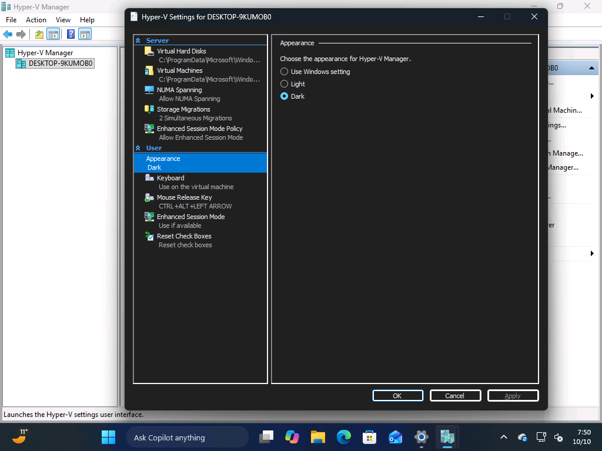
However, if you try to change the appearance settings, such as switching from dark to light, you’ll need to restart Hyper-V Manager before the new theme takes effect.
Still incomplete, but promising
Hyper-V Manager’s dark mode is still a work in progress, as the main management view, including the virtual machine list, remains light. Hyper-V Quick Create Gallery and Virtual Machine Connection also lack dark mode for now.
In my testing, I mainly encountered a light screen when creating checkpoints or opening a virtual machine in Virtual Machine Connection.
Hyper-V is part of a bigger dark mode push in Windows 11
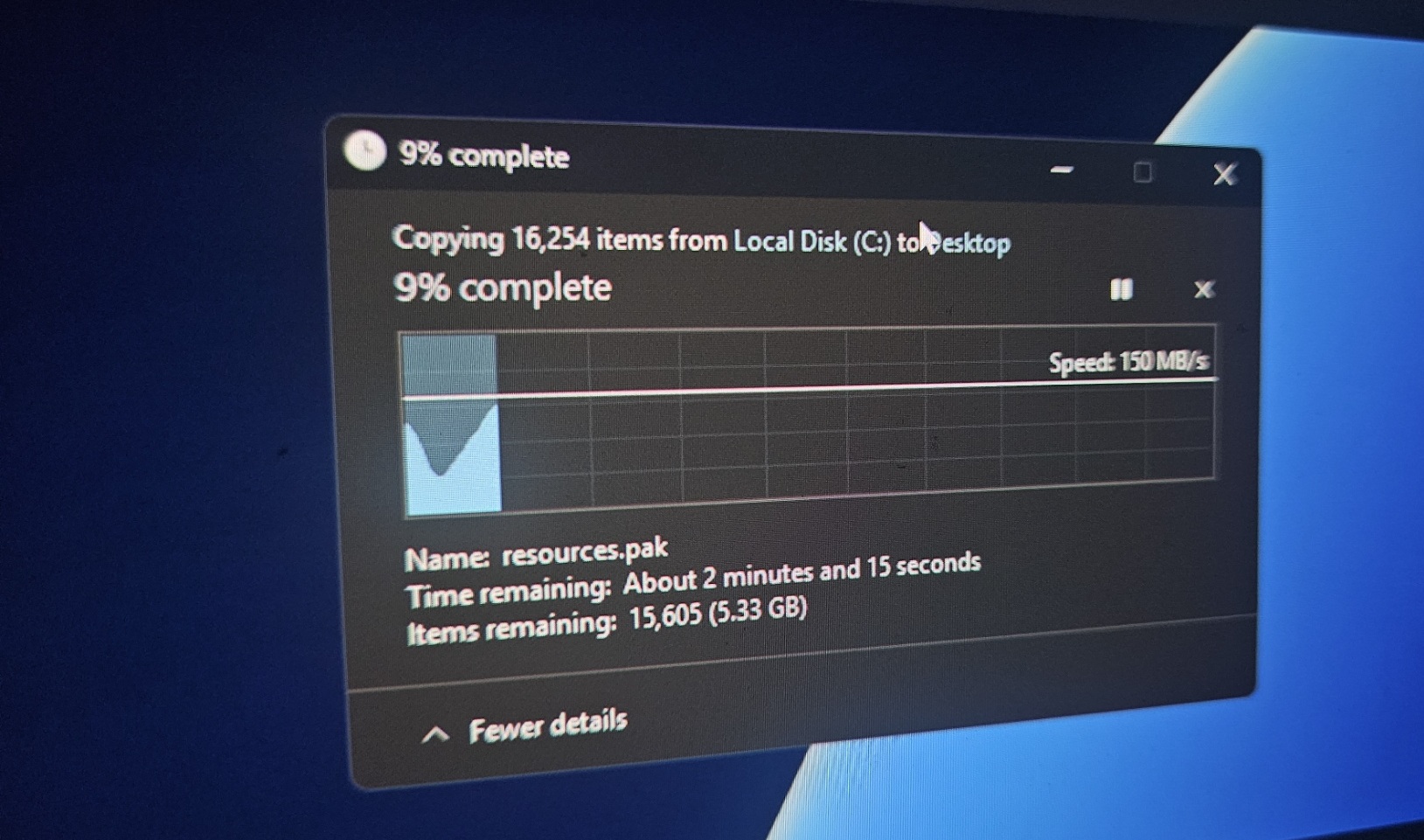
We’re not getting hyped up over a single app getting dark mode treatment that it should have gotten years ago. However, we have all reasons to believe it’s part of the bigger dark mode and consistent design language push in Windows.
In fact, Microsoft has already confirmed that dark mode is coming to more legacy areas of Windows.
Back in March, Marcus Ash, who leads Design and Research for Windows and Devices, said the company was working on tools to make that happen.
“We are pushing to get our tools/techniques to the point where we can get dark theme into more areas across Windows,” Ash said.
And we’ve seen some of that work ship already. For example, the April 2026 update added dark mode to account dialogs under Settings, Accounts, then Other users. These are the kinds of windows you’d previously open from a dark Settings app only to come across a light dialog.
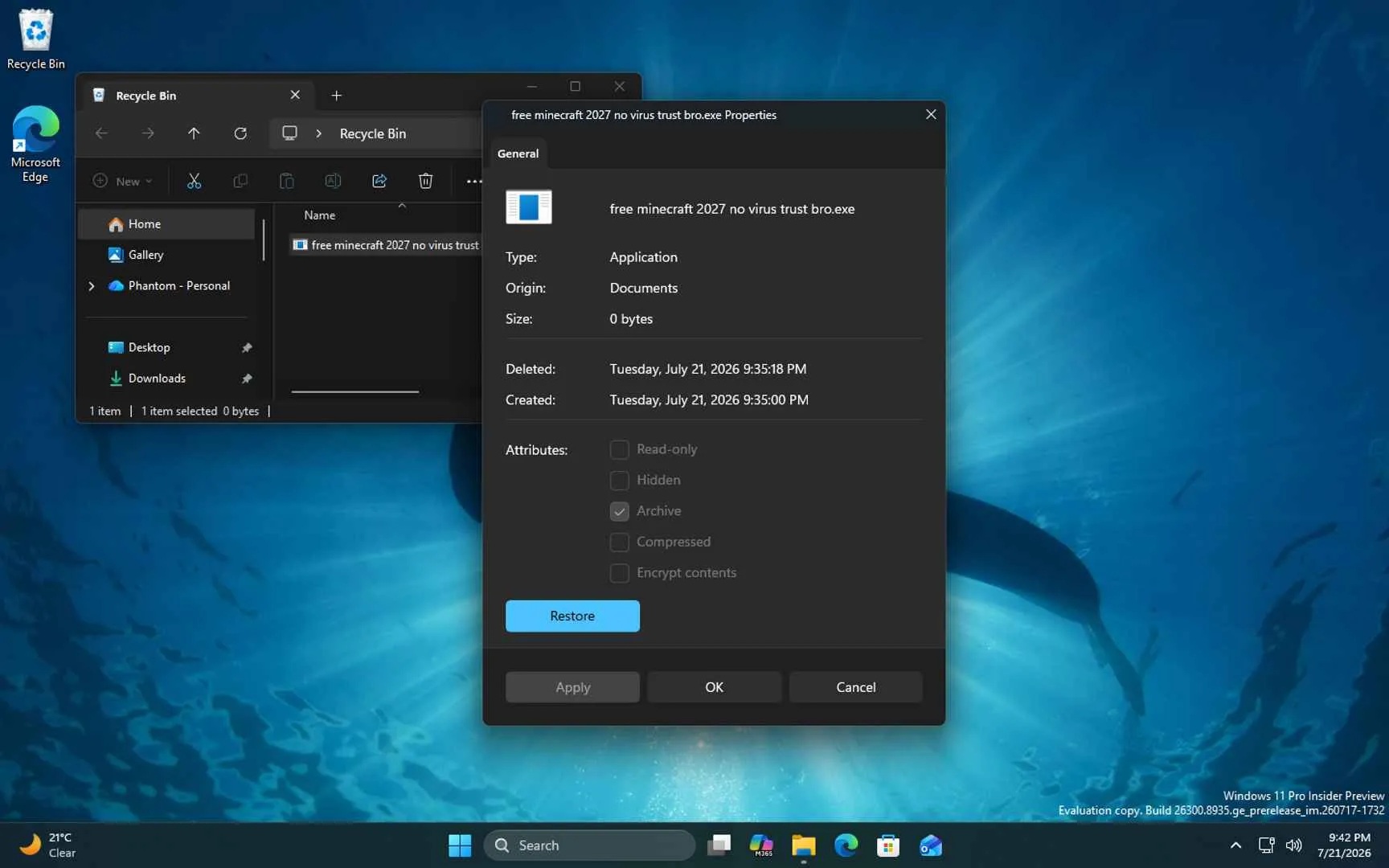
Microsoft is also rebuilding some dialogs using WinUI. As we reported in July, a new Properties dialog with dark mode appeared in preview builds, and here’s the modern Properties dialog for the Recycle Bin:
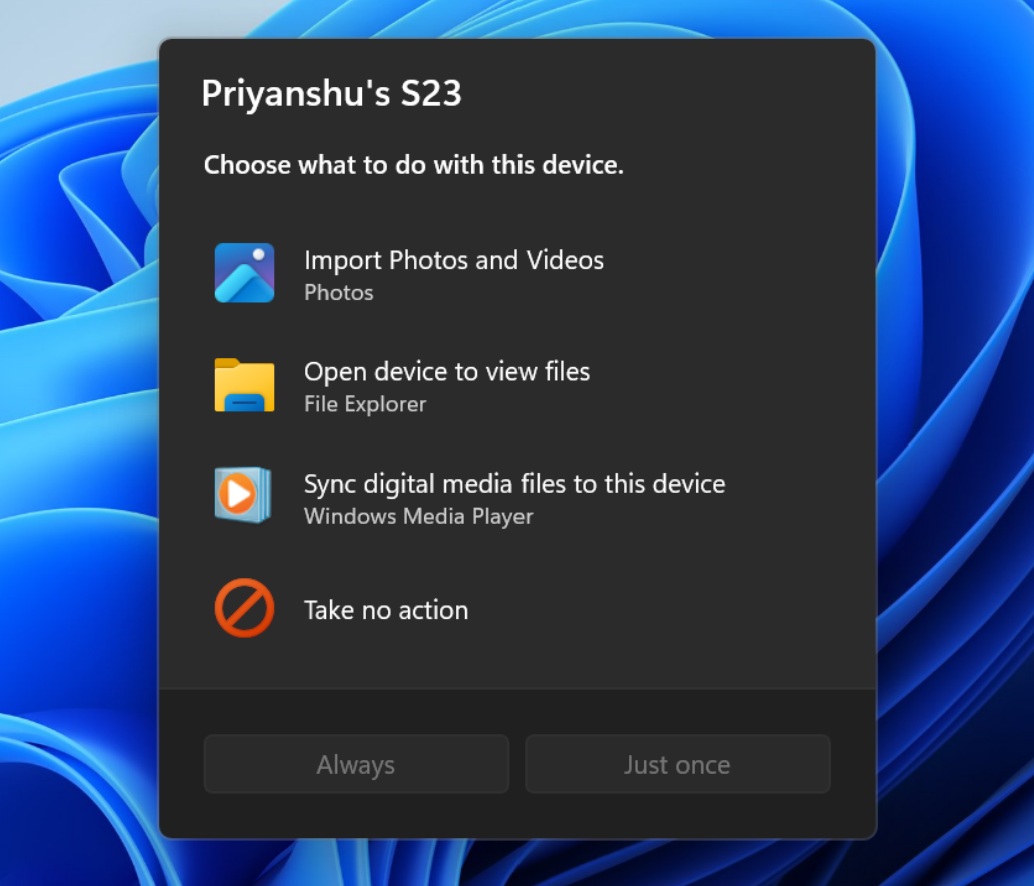
Moreover, AutoPlay is getting a WinUI 3 redesign with dark mode. For those unaware, that’s the dialog that asks what you’d like to do when you connect a USB drive or SD card.
There’s also an automatic dark mode feature in development, which will change Windows themes based on sunset and sunrise or at fixed times. And there’ll be an option to wait until the PC is idle.
Overall, I think these improvements are promising. Hyper-V is not fully dark yet, but seeing such an old part of Windows get this attention makes me hopeful that more of the legacy UI will finally get dark mode too. Pasted text