






Microsoft veteran Raymond Chen, who has been with the company for more than three decades, has advice for everybody with two or more antivirus solutions, and it’s quite straightforward. Just don’t use multiple AVs.
While helping a colleague investigate a complex system failure on Windows 11 Enterprise PCs, Chen found that two anti-malware programs were interfering with each other. One antivirus tried to quarantine a process belonging to the other, and it didn’t stop there. The other antivirus successfully quarantined a process belonging to the first.
“Installing two anti-malware programs on the same system is like hiring two different security companies to patrol your building,” Chen argues, without batting for Microsoft Defender.
“If they don’t know about each other, each is going to think the other one is an intruder. If you’re lucky, their instructions are merely to report on suspicious activity.”
Microsoft says that antivirus products aren’t like two companies that you can introduce to each other and expect one of the solutions to guard a different floor and avoid the other. These apps monitor all processes, and you can’t simply whitelist processes used by the other antivirus.
“In software, this is harder to do. It’s not like you can invite two programs to lunch and have them get to know each other,” he added.
The antivirus conflicts on Windows 11 can go beyond quarantining each other
Another problem with third-party anti-malware software is that it may use techniques that aren’t officially supported or recommended, including “detouring system functions,” and it could cause major performance issues or other problems.
“These detours mean that calling a system function no longer does the system thing; instead, it calls into the anti-malware software, and it might decide to do something unrelated to the system function you thought [you] were calling, and that unrelated thing may itself start causing problems, say, by hanging,” Chen noted.
When you have multiple antivirus programs, you’re inviting trouble, and you might have different Windows problems from day to day. Microsoft Defender itself can be resource-intensive, and you might have observed the antimalware process using most of your CPU sometimes. This only gets worse when you add more antivirus apps to your Windows installation.
If you’re a consumer, you can’t easily debug and find out if a third-party anti-malware program interfered with Defender, and you might end up blaming a faulty Windows update for issues that it did not even cause.
In our tests, Windows Latest has observed that most of these issues can be traced using Event Viewer, but of course, even that can be a difficult task for a regular home user.
What should you do in that case? Well, listen to Microsoft’s advice, and that is to avoid using a third-party AV to begin with.
Microsoft previously said Defender is enough for most users
In April 2026, Microsoft published a support document praising Windows Defender (or Microsoft Defender after a rebrand) as more than enough for most users, suggesting that you don’t really need a third-party antivirus.
That wasn’t exactly a false statement, and we all sort of agreed with it, because Defender in 2026 is nothing like Defender in the early 2000s.
Microsoft also called Defender the “best antivirus software for 2026,” but shortly after Windows Latest spotted the document, Microsoft went ahead and quietly nuked the entire page. The company stopped publishing these recommendations in June 2026.
Microsoft never really explained what made it stop calling Defender the best antivirus software, but it’s possible the marketing campaign caught the attention of its partners.
I captured a screenshot of the deleted document, and as you can see, Microsoft clearly declared Defender the best antivirus software.
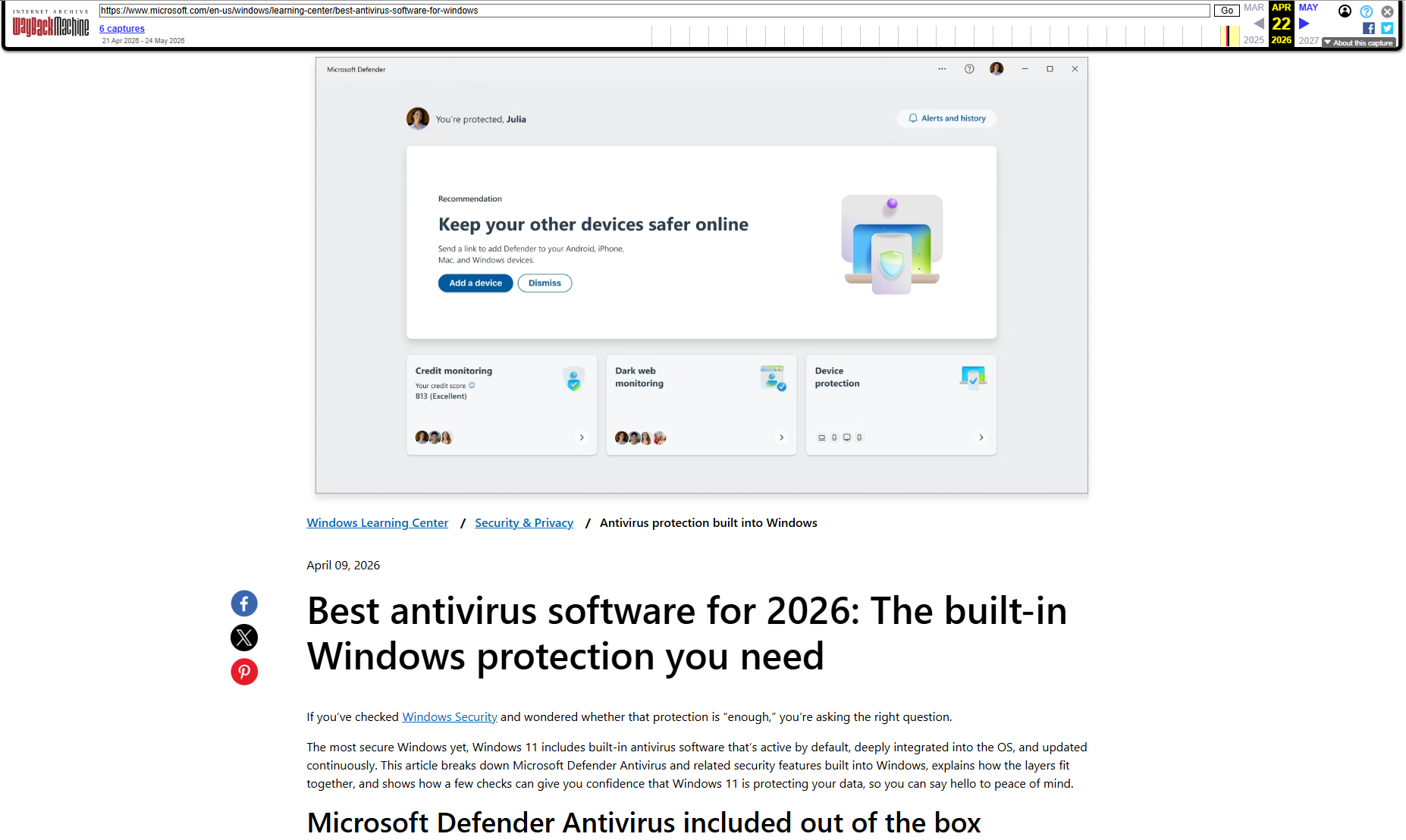
For those unaware, Microsoft created this specific document not just to praise itself, but also to rank Defender for “best antivirus software” searches on Google, Bing, and large language models, such as ChatGPT and Claude.
Microsoft explains how Windows Defender is more than enough
In the now-deleted document, Microsoft confirmed that Windows 11 already comes with an “antivirus stack” and listed multiple features that can be managed via the Windows Security app.
This includes Defender Antivirus, which is the engine itself, and other features like SmartScreen (turned on by default) and Smart App Control (turned off by default most of the time). Finally, you have even more advanced features like ransomware mitigation and the ability to block potentially unwanted apps.
“Windows antivirus protection is usually sufficient when Windows 11 runs with default protections enabled, updates are installed regularly, and software downloads are deliberate,” Microsoft noted in the support document previously seen by Windows Latest.
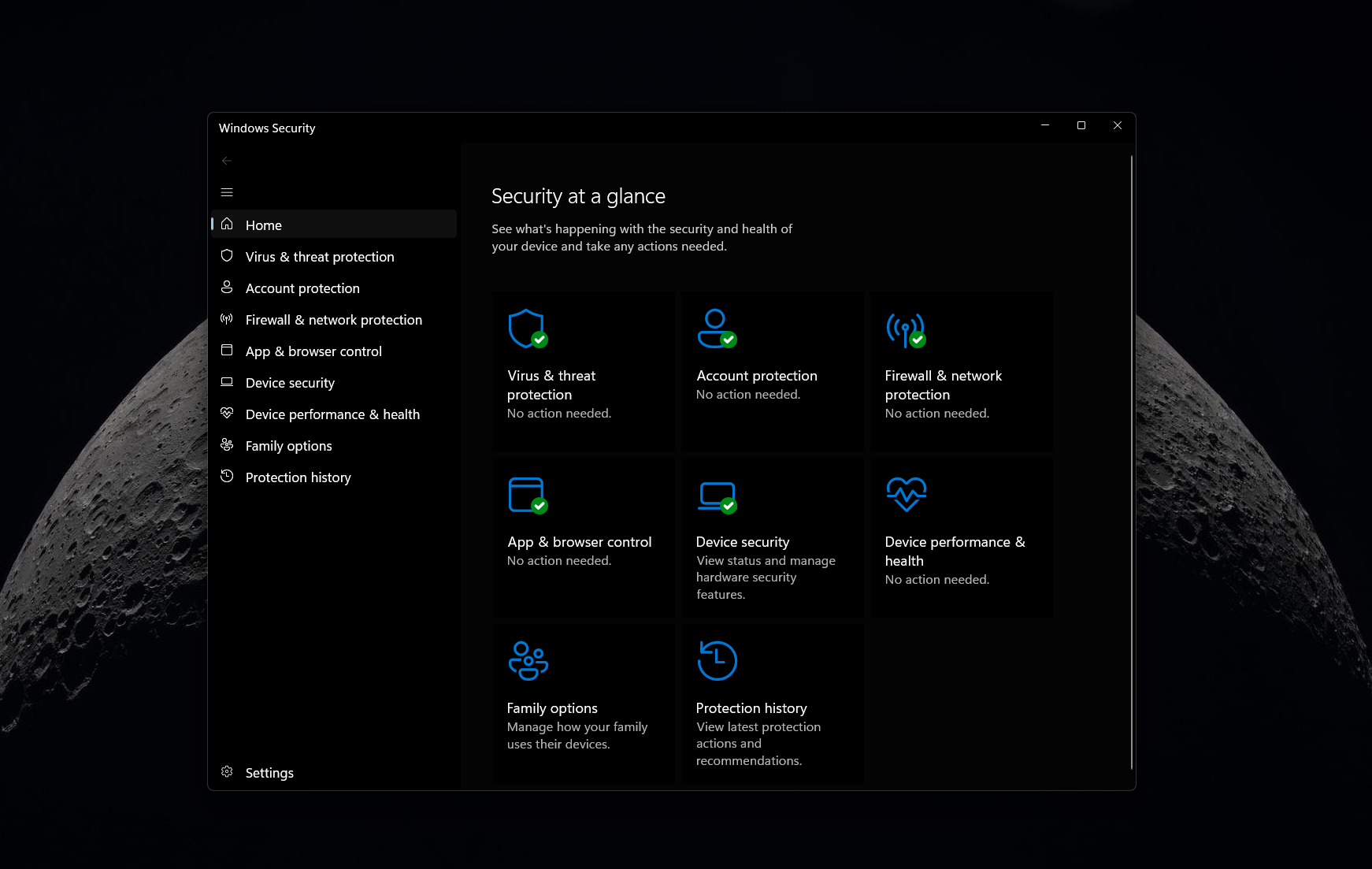
Microsoft also argued that these Windows 11 features are a “baseline” that covers most attack paths without requiring additional software.
Moreover, there are performance concerns when you have more than one security app, with the company clearly warning everyone:
“More than one real-time antivirus engine increases resource use and raises the chance of conflicts.”
I don’t disagree with Microsoft at all. In my personal experience with Windows over the past decade, I’ve observed visible improvements, and I haven’t run into any security incidents with Defender turned on. And even independent labs agree with our findings, as AV-Test, one of the independent testing organizations, ranks Microsoft Defender among the top antivirus products, with Microsoft’s solution having 98.5% to 100% protection scores in these benchmarks.
What about you? Do you use a third-party security solution on Windows 11? Let me know in the comments below.