








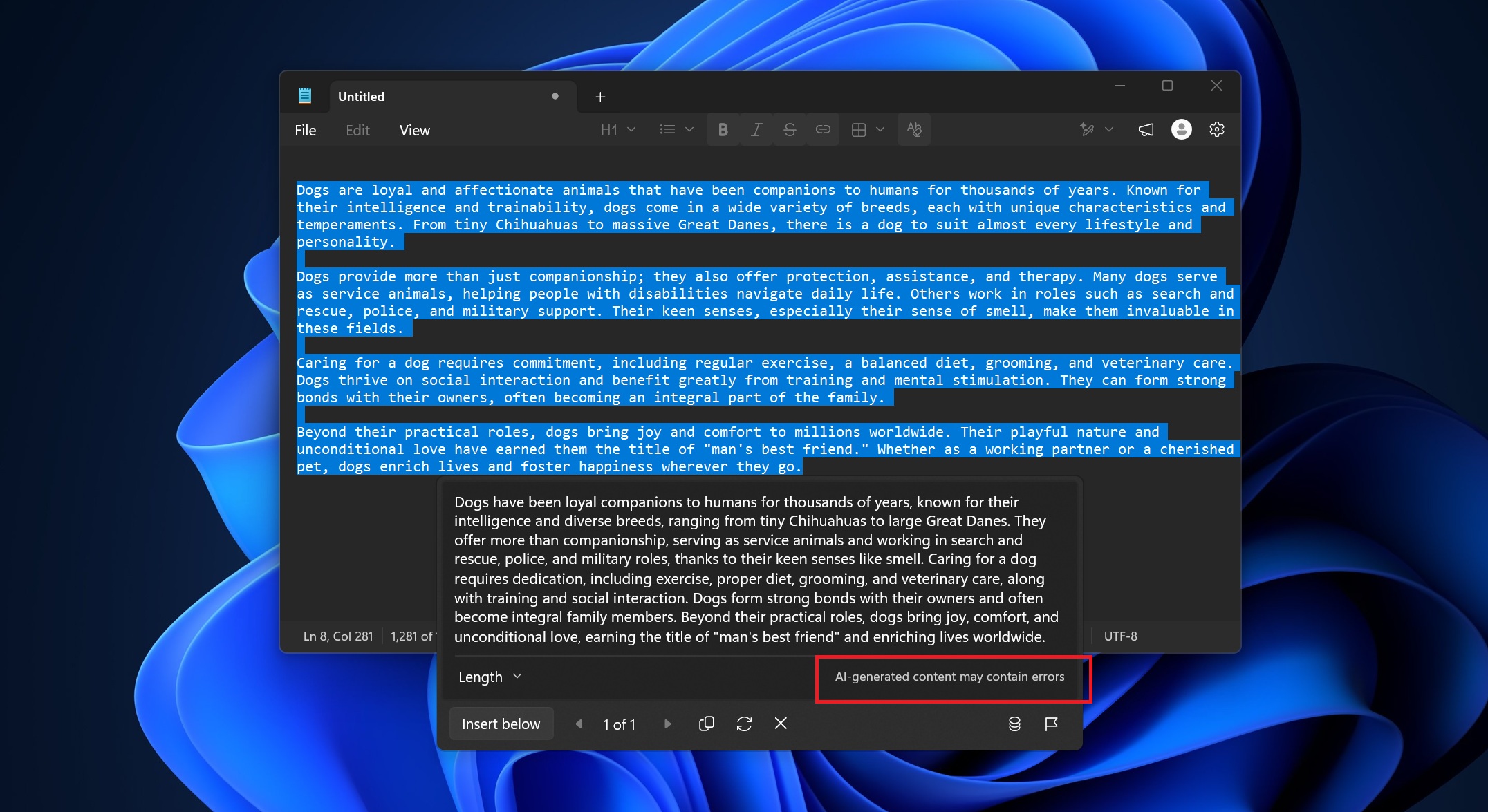
Microsoft previously confirmed that it’ll reduce “unnecessary Copilot entry points” in apps like Notepad, and we observed some of the changes were already rolling out to Windows Insiders. Today, I noticed that Notepad on my production PC was auto-updated via the Store, and it no longer has any reference to Copilot, but AI integration is not truly ‘gone.’
On March 20, Microsoft shared an outline of the major changes coming to Windows 11, and while most details were vague, one change stood out: reduced Copilot presence across the operating system, including in some first-party apps. The company shared the following note:
“You will see us be more intentional about how and where Copilot integrates across Windows, focusing on experiences that are genuinely useful and well-crafted. As part of this, we are reducing unnecessary Copilot entry points, starting with apps like Snipping Tool, Photos, Widgets, and Notepad.”
It’s a carefully worded statement from Microsoft, as it neither confirms nor denies that AI is being entirely removed from native apps. The company is only saying it will be more selective about where Copilot appears in Windows, and it will reduce “unnecessary Copilot entry points” in some apps.
That could mean the Copilot button disappears, gets renamed, or moves deeper into settings. We’re now seeing a mix of these changes in two apps (Notepad and Snipping Tools).
How is Microsoft handling Notepad’s AI integration after the major promise?
In the case of Notepad, ‘Copilot’ has been renamed as ‘Writing tools,’ and this change is now available outside the Windows Insider Program. It confirms the official rollout, but the catch is that AI itself isn’t removed from Notepad.
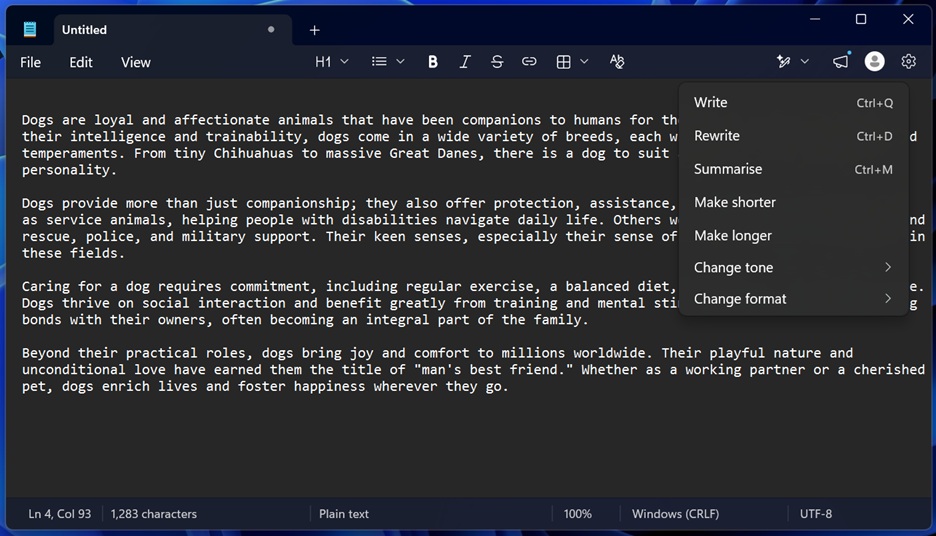
Microsoft no longer explicitly calls ‘Writing Tools’ Copilot or even AI. In our tests, Windows Latest observed Microsoft now describes the feature as ‘Smarter writing tools’ when you install a fresh copy of Notepad.
“Select text to refine clarity, tone, or structure with Rewrite. Summarise condenses longer sections into key highlights,” Microsoft noted. “Write generates new content from a prompt or selected text. Access these tools from the Writing tools menu or right-click context menu.”
Microsoft has removed all references to any ‘Copilot’ terminology, which is a bit misleading. That’s because Writing Tools is the same old Copilot integration that we have had in Notepad for months.
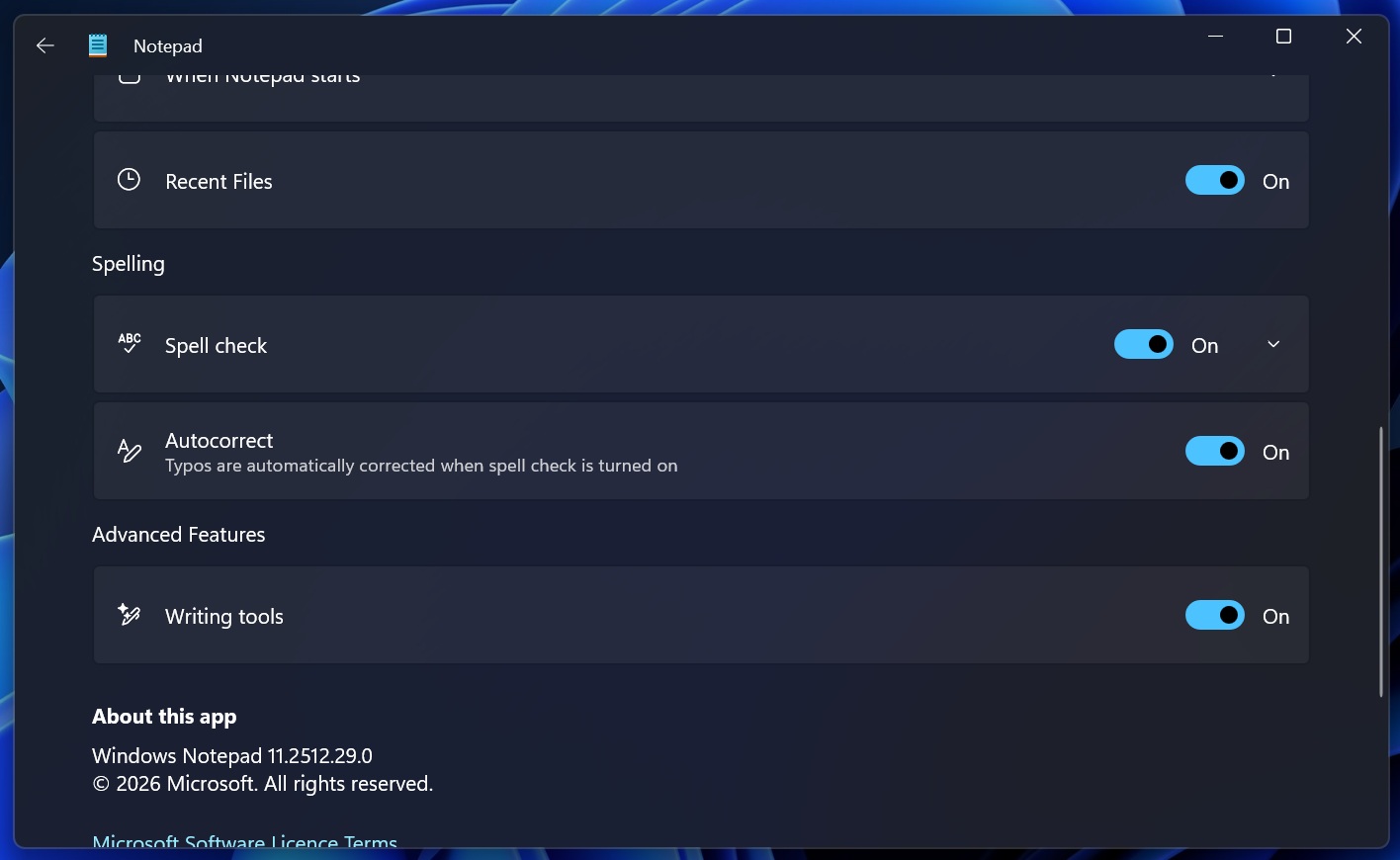
With Writing Tools, you can still generate new text using Microsoft’s AI model, or change the tone of the existing text, rewrite everything, change the format from casual to formal, and more. Of course, the feature is optional, and can be turned off from Settings under ‘Advanced Features.’
Microsoft does disclose that ‘Writing Tools’ generates content using AI when you open the feature, type your prompt, and it inserts the result into your .txt file
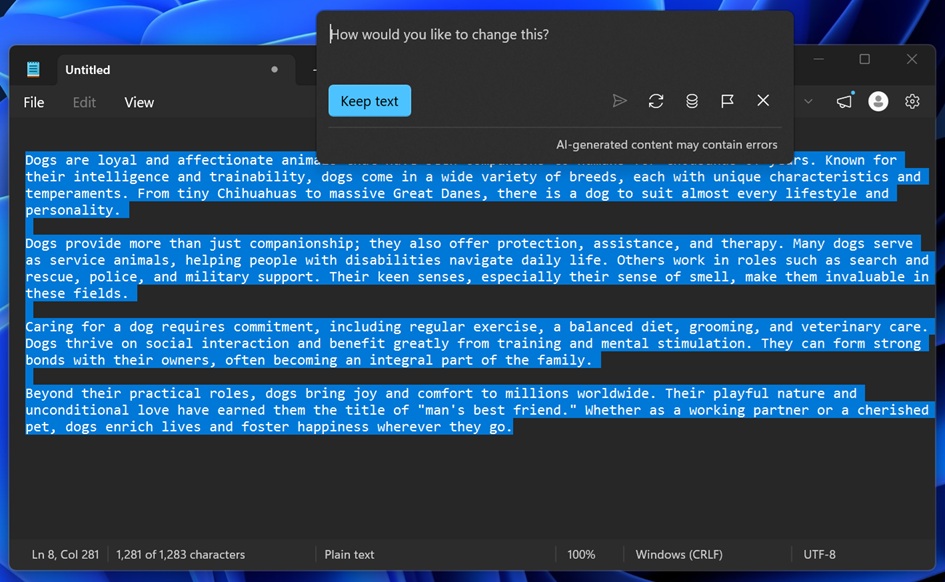
It appears that Microsoft wants you to believe that ‘Writing Tools’ is not the old Copilot integration, which is not true. It’s the same old thing with a different name. I don’t think that should surprise anyone. Microsoft isn’t planning to give up on AI in Windows 11. In fact, it’s moving ahead with plans to add agents to the taskbar as an optional feature.
Snipping Tool has dropped AI entirely
While Notepad still has Copilot in a way, that’s no longer the case with Snipping Tool.
Windows Latest spotted that Microsoft has fully removed the Copilot button from Snipping Tool in production (non Insiders). That means, if you’re using an up-to-date version of Snipping Tool from the Store in the production channel, you won’t run into Copilot anymore.
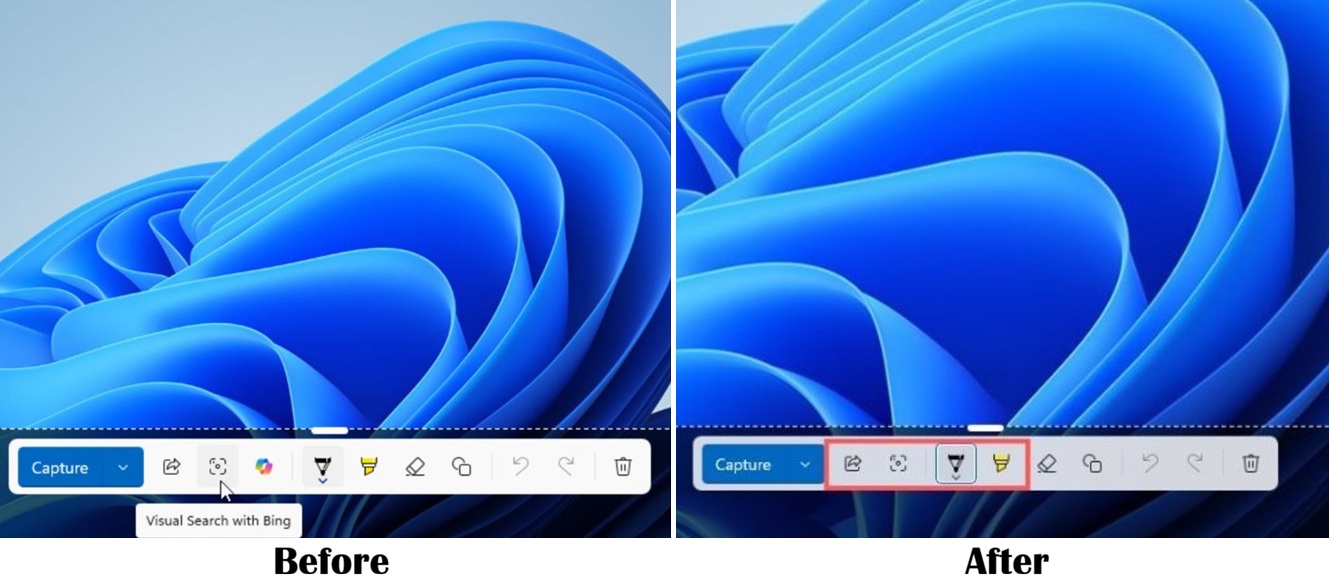
This is still far better than the changes to Notepad. The fact that Notepad still has AI integration without Copilot doesn’t help much, but it’s a good start. If not Notepad, we might still see AI disappear from places where it doesn’t really add value, and one example is the Snipping Tool.
How do you want Microsoft to handle AI in Windows 11? Let me know in the comments below.