






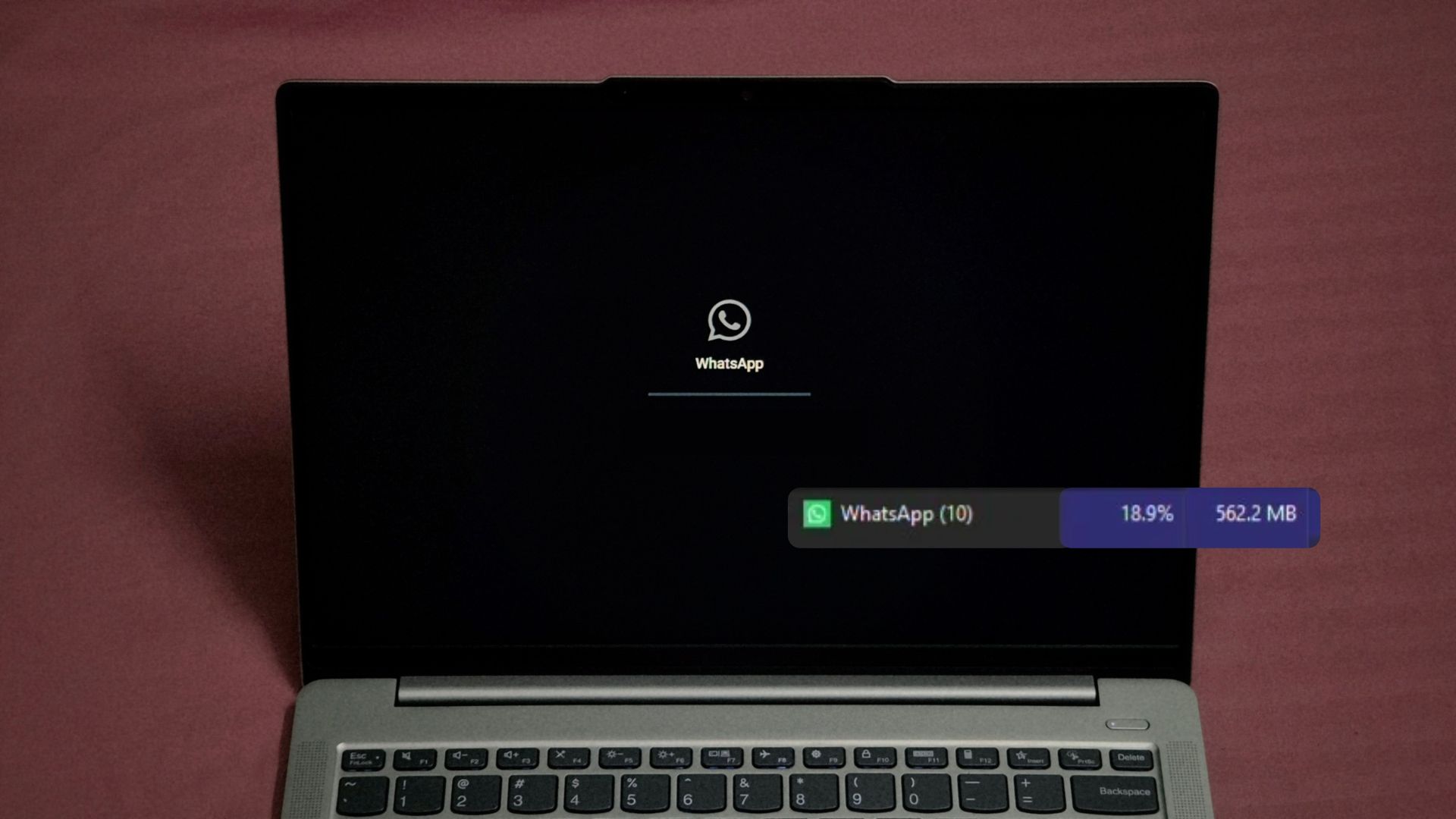
Microsoft is now giving WhatsApp a pat on the back for using less memory on Windows 11. In a November 3 blog post about making 8GB PCs faster, Windows chief Pavan Davuluri said WhatsApp is seeing a “double digit memory improvement,” a day after our article on WhatsApp crossing 2GB of RAM went viral. Well, I installed the latest update, and unsurprisingly, WhatsApp used a whopping 562.2MB even before I logged in!
To be fair, it starts a tad faster now and can idle under 500MB. But it crossed 1GB as soon as I opened a chat, and a simple, daily task like scrolling messages slowly in a chat increased it to about 1.5GB. So, what did Microsoft improve?
Microsoft’s “double digit” WhatsApp improvement is a numberless claim
In the Windows Experience Blog, Davuluri wrote, “Improvements in platform also enabling third-party developers to see the memory benefits as well. For example, WhatsApp is seeing double digit memory improvement in their Windows app.” (Yes, all these third-party apps and Microsoft chose the worst of them to feature here)
If Microsoft meant a percentage, it could be 10%, because I don’t see anything more than a minor improvement. If they meant megabytes, shaving 10 to 99MB off an app that swallows 1GB in seconds barely makes a dent. Microsoft doesn’t share WhatsApp’s old RAM usage, the new figure, or whether they measured idle, scrolling or calls. But I have been doing all that for more than a year now.
The post also claims up to 900MB less committed memory growth in multitasking tests on 8GB PCs, but all those improvements are in Windows, Edge, and Microsoft 365 apps, and we truly appreciate it.
But the word “WhatsApp” links to its Microsoft Store page, as if Windows 11 has no better third-party apps worth featuring. A WhatsApp shoutout the day after our article went viral is quite the coincidence.
I updated WhatsApp on Windows 11, and it still used over 500MB before login
I had uninstalled WhatsApp after our last test, but Microsoft’s claim made me curious, and the Microsoft Store had a fresh update waiting, so I gave it another chance on my Lenovo IdeaPad.
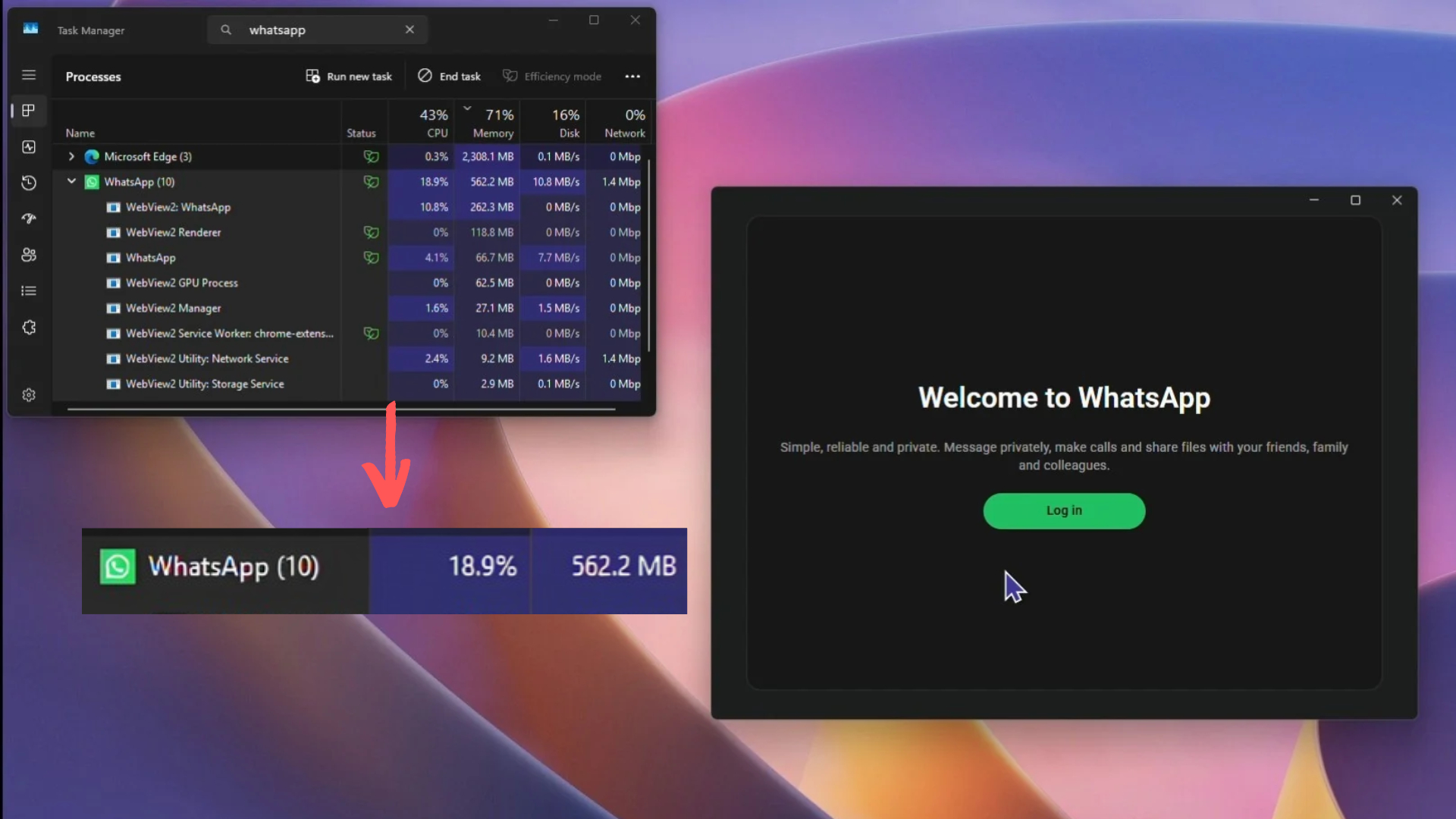
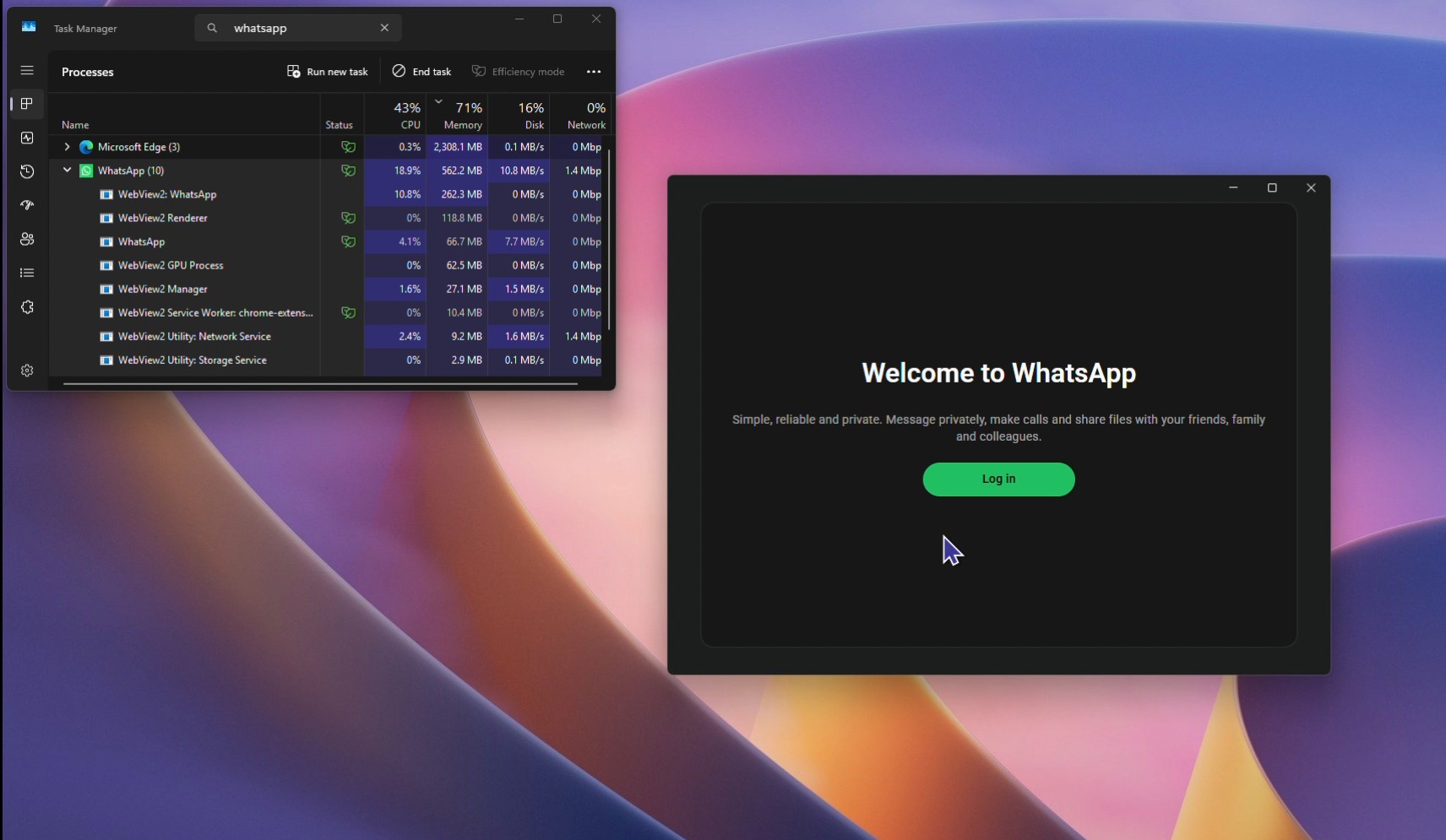
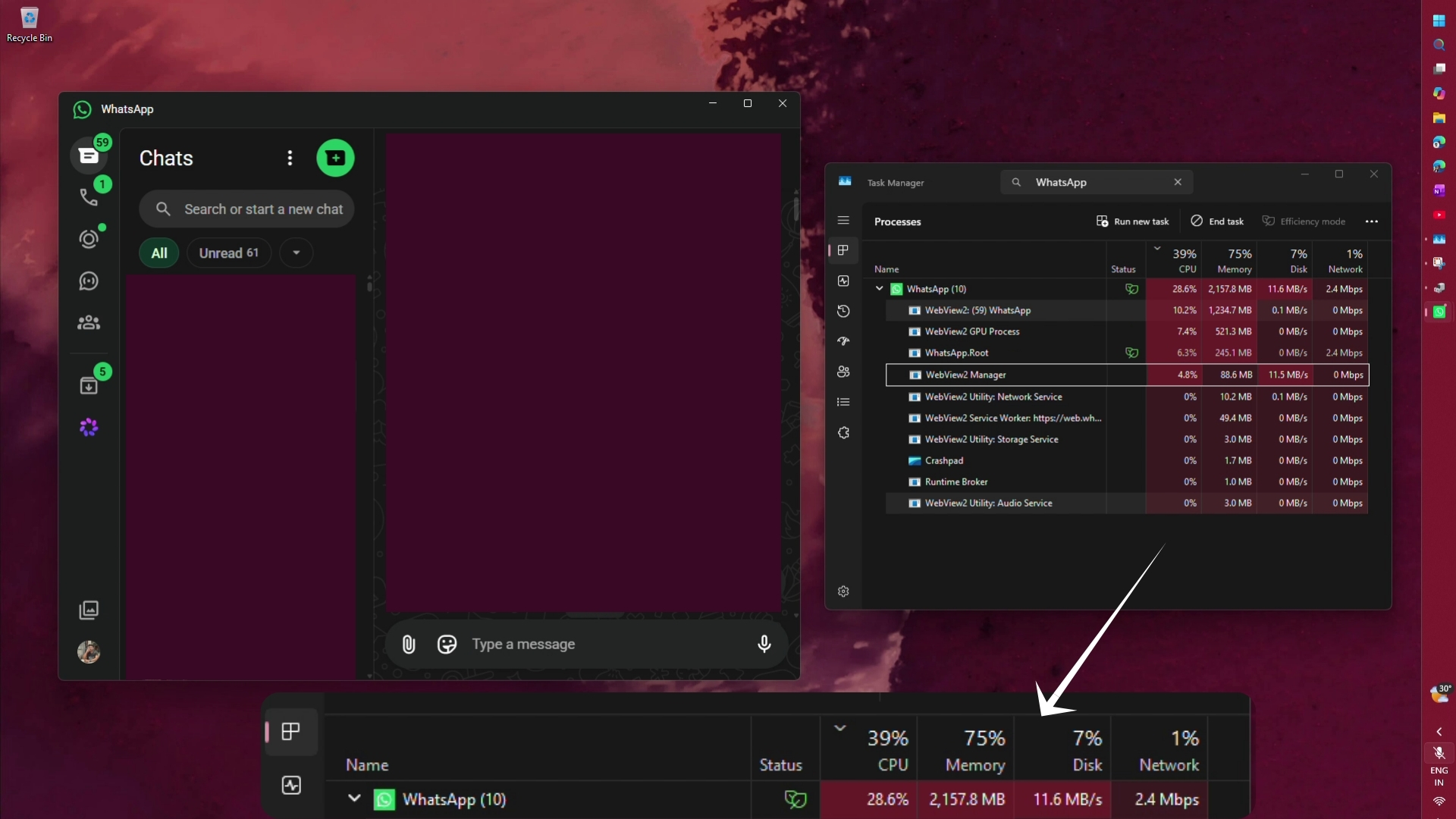
On the “Welcome to WhatsApp” screen, the WhatsApp group, which includes all its WebView2 child processes, showed 562.2MB. Note that I haven’t logged in yet. Zero messages. The UI hasn’t loaded. So, what is using all this RAM, then? Our first test of the new WhatsApp in November 2025 showed about 300MB at this stage.
Logging in to WhatsApp makes me a better person, as it teaches me the value of patience. After I scanned the QR code, WhatsApp was stuck on “Loading your chats” for about 19 seconds, while RAM usage went from 483.4MB to 716.9MB and CPU usage hit 23%.
Once the chats loaded, the app hovered around 800MB. I didn’t do anything in the app at this point. But opening a chat pushed the RAM usage past 1GB, sending messages kept adding to it, and scrolling, which I do every single day, took it to about 1.5GB. This was a slow scroll and not one where I was searching for a message from a few days ago, which would have definitely made it touch the 2GB mark.
Fortunately, a cold start is slightly faster now, as WhatsApp went from launch to the chat list in about 6 seconds (yes, this is considered fast for Meta’s standards). I also caught it idling at 495.2MB, compared to the 600MB or so in our June test. Maybe that’s Microsoft’s double-digit improvement?
Interestingly, scrolling through text-only chats kept RAM under 1GB. But do those kinds of chats even exist nowadays?
Why some WhatsApp users never see 1GB of RAM usage
After our last article, several readers said their WhatsApp never crossed 700MB. WhatsApp may not be that popular in the US, but where I live, and in many other parts of the world, it’s the default way to talk. Yes, talk, because many people I know make WhatsApp calls instead of regular phone calls, purely out of muscle memory.
Also, stickers from movies and GIFs are more common than messages these days. The app obviously has to render all this media, and a normal scroll through a random chat is enough for it to eat through RAM.
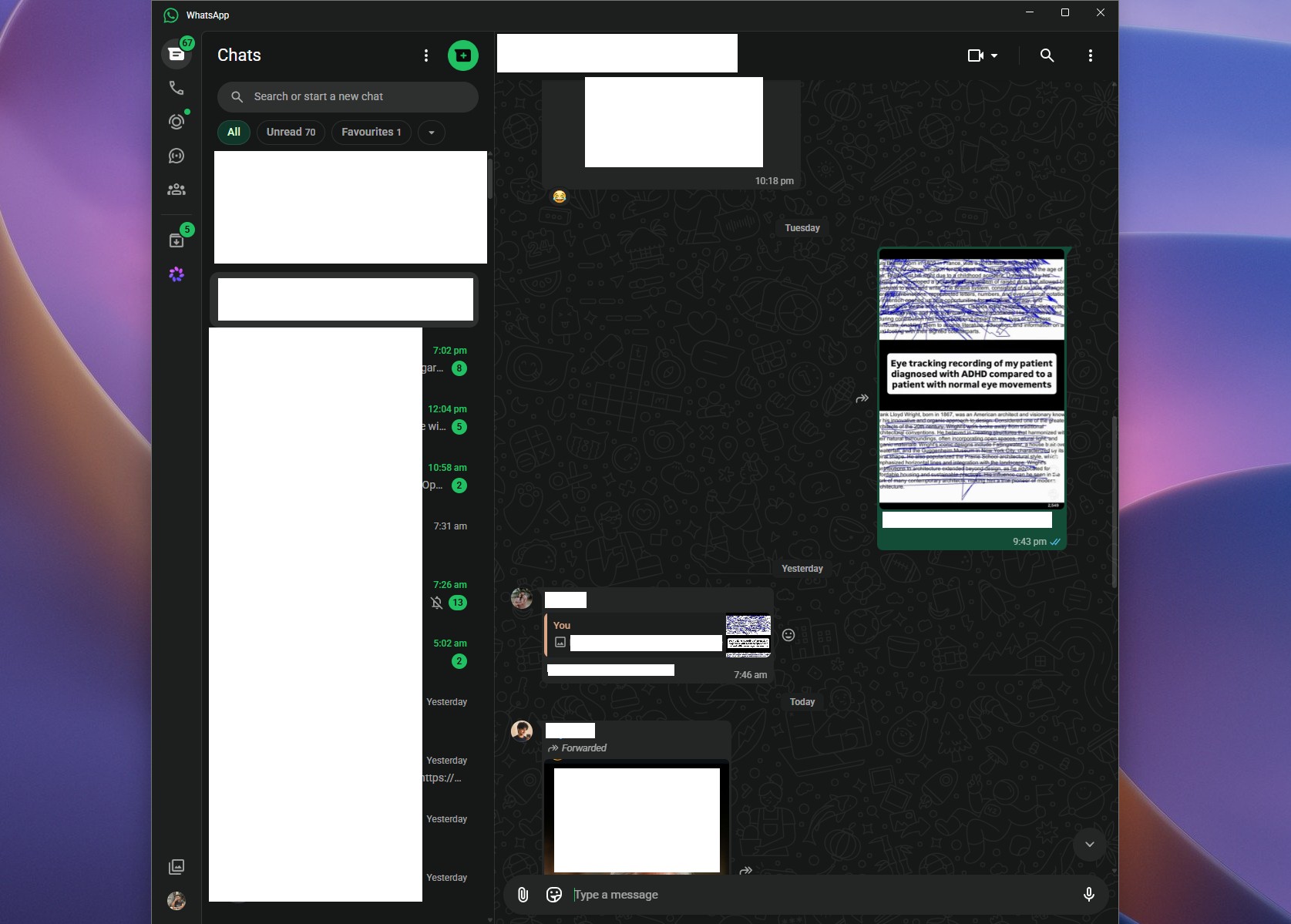
WhatsApp is still a WebView2 wrapper, and Microsoft knows the overhead
Meta replaced the native UWP app with a WebView2 wrapper in November 2025, which simply loads web.whatsapp.com inside Microsoft’s browser engine. Microsoft’s WebView2 performance guide says, “Each WebView2 control creates its own set of processes, such as browser, renderer, and GPU.”
The guide also asks developers to share one environment across WebView2 controls, suspend inactive ones, and limit heavy JavaScript. All of that is on Meta.
Microsoft is doing its part, at least on paper. On July 31, Davuluri said the company is “driving efficiencies across Chromium and Webview2 components when they appear in the operating system.” In August, WebView2 also moved to a two-week release cadence, but that’s about faster security fixes, not RAM.
WhatsApp pushed a friend’s business to an Android tablet, while Telegram runs fine on her PC
A friend of mine started a clothing brand a couple of years back. She sent hundreds of dress photos to customers every day from WhatsApp on her Windows PC. Because, back then, it was the fast and efficient UWP app, that comfortably ran on less than 100MB of RAM.
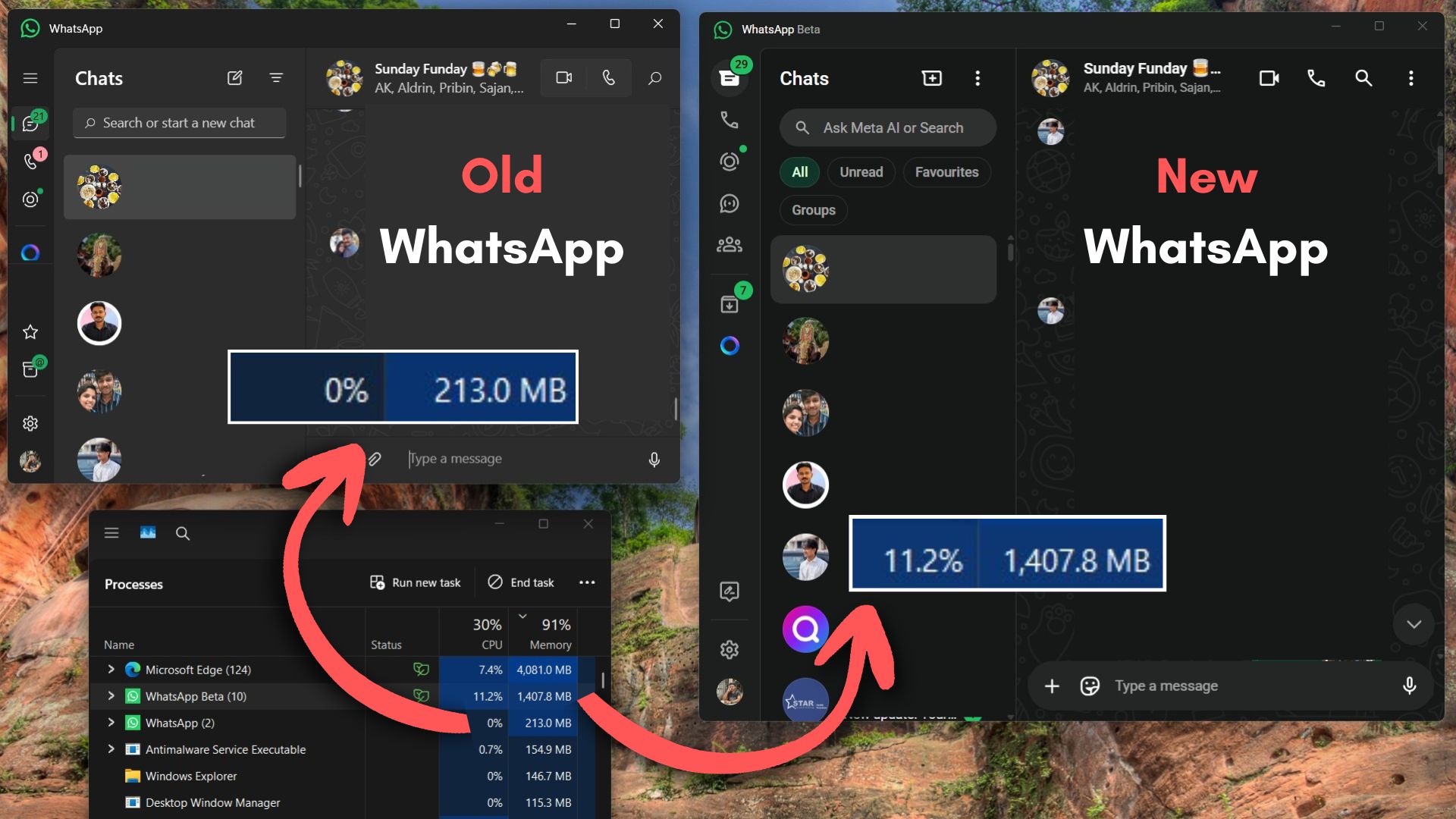
After the switch to WebView2, she messaged me asking why WhatsApp had become so slow. All her customers are on WhatsApp, so she had to stick with it, but as her business grew, scrolling became painful. She was forced to buy an Android tablet just for WhatsApp. Funnily enough, it’s not even a flagship. It has just 6GB of RAM, and WhatsApp is significantly smoother on it.
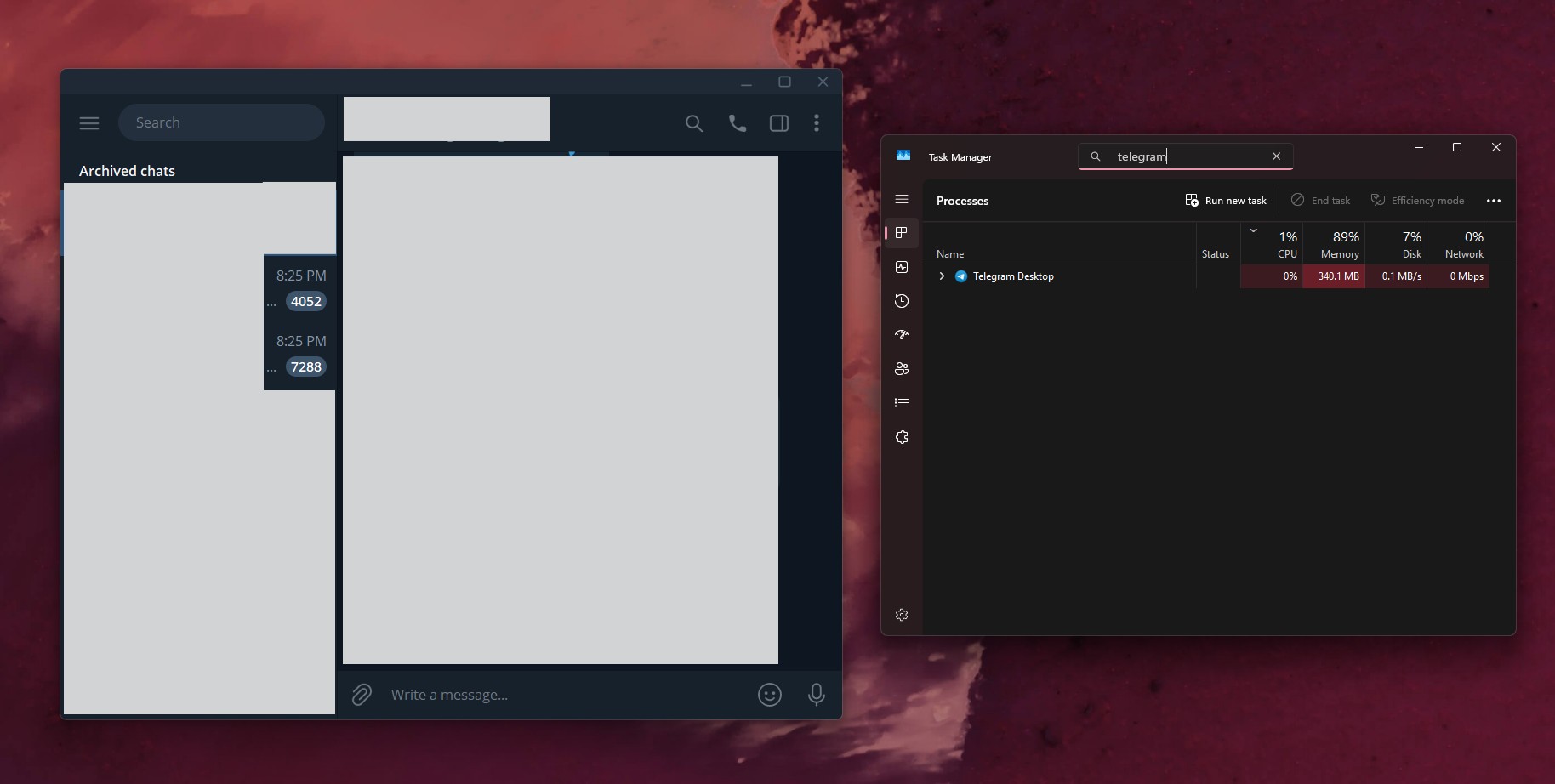
Now, she reaches new customers through Telegram on her Windows PC, where she runs a group with more than 1,000 members and shares hundreds of images. Not a single stutter in sight. Meta is a much bigger company than Telegram. There is absolutely no excuse.
Microsoft should push Meta for a native WhatsApp app instead of celebrating web slop
Speaking of excuses, Discord is replacing its Electron app with a Rust client that used just 290.2MB with two accounts signed in. Meanwhile, Meta still ships a native WhatsApp app for Mac, while Windows, with 1.6 billion monthly users, gets a browser in a box.
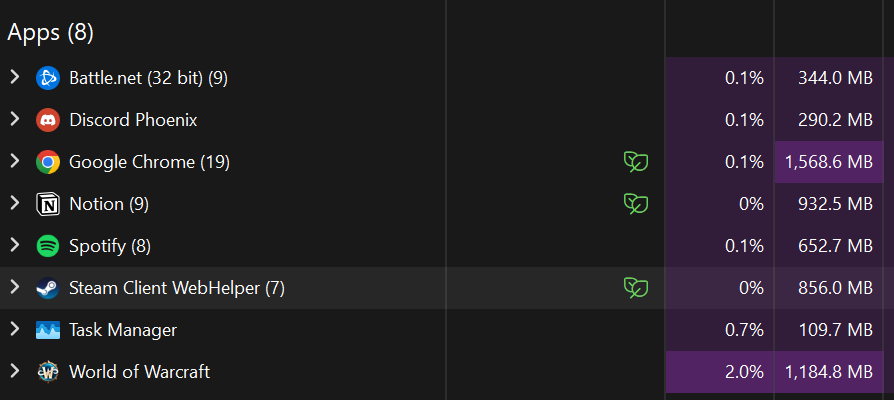
WinUI has also improved a lot this year, but instead of nudging Meta toward it, Microsoft slapped a link to WhatsApp’s web slop in a blog post about RAM improvements. Shameless, I’d say.
WhatsApp is still painfully slow on Windows 11, and a shoutout from Microsoft won’t change that. If Meta can build a native app for Mac users, Windows users deserve one too.