








Microsoft says it’s going to make the Copilot button more noticeable by adding it to the ribbon menu in Outlook Classic. Until now, only New Outlook integrated Copilot everywhere, while Microsoft had largely held it back in the Classic version, but that appears to be changing with a new update.
In a new update on the admin portal, Microsoft has quietly confirmed that it’s adding a new Copilot entry point to Outlook Classic’s ribbon menu. It’ll begin showing up in late August, but most of you won’t have it until October 2026. The company argues that adding AI to the ribbon menu will make Copilot easier to access in Outlook Classic.
Microsoft also noted that Copilot in Outlook Classic has contextual awareness, which means it can read and understand your emails. In fact, Copilot can understand an entire thread and surface contextual recommendations based on what it can see. This is far more powerful than simply docking Copilot in the right-side pane.

For example, if you’re in a conversation about a refund for canceled tickets, Copilot could help you draft an email based on its understanding that you previously requested a refund.
An always-visible Copilot button will help you read emails, compose messages based on the context, and even manage your calendar.
“With a single click, users can act on these suggestions to quickly summarize content, draft responses, organize information, and accomplish tasks more efficiently,” Microsoft noted in an admin portal update.
This will bring Copilot in Outlook Classic a bit closer to other Office apps, where Copilot is already available in the ribbon menu.
You can still have Copilot integrated into the side pane, while the new ribbon button will help surface contextual recommendations.
Microsoft also said that it’ll turn on Copilot in Outlook Classic by default, and you don’t have to take any action as long as you have the required Microsoft 365 Copilot license.
Right now, it doesn’t look like Microsoft will roll out a floating Copilot button at the bottom of Outlook Classic, but it’s only a matter of time before it appears in the email client, as we’ve already seen the same experience in Office apps. The company has made it clear that it wants the Copilot experience to feel consistent across its apps.
Copilot is also getting integrated into Outlook’s compose experience
If you thought Copilot in the ribbon menu was the “enough” moment for Microsoft, you’re in for a surprise.
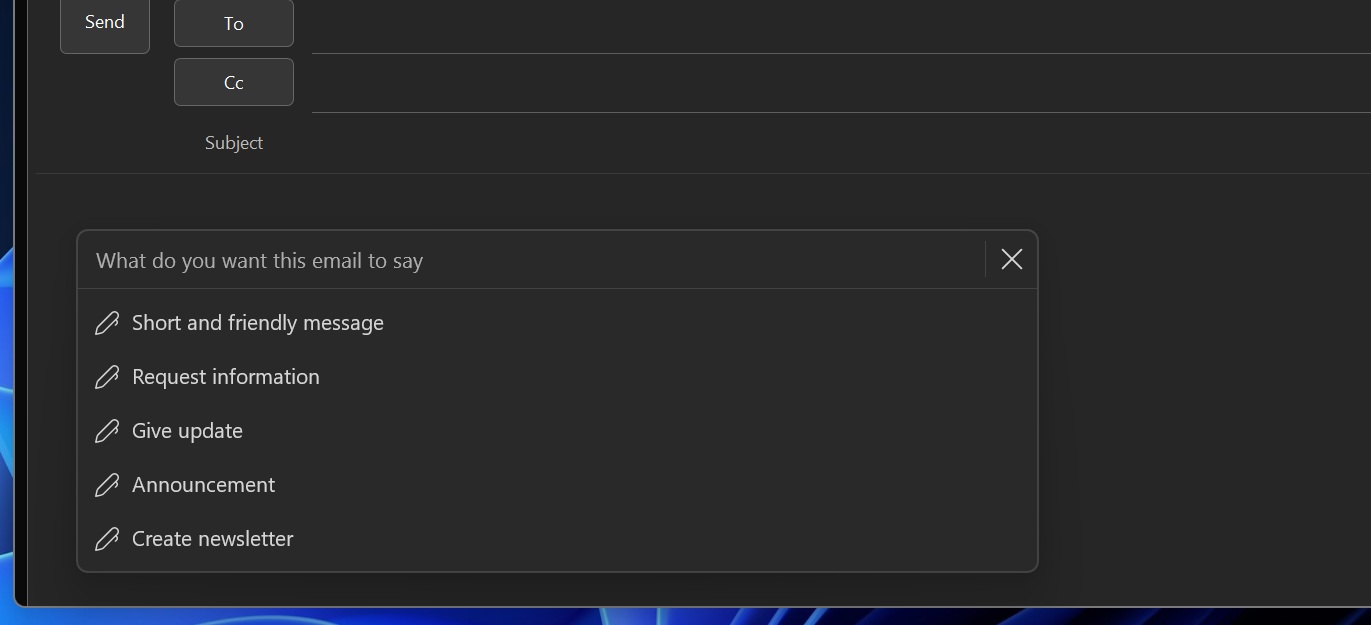
Windows Latest also found that Copilot will be integrated into the email compose box, which means it’ll show up automatically when you draft an email. You’ll be able to use Copilot to improve your email.
“This update allows users to create, refine, and edit email content in real time with Copilot assistance, helping improve productivity while maintaining full control over final content,” the company noted.
Previously, it was believed that only New Outlook’s compose box would have AI integration, but Microsoft has made it clear that Copilot will be integrated into Outlook Classic’s compose box as well.
At the same time, Microsoft has decided against implementing Copilot in Outlook search after outrage. The feature was supposed to show Copilot’s contextual answers on search pages above the actual search results, but the idea has been canceled for now.