






Until now, Windows on ARM PCs have not supported Nvidia’s desktop GPUs, largely because the company had not released a public Windows ARM64 driver, and because Windows on ARM has effectively been tied to Qualcomm’s silicon. Nvidia now has an ARM64 driver through its RTX Spark project, but it is intended for RTX Spark systems, not existing desktop GeForce GPUs.
That changes now, as a developer has achieved a breakthrough and got an RTX 4060 working on Windows 11 ARM after extracting an ARM64 Nvidia driver from RTX Spark software.
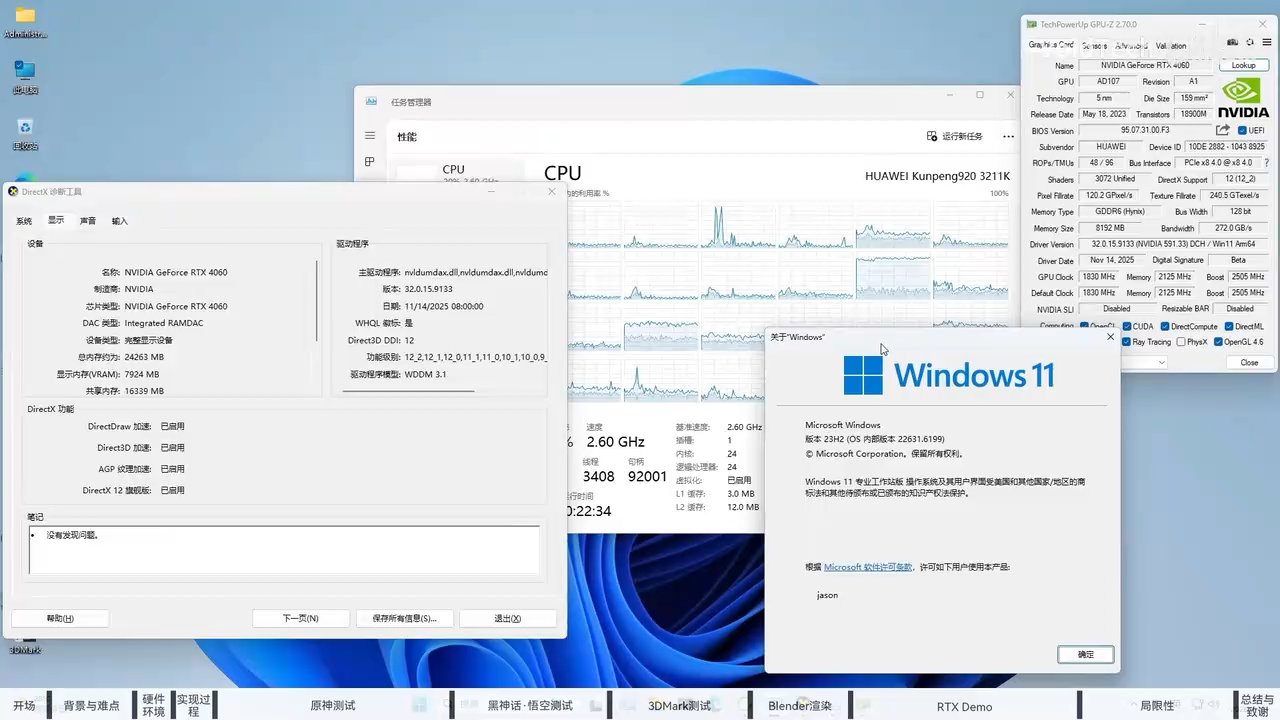
First spotted by Windows Latest, a developer (posting on Bilibili as VoidTech) has managed to use an Nvidia RTX 4060 with a Huawei Qingyun desktop, which runs a Kunpeng 920 processor.
For those unaware, the Kunpeng 920 is an Arm-based server processor based on the same underlying architecture used by chips inside smartphones or the new Snapdragon X Elite.
“Successfully driving an NVIDIA discrete graphics card on a Huawei Kunpeng 920 running Windows 11 ARM. Hardware: Huawei Qingyun W510 (Kunpeng 920) + RTX 4060,” the developer wrote in a video on Bilibili, translated using Google Translate.
“Graphics card function is normal, no video output signal, suitable for use with streaming,” he added.

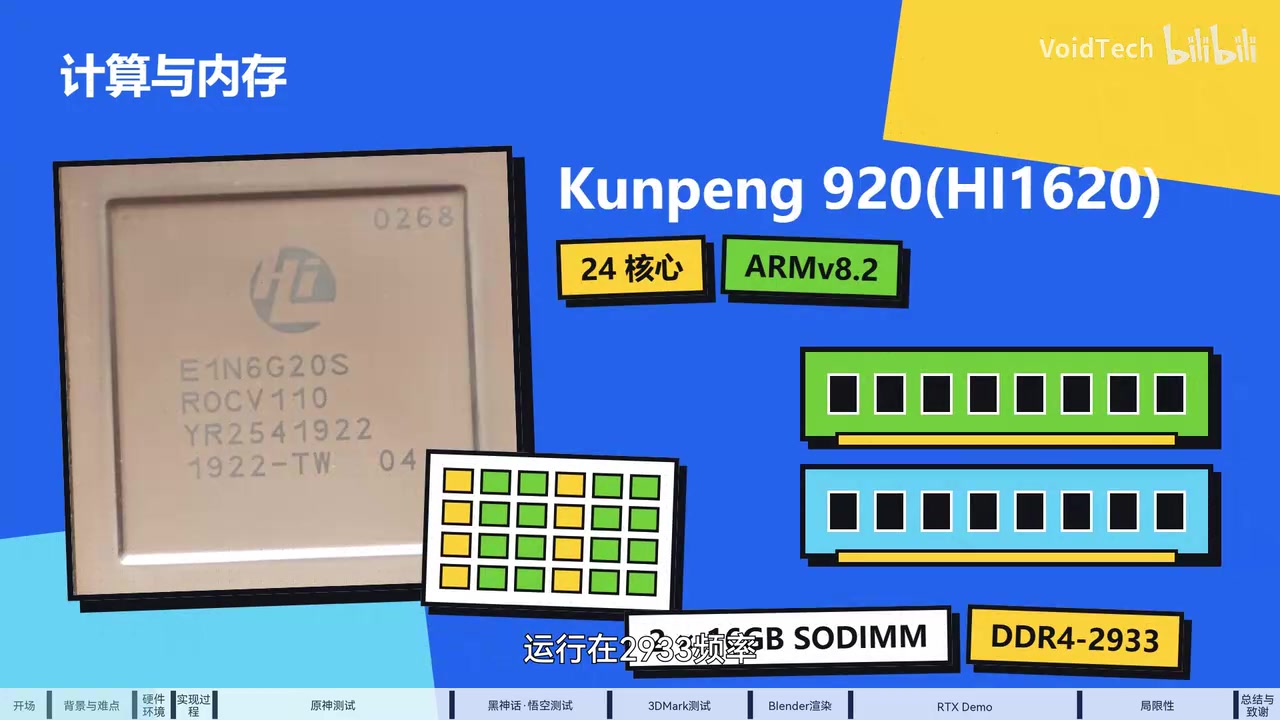
I watched the video, which is in Chinese, and uploaded it to my YouTube channel as a mirror link. I also spotted some interesting details. The device appears to be a Huawei Qingyun W510 ARM workstation with a 24-core Kunpeng 920 processor (ARMv8.2), 32GB of DDR4-2933 memory, and an RTX 4060 with 8GB of VRAM.
While Windows 11 on ARM appears to work well with the RTX 4060, there are certain limitations, and it is almost obvious that you cannot use it as a daily driver. For example, certain games simply do not work.
Also, given the x64 translation, which the developer estimates costs roughly a quarter of the CPU’s performance, you are almost certain to experience a major performance loss.
Getting Windows 11 to boot was the first challenge
As you might be aware, Huawei remains subject to US trade restrictions, and the Kunpeng 920 system was not designed or officially supported for Windows. The Qingyun W510 is primarily intended to run Linux-based operating systems, including UnionTech’s UOS.
This also means Windows does not support the ACPI tables and hardware configurations found in Huawei systems. ACPI needs to be compatible for Windows to communicate with the hardware, processor, power management, and connected devices.
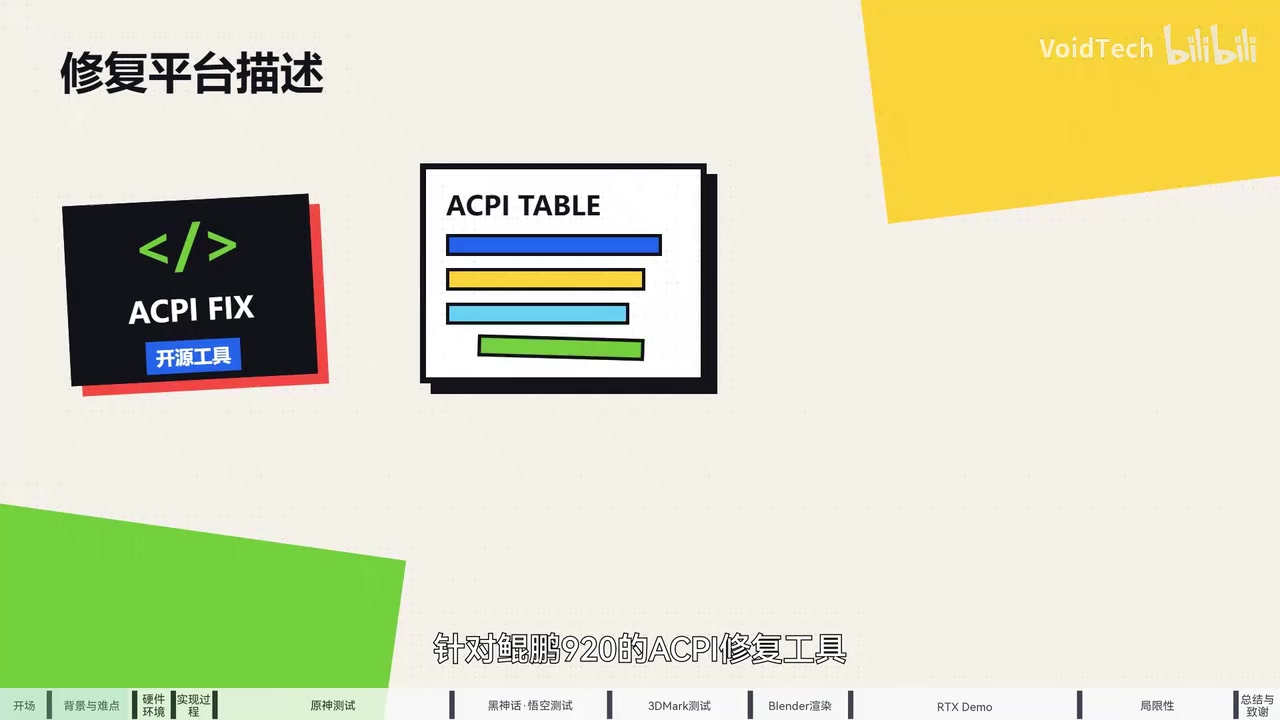
Ultimately, the developer used an open-source patch, a project called dixyes/d920s10, to correct the ACPI tables, which allowed Windows on ARM to boot successfully.
However, getting Windows to work with the Kunpeng 920 was only half the problem, as GeForce drivers are built for x64 processors from Intel and AMD. Although Windows 11 can translate many x64 apps to run on ARM, it cannot translate kernel-level drivers.
That is also why we have not seen similar experiments, and why Nvidia’s silence on Windows on ARM has mattered so much, as the platform has until now been all but exclusive to Qualcomm.
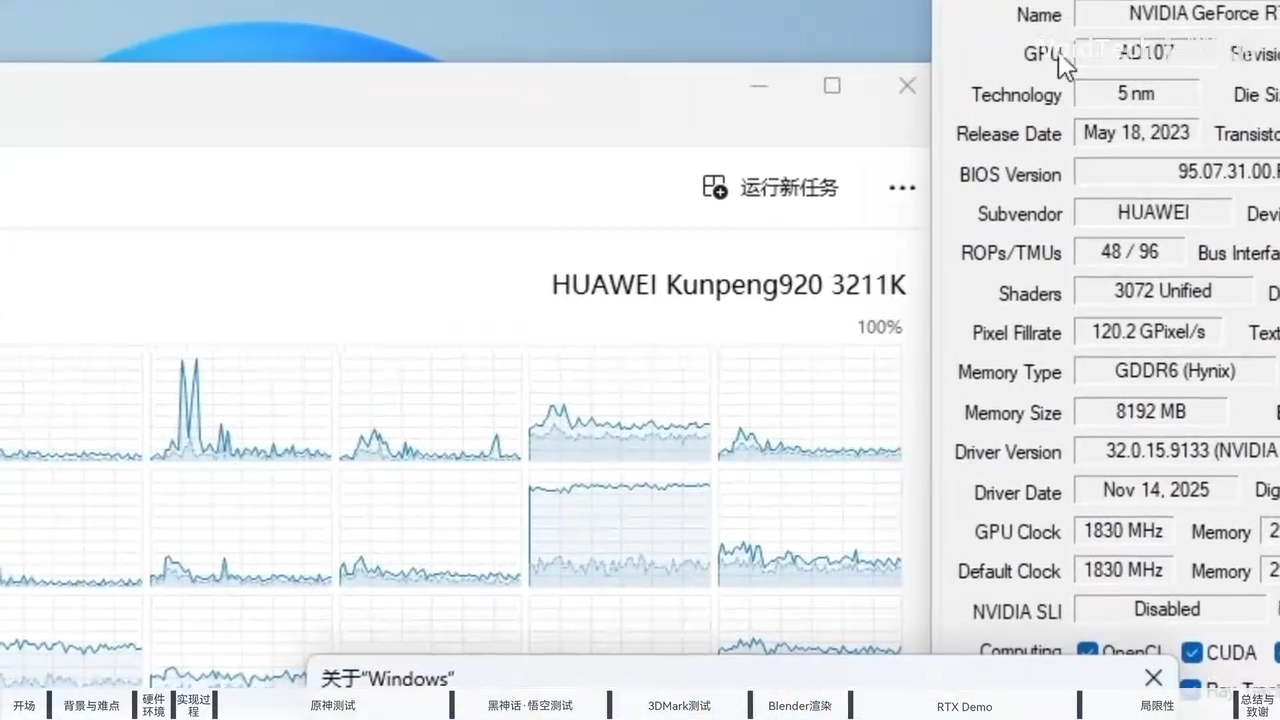
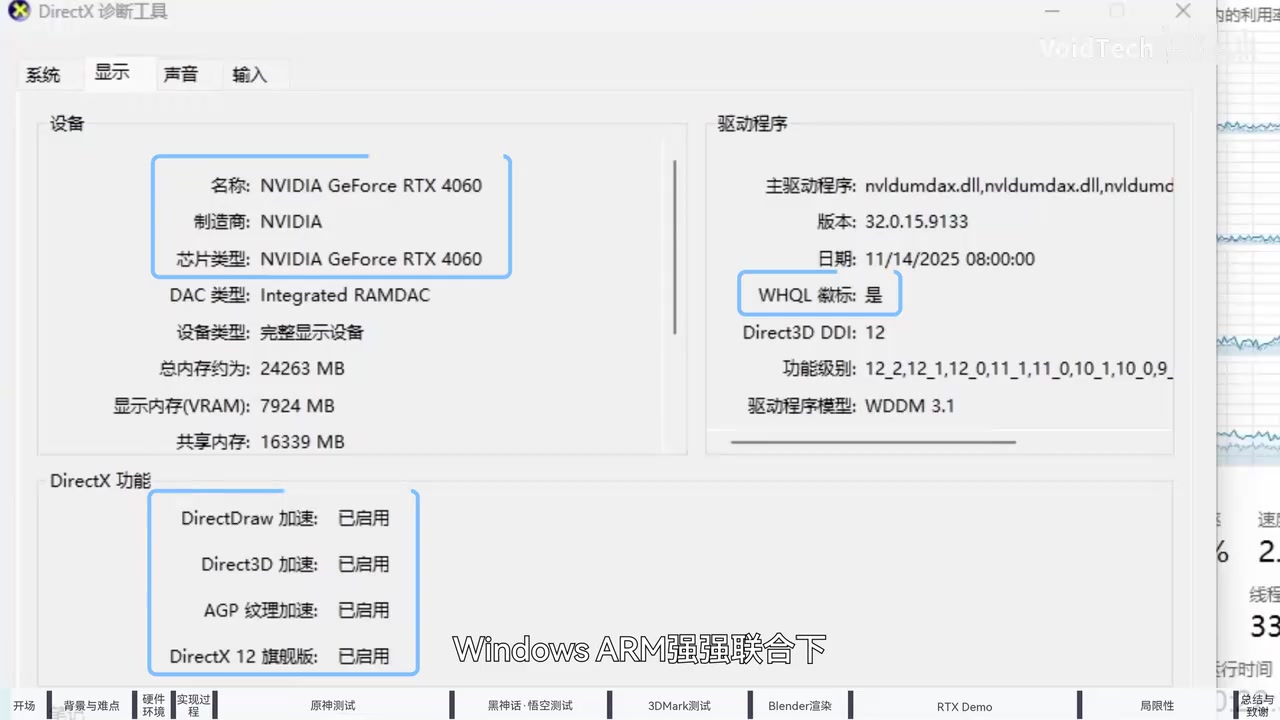
The RTX 4060 itself uses a PCIe 4.0 x8 interface, and the developer extracted a native Windows ARM64 Nvidia driver from the RTX Spark software and installed it for the desktop RTX 4060. Windows then successfully detected the graphics card and enabled hardware acceleration, DirectX 12, and Vulkan.
The card even reports as WHQL-certified in Windows’ own DirectX diagnostics.
The developer says the driver, which appears to be version 590, is based on Nvidia’s unified architecture, which means it could theoretically support other RTX graphics cards, including the RTX 20, 30, 40, and 50 series.
Nvidia’s own tools put the exact build at 591.33, paired with CUDA 13.1.
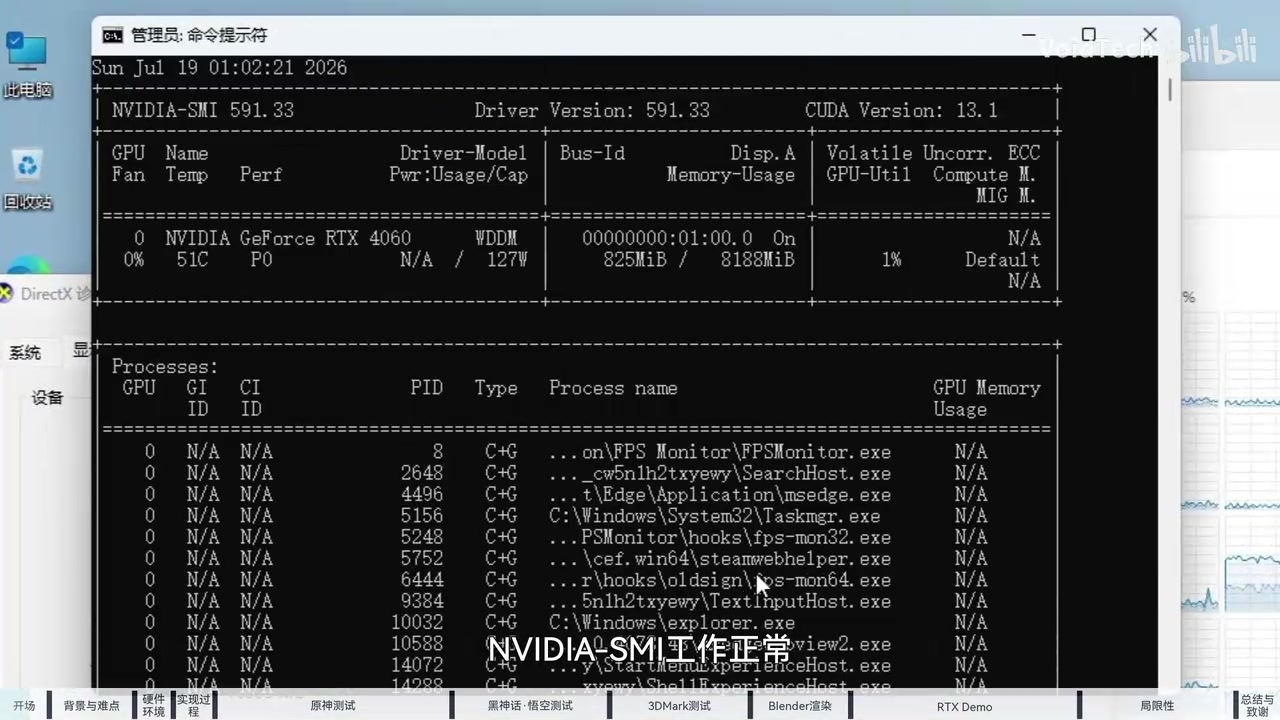
How well does the RTX 4060 work with Windows 11 ARM64?
Unsurprisingly, the RTX 4060 with Windows 11 Arm64 is barely usable, as the performance is poor. The RTX 4060 itself appears to work correctly, but gaming performance is heavily limited by the Huawei Kunpeng 920 processor.
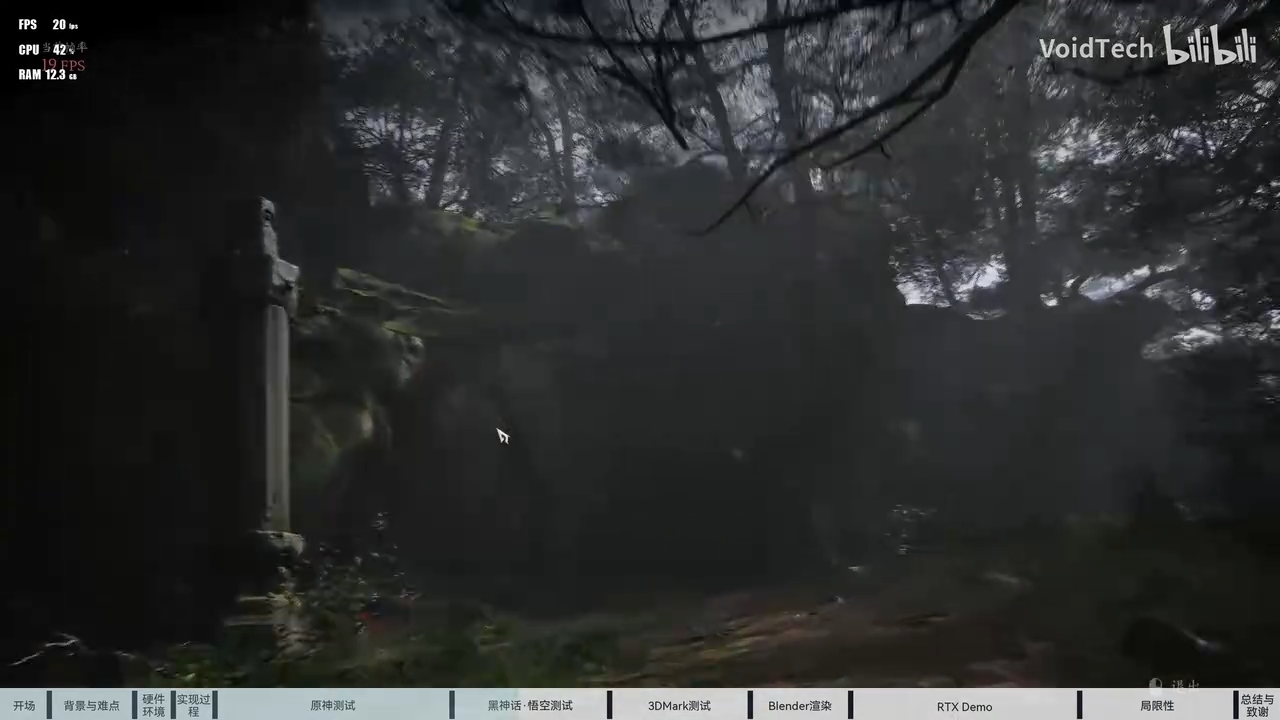 Most Windows games are built for x64 processors, so Windows must translate them to ARM64 while they are running. The Kunpeng 920 also has weak single-core performance compared to modern desktop processors. As a result, the GPU spends much of its time waiting for the CPU.
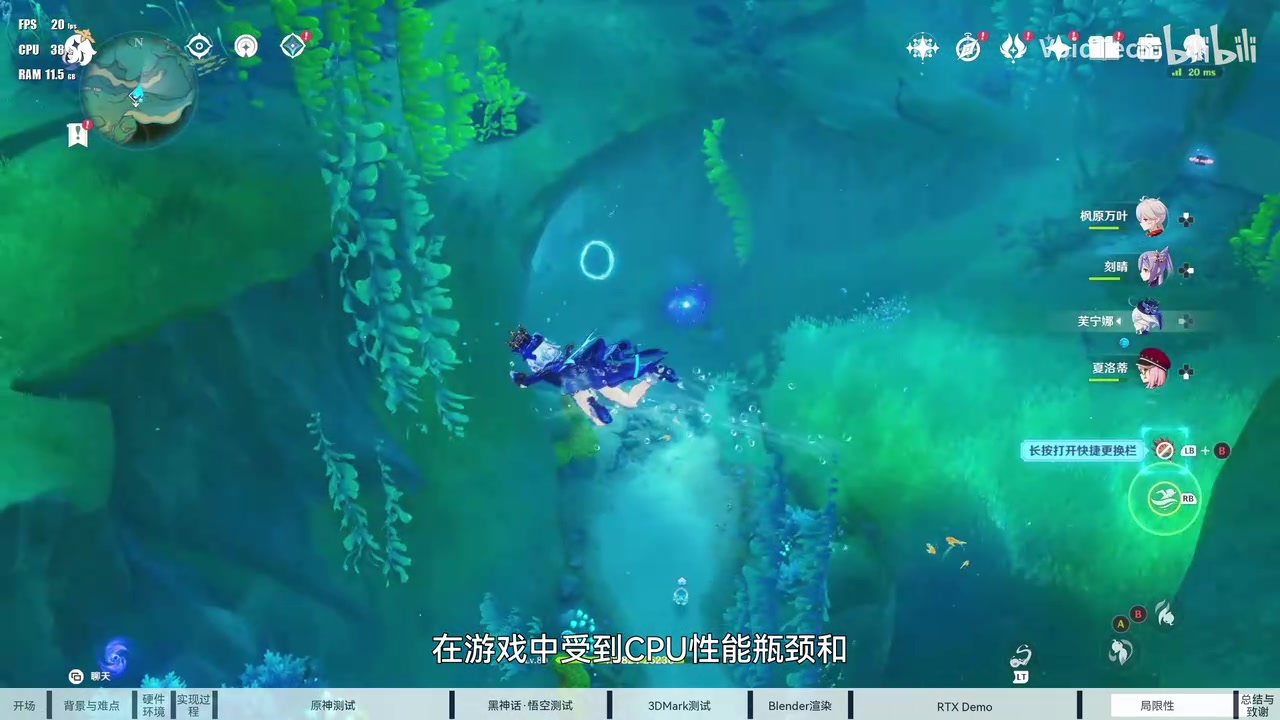
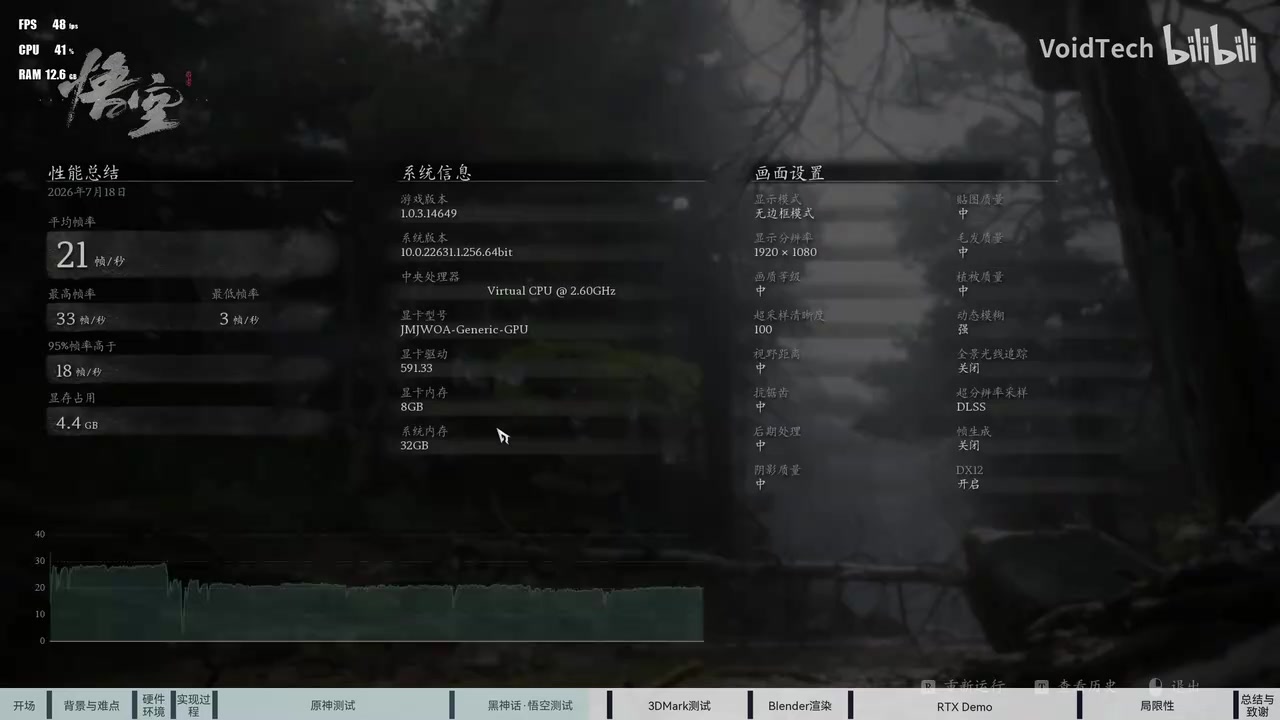
Regardless, we’ve some benchmarks:
- Genshin Impact ran at 1080p, across scenes in Fontaine and Mondstadt, and averaged around 20 FPS.
- The Black Myth: Wukong benchmark averaged about 21 FPS, peaking at 33 and dropping as low as 3.
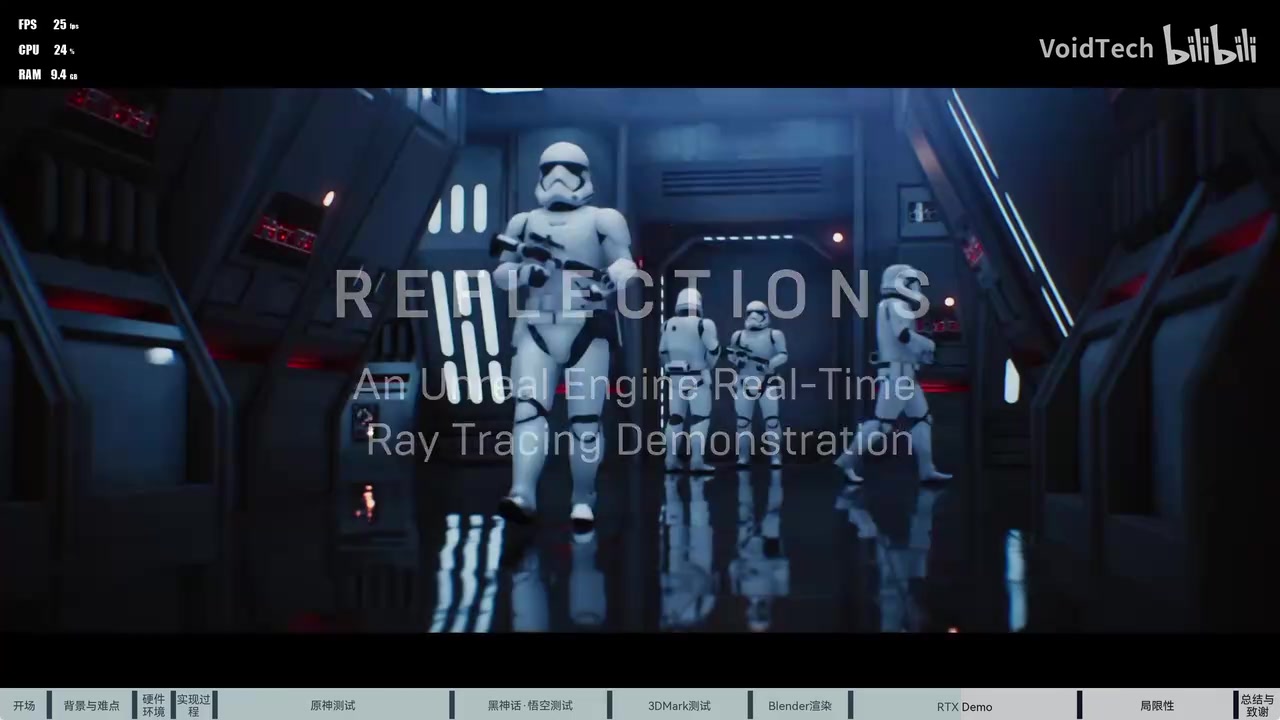
- The Star Wars Reflections demo ran at around 23 to 25 FPS.
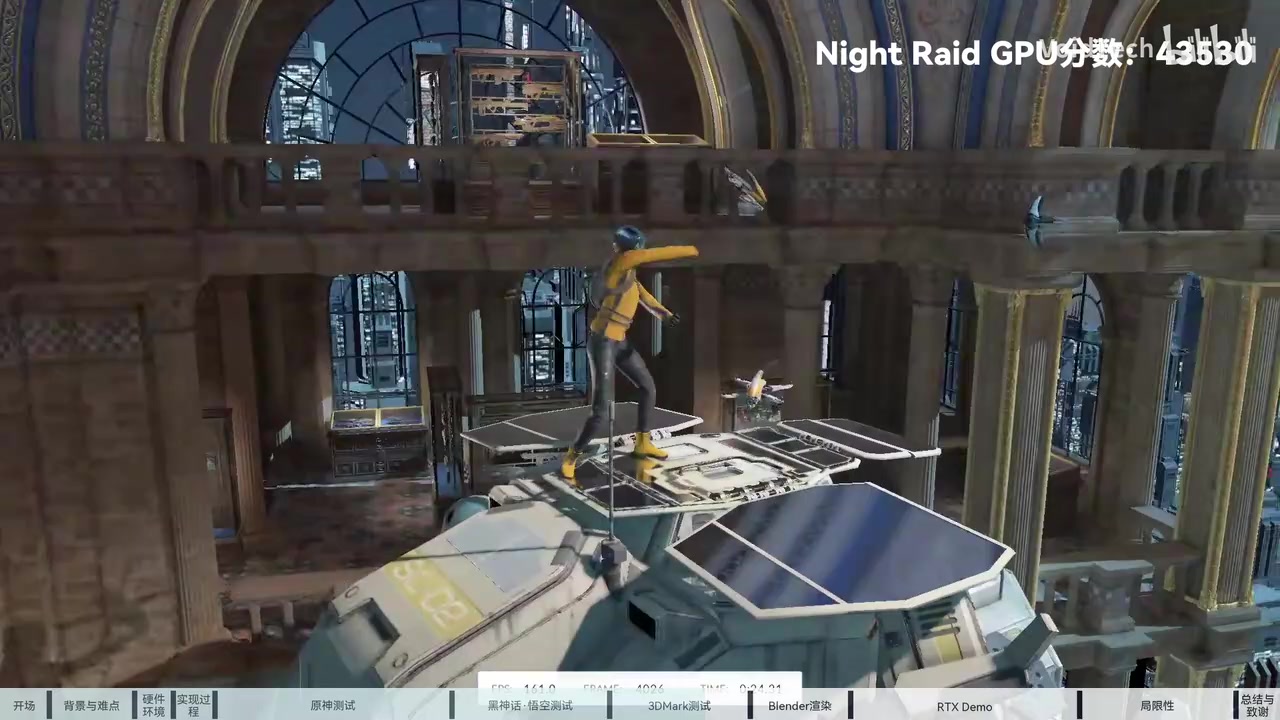
However, the native ARM64 versions of 3DMark tests, including Night Raid, Solar Bay, and Speed Way, reportedly ran without the same issues. Night Raid scored 43,530, Solar Bay around 32,370, and Speed Way 2,252. Time Spy was the exception, as it still runs through x86/x64 translation rather than natively, and returned a 6,369 graphics score.
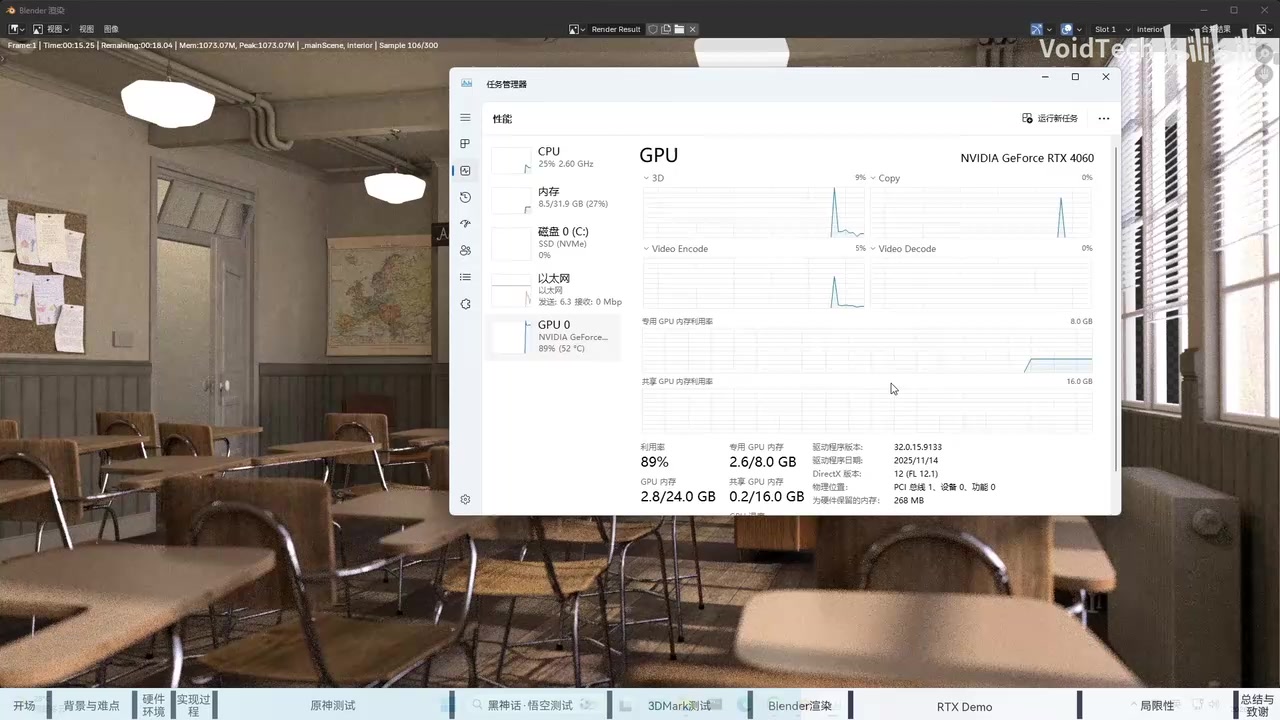
The developer also tested the x64 version of Blender, which successfully detected the RTX 4060 through Nvidia’s CUDA renderer. Task Manager confirmed that the GPU was handling the rendering workload, hitting around 89% usage, although Blender itself was still running through Windows’ x64 translation layer.
That workaround is necessary because there is no native Windows on ARM CUDA toolkit yet, outside of WSL, so CUDA apps have to run as x64 builds for now.
The developer also ran three of Nvidia’s RTX ray tracing demos. The first rendered ray tracing and DLSS correctly, and the third, the Star Wars Reflections demo above, enabled ray tracing and reflections without issue at 23 to 25 FPS.
The second demo, however, refused to turn ray tracing on at all, which the developer put down to either a GPU detection error or the fact that the driver had been pulled from another product.
Windows on Arm itself is not meant for gaming, and after all these years of investment, Qualcomm also struggles to make anti-cheat software work.
The same issue affects the RTX 4060 port for Windows 11 Arm64, as kernel-level anti-cheat remains a problem. In this test, Arknights: Endfield refused to run, silently closing moments after launch.
The developer suspects either its ACE (Anti-Cheat Expert) anti-cheat or the x64 translation is breaking the game’s rendering, though he couldn’t confirm which.
Another problem is that Huawei’s ARM device is unable to output video directly to a monitor when it’s connected to the RTX 4060.
It’s not just the GPU, either, as the Huawei board has no Windows drivers, so its onboard network card and other components don’t work under Windows at all.
To get around the display issue, the developer had to use Sunshine and Moonlight to remotely stream the Windows desktop and gameplay to another device, which can make everything appear visually slower as well.