








I have a love-and-hate relationship with New Outlook. I like how simple the interface is, but dislike the fact that many of the advanced features are still missing. And it’s not just about Windows, as even New Outlook for macOS has a similar problem. The good news is Microsoft is bridging the gap and rolling out support for advanced .PST and other features.
In a couple of posts on Microsoft’s Feedback portal for Outlook, the company confirmed that it has now fully released an advanced version of .PST support in New Outlook. It also shared a support document that explains how the feature works in Outlook, but warned that Classic Outlook is still required to be installed in the background.
“Opening .pst files in new Outlook requires classic Outlook to also be installed. Both versions need to be the same architecture: 32-bit (x86) or 64-bit (x64),” Microsoft noted in a document.
.PST file support for New Outlook rolled out a little while ago, but at that time, it was basic and lacked multiple features. For example, if you imported a .PST file from a different account, you couldn’t search for emails by either content or sender in a folder that you had just created.
This has been addressed, and you can now follow these steps to use .PST files in New Outlook:
- Open Settings in New Outlook, and navigate to Data files.
- Now, select “Add files.”
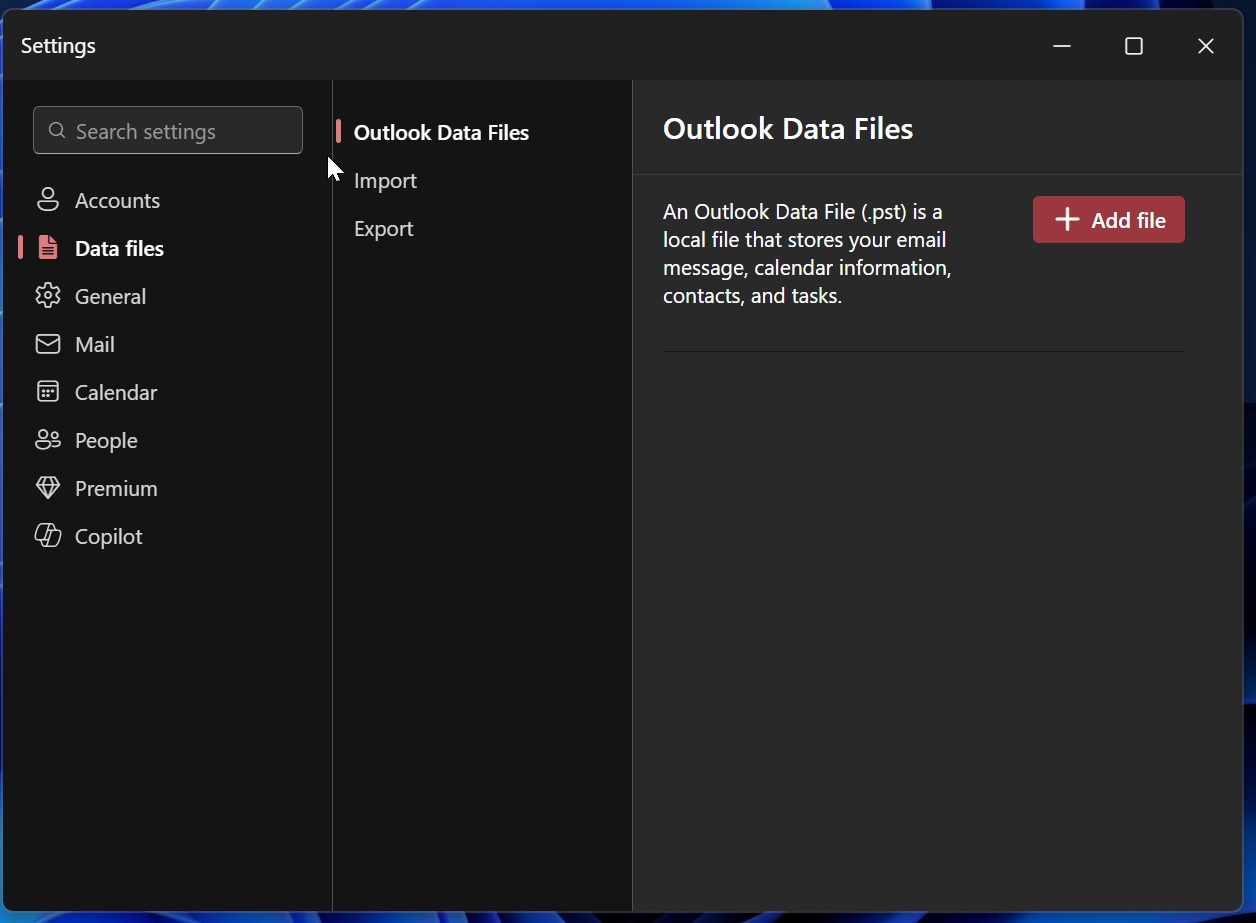
- Pick your PST file, and open it in your folder list.
I’ve been following Outlook’s .PST journey for a while now, and it’s been a long ride. The company gradually added all .pst-related features to New Outlook, with the initial rollout beginning in June 2025:
- June 2025: We finally got the ability to export our entire mailbox, or just specific folders, into a fresh PST file. (Status: Launched)
- July 2025: You can schedule automatic or regular exports of mailboxes to a PST. (Status: Launched)
- August 2025: Read-only access was added to help you browse your old calendars, events, and contacts. (Status: Launched)
- September 2025: Move emails in PST as attachments. (Status: Launched)
- March 2026: Import our old emails straight from a PST file. (Status: Launched)
- June/July 2026: Import our calendars and contacts from a PST file directly into our mailbox.
As I noted above, New Outlook is still dependent on Outlook Classic to load .PST files, but Microsoft has clarified that it’ll remove that requirement later this year. Once the requirement for Outlook Classic is removed and the ability to bulk import Mail, Calendar, and Contacts is rolled out, the company has no plans to continue developing .PST.
New Outlook’s .PST development is almost over at this point, so you shouldn’t expect anything beyond what’s documented above.
Other features slated to arrive in New Outlook
We have already covered all the confirmed features coming to New Outlook in the next few weeks, but our findings revealed that there’s more on the table than what’s been documented.
For example, Outlook will let you choose whether to send calendar updates to all attendees. At this point, the development of the feature has been marked complete internally, and it’ll roll out soon.
Right now, if you edit a calendar event in New Outlook for Windows 11 or 10, it automatically sends a notification to attendees.
While it may not appear to be a major problem, it’s annoying because it auto-sends notifications to everyone when you change a meeting’s description or add a single person. The current UX causes an email blast to everyone, which can be annoying.
After a new update, New Outlook will finally show a confirmation prompt with an option to choose between “Save” or “Send Update.”
Emails sent from delegated mailboxes do not appear in Sent Items
I’ve personally observed this problem in my Outlook. I have two emails, [email protected] and [email protected].
The [email protected] account is a shared inbox, so if a coworker replies to a customer from that shared address, that reply does not get saved into the shared “Sent Items” folder. Instead, it appears in the Sent Items folder of the personal email.
In the old Outlook, when you replied to a customer from that shared address, your reply was saved directly into the shared “Sent Items” folder. That is not the case with New Outlook, where the delegated mailbox’s Sent Items folder is always empty.
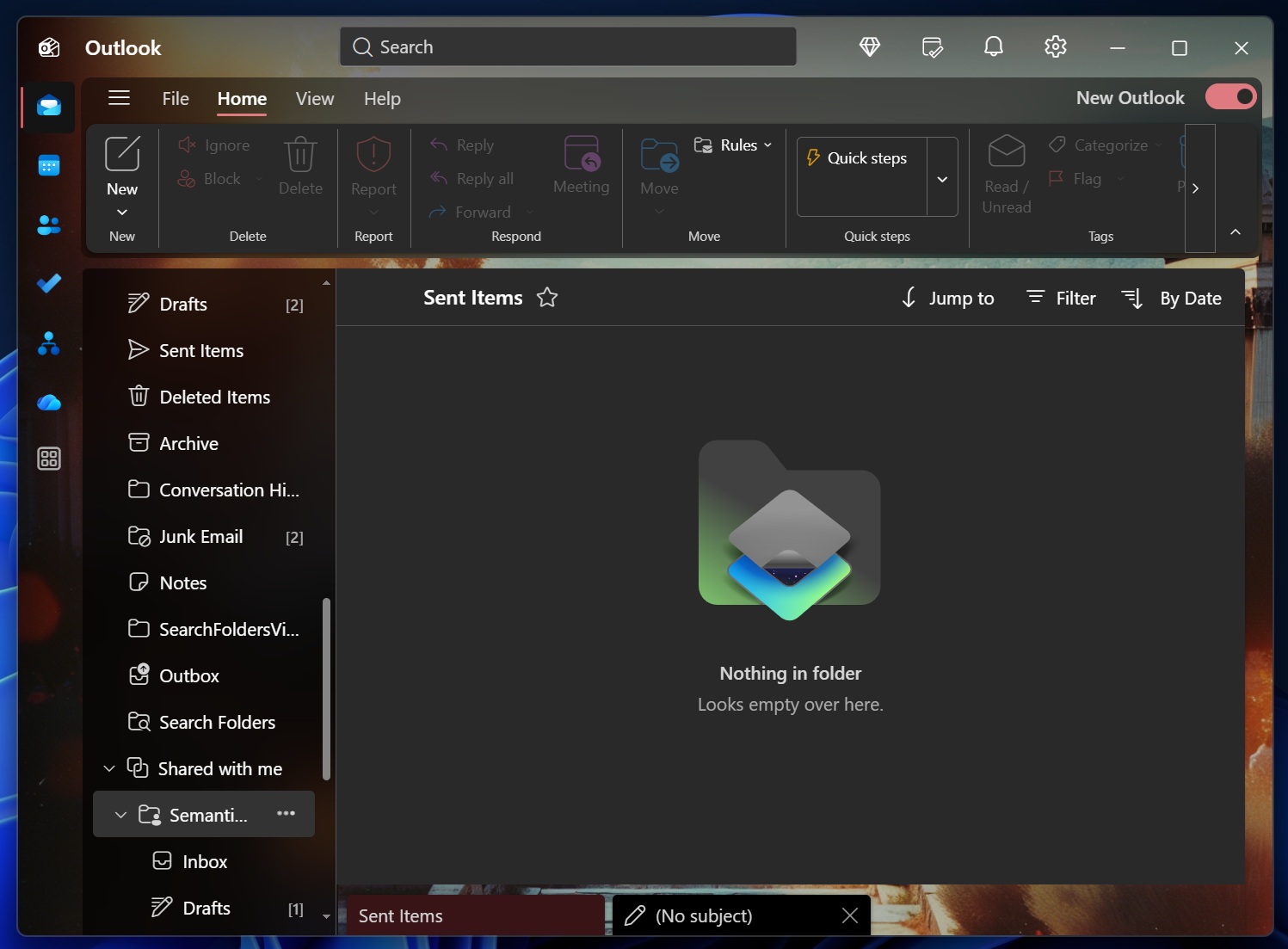
Microsoft says this feature will soon get fixed, and it’s being worked on internally.