




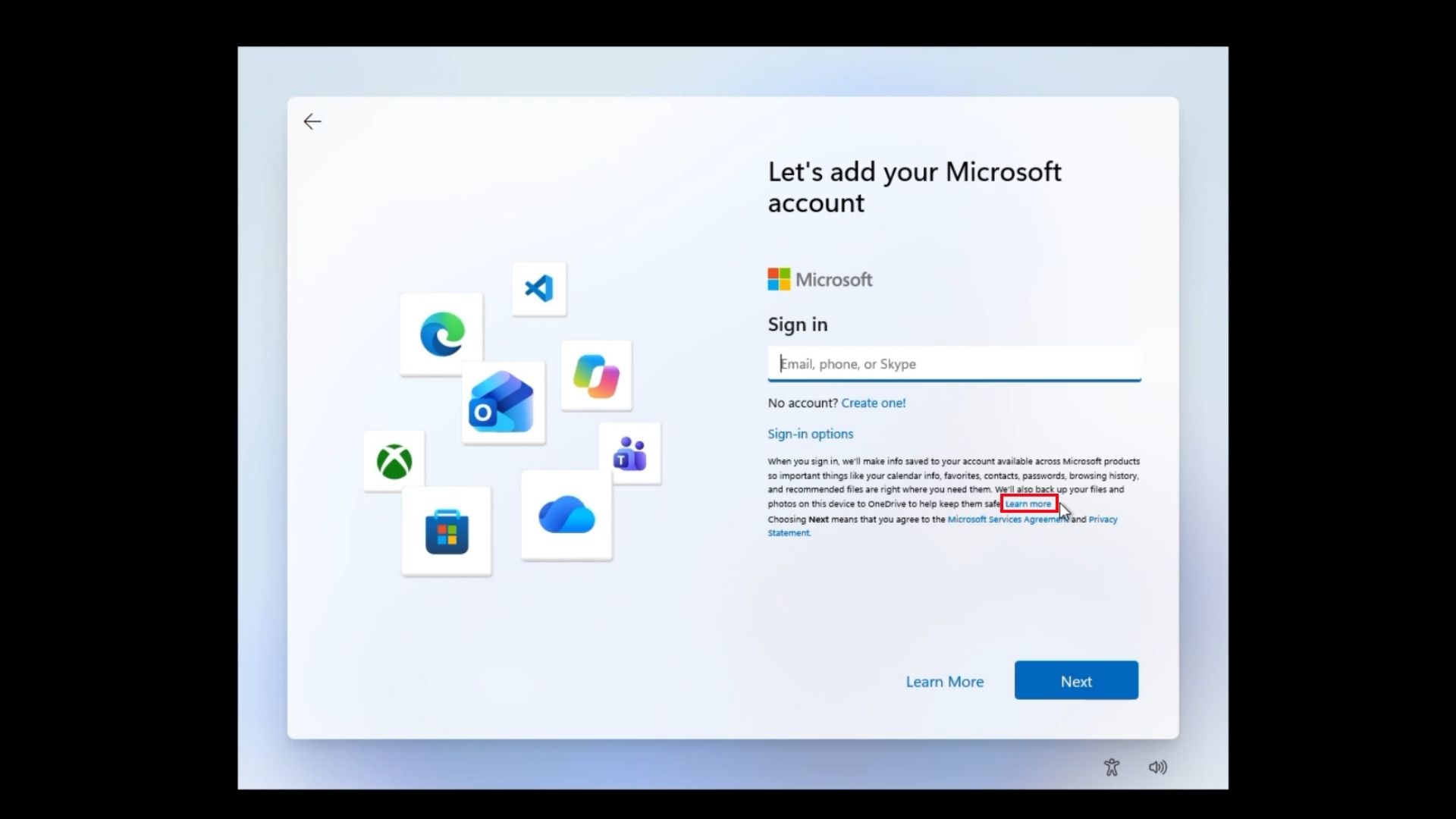
Microsoft has spent the last year closing ways to set up Windows 11 without a Microsoft account in Windows Insider preview builds, but there is apparently a new, remarkably simple workaround hiding in plain sight. On the latest Windows 11 Home installation media we tested, clicking the small “Learn more” link on the Microsoft account sign-in page unexpectedly takes OOBE straight to the screen to create a local account.
For those who aren’t technically adept, you’ll be pleased to know that there is no Command Prompt needed here. No Registry Editor, and absolutely no fake Microsoft account. The surprising thing is that you don’t have to disconnect your Wi-Fi, either.
We tested this on a fresh VM using the latest Windows 11 Home ISO, and the method worked during setup. We can’t say yet whether every edition or build behaves this way. Redmond has blocked increasingly complicated MSA bypasses in Windows Insider preview builds, only for the easiest one yet to be inside the setup screen itself.
We tested Windows 11’s new “Learn more” trick to bypass MSA, and it works
To bypass the Microsoft account requirement, start a fresh Windows 11 Home installation and get through the normal OOBE screens, which is already slow and painful to begin with.
Connect to the internet and continue until you reach “Let’s add your Microsoft account.”
Here is our full video of Windows 11 Home installation without entering MSA:
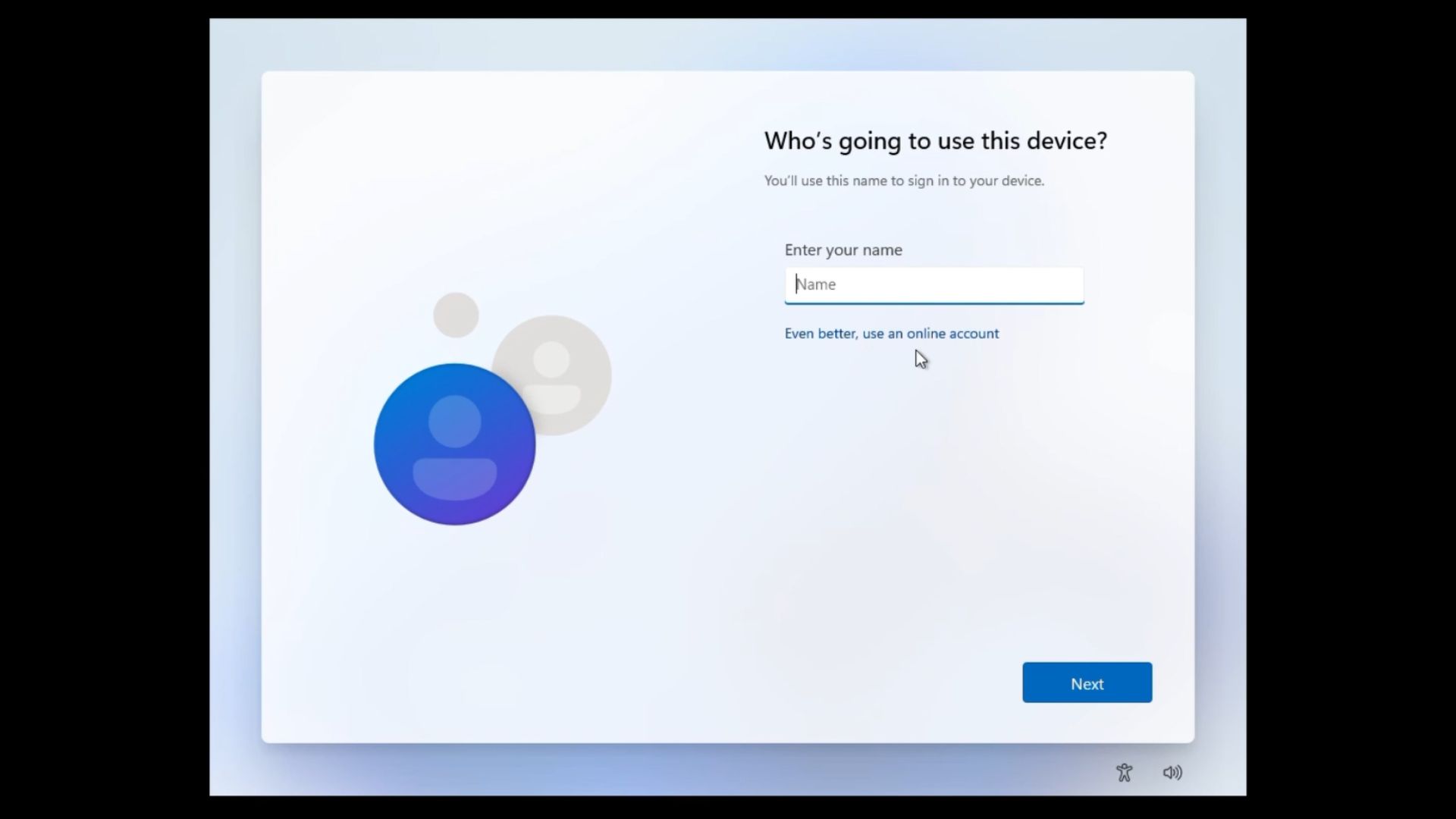
Look for the small “Learn more” link in the long paragraph under “Sign-in options”. Do not click the big Learn More button near the bottom of the page. Wait for the page to load. If it works, Windows moves to “Who’s going to use this device?” Enter a local username and continue.
You will be prompted to type a password, confirm it, and you will also need to answer three security questions. From our video, you can see that Windows works just fine without an MSA using this method.
Of course, this is not an officially supported local-account option. We suspect it’s a bug Microsoft didn’t mean to leave in, and this is one of those bugs that we wish Microsoft wouldn’t find out.
Microsoft already killed several other ways to escape MSA in Windows Insider preview builds
Windows 11 made it more difficult to skip the MSA sign-in over the years. The oobe\bypassnro Command Prompt trick restored the offline setup path until Microsoft removed the script itself in Windows Insider preview builds in early 2025, though the Registry value kept working a while longer in those preview builds.
In October 2025, Windows Latest tested Microsoft blocking several familiar bypasses in Windows Insider preview build 26120.6772: the Registry-based BypassNRO value, start ms-cxh:localonly, start ms-cxh://setaddlocalonly, entering fake credentials to force an account failure, and the older oobenetworkconnectionflow trick, which just looped OOBE instead of escaping it in that build.
To be clear, these restrictions were tested in Windows Insider preview builds and have not been confirmed as shipped to production yet. Older bypasses may still work on public Windows 11 installation media, depending on the build.
Microsoft’s reasoning was that these mechanisms let people “exit OOBE with a device that is not fully configured for use.”
Some users have suggested that start ms-cxh:localonly still works, but it is patched out in newer Windows Insider preview builds. Another user said that Windows 11 Pro’s “Set up for work or school” option still reaches a local-account screen, but most consumer PCs ship with Home, not Pro.
Bob Pony, who first spotted the Learn More trick, also confirmed it works on the latest Windows 11 Experimental Insider build, 29677.
Advanced techniques like Domain Join on Pro and custom ISOs built with tools like Rufus still exist as alternatives, but those are fundamentally different from a convenient little bug like this.
Microsoft promises a calmer OOBE, but MSA is still the elephant in the room
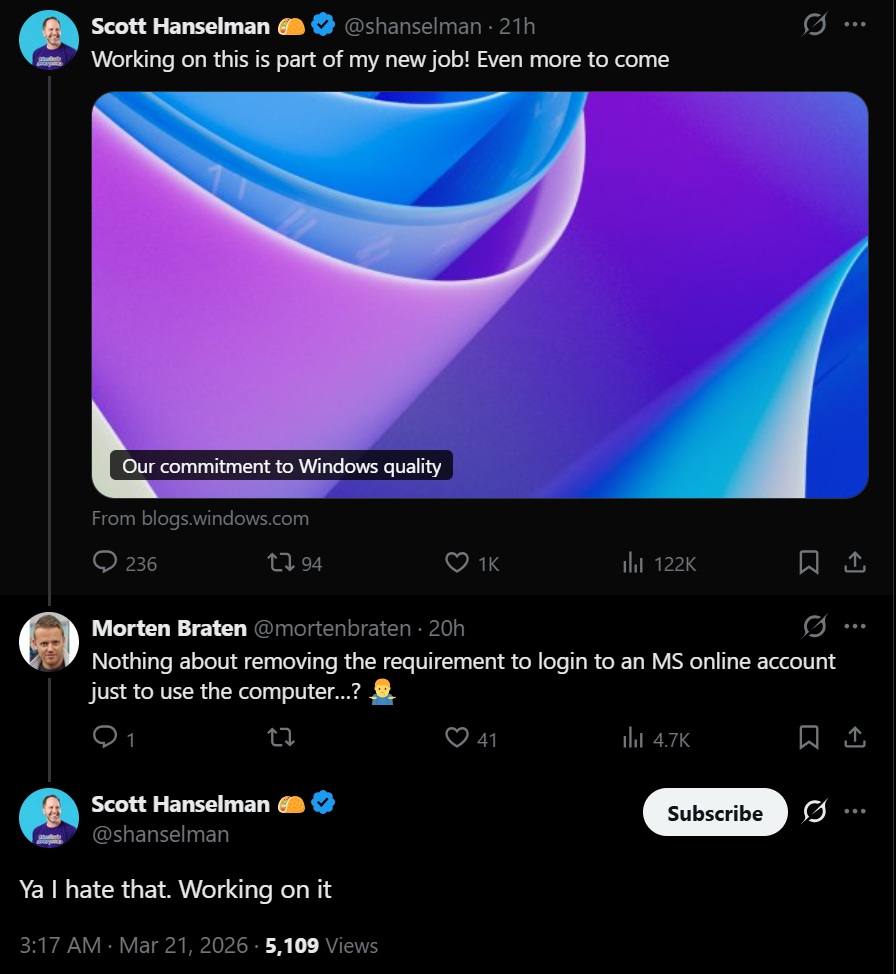
Internal sentiment at Microsoft isn’t unanimous. Scott Hanselman, VP and member of technical staff, replied to a complaint about the MSA requirement back in March with “Ya, I hate that. Working on it.” Windows President Pavan Davuluri’s July update on Windows quality named OOBE a focus area, promising a faster setup, but we reported in August that the update said nothing about dropping MSA.
The rest of OOBE badly needs the cleanup too. Windows Latest clocked a full setup run at over an hour in March, stacked with Microsoft 365 ads, a Phone Link ad, a OneDrive ad, and an Xbox Game Pass promo before reaching the desktop. Parts of OOBE run on web-based components, which likely explains why each stage triggers a page load instead of an instant transition.
Microsoft probably won’t leave this one alone
Microsoft has spent nearly a year blocking familiar local-account bypasses in Windows Insider preview builds, yet the newest workaround doesn’t require a command, or a registry edit, or even disconnecting from the internet.
Microsoft almost certainly didn’t intend this, and we kind of hope they don’t fix this “bug”.