









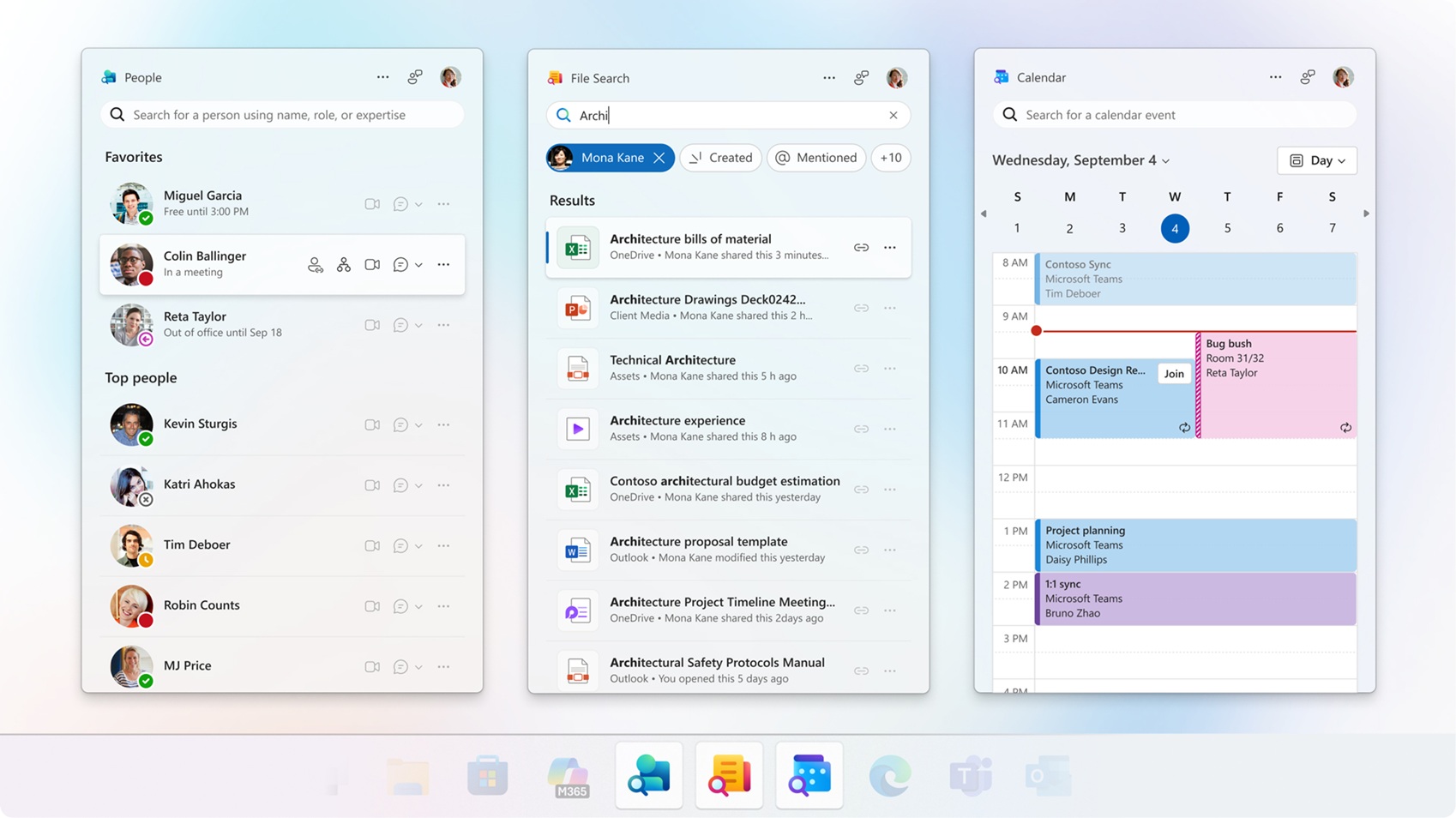
Microsoft built three Copilot-focused apps called “People,” “Files,” and “Calendar” and began gradually rolling them out to users with a Microsoft 365 subscription. But these apps never made any sense, and if you actually received them before the company decided to retire them, you probably found no use for them either.
Now, Microsoft says the apps were “a source of a lot of memory and issues.”
For those unaware, Microsoft announced “Microsoft 365 companions,” which included the three apps, in 2025. At the time, the company was confident these mini apps sitting on your taskbar would make you more productive. But almost a year later, Microsoft decided to pull the plug.
I assumed it must have been due to low usage. I mean, who would even use the People app to find a contact when they can use Outlook or Teams?
Turns out, the apps Microsoft tried to force-install also came at “a very high cost.”
Microsoft says its three companion apps used a lot of memory
In our tests, Windows Latest found that the Microsoft 365 companion apps were built using WebView2 and could use over 1GB of RAM. Microsoft made it quite obvious at the Ignite 2026 conference that memory usage was one of the problems, and I heard it live when the company streamed the session.
During a Q&A between Microsoft and its customers, an attendee asked about people using the Files app instead of File Explorer. After clarifying that the question was about the Microsoft 365 companion app, Microsoft confirmed the companions were going away in December.
“And then I’ve had some of my end users using Files as the app instead of File Explorer. What’s the difference between the two?” the attendee asked.
“Oh, with Office, the little one on the taskbar, right?” Microsoft responded after the attendee clarified that they meant a companion app.
Then came the explanation:
“They were a source of a lot of memory and issues. So while they provided some functionality, they came at a very high cost.”
It is worth noting that Microsoft didn’t put a RAM figure on the apps or explain which issues it was referring to in that answer, but it previously said apps like Microsoft 365, Defender, and OneDrive were using nearly 900MB more RAM than required, so you can make an educated guess about how bad things were for the three mini apps for the company to pull them.
Microsoft will not explain why it chose to ship not one but three half-baked apps stuffed with Copilot, and even tried to force-install or pin them to the taskbar. But at least we know the company would act when its apps use more memory than they should, and I’m still happy it decided to discontinue the apps so they don’t use more of your RAM.
What did the three Microsoft 365 companion apps actually do?
If you got lucky and never had a chance to use them, here’s what they actually did:
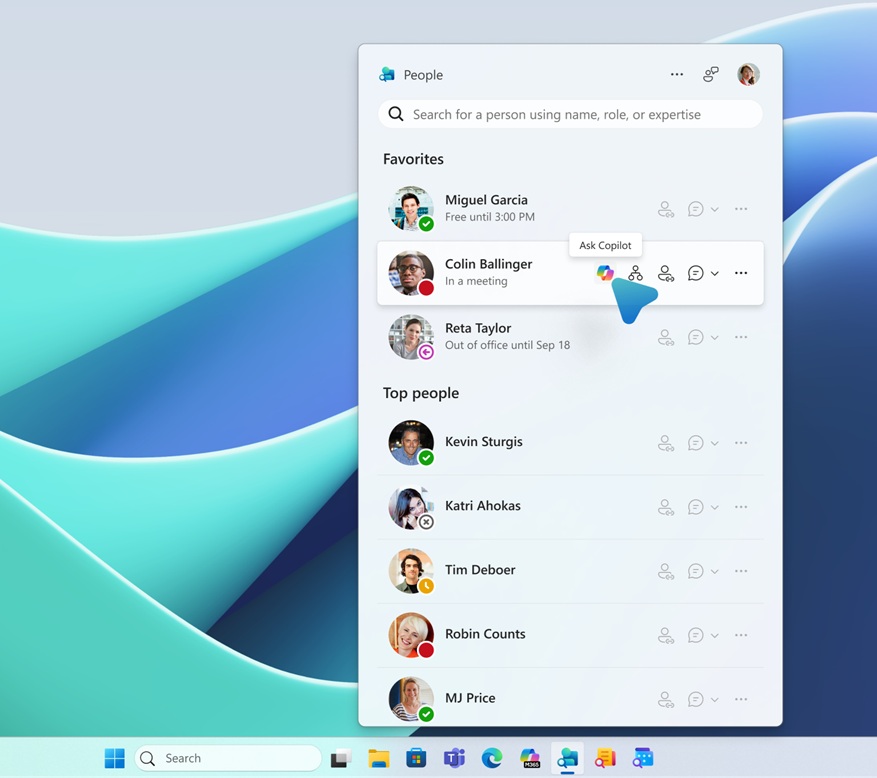
- People: This app basically pulled information about people in your organization, similar to how you have people in Outlook. You could search contacts and also send messages via email or Teams. And of course, it also had a Copilot button that you can see in the above screenshot.
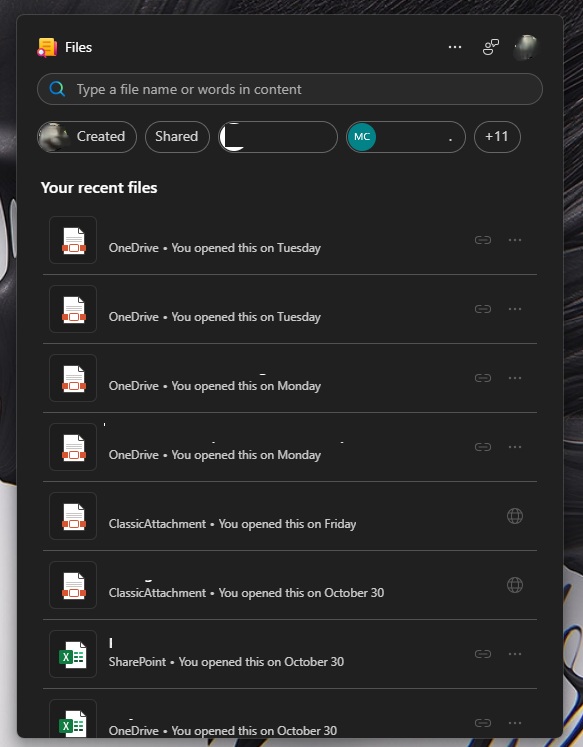
Image Courtesy: WindowsLatest.com - File Search: This allowed you to search for files in your organization, with an interesting feature to find files shared by a particular contact. You could also preview a file before sharing it again. Of course, even File Search had Copilot integration, which allowed you to send the file to AI for analysis if you had a Microsoft 365 Copilot license.
- Calendar: I don’t think this one needs any explanation, but for those who are still left guessing how Microsoft “cooked,” the Calendar app pulled Outlook’s calendar onto your taskbar. Microsoft also showed a Copilot button, with that integration still listed as coming soon in its October 2025 announcement.
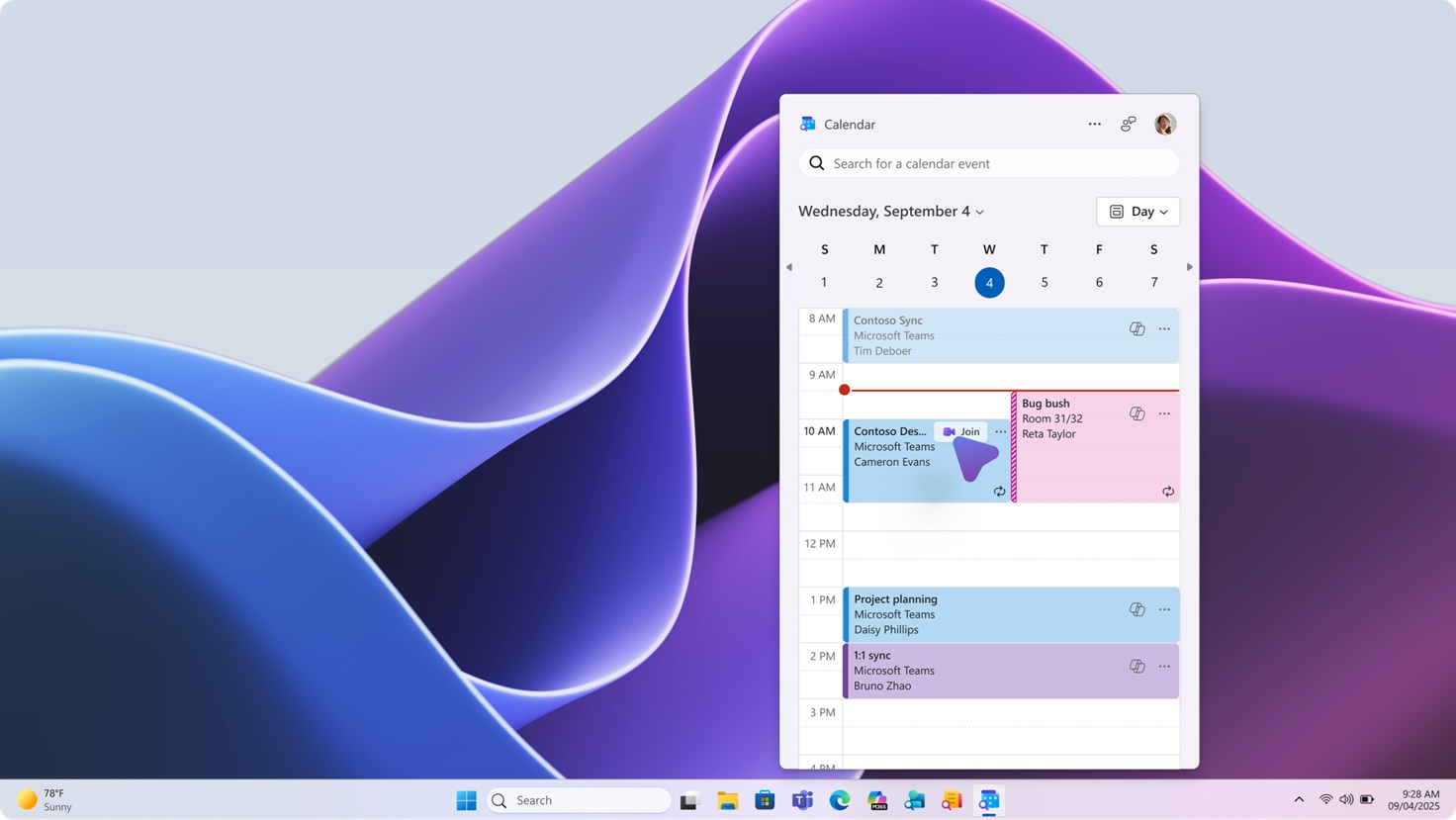
At that point, Microsoft argued that these three WebView-based apps should always be pinned to your taskbar to make you more productive, and it began force-installing them on PCs with Microsoft 365 Enterprise or Business.
“Many of you have wondered and asked: ‘What’s the need for these apps, when I can do all of these actions today in other apps?’” Microsoft’s product manager wrote in the original blog post, which reads like it was written using AI. “Think of the Microsoft 365 Companion apps as your personal productivity pit crew,” the company added, and to me, the AI slop couldn’t be more obvious.
Microsoft also went ahead and shared a totally irrelevant Formula 1 example to justify these three Microsoft 365 apps:
“Just like a Formula 1 team keeps the car running at peak performance, these Companion apps are always there, working behind the scenes, ensuring you stay efficient, organized, and in control – so you can focus on winning the day instead of searching for documents or meetings.”
Make sense of it if you can. And if you don’t understand anything, you’re better off asking Copilot, which would have written the above note either way.
In 2025, Microsoft was hell-bent on adding Copilot to the taskbar, and I believe these three apps served exactly that purpose. Later that year, Microsoft also began pinning them to the taskbar, but in our tests, Windows Latest observed that the rollout was extremely slow, so it never reached most PCs.
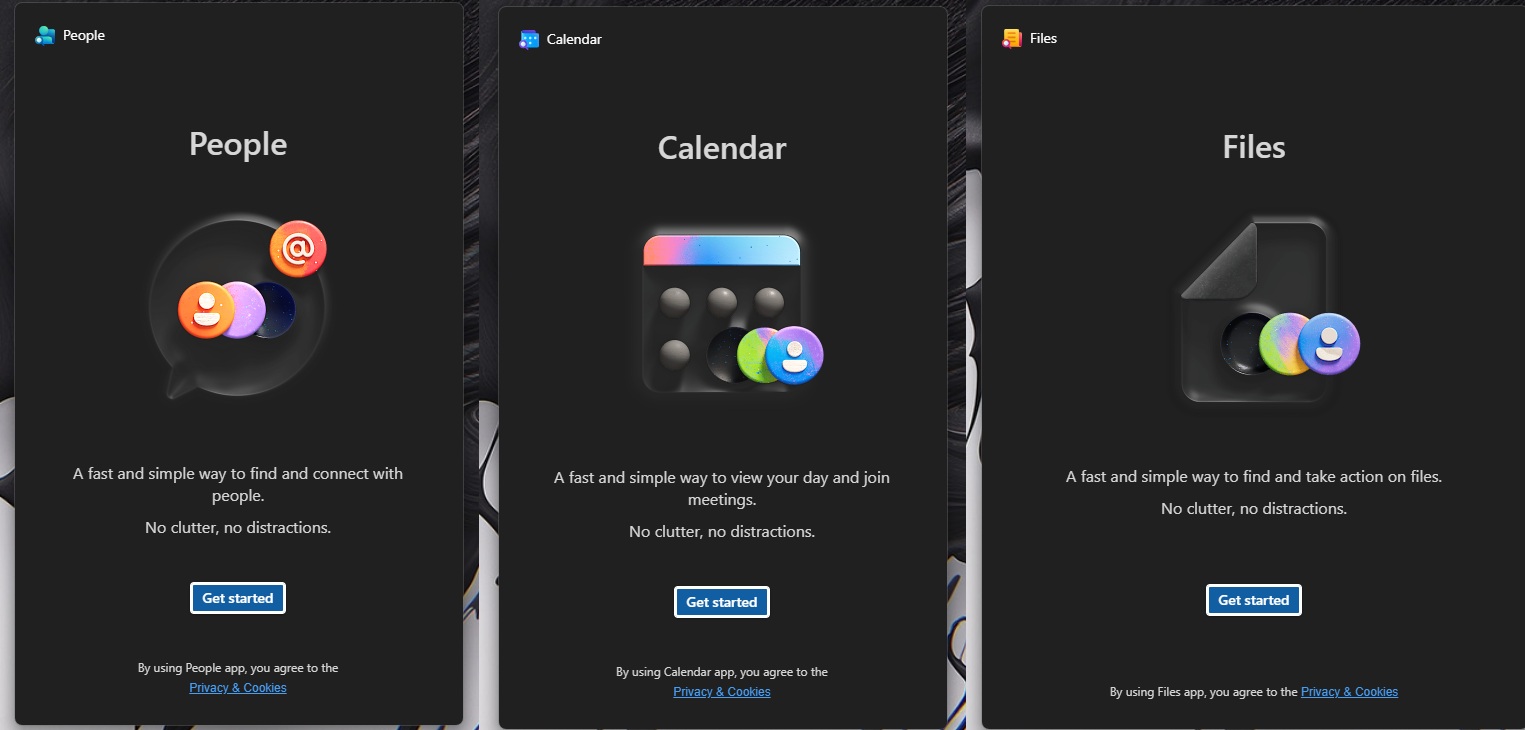
Fast forward to September 2026, and Microsoft finally decided to retire People, Files, and Calendar. It also said those who already have the mini apps installed need to remove them, with the apps set to stop working by December 16, 2026.
In an updated support document spotted by Windows Latest, Microsoft shared the following statement:
“The companion apps were an additional way to find calendar information, people, and files. Removing them doesn’t delete or affect any existing capabilities or Microsoft 365 data. You can continue finding the same information by using existing Microsoft 365 and Windows experiences.”
Microsoft even said users need to remove the apps from PCs with Microsoft 365 Enterprise, and most people weren’t even aware that the apps were installed on their PCs. I can see why that would be another boiling point for its customers, particularly enterprises.